
- TutorialsHow to install Revolution Slider
- TutorialsHow to Install bbPress forum
- TutorialsFrom WPBakery to tagDiv Composer
- TutorialsDefault Block Settings Guide
- TutorialsImport Revolution Sliders
- TutorialsSystem status parameters guide
- TutorialsHow to Update the WPBakery Page Builder plugin
- TutorialsExisting content
 Bettina
 Hello!
Follow this guide to clean your WordPress and theme of malware: https://askwpgirl.com/10-steps-remove-malware-wordpress-site/
After that, you can update the theme to the latest update.
For every update, we always recommend the following:
-> First of all, please make sure you have a backup.
-> Please deactivate all the non-tested plugins with our theme before updating.
-> Update WordPress, PHP, the theme, and plugins to the latest version: https://forum.tagdiv.com/how-to-update-the-theme-2/.
-> Check all these requirements for the theme: https://forum.tagdiv.com/requirements-for-newspaper/
As a last workaround is to start again with a new install of WordPress.
I hope that helps you!
Thank you!
Bettina Hello!
Try to reinstall the demo. If the problem is still there, then please contact us via email at contact@tagdiv.com and provide the following:
– admin URL and credentials
– a link to this topic to identify you
I will check the issues you have and try to help you asap.
Thank you!
 Anamaria
 Hello Jude,
You can find the revolution slider in this path from the theme package Newspaper-tf\plugins\revolution_slider_5 -> https://forum.tagdiv.com/how-to-install-revolution-slider-v5/. We update the version of the plugin when we update the theme. In the package is version 6.7.19 -> https://help.market.envato.com/hc/en-us/articles/213762463-Bundled-Plugins
Thank you!
 picturemeclubbing
 The ad image? Yes. It’s there. Why is shows up broken I have no idea. Both installs are using the same template and all the included content. The only difference is the main one layout is different. I’m trying to copy this layout to the other sites with the exact same everything.
 anhvutuan
Dear Support.
My vps is damge, i reinstall OS and reinstall wordpress with my Purchase Code but can’t active
Error: Your purchase key is not valid.
How to fix this.
 MKJ
MKJ Again, I did NOT (!) re-install anything. And yes, I know how to update a theme. I did it exactly like in your documentation. We use one global template for single posts. And very obviously that changed after the update.
But ok, that’s probably your idea of support for paying customers!
Anamaria Hi,
You do not need to reinstall the template after the update. This is a guide how to update theme https://forum.tagdiv.com/how-to-update-the-theme-2/
Thank you!
MKJ Again, we had this before. Yes, it DOES. This is the reason, why we don’t update more often. It is simply too much work.
Just explain to me HOW I would re-install the templates during the update. I don’t even know how. Let alone that I did it on purpose. Is there a checkbox or anything else to consider?
MKJ We had this topic before. I got the same answer, and of course it was the UPDATE that re-installed the ad banner. I did not re-import any templates. At least, I did not do this deliberately. I just updated the theme and the included plugins from the dashboard. I wouldn’t even know HOW to re-import the templates.
I was able to remove the banner. However, I would prefer to avoid this additional work. Why does the banner always re-appear?
 Calin
Calin Hello,
The Newsmag theme can be edited using the tagDiv Composer and theme panel settings from Newsmag> Theme panel.
Also, you have a different mobile version because the tagDiv Mobile theme plugin is installed. To have the same version on mobile as on desktop, please disable the tagdiv Mobile theme plugin.
Thank you!
Bettina Hello!
Do you have the image in your new WordPress install? Try to place it again in the tagdiv Composer. Make sure you copy the page code and not the homepage template.
Thank you!
picturemeclubbing Sorry let me be more clear. I just made a new install of wordpress as a multisite. On the main site I installed the theme and template I wished to use. All I changed was the layout. No images. No added code. Just the layout. I didn’t import any new blocks or anything. I just moved around what was on the screen.
After I went to one of the sub-sites, installed the same theme. I went to the first install, copied what I created for my home page (as you showed above), then imported it to the sub-site. I made sure I selected all and copy/paste it. When I looked at the subs-site page the fonts were different, images were in the wrong area, and sections were missing.
 eric.lin.01
Hi,
I just updated my website to Newspaper version: 12.6.8,
but found out I can’t import Default Pro template(for both header and footer templates) from Cloud Library.
I click “import”, and it shows “installing, please wait” for few hours.
Can someone tell me what to do? Thanks!
 ghm33
ghm33i was asked by my client to recreate the design of https://newsbytes.ph, which uses the newspaper them, on the website https://phlogisticsnews.com/.
I purchased newspaper theme (- 21 Oct 2024) and installed in on https://phlogisticsnews.com/.
i cannot find the theme used on newsbytes.ph on the ready made themes. Can you please help me? My client told me she wants it to look the same.
Thank you
 Saniya
 This is my website link:
https://watercraftjournal.com/
For your information:
Since this newspaper theme Google reCAPTCHA didn’t work so I had to install another plugin to stop spam WooCommerce orders (Google reCAPTCHA v2-only on WooCommerce pages).
For all website pages you can see a reCAPTCHA icon on bottom right corner of the website but still I’m receiving warning message on Google reCAPTCHA website.
 simchris
 I don’t work here; but your license is for the Newspaper theme you are currently using, and not for Newsmag at all. Also means NO support is included. License is for (1) site install not multiple, so possibly if you have Newsmag on the same website might work temporarily until the licensing servers catch on. Dunno.
Not legal, if I read the license terms correctly on Themeforest.
 noc
noc Also we have reinstalled all TagDiv plugins and we also noticed that the problem persists for all elements that reuire to select a photo (Header logo-> Logo Image, )
For demo purposes we created page: https://culturailfov.ro/test/
Thanks.
Bettina Hello!
It seems that something is wrong on your end because when I install this demo, it comes as the demo looks on that link. Make a test and deactivate ALL plugins except tagDiv ones, also if you are using a cache plugin, deactivate it, clear all cache and try again.
Let me know the results!
Thank you!
Anamaria Hello,
When the mobile theme plugin is used, you need to set for pages the page content in the mobile editor using only the options from that editor – https://i.imgur.com/p8EqE1b.png. also, there is an option to disable the mobile theme from a page/post – https://i.imgur.com/d3kTBRf.png. This option appears in the Gutenberg editor. After you disable the mobile theme on the page, you can use the responsive version.
Using our theme, you can choose from 3 mobile versions
-> mobile responsive => https://www.screencast.com/t/oJ2ShOp47
-> mobile theme plugin => https://forum.tagdiv.com/the-mobile-theme/
-> mobile page => https://tagdiv.com/newspaper-10-3-7-update-brings-customizable-and-fast-mobile-pages/ The option that you need to use.
Suppose you created the mobile pages with tagDiv Composer. In that case, when you install the Mobile Theme plugin, your pages will be overwritten by the plugin (the mobile theme comes with its templates for page, post, category, etc, so your current templates from the desktop theme will get converted to the mobile theme layout, the page content is made without builders in mobile editor => https://www.screencast.com/t/xbgZG8kH also, the options that are provided to edit the mobile theme version are limited (this keeps the things simple)).
This is a video about Responsive Newspaper Theme, AMP & Mobile Theme, Mobile Pages & Templates -> https://www.youtube.com/watch?v=SpGkOnJeNZY.
So, the mobile responsive is what you see when that you select the viewport on phone => https://www.screencast.com/t/matV17hH, so some settings may apply for each viewport(where is the border blue), and others are not(where the border is black).
The mobile page has the mobile templates from Cloud Library => https://www.screencast.com/t/YCcZ8rL8
The Mobile responsive version of the theme and the mobile page editor can be edit with tagDiv Composer, the mobile theme plugin cannot.
For example, you can have the mobile theme plugin activated and use the mobile page/mobile responsive version for the homepage/pages, but for the categories pages/404 page, you can’t use the mobile page/mobile responsive version if you have the mobile theme plugin activated.
So, if you want to design the pages with tagDiv Composer, you can use the mobile page or mobile responsive version.
Thank you!
 metiusat
Hello,
I have not installed tagDiv Mobile Theme.
I’m using a mobile page that has two viewports: landscape and mobile.
I have the problem when i open my website with ipad in some apps that detect mobile version so it loads landscape mobile page instead normal landscape page.
how can i solve it? is possible remove landscape from mobile page?
thank you
mattia
 pvaradero
I installed this template for the single post. It channels the NY Times, which is what I was looking for. But it has some BIG (HUGE) bugs. It looks good once you insert an image inside the post without a caption. But if you add a caption, the template looks awful, and it seems like there’s a CSS style issue there. Please look at the attached images and try it out on your theme so you can realize it. Let me know when a fix will be released.
Also, is it possible for the ads in the post to be stretched? The way they look now, it is cropped. One of the images is a sample of how the NY Times does it.
Link to the images (safe and secured): https://www.dropbox.com/scl/fo/uflfba7g69nu0bkp9qgay/AObyHIrXscMGZGEfLrHqQLE?rlkey=jalgbvz6n6c8rfde8hhgxa137&st=m2nt20y6&dl=0
 Phil Creighton
I am struggling to find the correct setting for the Mobile theme.
I have installed TownTalk theme at realreading.co.uk. The correct logo/menu displays for desktop displays, but once you get to mobile view, it switches to the EchoVerse header.
I cannot figure out how to change this.
Likewise, the MENU does not have a solid colour behind it.
Am sure there are easy fixes for both, but I cannot find them! Some pointers would be appreciated. Thank you.

 zenlounge
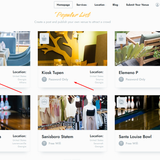
Hi all. Installed the eastcost theme with demo content. and some blocks have a wifi icon. I can’t figure out where I can remove it or replace it with others. And how can you replace the icons themselves for each of them?
Screen attached:
Anamaria Hello,
To increase page speed, I recommend checking which thumbnails you are using on your blocks. You might want to avoid having all of them enabled and optimize and regenerate images. You can use the EWWW Image Optimizer for image optimization and the OMGF plugin for fonts. Additionally, you can use the WP Rocket plugin.
here are many optimization guides provided by our users here in the forum, some made by us; you could check some of them
– https://www.infophilic.com/get-almost-100-pagespeed-newspaper-theme/
– https://forum.tagdiv.com/cache-plugin-install-and-configure/
– https://forum.tagdiv.com/how-to-make-the-site-faster/
– https://forum.tagdiv.com/topic/high-number-of-ajax-request/
– https://forum.tagdiv.com/topic/score-100100-pagespeed-with-newspaper-wordpress-theme/
– https://www.andraware.com/wp-rocket-for-newspaper-theme/
– https://forum.tagdiv.com/topic/page-speed-guide-for-2023-beginners-and-advanced/
– https://forum.tagdiv.com/topic/newspaper-theme-speedify-your-website/
– https://forum.tagdiv.com/topic/tutorial-chriss-custom-optimizations-for-functions-php-etc/
– https://forum.tagdiv.com/cloudflare-cdn/
– https://forum.tagdiv.com/topic/theme-causing-high-cpu-usage-2/
– https://forum.tagdiv.com/topic/sql-querys-high-cpu/
– https://forum.tagdiv.com/topic/newspaper-theme-slow-to-respond/
– https://premium.wpmudev.org/blog/optimizing-your-wordpress-database-a-complete-guide/
– https://underconstructionpage.com/optimize-wordpress-database/
– https://crunchify.com/better-optimize-wordpress-database-all-in-one-guide/
Thank you!
Bettina Hello!
If you install the black pro demo, then the colors will look like this: https://demo.tagdiv.com/newspaper_black_pro/
Make sure you do not use any other templates for your pages and not default templates.
We recommend using cloud/PRO templates to have the possibility to edit them with the TagDiv Composer, which contains a lot of functions and features; please check our tutorial here: https://forum.tagdiv.com/tagdiv-composer-tutorial/
More documentation about the cloud templates is here:
– https://forum.tagdiv.com/cloud-library-templates/
– https://forum.tagdiv.com/design-post-pages-using-cloud-library-templates/
– https://forum.tagdiv.com/cloud-library-category-templates/
Thank you!


