- NewspaperHow to Add a Logo in Newspaper
- NewspaperShortcodes
- NewspaperHow to Set the Image Avatar
- NewspaperThe Mobile Theme
- NewspaperFavicon & iOS Bookmarklet
- NewspaperHeader styles
- NewspaperWhat’s Included in the Newspaper Theme Package
 abhas.kus@gmail.com
Hi Team, I have installed Newspaper11 theme and brought up the demo content to it. I have created logo and changed it through tegdv edit but it is not reflecting in the website. I used Mozilla where I can see the updated logo but when I access the site through other brouser, it’s not showing the latest logo. Even it’s not showing the updated logo on mobile browser. Could you please help me on this.
 chofkyton
I have added the logo and the changes are not reflected.
I have updated / customized everything but nothing is reflected, how horrible! I bought this theme because it is the best seller but the experience is very bad, it is assumed that by customizing the theme everything is recorded and changes, nothing changes, horrible theme!
 palicali
 Hi Anamaria –
– I am using Sucuri for firewall and security. Are there any special instructions for Sucuri?
– Prebuilt website – Default
– Theme version – Newspaper Version: 11.3.1
– You can try changing anything at all in the theme settings and then hit save and you’ll see that it just keeps spinning and not saving. In my test I tried uploading a logo and it wouldn’t save for example.
 Bettina
 Hello!
If you want the same style/template of your categories, then you can duplicate a template/layout for every category to have different template, make the specific changes and assign it to that category.
Check this topic: https://forum.tagdiv.com/topic/different-logo-in-categorypage/ ; Here I explained step by step how you can duplicate a template.
For cloud/PRO templates: you should add the sidebar from tagdiv Composer. Steps:
1. Add 1 row
2. Split into 2 columns( 2/3 + 1/3 )
3. You can add whatever you want into the second column and consider it a sidebar.
Take a look here in this video for example where I build 6 columns: https://www.screencast.com/t/mZ2c5XamTFN
Hope that helps you!
Thank you!
 shafiun
hi,
I am using Cloud Template from Gossip pro in my site. Its not showing any image when I want to print a post. Then I checked Newspaper demos site also. I found, images not showing neither on Demo site nor in my site.
Then I tried to fix it by custom CSS as you mentioned here
But its not working also. What to do to show featured image and site logo in print page?
 Redlemon
 Hi Bettina,
We are talking about two very different problems here. One is the theme appearing to be unregistered. The second is (was) that the theme completely broke the output on the front page. The former is still there – the theme appears to be unregistered still. The latter we addressed like explained previously. Allow me to point out that some theme settings were completely erased in the process of switching between child -> parent -> child themes; settings like the header, the logo, the default post template, the custom ads 1, 2, 3, 4, and more.
To be completely transparent with you, I am very hesitant in touching the update buttons again any time soon. This is not the first time I am experiencing unexpected output caused by updating Newspaper. If you search on previous tickets of mine (you could search history for my email associated with this account) you could verify this. Living with Newspaper has been anything but easy and trouble-free.
I attempted to re-activate the theme, but the wheel kept spinning, and spinning, and spinning. It was at least 5 minutes of spinning until I realized it was not going anywhere, and I had to cancel.
This is an alive installation, and every time something like this happens it never goes unnoticed. We honestly hope there will never be a “next time” in the months to come. The activation code is available, and we would rather resolve this without having to go through a similar experience another time.
Thanks.
 Mijo
Mijo Hello, here is my screenshot 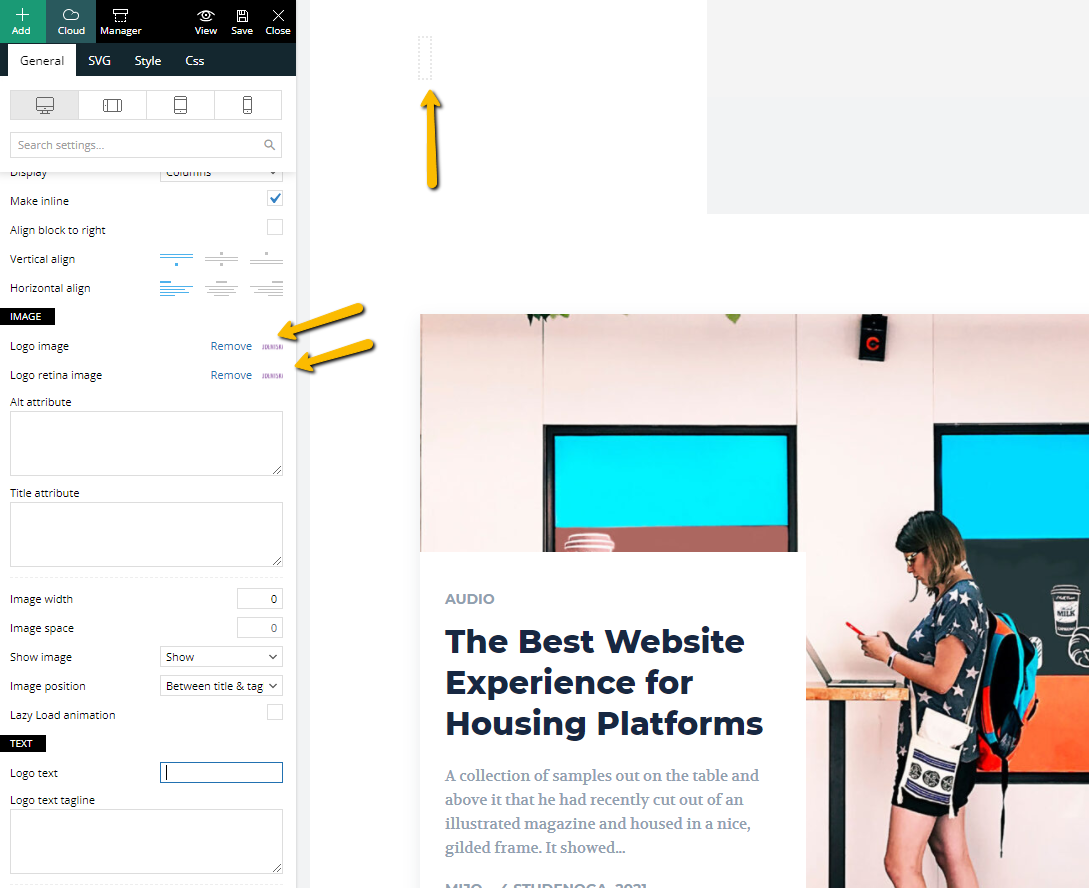 , and I add my logo with tagDiv Composer but still logo not showing.
MijoHello, I am using this demo (https://demo.tagdiv.com/newspaper_gadgets_pro/) on a fresh install of WP, when I try to add my logo or change colors nothing happened, changes are not visible on the frontend. I am using the latest WP and your latest theme, can you help me with this? Even if I use your tagDiv Composer still can not change the logo.
 Anamaria
 Hello,
I saw you have an older version of the theme, https://i.imgur.com/VZHUIFb.png and is possible to cause this issue, you may not able to change the logo.
Also, please check the console and see if you don’t have an error when you try to save the changes.
Please let me know what WordPress version do you have.
Many changes have been made over the years, and the latest version of the theme is 11.3.1.
Also, if you want to update the theme I recommend that you update the theme on a staging website and make sure that you have activated the tagDiv Standard pack plugin to keep the look of the website.
Before the update, please make a full backup to all files and the database if something goes wrong. => https://forum.tagdiv.com/how-to-update-the-theme-2/
Here you can find information about the changes that have occurred in each update over time https://tagdiv.com/newspaper/
Also, on our channel https://www.youtube.com/channel/UCOT1RiNysIPCTPSnVZskwtQ, you can find more videos that can help you and documentation https://forum.tagdiv.com/newspaper-theme-documentation/ and you can ask us here on the forum if you have any questions.
Thank you!
 tzimis0tigris
 Hello Anamaria,
the issue is that although I have disabled the mobile page & the mobile template, on the responsive site I get two different views depending on the device specifically on mobile I can’t see the submenu and the logout button https://imgur.com/9r4jEfG and I get a different footer https://imgur.com/l5coHH9.
Thank you
 jtoney
I have an issue, for each page and post I didn’t create a mobile page and now I have a few hundred pages that go to an odd version of the template. This template has the wrong logo along with wrong color scheme and so on. Is there any way to fix this without manually going and adding hundreds of mobile pages?
 fpbs
fpbs I have already made this modification.
But nothing changes.
There must be some other manipulation elsewhere to change the layout of the home page for the logo.
Anamaria Hello,
Please go to theme panel -> Header and try to change the logo https://i.imgur.com/R1li96S.png, also, please provide the link to your website.
Thank you!
 egm_ar
Good morning,
We are finally trying to implement AMP in our website, which nowadays only have responsive versions functioning.
But I have a doubt.
We have different kinds of custom post templates which applies to differents categories.
Example. Post under Category A have a Single Template A1, which have a Custom Header of its own, with a variation on the logo. Post under Category B have Single Template B1; Category C > Single Template C1; and so on for around 10 custom templates, each one with a different logo in the header.
How is all of this impacted by AMP implementation? Would we still have the ability to have these kind of custom posts applied based on which category a post is assigned?
Thanks in advance!
 laguguz
I am unable to Edit With TagDiv Composer because it creates this error: This page isn’t working http://www.techfinancials.co.za is currently unable to handle this request.
HTTP ERROR 500
The logo and menus have disappered.
fpbsHi!
One of my websites is still in Newspaper 7.
I need to change the Home page.
I want to put a rectangular format 542 x 175 JPG logo in the center, above the Main menu.
I can’t figure out where to make changes.
Previously, it was a title instead of the logo.
What should I do?
Thanks.
 Lian
Lian Mobile theme footer logo error “Undefined variable: logo image width and height”. Please see screenshot here
This is your code on the mentioned line 81. Please give me a fixed code.
Thank you
 menneskedyr
 Thank you for the quick response, but that’s not quite it. Yes, TD Composer has a lot of queries and we live with it, but this was caused by a single (double, actually) repeating query from TD Standard Pack apparently fetching the site logo, using what seems to be a highly inefficient function:
attachment_url_to_postid()
And it was doing it twice, once for the desktop and once for the mobile logo, on every single page load. This caused mysqld to spike to 200% and above.
I see now that I have posted the wrong screenshot above, sorry. Here’s the correct one:
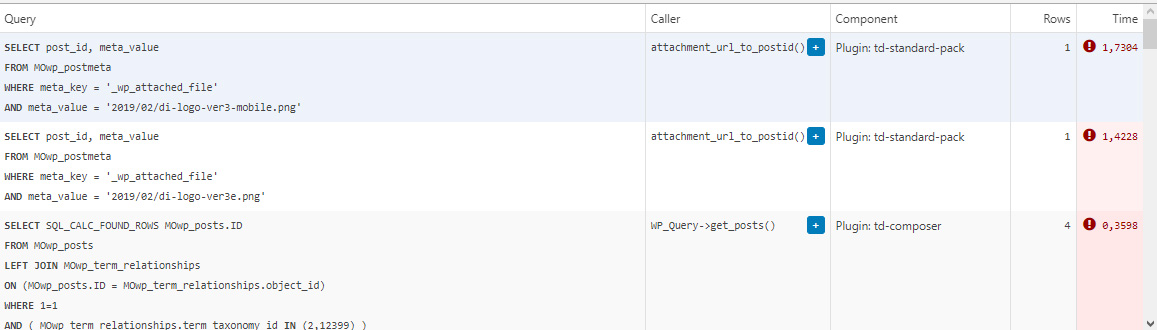
This morning I managed to patch up the problem, it’s a crude solution but may help someone. In header template I found that it was loading the logos from
plugins/td-standard-pack/Newspaper/parts/header/header-menu-h1.php
(yours may be different of course)
There I simply removed the PHP block fetching the logos and hardcoded the HTML for the logos in. As soon as I did that, the SQL spike went away. So I’d say it’s a bug, or inefficient code at least.
To be clear, we’re running the latest versions of WP, PHP, MySQL, the theme & plugins, all on a solid VPS. Yes there is quite a bit of SQL load, we’re working to optimize it with new blocks and Cloud Templates, but this was something else. Could be related to the latest Standard Pack update, don’t know, team didn’t report it before.
-
This reply was modified 4 years by
menneskedyr.
Anamaria Hello,
Did you use any plugins to optimize CSS and js?
Also, please check if you have set the width on the logo => https://i.imgur.com/7xqBSUZ.png -> https://i.imgur.com/jGdrJ2e.png
Thank you!
 netclick
 Hi Anamaria
Its not working, unfortunately.
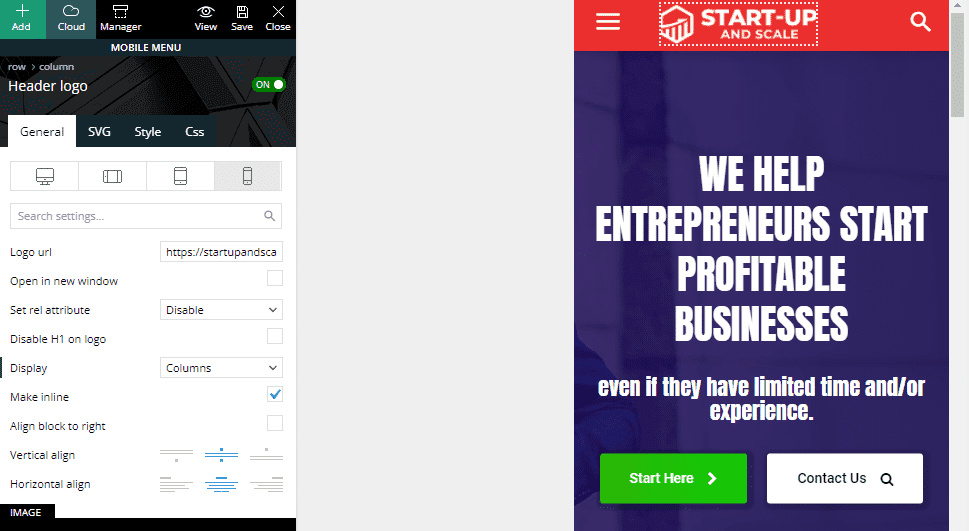
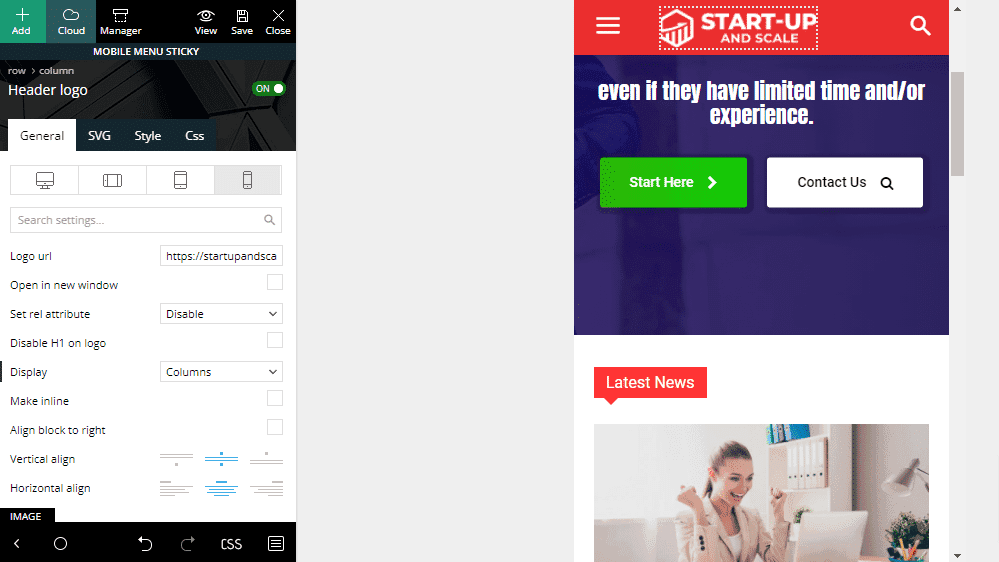
The logo is added to both sticky menu and mobile menu. it shows in ‘mobile view’ when editing. However, I can only see sticky menu on my phone browser, Android Chrome.
https://startupandscale.com/wp-content/uploads/2021/10/suas-mob.png
https://startupandscale.com/wp-content/uploads/2021/10/suas-mob-sticky.png
 dfh
dfhHi tagDiv support team,
I use the Newspaper Magazine Pro theme where I write various articles which I link on social media platforms (Twitter, LinkedIn, …). These platforms generally turn the link into a nice thumbnail + title. However rather than use the featured image of my article or the images within the article, social media platforms tend to grab the logo instead (in my footer). The issue is that all my posts “look the same” on social media because always illustrated by the same thumbnail (my logo). The result is a much lower click-through rate.
How can I configure my featured image so that 3rd party websites know its the most important image? I have attached 2 screenshots just to illustrate what I’m saying (here: https://imgur.com/a/yvJlEGo )
Last point worth mentioning: sometimes social media platforms do pick the featured image. It seems as if it depends on the article, although all articles have featured images and the same logo in the footer.
Thank you!
 Philwat
Hi,
My website theme was on 11.2 version, after update it with 11.3.1, many errors appeared.
Rollback with old version stable for my site not change anything.
In panel theme i cannot see header style, top bar…
Result: no logo, no footer, all settings are lost
In post settings, i see only one default post template, so the result is, where are disappears my features, result:
https://www.australien-backpackersguide.com/australien-blog/
Other result: https://www.australien-backpackersguide.com/unglaubliche-koala-geschichten/
wp_booster error:
td_api_base::mark_used_on_page : a component with the ID: single_template_3 is not set.
/var/www/clients/client1/web3/web/wp-content/plugins/td-composer/legacy/common/wp_booster/td_api.php
with a button display backtrace
I have two others website with same theme, same features etc and i make an update on one of it and there are no problems.
Please i need support, investigate, i can create credentials, how do you proceed in this case ?
Regards.
 ahmedhamdy2002
after the new update activated i found the AMP is not working probably and the website is always have hang. logo appear and disappear with himself. could not upload pictures to media library.so please advice.
Anamaria Hello,
First of all, it is always advisable to say what prebuilt website you have installed, to be able to help you and give you the necessary information.
Also, we have documentation where you can find more information.
Almost all of the settings that you want to do need to use tagDiv Composer.
1. If you set the font from Theme Panel, will not apply because those settings are for standard elements, so you need to change the fonts using tagDiv Composer on each element (Single Post Content, flex block, etc) please check this article -> https://forum.tagdiv.com/font-customization/ and video -> https://www.youtube.com/watch?v=jQvA64uTLkI
2. Newspaper Theme only works with default WordPress comments and unfortunately, we don’t have a plugin tested for comments, and we can’t recommend a plugin to achieve this.
3. If you set once the code for ads in the Single Post Content, you do not have to set for each post, if you use a global Single Post Template, but if you have a different Single Post Template then, yes, you need to add the code, because is a new template. The ads will show on all posts that use that template.
4. You can customize the mobile menu from Theme Panel -> Theme Colors -> Mobile menu/mobile search => https://www.screencast.com/t/0CvSgXp9H to set a background image go in Theme Panel -> Background -> Mobile menu/mobile search => https://www.screencast.com/t/uvDejzbX to change the font from Theme Fonts => https://www.screencast.com/t/ANBQe7hQhJd Also, for mobile header color you need to select the viewport on phone, select the zone of mobile menu and from the tab “CSS” you can change the background color => https://www.screencast.com/t/uO47flEmmeP also, please check this article https://forum.tagdiv.com/add-logo-newspaper/
5. Please make sure you have disabled the auto-loading option https://forum.tagdiv.com/infinite-loading-single-posts/
Also, please check if the settings are saved, if the settings are not saved, then you will have to first start looking for a plugin conflict. please deactivate ALL plugins except tagDiv ones, also if you are using a child theme or cache plugin, deactivate them, clear all cache and try again.
Also, on our channel https://www.youtube.com/channel/UCOT1RiNysIPCTPSnVZskwtQ, you can find more videos that can help you and documentation https://forum.tagdiv.com/newspaper-theme-documentation/
Thank you!
 YamhillAdvocate
 As an update, I managed to find the option for the menu background image under backgrounds / mobile menu. Still unsure how to change the colors for the vertical mode menu so my logo doesn’t stick out like a sore thumb.