
- NewspaperThe Newspaper Mobile Theme: Introduction
- NewspaperThe Mobile Theme
- NewspaperModules Builder in Newspaper Theme
- NewspaperNewspaper theme documentation
- NewsmagTheme colors introduction
- NewspaperTheme Colors Introduction
- NewspaperWhat’s Included in the Newspaper Theme Package
- ApiUsing the Theme API in plugins
- NewspaperFilters and sorting for taxonomies
- NewspaperHow to Add a Logo in Newspaper
- NewspaperBig Grid Flex Settings
- NewspaperHeader Builder
- NewspapertagDiv AMP Plugin Tutorial
- TutorialsFrom WPBakery to tagDiv Composer
- NewsmagSmart list ads
- NewspaperBest Of Forums
- NewspaperCache plugin – install and configure
- NewsmagIntroduction
- NewsmagMain menu
- NewsmagLogo & Favicon
 SVPrasad
 Just I’m Using Mobile template only i not installed tagDiv Mobile Theme. the problem is only with mobile template, i shared one video please check that
http://grookfit.com/share/mobile_theme_problem.mkv
 Calin
Calin Hi,
Ok, so the code is working for the desktop and responsive version, this is good because you can use the responsive version.
Now the question is, are you facing the problem using the tagDiv Mobile theme plugin or using the mobile page template?
If is the mobile page template, it should be working without any extra code, but in case you are using the tagdiv mobile theme plugin then the code should be set in mobile functions.php too wp-content/plugins/td-composer/mobile/functions.php
Thank you!
Calin Hello,
Unfortunately, using the mobile theme and amp will work only for images and videos; the audio format has not been developed for the mobile theme and amp.
Thank you!
 rebeccachapman
Hi, we have multimedia posts using the newspaper themes Featured Audio and Featured Video. We love how this works on desktop. However, it isn’t pulling in the featured audio. Our Featured Video works, but our podcasts, which use featured audio, aren’t working and are only displaying the featured image. How can we fix this? I have gone through the docs for both mobile and AMP and cannot seem to find what could be causing this. Need help, please. Podcast Link: https://vrmintel.com/why-has-nobody-built-a-truly-global-str-operator-inside-the-real-challenges-of-scale-with-forge-group-casago-and-madecomfy/
Video Link: https://vrmintel.com/koryn-okey-receives-crusader-award-at-2025-vacation-rental-womens-summit/
 TrickyboySid
Hi, I’m facing an issue while customizing the newspaper theme mobile version.
When I add a slider only on the homepage, it also shows above the post content when I open any post. It even appears on search result pages, tag pages, and category pages, though I’ve added it only to the homepage.
Similarly, when I add a breadcrumb on the post page, it automatically appears on all pages, including the homepage.
I’ve created separate mobile pages for each section, but still these elements appear everywhere.
Can you please suggest a solution so that specific sections show only on selected pages in the mobile layout?
Thanks!
 zoldfulu
Good Morning,
I tried to update my (https://egzostive.com/) website’s php to the latest (8.3) via the bluehost dashboard.
After an initial boost in speed the site crashed completely (web, mobile even the WP dashboard), and I had to have it rolled back to 7.4 by the Bluehost helpdesk.
Now the website works but the mobile pages come up with a service not available message (the main page works but none of the posts, e.g. https://egzostive.com/the-ultimate-2025-car-show-and-events-list/?amp=1).
Can you have a look?
Also, what is the latest compatible php for the theme?
If it is already 8.3 how can I upgrade to 8.3 without crashing?
Thanks in advance,
Calin Hi,
The theme has only a single js file and that is on a different path:
wp-content/themes/Newspaper/includes/js/tagdiv-theme.min.js
The part for the mentioned js files is from the tagDiv Composer plugin
wp-content/plugins/td-composer/legacy/Newspaper/js/tagdiv_theme.min.js also, the theme do not have a file like tdb-site.js
My recommendation: make sure that you have the latest theme version 12.73, and in case you are using a child theme, set the main theme.
Check when you are logged in and no cache and minify code is applied to see if the same error appears.
For the mobile version, you need a very good cache plugin.
You can also use the tagDiv mobile theme plugin, which will change the layout but will provide very good results – https://forum.tagdiv.com/mobile-theme-introduction/
Calin Hi,
You ned to use a custom css, as example:
.tagdiv-type {

    font-size: 15px;

    line-height: 1.74;

    color: #222;

}
Set the code in the theme panel only for mobile – https://i.imgur.com/ESQ9r7l.png
Calin Hi,
Do you use the tagDiv Mobile theme plugin? If yes, please disable it. Also, please check if your homepage header is set as global – https://i.imgur.com/LMZozTv.png https://forum.tagdiv.com/header-manager/
Calin Hi,
Usually, this situation appears when you are using the tagDiv Mobile theme plugin. When this plugin is used you need to set the page content using the mobile theme editor, or to disable it from the pages manually. You can check more using this guide https://forum.tagdiv.com/mobile-theme-introduction/
Another solution is to disable the tagDiv mobile theme plugin and use the responsive version.
 newspatron
Hello TagDiv Support,
I am using the Newspaper theme (latest version) on my WordPress site, and am experiencing critical issues with missing frontend JavaScript files and related mobile performance problems.
Description of the Problem:
On my live site, the following critical theme JS files are returning 404 errors:
/wp-content/themes/Newspaper/js/tagdiv_theme.min.js
/wp-content/themes/Newspaper/js/tdb-site.js
This results in:
Broken frontend features (menus, blocks, theme interactivity).
Console errors such as “wp is not defined” and failures for any code dependent on the wp JS object.
Failed scripts when trying to use or customize TagDiv Composer, blocks, or advanced layouts.
File/Folder Structure Verified:
My Newspaper theme is installed at: /wp-content/themes/Newspaper/
The only theme folders present are: css, images, includes, translation, woocommerce (see attached screenshot).
No top-level /js/ directory is present in the parent Newspaper theme folder.
I checked within /includes/, where there’s a separate js folder, but it contains only backend/admin scripts, not the required frontend ones.
I have unzipped the original theme package from your download. There is still no /js/ directory at the theme root with the two required JS files.
Steps Taken:
Searched and extracted all folders in the downloaded Newspaper theme package, but could not find tagdiv_theme.min.js or tdb-site.js anywhere.
Cleared all WordPress, server, and browser caches, rechecked file system and browser console—issue persists.
Verified the problem recurs with a freshly installed, untouched Newspaper theme (not a child theme or plugin conflict).
Impact:
Site is not functioning properly for end users due to missing JavaScript.
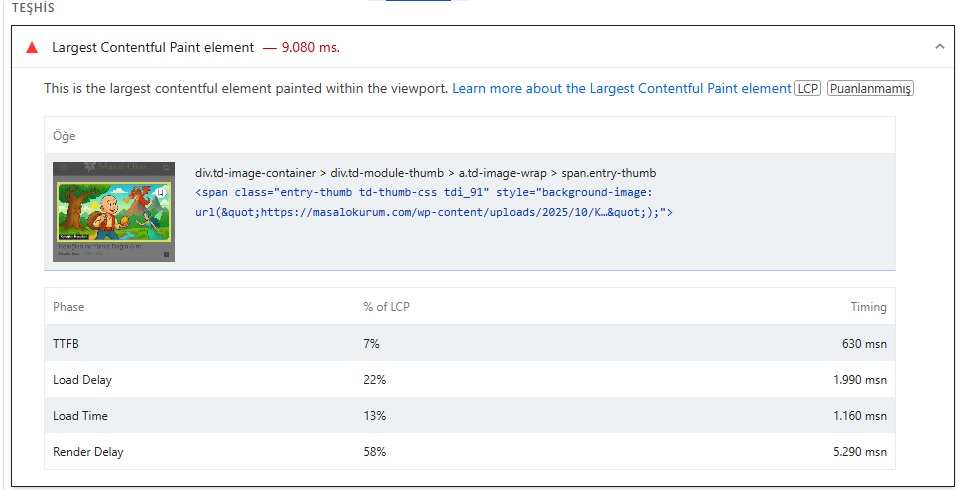
Mobile Lighthouse audits show increased load times (LCP 5.6s+), slow visual completion, and warnings about render-blocking JS/CSS, many of which are worsened by missing or broken theme scripts.
Fundamental site features and performance are degraded on mobile and desktop.
Expected Resolution:
Please provide the correct /js/ directory and the latest versions of:
tagdiv_theme.min.js
tdb-site.js
so I can properly restore these to /wp-content/themes/Newspaper/js/.
If the theme package download I received is incomplete or missing files, please advise and provide a new download link or updated theme zip.
Advise if there may be a packaging, deployment, or installation issue on your end that affects the inclusion of essential JS files.
Optional/Additionally:
Please share a recommended method to ensure all critical JS assets are retained through future theme updates and can be verified after installation.
Any additional suggestions for resolving mobile loading/Lighthouse issues when all scripts are present and loading correctly.
Thank you for your help. Screenshots of my folder structure and file audits are attached for your reference.
Best regards,
Ameet
Newspatron.com
Console error screenshot
https://drive.google.com/file/d/1WisGWNru277WMt6d0twc0EvxeIVW0XkF/view?usp=sharing
Lighthouse screenshot
https://drive.google.com/file/d/1iAFtFb6z26XJdPg4myLTj0KlIoa4qnuS/view?usp=sharing
 nalamuddin
In my posts, the “Comments” heading is written in grey on black text background, which is very hard to see. In retrospect, the mobile version has the Comments clearly stated on the white background of the page. I have not configured anything in my theme to make it so.
My website is https://blogandgetpaid.com – this can be observed on any post within (on desktop only). I’ve looked at theme panel and cannot find any setting to configure the comments section.
Calin Hi,
Our theme provides for the logo the option to set an image, text, icon, and SVG.
Use tagDiv Composer to change the logo https://i.imgur.com/HgCpJ5P.png select the element and check the text and svg logo – https://i.imgur.com/aC8gVlR.png https://i.imgur.com/8NILLxD.png check it on mobile header too – https://i.imgur.com/2xn9Bba.png
Thank you!
 mrozangir
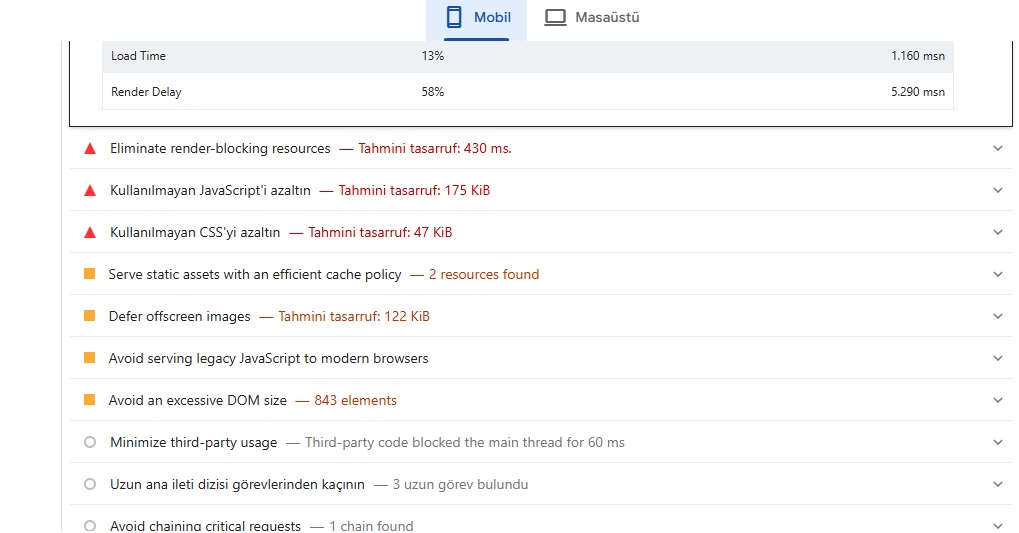
I’m using the Litespeed Cache plugin. I’m getting a score of 61 on mobile. What are the ideal Lscache settings for the Newspaper theme to fix these issues?
Thank you.
 europeantimes
 Dear TagDiv Support,
I am writing to report several critical issues affecting the Newspaper theme and its bundled plugin td-cloud-library, which are causing instability and performance problems on my website (europeantimes.news).
After thorough debugging, I’ve identified key areas that require immediate attention from your development team.
🔧 1. Translation Loading Triggered Too Early
Error Message:
“Function _load_textdomain_just_in_time was called incorrectly. Translation loading for the ‘td-cloud-library’ domain was triggered too early.”
Location:
tdb_config::on_tdc_loaded() in /wp-content/plugins/td-cloud-library/includes/tdb_config.php
Issue:
The theme loads translation strings before WordPress is fully initialized. According to WordPress Codex , translations should be loaded at the init action or later.
Currently, this causes repeated “doing it wrong” notices and impacts system stability under high load.
Request:
Please ensure all text domains are loaded properly via the init hook:
php
1
2
3
add_action(‘init’, function() {
load_plugin_textdomain(‘td-cloud-library’, false, dirname(plugin_basename(__FILE__)) . ‘/languages’);
});
🔧 2. Deprecated Constructor in Mobile_Detect Class
File:
/wp-content/plugins/td-cloud-library/includes/Mobile_Detect.php
Issue:
The constructor uses outdated syntax that triggers deprecation warnings in modern PHP environments.
This affects compatibility and indicates code maintenance is needed.
Request:
Update the constructor to follow current PHP standards:
php
1
function __construct(?string $userAgent = null, ?array $httpHeaders = null)
🔧 3. Excessive Database Queries Due to Empty Email Lookups
Observed Behavior:
Repeated queries like:
sql
1
SELECT * FROM wp_users WHERE user_email = ‘d41d8cd98f00b204e9800998ecf8427e’
(This is the MD5 hash of an empty string.)
Cause:
Avatar functions call get_user_by(’email’) without validating that the email exists.
Impact:
Unnecessary database load, especially under automation or bot traffic.
Request:
Add validation before querying:
php
1
2
3
if ( ! empty($email) && is_email($email) ) {
$user = get_user_by(’email’, $email);
}
🔧 4. Aggressive Hook Execution Before Initialization
In tdb_config.php, translatable strings are used inside on_tdc_loaded(), which fires before init. This forces premature loading of language files and violates WordPress best practices.
Example Line:
tdb_config::on_tdc_loaded() → calls __() too early
Recommended Fix:
Defer any logic involving translation functions until after the init action.
✅ Environment Summary
Theme: Newspaper (latest version)
Plugin: td-cloud-library (bundled)
WordPress: 6.8.2
Caching: Redis Object Cache + Hummingbird
Traffic Type: High-volume, automated content publishing
🛠 Requested Actions
Please:
Acknowledge these issues
Confirm if fixes are planned in an upcoming release
Provide guidance on running the theme reliably at scale
These are not minor notices — they directly impact performance, scalability, and long-term compatibility with WordPress core.
Thank you for your time and support. I look forward to your response.
Best regards,
Calin Hi,
This is because the amp will change the layout, and using it with the tagDiv mobile theme plugin will also change the layout + more. Using the mobile theme, you need to recreate the page’s content for your mobile version using the mobile editor. Please check our documentation for this – https://forum.tagdiv.com/mobile-theme-introduction/
Thank you!
 gepdaily
 Hey Calin
Thanks for your recommendation. I have experimented with getting rid of the mobile theme and working without it, but that has been changing the thumbnail of my stores to have a large blue box over the text. Any recommendations on how to get rid of this?
 NyttenET
 Hi Calin,
Thanks for the suggestions.
We attempted to deactivate the tagDiv Mobile Theme plugin and avoided using any custom mobile pages created with tagDiv Composer, instead relying solely on the responsive desktop version. However, we’re facing a few issues:
- Images are not loading. it is giving me structure like this:
<span class="entry-thumb td-thumb-css amp-wp-73151a4" data-amp-original-style="background-image: url('https://preprod.eurasiantimes.com/wp-content/uploads/2022/07/f-35-usa.jpg?w=696&h=0&crop=1')"></span> - A pop-up (Live CSS) keeps appearing on the screen and doesn’t close for some reason.
For your reference, please check the screenshot below:
Screenshot
Calin Hello,
Here are the three available solutions for the mobile version:
1. Responsive Desktop Version – The default responsive layout that adjusts to mobile screens using tagDiv Composer – https://i.imgur.com/apZQZ0o.png
2. Mobile Page/Template – A custom mobile layout that can be created using the tagDiv Composer.
3. tagDiv Mobile Theme Plugin – A separate mobile theme that provides a dedicated mobile experience but is limited in edits and changes.
Note: When the tagDiv Mobile Theme Plugin is activated, it takes priority and will be displayed on mobile devices. If it’s not active, the system will check for a mobile page/template built with tagDiv Composer. If neither of these is in use, the responsive desktop version will be shown by default.
Related to the cache, please check in the cache plugin documentation if this supports mobile cache if you are using the mobile page/template or tagDiv Mobile theme.
Also, the tagDiv Mobile theme is the only one that can be used for AMP. Unfortunately, the options for editing the layout are only a few. Also, pages need to be remade using the mobile editor only:
– https://forum.tagdiv.com/mobile-theme-introduction/
– https://forum.tagdiv.com/the-mobile-theme/
– https://forum.tagdiv.com/tagdiv-amp-plugin-tutorial/
Thank you!
Calin Hi,
Can you please provide some screenshots with some more details?
If you want the shortcode cna be set using tagDiv Composer set the shortcode directly in column text or text with title elements in the text zone – https://imgur.com/DSSni9j
Also, on mobile, you can reverse or set the columns order from a row – https://i.imgur.com/twXzqfY.png – https://tagdiv.com/flexibility-rows-columns-newspaper-theme/
Calin Hi,
Don’t edit theme LESS files.
Those variables are compiled before use, so changing them has no effect unless you rebuild the theme (not supported).
Use a child theme. Open your child theme folder and edit the style.css (or a new file like breakpoints.css), add:
/* Custom mobile breakpoint */
@media (max-width: 575px) {
/* your mobile rules */
}
/* Between 576–767px (old mobile range) */
@media (min-width: 576px) and (max-width: 767px) {
/* your tablet-like rules */
}
Make sure your CSS loads last.
In functions.php:
add_action(‘wp_enqueue_scripts’, function() {
wp_enqueue_style(‘my-breakpoints’,
get_stylesheet_directory_uri() . ‘/breakpoints.css’,
array(‘td-theme’), ‘1.0’);
}, 999);
Clear caches (theme + browser) and test at 575px width your new breakpoint now applies.
I hope this will help you!
NyttenETHey Team,
I have a website Eurasian Times — where I’ve integrated the Newspaper theme along with the following plugins:
- tagDiv Cloud Library
- tagDiv Composer
- tagDiv Mobile Theme
- tagDiv Social Counter
- tagDiv Standard Pack
Currently, the AMP pages are being displayed using the tagDiv Mobile Theme settings, as shown below:

However, I’d like to customize or update the AMP page UI. I’ve tried creating a mobile page using tagDiv Composer, but the AMP version still loads the tagDiv Mobile Theme layout.
Does anyone know how I can update or override the AMP page design?
Any guidance would be greatly appreciated.
Thanks!
Calin Hi, unfortunately there is no exact bracketpoints for the mobile theme plugin and if it is used for mobile yes, it is possible that it will also enter the tablet version. Now this may be related to the cache plugin and its options, but if logged in to the site or without cache, these display the mobile version on the tablet, meaning that the tablet resolution may be quite close to that of a phone.
 rumosdabolsa
 Hello Bettina,
I hope you are doing well.
I found the following code snippet within the theme files, which appears to define the responsive breakpoints:
CSS
/*
* responsive settings
*/
/* responsive landscape tablet */
@responsive_l_tablet_max: 1140px;
@responsive_l_tablet_min: 1019px;
/* responsive portrait tablet */
@responsive_p_tablet_max: 1018px;
@responsive_p_tablet_min: 768px;
/* responsive portrait phone */
@responsive_p_phone_max: 767px;
My question is about the mobile breakpoint, currently defined as $responsive_p_phone_max: 767px.
The theme’s default mobile layout works well on smaller screens (320px – 500px), but I feel the range up to 767px is too large and causes design issues on larger phones or in landscape mode. At 750px, for example, the layout looks stretched in mobile mode before transitioning to the tablet layout at 768px.
Question:
Considering that this code appears to be SASS/LESS and not pure CSS, what is the correct procedure to implement a change to this value?
Is there a functions.php filter or function in the child theme that would allow me to change the $responsive_p_phone_max value to something like 575px, or is it necessary to modify and recompile the SASS/LESS files?
Please Note:
I fully understand that any such modification is at my own risk and is not covered by support. I am aware of the potential impact.
I am using only the standard and mobile layouts integrated into the theme, and not the separate tagDiv Mobile Theme plugin.
I appreciate any guidance you can provide on the safest way to make this change.
 vmarg
vmargI am using the Newspaper Theme with the Mobile Theme plugin activated to optimize speed on mobile devices.
The issue I am facing is as follows:
While I intend for the special, lightweight Mobile Theme to appear exclusively on mobile phones, I have noticed that it is also loading on tablets.
On tablets, I would prefer to display the full responsive version of the main Newspaper theme, as it offers a superior user experience on larger screens, whereas the Mobile Theme is too simplified.
I have checked the settings in Theme Panel → Mobile Theme (specifically the AMP/Mobile settings), but I could not find a clear option to set the “breakpoint” to include phones only and exclude tablets.



