
- NewsmagUsing other ads
- NewspaperUsing Other Ads
- NewsmagSidebar ads
- NewspaperSidebar ads
- NewspaperIntroduction to CPT and ACF with Newspaper Theme
- NewspaperHow to edit modules for Flex Block X
- NewspaperHow to use the Posts List shortcode
- NewspaperCreate a frontend submission form
- NewspaperHow to Use the Tabbed Content shortcode
- NewspaperWooCommerce: Happy “Add to Favorites!”
- NewspaperHow to generate Facebook App ID
- NewspaperLink Tracker
- NewspaperFlex Block Settings Guide
- NewspaperGeneral Options that May Interfere with the Newspaper Theme
- NewspaperSocial Icons
- NewspaperPosts Loop Element
- NewspaperSet a Background for Category Page
- NewspaperThe Newspaper Mobile Theme: Introduction
- NewspaperHow to Add a Logo in Newspaper
- NewspapertagDiv Shop
 pinnaclecompass
 Hi @rillc,
I just found a workaround for custom ads, which I completely missed.
There is a custom code tab when you add an ‘Ad box’ via the composer. the javascript we use works and saves fine via this option.
@tagdiv: It would still be nice to have a raw javascript box, like WP Bakery had, but for now, this custom code window in the ad box is a good-enough workaround for us.
(We use it for interactive image embeds.)
I didn’t send login creds, because I just realized that we are on version 10.2 still on the site in question. We purchased this theme many times for multiple sites. I updated one of the other sites, and not the one in question. Once I update, this might fix this issue.
Thank you everyone for the quick replies.
-
This reply was modified 6 years by
pinnaclecompass.
 dragoerny
Hi.
http://www.amagernyt.dk ( code : amager )
I use adning on my site to show ads. My problem is that when using a background ad it doesn’t position with the site when I scale the browser. I have talked to ADNING about it and they say :
<copY>
Adning Support@tunaDEVELOPER 0 · 15h
Hi,
I’m sorry, I can’t help you with your theme setup. I can see your theme is not really properly designed to show a background ad. If you have trouble scaling you may need to contact your theme developer and ask them which container would be best to link a background ad to.
Right now the background ad is added to the body tag. But maybe your theme has another container that would work better for background ads.
Thanks
<copy>
They suggest annother container for the ad. Can you help…
 monir2881
 Assalamualaikum.
My site ID : http://www.holyquranbangla.com
How can I make my site title as like 
and how can I make topbar date and time with English, Bangla and Arabic
 ken-3
ken-3I have a header ad that works great but is just to big on mobile phones. I want to turn it off on all mobile phones. I’ve turned it off in the theme console, but only the PHONE HOME PAGE turns off, it still shows up on all other mobile pages. How do I get a header ad on all pages (desktop, tablet) but NOT displayed on mobile phones?
http://www.razorclamming.com
At present I have ADS, HEADER AD, DISABLE ON PHONES set to To OFF. (but only turns off home page header ad on phones.)
 globe_slcc
Hello,
The Newspaper theme we recently launched is not always displaying a custom taxonomy that we use for a post author/byline. As a student newspaper, we use this custom taxonomy due to the hundreds of student contributors that have written one or more articles over the years. This ‘byline’ taxonomy works just like a tag.
The theme displays the correct author name on individual posts, but not in other areas of the website. There are two different issues related to this, so we were hoping to get some clarification on how to display the correct name of the writer of a post.
Here is an example of the correct byline in a post:
https://www.globeslcc.com/2020/01/28/letter-from-the-editor-sundance-preview/
The writer is listed correctly (Amie Schaeffer) and links to other bylines she has on the website.
Below are two examples where this information is not displaying correctly:
1. On the home page: http://www.globeslcc.com/
In any of the Flex box sections, when the ‘Show Author’ element is turned on in the ‘Layout’ tab of TD Composer, it displays the post author WordPress account instead of the byline taxonomy associated with a post. This occurs in every type of flex box on the home page, so we turned this setting off on most boxes.
You can see Amie’s article in the Opinion flex box, which is displaying who uploaded the article (Megan Neff).
2. On our category pages: http://www.globeslcc.com/opinion/
In the “big grid flex” module at the top of the page, the most recent article is displaying a different byline (Cristobal Villegas) from an article beneath the flex box. This occurs on every category page with a big grid flex box.
This ‘byline’ taxonomy is being implemented through the following plugin: https://wordpress.org/plugins/byline/
As you can see, the byline loads correctly in some places on the website, but not others. Any suggestions for how to consistently display this taxonomy within all areas of the theme would be appreciated.
Please let us know what other information you might need. Thank you.
 hanzosrl
Hello,
We encountered a problem with Header Ad. We need to display ads on desktop in one dimension (900x250px) and on mobile another (300x250px). We installed the whole Newspaper Theme template, after which we personalised it with Romania News template. After that we personalised the header with yet another template, called Header Template 10. The problem we came across is the visualisation of 900x250px header ad on desktop and ipad, and 300x250px ad on mobile devices. It is displayed on desktop and ipad, but disappears totally on mobile. We use Google AdSense for managing our ads. Can you please tell us how can we set the ad to make it display on mobile too?
 ChangingFaces
Hello, my TD Composer is not loading to edit my home page. It does appear to work for the other pages, but always crashes/infinite loads when I try to edit home. I tried making a new home page and it worked, then started crashing for that one as well. I tried disabling plugins and it is still crashing. Is there a way to resolve this?
 Mattsteve20
Hi TagDiv,
Done all the optimization possible and upgraded my servers, yet, the theme is so slow. Does anyone use the default Newspaper Pro? I’m thinking of switching to it since my test shows that it loads faster than the others.
Can anyone help me confirm my suspicion?
Thanks.
 enesozden
Hi Guys
I am having viewport error on my wp-content/uploads/ and that’s with 3 pages error. It started after updated theme. There was not there before. And i have not uploaded any plugin or change something for a long time.
Did try to deactivate all plugin and test it again it did not work.
I did research about no luck. Have you ever get this error from any other customers ?
Thanks
ENES
 surfedge_diriya
Hello!
I’m getting an error in “td-composer/legacy/Newspaper/js/tagdiv_theme.min.js” when I’m logged in to the website which leads to many other issues in the DOM. I’ve been trying to find the issue for days but still, I haven’t got anywhere. I believe td_more_articles_box.init() is where things have gone wrong. The theme and plugins are all up-to-date.
Screenshot: https://imgur.com/xNmn4Zv
Thanks in advance!
 fsoft
fsoftHello, I am not able to get AdSense working.
I tried to follow your documentation but is really outdated: it uses Newspaper 8 and a very old version of Google Adsense dashboard (everything is now changed).
I don’t know what is the best ad type to generate on AdSense and how to configure the Theme Manager.
Furthermore, you talk about “div” to be inserted in Theme Manager, but now AdSense generates “ins” + “script” tags. I tried to insert the “ins” skipping the “script” but all I get is an empty box.
I also tried disabling AdBlock and all other anti ads stuff with no results.
Please help 🙂
My website is: https://www.geekymag.it/
 imkimc
 So when I updated my clients to v10 and activated the Standard Pack plugin, I did not notice anything beneficial about the update. The site still sucking down extra CPU cycles via AJAX commands, many of which seem to be some interaction with Advanced Ads (which can be CPU heavy in itself). CPU is the single largest expense per month for my clients. And before they had a ssytem that could handle the CPU load of Newspaper, was the single largest point of failure during high load periods. Constant 404 and 503 errors and very slow page performance when there wasn’t an error (I’m talking 13-20 second load times for a page that loads in 3.5 seconds normally)
And yes I know that TagDiv has no control over Advanced Ads, but that plugin does not exhibit this behavior with other simpler “builder themes. I can’t pin the issue on TagDiv, but I can say that there is an interaction between the theme and the plugin that negatively affects server performance.
I know that some people wondered how I was getting along with my site redesign… I decided to use a “builder” theme and a different page builder (which I purchased out of my funds without charging my client for it). It’s not 100% yet and it’s taking more time than I initially thought it would. I keep finding little bits of Newspaper code is still lingering.
So here’s my advice, the only reasons I can think of for upgrading to 10 are:
• a critical security fix
(if this exists, TagDiv has not publicly released the vulnerability)
• a WP upgrade that breaks Newspaper 9, which is a likely at some point.
If either of those events occur, then you my recommendation would be to rebuild your site. If you stick with Newspaper at that point or not is a decision for each site owner/developer to answer. Also, always test on a staging site, never live.
My clients just want a little peace and quiet for a while. I know they’d like to have faster, slimmer sites. But for now, they had to go with a high end, reliably fast hosting provider. Do they want an even faster site that uses less CPU, sure, but that requires them to pay me to rebuild/re-develop their site and comes with all of the risks of new problems. (CPU costs alone are $300 – $500 USD/month for one of my clients)
And to be clear, THAT is my biggest disappointment here. TagDiv took code that they appear to have stopped development on and stuck it into a plugin that v9 sites must use if they upgrade.
Evidence that the Standard Pack plugin is ONLY required for compatibility with v9 sites that use the TagDiv page builder
AND
the same problems that existed in v9 are present in v10 with the Standard Pack
AND
the Standard Pack hasn’t been upgraded since it was released.
That’s just not a business practice that I can recommend or support in any way. I don’t think they are evil, I just think they got in over their heads with their code and are trying to find a way out. But in the process they are doing a disservice to their clients that bought into their page builder.
Lesson learned: Do not rely on your theme builder to supply a page builder and custom code. Just get the best dang page builder you can find and then choose a theme that it works well with and doesn’t try to get too fancy. There are a number of other coders out there who supply good plugins that do what the Standard Pack does who will continue to support their work.
I guess if you’re looking for a ready made solution you can just switch out colors and images, then a theme like Newspaper is fine.
I have moved on.
 colbi
colbi Thx 🙂
I have another problem. And the real widget. I have my own widgets on HOME, but when you open a post, I see the widget template

 Calin
Calin Hi,
From what I can see your website is not amp now (or do not support amp for the moment), in most cases this problem is made by untested plugins or some custom code set in theme or articles.
Please make sure that you set the am as in our documentation from here:
The Mobile Theme -> https://forum.tagdiv.com/the-mobile-theme/
tagDiv AMP Plugin Tutorial -> https://forum.tagdiv.com/tagdiv-amp-plugin-tutorial/
Also the javascript can be from some ads or other codes inserted in theme panel.
Thank you!
 jereruiz
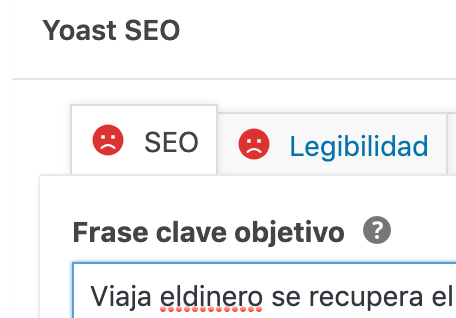
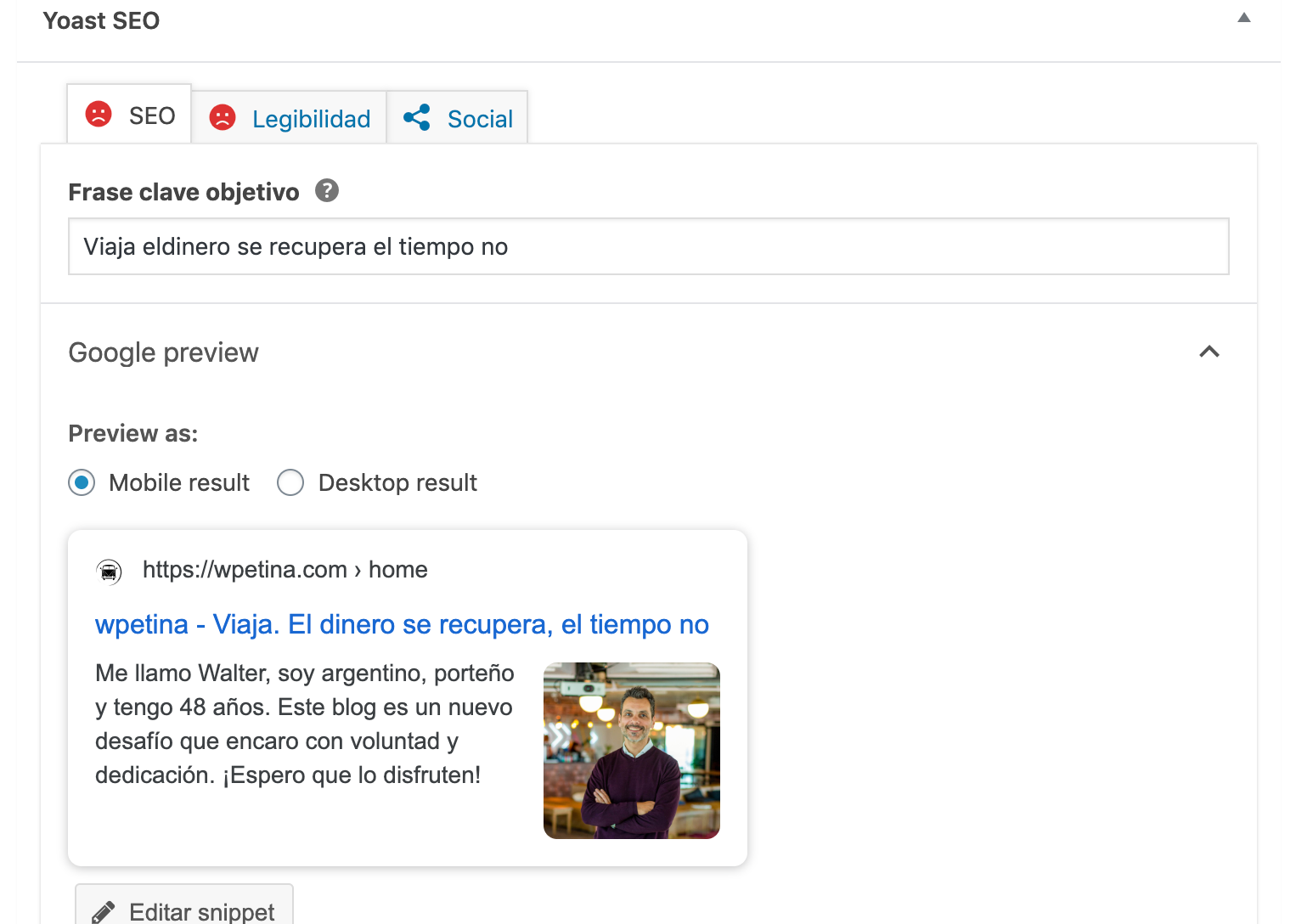
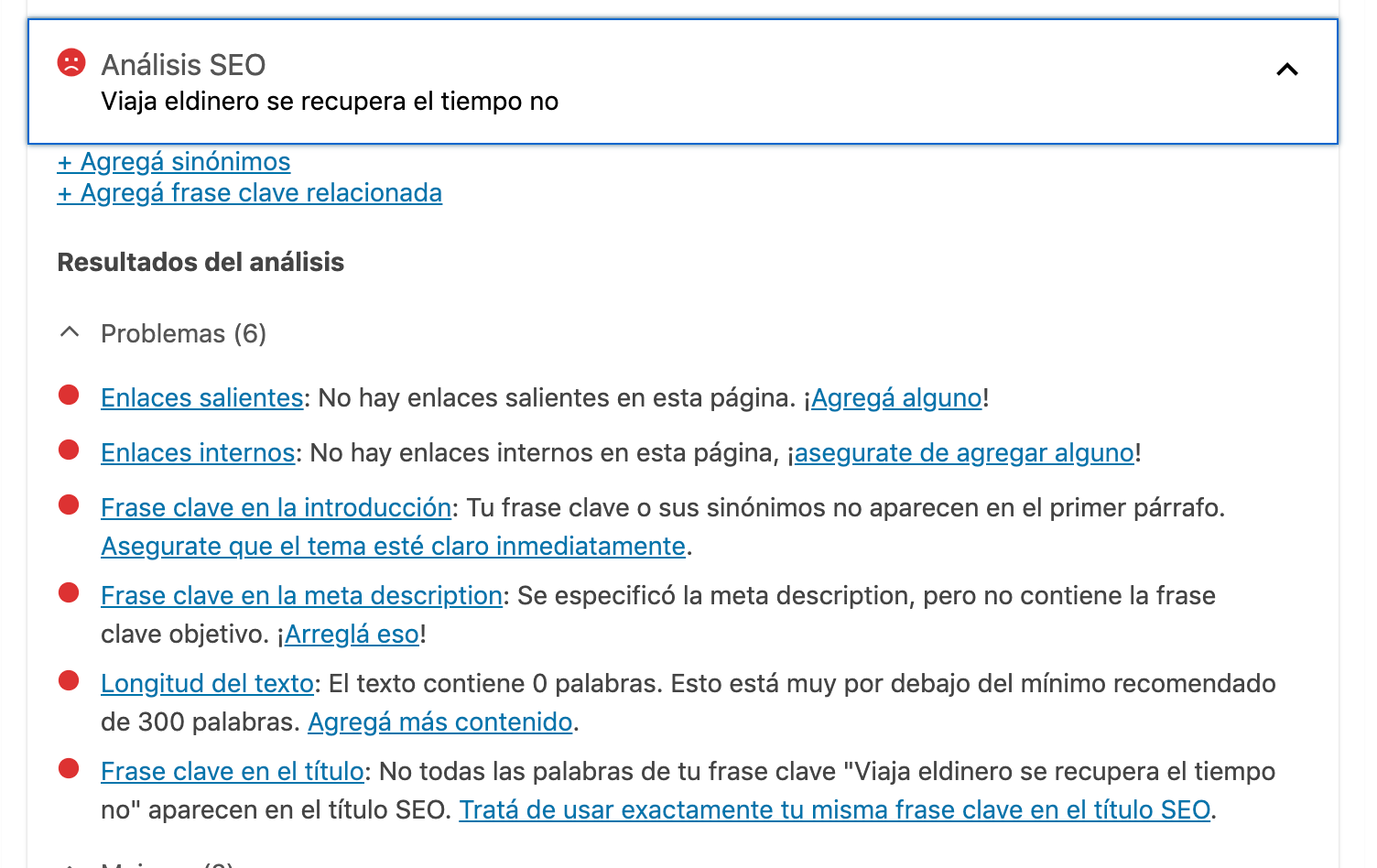
 Yoast Cant read the links, the alt on the images, the texts that shows the home, nothing, so basically, the home is ZERO SEO friendly. I hope is just the yoast, but if Yoast cant read it, i dont think other sistems can.
Calin Hi,
The auto ads for amp need to be set in mobile theme in in amp ads -> http://prntscr.com/pt3bmw
Only one code is need to be set in theme panel, the other one is a standard code and is already add in our theme -> http://prntscr.com/pkwtzh also the code need to be set only in AMP ads -> http://prntscr.com/pkwum2
Thank you!
 dmsl
dmsl Hello,
thank you for the answer. I think I accomplished all the system requirements (dedicated server with 16 gb) and I followed already many guides and tips (Leverage Browser Caching, Gzip compression, Optimize images, wp_supercache, etc.). The problem is composer (and td_newsletter, cloud templates and standard plugin) many times cause slow or duplicates queries. This is not a big deal if we have 30-40 visitors. But if we have just a little bit more we have high CPU loads and the site doesn’t load. When I disabled composer and used another template, such as generetepress, even with 200 visitors at the same time, we dind’t have any problem. But I really prefer Newspaper theme, and I’d like to keep using it.
Thanks,
Matteo
pinnaclecompassHello,
We have migrated our site to TagDiv Composer, latest version, from WP page builder. We are having issues with adding advertisement code (Javascript) via the raw html block.
When we paste the javascript code into the raw HTML block, two things happen:
- (not so bad) When we just add javascript that is not pulling anything in, the raw html block simply disappears and we are unable to edit it. We have to delete the whole column to be able to remove it and add another one. I’m guessing it’s because it adds a height of 0, since it’s just javascript. That’s not that much of a problem, because we can just delete the container column and start over for now.See the first js code sample below.
- (bad for us) When we add script that pulls in an ad (see the second js sample below), the page reloads either blank, or just with an ad. There is no option for us to save the page. so, we cannot add our ads onto pages at this time. We have a temporary fix by using the ad box, but we have way more ad types than what is allowed in the 5 custom ad spots in the newspaper panel. We even tried adding it to the text with title. There, we can paste the code into the ‘text’ editor, but we cannot save the page. We tried with all plugins off, except tagdiv composer, and same result. We just can’t seem to save the page with an ad in it. WP page builder allowed us to place any Javascript on any page.
Please advise.
———–
Sample code, which makes the block disappear, but we can save the page:
<!-- SAMPLE AD-300x250 [async] -->
<script type="text/javascript">if (!window.AdButler){(function(){var s = document.createElement("script"); s.async = true; s.type = "text/javascript";s.src = 'https://servedbyadbutler.com/app.js';var n = document.getElementsByTagName("script")[0]; n.parentNode.insertBefore(s, n);}());}</script>
Sample code, which when placed on a page, will pull in an ad from AdButler platform but cannot let us save:
<!-- SAMPLE AD-300x250 [async] -->
<script type="text/javascript">if (!window.AdButler){(function(){var s = document.createElement("script"); s.async = true; s.type = "text/javascript";s.src = 'https://servedbyadbutler.com/app.js';var n = document.getElementsByTagName("script")[0]; n.parentNode.insertBefore(s, n);}());}</script>
<script type="text/javascript">
var AdButler = AdButler || {}; AdButler.ads = AdButler.ads || [];
var abkw = window.abkw || '';
var plc197227 = window.plc197227 || 0;
document.write('<'+'div id="placement_197227_'+plc197227+'"></'+'div>');
AdButler.ads.push({handler: function(opt){ AdButler.register(165413, 197227, [300,250], 'placement_197227_'+opt.place, opt); }, opt: { place: plc197227++, keywords: abkw, domain: 'servedbyadbutler.com', click:'CLICK_MACRO_PLACEHOLDER' }});
</script>
 aline@nordsip.com
Hi! I’ve updated to Newspaper 10.2, and I’m able to set up AMP Analytics from the AMP plugin option in the menu but as soon as I activate the Mobile Plugin, this option disappears. However, in the Theme panel, in the Mobile Theme section, there is no “AMP Analytics” section. I.e. it does not look like the view suggested here: https://forum.tagdiv.com/tagdiv-amp-plugin-tutorial/
There is no “AMP Ads” either.
Is that only for me? Or is there another place I can insert my analytics code?
Thanks!
 zcode
zcodeI’m not able to edit pages via “Tag Div Composer” due to the infinite loading screen. Please have a look at the following screenshots:
https://prnt.sc/qslj74
https://prnt.sc/qslk3l
I would like to inform you that I have followed the following ways to deal with the “Tag div composer infinite loading screen” issue but it’s not enough to resolve the issue.
1) Solving the PHP Settings
1.1) max_execution_time – Solved
1.2) WP Memory Limit – Solved
1.3) Caching plugin – WP Super Cache Plugin Installed. (Required for Newsletter theme)
2) I have found some deprecated functions which are used by some other plugins (Insert Headers and Footers, MyMail – Email Newsletter Plugin for WordPress). I have tried to disable, enabled them. Sometimes other plugins are responsible for such an issue.
3) I have found the exact solution after a long search. The solution is to “Resetting The Theme Options”. I have taken a backup of the theme option and tried to reset them. but it’s not working too.
https://stackoverflow.com/questions/48290611/tagdiv-composer-loads-to-infinity-wordpress-plugin
 marcos.jimenez@n-people.es
Good Morning,
I can’t find how to access the cloud library to edit the posts.
I want to put ads in the posts. On the other hand I also want to scroll infinitely in the posts.
Thank you 🙂
 zdokadia
 Hi,
I disabled the “Standard Pack Plugin” and imported “Header Template 13” from the Cloud Library as that seemed the closest to my current header. Please look at the current and new headers here. Notice how the colour for the horizontal line at the bottom of main menu items and in the search box has changed from brown to blue. Also the current header has the logo fixed at 80px height I think but I can’t find any way to fix this in the tagDiv Composer. Please help. Once I’ve fixed the header, I will proceed with other templates. Also can you tell me what is the advantage of doing all this. Is the template going to load lesser resources than it is loading now and make the website faster? I don’t want to go through this exercise and not get any significant benefits.
Current

New

 Lucas Charnyai
 Hi! Thank you a lot for the help!
What was causing the issues I have mentioned was a pointless JQuery library I was loading using the Newspaper Theme Panel. I deleted this line of code and now everything appears as they should!
The only thing that is bothering me now is that when I use the custom header from the cloud library, the navbar menu links and the header’s background image load using a lazyload effect fade transition, even if I set the option to not apply the Newspaper’s lazyload effect to the site.
This causes the navbar’s links and header’s background take a little longer to load than the rest of the page. When using the default headers (so, not using the cloud library headers) these elements loads instantly (as I want the custom header to). What could be causing it?
Thank you!
 Mukizo-Learning
Hi, could you tell me how I could implement AMP AdSense advertising?
When I generate the AMP ad in AdSense, it generates two codes, one that goes in the BODY and another that goes in the HEAD, which are the following:

But these do not know very well where they go from the Newspaper issue since in the ADS AMP section there is no option to include the HEAD part
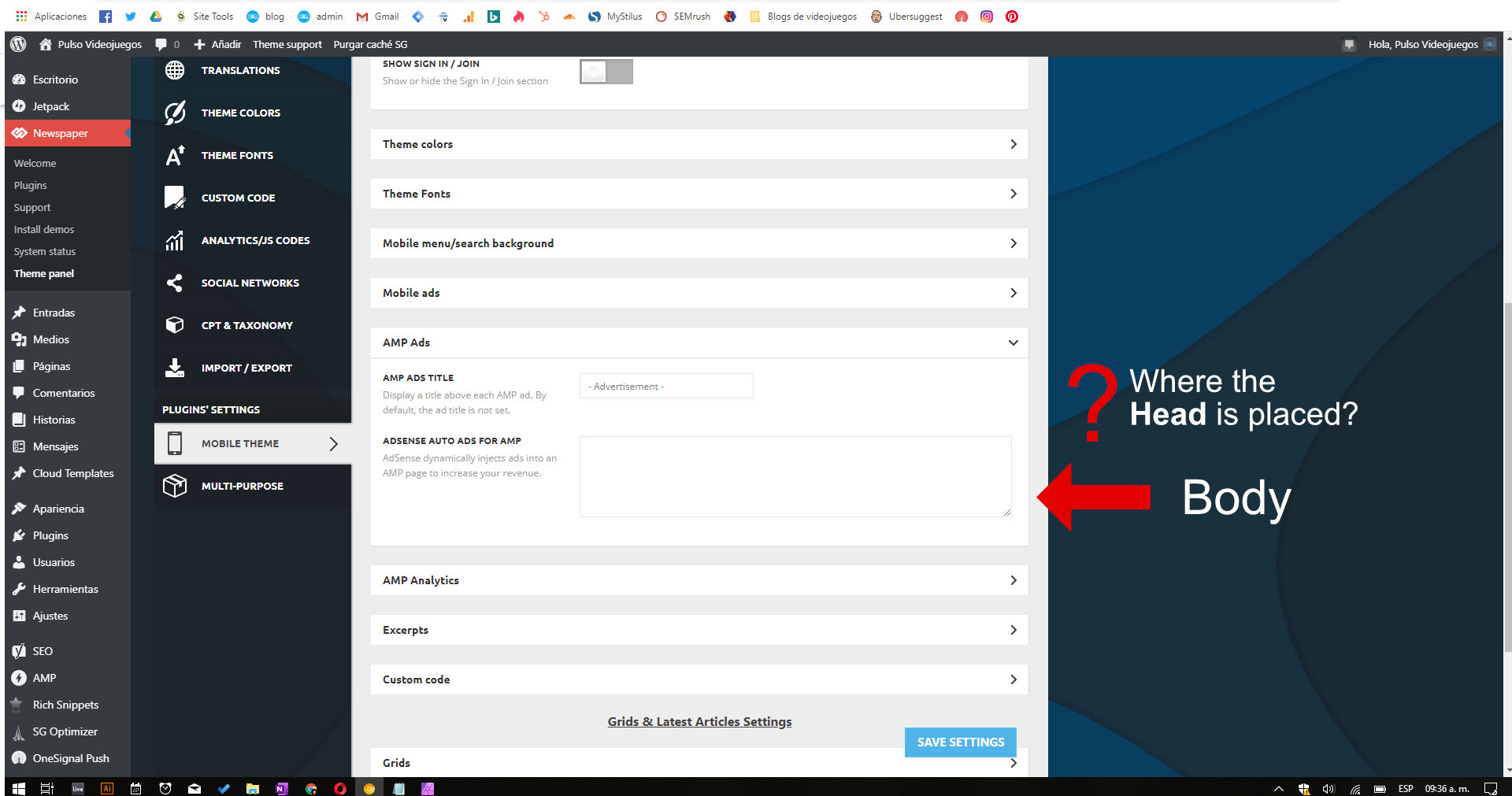
Could you tell me how this configuration is done?
Or should I use the normal HTML code provided by AdSense to include it in the ADS AMP section of Newspapaer?
 jakobe75
I am confused as I have never seen this happen before.
I had a client come to me to work on his new wordpress site.
He is mostly familar with wordpress himself and came to me to solve this issue which I orignally thought to be a corrupted install of the theme.
They had purchased WordPress hosting and originally purchased & installed the Nightery theme which uses KingComposer.
The client (nor I) were able to save changes within KingComposer..(it looks too confusing anyways). Nor we we able determine an easy way for KingComposer elements to appear on the frontend once changed. The template just would not save the changes and when it did occaisionally save the changes, it would not be reflected on the frontend pages…and there was no clear path on how to get the edits or push the new shortcodes from Kingcomposer into the pages from the Kingcomposer element creator….so I assumed it was just a KingComposer problem and decided to dump it and try Newspaper as a test.
I convinced the client to let me switch switch to Newspaper since I am highly familair with that and I know it works well and is easy for beginners. His site content wasnt complete yet and his layout is basic so recreating on TD should be a breeze.
Heres what I have done thus far:
( all tasks that I am very familair with from my main Newspaper site)
– Installed latest version of Newspaper from themeforest – successful.
– Installed all necc. plugins for Newspaper – successful.
– Imported a demo as a test – successful.
but upon visitng the front end and logged in as admin and expecting to see the ability to edit pages from the frontend via TD Composer, there is NO TD Composer toolbar.
(additionally there was no admin toolbar on the KingComposer version either, which is likely why KingComposer wasnt behaving as expected).
In fact, the only items that appear in the toolbar on the top left are
“My sites” and “Reader”
on the right of the toolbar are the typical “my account” things.
but no items either from TD nor 3rd party plugins appear in the tool bar.
The back end works fine, the frontend works fine.
TD Composer can be accessed via the pages screen and selecting “edit with td composer” from the page options. where “edit/quick edit” appear. but not from the front end of the site.
I am guessing this has to do with the permanent Jetpack or WordPress hosting setup.
I have disabled all of the previously installed plugins and only using plugs that I am highly familiar with.
(Newspaper plugs, Yoast, Contact 7, Coming soon Seedpod)
Gutenburg is also disabled in favor of the classic editor.
but I cannot disable Jetpack, there is no option for it.
I have disabled many of the usual suspects within Jetpack, but the toolbar issue remains.
I have tried to “login” to the site not using the wordpress.com method and directly going to the wp-admin url and putting my creds in there. Although I can do this it just logs me back in to the unified wordpress.com method.
Clearing Cache doesnt work either.
It is really odd that there would be no toolbar at the top of the site showing the basic things wordpress, Newspaper and other plugins usually put up there, like, Edit Page, Edit with TD, Slimstat or Woocommerce, Query monitor ect ect.
Although the backend loads out fine, there is no toolbar with any options there either.
and Yes, toolbar is enabled in my admin profile, but as I mentioned above the only items that appear in the toolbar are “My sites” and “reader”
am I just dumb today?
Suggestions?
– php 7.2
– wordpress 5.3.2
– Newspaper 10.2
– Influencer demo
