- NewsmagPage templates
- NewsmagCategory templates
- NewsmagFooter templates
- NewsmagDefault post templates
- NewsmagPost templates
- NewsmagHomepage – How to build and set it
- NewsmagtagDiv Composer Tutorial
- NewsmagCustom Post Type Support
- NewsmagNewsmag documentation
- NewsmagHow to use the Visual Composer plugin
- NewsmagHeader styles
- NewsmagSmart sidebar
- NewsmagCategory grid styles
- NewsmagCategory top post styles
- NewsmagHow category settings work
- NewsmagFeatured images
 Calin
Calin Hi,
Then probably you set the question in the wrong topic, I’ve move it in Newspaper form.
If is a standard post template, the sidebar can be change from inside the article -> https://i.imgur.com/uKnrf7A.png and the elements from sidebar can be change from Appearance> Widgets -> https://i.imgur.com/c1QxvwN.png
If you are using a single post template from tagDiv Cloud Library, then you need to edit it using tagDiv Composer. When you are editing with tagDiv Composer, you can use the right click to save the element as shortcode to can use it in other place or you can reset, copy or delete the element.
Hope this will help you!
Calin Hi,
1. SO the theme functiones are in tagDiv Composer and in standard pack
2. Unfortunately we do not have a full guide for this, where to say what file and when it will be set/overwrite sorry.
3. Only the files with folders mentioned in our documentation will work in child theme -> https://forum.tagdiv.com/the-child-theme-support-tutorial/ the two plugins has the same structure -> https://i.imgur.com/vwtAasR.png -> https://i.imgur.com/cX2qmci.png therefore each file you choose to use in child them it will work.
Now I will try to explain how the header file is working. Our theme has 3 header files, on in theme, one in tagDiv Composer and one in tagDiv Standard Pack, now if the standard pack is enable and you do not use a cloud template then you’ll use the file from standard pack, if this plugin is disable or you use a cloud header from tagDiv Cloud Library then it will be use the file from composer, if both of these are disable will be display the one from theme.
But if you set a header file in child theme as in our guide you can use each header file you want (from composer or standard pack) these will work.
Now in tagDiv Standard Pack are set the default templates and tagDiv Composer is just a builder that can edit pages and cloud templates.
Thank you!
Calin Hi,
Unfortunately yes, this option is individual for pages, but if you are using a cloud templates, for example a single post template for articles, you edit it and will be apply on all articles.
Thank you!
 alejandroman
I’m working in a staging site with a new install of Newspaper (10.3.4) and plug-ins. I cannot delete any page items from the template. I can add items, but cannot delete those same items. The screen goes gray and this is where (usually) the confirmation screen comes up, asking if you are sure you want to delete the item in question. It never appears. Not running a firewall. I’ve deleted and reinstalled tagdiv composer and cloud library plug-ins. CDN is turned off and cache has been flushed. Please advise.
Calin Hi,
The page template can be change using our guide from here -> https://forum.tagdiv.com/page-templates-2/ also you can adjust the layout with tagDiv Composer, you can edit the pages like this -> https://forum.tagdiv.com/page-templates-2/
The single post template is a cloud and it can be edited with tagDiv Composer, you can check our video for this from here -> https://www.youtube.com/watch?v=I1R3j1QYod0
Hope this will help you!
Thank you!
Calin Hi BABA464,
If you are using a stander demo then you can set the sidebar as in our guide from here -> https://forum.tagdiv.com/sidebars-tutorial/
If you are using cloud template or PRO demos then you need to edit these pages and template and build/set with tagDiv Composer a sidebar -> https://www.youtube.com/watch?v=fa7GenCHcBU
Thank you!
 giacolored88
 Hi Calin, I don’t know how you reach that page, what you are showing it’s the responsive template, while the website currently runs the tagDiv Mobile Theme plugin. The picture shows up with the mobile theme plugin deactivated, but when it runs the plugin they won’t show
this is what comes out with the tagDiv Mobile Theme plugin
https://imgur.com/luTTza6
and I’m using one of your demos without any customization
 takeabreak
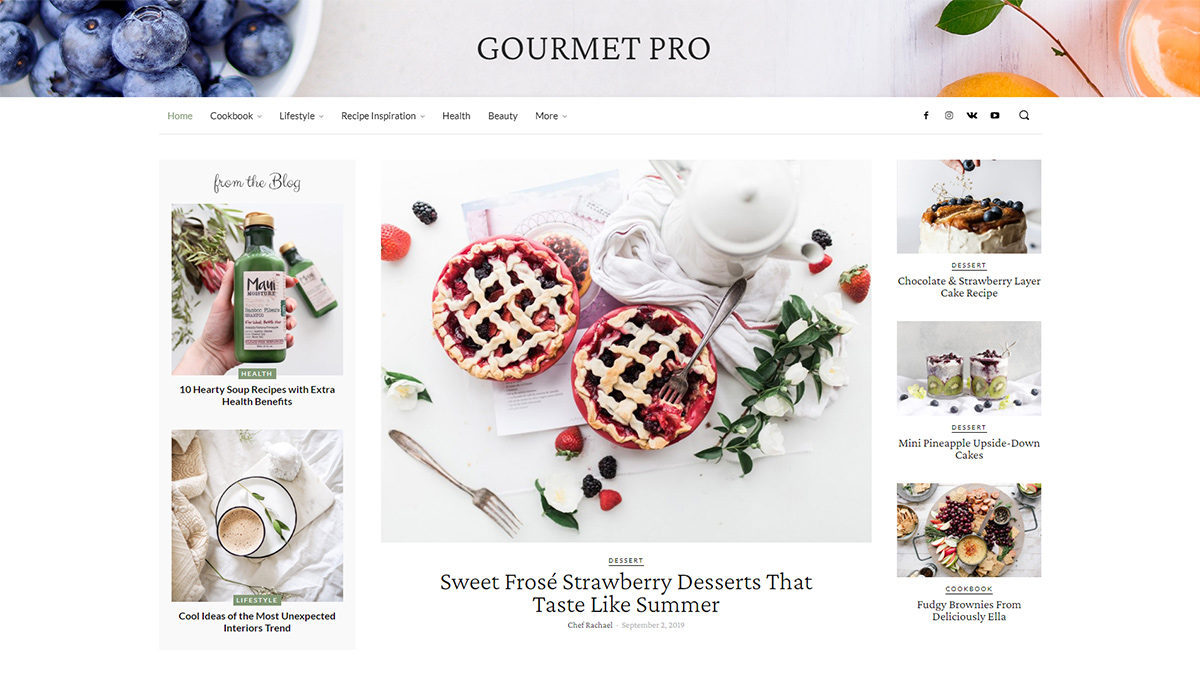
Hi I am using Gourmet Pro templates for Newspaper but when I installed buddypress plugin, the pages styling does not look good. How can it be the same as Gourmet Pro?
Thank you
Calin Hi,
Most probably that is because you are using mobile theme plugin, using this plugin, you’ll gain a better speed then responsive version of theme, but in order to achieve that speed you’ll need to create a new content for pages because in the most of cases those were made with builders ( tagDiv Composer, WPBakery ) and you need to use only the mobile editor ( you need to set the content for pages in mobile editor and this content will be display on mobile theme)
-> https://i.imgur.com/9d0UWLT.png
Also you can show the responsive version on mobile theme -> https://i.imgur.com/m0bVB5T.png you can check more details about mobile theme in our documentation -> https://forum.tagdiv.com/the-mobile-theme/ or if you want to have the responsive version only, you can use the amp option from mobile theme -> https://i.imgur.com/oofST3D.png (to use the mobile theme template on amp) or you can disable the plugin.
Thank you!
 David
DavidHi,
How can I change the header background image of Gourment PRO (https://tagdiv.com/wp-content/uploads/2020/03/Homepage-of-Gourmet-PRO.jpg)
I imported the demo layout but somehow I find no setting in Tagdiv Composer to change the image.
Thanks in advance for any help!
Calin Hi,
If you want to change the translation, you can do it from here -> wp-content/themes/Newspaper/translation/pl_PL.po -> https://i.imgur.com/OcktGqS.png
If you want to remove the author box you can do it from theme panel for default post style -> https://i.imgur.com/d24gsk2.png or if you are using cloud templates (PRO Demo or a single post template) those can be edited with tagDiv Composer and use the right click to remove the elements you do not want to have.
Thank you!
Calin Hi Olist,
The “Modified Date” is a new sort options for modules, in order to use it you need to enable this option -> https://i.imgur.com/V0KS1np.png to display the modified date on modules and the order option “Modified Date” will by display in sort section for blocks.
Also please note that there is no need to make changes in theme files for this option, now our theme has the last modified date for posts too, if you use single post templates from tagDiv Cloud Library and edit it with tagDiv Composer – http://prntscr.com/nqygjo
Hope this will help you!
Thanks
Calin Hi sproutnepal,
1. Our documentation is online, it can be found in these these links:
-> https://forum.tagdiv.com/newspaper-theme-documentation/
-> https://tagdiv.com/category/documentation/
2. If you are using a cloud header or a PRO Demo, you can edit with tagDiv Composer the homepage and remove the login element using the right click https://i.imgur.com/acOqrXR.png -> https://i.imgur.com/678Y1Wk.png and make sure that the option from theme panel is disable -> https://i.imgur.com/fRIb2xO.png this will remove the code for login, but if you are using a standard/default header style, this will be only hide.
3. The ajax view count is needed only if you are using some cache plugins, in order that the counter to work, this need to be enable -> https://i.imgur.com/nzf6qZy.png also if you are using a single post template from tagDiv Cloud Library, you can add the element using tagDiv Composer -> https://i.imgur.com/Vpv3uIe.png -> https://i.imgur.com/AQ5lloh.png
Thank you!
Calin Hi swapnilphadke02,
Let’s try one more time together, from homepage -> https://i.imgur.com/8pwP2S4.png go on footer -> and click on that flex block and check the style tab -> https://i.imgur.com/mE5WOiI.png -> https://i.imgur.com/N4S8Ixg.png if there is no color for the block you are using in style tab, then you should change it with a flex block to have the possibility to edit the colors.
Or you can use a custom css like this one -> https://i.imgur.com/0QJDL4L.jpg
.td-footer-template-wrap h3>a{
    color: #cbcbcb;
}
The css need to be set in theme panel> custom code> custom css.
Thank you!
Calin Hi,
Most probably that is a page not a category page, also mobile theme plugin, you’ll gain a better speed then responsive version of theme, but in order to achieve that speed you’ll need to create a new content for pages because in the most of cases those were made with builders ( tagDiv Composer, WPBakery ) and you need to use only the mobile editor ( you need to set the content for pages in mobile editor and this content will be display on mobile theme)
-> https://i.imgur.com/9d0UWLT.png
Also you can show the responsive version on mobile theme -> https://i.imgur.com/m0bVB5T.png you can check more details about mobile theme in our documentation -> https://forum.tagdiv.com/the-mobile-theme/ or if you want to have the responsive version only, you can use the amp option from mobile theme -> https://i.imgur.com/oofST3D.png (to use the mobile theme template on amp) or you can disable the plugin.
Thank you!
 gun gun
hi everyone, today I have a problem, the home-frontpage cannot be edited, this morning I just updated the wp version to 5.4.2, please help, thanks
 oraysion
I just updated and I need to knock these errors out:
NOTICE: wp-content/plugins/td-composer/legacy/common/wp_booster/td_remote_video.php:226 – unserialize(): Error at offset 0 of 140865 bytes
require(‘wp-blog-header.php’), require_once(‘wp-includes/template-loader.php’), include(‘/plugins/td-standard-pack/Newspaper/page.php’), the_content, apply_filters(‘the_content’), WP_Hook->apply_filters, do_shortcode, preg_replace_callback, do_shortcode_tag, td_global_blocks::proxy_function, tdc_zone->render, tdc_composer_block->do_shortcode, do_shortcode, preg_replace_callback, do_shortcode_tag, td_global_blocks::proxy_function, vc_row->render, tdc_composer_block->do_shortcode, do_shortcode, preg_replace_callback, do_shortcode_tag, td_global_blocks::proxy_function, vc_column->render, tdc_composer_block->do_shortcode, do_shortcode, preg_replace_callback, do_shortcode_tag, td_global_blocks::proxy_function, td_flex_block_1->render, td_flex_block_1->inner, td_module_flex_1->render, td_module->get_video_duration, td_video_support::get_video_duration, td_remote_video::api_get_videos_info, td_remote_video::vimeo_api_get_videos_info, unserialize
 Edged
EdgedI am currently using the Single Post Template 1 on my site, but I only want one post to show on a page. For example, I do not want users to scroll down into the next post. How can I remove this functionality?
 mb9463x
Author blocks are not linking to an author page, instead they link to the site’s homepage.
The cloud template has been selected in the theme settings.
Example post: https://westisbestwales.co.uk/activities-to-enjoy-during-lockdown/
Calin Hi,
TagDiv Composer can be use only on post and cloud templates from tagDiv Cloud Library, if you are using a single post template then you can edit it with tagDiv Composer.
With standard templates you can use the settings from theme panel.
The social share can be set from theme panel -> https://i.imgur.com/cqKxQB7.png unfortunately messenger is not one of them, only Facebook.
Thank you!
 urbandigital
 Sorry, please try this link instead: https://urban-digital.de/stec_event/smart-city-solutions-part-of-intergeo/
I would like to change the template of event pages. How to do this?
Calin Hi,
Unfortunately I do not have access to your template -> https://i.imgur.com/CAo1sGW.png
TagDiv Composer can be use only on pages and cloud template from tagDiv Cloud Library.
Please provide some more details about what you want to achieve and a public link.
Thank you!
Calin Hi,
If you have set featured videos make sure that these are set like in our documentation from here -> https://forum.tagdiv.com/featured-image-or-video/ also you need to use some specific post styles -> https://i.imgur.com/98c2Sfq.jpg
If this is not the problem, please provide some more details and some screenshots or a link where I can check the problem.
Thank you!
Calin Hi,
You can migrate your website (but you do not want to do this) or you can copy the cloud template content or page/post content and paste it in the other website, just make sure that you set the content in the same type of cloud https://i.imgur.com/i8EwdQH.png -> https://i.imgur.com/4WgImzJ.png -> https://i.imgur.com/xNRtnt5.png
Also if you want to import the theme panel settings you can use the option form theme panel -> https://i.imgur.com/QIX0tGE.png -> https://forum.tagdiv.com/import-export-theme-settings/
Hope this will help you!
Thank you!
Calin Hi,
This is because of mobile theme plugin, you’ll gain a better speed then responsive version of theme, but in order to achieve that speed you’ll need to create a new content for pages because in the most of cases those were made with builders ( tagDiv Composer, WPBakery ) and you need to use only the mobile editor ( you need to set the content for pages in mobile editor and this content will be display on mobile theme)
-> https://i.imgur.com/9d0UWLT.png
Also you can show the responsive version on mobile theme -> https://i.imgur.com/m0bVB5T.png you can check more details about mobile theme in our documentation -> https://forum.tagdiv.com/the-mobile-theme/ or if you want to have the responsive version only, you can use the amp option from mobile theme -> https://i.imgur.com/oofST3D.png (to use the mobile theme template on amp) or you can disable the plugin.
Thank you!