No search results were found in Documentation!
 Simion C.
 Hi,
It seems there is a problem with the thumbnails, please try and regenerate the thumbnails using this guide
– https://forum.tagdiv.com/thumbnails-fix-strange-looking-images-on-blocks/
Thanks
 Catalin
 Hello doublenico,
This problem appears when the images are not loaded/cropped as expected. To fix this problem, please check the following documentation here -> https://forum.tagdiv.com/thumbnails-fix-strange-looking-images-on-blocks/ Also, check your Modules/Blocks thumbs to be activated from theme panel, like this -> https://forum.tagdiv.com/theme-thumbs/ Also, after this you should regenerate your thumbnails using Force Regenerate or Thumbnails Regenerate.
Thanks for your understanding!
 Bogdan B.
 Hello,
Please read this guide: https://forum.tagdiv.com/thumbnails-fix-strange-looking-images-on-blocks/
Thank you!
Catalin Hello unemployal,
I have inspected your page and it seems to be a little strange with your block 5 on the sidebar. Also, if you are using some untested plugins, try to disable all of them, leave just to active only the plugins that come bundled with the theme core files and check the results. Clear all the caches and check the results.
Another quick solution for you would be to use the code below and place it in Theme panel -> Custom CSS area.
.td-newsmag-voice .td_module_3 {

height: auto;

}
The result is here -> https://www.screencast.com/t/orvC4ipZrQJy
Thanks for your understanding!
Catalin Hello mira,
It seems to be strange what happened on your website, sorry! I have checked to add your code to my website and seems to work as expected and this section does not appear duplicated on mobile devices, sorry! I saw that you are using some ads which can interact with the code and cause a lot of unknown issues. Also, I have inspect3d your page and I saw that you have two iframes which is not correctly loaded. The second one is cut and also, it should not be there -> https://www.screencast.com/t/yWfIlzqfqJ Check the code and the settings, clear all the caches and check the results.
Thanks for the message!
Catalin Hello nik5011609,
It seems to be strange because the theme should have to be activated using the Item Purchase Code which is unique. Try to remove the old theme version from your server and re-download the latest version of the theme from Theme Forest and install it via FTP way because this is the surest method in this case. For more information about this case, please check here -> https://forum.tagdiv.com/newspaper-6-how-to-activate-the-theme/
Hope this helps!
Thanks for your understanding!
 studiotopo
 Hi Simion,
I did all you suggested, but GZIP compression still looks disable.
I have spoken to my server’s managers and they confirmed that GZIP compression is enabled and actived on the server.
The strange thing is if I change theme, GZIP looks enabled (GTmetrix).
 ryderspyder
 Hello –
I just sent you the login info. Also, now we’ve noticed none of our posts are updating either. We have published several posts in the last few days, and none of them are appearing on the site. They show up under “posts”, but not live on the site.
There seems to be some strange glitch going on.
Thanks,
Ryan
Bogdan B. Hi,
Please follow this topic:
https://forum.tagdiv.com/topic/strange-chinese-symbols-replaced-icons-and-arrows/
Thanks.
Catalin Hello Serd,
It’s strange what you show me. I have checked the latest theme version on my side and it’s okay, as you can see here -> https://www.screencast.com/t/0eioaG1qP
Thanks for your understanding!
 drcocci@gmail.com
 Strange: executing the same steps in a different order it doesn’t work.
Bu in the correct order how-to above works well!
Thanks
Dr. Cocci
 fovoss
As the title says, yesterday i updated to Wp 4.9.
After that when i go to the widgets page, i cannot edit Custom HTML and Text widgets.
It is only showing the widget name and the buttons beneath (save etc).
This strange behaviour happens only with those two widgets.
Every plugin,theme etc is updated.
Could you help me sort it out?
Thanks in advance.
 Bintmusic
Hi
I have a strange problem with adsense inarticle ads on mobile.
Even if they are inserted apparently with the right dimensions (330 x 275 x)
It happens that they are displayed inside a div that makes
them expand off-field incorrectly…
<ins class=”adsbygoogle” style=”display: block; text-align: center; height: 500px; width: 600px;” data-ad-format=”fluid” data-ad-layout=”in-article”
I don’t understand if it’s an ad problem or the ad script that adapts to something wrong in the mobile theme…
Ads are inserted via newspaper interface from control panel in the ARTICLE INLINE AD and ARTICLE BOTTOM AD fields.
Thanks
Bogdan B. Hello,
This is strange, we have no reports of such issue.
This could be a plugin conflict so please disable all plugins except the page builder, clear cache and reset cdn files if you use it. Please also check any custom code you might have added to the theme panel or the theme files. If you use a child theme, please switch to the main theme to make sure it does not affect the proper functionality of the theme.
Thank you!
 l2c
l2cHi,
I am using Newspaper latest version here http://techwise.news/. There is a strange issue, home page (front-page) shows a mobile view on desktop. If I am logged in it displays correct.
Can you please assist me.
Thanks,
 Girugten
At our mobile website http://www.girugten.nl, our menu is behaving strange. When it is clicked a picture slides in, instead of a menu. Is there any way we can change this? The guy who installed it is gone..
Any advice would be highly appreciated!
 bemibel
 I recorde 2 videos to show you the problems. When the videos were recorded, there was no custom css and all the caches were cleaned.
Viedo 1
https://www.youtube.com/watch?v=9YIkaJg132c&feature=youtu.be
All the content made with visual composer is loading boxed first, and then it turns to full width.
Video 2
https://www.youtube.com/watch?v=CStlOlzaVNw&feature=youtu.be
It always loads first the default theme font, and then it turns to the one I definded on the theme panel (the font is custom and I uploaded it trought the theme).
Then, if you go to my site on mobile, you will see the effect is the same in both cases, and moreover the menu is loading black first, and then it turns to white.
Everything is very strange… 🙁
 celhil
 I have tried to regenerate the thumbnails. But it didn’t work for me too.
Its strange: I updated to WordPress 4.9 (with Newsmag 4.1) and the images will be displayed in full size. After downgrading back to WordPress 4.8.2 the images are also displayed in full size. But after change the theme to classic and then back to Newsmag the images are okay.
Now, my problem is the same as before: I cannot update to WordPress 4.9. Newsmag 4.1 and 4.2 didn’t work for me.
Any help is welcome.
bemibel Hi! Thanks for your reply. 🙂
If I desactivate Speed Booster, the problem persists. I think it’s not a problem with this plugin.
On some parts of the website I think it’s problem of the custom css, because first loads the original version and after a second it loads the custom one.
About the strange effect at loading the homepage, it happens on mobile and desktop, and I observed that first all the site is loaded boxed, and after a second it turns to full width.
As a conclusion, I think the problems are two:
1. The custom CSS
2. Plugin visual composer that loads boxed first, and then turns to full width
If I move the custom css to the theme original file, after updating the theme I will lose all the changes, because there is no child theme. Or am I wrong?
About the problem with visual composer that first loads boxed content, I don’t know how to solve it.
I hope you can help me. Thank you so much!
-
This reply was modified 8 years by
bemibel.
 Antonio
 Same problem here, Yoast said this:
We checked your site and found that the Yoast plugin is outputting the correct OpenGraph tags that Google+ uses to create the snippet in your site. See attached image source.png.
However, we found some additional microdata tags lower down in the source, that seem to be overwriting the information in the OpenGraph tags. See attachment microdata.png
Sometimes strange behavior may be caused by a plugin or theme conflict. The fastest way to rule out conflicts is to deactivate all non-Yoast plugins and switch to a standard theme like Twenty Seventeen. If this resolves the issue, you have a conflict and should activate one plugin at a time until you locate the conflict. Finally, after all plugins are active, switch to your theme. This will narrow down the conflict to a specific plugin or a theme conflict.
I did many test like Yoast recommend, and the Google+ sharing on posts bug, continue when activate Newspaper theme.
My site: http://mentepost.com/
Thank you!
celhilHello,
after update to the newest visual composer version (Newsmag 4.1) the visual composer is displayed as “WPBakery Page Builder” in plugin-page and the dashboard-sidebar. But the page builder was never installed before …strange.
https://imgur.com/a/oeLVV
https://imgur.com/a/9wAFS
https://imgur.com/a/k3u1W
Best regards
Andre
bemibelWhen my site is loading it does strange things, it’s like it loads late the css or something else.
Follow this link to see what’s happening: https://www.youtube.com/watch?v=h4cWmm7VPwY&feature=youtu.be
How can I correct this?
The url of my site is desdelaraiz.com
Thank you.
Bogdan B. This is a strange issue. Please create a sub-domain and a fresh install of wp and the theme and see if the same happens on the testing domain. I suspect a server configuration issue.
Let us know after you create the subdomain and if the problem is also present, please contact us via email at contact@tagdiv.com and provide a link and login credentials so we can login and investigate.
Thank you!
 LegendToBe
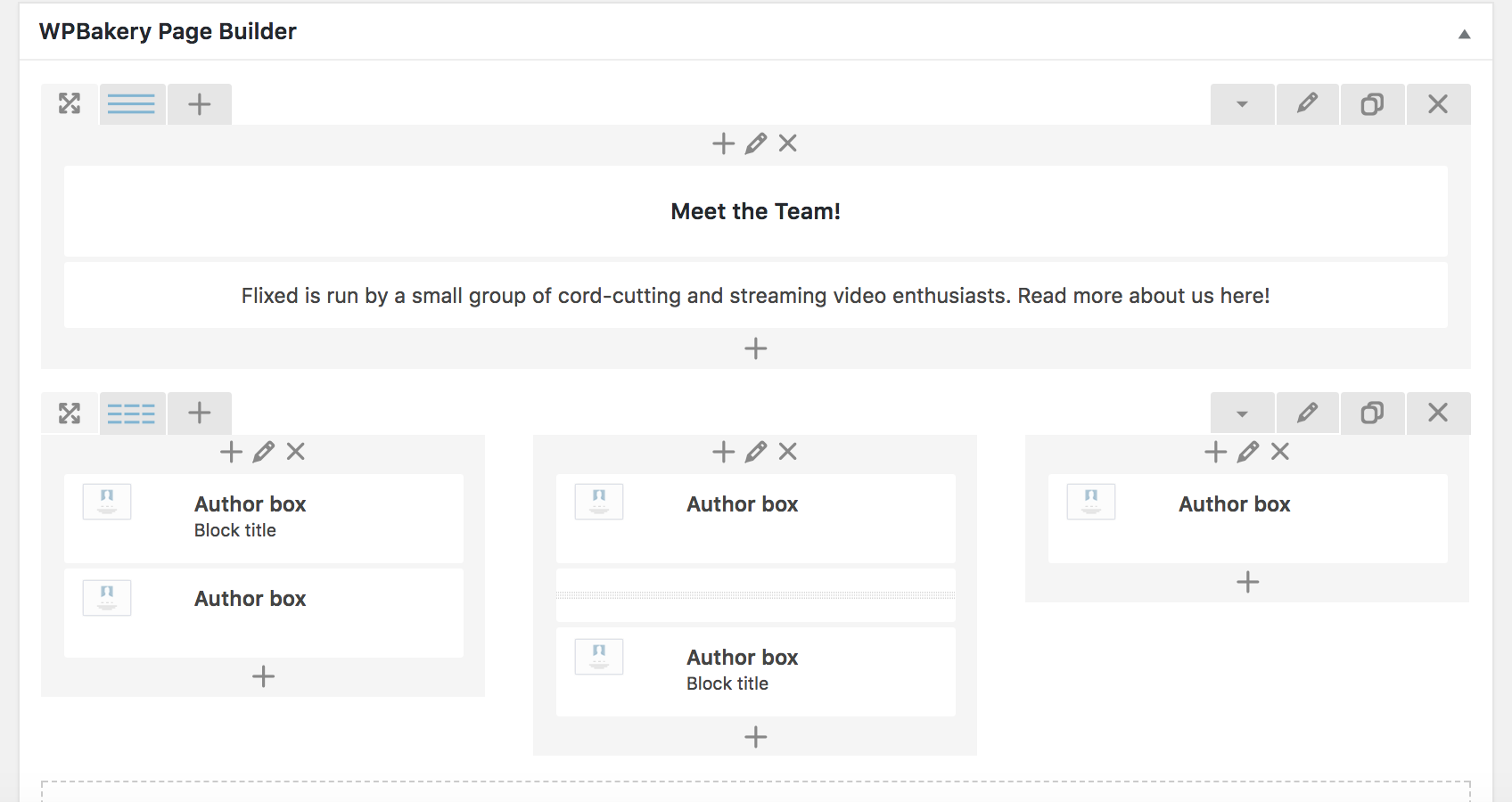
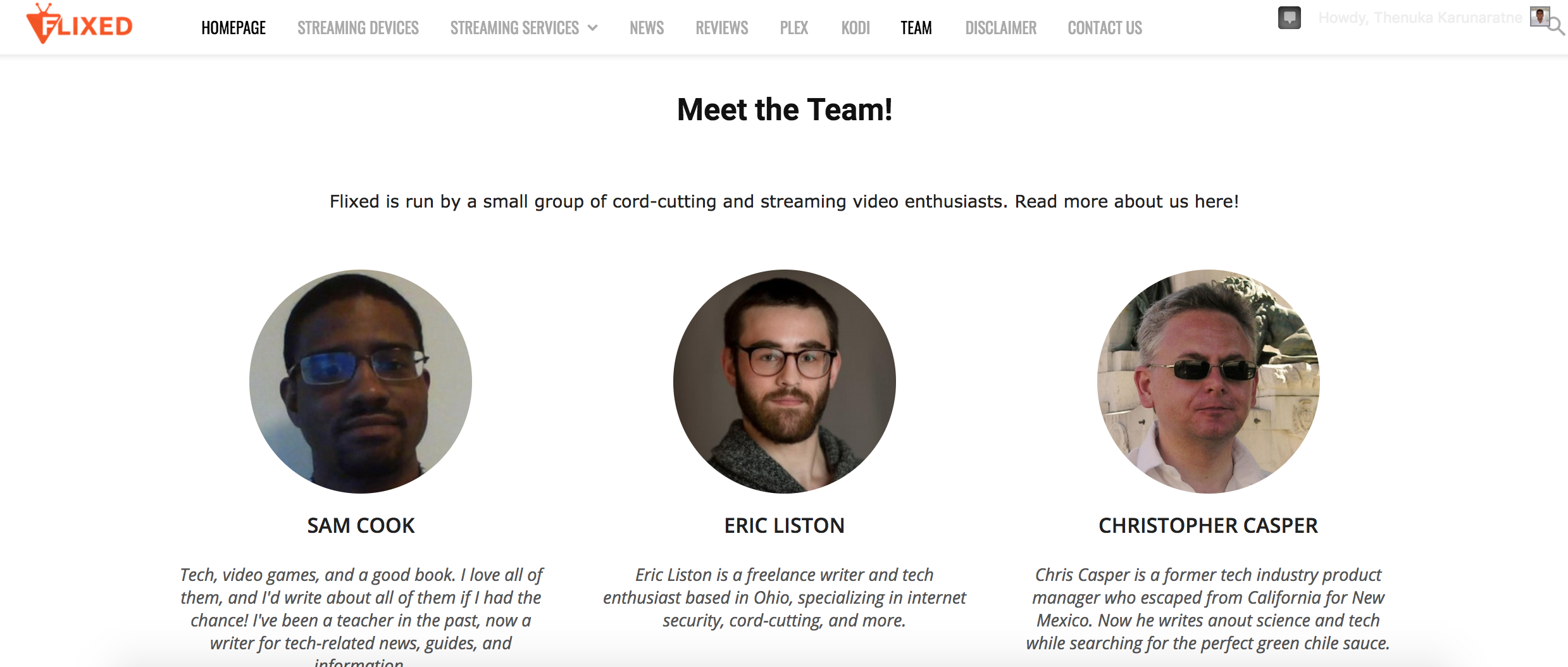
Running into a very strange issue right now. I have a page setup to show our team’s pictures and bios.
This is what it looks like from the back end: https://i.gyazo.com/7063620dfedb82123519aab5511f6590.png
It looks fine on desktop: https://i.gyazo.com/ae527edac6349ccbb00a734712ab9477.png
But on mobile, the entire section is missing. https://i.imgur.com/FiFECbC.jpg
Any support is appreciated.
 Gvadalahara
 That’s a really strange limitation because VC works just fine with posts in other themes. So I know for sure that the builder itself can do what I need it to do as long as I am within proper column number limits – I mean, I can easily divide a post into 6, 4, 3, 2 columns and do other combinations like 1\3+2\3 without any problems.
Is it possible to add it to features request?