
- Apitd_api_top_bar_template::update_key
- Apitd_api_top_bar_template::update
- Apitd_api_single_template::update_key
- Apitd_api_single_template::update
- Apitd_api_footer_template::update_key
- Apitd_api_footer_template::update
- Apitd_api_smart_list::update_key
- Apitd_api_smart_list::update
- Apitd_api_thumb::update_key
- Apitd_api_thumb::update
- Apitd_api_category_top_posts_style::update_key
- Apitd_api_category_top_posts_style::update
- Apitd_api_category_template::update_key
- Apitd_api_category_template::update
- Apitd_api_module::update_key
- Apitd_api_module::update
- Apitd_api_block::update_key
- Apitd_api_block::update
- Apitd_api_header_style::update_key
- Apitd_api_header_style::update
 Calin
Calin Hi,
Please try the settings from this guide https://www.infophilic.com/get-almost-100-pagespeed-newspaper-theme/
I hope this will help you to improve the speed.
Also for the mobile version, please try to use the mobile theme plugin or the mobile page template -> https://www.youtube.com/watch?v=SpGkOnJeNZY
Thank you!
 scook
scookI am getting the following on my website on my home page. This appeared after the last update. I the time machine and went back a version and still got the same thing. When I go into Edit with TagDiv composer I cant remove or or change it or fix it.
You can also go to grantcountyjournal.net and see what I am referring to
 Gmatarek
My website http://www.gaetano-matarese.it shows a strange number above the header since I’ve made a theme update (screenshot attached).
Moreover all the images in boxes are disappeared.
Please how can I solve that?
 dennisjpitocco
 This error is significantly impacting our ability to update over a dozen pages. Can you please expedite the bug fix? Thank you!
wp_booster error:
Internal error: The system tried to use an att that does not exists! class_name: tds_button3 Att name: “button_tdicon” as “1-button_tdicon”
/home/bizcatal/public_html/wp-content/plugins/td-composer/legacy/common/wp_booster/td_style.php
 Solida333
Hi, I would like to know is there any way to update or Load New Google Font to Tagdiv Global Font?
because In Google Font website > Font name: “Kantumruy Pro” is appear in google website, But when I search in tagdiv global font I didn’t see this new version of font, I just see the OLD Version: Kantumruy. So how to add New Font Kantumruy Pro to the website?
 dyynamin
Hi, Yesterday I noticed there was an Update on the Newspaper theme, but after the update my website is been getting weird boxes. After a bit of research I have noticed that any shortcode that is meant to be flex is not working properly.
What is worse is that on the editor looks good but once I save the page and close. I took some images.
Search Form


Big Grid Flex 4


 Bettina
 Hello!
We’ve added that option to the blocks: https://prnt.sc/PquBMZRr32rW -> https://forum.tagdiv.com/topic/outgoing-internal-links-contain-nofollow-attribute-after-the-last-update/
Make sure you have the latest update of the theme(version 12) and plugins.
Thank you!
 wydawca
After last update I have a problem with polish letters caused by plugin tagDiv Standard Pack
after I activate it, proper polish letter coding is gone
I disabled all plugins expect tag div plugins and it looks like tagDiv Standard Pack is causing the problem
i don’t have polish letters in whole website (incorrect coding),
but when I’m logged in, there are proper polish letters (correct coding)
what can I do?
 Peter_86
 Hello,
I have all the plugins installed and activated after update. The link you gave me is for post revision not for page – is the same procedure for page too?
Error that I get is on page, not on post.
On front end this page looks ok. This error is shown only in tagDiv composer.
Since there the error is specified in the popup, could one of your developers take a look what could be done to fix it? I am not a programmer/developer so I would be happy to get some programming help from one of your developers 🙂
Cheers,
Peter
 Anamaria
 Hello,
If you mean the demos using CPT and ACF, then we really don’t have it, but until then you could try to create what you want and we can answer if you have questions https://tagdiv.com/newspaper-theme-12-update-is-live-explore-the-new-features/
You can find more details about new options here
-> https://forum.tagdiv.com/create-form-contact-page/
-> https://forum.tagdiv.com/create-frontend-submission-form/
-> https://forum.tagdiv.com/user-reviews/
-> https://forum.tagdiv.com/filters-sorting-taxonomies/
Thank you!
Anamaria Hello,
This is strange, but please provide more details.
Please check this topic about update -> https://forum.tagdiv.com/topic/upgrade-from-9-to-12/.
Thank you!
 Sergey Karevskiy
После обновления темы исчезли все плагины и сама тема. Отката тоже нет по теме.
Anamaria Hello,
The Edit button is available only for the Posts List element.
You can set it to add a new post, or to update one -> https://i.imgur.com/DQnyRy2.png -> https://i.imgur.com/LGReTBW.png
Thank you!
Calin Hi Peter_86,
If the problem is only with one page, there here is what you need to try:
– be sure that you have all the theme plugins that you have before the update (composer, cloud, standard pack … ).
– it is possible to be something that corrupted that page, what you can do is to try to use a page revision -> s https://www.wpbeginner.com/beginners-guide/complete-guide-to-wordpress-post-revisions/
I hope this will help you!
 LKennedy
Hi, I updated my website to Newspaper 12. I now see several messages at the top of the landing page:
Warning: “continue” targeting switch is equivalent to “break”. Did you mean to use “continue 2”? in /var/www/wp-content/plugins/revslider/includes/operations.class.php on line 2715
Warning: “continue” targeting switch is equivalent to “break”. Did you mean to use “continue 2”? in /var/www/wp-content/plugins/revslider/includes/operations.class.php on line 2719
Warning: “continue” targeting switch is equivalent to “break”. Did you mean to use “continue 2”? in /var/www/wp-content/plugins/revslider/includes/output.class.php on line 3615
Deprecated: Function create_function() is deprecated in /var/www/wp-content/plugins/revslider/includes/framework/functions-wordpress.class.php on line 258
What should I do? Site URL is https://mcaulayconstruction.com
 B3rdan
 Hello Anamaria
All the plugins were active before the update, after the update finished I updated the plugins as well but all the theme settings were lost including the logos, text fonts, and everything else related to the theme, it looked like the theme was just installed for the first time and not as if an update is being made, even asking me to activate the theme with the code I received in pdf at the moment when I bought the theme, all these days I have manually recovered 95% of the functions in the control panel, the only problem what I have now is that when I scroll the website, the photos give a light shadow, and I wanted to ask you for some advice on how to make the website faster, especially on mobile devices, I don’t like the tagdiv mobile theme, because through tagdiv cloud, I have added ready functions like, contact us, and they are not supported in tagdiv mobile, so how can you make the website faster and is there any cache or something that you have to hide manually left from the version of old topic, please give me a suggestion for a better optimization?
Peter_86Hello,
now after update I get this error on this specific subpage when I open it with tagDiv composer. On other pages everything is ok.
Looks like there is something with attribute that does not exist. (button icon …) Have no idea where could this be.
Image: 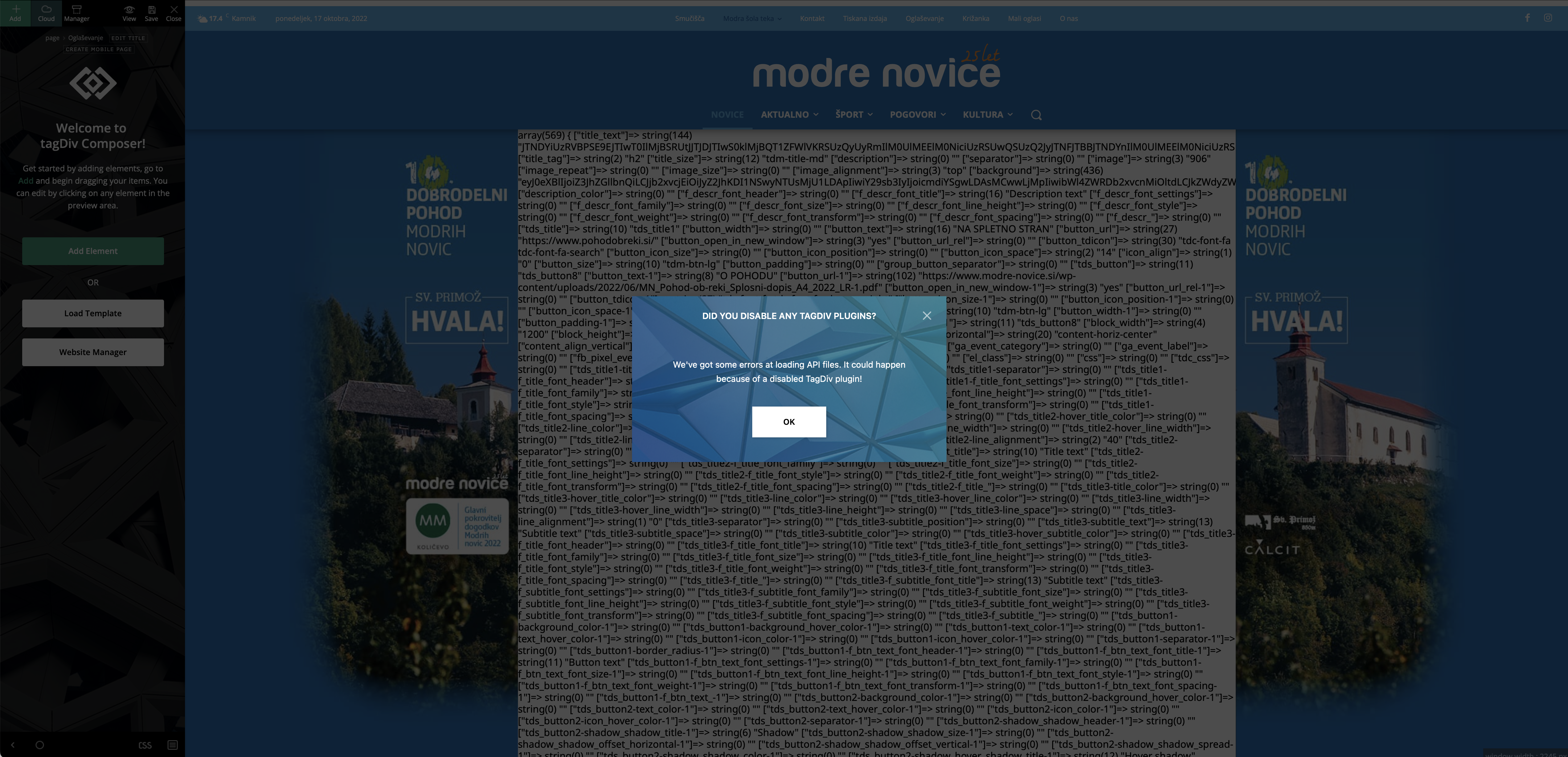
Image 2: 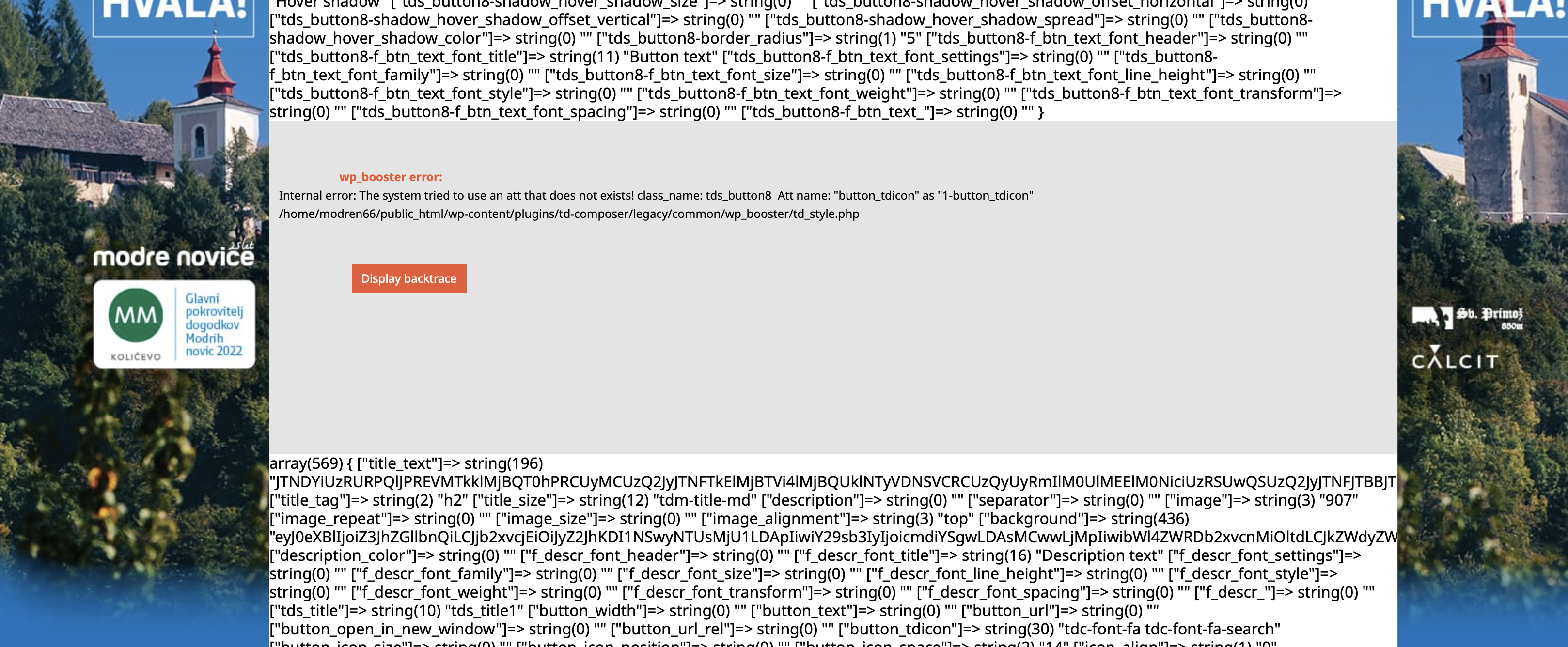
Help would be very much appreciated.
Thank you,
Peter
Bettina Hello @Sikandar!
We have 3 options for mobile versions that you can use:
1. Responsive version: A responsive version of your website looks similar to the desktop version. Edit the page with TagDiv Composer. Click on the mobile viewport: https://www.screencast.com/t/XDQJedlggSB; there you can see your mobile version and edit or adjust the elements to look better.
2. Mobile pages: https://tagdiv.com/newspaper-10-3-7-update-brings-customizable-and-fast-mobile-pages
3. Mobile theme plugin: The Mobile Theme is a performance-optimized theme included in the main Newspaper theme that only loads on mobile devices. It comes with its own templates and design for pages, posts, categories, etc., so your current templates from the desktop theme will get converted to the mobile theme layout. Please see https://forum.tagdiv.com/the-mobile-theme/ and https://forum.tagdiv.com/mobile-theme-introduction/ for more information.
A full explanation is here: https://www.youtube.com/watch?v=SpGkOnJeNZY
Thank you!
 willkar
 Thanks a lot. That helps a lot.
Still wondering what the use this for: “user update forms ” does.
Also, is it possible to add a “Edit” button directly in the post view? Not only in the listing of the posts.
Thanks in advance.
 loverblessed
 sorry i cant take this process for my site, when ever a new update comes out you guys would have fix it by then, I have already downgraded it.
thanks
Bettina dennisjpitocco We have some important page updates, but cannot proceed until this bug is fixed.
Bettina Hello @diocesipn !
Check in the Newspaper -> Theme panel -> Header -> Logo & Favicon -> Text Logo, text logo tagline.
Are you using the Mobile theme plugin? For Mobile Theme plugin, you can change the logo from Newspaper -> Theme panel -> Mobile theme -> Header and the copyright text in footer -> subfooter.
You can adjust the logo differently in the mobile viewport: https://www.screencast.com/t/XDQJedlggSB, so then it will fit there.
We have 3 options for mobile versions that you can use:
1. Responsive version: A responsive version of your website looks similar to the desktop version. Edit the page with TagDiv Composer. Click on the mobile viewport: https://www.screencast.com/t/XDQJedlggSB; there you can see your mobile version and edit or adjust the elements to look better.
2. Mobile pages: https://tagdiv.com/newspaper-10-3-7-update-brings-customizable-and-fast-mobile-pages
3. Mobile theme plugin: The Mobile Theme is a performance-optimized theme included in the main Newspaper theme that only loads on mobile devices. It comes with its own templates and design for pages, posts, categories, etc., so your current templates from the desktop theme will get converted to the mobile theme layout. Please see https://forum.tagdiv.com/the-mobile-theme/ and https://forum.tagdiv.com/mobile-theme-introduction/ for more information.
A full explanation is here: https://www.youtube.com/watch?v=SpGkOnJeNZY
Thank you!
Calin Hi mita and B3rdan, did you do custom changes in the theme files, or only using the theme settings. If you used only the theme settings, the such problems should not appear.
The theme plugins that you used where updated or only the theme? Do you use a child them?
Also, before any theme update is good to have a full backup for the website.
Another thing that must be checked after a theme update is the cache and object cache, those must be cleared.
Now if is related to the theme panel settings and those are not set how was before, if you have a backups it is recommended to restore that backup, if you do not have it, then you can try the theme panel backup -> https://forum.tagdiv.com/import-export-theme-settings/
Thank you!
Anamaria Hello Marta,
Our email to contact us is contact@tagdiv.com.
Also, please check this topic https://forum.tagdiv.com/topic/my-site-isnt-update/ and search after the object cache file on your website.
Thank you!



