- NewspapertagDiv AMP Plugin Tutorial
- ApiPractical example – How to add a new Block and Module
- NewspaperTrack Subscription Sources with Locker URL in Opt-In Builder
- NewspaperWP Rocket and Newspaper Theme: Optimization Guide
- NewspaperCredit System
- NewspaperIntroduction to CPT and ACF with Newspaper Theme
- NewspaperHow to edit modules for Flex Block X
- NewspaperHow to use the Posts List shortcode
- NewspaperUser review system
- NewspaperCustom Fields Support
- NewspaperHow to generate Facebook App ID
- NewspaperHow to insert a block inside the content of a post
- NewspaperModal Popup
- NewspaperPayPal Setup
- NewspaperLink Tracker
- NewspaperLockers
- NewspaperGeneral Options that May Interfere with the Newspaper Theme
- NewspaperAdd Cryptocurrency Price Ticker Widget
- NewspaperPosts Loop Element
- NewspaperThe Newspaper Mobile Theme: Introduction
 Lucas
Lucas Sorry, I meant block. For example, I wan to edito block 12. Where is this located?
Thanks,
 simchris
 You can pretty much *not* use the Envato plugin for anything, as it never worked right for me. WP can’t auto-update the theme as it’s not a free theme in the WordPress.org repository, so typically you always have to manually update a commercial theme, unless there is specific hook added by theme developer (Woo added this very recently, for example).
When I activated the theme nothing was sent to Envato, so I would not worry about it.
I manually update all my sites 🙂
 Marius
 Hi,
The Facebook comments from that plugin could be disabled and added directly in code via a shortcode, and can be placed anywhere.
Disable it from here: http://screencast.com/t/66stO7tobuz and add this code where you want in the post template:
http://screencast.com/t/7VRRbPIk post templates are this depends of where you want to add them http://screencast.com/t/HLJfn6dcF6HE
About the infinite scroll, add a block with Visual Composer, set it to infinite load http://screencast.com/t/Ampm712bNNg then set how many post you want to display: http://screencast.com/t/WTwOIdwBJ
Thanks!
 mnguyen87
 if i think i know what you’re talking about then try it this way otherwise avoid this post lol:
edit the module file that you’re using located in wp-content>themes>Newspaper>includes>modules
for example I chose module 6:
step 1: open up td_module_6
step 2: find <?php //echo $this->get_author();?>
step 3: remove the // so it looks like <?php echo $this->get_author();?>
save it and refresh, hopefully this works otherwise I took this question the wrong way lol
 toppbottom
After setting up my page and using the YouTube playlist, the player does not play on my cell phone. I have an Android (Samsung Note 3). Please help.
 Giannis
Hi guys
I bought today the theme and i am an amateur who is learning WP. I installed the sample data and i added a logo and one ad banner on the header and it looked great. So i have here a few questions before i keep on creating things.
1. If i finish all the development of the website on the sample data ( i am working on localhost ), how can i see what my real website looks like and how can i move it to a real server to display it on the web if this is a sample data.
2. In sample data all functions of template settings are not working and to be honest i think more stuff are not working.
3. Would it be better to remove the sample data? And if so how can i do it? I found a plugin to reset data and may be this could work so to avoid to do it manually since i don’k know what files to delete. Do you have any solution or can you guide me to what i should delete.
One solution that i am thinking is to open in xampp a new database and download again wordpress and your theme and start everything from scratch since i did not make a lot of things anyway.
Let me know your thoughts and advices
Happy New Year guys
Giannis
 djshadowslim
 Thank you Chris for your timely response. I really appreciate it. Especially, during the holidays and today being New Years Eve. So far, the developer of the CM Manager Download Pro plugin responded back to me and told me that sometime next year they will release a new version that will handle the responsive feature of the Newspaper 4 theme. Other then that I haven’t hear anything new yet from the Radio Station developer.
In the meantime, I wanted to know if it is possible to clean up as much as possible with the way how the site looks and feel. I guess my ultimate question is:
1. Is there a way to figure out the original page structure and add it to the “PLUGIN” CSS files. I know it won’t make the plugin responsive but at least the Newspaper 4 theme can retain its natural structure.
For example: The CSS for a full page without the sidebar. If so, can anybody help me implement it.
djshadowslimAny plugin that I install to utilize the Newspaper 4 theme layout such as Radio Station and CM Download Manager the middle section of the website loses its formation. Also, the content in the middle section is not responsive but I use the plugin [shortcode] in a page or post it retains the responsive feel.
For example:
1.) Radio Station: http://envythedjradio.com/show/love-block
2.) CM Download Manager: http://envythedjradio.com/cmdownloads/the-example-wow-shes-hot/
Goal: To still use the plugin with the theme layout and still retain the responsive feature.
 Kerran elamassa
Hi & thanks for a superb theme! I’ve got couple of questions, nothing huge but I’d like to get them sorted anyway.
1) My main menu has 3 drop menus. One of those dropmenu has a list of categories, and I made each one of them a MegaMenu. Now when I hoover on top of those drop menu categories, MegaMenu window blocks all the stuff under it. Is there a way to move Megamenu window 100 pixels to the right?
2) I have tagDiv Social Counter widget in the footer, but for some reason it has Facebook likes as 2 instead of 2100 or 2K. How do I get the right count?
3) I’ve been going through font & color options, and noticed that when I select a part of text (for copy-pasting) it’s highlighted with a bright yellow color. How can I change this? Almost anything neutral (like light grey) would be fine.
4) I have a few hundred quotes in my posts and pages. I would like to change them from default quote style to another style (one of your shorcodes). How can I change all of them in one go from one quote style to another?
Thanks again & happy New Year!
simchris Kitt
I was looking to do this also.
Did you try the provided hack provided by Lucian, starting by editing the style 7 file?
http://screencast.com/t/EkldU6NPgqN
You have to edit the file per his example by moving the block of code to the desired location in the appropriate file for style 7; there is no theme setting to do what you want.
Would love to see how that works for your site?
 Alin [tagDiv]
 Hi,
You can add a block(for example block 6) in sidebar Appearance>Widgets like this: http://screencast.com/t/pkQXqNlBz6V
After that in block settings you select the category of your video post and Save: http://screencast.com/t/E91UQy93k5y
Result:http://screencast.com/t/0TpZIB89ij2T
You can find footer’s widgets here: http://screencast.com/t/9rXBINA0BO
 fbengo
 Thx, but how do I add a banner and 4 menus like the example?
 Petewashere
 So I haven’t reported back, because I sort of gave up for a while. I’m back at it now though. So I called 1&1 about 6 different times, but mostly they couldn’t or didn’t want to help. Finally one of them told me that it would not be possible for me to make the changes, because I had installed wordpress in the root folder. He suggested for me to move my installation to a subfolder. When I did that my php.ini was being read, but still no luck in changing the upload max. through the php.ini.
Then I came back here and found Marius’ suggestions.
When I made the change in wp-config it changed to 8MB. Then I tried the other suggestion of just putting the 2-3 lines I really really needed in my php.ini and FINALLY THINGS WORK.
Big thanks to you.
And if anybody is having trouble with php settings on 1&1, move your installation to a subfolder (better yet reinstall) and search on wordpress codex for the steps to make it work as if it was installed in the root.
Many thanks again Marius.
 coudreau
I installed woocommerce 2.2.10 and visual composer 4.3.5 and i have a visual composer crach ?!
regards
 instacomedy
Hi my limit of posts per blog page is set to 10 in my admin panel in Settings/Reading. My site is http://infossip.com
But if u look at a category page, my news page by example, i have more than 10 articles but it only shows the 10 first articles, with no pagination buttons to see next set of 10.
Please help.
 khonoidung
 Hi,
Thanks for reply!
I have disabled Photon but the error still similar.
I would like the image url in content is not changed. For example, the post below:
http://laughworld.net/hahaahhahaha-d-phit-like-y/
It change image url in content to thumbnail image:
http://laughworld.net/wp-content/uploads/2014/12/0d24fae0c4ffa1209bec32c990cd5e79-150×150.jpg
while I set the image url to http://laughworld.net/wp-content/uploads/2014/12/0d24fae0c4ffa1209bec32c990cd5e79.jpg when create post content (by PHP code)
So what I would like is the content is not changed from what I set.
Thank you,
Alex
-
This reply was modified 11 years by
khonoidung.
 Kanybek
 Hi,
Please see how it displays on my 1920х1080:
https://drive.google.com/open?id=0B8PgmqB14sqfN3hGZmZIZU1KdU0&authuser=0 (Chrome)
https://drive.google.com/open?id=0B8PgmqB14sqfX0FraEs1N3JlTk0&authuser=0 (Firefox)
https://drive.google.com/open?id=0B8PgmqB14sqfODVLTTFSR3NwWnc&authuser=0 (Opera)
There’s no arrow in my sreen…
 Jkesey
 A little confusion here. What’s the point of the multiple category filter if it only works by subtracting categories you don’t want?
For instance, I want to only display category 5 & 6 so I input 5,6
with 5,6 listed out I still see every category so it doesn’t really filter at all.
If I exclude posts, however then I can display exactly what I want.
Isn’t the purpose of filtering by multiple categories to display only what you want?
 Mcrielaard
 Hi,
I followed your layout example and now I finally have a sidebar.
But the breadcrumbs path is still not visible at the top of the page, do you have any ideas?
 wpdiv
wpdivHello tagdiv admin & support team,
Hope you enjoy your christmas with your friends and family.
Here i have issue with staging site http://div.wpdiv.com
I have line height issue when i test my site via google chrome v39 & Firefox 34, the issue is illustrated in the screenshot.
http://oi61.tinypic.com/2m5kygi.jpg
In firefox 34 there is no such issue in line height. But in google chrome v39 and internet explorer 11 had issues.
I did not know why does it happen?
Will you please help me to overcome this issue
With regards
Selvam.S
 Feedup
Hi,
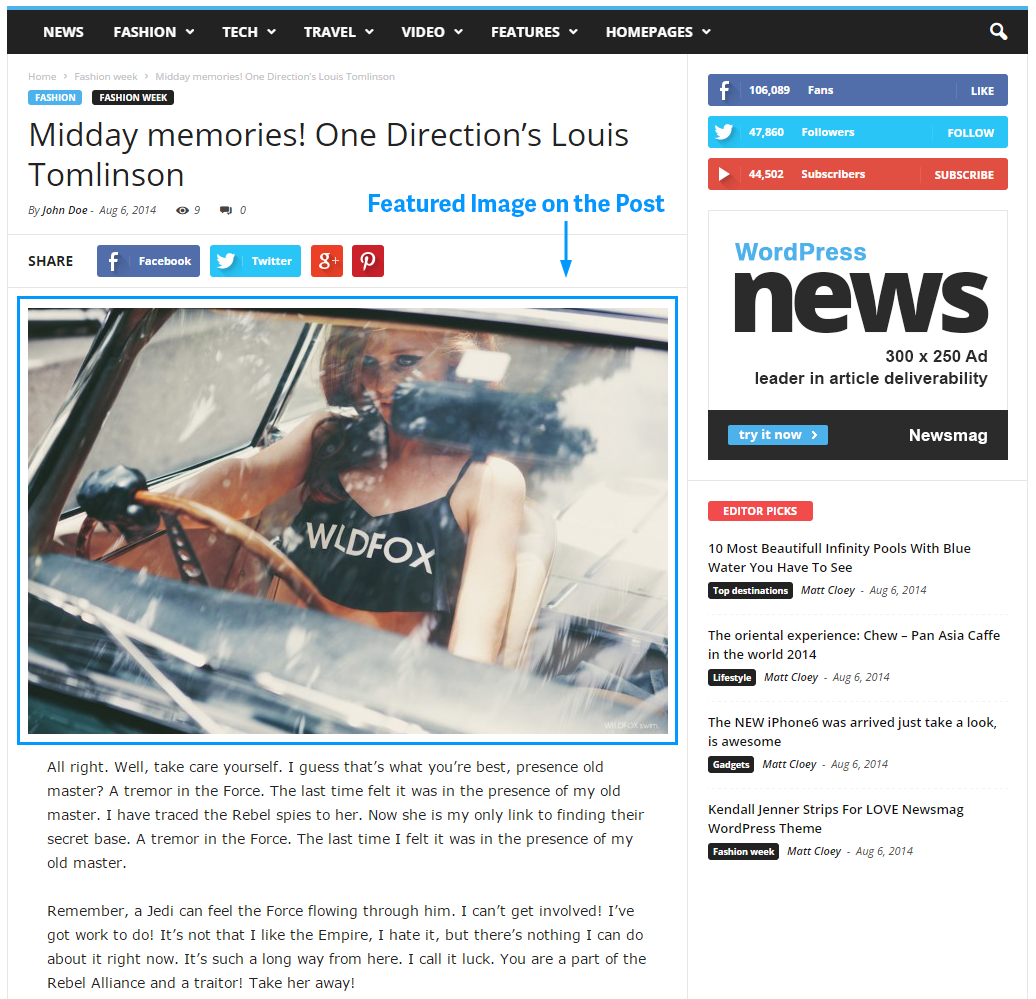
I am trying to move items above the Featured Image.
An example is here: https://forum.tagdiv.com/wp-content/uploads/2014/11/featured-image-on-post.png .
I want an Author Box Plugin and a Social Media Sharing Plugin above the featured image.
How can I accomplish this?
Thanks.
 goranCPG
 Here is example

 redterry
 Hi Darius,
here are examples of posts with feautured images at the top that I would like to centered. If there is a way of setting all featured images to default as centered that would be great.
 S. Stefan
You can add in Newspaper theme Aside Post Format option(Supported Formats- Aside-)?
I urgently needed aside option for a new site and without this option I can’t build it.
De preferat ar fi adaugarea acestei optiuni si in tema Newsmag.
Am cumparat pana acum 4 licente (3 Newspaper si 1 Newsmag) si am de gand sa mai cumpar cateva. Imi plac foarte mult temele si as vrea sa ofer cateva idei pentru imbunatatirea lor sau sa semnalez problemele pe care le intampin. Cum este mai confortabil pentru voi sa creez un document pe Google Drive si sa va trimit un link cu respectivul document, sa postez pe forum, sa va trimit mesaj pe pagina de facebook, pe themeforest sau aveti alta varianta mai confortabila?
Craciun Fericit!
Cu respect,
Stefan.
Kanybek May I ask more questions:
4. How to translate “Share” word before the Social Share Buttons? Can’t find it in Theme Panel/Translations…
5. Is it possible to rename the Social Share Buttons? For example, to name it “Like” instead of just “Facebook”.
Thanks,
Kanybek