- NewspapertagDiv AMP Plugin Tutorial
- NewspaperTrack Subscription Sources with Locker URL in Opt-In Builder
- NewspaperWP Rocket and Newspaper Theme: Optimization Guide
- NewspaperCredit System
- NewspaperIntroduction to CPT and ACF with Newspaper Theme
- NewspaperHow to edit modules for Flex Block X
- NewspaperHow to use the Posts List shortcode
- NewspaperUser review system
- NewspaperCustom Fields Support
- NewspaperHow to generate Facebook App ID
- NewspaperHow to insert a block inside the content of a post
- NewspaperModal Popup
- NewspaperPayPal Setup
- NewspaperLink Tracker
- NewspaperLockers
- NewspaperGeneral Options that May Interfere with the Newspaper Theme
- NewspaperAdd Cryptocurrency Price Ticker Widget
- NewspaperPosts Loop Element
- NewspaperThe Newspaper Mobile Theme: Introduction
- NewspaperAutoptimize Plugin – install and configuration
 Mjmusicguy
the theme does not seem to recognize when i change php via the cpanel php selector example memory limit
 footeuses
Hello,
Thank you for your work and creating the pre-installed site. It’s really good. For my part, I encounter some problems to configure the Newspaper theme. Some pages on my site like the following example (https://www.screencast.com/t/1pbEF6KKUC) I cannot customize the content. The pages were not created manually but come from an extension (ANWP). So I do not know which page template is used, and where it is possible to modify them.
Thank you.
 turma99
Hello!
Can you help me fix the images subtitles on AMP pages? They’re being displayed with only one word per line.
Please, check this screenshot: https://nimb.ws/926AjS
Thanks!
 Rigsbyx
Why am I seeing a 503 page for the sign up, reset password and login pages?
I’m not getting this error anywhere else on the website? My hosts say there is no issue in their logs.
I installed BuddyPress and ProfilePress. Do you think either of these are conflicting?
Rigsbyx1. How do I turn off category siblings at the top of the page and without deleting the element?
In tagDiv edit mode, setting to 1 only shows one, great, but setting to 0 or leaving blank both don’t work (they show all siblings).
Is there an on/off option? I want to keep the element there for the future.
2. What is the rainbow option for? It doesn’t do anything?
Thanks : )
Rigsbyx1. Do I have to add the API every time I add the weather on a page and post? Can I not add the API into your Theme Panel so that it’s remembered sitewide? (it’s the same for the money exchange rates and potentially all other APIs). I keep having to go find it to copy & paste, and I lose my flow.
2. I have saved a weather element, but it doesn’t show up at the bottom of my elements when trying to add it to a post. Are some elements saved from a page not available in posts?
3. Visitors can change the weather for their own area so it remembers them when they click on the tiny compass, but can I change the colour and size or add a ‘click here’ message? Most older users don’t know what the compass is, and so won’t even think of interacting it.
4. Can someone change the weather for their own area for the Header weather? I can’t seem to find out how to interact with it if I were a visitor. Also, can it be connected to number 3, above? …or are they two separate entities? If they are different, how can I add the main weather element (see 3, above) to the header so that changing one (location) changes it sitewide for the visitor? I know how to add it, but it’s much too large to be in the header, and you don’t offer any options which parts can be visible or not. You only offer style changes. Connecting both elements would be great.
5. It’s very difficult to set the colours on some of the options. I even paste in the hex code, but it doesn’t take it (actually, this is true for so many things when in tagDiv). Saving and refreshing the page is the only current solution, but that’s not good.
6. I wish to create a weather page to enable subscribers to change it for their own area, and return to the website! Do you have any suggestions for this regarding maps and APIs etc.?
Thanks : )
 Anamaria
 Hi Kerry Adams,
If you use the responsive version and not the mobile theme plugin then the opt-in can be displayed on the amp version, but since the amp version is store on google results, I do not know if is a good idea to apply. This option normally should apply only to visitors that are on your website.
Thank you!
Anamaria Hi Nagarig, the in feed ads are display like in that example, but I think that you are referring that those ads being integrated in theme blocks, if that is so, then for the moment our theme does not have this option.
One solution is to edit the blocks to look like in feed ads.
Also another solution it is to use some plugins, if you want you can check this article https://www.quora.com/How-do-I-add-AdSense-in-feed-ads-to-WordPress
I hope this will help!
Anamaria Hello,
Each block uses a specific thumb. For example, if you use Flex Block 1 you can choose the image size => https://i.imgur.com/1f6CXA9.png or you can set the height and width https://i.imgur.com/fsChM94.png or you can use Big grid flex https://i.imgur.com/b0z9MjN.png
You can find more information about what thumbs are used on each block here => https://forum.tagdiv.com/theme-thumbs/
Thank you!
 Simion C.
 Hi,
The page title will be a h1. It is however unclear what the problem that you are describing actually is, unfortunately. Please let us know what exactly you want us to do or help with. Provide a link to that page so we can inspect it, and see what h1 headings are present in the page.
In your homepage for example there are 2 h1 headings, this one in the page content https://i.imgur.com/X2TgIL1.png
And another one here – https://i.imgur.com/0LUyBL8.png
Those are text with title elements, and they have settings to choose what their title will be -> https://i.imgur.com/mo9Lezm.png
Please choose what you want for the title of the text with title elements from the page, if that is what you would like to do.
Thank you!
 Mahiedine
 Hello, thank you for your help, it worked with my Flex Block 1 & 2 but the option called “Enable video pop-up” is not in the “Big Grid Flex 10” layout. How I can disable the video pop-up on this Big Grid Flex 10 ? Thank you. Have a nice day.
 Kerry Adams
 So, what currently happens with people trying to view an exclusive post via Amp?
Do I essentially need to turn off AMP if I want to use the Opt-In?
-
This reply was modified 5 years by
Kerry Adams.
 kjjjaa
Hi.
THis is the same website.
https://www.coinpress.co.kr/
I want to know how to apply image as this website has on the bottom.
Blue line image.
This image is always there.
I want to know how to make image that is shown always in the same area.
 msakande
 Hello Bettina
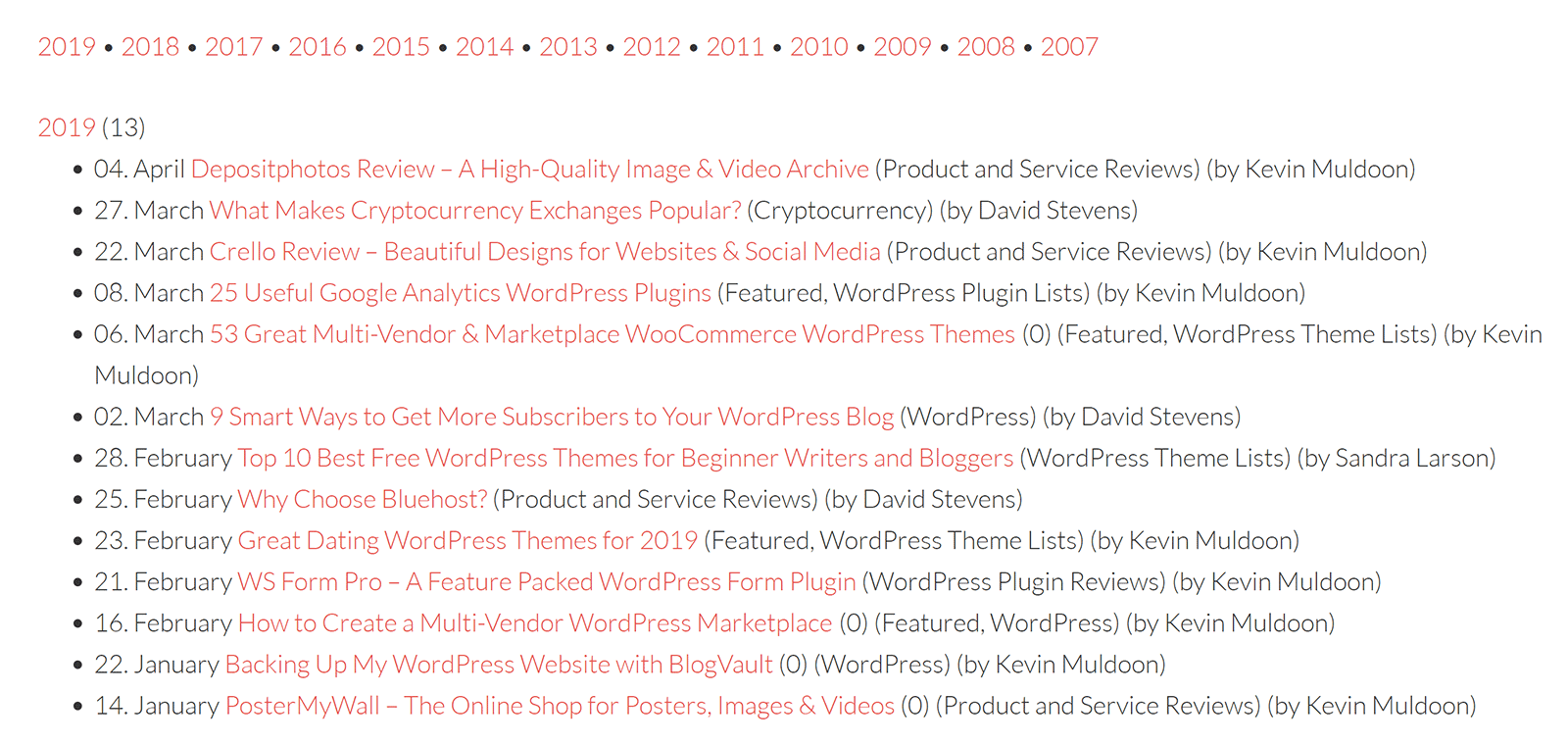
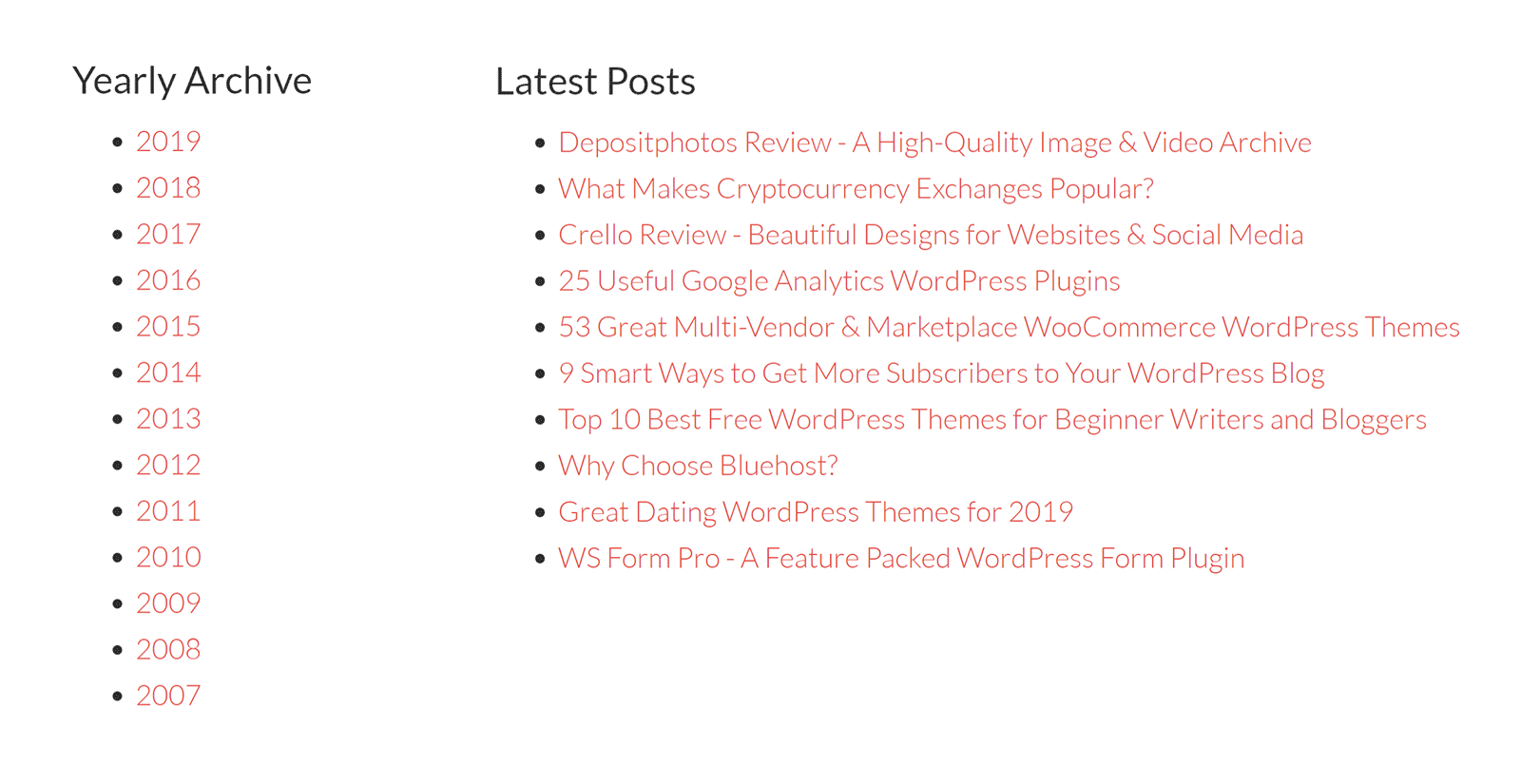
I want in my Menu a menu called “Archives”
I want, when the user go to this link, He can see the Archive listed by year, month…
like these one
https://winningwp.com/wp-content/uploads/2019/05/simple-yearly-archive-example.png
https://winningwp.com/wp-content/uploads/2019/05/archive-page-example.png
 CeskoZive
Hi,
when I set some ad as article inline ad or article bottom ad, few lines of text uder the ad are hidden under the ad. Can you give me some advice? Thanks
 Demir
Demir The CLS issue. I also came across I think there is a theme bug.
Using Global header in widgets area cause CLS. It also effects header style. I tested many times. When I chose for example header style 8 then it resolves.
The big title with global header is the problem.
I think theme designers should fix it.
 housenest
Hello,
I hope you are well.
I’d like to add a slider that has automatic picture changes as example this prebuilt website has it and it’s the Features tab : https://demo.tagdiv.com/newspaper_sound_radar/
How I can do this? I noticed this theme doesn’t use RevSlider, so I assume it’s a simple block/template. How I can find it?
Best regards,
 djovanov
 For example, the block “Texte with title” doesn’t have this option.
Screen1 : https://i.imgur.com/74moaSv.png
Screen 2 : https://i.imgur.com/wQlx2ff.png
thanks
 Bettina
 Hello!
Please let me know exactly what you need to achieve by an example, so I can tell you what can be done there.
Thank you!
Bettina Hello!
This is when you edit a date template. Please check your website archive when you write the url:
Thank you!
 erickimani
Hi,
A few of my posts I notice do not show when on the backend when I try to edit when logged in but will show ok when logged out
This is how they show up instead when logged in
https://paste.pics/7257dbd7017cf599b450fdfd059e32cc
These two posts are examples
 bottobotto
Hi,
I am looking forward to change the Header Font (H1 to H6) Only for the Article Area. I also want to make the Paragraph font bigger. How do I do that?
 cnebeife
url; nptips.com
i installed the mobile theme of newsmag, after testing it i didnt like how it was looking so i uninstalled it together with the AMP plugins.
yet when i view from mobile it still shows the mobile theme template… how do i get rid of that mobile theme view so that the site can just be responsive with the desktop view on mobile.
i have cleared cache multiple times and has also opened site in incognito mode yet same problem persist.
 Calin
Calin Hi Ali Arbab,
I think that the easies way it is to integrate our web page from here https://demo.tagdiv.com/select_demo/select_demo_newspaper/ this can be integrated using this code -> https://pastebin.com/X6t3SXYr this can be set in code editor https://i.imgur.com/CgljDk1.png or you can set it with tagDiv Composer in column text or text with title in text area
Another solution it is to make with tagDiv Composer a dedicate page for all pre-build website, then you need to use images for each one of them and maybe set links on them (an example -> https://i.imgur.com/CDYpSIn.png -> https://i.imgur.com/eDrXcxY.png ).
If you ask me, I will go with the first solution, that can be done in a few minutes.
I hope this will help you!
Calin Hi socialengaged , I think that I know what the problem it is here, the theme that you are using it is a little different from the rest of them, this has for example in category cloud templates flex blocks that are not filtered after the current category and also the posts loop has an offset on it. What you need to do is to edit the cloud templates with tagDiv Composer and https://i.imgur.com/sjVxsSS.jpg and make sure that the big grid flex do not have any offset -> https://i.imgur.com/RMrE1ej.jpg then filter it after the current category https://i.imgur.com/qs4mrm0.jpg then the problem should be solved, or in case that you remove the category grid, select the post loop and remove the offset -> https://i.imgur.com/4F3J12V.jpg
I hope this will help you!
Let us know the results!