- NewspapertagDiv AMP Plugin Tutorial
- NewspaperTrack Subscription Sources with Locker URL in Opt-In Builder
- NewspaperWP Rocket and Newspaper Theme: Optimization Guide
- NewspaperCredit System
- NewspaperIntroduction to CPT and ACF with Newspaper Theme
- NewspaperHow to edit modules for Flex Block X
- NewspaperHow to use the Posts List shortcode
- NewspaperUser review system
- NewspaperCustom Fields Support
- NewspaperHow to generate Facebook App ID
- NewspaperHow to insert a block inside the content of a post
- NewspaperModal Popup
- NewspaperPayPal Setup
- NewspaperLink Tracker
- NewspaperLockers
- NewspaperGeneral Options that May Interfere with the Newspaper Theme
- NewspaperAdd Cryptocurrency Price Ticker Widget
- NewspaperPosts Loop Element
- NewspaperThe Newspaper Mobile Theme: Introduction
- NewspaperAutoptimize Plugin – install and configuration
 amrinder
 so now i get it, i just have to copy the amp analytics code and just replace UA Id right ?
i tried changing the image size, i think it didn’t help
1 thing :
can we do 1 thing, there is no problem in posts while on mobile them, but with page builder right ?
can we simply add link to full version of the page while on mobile them
for eg:
in mobile editor :
i shall place a link
click here to view this page fully,
and but is it possible ?
 Simion C.
 Glad you sorted out some of the problems.
Besides installing the mobile theme plugin there would be no other solution to speed up the website on mobile.
The same page content will be loaded on mobile if the plugin is inactive, so using an average or low internet connection speed it will take more time to load everything
– https://www.screencast.com/t/3FdXZdxYPM
Also I see that there could be a problem with the thumbnails. Try to regenerate them with the plugin mentioned in this guide
– https://forum.tagdiv.com/thumbnails-fix-strange-looking-images-on-blocks/
Then edit the homepage and check what image sizes are used by the flex blocks
– https://www.screencast.com/t/eH79VV7j2
Use a lower or the lowest image size defined there. No point in loading big images for small modules. That should reduce the page size.
The analytics code for AMP has to be of this form in order for it to work properly
– https://www.screencast.com/t/vJ78X7rUL
There is a tooltip when the question mark is hovered.
Simion C. Hi,
So that issue is present only in that post page? Something must be wrong with the post. Maybe something you entered in the post content.
Did you enter HTML for example in the post content? Or and ad code maybe. If you did please check if the tags are set correctly. An tag not closed for example could cause problems.
I could take a look if that is not the case. Provide a link to that post if possible.
Thanks
 Calin
Calin Hi,
Unfortunately our theme don’t have such option, but you can hide them with custom css, for example hide all meta from all pages from block 1
https://www.screencast.com/t/ftJz4kaMb2
https://www.screencast.com/t/O10pqaEZTch
.td_block_1 .td-module-meta-info{

  display: none;

}
Also you can read about Create custom code with the browser’s Inspector or the Live CSS Box -> https://forum.tagdiv.com/create-custom-code-using-the-browsers-inspector/
Hope this will help you.
Thank you for your understanding.
Simion C. Hi,
That would explain it. How exactly is this structure made? Navigating from a category page to the post, the expected path would be /category/post name for example.
So accessing a post from here – http://ctt.staging.wpengine.com/category/gym-top-rope-climbing/
Should display breadcrumbs accordingly in the post. But while in the post at the moment higher up is a page, not the category archive. I haven’t seen this before.
Calin Hi,
Is possible to be a plugin conflict, or the Polylang plugin add something that is restrict by AMP plugin.
Thank you for your understanding.
Simion C. Hi,
If you use a cloud post template it will be possible. For default post templates it is not possible.
These are the default post templates – https://forum.tagdiv.com/post-templates-2/
These are the cloud post templates – https://affiliate.tagdiv.com/#/load/Single
Import a cloud post template, it will open in the tagDiv composer
– https://www.screencast.com/t/KxBbTuOCxP
When using a cloud post template the sidebar has to be set in the composer itself, by dragging the elements you want in the sidebar space for example
– https://www.screencast.com/t/XhqfONiLgO
So you can drag the newsletter element in the post template.
Cloud post templates will appear both in the theme panel general settings
– https://www.screencast.com/t/lauoCjc6x2l
They will also appear in the post edit screen
– https://www.screencast.com/t/ZgyViGZ1x
So all this requires is that you use a cloud post template for the post. Import the one you like, then add the newsletter element in it. Apply it for the posts you want. Let me know if you need help with anything.
Thanks
 PMbody
Hello Tagdiverse,
I’m using “Craft Ideas Template” for my blog.
I’m using the blog page as main home page.
I love the main hero section Above the Main Menu but I want it to be displayed on blog page only.
I don’t want same hero image to be replicated on the posts and pages.
Please let me know whether it’s possible and any workaround.
Thanks,
Amir
Simion C. Hi,
Something is unusual in the website you provided. The container size is not how it is supposed to be
– https://www.screencast.com/t/mBsmYsVVrU7
Did you maybe make modifications in this matter? Forcing the container to a higher or lower value would result in a broken layout. Wider layouts can be achieved with the tagDiv composer and row stretch setting
– https://www.screencast.com/t/odokEN4DvdEB
The composer can be used to design almost everything. Pages, post templates, category templates etc. This is possible if the cloud library plugin is active
– https://forum.tagdiv.com/tagdiv-cloud-library-plugin/
Here you can preview and even edit the available templates created by us
– https://affiliate.tagdiv.com/#/load/All
If you want to design your own, there is a blank template provided in each category of templates.
Without the forced container stretch the grid would look like this
– http://prntscr.com/lj3w3i
The image on the right in the grid is almost of the required size for the grid. In my case with the same image this is the result
– http://prntscr.com/lj3ynr
The thumbnail is not created properly in your case, a regeneration should fix it
– https://forum.tagdiv.com/thumbnails-fix-strange-looking-images-on-blocks/
It still wont fill the module fully however. I could force it to fill the module, but the image may be distorted.
Maybe consider using a top grid that has smaller modules, for example
– https://demo.tagdiv.com/newspaper/category/grid-5/
– https://demo.tagdiv.com/newspaper/category/grid-7/
– https://demo.tagdiv.com/newspaper/category/grid-8/
– https://demo.tagdiv.com/newspaper/category/grid-10/
– https://demo.tagdiv.com/newspaper/category/grid-11/
When using default category templates the top grid can be changed in the theme panel, for each category. For example
– https://www.screencast.com/t/shOmGycyhh1f
Please let me know if you have more questions.
Thanks
Calin Hi,
Here is a custom css that you can use to change the color for all post ( only post, no category or pages ) that have h1.
https://www.screencast.com/t/vWGC8AMpn9
.single .td-pb-row h1{

  color: green!important;

}
You can change the color green if you want , you can pick a color from here: https://www.w3schools.com/cssref/css_colors.asp
Thanks.
Simion C. Hi,
You could for example do it like this. I will use a column text in the example.
Place a row in the page, enter a column text or text with title in it, with the text you want. Then set a background image for the row
– https://www.screencast.com/t/ScsK03b1
If you want you can align the text to the right in the CSS tab of the column text
– https://www.screencast.com/t/7tuUsOi8EdWB
Then set a background image for the column text – https://www.screencast.com/t/g7snDmxU
I also set some padding and changed the color of the text to white.
This would be a solution with the result you want.
Thanks
Simion C. Hi,
So ads are appearing randomly in the page from what I can see. The bottom ones aren’t even ad spots, for example below the website. What kind of ads are you using? From what I know only Adsense auto placed ads can appear where they want
– https://support.google.com/adsense/answer/160534?hl=en
Ads with defined placement will appear only in the spot the code is entered. Maybe you use auto placed ads, that would explain why they appear anywhere in the website.
Thanks
Simion C. Hi,
So you want the title to be over all the three videos. Add a different full row with the text with title element above the videos. For example
– https://www.screencast.com/t/dXUS51Hp
– https://www.screencast.com/t/aA7BSzA7
I believe that is what you want to do.
Thanks
Simion C. Hi,
T the time of checking I see posts from the current day in blocks. For example
– https://www.screencast.com/t/itvRnbgpc0
Usually this type of problems can be caused by caching. This may prevent the latest content to be displayed when not logged in (most caching plugins will not cache the website for known or logged in users).
I see the total cache plugin is active on the website. Maybe check it’s settings and set an expiration time for the cache so it auto deletes itself after a smaller period of time.
Thanks
Calin Hi,
Unfortunately our amp don’t have a menu option or the option to create a homepage ( if you active the amp on pages ( and you create a simple page without builders ) thee you set as homepage will be homepage in AMP too ),
You can read about tagDiv AMP here ->https://forum.tagdiv.com/tagdiv-amp-plugin-tutorial/
For the moment I don’t know with what features will come tagDiv Amp.
Thank you for your understanding.
Simion C. Hi,
I believe you have installed the WPML Translation Management plugin
– https://wpml.org/documentation/translating-your-contents/page-builders/
Our page builder will encode the page content so translating a page with this module would not be possible. Maybe this will change in the future, can’t say for sure what will happen. Sorry for any inconvenience.
The alternative is to switch the pages when the language is changed.
For example I have this page in a language – https://www.screencast.com/t/wUVMxwx6qlV
Clicking on the translate option will open a new page which you can build
– https://www.screencast.com/t/yWKrq5fBxTI
So depending on language selected the appropriate page will be displayed. You can create a page for each language you have enabled.
I currently have the WPML Multilingual CMS and the WPML String Translation plugins installed. The WPML Translation Management plugin is not installed.
Thanks
 kbmyers
Hello – I’ve changed some of the colors on my template and the customer likes them, but when you first load the site my labels show up in the default color scheme for about a half second before my theme colors kick in. An example is at dev.stnbeta.com
Notice the labels show up briefly in blue before turning green as the page loads. How can I change this?
Thanks,
Kent
amrinder and i am unable to understand which code to add in amp theme panel for google analytics ?
this is given by google –
<script async custom-element=”amp-analytics” src=”https://cdn.ampproject.org/v0/amp-analytics-0.1.js”></script>
<amp-analytics type=”gtag” data-credentials=”include”>
<script type=”application/json”>
{
“vars” : {
“gtag_id”: <GA_TRACKING_ID>,
“config” : {
<GA_TRACKING_ID>: { “groups”: “default” }
}
}
}
</script>
</amp-analytics>
and this is said by newspaper
{
“vars”:{
“account”:”UA-128976206-1″
},
“triggers”:{
“trackPageview”:{
“on”:”visible”,
“request”:”pageview”
}
}
}
amrinder most of the problems are now been sorted, with your help
thank you so much
amp ads are working.
1. problem i am currently facing is mobile theme, and website loading speed on mobile and desktop
kindly help me improve that.
 Serhii
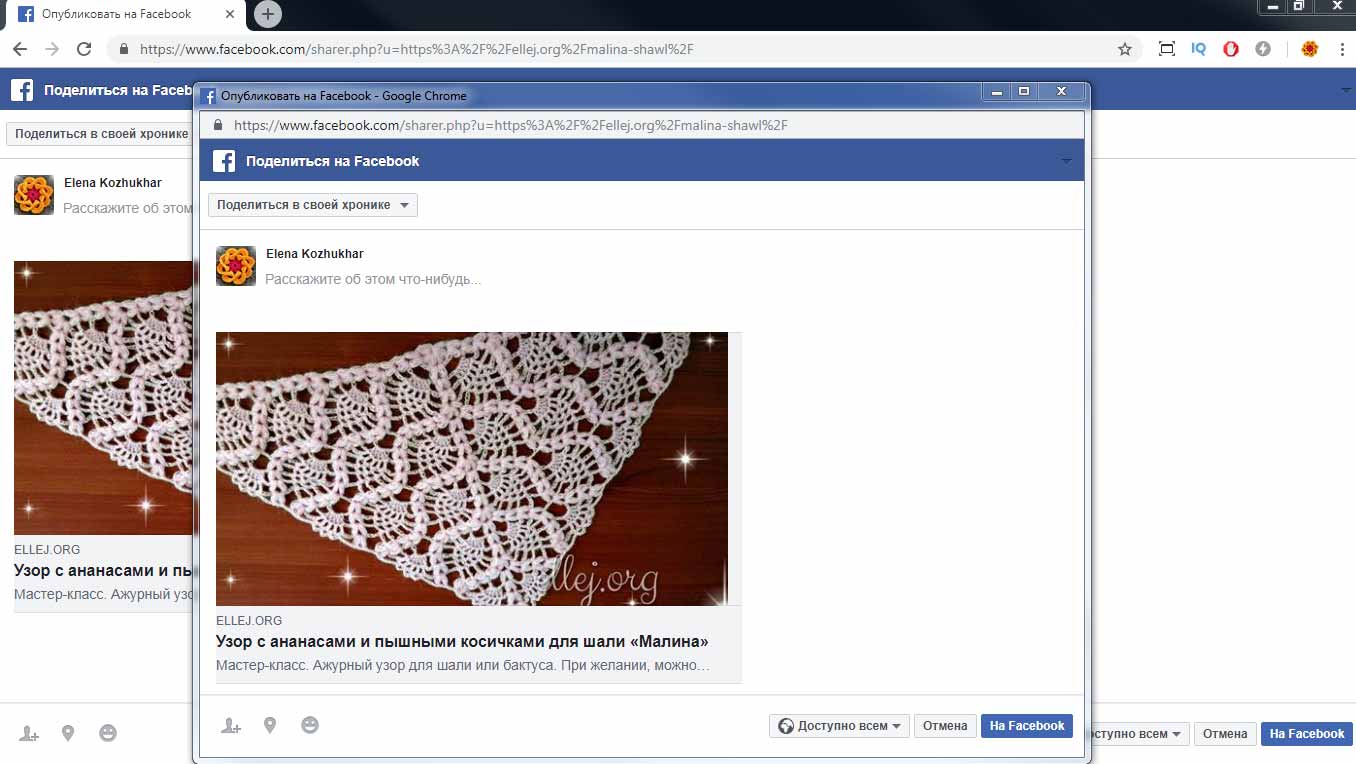
When I click the share button, for example here https://ellej.org/malina-shawl/ a new window opens, but the main window also switches to share window.
It looks like this https://ellej.org/share-buttons.jpg
Help me please.
 mmedia6587
Hello I use the latest Newspaper and the latest tagdiv-AMP plugin 1.2
For pages that were translated with Polylang plugin, I get: Referenced AMP URL is not an AMP
Im not sure how to fix this, since I didnt use page builder, just created a static page in WP.
Here are 2 examples:
https://www.bestonlineforexbroker.com/it/?amp
https://www.bestonlineforexbroker.com/pt/?amp
 axehorde
Hi.
I’m trying to set google adsense in my website.
1- First of all I tried through the ADS panel, setting Top Ad, inlne Ad etc. Unfortunately, however, the result does not satisfy me.
I’m interested in putting adsense ads that may seem like real articles that integrate with the blocks of articles.
For example I found several sites that use their own Newspaper theme and they have added ads as I would like them.
Look here https://imgur.com/a/mQxVL7c
the first is a block of articles on the site, mixed with adsense (ads) articles.
the second one is a list of ads that look like articles, positioned immediately below the main article.
these ads are very intelligent because they encourage you to click but if I place ads first, in the middle or under the articles as individual advertisements, I think they generate too few clicks.
I also tried with this method: https://support.google.com/adsense/answer/7533385?hl=en — Row and column examples
and put the code in ADS–article bottom ad but it doesn’t work. I just see 1 single add.
I really don’t know how to create this articles ads. I also tried with adsense’s InFeed function but nothing, ads do not appear in blocks with articles.
2 – Another lack is the overlay ads that do not appear, although I have set them on adsense in automatic ads. Now, istead use the ads panel, i’m trying to set the google adsense automatic code directly in CUSTOM CODE — custom HTML. The problem is that i don’t have control of ads. They also appear where they should not.
I just want ads that appear for example in related articles or most popular article, or at the end of an article but in the form of many articles (not a single ads).They have to adapt to the rest of the contents.
I’m soo confused, can you kindly help me set it up? I tried them all.
You can see another example here (desktop version): https://www.tecnoandroid.it/2018/11/15/wind-regala-un-samsung-galaxy-j6-ad-alcuni-suoi-clienti-30-rate-da-0-euro-431124. At the bottom of the article, there is a line of ads divided into 4 columns. In the mobile version there are ads that I showed you above in the screenshots.
Another example here: https://www.macitynet.it/tello-edu-il-drone-programmabile-disponibile-nei-negozi-apple-e-dji/
same here. At the bottom there is a block of ads in 2 lines and 4 column. This looks really good in mobile version, before related articles.
thank you for your help
 absandme
Apologies for lack of technical knowledge. I have version 7.2 of newspaper 7. No updates showing on my dashboard.
Is this going to be gdpr compliant? What do I need to do if it’s not?
Thanks.
 Jose
Jose Hello @Calin ,
Thank you very much for your help 🙂
Now everything is centered, it’s perfect. If, for example, I want to use a specific color for H1 in the all post (publications), what should I do?
Thank you for the link, I have reviewed it but although it seems strange, it is still complex for me. However, I will do tests to improve.
Cheers
JoseHello team,
Sorry for my clumsiness, but I’ve been trying for a while to do something so simple, how to use a photo image with a text on it, and I don’t know how to do it.
I’ve tried:
– Single Image
– Fancy text with image
– Hero
– Image Info box
– Text with imagen
But I don’t get what I want.
I always see the text where it shouldn’t be, or in its defect, I always get some button that I don’t want or don’t need.
This is an example, the yellow text represents what I want (I did it with photoshop)

https://fotos.subefotos.com/29db40c6852004e1ad0851c34bcbb1c9o.jpg
Cheers, Jose