
- NewspaperFlex Block Builder and Flex Loop Builder
- NewspaperHow to use the Flex Blocks cache option
- NewspaperHow to edit modules for Flex Block X
- NewspaperHow to insert a block inside the content of a post
- NewspaperFlex Block Settings Guide
- NewspaperMeta Info on Modules and Blocks
- NewspaperTheme modules and blocks
- NewspaperThumbnails – Fix strange looking images on blocks
- NewspaperBlock settings tutorial
- NewspaperCategory Tag on Modules/blocks
- NewspaperWP Rocket and Newspaper Theme: Optimization Guide
- NewspaperSearch setup for custom post type
- NewspapertagDiv Opt-In Builder – Emails
- NewspaperBookmark – Save For Later
- NewspaperModules Builder in Newspaper Theme
- NewspaperFilters and sorting for taxonomies
- NewspaperUser review system
- NewspaperWooCommerce: Happy “Add to Favorites!”
- NewspaperLockers
- NewspaperLeads
 gono
gonoHi
When you go to your blockchain pro demo and open a blog post and start scrolling down, the floating sidebar is cut off. The sticky menu is covering the sidebar widget “Related”. How to adjust the widget to make sure the title of the widget is still shown?
Thank you.
 fredredwoods
 Hello, Calin —
I am new to CSS and relatively new to TagDiv.
When I use the code you supplied, it will put “Updated on: ” in front of the Single Post Modified Date (that’s good).
But it also puts “Updated on” in front of the Single Post date.
Can you tell me the CSS code that would put “Updated on: ” ONLY in front the modified date?
On the Flexblock it looks fine.
But on the page template, I have both the written date and the modified date. And so that CSS code puts “Updated on: ” there twice — before both the original date and the modified date — it’s not good.
Thank you.
.td-module-date:before{
content: “Updated on: “;
}
 what-the
Unfortunately at this time we see no option for this as the product descriptions throws the design layout off. Can you please add this feature ASAP? For the meantime can we have the css to implement at this time?
Thank you

 burns16
I just purchased your product and I find that it doesn’t work.
I can’t change the logo, the video post is all messed up, the blocks on the front page are not lined up, the colors won’t change, I can’t change the link colors. I find that it’s a mess.
 vittoriogiusti
Hi there
I have a problem with the home page of the Blockchain theme I have installed, on any mobile browser on iPhone.
The issue is present also on the demo (https://demo.tagdiv.com/newspaper_blockchain_pro/)
When the page is loaded part of the hero section does not appear.
When it is scrolled down, the hero section appears, but the upper part is cut (the label “invest in crypto the smart way” is not visible).
Any suggestion on how to fix this?
Thanks
Vittorio
 theblog101
hi,
I want to create pagination in flex block like this (Image):

But couldn’t make it in tagDiv Composer, So please help me to create and it….
 Anamaria
 Hello,
To display the related articles and more from author, you can use Flex Block and filter it https://www.screencast.com/t/SEmxo13Fo2X -> https://i.imgur.com/YIg3nPP.png
Thank you!
 Xristos
 I delete all the Flex block 4 from the page.
Then recreate the Flex block 4, and the warning disappears.
XristosHello, I need some help with those errors, appear only on the homepage
Warning: A non-numeric value encountered in /public_html/staging.agkidapress.gr/wp-content/plugins/td-composer/legacy/Newspaper/includes/shortcodes/td_flex_block_4.php on line 471
Warning: A non-numeric value encountered in /public_html/staging.agkidapress.gr/wp-content/plugins/td-composer/legacy/Newspaper/includes/shortcodes/td_flex_block_4.php on line 498
Warning: A non-numeric value encountered in /public_html/staging.agkidapress.gr/wp-content/plugins/td-composer/legacy/Newspaper/includes/shortcodes/td_flex_block_4.php on line 471
Warning: A non-numeric value encountered in /public_html/staging.agkidapress.gr/wp-content/plugins/td-composer/legacy/Newspaper/includes/shortcodes/td_flex_block_4.php on line 498
Warning: A non-numeric value encountered in /public_html/staging.agkidapress.gr/wp-content/plugins/td-composer/legacy/Newspaper/includes/shortcodes/td_flex_block_4.php on line 471
Warning: A non-numeric value encountered in /public_html/staging.agkidapress.gr/wp-content/plugins/td-composer/legacy/Newspaper/includes/shortcodes/td_flex_block_4.php on line 498
Warning: A non-numeric value encountered in /public_html/staging.agkidapress.gr/wp-content/plugins/td-composer/legacy/Newspaper/includes/shortcodes/td_flex_block_4.php on line 471
Warning: A non-numeric value encountered in /public_html/staging.agkidapress.gr/wp-content/plugins/td-composer/legacy/Newspaper/includes/shortcodes/td_flex_block_4.php on line 498
Thank you
 Bettina
 Hello!
1. Copy-paste the link manually in a new tab.
2. Make sure you do not have a specific excerpt while you normally edit the post in the WordPress Editor and all the settings are the same like for the second block. Please check this guide: https://forum.tagdiv.com/excerpts-introduction/
3. No, because they are different than flex blocks elements. You can achieve this with a flex block, because you can set a limit in the general tab.
Documentation here:
– https://forum.tagdiv.com/flex-block-settings-guide/
– https://forum.tagdiv.com/big-grid-flex-settings/
You can add only some posts to the news ticker element: https://prnt.sc/HzFU_yRpvjWk
Thank you!
Bettina Hello!
You can display your CPTS in the Flex blocks elements: https://prnt.sc/0ZBCi-R7ONzS There you can insert the slug of your CPT.(For example: Movies).
You can not set a link in a flex block button, but you can add the button element separately and insert a link: https://prnt.sc/SDyEpXyoGhVd
Thank you!
Anamaria Hello,
This option was requested, but we’ve searched and it looks like google will display this issue no matter what is set -> https://forum.tagdiv.com/topic/we-desperately-need-a-way-to-no-follow-flex-blocks/
In the next update, there will be an option to enable or disable this option.
Thank you!
Anamaria Hello,
Please make sure you have activated the thumbs from Theme Panel -> Thumbs on Modules/Blocks => https://i.imgur.com/AtRRjN4.png for this block
Thank you!
 Imbalol
Hello,
I really appreciate the possibility to customize the metadata of the flex blocks as well as Posts Loop elements.
Unfortunately the fact that the customization is only based on CSS causes me problems, ALL the links remain in the source code, and it causes me important problems regarding the structure and the crawl of my website.
The case that bothers me the most:
–> I disable the metadata related to the author on my flex blocks on the home page ( Layout – > Author – > Hide )
The problem is that even if it’s hidden via CSS, all links to the author page remain on the home page in the source code.
This is a big problem for anyone who is taking the structure and internal linking of their website seriously for SEO purposes.
Question: Can anyone from support provide a small snippet to remove the links from the source code regarding the author page when it is supposedly hidden via the builder?
PS: Using a child theme is fine for me
 Man Kam
Q1. For the single post, how to change the color for hyperlinks?
Some results has been found by seraching but the link is invalid – https://forum.tagdiv.com/topic/rollover-color-for-hyperlinks/
Q2. For Flex Block 4 > content length > excerpt length
You may refer to below image and find that the excerpt length is different, but both of them have been setted as “2”.
Could you please advise how to set it is the same.

Q3a. For banner section “big grid flex 2”, is it possible to specify a single POST for banner display?
I found that it only could select by “filter” but cannot by “post ID”
Q3b. For NEWs ticker, as questions as above. Cannot select the post by “post ID”

 thedonatshop
 sorry for the double image. I tried to delete one but I saw no delete option.
part 2 of this is a slight variation. but principally the same issue or very similar.
I’d want to be able to link these “learn more ” buttons to link to a custom link added to the post with the aid of a custom field. they would actually go to the author template.
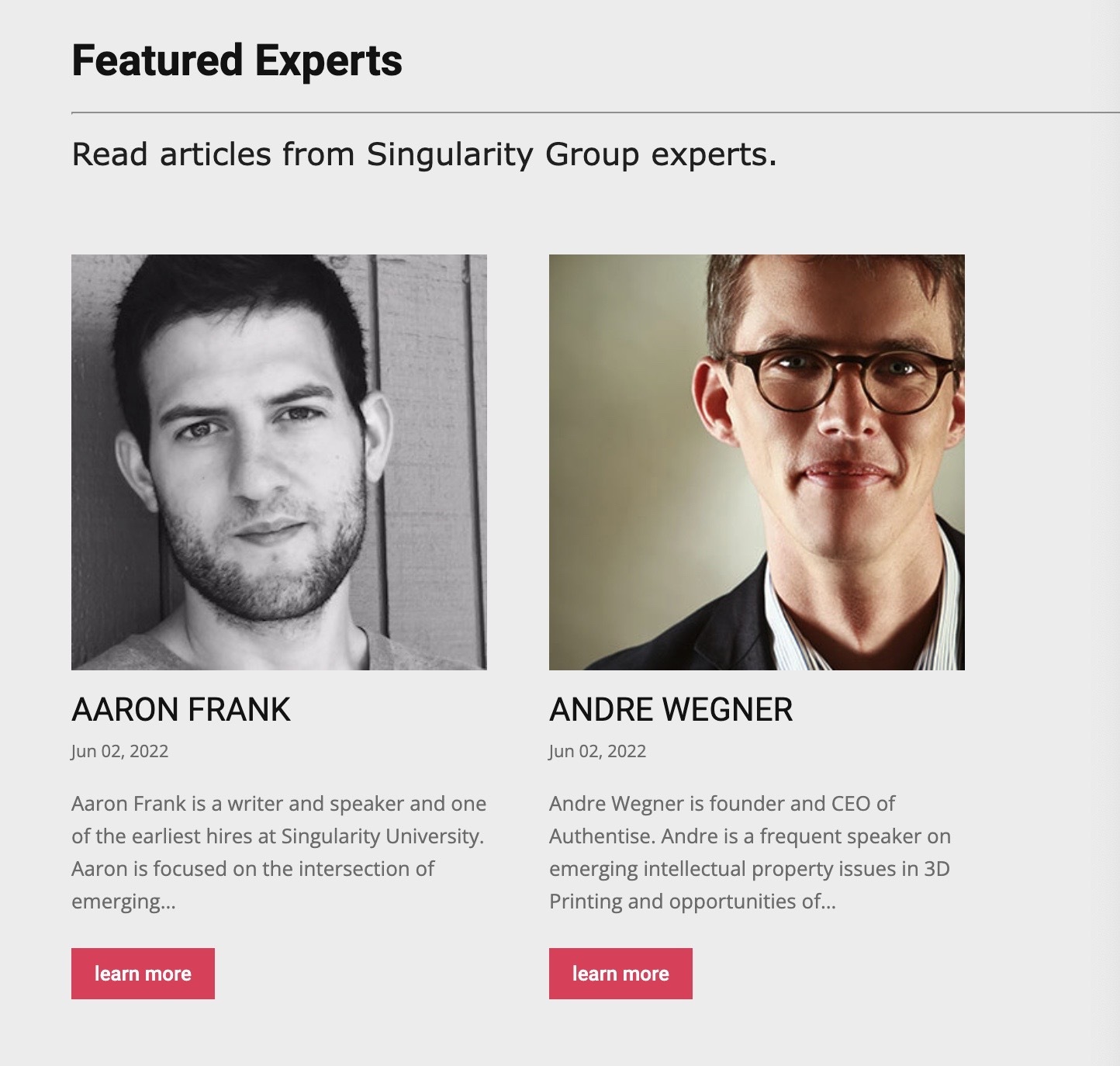
I arrived here as I saw no way to loop contributors
thus I saw even less on how to loop in “featured” contributors as I saw no way to indicate any contributor as a featured one.
so I resorted to making custom posts for each of the featured contributors . so I can loop them in a block but now I need them to link to their respective author page.
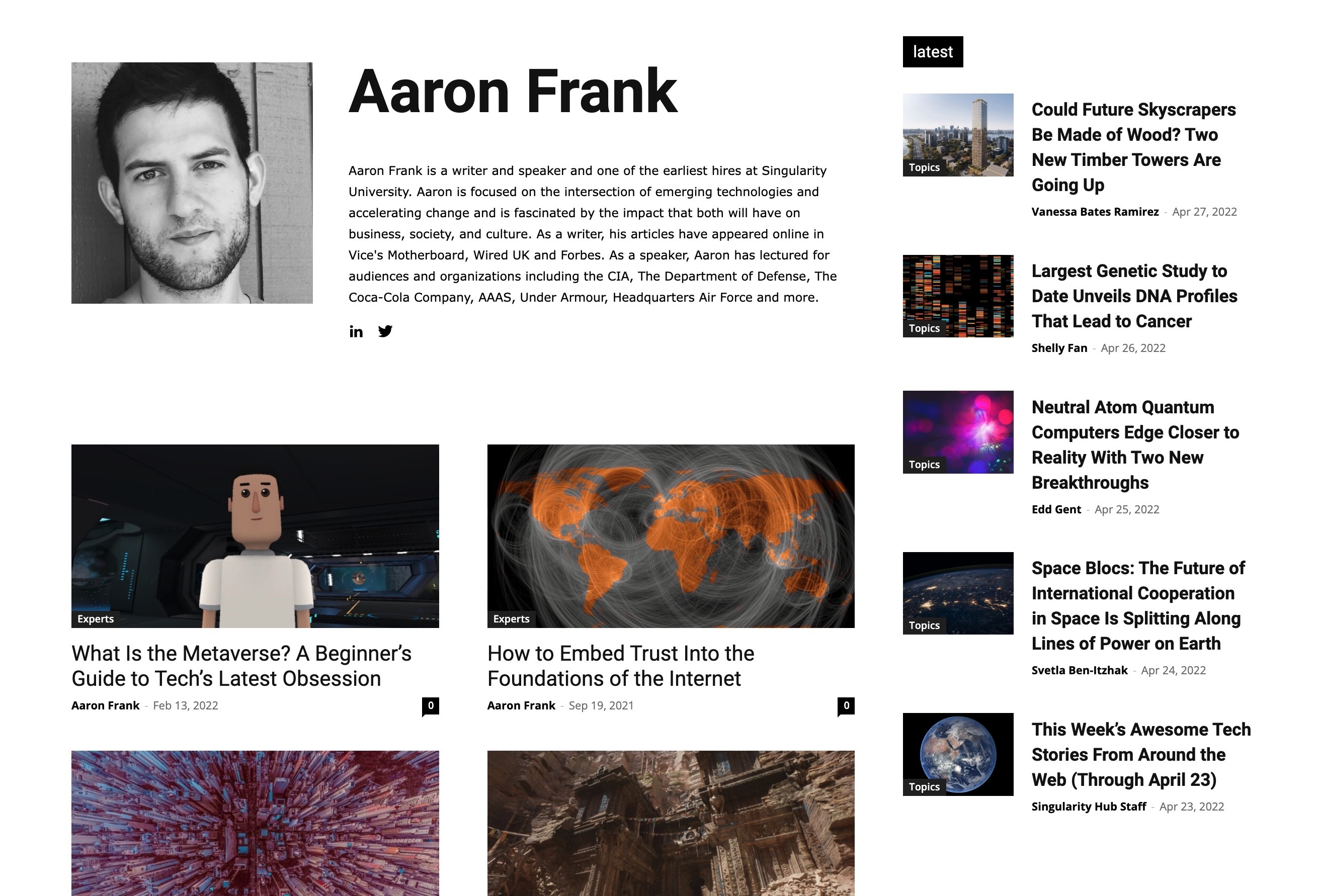
I’m not asking you to help me with these other plugins. only to find out once I have custom plugins will I be able to place them in your theme and get some of the custom fields to be populated.
Or if you see another way to achieve what I need within your theme.
thank you.
 cttamburello
 Hello,
I have updated the theme with latest version and activated the plugin as per your guideline. All the previous issues have been resolved. But a new issue related to “Block 4” widget is appearing. “Block 4” widget is not displaying the thumbnail image (See the screenshot https://prnt.sc/V9trUDAVIvMi). So, I have hide this section through CSS.
Can you please find a way to resolve this issue? Your developer can use this screenshot https://prnt.sc/t7RCraVd1DQA as reference to unhide the “block 4” section.
thedonatshopHello, I have set up a sticky header per your instructions. However now when I select a side column to be sticky, it gets cut off by the header by the height of the sticky header. Is there no setting to avoid that or is this only solvable with css?
I have the same issue with the menus that jump down to blocks on the page. they too get cut off. So if there is a link to a row further down a page. it will then jump to that row but the height of the header will be covering that content.
Anamaria Hi,
In this path wp-content/plugins/td-standard-pack/Newspaper/includes/shortcodes/td_block_related_posts.php -> https://i.imgur.com/mQrMvVl.png
Thank you!
Bettina Hello!
If you want to edit a flex block, then there are some settings in the Layout tab -> Article Image and there you can change the size in order to adjust the way the featured images are looking: https://forum.tagdiv.com/flex-block-settings-guide/
Thank you!
Anamaria Hello,
During the update process, please have only tagDiv plugins enabled, (for example if you have the WordFence plugin, you need to use the WordFence assistant plugin to make sure it does not block the update process), also please make sure you have permissions set correctly so as not to interfere with the update process -> https://www.malcare.com/blog/wordpress-file-permissions/
Thank you!
Anamaria Hello,
To remove the author name on the blocks, please go in Theme Panel -> Block Settings -> Meta Info on modules/blocks and disable the author => https://www.screencast.com/t/5w5CxkcU
Thank you!
 PaoloVe
Hi,
I’d like to have just only 2-3 categories of posts that not have link (to all posts of category)
in home page.
I think I can work inside the relative flex block but I don’t know where
I remember also a custom css in forum but I cannot find where..
can you help please?
thank you
Anamaria Hello,
To change the h3 for blocks 1-25, you can do the change in this file -> wp-content/plugins/td-composer/legacy/common/wp_booster/td_module.php -> https://i.imgur.com/GPNEJpi.png
Thank you!
 virajbpd
Hi tagDiv,
I want to block / hide header and footer ads on specific post.
How i can do that?



