
- NewspaperHow to use the Flex Blocks cache option
- NewspaperCache plugin – install and configure
- NewspaperWP Rocket and Newspaper Theme: Optimization Guide
- NewspaperFlex Block Settings Guide
- NewspaperGeneral Options that May Interfere with the Newspaper Theme
- NewspaperThe Newspaper Mobile Theme: Introduction
- NewspaperAutoptimize Plugin – install and configuration
- NewspaperHow to update a plugin
- NewspaperCloudflare (CDN)
- NewspaperFacebook Share
- NewsmagRequirements for Newsmag
- NewsmagHow to update the theme
- NewsmagtagDiv Social Counter tutorial
- NewsmagTop bar templates
- NewsmagAjax view count
- TutorialsWhat is Ajax preloading?
- NewspaperVideo Playlist
- Newspaper7 Days Post Sorting
- NewspaperAjax View Count
- NewspaperTop bar templates
 Anamaria
 Hello,
Have you checked for a plugin conflict? You will have to first start looking for a plugin conflict. please deactivate ALL plugins except tagDiv ones, also if you are using a child theme or cache plugin, deactivate them, clear all cache and try again.
In most cause when the column text not appears is from a plugin conflict.
Please check if you have WP Bakery plugin active because there is a conflict between both page builders
Thank you!
Anamaria Hello,
Please do these steps
1. disable tagDiv Composer
2. uninstall tagDiv Composer
3. clear cache (if cache plugin exists)
4. re-install tagDiv Composer it again from Newspaper plugins => https://www.screencast.com/t/WLy01lbc
5. activate tagDiv Composer
6. clear cache (if cache plugin exists)
Also, make sure your WordPress and plugins are up to date.
Sometimes, the issue can be from a plugin conflict, that’s why, please deactivate ALL plugins except tagDiv ones, also if you are using a cache plugin, deactivate it, clear all cache and try again.
Thank you!
 Calin
Calin Hi,
When the mobile is display on desktop in most cases the problem is from some plugins, usually this is happen when you are using the mobile theme plugin, most of the time the problems is from cache plugins, those do not have a support for mobile devices(can not differ the mobile theme from main theme). Please make a test, please deactivate ALL plugins except tagDiv plugins (theme plugins), also if you are using child theme or cache plugin, deactivate them, clear all cache and try again.
Let me know the results!
Anamaria Hello,
Usually, the problem is from the cache plugin used, because the mobile layout will have a different design and most of the cache plugins do not recognize this and provide the mobile version for desktop (or vice versa).
Also, if you use multiple cache plugins this problem may occur.
We tested and recommend the WP Super Cache plugin https://forum.tagdiv.com/cache-plugin-install-and-configure/
Thank you!
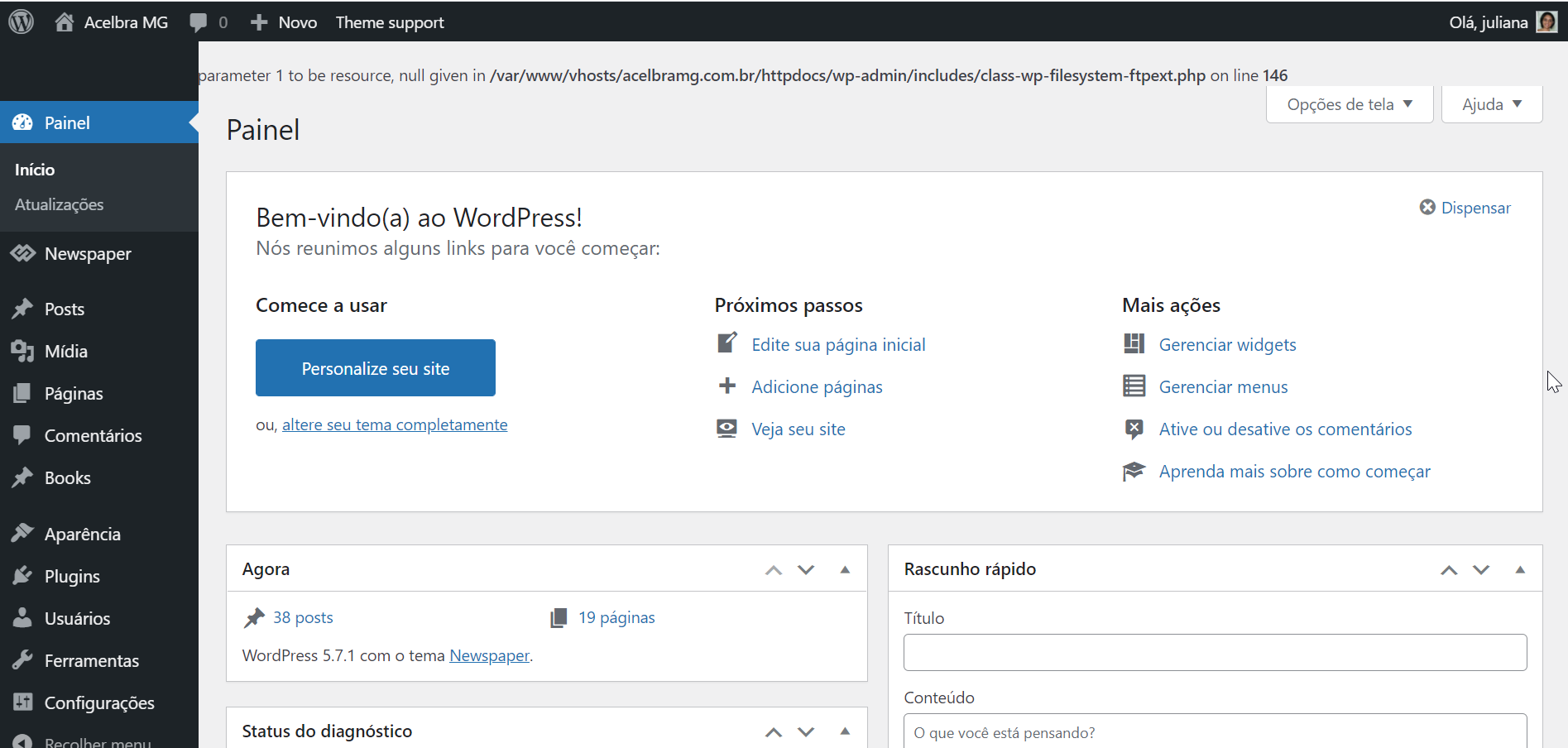
 acelbramg
 I’m dealing with the same issue, no cache plugin installed, just the AMP and Contact Form running. Anyway I deactived all of them except the tagDive ones and same error.
 Rishav Ranjan
After updating to the latest newspaper theme I am noticing the share buttons are loading very slowly on the main theme. However there are no problems with the mobile theme.
On desktop whole website is loaded but share buttons still appear at last. What’s causing this problem. I have tried clearing cache, disabling minification but the problem still persists.
 nuevaya
 How do you implement the cache on nginx?
-
This reply was modified 5 years by
nuevaya.
nuevaya How do you implement the cache on nginx?
 Bettina
 Hello!
First of all, try to do these steps as quickly as possible, so your visitors do not notice the process:
1. disable TagDiv Composer
2. uninstall(delete) TagDiv Composer
3. clear cache (if cache plugin exists)
4. install TagDiv Composer
5. activate TagDiv Composer
6. clear cache (if cache plugin exists)
Also, make sure your WordPress and plugins are up to date(specially Standard Pack installed and active if you use default templates).
Sometimes, the issue can be from a plugin conflict, that’s why, please deactivate ALL plugins except tagDiv ones, also if you are using a cache plugin, deactivate it, clear all cache(also from your browser) and try again.
We recommend using WP Super Cache plugin https://forum.tagdiv.com/cache-plugin-install-and-configure/
Thank you!
Anamaria Hello,
Please do these steps
1. disable tagDiv Composer
2. uninstall tagDiv Composer
3. clear cache (if cache plugin exists)
4. re-install tagDiv Composer it again from Newspaper plugins => https://www.screencast.com/t/WLy01lbc
5. activate tagDiv Composer
6. clear cache (if cache plugin exists)
Also, make sure your WordPress and plugins are up to date.
Sometimes, the issue can be from a plugin conflict, that’s why, please deactivate ALL plugins except tagDiv ones, also if you are using a cache plugin, deactivate it, clear all cache and try again.
Thank you!
Anamaria Hello,
Please don’t share your credentials on the forum, if you can contact us via email at contact@tagdiv.com
These guides can help you
https://www.thewindowsclub.com/err_too_many_redirects-this-page-isnt-working-on-chrome
– https://www.wpbeginner.com/wp-tutorials/how-to-fix-the-internal-server-error-in-wordpress/
– https://wordpress.stackexchange.com/questions/312292/how-to-stop-a-500-error-on-the-wordpress-theme-folder
– https://wordpress.org/support/topic/google-search-console-reporting-a-500-error-on-my-theme-folder/
-> https://forum.tagdiv.com/topic/wp-supercache-causes-500-internal-error-and-cannot-deactivate/
Also, make sure that all theme settings are set as in our guide ->
https://forum.tagdiv.com/requirements-for-newspaper/
and please increase all requirements that are lower, and follow all steps.
Thank you!
Bettina Hello!
First of all, try to do these steps as quickly as possible, so your visitors do not notice the process:
1. disable TagDiv Composer
2. uninstall(delete) TagDiv Composer
3. clear cache (if cache plugin exists)
4. install TagDiv Composer
5. activate TagDiv Composer
6. clear cache (if cache plugin exists)
Also, make sure your WordPress and plugins are up to date.
Sometimes, the issue can be from a plugin conflict, that’s why, please deactivate ALL plugins except tagDiv ones, also if you are using a cache plugin, deactivate it, clear all cache(also from your browser) and try again.
We recommend using WP Super Cache plugin https://forum.tagdiv.com/cache-plugin-install-and-configure/
Thank you!
Bettina Hello!
First of all, try to do these steps as quickly as possible, so your visitors do not notice the process:
1. disable TagDiv Composer
2. uninstall(delete) TagDiv Composer
3. clear cache (if cache plugin exists)
4. install TagDiv Composer
5. activate TagDiv Composer
6. clear cache (if cache plugin exists)
Also, make sure your WordPress and plugins are up to date(specially Standard Pack installed and active if you use default templates).
Sometimes, the issue can be from a plugin conflict, that’s why, please deactivate ALL plugins except tagDiv ones, also if you are using a cache plugin, deactivate it, clear all cache(also from your browser) and try again.
We recommend using WP Super Cache plugin https://forum.tagdiv.com/cache-plugin-install-and-configure/
Thank you!
Bettina Hello!
For that demo, there is a SVG code for the logo. Check in the header logo element in SVG tab if it is set it like hide or delete that SVG code, then go to CSS tab and there you can see the color brown in “Background color” and change it.
Do these steps also:
1. disable TagDiv Composer
2. uninstall(delete) TagDiv Composer
3. clear cache (if cache plugin exists)
4. install TagDiv Composer
5. activate TagDiv Composer
6. clear cache (if cache plugin exists)
Make sure your WordPress and plugins are up to date.
Sometimes, the issue can be from a plugin conflict, that’s why, please deactivate ALL plugins except tagDiv ones, also if you are using a cache plugin, deactivate it, clear all cache(also from your browser) and try again.
We recommend using WP Super Cache plugin https://forum.tagdiv.com/cache-plugin-install-and-configure/
Hope that helps you!
Thank you!
Bettina Hello!
First of all, try to do these steps as quickly as possible, so your visitors do not notice the process:
1. disable TagDiv Composer
2. uninstall(delete) TagDiv Composer
3. clear cache (if cache plugin exists)
4. install TagDiv Composer
5. activate TagDiv Composer
6. clear cache (if cache plugin exists)
Also, make sure your WordPress and plugins are up to date(specially Standard Pack installed and active if you use default templates).
Sometimes, the issue can be from a plugin conflict, that’s why, please deactivate ALL plugins except tagDiv ones, also if you are using a cache plugin, deactivate it, clear all cache(also from your browser) and try again.
We recommend using WP Super Cache plugin https://forum.tagdiv.com/cache-plugin-install-and-configure/
For the second issue, please provide more information, screenshots and also your website link in order to help you.
Thank you!
Bettina Hello!
When I visit your website I can see your latest post there.
Please delete your cache and try again.
We recommend using WP Super Cache plugin https://forum.tagdiv.com/cache-plugin-install-and-configure/
Thank you!
Bettina Hello!
1. When I visit your website I don’t see the title there. Please delete your cache and try again.
2. You can also duplicate the existing template and for assigning another template go to Newspaper -> Theme panel -> Categories -> Select a category you want and there you can find the setting “Category cloud library template” and choose the template from that dropdown for each category.
3. Check also in Dashboard -> Settings -> Discussion if you have the settings with comments enabled.
Thank you!
Anamaria Hello @rodrigolsantana,
I understand that you asked the host about the security plugin and that it doesn’t have one, right?
Have you checked for a plugin conflict? You will have to first start looking for a plugin conflict. please deactivate ALL plugins except tagDiv ones, also if you are using a child theme or cache plugin, deactivate them, clear all cache and try again.
Also, do you use the Wordfence plugin?
Thank you!
 TravelDudes
 Hi Anamaria,
thanks for taking a look at it.
I’ve cleared the cache (1 hour ago) and checked the site now in inkognito mode & Twitter is still not showing the Followers. It is showing zero Followers for several days, probably weeks already.
What else could create this issue?
Thanks!
Anamaria Hello, @thefeedski,
Seems you have the Mobile theme plugin activate, when you install and activate the Mobile Theme plugin, your pages will be overwritten by the plugin (the mobile theme comes with its own templates for page, post, category, etc so your current templates from the desktop theme will get converted to the mobile theme layout, the page content is made without builders in mobile editor => https://www.screencast.com/t/xbgZG8kH also, the options that are provided to edit the mobile theme version are limited (this keeps the things simple)).
This issue can be from the plugin cache you use, when the mobile responsive version is displaying on the desktop, then you have a cache conflict, the plugin for the cache that you are using do not recognize the mobile and desktop cache. We recommend using WP Super Cache plugin https://forum.tagdiv.com/cache-plugin-install-and-configure/
Also, if you use other plugins for cache, those can interfere with the theme and causes this problem.
Hope this helps you!
Thank you!
Anamaria Hello,
I just made a test with your ID for Twitter and works well => https://www.screencast.com/t/n7tZThCs1Y, please clear your cache.
Normally without a cache plugin, it should update once per day, with a cache plugin it can take some more time.
Unfortunately, at the moment, our team is working on the Instagram issue, but you can set the Instagram fixed count with tagDiv Composer => https://www.screencast.com/t/In8UL9Q92n until the issue is resolved.
Thank you for your understanding!
 Vlad S
 Hello !
Please provide a link to your website in order to take a look.
You will have to first start looking for a plugin conflict. please deactivate ALL plugins except tagDiv ones, also if you are using child theme or cache plugin, deactivate them, clear all cache and try again.
Also you can try and remove and re-install the tagDiv Composer plugin and please send us a link to your website in order to take a look.
Let us know the results.
Thank you !
Vlad S Hello !
You will have to first start looking for a plugin conflict. please deactivate ALL plugins except tagDiv ones, also if you are using child theme or cache plugin, deactivate them, clear all cache and try again.
Also you can try and remove and re-install the tagDiv Composer plugin and please send us a link to your website in order to take a look.
Let us know the results.
Thank you !
Anamaria Hello,
The issue can be from a plugin conflict, that’s why, please deactivate ALL plugins except tagDiv ones, also if you are using a cache plugin, deactivate it, clear all cache and try again and see if the problem persits.
Let us know the results!
Thank you!
 WalnutHillDesign
 Using TagDiv Composer.
Try what you did in the video, but make sure you save it and then view the front end of it. I can get it to look that way in the tagdiv composer, but the front end is messed up.
Cache cleared.
I’ve tried deactivating just about all of the plugins.
Switched to the parent newspaper theme.
Created New Page and tested it in different row configurations. The only one it will work in is a single column row.
I also tried this on a completely different newspaper site and got the exact same result. Block 14 will not in a multi-column layout.
