- NewspapertagDiv Composer – Website Manager
- NewspaperWhen tagDiv Composer is Not Working
- NewsmagtagDiv Composer Tutorial
- TutorialsFrom WPBakery to tagDiv Composer
- NewspapertagDiv Composer Tutorial
- NewsmagHow to use the Visual Composer plugin
- NewspaperScroll Animation
- NewspaperSingle External Shortcode and External Shortcode
- NewspaperCredit System
- NewspaperBookmark – Save For Later
- NewspaperFlex Block Builder and Flex Loop Builder
- NewspaperModules Builder in Newspaper Theme
- NewspaperIntroduction to CPT and ACF with Newspaper Theme
- NewspaperCreate a frontend submission form
- NewspaperHow to Use the Tabbed Content shortcode
- NewspaperCreate a form contact page
- NewspaperFilters and sorting for taxonomies
- NewspaperUser review system
- NewspaperCustom Fields Support
- NewspaperWooCommerce: Happy “Add to Favorites!”
 Anamaria
 Hello,
Please let me know how you have edited the prebuilt website. Please edit the prebuilt websites with tagdiv Composer.
The tagDiv Composer is our page builder. It can be used to create pages and cloud templates, but not posts. For this, you’ll need to use Gutenberg or a classic editor.
Using tagDiv Composer, you can build/edit the single post template (the layout of the posts).
Here is a video that will show you how to use the builder to create a website from scratch https://www.youtube.com/watch?v=SoGQ0d5kIBg to do this you’ll need to have the posts already.
To change the logo please edit with tagDiv Composer,select the header logo and change it => https://i.imgur.com/cR7F0v4.png -> https://www.youtube.com/watch?v=HXQQygkCCJo -> https://forum.tagdiv.com/add-logo-newspaper/
For mobile please edit with tagDiv Composer, select the viewport on phone, select the header logo and change it => https://i.imgur.com/cR7F0v4.png
Please provide some screenshots.
Thank you!
Anamaria Hello,
You have now set the homepage as a blog page, which you can not edit with tagDiv Composer. please navigate to the Settings > Reading section and set here your homepage that you have made and used before -> https://i.imgur.com/NLGxSOZ.png
Thank you!
Anamaria Hello,
You can create a page using the pages section. Also, you can disable the breadcrumbs from here https://i.imgur.com/7RTd5lV.png or delete them with tagDiv Composer; depends on how you have created the page.
Thank you!
 Les
Les Hi Yes I have updated the PHP 8.0 & 8.1 but no difference are the tagdiv plugins the latest versions I upgraded them when I upgraded the theme cloud library plugin.Version 3.7 composer version Version 5.2. Version 5.2. I have also deactivated all other pulgins and there is no difference it is only on the front page allother Pages are OK
 barbarabuenocom
Hi, I’m using the Momentum theme, and I’ve noticed that the order of elements on my page appears differently on desktop and mobile. For example, on this page https://barbarabueno.com/education/, the sections are displayed in a specific order on desktop, but the layout changes on mobile, which makes the page inconsistent.
On desktop, the sections appear in the intended order:
Bachelor of Communication
Web Development Course
Travel Agency Technical Director Course
Tour Leader Course
However, on mobile, the order changes unexpectedly:
Web Development Course
Bachelor of Communication
Travel Agency Technical Director Course
Tour Leader Course
I’m looking for a way to ensure that the order remains consistent across desktop and mobile without rebuilding the page. Is there a setting in the TagDiv Composer to fix this, or do I need to use custom CSS?
Thank you for your assistance!
Barbara
 charles123
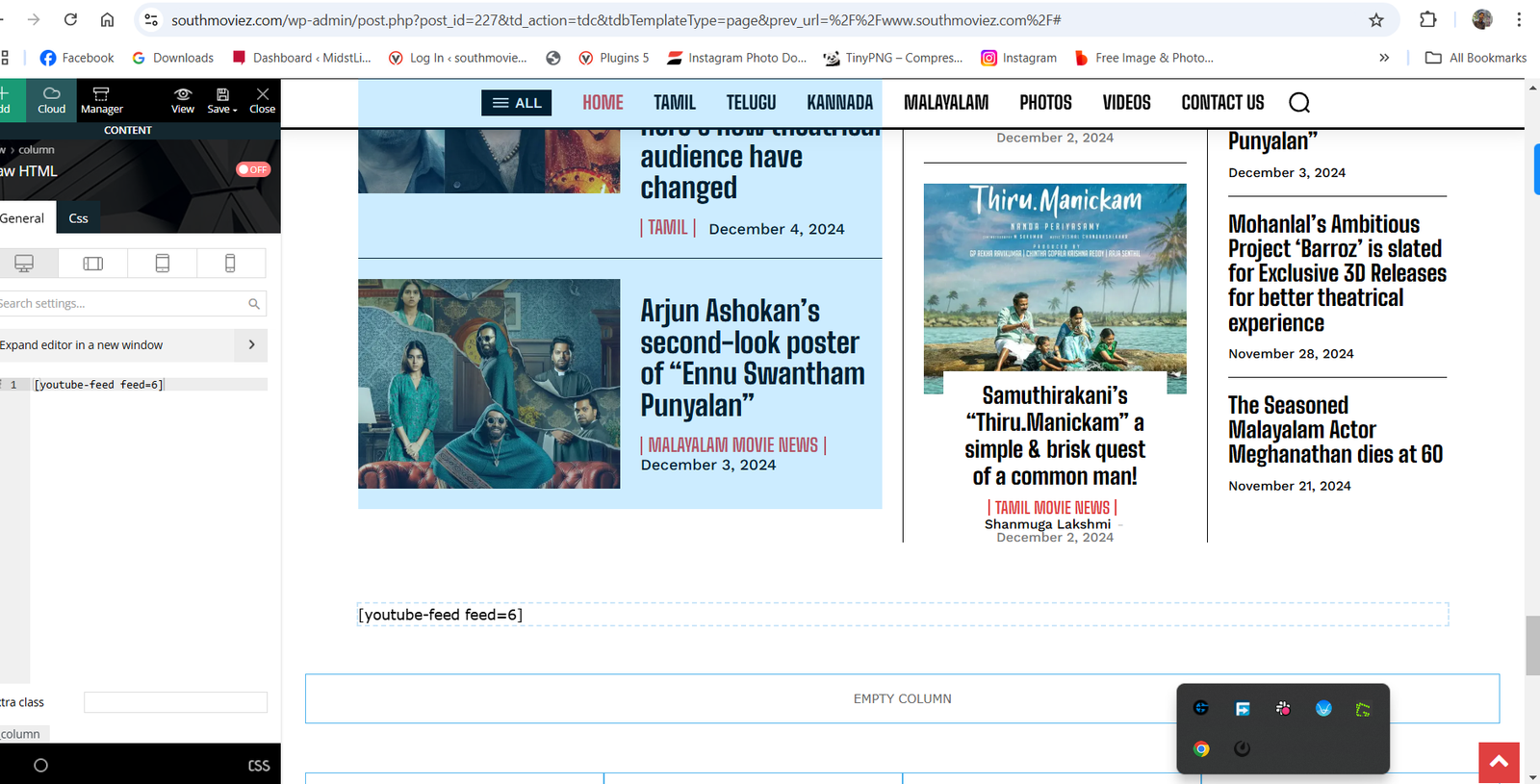
I am trying to find a shortcode widget on the Tagdiv composer, But I am unable to find a widget need your help on this.
Attached is a screenshot for reference – https://www.southmoviez.com/wp-content/uploads/2024/12/2024-12-05-17_04_52-Settings.png
I have tried custom HTML, but that also doesn’t work.
Anamaria Hello,
This is a very old prebuilt website, created using standard templates, and the design was made in the theme files, for example, in this file: td-composer\legacy\Newspaper\includes\demos\retro\demo_style.less https://i.imgur.com/z7muSl9.png . What I recommend is to create your own cloud templates, and then you’ll be able to edit everything with TagDiv Composer.
You can find the share option in Theme Panel -> Social Share -> https://i.imgur.com/mO3OHOt.png
To add the icon to the menu please check this guide https://forum.tagdiv.com/how-to-add-icons-in-menu/
But you still haven’t answered regarding your refund request. Do you still want the theme or should we cancel the refund request?
Thank you!
Anamaria Hello,
No, you can not edit the mobile theme version with the tagdiv Composer. You can check your topic where I explained the mobile versions of our theme https://forum.tagdiv.com/topic/different-theme-from-pc-and-different-from-mobile/
Thank you!
Anamaria Hello,
You can use the smart list element. You need to use the smart list from tagDiv Composer, inside Single Post Content ->
https://i.imgur.com/dbipPWQ.png according to the documentation https://forum.tagdiv.com/smart-lists/. You can create the smart list in Gutenberg.
Also, you don’t need to use the classic editor, you can use the Gutenberg editor, which is the default editor for WordPress and select/add the element classic https://i.imgur.com/9sWuCtW.png to add the smart list.
Also, please make sure you have the same heading in the post editor and in the smart list element.
Thank you!
Anamaria Hello,
You can use the smart list element. You need to use the smart list from tagDiv Composer, instead of Single Post Content ->
https://i.imgur.com/dbipPWQ.png according to the documentation https://forum.tagdiv.com/smart-lists/. You can create the smart list in Gutenberg.
Also, you don’t need to use the classic editor, you can use the Gutenberg editor, which is the default editor for WordPress and select/add the element classic https://i.imgur.com/9sWuCtW.png to add the smart list.
Also, please make sure you have the same heading in the post editor and in the smart list element.
Thank you!
 ioannisch
Hey, is it possible to edit mobile theme in tagdiv composer? Like normal theme. What showing in mobile themes and others
 kaazuu
Hi, the page composer is not working on my site: opening any page, the composer load to infinity.
How can i solve?
Thanks in advance 🙂
Anamaria Hi,
@sportsrooter
You should check the errors from the console (CTRL + right-click -> Inspect -> Console) while it is loading so you can see which errors you encounter there.
Please check the steps from here: https://forum.tagdiv.com/topic/unable-to-edit-text-with-title/ and also another possible issue as here: https://forum.tagdiv.com/topic/403-error-on-tagdiv-composer-when-trying-to-use-wp-editor-wpedito-php/
Please check your .htaccess file: https://www.screencast.com/t/MJ78SDZr4Gl -> https://forum.tagdiv.com/general-options-may-interfere-newspaper-theme/
Let me know the results!
Thank you!
Anamaria Hello,
You have a header template from Cloud Library, then you need to edit with tagDiv Composer https://www.screencast.com/t/Y5j6ArY8Ug, select the logo and set there the image, make sure that is set to show and delete the logo text or SVG code-> https://imgur.com/ve11Fwt -> https://forum.tagdiv.com/add-logo-newspaper/
Thank you!
 vanessazlobich
So I have this sidebaron my website https://affenknecht.com that should show all posts from category:52 – https://i.imgur.com/7JBIzjb.jpeg
But when I save all my changes – it always reverts back to how it was, without latest posts, and of course I tried purging cache, that didn’t help either – https://i.imgur.com/O0mgwoI.jpeg
Anamaria Hello,
You can customize the templates as you want with tagdiv Composer to match the design with the entire website.
Thank you!
 lorandd
 I received this error every time I open a page/post with TagDiv Composer without make any change
loranddHello, we have started to receive this error on every page we want to edit with the TagDiv Composer
We haven’t made any changes to plugins or other settings. Do you know what could be the issue or where to look for more details?
 scaleoceandev
Hi, i got an error repeating every website visit, and it cost my cpu load and slows the entire website
[02-Dec-2024 12:14:12 UTC] PHP Warning: A non-numeric value encountered in /home/scaleocean/public_html/id/blog/wp-content/plugins/td-composer/td-multi-purpose/shortcodes/tdm_block_icon.php on line 223
[02-Dec-2024 12:14:12 UTC] PHP Warning: A non-numeric value encountered in /home/scaleocean/public_html/id/blog/wp-content/plugins/td-composer/td-multi-purpose/shortcodes/tdm_block_icon.php on line 215
 Romi
Romi Please revisit the page
<div class=”separator” style=”clear: both;”> </div>
I added the font through Theme Panel -> then Theme Fonts -> Upload Custom Font File, then I used TagDiv Composer to set the font to Single Post and set font color into #000000 and font weight 400, the same settings like Flex Block 4
 Anamaria
 Hello,
You can find more details on our blog https://tagdiv.com/?s=seo
You can set the headings using tagdiv Composer. Please let me know what is not working as you want.
Thank you!
Anamaria Hello,
For this, please check this guide https://themeisle.com/blog/background-and-foreground-colors-do-not-have-a-sufficient-contrast-ratio/#gref
Also, you can edit the pages and templates with tagdiv Composer.
You can use global font from Manager(Website Manager) -> Global fonts -> https://i.imgur.com/iY0bh4Y.png
You need to edit with tagDiv Composer and change the font for each element that you want https://i.imgur.com/xp4zoTb.jpg
-> https://www.youtube.com/watch?v=SoGQ0d5kIBg -> https://www.youtube.com/watch?v=jQvA64uTLkI
Thank you!
Anamaria Hello,
Please provide some screenshots.
To remove the sign-in/join from the header you can do it with tagDiv Composer => https://www.screencast.com/t/Y5j6ArY8Ug , select the element and with right-click, you can delete it => https://www.screencast.com/t/GshM3Q3nwDv
Thank you!
Anamaria Hello,
Can you please provide some screenshots? Do you have any notifications on the page when using Tagdiv Composer?
Thank you!
Anamaria Hello,
This prebuilt website use global colors. The global colors can be found in the Website Manager: https://forum.tagdiv.com/tagdiv-composer-website-manager/
You can use global font from Manager(Website Manager) -> Global fonts -> https://i.imgur.com/iY0bh4Y.png
You need to edit with tagDiv Composer and change the font for each element that you want https://i.imgur.com/xp4zoTb.jpg
-> https://www.youtube.com/watch?v=SoGQ0d5kIBg -> https://www.youtube.com/watch?v=jQvA64uTLkI
Thank you!