- NewspapertagDiv Composer – Website Manager
- NewspaperWhen tagDiv Composer is Not Working
- NewsmagtagDiv Composer Tutorial
- TutorialsFrom WPBakery to tagDiv Composer
- NewspapertagDiv Composer Tutorial
- NewsmagHow to use the Visual Composer plugin
- NewspaperScroll Animation
- NewspaperSingle External Shortcode and External Shortcode
- NewspaperCredit System
- NewspaperBookmark – Save For Later
- NewspaperFlex Block Builder and Flex Loop Builder
- NewspaperModules Builder in Newspaper Theme
- NewspaperIntroduction to CPT and ACF with Newspaper Theme
- NewspaperCreate a frontend submission form
- NewspaperHow to Use the Tabbed Content shortcode
- NewspaperCreate a form contact page
- NewspaperFilters and sorting for taxonomies
- NewspaperUser review system
- NewspaperCustom Fields Support
- NewspaperWooCommerce: Happy “Add to Favorites!”
 rea-secret
 OK. Problem solved. Deactivated td-composer and td-amp. Empty all cache (Cache plugins) And activated again. Now looks good. I think buttons are smaller than before.
 ctoweett
 Try this!
1. Deactivate TD Composer/visual composer in plugins section
2. Uninstall TD Composer in plugins section
3. Download the latest Newspaper 8.7 version from ThemeForest
4. Extract the content
5. Go to Theme –> Newspaper –> includes –> plugins
6. Locate the zipped td-composer file in the plugins folder
7. Head back to WordPress, install td-composer as a new plugin
ctoweett No, it will not delete your articles and settings, but first, make sure you do a full theme back up before updating via FTP. Then remember to clear your browser cache. Remember to also delete td composer and td multipurpose and reinstall them from Newspaper>Plugins. If this does not work, then you can wait for the tagdiv team to provide a better solution (I don’t work here).
 kwacha
Hello. My site is broken after update to latest version – navigation visible only, WordPress toolbar missing too. Tried disabling all plugins – no effect. I was using Visual Composer. ideas?
https://kwacha.co.zm is my url
 primonews
 Yes I deleted tagDiv Multi-Purpose and then tagDiv Composer and reinstalled it same order.It didn’t fixed the problem. If I reinstall the theme via FTP it would delete my articles and settings?
 Gurbet_42
 Issue resolved for missing homepage content!
1. Deactivate TD Composer in plugins section
2. Uninstall TD Composer in plugins section
3. Download the latest Newspaper 8.7 version from ThemeForest
4. Extract out the content
5. Go to Theme –> Newspaper –> includes –> plugins
6. Locate the zipped td-composer file in the plugins folder
7. Head back to WordPress, install td-composer as a new plugin
RobertCFP
 munvik
 After updation, social counter is not working. In the widget list the same is missing. Further in visual composer element it is missing too. My first page shows following instead of social counter:
[td_block_social_counter custom_title="STAY CONNECTED" facebook="............." facebook_app_id="............" facebook_security_key="..............." facebook_access_token="..................." twitter="............." youtube=".................." open_in_new_window="y" el_class="..........."]
ctoweett Have you updated the td composer and td multipurpose plugins to the latest version in the new v8.7 folder? Coz I had same problem and deleting the plugins and uploading the new ones resolved the problem.
ctoweett It is an element in the tagdiv composer (seems it can only be used on pages created with the composer).
 simchris
 LOL … I forgot to actually paste in the changelog text (doh; coffee not kicking in over here …)
##
Release notes:
Newspaper – Version: 8.7
new: tagDiv AMP plugin – tagDiv’s solution for implementing Google AMP in WordPress
new: tagDiv Newsletter plugin – The beautifully designed Newsletter subscription form
new: tagDiv Multi-Purpose plugin version 2.0
new: Nature love installable demo – view now
new: Raw & Wild installable demo – view now
new: Ink Parlor installable demo – view now
new: City News installable demo – view now
new: Crypto installable demo – view now
new: Wine Aroma installable demo – view now
new: News Week installable demo – view now
new: Coffee Blog installable demo – view now
new: Responsive options for shortcodes in tagDiv Multi-Purpose plugin
new: Responsive font options for shortcodes in tagDiv Multi-Purpose plugin
new: Responsive options for theme’s shortcodes
new: Responsive font options for theme’s shortcodes
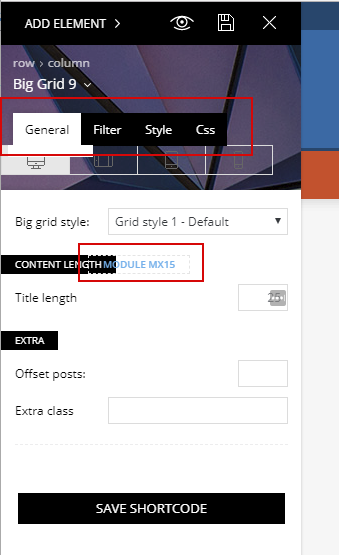
new: Content length option for blocks and Big Grids
new: 1 new content block – The new Flex Block is here to help you design spectacular news pages
fix: Allow ‘underscore’ and ‘space’ characters into the sidebar name
fix: PHP 7.2 compatibility
fix: Save row and inner-row option in tagDiv Composer
fix: Caption alignment in WordPress 4.9
##
 showsarg ctoweett
 Have you updated the tagdiv composer plugin with the one that came with v8.7?
 news.zapoved.ru
Hi,
I jist updated theme to 8.7. Now in TagDiv composer instrumental panel I see this https://c2n.me/3RUvefW.png , https://c2n.me/3RUvE5b.png etc.
The buttons seems to lose their initial position…
Is it me or is there some problem in new Composer?
 RobertCFP
Issue resolved for missing homepage content!
1. Deactivate TD Composer in plugins section
2. Uninstall TD Composer in plugins section
3. Download the latest Newspaper 8.7 version from ThemeForest
4. Extract out the content
5. Go to Theme –> Newspaper –> includes –> plugins
6. Locate the zipped td-composer file in the plugins folder
7. Head back to WordPress, install td-composer as a new plugin
RobertCFP Issue resolved for missing homepage content!
1. Deactivate TD Composer in plugins section
2. Uninstall TD Composer in plugins section
3. Download the latest Newspaper 8.7 version from ThemeForest
4. Extract out the content
5. Go to Theme –> Newspaper –> includes –> plugins
6. Locate the zipped td-composer file in the plugins folder
7. Head back to WordPress, install td-composer as a new plugin
ctoweett @MDNM2017 did you clear your browser cache? I did and mine worked. You have to delete both the td composer and td multipurpose plugins and upload those that came with the theme update (preferably via ftp).
ctoweett Don’t downgrade. Just delete the td multipurpose and td composer and upload the updated versions that came with the theme version 8.7 and activate.
 Jhonny
 Thank you my friends. I solved it by excluding “tagDiv Composer” (Version 1.0) and manually installed Version 2.0.
But why are not you having automatic update of the plugin?
ctoweett I also experienced the same problem. Delete the td composer and td multipurpose plugin from WordPress panel. Update the theme first then update multipurpose and lastly the td composer (the plugin updates are in the plugins folder for the new update 8.7).
 speziweb
 Since the update is synonymous with everything blank, at least in the admin area. If I disable the plugin td-composer via FTP, the admin area goes back, but I’m not in my posts purely. The homepage itself is displayed correctly.
RobertCFP Hi there,
1. No I don’t use WP Super Cache.
2. I don’t use SEO by Yoast.
3. I have only been using TD composer since I got this theme back in September last year.
I have some screenshots to better show the error: https://imgur.com/a/MyylY
 benjaone1
 Deactivating tagDiv composer and the frontpage is back, I’ll try to update it.
 Simion C.
 Hi,
1. The newsletter plugin once activated, will provide a newsletter element in the composer. In this element you can enter your newsletter embed code
– https://www.screencast.com/t/rLq90OLt4
There are also many settings for styling available in this element.
2. Indeed a logo has to be uploaded in the mobile logo section. You can create a logo and upload it, it will be displayed on amp pages once you do that. There will be no menu displayed on amp pages.
Thanks
benjaone1 Setting (‘WP_DEBUG’, true); on wp-config.php file i get:
Fatal error: Uncaught Error: Call to undefined method vc_row::set_font_settings() in /var/www/html/a-c-d.net/public_html/wp-content/plugins/td-composer/includes/tdc_composer_block.php:36 Stack trace: #0 /var/www/html/a-c-d.net/public_html/wp-content/plugins/td-composer/includes/shortcodes/vc_row.php(85): tdc_composer_block->render(Array) #1 /var/www/html/a-c-d.net/public_html/wp-content/themes/Newspaper/includes/wp_booster/td_global_blocks.php(28): vc_row->render(Array, ‘[vc_column widt…’) #2 /var/www/html/a-c-d.net/public_html/wp-includes/shortcodes.php(319): td_global_blocks::proxy_function(”, ‘[vc_column widt…’, ‘vc_row’) #3 [internal function]: do_shortcode_tag(Array) #4 /var/www/html/a-c-d.net/public_html/wp-includes/shortcodes.php(197): preg_replace_callback(‘/\\[(\\[?)(vc_row…’, ‘do_shortcode_ta…’, ‘[vc_row][vc_col…’) #5 /var/www/html/a-c-d.net/public_html/wp-includes/class-wp-hook.php(286): do_shortcode(‘[vc_row][vc_col…’) #6 /var/www/html/a-c-d.net/public_html/wp-includes/plugin.php(203): WP_Hook->ap in /var/www/html/a-c-d.net/public_html/wp-content/plugins/td-composer/includes/tdc_composer_block.php on line 36
 Alin [tagDiv]
 Hi,
When you install and activate tagDiv Newsletter plugin, the element will appear in tagdiv composer and you can configure it – https://www.screencast.com/t/RODVAph7my
Thanks!