
- NewspapertagDiv Composer – Website Manager
- NewspaperWhen tagDiv Composer is Not Working
- NewsmagtagDiv Composer Tutorial
- TutorialsFrom WPBakery to tagDiv Composer
- NewspapertagDiv Composer Tutorial
- NewsmagHow to use the Visual Composer plugin
- NewspaperScroll Animation
- NewspaperSingle External Shortcode and External Shortcode
- NewspaperCredit System
- NewspaperBookmark – Save For Later
- NewspaperFlex Block Builder and Flex Loop Builder
- NewspaperModules Builder in Newspaper Theme
- NewspaperIntroduction to CPT and ACF with Newspaper Theme
- NewspaperCreate a frontend submission form
- NewspaperHow to Use the Tabbed Content shortcode
- NewspaperCreate a form contact page
- NewspaperFilters and sorting for taxonomies
- NewspaperUser review system
- NewspaperCustom Fields Support
- NewspaperWooCommerce: Happy “Add to Favorites!”
 Bikul
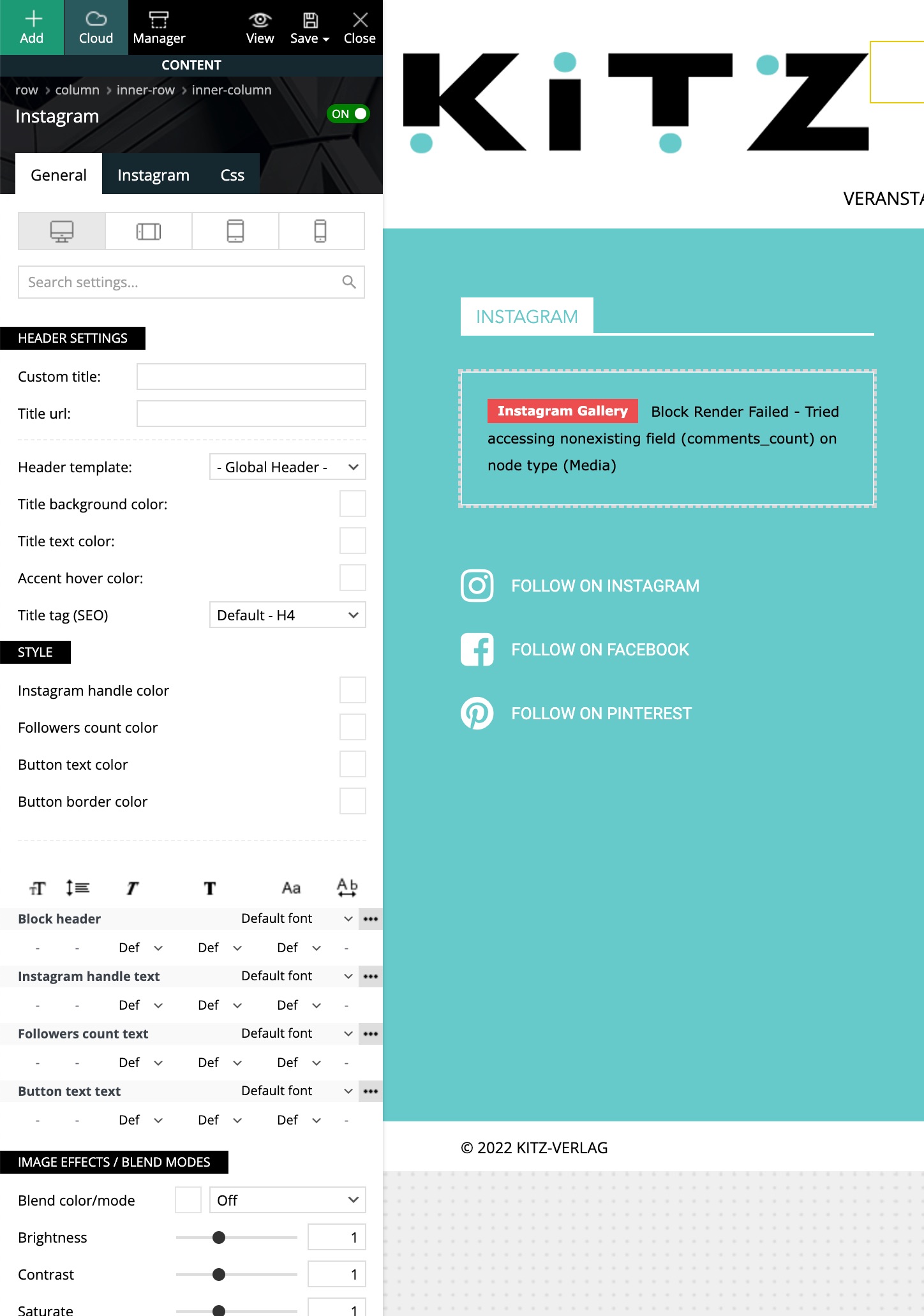
Bikul Yes, I disconnected from instagram and reconnected again: still the same failure message.
I used the Element from the TagDiv Composer and defined the page as the footer.
 criacaoanicer
 I will do some tests with my personal account. Please let me know if you use the element from Theme Panel -> Footer or the Instagram widget from tagDiv Composer.
We use the first one, theme panel’s footer. https://i.imgur.com/IptXBQZ.png
 the-siu
 I checked the processes in the mentioned link but there was no solution.
No code has been added. I was just editing on the page and accidentally scrolled down field #1. then finally this error occurred and composer was not active again. drag and drop not working. I am getting the same error with composer on all pages.
 Anamaria
 Hello,
For the cart page, please go to pages here are pages for shop -> https://i.imgur.com/Y9StQdq.png edit them with tagDiv Composer, and will find the shortcodes like this Woo cart Woo checkout -> https://i.imgur.com/GTlw21e.png -> https://forum.tagdiv.com/tagdiv-shop/
For the contact page, you can use another plugin, and please make sure that the shortcode is correct and add it in the text area -> https://i.imgur.com/SYJEUnL.png
Thank you!
the-siuhi,
While editing in composer, the addition indicated with 1 in the picture was made. Afterwards, the error specified with 2 appeared and composer does not take any action.
 designandtravel3@gmail.com
 I can’t find cart page under tagdiv composer.
I want to make a cart page look like this cos I am using this theme that you see in the screenshot -> https://imgur.com/ymSbD3e
how to make this cart page?
 Bettina
 Hello!
If you click here: https://prnt.sc/NaESqv_NoQz2, then you’ll see the mobile menu if you set it up.
Click on the mobile viewport while you edit the homepage with tagdiv composer and set your mobile menu already built in Appearance -> Menus.
Thank you!
Anamaria Hi,
I will do some tests with my personal account. Please let me know if you use the element from Theme Panel -> Footer or the Instagram widget from tagDiv Composer.
Thank you!
Bettina Hello Jia!
You can edit it with the TagDiv Composer and add the elements you need on that page.
Thank you!
Anamaria Hi,
Please create the sidebar with tagDiv Composer https://forum.tagdiv.com/sidebars-tutorial/
If you want to have a different sidebar for each category, you simply duplicate the template and design or assign the sidebar -> https://forum.tagdiv.com/topic/how-to-add-different-sidebare-for-different-posts-with-the-same-category/
Thank you!
Anamaria Hi,
Please create the sidebar with tagDiv Composer https://forum.tagdiv.com/sidebars-tutorial/
If you want to have a different sidebar for each category, you simply duplicate the template and design or assign the sidebar -> https://forum.tagdiv.com/topic/how-to-add-different-sidebare-for-different-posts-with-the-same-category/
Thank you!
Anamaria Hello,
You can customize the CPT templates with tagDiv Composer like a Single Post Template or a page -> https://forum.tagdiv.com/introduction-cpt-acf-newspaper-theme/ You need to edit a CPT.
Thank you!
Anamaria Hi,
You can use our element for Instagram feed -> https://forum.tagdiv.com/instagram-widget/
A shortcode can be inserted by using the element called “Column text” or “Text with title”.
“Column text” and “text with title” elements have a button called “edit content” and if you click on that button, the WP Editor will open, and you can add some text/code/shortcode there. Close the WP Editor from X, save the changes from Composer and view the page to see the changes.
Thank you!
 ngotuannghia
Dear Admin,
I have a problem when migrate from Standard Pack plugin to Tagdiv Cloud Library.
I unable setting custom sidebar for each Category.
Example, this setting hidden when choose template from Cloud Library

In Tagdiv Composer, when design a page, I only set default widget sidebar.
Please kindly suggest for me.
Thanks for supporting.
 Cluxton275
This question has been asked in the forums before, I know, but there is no solution.
In the TagDiv Composer, I am not able to select the “buy Now” as an element of any kind. I have selected the entire menu, the element (next to it, “Buy Now” does not have a clickable element itself), the row, nothing works. There is no possible way to select “Buy Now.”
It’s really silly, the measures developers will go to in order to make just one more sale, but I don’t know anyone that would want to indefinitely advertise your theme for you and just leave your “Buy Now” button installed forever while they are trying to start their own website.
It’s ridiculous that we are even having to post this type of issue in a support forum.
I’d like a solution please.
Bettina Hello!
Edit the page with the TagDiv Composer, click on the ad and delete it.
There is actually a recycle bin basket for every element https://www.screencast.com/t/wFYdqgpo6pT
or drag-drop the entire row: https://www.screencast.com/t/pxuOzYIIpcG
Thank you!
Bettina Hello @al-2 !
You should install and assign a blank CPT template from Cloud Library and customize it in the tagdiv Composer.
Thank you!
 al-2
al-2 So, I reset the license and all works now.
Could you please tell me what am I doing wrong?
I assigned an empty template to the Custom Post type, but I still don’t see Edit with TagDiv Composer button at the top:
https://tinyurl.com/2q3ewomp
Bettina Hello!
Please check in the theme panel settings or any other elements in the tagdiv composer, for example: raw CSS. Or is it a widget?
Thank you!
Bettina Hello @theheritagelab !
Which element do you use there, and how is it called?
Check in the tagdiv Composer and let me know.
Thank you!
al-2Hello, I’m trying to add support of tagDiv for a Custom Post type in the same way it works for Pages, but I can’t find how can I do this. I want my Custom Post type posts to have unique styles each, so I don’t want to apply templates.
How can I do this?
And the other question – is there a way to test Cloud Library on localhost? I have a license but I can’t apply it for localhost – I am afraid that my license on production will be canceled.
Thank you in advance!
 avianews
 If you use Wp Rocket, you can try to exclude the following files
/jquery-?[0-9.](.*)(.min|.slim|.slim.min)?.js
/jquery-migrate(.min)?.js
/wp-content/plugins/td-composer/legacy/Newspaper/js/tagdiv_theme.min.js
tdBlocksArray
Please clarify where I should insert this code.
Bettina Hello @yeeloon!
We’ve added the Single Post Table of Contents shortcode. This can be found in the TagDiv Composer while you edit a post template.
Thank you!
 pleteau
 Dear Anamaria
I apologize for the confusion. I am already familiar with using the tagDiv Composer and know how to remove elements using its interface. However, despite my knowledge and efforts, I have been unable to locate the specific “AD BOX” element mentioned in the previous instructions. It seems that the Newspaper advertisement in my theme may have been added using a different method or custom CSS code, which makes it difficult for me to remove it using the tagDiv Composer.
I kindly request your assistance in providing alternative instructions or guidance specific to my situation. If there are any custom modifications or specific CSS code that needs to be addressed in order to remove the advertisement, please let me know. As a licensed user of the Newspaper theme, it is important for me to have control over the advertisements displayed on my website.
Thank you for your attention and support. I appreciate your prompt response and resolution
Bettina Hello!
You do not need any classes in order to track the links in GTM. Or, if you want to take that particular event, then you need to create them in Composer -> click on the menu and add an extra class here: https://prnt.sc/vm-OCUq6gjV5
Thank you!



