- NewspapertagDiv Composer – Website Manager
- NewspaperWhen tagDiv Composer is Not Working
- NewsmagtagDiv Composer Tutorial
- TutorialsFrom WPBakery to tagDiv Composer
- NewspapertagDiv Composer Tutorial
- NewsmagHow to use the Visual Composer plugin
- NewspaperScroll Animation
- NewspaperSingle External Shortcode and External Shortcode
- NewspaperCredit System
- NewspaperBookmark – Save For Later
- NewspaperFlex Block Builder and Flex Loop Builder
- NewspaperModules Builder in Newspaper Theme
- NewspaperIntroduction to CPT and ACF with Newspaper Theme
- NewspaperCreate a frontend submission form
- NewspaperHow to Use the Tabbed Content shortcode
- NewspaperCreate a form contact page
- NewspaperFilters and sorting for taxonomies
- NewspaperUser review system
- NewspaperCustom Fields Support
- NewspaperWooCommerce: Happy “Add to Favorites!”
 From the Strait
Hi there,
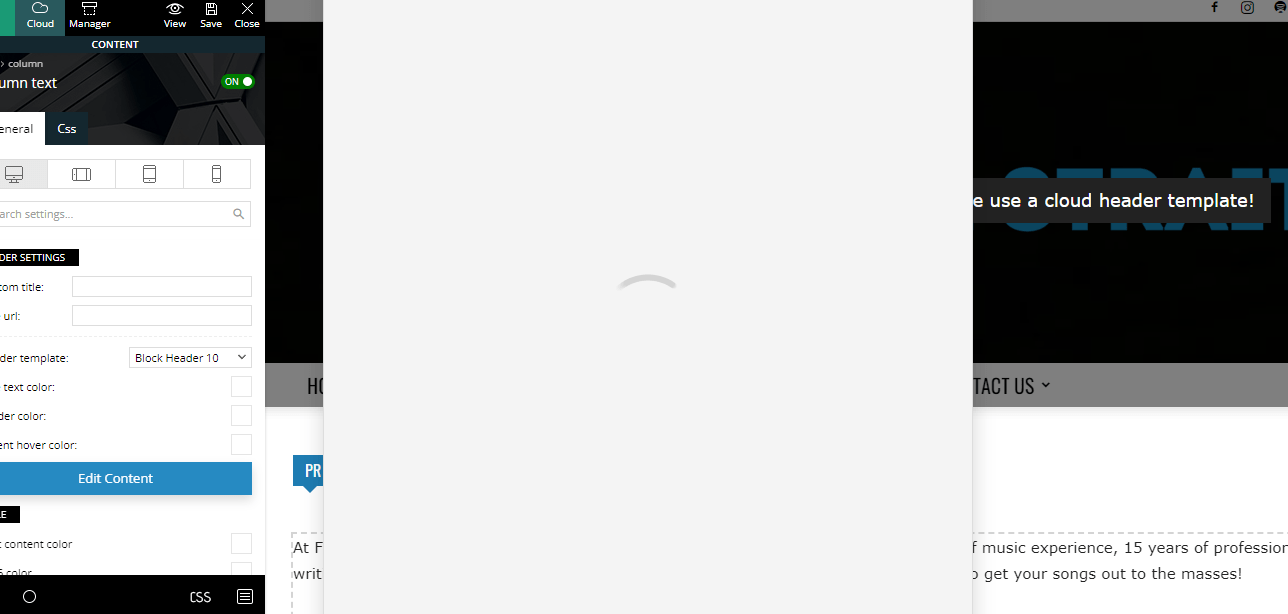
For the past two months or so, even with the new theme update(s), I’m unable to edit any written content on my pages using tagdiv composer. When I click on “Edit Content”, the window never actually loads. Here’s a screenshot as an example:https://fromthestrait.com/wp-content/uploads/2022/12/FTS-Screenshot-Edit-Content-Window.png.
My website is https://fromthestrait.com
Does anyone know how to fix this? Thanks!
 Bettina
 Hello @ezioboy!
1. I’ll add this to our request list.
2. Select the row, and change the background color from the CSS tab.
3. Change the background color to the same as in point 2. If you click on those elements when editing the page with the TagDiv Composer, you’ll see some settings in order to achieve what you need.
Thank you!
Bettina Hello @Razvan!
You can upload a section or a homepage from the Cloud Library of any demo. You need to edit the page with the TagDiv Composer, in order to use flex blocks: https://forum.tagdiv.com/flex-block-settings-guide/
It seems that you did not activate the Social Counter plugin, but you use it.
Thank you!
Bettina Hello @aadityabhatta!
Make sure they have applied the settings from the desktop viewport. I can see there is no link set up. The responsive version of your website looks similar to the desktop version. TagDiv Composer is used to edit the page. Click on the mobile viewport: https://www.screencast.com/t/XDQJedlggSB. There, you can see your mobile version and edit or adjust the elements.
Thank you!
Bettina Hello @zelda!
We don’t have any settings to turn on/off. We have some shortcodes in the TagDiv Composer that can be removed, or you can manually remove the reviews from your posts.
Documentation here: https://forum.tagdiv.com/user-reviews/ -> https://forum.tagdiv.com/reviews-2/
Thank you!
Bettina Hello @albertok!
If you use default templates, then you can not have those settings from the TagDiv Composer. Any customization needs some CSS code or using the theme panel settings.
Thank you!
 Anamaria
 Hello,
Please note that you can’t customize the AMP pages with the tagDiv Composer.
You have only some settings for this layout, which you can find in the Theme Panel -> Mobile Theme
Also, please check this topic where I explained each mobile version -> https://forum.tagdiv.com/topic/mobile-version-not-working-properly-2/ and choose what mobile version you want.
Thank you!
Bettina Hello @Aaqibali!
This issue with the error from Composer has also been discussed here: https://forum.tagdiv.com/topic/errors-at-columns-elements-5/
Please make sure you did all the steps which I mentioned here: https://forum.tagdiv.com/topic/errors-at-columns-1models-0dom-the-model-does-not-match-the-content-curr/
We can take a look at this and investigate why it is not working for you. There could be an easier way to solve this issue. Contact us via email at contact@tagdiv.com and provide the following:
– admin url and credentials
– cpanel url and credentials
– a link to this topic in order to identify you
Thank you!
Bettina Hello!
Unfortunately, we do not have a setting in this matter. You can’t use ad box elements in mobile theme. They can be found in the TagDiv Composer.
Thank you!
 medriad
Hello,
After the last update, I start noticing less paid traffic going to our website! at first, I was skeptical about google analytics code or something! but after testing the website on other operation systems and browsers we noticed that the website is redirecting to a spammy website!
Those websites are for affiliate programs like VPN and such, we start investigating by deleting plugins, changing themes, restore backups! we even restored the CPanel backup with our hosting provider but still has the same issue!
We never thought it was from one of your plugins! till after 4 days of deep looking because we excluded the newspaper’s theme since we didn’t suspect it a bit!
We found out that when we activate the tagDiv Composer plugin the redirecting started even when we change the theme but we kept the plugin activated! Now, we changed the theme and deleted all your plugins so we had to have a quick solution, you really need to take a look at your codes on that plugins, and fix them as soon as possible.
What do you think about this, please? and how it can be fixed.
 Cilene
Good morning,
I’m having a problem with a table that is appearing on every end page of my site. This problem started after I tried to edit the page where I had the table with Tag Div composer.
I already deleted the page where the table was. I already uninstalled the theme and reinstalled. I have disabled all plugins and re-enabled but nothing is working.
Could you please check it? https://etiaseuropa.org
 khushboo21
I am using Newspaper from almost 4-5 years . but 1st time facing issue with td-composer plugin . due to td composer cache site is not loading properly . I am using wp rocket for caching … can i get some help
 menneskedyr
Possible bug found:
Single Post Title element has a Big first letter option. That option works fine, but it doesn’t seem to recognize characters with diacritics, for example Č, Š, Ć, Đ and so on.
So when the title begins with “Đ” for example, a question mark appears instead of Đ in Big first letter.
I’ve checked site charset etc, all looks fine. I guess the bug could be buried somewhere in TD Composer. For now I’ve patched it with JS but it’s far from ideal of course.
Please look it up when you find the time 🙂 thanks.
Bettina Hello @antoniot !
This issue with the error from Composer has also been discussed here: https://forum.tagdiv.com/topic/errors-at-columns-elements-5/
Please make sure you did all the steps which I mentioned here: https://forum.tagdiv.com/topic/errors-at-columns-1models-0dom-the-model-does-not-match-the-content-curr/
We can take a look at this and investigate why it is not working for you. There could be an easier way to solve this issue. Contact us via email at contact@tagdiv.com and provide the following:
– admin url and credentials
– cpanel url and credentials
– a link to this topic in order to identify you
Thank you!
Bettina Hello!
The default blog page can’t be customized with the TagDiv Composer. You need to create a new page called home, edit it with the TagDiv Composer and there you can add posts loop or flex blocks in order to display your posts.
Thank you!
Bettina Hello!
I’ve installed the Life News Pro demo, created a page, and started editing with the TagDiv Composer. There is no error.This file, class-wp-filesystem-ftpext.php, is not part of our theme.
So, please test by deactivating ALL plugins except tagDiv; additionally, if you are using a cache plugin, deactivate it, clear all cache, and try again.
Thank you!
Anamaria Hello,
I checked and now it seems you don’t have the AMP plugin activated.
Please note that you can’t customize the AMP pages with the tagDiv Composer.
You have only some settings for this layout, which you can find in the Theme Panel -> Mobile Theme.
The AMP works better only with the Mobile Theme plugin. From my point of view, if you don’t use the Mobile Theme plugin, then there is no reason or benefit to AMP. Please read all about AMP here: https://forum.tagdiv.com/tagdiv-amp-plugin-tutorial/
Thank you!
Anamaria Hello,
Please change the logo from the TagDiv Composer, also from the sticky header: https://www.screencast.com/t/rt2wWAt3JFEY
For mobile please edit with tagDiv Composer, select the viewport on phone, select the header logo and change it => https://i.imgur.com/cR7F0v4.png https://www.youtube.com/watch?v=HXQQygkCCJo -> https://forum.tagdiv.com/add-logo-newspaper/
Thank you!
 AntonioT
 Things I have done:
a) No Posts Page selected
b) Edit the current “Single Template” gets an error – “Error at zones: 6(models) : 7(dom). The model does not match the content Current state has involved an issue. You could try an UNDO operation (CTRL+Z / CTRL+SHIFT+Z)”
c) I have changed “The Single Post Template” and then tried to edit with “TagDiv Composer” – Long, long time waiting and then – Error “Error at zones: 6(models) : 0(dom). The model does not match the content Current state has involved an issue. You could try an UNDO operation (CTRL+Z / CTRL+SHIFT+Z)
d) I also disabled two Plugins “TagDiv Social Counter” and “AddTo Any Share Buttons” with no results.
The question is that I must have control of what company/Image/ADS display in the Single Post Page.
Thank You.
 username p21y
 I am sorry İ only have linux systems, so I can’t download the jing tool.
I can email you a screenshot for sure, but this is a hard error reported in the server log.
I found an even simpler case that triggers the problem. With the newspaper theme installed and the lifenews web site imported without content, simply adding a new page then clicking the tagDiv composer button, results in theppphp error in the server log:
[Fri Dec 23 00:59:31.988326 2022] [php7:warn] [pid 805726] [client 176.234.90.118:15378] PHP Warning: ftp_fget() expects parameter 1 to be resource, null given in /var/www/perspektif-21.net/webroot/wp-admin/includes/class-wp-filesystem-ftpext.php on line 146, referer: https://perspektif-21.net/wp-admin/post.php?post=41&action=edit
 anisimran
 Hello, When I activate the Composer plugin my site redirects to another URL. And when I deactivate the TagDiv_Composer plugin it stops redirecting to another URL. Please help me with it.
-
This reply was modified 3 years by
anisimran.
Bettina Hello @AntonioT !
You are not required to choose any of the pages. Please let the settings be like this: https://prnt.sc/2YV1X5GjzWsv
Edit the page with the tagDiv Composer, click on those ads, and delete the element called “Ad box.”
Thank you!
username p21ysite: perspektif-21.net
Latest Debian, PHP 7.4, apache 2
Fresh WordPress install, newly purchased and installed Newspaper 12, imported Life news example web site without content
Attempting to edit the home page with TagDiv composer (for example mouse over on the entry for the logo img produces a popup image – labelled gadgets) and the Apache error log on the server show the following message:
[Thu Dec 22 11:45:01.521540 2022] [php7:warn] [pid 740740] [client 176.234.90.118:15204] PHP Warning: ftp_fget() expects parameter 1 to be resource, null given in /var/www/perspektif-21.net/webroot/wp-admin/includes/class-wp-filesystem-ftpext.php on line 146, referer: https://perspektif-21.net/wp-admin/post.php?post_id=30&td_action=tdc&tdbTemplateType=page&prev_url=%2F%2Fperspektif-21.net%2Fwp-admin%2Fedit.php%3Fpost_type%3Dpage
AntonioT 1. After this: “after set that page for Posts Page https://i.imgur.com/naivX58.png “, you can no longer edit with “Tag Div Composer”.
2. In my current Posts Page (https://noticiaslx.pt/2022/12/15/novo-salario-minimo-nacional-760-euros-e-apoio-extraordinario-de-240-euros/) where did the newspaper choose the two company ADS that are presented in the posts page?
Can you please help me with these two questions?
Thanks
Anamaria Hello,
Please note that you can’t customize the AMP pages with the tagDiv Composer.
You have only some settings for this layout, which you can find in the Theme Panel -> Mobile Theme
Also, please check this topic where I explained each mobile version -> https://forum.tagdiv.com/topic/mobile-version-not-working-properly-2/ and choose what mobile version you want.
Thank you!