- NewspapertagDiv Composer – Website Manager
- NewspaperWhen tagDiv Composer is Not Working
- NewsmagtagDiv Composer Tutorial
- TutorialsFrom WPBakery to tagDiv Composer
- NewspapertagDiv Composer Tutorial
- NewsmagHow to use the Visual Composer plugin
- NewspaperScroll Animation
- NewspaperSingle External Shortcode and External Shortcode
- NewspaperCredit System
- NewspaperBookmark – Save For Later
- NewspaperFlex Block Builder and Flex Loop Builder
- NewspaperModules Builder in Newspaper Theme
- NewspaperIntroduction to CPT and ACF with Newspaper Theme
- NewspaperCreate a frontend submission form
- NewspaperHow to Use the Tabbed Content shortcode
- NewspaperCreate a form contact page
- NewspaperFilters and sorting for taxonomies
- NewspaperUser review system
- NewspaperCustom Fields Support
- NewspaperWooCommerce: Happy “Add to Favorites!”
 Bettina
 Hello!
If you add a Post Loop element with TagDiv Composer, then you can set up this setting: https://www.screencast.com/t/0RPjMPhrN.
Hope that helps you!
Thank you!
Bettina Hello!
I checked your website and it seems you have set a default template. The TagDiv Composer plugin is not working on default template, only on a cloud template.
You can add(Cloud Templates-> add) and set a cloud template from here: https://www.screencast.com/t/mH66WFjDf
Thank you!
Bettina Hello!
Please modify the page with TagDiv Composer plugin and add a sidebar to your page.
Let me know about your results!
Thank you!
Bettina Hello!
You can add a lot of elements using TagDiv Composer, and you can search about them here: https://www.screencast.com/t/6bq591gGo
As you can see, you can find the List element right there.
Thank you!
 blubbering
I have a Testsite but mobile Header & Footer looks not like on desktop. Whene I smaller my Desktop-Window it looks good, but if I look it up on mobile (iPhone or Android) it’s not correct. It also shows the Standard-Footer with the copyright of TagDiv. Mobile Plugin of your theme is NOT installed or active. If I check out the Page on Desktop with your TagDiv Composer Phone-Viewport, it also looks good.
 Calin
Calin Hi,
Using the Newsmag theme will be a little difficulty to achieve that, you need to set the row in 3 columns -> https://i.imgur.com/LPi9hOR.png then set on each column the width that you want to have in % -> https://i.imgur.com/GwSYnOc.png -> https://i.imgur.com/fKLkKIT.png then in the left column set you sidebar, for sidebar I recommend to use a menu that have set icons as in our guide from here https://forum.tagdiv.com/newsmag-how-to-add-icons-in-menu/ use the list menu element List Menu from tagdiv composer.
Hope this will help!
 Vlad S
 Hello !
1. what theme version are you running ? Also make sure to have the caption, try re-adding it and let us know !
2. Yes, that can be set using tagDiv Composer as you can see here: https://www.screencast.com/t/kZHbSyGAj
Thank you !
Bettina Hello!
After your setting from Theme Panel, try to edit the logo with TagDiv Composer and check if these settings are like in this screenshot: https://www.screencast.com/t/Whmci8pu
Let me know about your results!
Thank you!
Bettina Hello!
Please send us a screenshot of your System Status Tab and make sure that all the requirements are met as you can see here: https://forum.tagdiv.com/requirements-for-newspaper/ ; You will have to first start looking for a plugin conflict. please deactivate ALL plugins except tagDiv ones, also if you are using child theme or cache plugin, deactivate them, clear all cache and try again.
Also you can try and remove and re-install the tagDiv Composer plugin.
Let us know the results.
Also we have a guide for how to investigate this problem and fix it: https://forum.tagdiv.com/tagdiv-composer-not-working/
Thank you!
 jiggersndrams
Hi,
in the TagDiv Composer I saved a row with elements in it as a custom short code, and now the Composer won’t load, I’m getting only that spinning wheel. Any ideas how to fix this?
Thank a lot,
Timea
 SergioFD
Hello!
you great theme is compatible with Visual Composer. thats is very good
for example
main page adv.rest if default page by theme and created is by TagDiv
if i want to use and add some blocks from Visual Composer…what i need to do?
create new page by VC?
thx a lot)
 1knews
I have the following issues after updating the Newspaper theme.
1. I can’t upload and view media after updating the newspaper theme to the latest version, and also I am having difficulty customising the footer template contents completely using tagdiv visual composer. All plugins were uninstalled, but the issue persists, but when I deactivated the newspaper theme, I found out that I can now upload and view media but upon reactivation of the Newspaper theme the issue of uploading and viewing media persisted.
2. I couldn’t use the newspaper theme with classic editor but with other themes the classic editor is functioning properly.
I will be glad if my inquiries are answered
 Santytabara
De repente no me aparece en el backend de http://www.tuvozdigital.com tagDiv Composer. Podrían ayudarme y ver qué ha pasado?.
 nayatel.creatives
Please review the system status.
1. Tried deactivating all plugins problem remains same.
2. Installed a fresh copy of tag div composer problem still exist.
Please help me out.
 Anonymous
 Hi!
I think that TD Composer is broke..
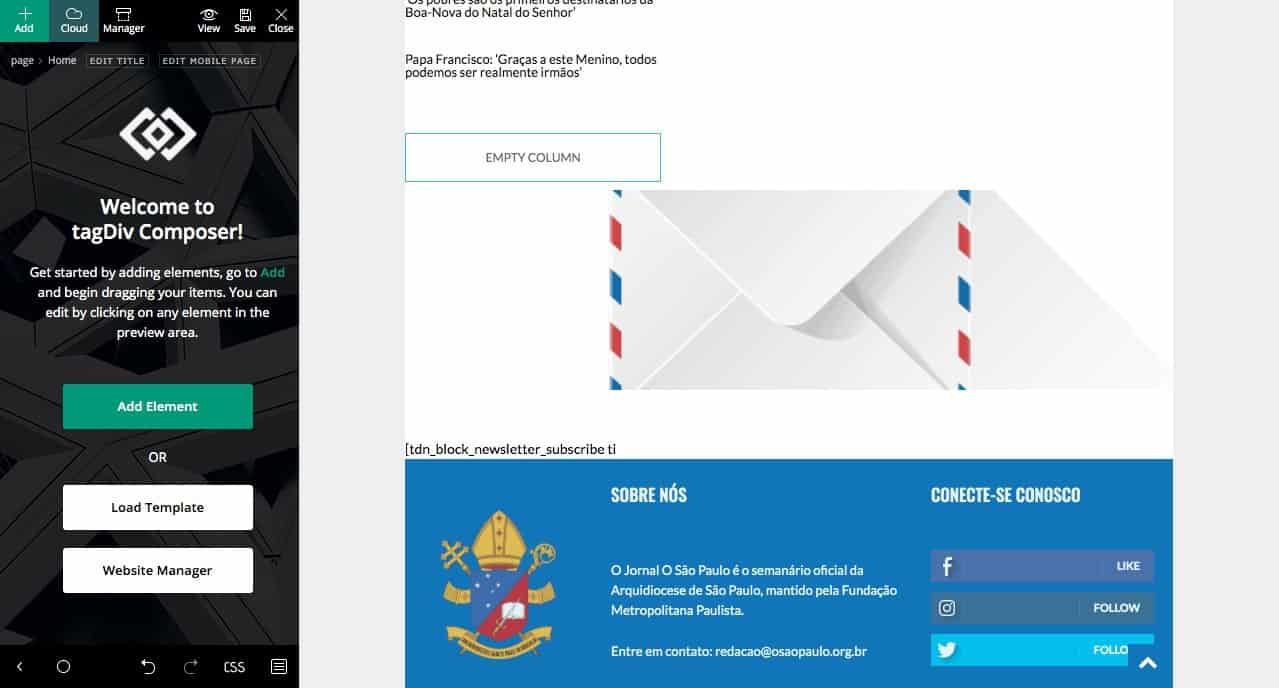
https://osaopaulo.org.br/wp-content/uploads/2020/12/Schermata-2020-12-27-alle-18.28.07.jpg
I saw a bug in my homepage, tried to enter td composer to fix it; and I cannot edit the part that is broke. Already deactivated some plugins, and nothing has changed..
 what-the
Is this possible?
Thanks!
 Piotrk87
Hi,
I have an issue with mobile template (the one you can edit with composer), which loads actually on desktops. I’ve tested it with different computers and it seems like it choses to work randomly.
The website affected: http://www.jakaoferta.pl
Just go to any article on the website to check, for example: https://jakaoferta.pl/nju-mobile-analiza-oferty-na-abonament/
How you can see notice it? Basically there is to sidebar on the right and everything goes down below. And it shows the mobile version of the “sidebar”.
Please help me with solving this.
Altenatively, how can I turn off mobile template without affecting my website? What do I need to do to remove it?
 hansennn
Okey, so ive gotten a few problems lately
First off. tagDiv Composer, won’t update when there is a update, i have to go and rename it manually to get the new update.
and now with the new 10.3.9.1 update, the tagDiv Cloud Library failed to even load, so it crashes the site.
An error of the type E_COMPILE_ERROR was caused in line 135 in the file /home/1/w/weednorge/www/wp-content/plugins/td-cloud-library/td-cloud-library.php. Error message: require_once(): Failed opening required 'includes/tdb_functions.php' (include_path='.:/usr/share/php')
also, the iThemes Security plugin just stopped working, and deactiveded itself? would like to not need to make a fresh install, but i will if theres nothing to do about it.
 RGLAS
RGLASHow to get a banner at the top of my website
I’ve tried it in composer but i can’t.
Someone can give me a hint
see example https://postimg.cc/HJZxLVLB
 harshilbansal
I am using Default Pro Demo and building my website on top of that. In the posts section, Edit with TD Composer is not showing. And I think that option should be there for posts too.
My website link is http://ulaunch.in/, in case you need to look at anything.
Regards
Harshil
 andreawebarts
 when i disable tagdiv composer website works like a rocket, when enabled it news 30 seconds to load each page
can you please tell me what to put what files to edit in com,poser for website to work?
we have another instance of tagdiv that we didn t upgrade from 9.7 and site works blazing fast… you version 10 ruined us!!!
and downgrade downs t work as well… so please tell me what files to edit to make it work, i cannot wait until you decide to upgrade, i ready to test beta versions!!
 kempamk
Hi,
I can’t edit content and widget does correctly show photos form my Instagram feed.
 meihaoing
Hello, in cloud template, how to edit Footer Template – Default PRO by TagDiv composer? I can not find option for TagDiv composer, but at the same time can see TagDiv composer option for other cloud templates, what’s the problem and how to fix it?
Thank you!
 redshoes
Hello there! I need to place custom shortcodes on my homepage and can’t find out how-to do that.
In previous version i just used “text with header” block, but for now as soon as i try to “edit content”, – it’s empty and there’s no “save” button, so content remains the old one.
 darzamat
My categories are like this: Ana Sayfa (HomePage) > Medya (Main Category) > Fotoğraflar (Subcategory)
All fields in breadcrumbs settings are selected on Theme Panel. https://ibb.co/2cPyRK3
My links are appear like this. That is, correctly sets for me. homepage.com/medya/infografikler/
I create page with standart wordpress editor. No problems with breadcrumbs. It displays “Ana Sayfa (HomePage) > Medya (Main Category) > Fotoğraflar (Subcategory)” https://ibb.co/JpxchGx
When I create page with tagdiv composer, no breadcrumbs displays. I add breadcrumbs element with live composer. Breadcrumbs display like this: “Ana Sayfa > İnfografikler” . The main category Medya does not display. https://ibb.co/KyHzzJy
On the other hand, when I go into a post and look at the breadcrumbs, everything seems right 🙂 https://ibb.co/59JrhVV
What could be the problem?