
- NewspaperModules Builder in Newspaper Theme
- NewspaperIntroduction to CPT and ACF with Newspaper Theme
- NewspaperHow to edit modules for Flex Block X
- NewspaperStripe Setup
- NewspaperPayPal Setup
- NewspaperAdd Cryptocurrency Price Ticker Widget
- NewspapertagDiv Shop
- NewspaperDesign your post pages using the Default Templates
- NewspaperTheme modules and blocks
- NewspaperUsing the Theme Translations with WPML
- NewspaperHow to Set the Image Avatar
- NewspaperNewspaper theme documentation
- NewsmagInstalling pre-built websites
- NewsmagIntroduction
- NewsmagSmart Lists
- NewsmagTheme thumbs
- NewspaperSmart Sidebar
- NewspaperBreadcrumbs
- NewspaperFooter Builder
- NewspaperMain Menu
 mcdizielu
I’m trying to import ‘Case Studies Section – Momentum PRO’ but each time it doesn’t come up clearly. I have already installed ‘Module from Momentum PRO Demo’ and it still doesn’t work.
Can anyone suggest a fix for this.
Thanks
 Saniya
 Yes exactly same, I was working in a demo domain till now for development purpose, and when the website is ready this is what i do for the migration:
1. export the complete database and import in new website through phpmyadmin panel
2. Download all files from demo website files panel and paste in new website
Lastly I have changed the site_url and home url from databse to new website doamin.
 Anamaria
 Hello,
What is the problem with style.css? Did you try to install it and received this error message, “ERROR: The package could not be installed. The theme is missing the style.css stylesheet.”? If yes, you are probably uploading the whole theme package. You have to upload only the theme zip file, not the whole package which contains other items
– https://help.market.envato.com/hc/en-us/articles/202821510-Theme-is-missing-the-style-css-stylesheet-error
Install via WordPress -> https://forum.tagdiv.com/install-via-wordpress/
Install via FTP -> https://forum.tagdiv.com/install-via-ftp/
Requirements for Newspaper => https://forum.tagdiv.com/requirements-for-newspaper/
After installing the theme and activating it you will find in the Prebuilt websites all the theme demos and you can import whatever demo you want => https://www.screencast.com/t/6rf5g0Dxc0K
If this isn’t what you mean, please provide more details and screenshots.
Thank you!
 vernoncareers
 Hello,
Great themes buy the way. I have a few questions regarding the Job Hunt demo.
1. When you go to this link on the demo: https://demo.tagdiv.com/newspaper_job_hunt_pro/submit-job/ the first option is: “Company” what happens if a company hasn’t registered, shouldn’t there be an option in the drop down “Add new company” because I would only like companies to submit Jobs, and only after they have selected a Pricing Plan. So this form is confusing on how to add a company if one is not already registered? There should be an “Add company” under Company. How do I set this up?
2. How do I create a redirect when a company isn’t a member or logged in and clicks on the “Post a job” link? I would like new clients to be directed to the Pricing Page to select a package. After they are finished registering and click on the same “Post a job” link, the form should load.
Your demo lacks the ability to showcase to new people purchasing your theme how to properly use your wonderful theme. So, how do I create monthly subscription packages for new businesses signing up?
I will have more questions as I develop the theme for our website. I look forward to working with your team.
 violetsky200
Hello,
I am working on a staging site, and the header keeps being duplicated. I want to have two separate top menus like the demo does for Travel Pro: https://demo.tagdiv.com/newspaper_travel_pro/
 idiriasl
 Well, it seems I finally managed to make it work by installing a Theme example without including demo data! So it is done!
 Calin
Calin Hi,
Yes intradevam we were connected to the site and we solved the problem related to the installation of the demos, but there was still a problem related to the amp plugin which is forced somehow. I also mentioned in the email that a large part of the site is custom/harcoded, using a lot of CPTs, taxonomy and many other options that were nowhere to be found on that installation and were most likely injected from the outside.
According to the email I sent you, the theme can be used, but without the tagDiv mobile theme plugin (and the amp plugin is active but does not exist, so it cannot be deactivated).
Thank you for your understanding!
 paolamanciagli
Hi,
last week I reported the malfunction of NewsMag 5. In particular, the following points:
1) If I try to use any Prebuilt Websites (ex. Magazine or Clear Voice or Classic Blog) it does not display the homepage correctly. And there are no entries in the backend that allow me to modify it.
2) If I try to built a new page o try to modify a page using TagDiv Composer, a “critical error” screen appears and it’s not possible to work, even though the plugin is correctly installed and activated.
3) When I tried to install the Mobile Theme PlugIn, the entire site crashed and I had to restore to the last save, losing a lot of work done.
Yesterday the support wrote to me that they had solved the problems and that I could “install demos without any problem”. But when I tried, everything went down again.
Also, using TagDiv composer on a page gives an error.
About the Mobile Theme Plugin, the support told me that it is not possible to install it, I have to do without it…
This theme is not working, I still have the same problems and I don’t know why.
I reported to the support that the intervention was not successful, but I have not received an answer.
How is this possible?
Please, I need to know if the problems can be solved and when, to move forward with my project. I await your news as soon as possible.
 Atithya
Hi I have created a demo header within my website and only used for one category. But to my surprise that same header is showing for 1 particular article, I have set style templates to default then also it is taking demo header for that particular article.
 Barrejon
 I did all the steps mentioned.
And I also completely removed the WordPress installation and began with a fresh setup—no plugins, no posts, a totally clean slate. I installed the theme, its associated plugin, and the demo site. Yet, I’m still encountering the same problem, unable to proceed with setting up the site.
Thank You for your help
 SilvioTrisorio
 SilvioTrisorio
i due menu non spariscono più da mobile cosa è successo?

 highratech
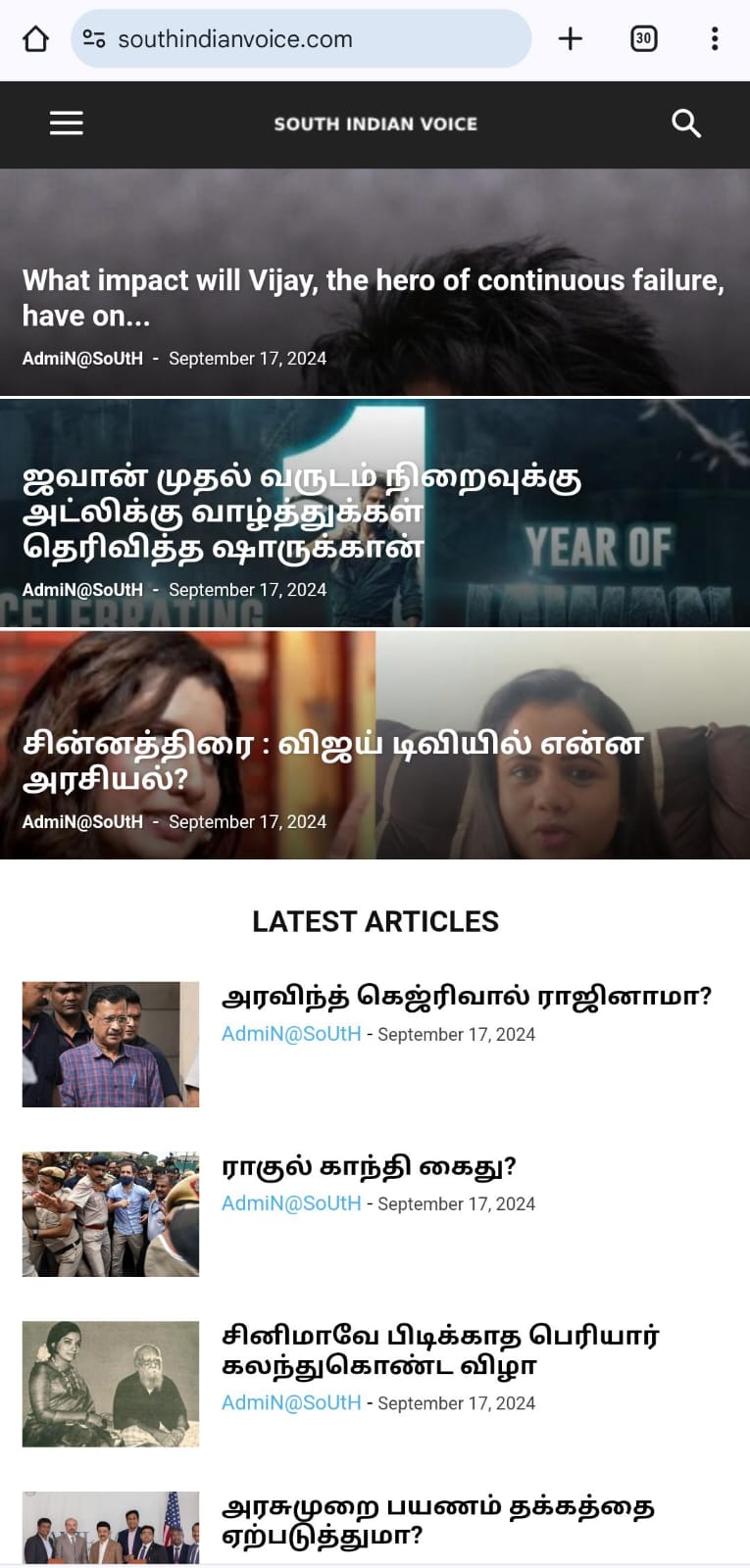
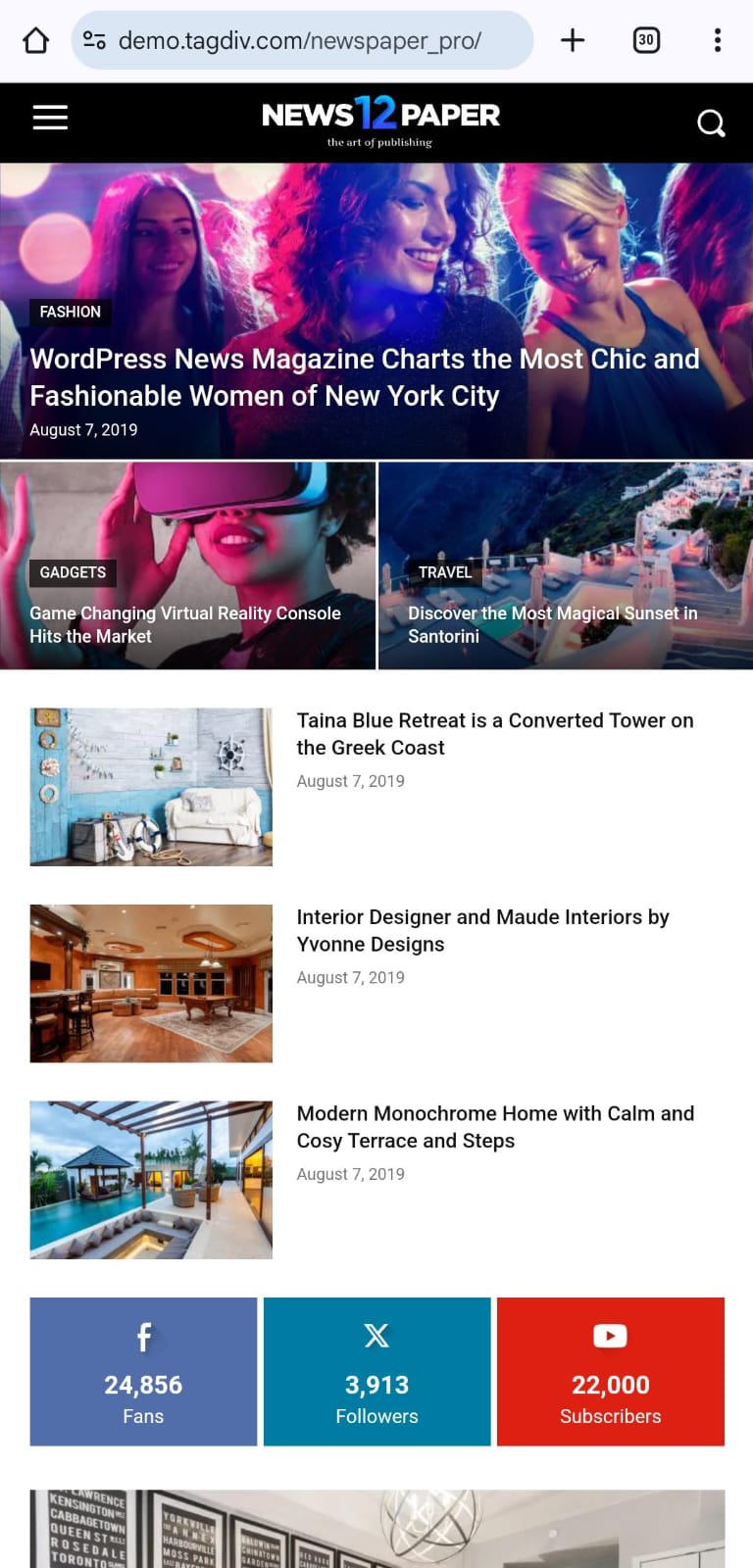
This is my website https://southindianvoice.com/ Webview worked properly. The mobile version displays something different from the web version. Assist me in looking into it and solving it.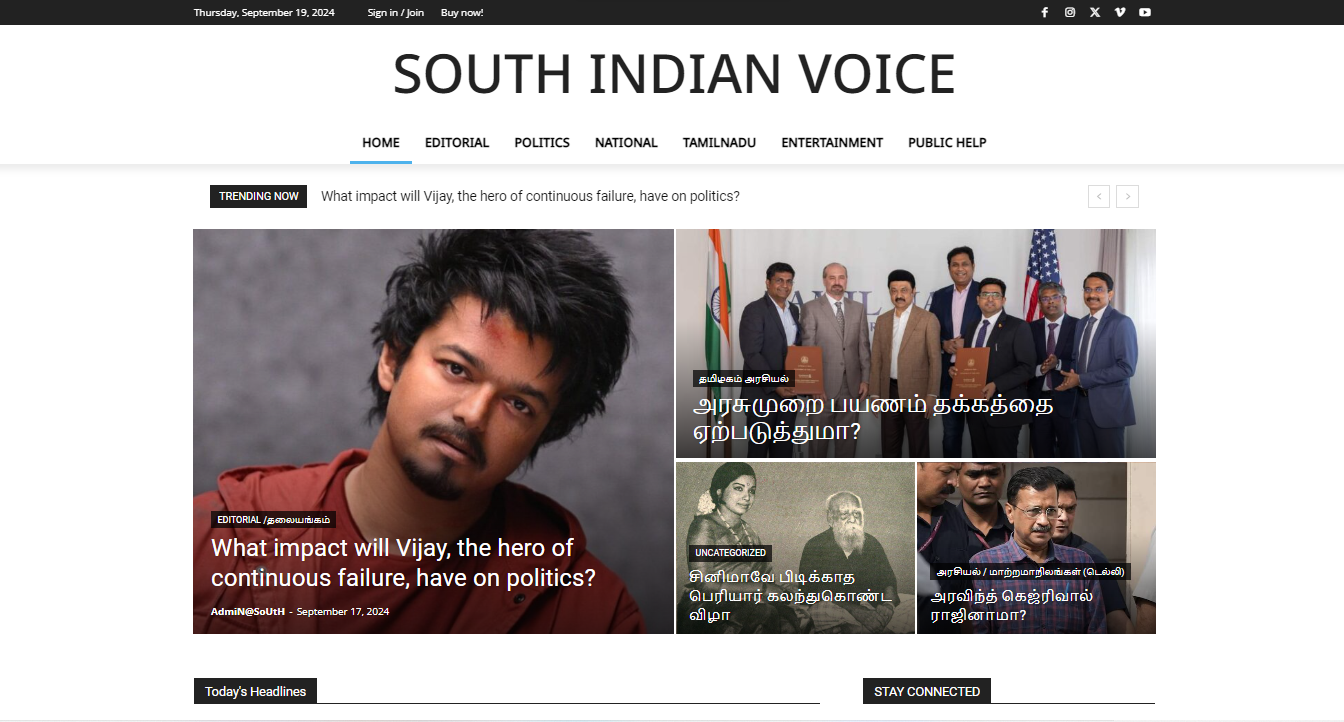
 Bettina
 Hello!
I’m not sure which settings do you use on your WordPress install or which plugins. But, there are no rules specified like yours when you install the Jobhunt demo: https://app.screencast.com/oDCj8JZzrmz2y -> https://app.screencast.com/FMPLUo9McNXhC
Thank you!
Saniya I appreciate your suggestion, but it hasn’t completely resolved my
issue. I managed to integrate a view count in the flex block module,
but this has disrupted the pre-made design provided by the Newspaper
theme. Moreover, it’s crucial for me to have the view count displayed
in the post loop as well, as it is utilized across various sections of
the site such as the search page and author page. If this
functionality isn’t available out-of-the-box, could you please guide
me on how to implement this feature through custom code?
OLD WEBSITE: https://watercraftjournal.com/
NEW WEBSITE: https://watercraftdemo.yashamsoft.com/home-2/
Images
Old Website: https://postimg.cc/yDYGKz83
How old website shows views count on posts loop also: https://postimg.cc/G475hS47
Custom module I have created to show views count: https://postimg.cc/64t0hd74
design lost in custom module: https://postimg.cc/xkNtjjD8
Thanks,
Saniya Saher
 duane
duane Hi – I’m experiencing the same issue with the demo version of Town Talk. See screenshots.
https://ibb.co/nsjgT0t
https://ibb.co/N3LV49r
https://ibb.co/3vFgnzV
 travelopia123
Hi , in a new instalation , after removing the demo menus , the curent menu duplicates and apears everywhere , thanks
 nexusstreet
 Hey! Quick question, I’m using the multi site network function and need an additional site license to make a demo site, upload the theme and copy and past the code.
How do you upload multiple license keys to get access on the demo site?
 forcenews
 hello,
I want to achieve the same sidebar element editing functionality as demonstrated here: https://forcenews.pl/o-nas/
However, I’m having trouble finding a FlexBlock module within my widget options. Can you please advise on alternative methods or configurations?
Anamaria Hello,
You can import this section https://demo.tagdiv.com/newspaper_trucking_services_pro/our-services-section/ there is single background image -> https://i.imgur.com/X5XS0BE.png and column title https://i.imgur.com/0Za17Cf.png
Thank you!
Bettina Hello!
Unfortunately, we didn’t publish the templates in the Cloud Templates. We will add them as soon as possible. As a workaround in the meantime, you can build a staging site, install the demo, and there you can copy-paste the code of the pages.
Thank you!
 usmiusman
 Hi,
Can you please tell me if I can import a template from another demo to this theme?
I want to import this template:
https://demo.tagdiv.com/newspaper_real_estate_pro/properties/
and then this template:
https://demo.tagdiv.com/newspaper_real_estate_pro/tdcpt_properties/apartment-12/
I tried it, however, it says that it requires a plugin support as well, whereas the plugins area dont show this suggestion, perhaps due to a different theme in place.
Tx
Calin Hello,
For the moment our directory/listing demos are – https://demo.tagdiv.com/select_demo/newspaper-prebuilt-websites/?demo-type=directory and what you can do is to choose the most close one with what you need and only edit it what it is need to achieve your needs or you can create your own templates, taxonomies, CPTs using the theme builder tagDiv Composer, tagDiv Cloud Library and a plugin for CPTS and Taxonomies, as ACF plugin.
Also, we support team can help you using the theme, but we can not create it for you.
Or in case that you want a developer to create the website for you, then you can make a request using this link – https://tagdiv.com/submit-a-request/
Thank you!
 anupofficial
Hi the demo shows like this: https://prnt.sc/HpGUX9HpK7Gl But in the website, I see it like this: https://prnt.sc/S6COEDXG756D
Any thoughts what I am missing?
SaniyaI’m currently using the Official AMP plugin along with the tagDiv mobile theme. While editing the mobile menu, I’ve noticed that the bottom area of the menu is being trimmed, likely due to the mobile device’s navigation bar, which includes the back and home buttons. Could you advise on how to resolve this issue to ensure the full menu is visible and not obscured by the device’s bottom bar?
https://postimg.cc/8j59YBc3
https://postimg.cc/N5zSv9r0
My website link: https://watercraftdemo.yashamsoft.com/


