- NewsmagHomepage – How to build and set it
- NewspaperHomepage – How to build and set it
- NewspaperHow to edit modules for Flex Block X
- NewspaperGeneral Options that May Interfere with the Newspaper Theme
- NewspaperThe Newspaper Mobile Theme: Introduction
- NewspaperHow to Add a Logo in Newspaper
- NewspapertagDiv Shop
- NewspaperHow to Use tagDiv Cloud Library
- NewspaperDesign your Post Pages using the Cloud Library Templates
- NewspaperHeader Builder
- NewspapertagDiv Cloud Library Plugin
- NewsmagtagDiv Composer Tutorial
- TutorialsFrom WPBakery to tagDiv Composer
- NewspapertagDiv Composer Tutorial
- NewspaperNewspaper theme documentation
- NewspaperThe Mobile Theme
- NewsmagNewsmag documentation
- NewsmagMain menu
- NewsmagLogo & Favicon
- NewsmagPage templates
 PadeldelosAndes
 Hi Calin, the show hidden elements option was on. I don’t know what happened but now it’s working fine. I can see the ad in both the homepage and in the post page. Maybe it needed some time to think 🙂 Thanks for your help!
 Michael Wong
I created a homepage using the tagdiv editor, and it displays correctly on both the desktop and mobile versions. However, when I access an article page from the homepage using a mobile device, the logo in the header menu of the mobile article page still displays the default logo, which is different from the homepage logo. The desktop version doesn’t have this issue. How should I set the logo for the mobile article page?
https://drive.google.com/file/d/1x7n1XMaCsqiqu_nEKJvCKQyaY7iYPMfk/view?usp=drive_link
 Calin
Calin Hi,
You need to use tagDiv Composer, edit the homepage – https://i.imgur.com/dmtvhrL.png select the menu and in the style tab you can change the font style – https://i.imgur.com/tvR89Rp.png the background color from the menu can be in the css tab – https://i.imgur.com/EOousJP.png (this css tab is on all elements from tabDiv Composer), the pink color it can be on coulumn or row that is holding the menu, you can select them and check the css tab – https://i.imgur.com/M8xc5pM.png
PadeldelosAndesI had some ads hidden on my website https://padeldelosandes.com.ar because I didn’t want to show the empty placeholder until i sold it, so I I hid them in the CSS tab. Now I want it to be visible again but when I select Display/Show and save the changes, nothing happens, it’s still hidden even though I see it in the preview panel. I was able to unhide them in the home page but it’s not working in the Single Post Template. Help please!
If you enter in any post you won’t see the ad below the header like in the homepage.
Calin Hi,
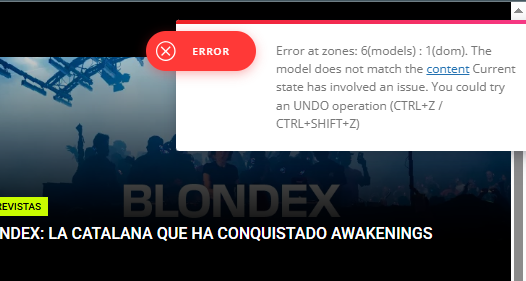
It appers taht the last chnages on your homepage made this situation. most of the time the problem is from a shortcode that is not compatible with our theme or a plugin conflict, therefore after you set it with tagDiv Composer and save the page/cloud template, the next time when you try to edit it, you’ll get that error.
If is only for one page or a cloud template (it can be on the header or footer, you can change them for tests and see if the problem persists), this is from some settings/shortcodes set on it and it can be fixed using the page revision https://wordpress.com/support/page-post-revisions/
if the situation persists, make a full backup and contact us via email at contact@tagdiv.com and provide wp-admin access. We’ll check it as soon as we can.
Thank you!
 bcnresistance
website URL: https://bcnresistance.com/
1.On my homepage, I can’t see the header or the footer (this only happens on the homepage).
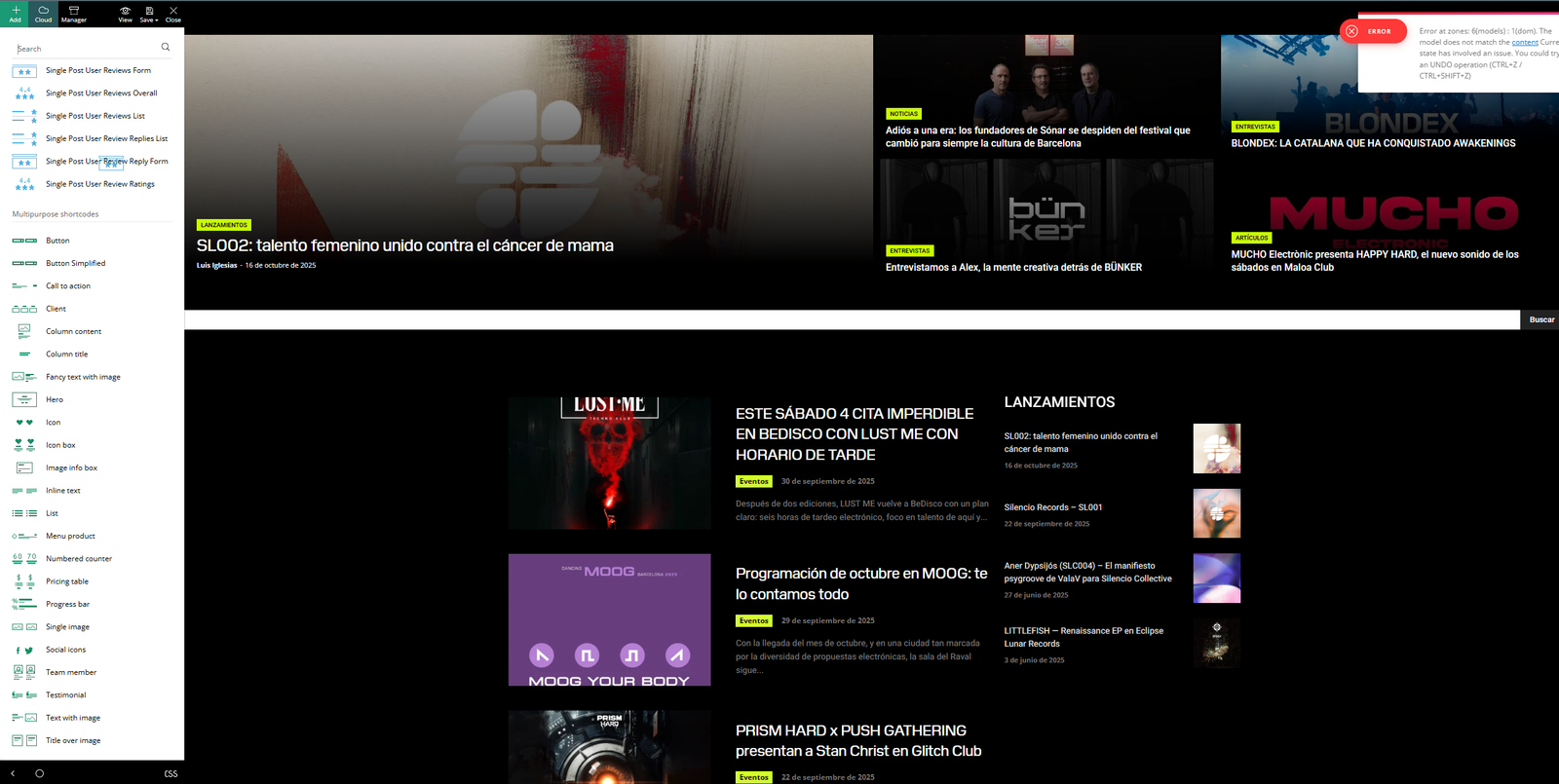
2. I can’t use TagDiv Composer on my homepage (again, only on the homepage). Screenshot attached here.<br>
The editing sidebar appears, but I can’t edit anything in the body of the page — I can’t drag or select elements to modify them. It looks like it’s “broken.”
3. There are errors showing up in the TagDiv Composer editing menus. Screenshot attached here.
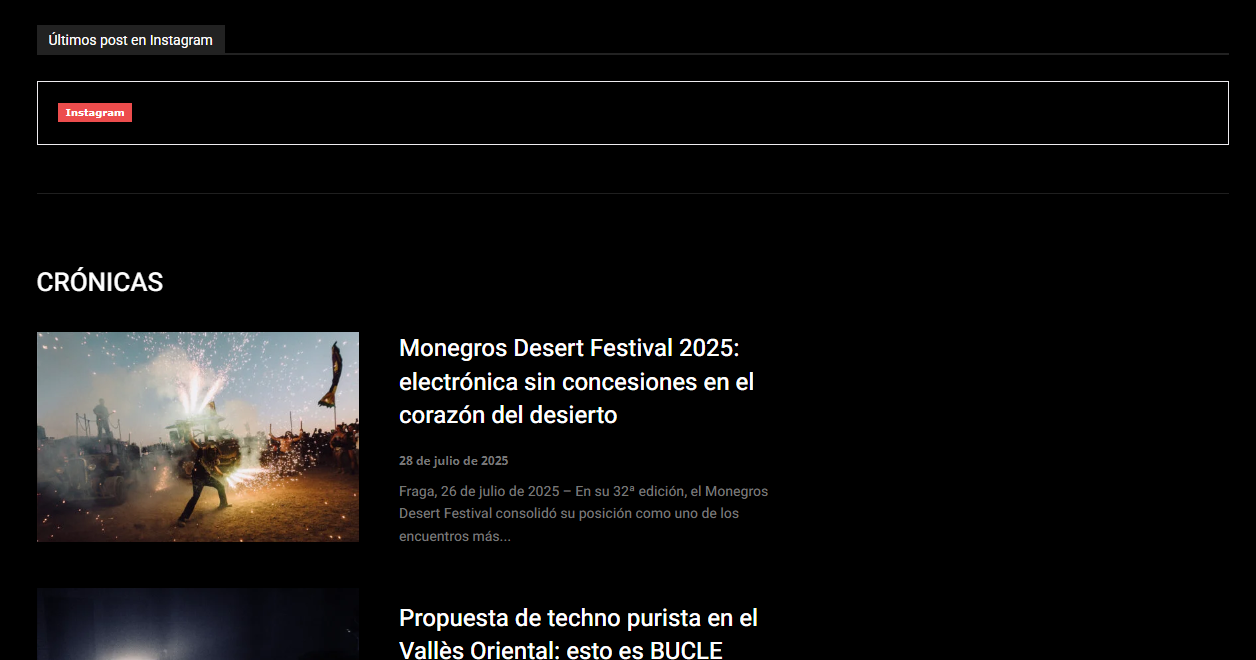
Some widgets have stopped working (for example, the Instagram link). Screenshot attached here
 regio-online
 Thanks Calin. Maybe in the next update the link can point directly to the changelog instead of the homepage? It a big changelog this time. You all have done a lot of work. Thanks for that.
Topic can be closed.
Calin Hi,
You’ll have cloud pages and cloud homepages if you import them from cloud – https://i.imgur.com/iTzTpQJ.png, but those will not be templates for pages; they will be pages created with tagDiv Composer. There are no templates for pages. If you have a page and you want to use it on other pages, just duplicate that page and edit it.
Thank you!
 cristi.wago@gmail.com
Subject: Excerpt Formatting Issue: Paragraph Breaks <p> tags are being stripped – Newspaper Theme
Dear tagDiv Support Team,
I am experiencing a persistent issue with my post excerpts (teasers) when they are displayed on my homepage and archive pages using your theme.
The Problem:
The theme is stripping out paragraph breaks (the <p> HTML tag) from the post excerpts, causing the text to be displayed as one single, dense block. This happens regardless of whether the excerpt is:
Automatically Generated from the post content.
Manually Entered in the “Excerpt” meta box.
What I Have Tried (and failed with):
Custom Excerpt: Writing manual excerpts with HTML tags (e.g., <p>Text</p>). The tags are still removed.
Advanced Excerpt Plugin: I installed and configured the Advanced Excerpt plugin, ensuring the option to allow HTML tags was active. The theme seems to override the plugin’s functionality, and the paragraph breaks are still removed.
My Question:
Is there a specific setting within the Theme Panel, a tagDiv Composer Block setting, or a PHP filter that I can use in a Child Theme’s functions.php file to specifically allow the <p> tag (paragraph breaks) in the post excerpts displayed in your post listing blocks (like Flex Blocks)?
I only need the paragraph formatting (<p>) to remain intact to improve readability.
Thank you for your assistance.
 Om Baldan
 The problem is, on some pages, the header appears. But the homepage and several other pages don’t, even though they did before. I haven’t made any changes to the header settings other than changing the text and logo.
 heitorleal
Olá, tudo bem?
Meus modelos de Homepage templates e Page templates não estão aparecendo no menu Cloud Templates. E não consigo mudar para deixar mais de um template salvo como backup. Preciso de ajuda. Segue imagens em anexo.
Link das imagens:
– Cloud templates sem os modelos (imagem 1): https://conexaobet.com/wp-content/uploads/2025/10/imagem_1.jpg
– Homepage que criei e salvei de backup, mas não aparece mais no cloud template (imagem 2): https://conexaobet.com/wp-content/uploads/2025/10/imagem_2-1.jpg
Observação: A minha Home page foi criada e eu salvei como modelo de template, mas ela sumiu do Cloud Templates. Isso que preciso corrigir.
 Mediv
MedivHello,
How do i edit other pages else than the homepage? how do i access the articles default template to edit it? or the about us page or the contact us page etc…
Calin Hi,
I think you most likely have a demo that uses cloud templates, so you need to edit it using tagDiv Composer homepage, select the menu and check the style area – https://i.imgur.com/TzXCAo6.png
I hope this will help you!
 Biugercn
I tried the method but got nothing.I contacted contact@tagdiv.com but they didn’t get back to me.
https://biugercn.com/
Hi,
For the mobile version to have a mobile header ad, please use tagDiv Composer, edit the homepage and select the mobile viewport, after that add a row in the header section and in it select the header source for ads https://i.imgur.com/Uyq0buG.png https://i.imgur.com/g0Q3SyH.png https://i.imgur.com/zFTzQ1d.png https://i.imgur.com/QNOk1w2.png https://i.imgur.com/0tr065i.png
Thank you!
 PolishExpress
Hello tagDiv team,
I’ve encountered a strange issue with my homepage layout in the Newspaper theme – https://polishexpress.eu
I created a new section for a new category – let’s call it X1.
The layout is a manually built row divided into two columns:
Left column: Flex Block 2 → displays 1 latest post from category X1.
Right column: Flex Block 1 → displays 4 posts from the same category X1, with offset = 1 to avoid duplicates.
The homepage has the “Unique articles” option enabled, and all modules are set to sort by latest posts.
Inside TagDiv Composer, everything looks correct – the right Flex Block displays posts in the proper order (from newest to oldest).
But after saving and viewing the page (logged in or logged out), the posts in this module appear in a completely different, seemingly random order.
Strangely, if I copy the entire homepage layout (including this module) and paste it into another test page, the order works perfectly fine there.
The issue only occurs on the main homepage.
I’ve already tried:
Clearing the built-in theme cache (no cache plugins installed),
Disabling the offset option,
Verifying that other homepage modules display correctly (and they do).
Still, the problem persists only for this new block.
Any guidance on how to fix this would be greatly appreciated.
Calin Hi,
You can use on your homepage this css:
.td_flex_block_1.tdi_97 #tdi_97 {

    max-height: 580px;

    overflow: overlay;

}
It can be set in a raw CSS, after that you can change the number of articles that will be displayed, save the changes in tagDiv Composer and check it on the frontend.
Thank you!
 Daniel John
Hello
I am using the Tagdiv composer to design my homepage, and some data does not display.
https://prnt.sc/n9m9JGRbVgP7
I am working on Flex block 1, and even when “show date” is ticked on, it still does not show.
There are other data that have refused to show, such as the author’s name and some others that I don’t remember at the moment.
 Qplus Account
The site was very slow, so I installed the LiteSpeed Cache plugin. However, the logged-in state was not showing on the homepage, so I deactivated the plugin.
Calin Hi,
I see that there are 2 images that no longer exist and the website stays after them for around 17 seconds – https://i.imgur.com/XWXtUGZ.png edit the homepage using tagDiv Composer https://i.imgur.com/0lqtmry.png select the column of this element – https://i.imgur.com/gMWgwNp.png and in css tab remove the background image after that go to footer and select the row, then in css tab remove the background image – https://i.imgur.com/FKFswXp.png after that, save the schnages and clear the cache, the situation should be resolved.
Let me know the results!
Calin Hi,
There is no need to make any edits in the theme or plugin files, the code can be easily set using tagDiv Composer on the homepage. Edit the homepage and you can set the shortcode directly in column text or text wit title elemets in the text zone – https://imgur.com/DSSni9j
Thank you!
Calin Hi,
I just tried to access the website to see what the problem could be, but this seems to be under construction and I cna not check the problem. This situation is only on the homepage or is the same on articles, categories …?
Thank you!
 urishtaujjain
Email Body:
Hello TagDiv Support Team,
I’m currently using the Newsmag 5 theme for my website MahakalTimes.com
, and I’d like to display a Google Web Stories section just below the Hero Area on the homepage.
I’ve installed and configured the Web Stories plugin by Google, which provides the [web_stories] shortcode. However, I don’t see any built-in option in TagDiv Composer or the homepage template to insert this shortcode directly below the Hero section.
Could you please guide me on the following points:
How can I manually insert the [web_stories] shortcode below the Hero Area using code (PHP or a custom module)?
Which template or PHP file (for example, template-homepage.php, loop.php, or any Hero module file) should I edit to safely add this shortcode below the Hero layout?
Do you have any recommended method or sample code to integrate plugin shortcodes like [web_stories] inside the homepage structure without affecting theme updates?
My goal is to feature a Web Stories showcase (horizontal scroll or grid style) immediately under the Hero section, maintaining full visual alignment with the theme’s layout.
Thank you for your time and support.
Best regards,
Umesh Sharma
Editor – MahakalTimes.com
 leagcooks
Hi, My comment count is updating on the category pages but not on my homepage in the blocks?
updating below
not updating?
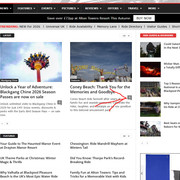
hope you can help please, thankyou.
Calin Hi,
I see that there is an image that is trying to be loaded on the website, but this no longer exists https://i.imgur.com/xp9ya43.png, so resolving this situation will improve the speed a bit. Here is what you need to do, edit he homepage with tagDiv Composer, go to the footer zone and select the row, then select the css tab and click on remove text that is after the background image option – https://i.imgur.com/Ptl7VNu.png. After that, save the settings.
Also, to have a very fast website, you’ll need an excellent cache plugin and most of the time those are not free, for example WP Rocket – https://forum.tagdiv.com/wp-rocket-and-newspaper-theme-optimization-guide/ and use a CDN so your website is protected and the bots will no longer get on the website to consume extra resources.
Thank you!