
- NewspaperHomepage – How to build and set it
- NewspaperHow to edit modules for Flex Block X
- NewspaperGeneral Options that May Interfere with the Newspaper Theme
- NewspaperThe Newspaper Mobile Theme: Introduction
- NewspaperHow to Add a Logo in Newspaper
- NewspapertagDiv Shop
- NewspaperHow to Use tagDiv Cloud Library
- NewspaperDesign your Post Pages using the Cloud Library Templates
- NewspaperHeader Builder
- NewspapertagDiv Cloud Library Plugin
- NewspapertagDiv Composer Tutorial
- NewspaperNewspaper theme documentation
- NewspaperThe Mobile Theme
- NewspaperPage templates
- NewspaperTheme Colors Introduction
- NewspaperFooter Builder
- NewspaperMain Menu
- NewspaperPre-built Websites: Introduction
 kmos
kmosHi,
I have just installed one of the latest Newspaper Pro prebuilt websites and was able to edit the content successfully using the tagdiv composer.
However, I can’t find a way to change the posts that are being dynamically pulled into the different sections. My site has 4 different categories with posts. At the moment, the template is only dynamically pulling just the latest posts by date. Can I select the categories for each section on the Homepage and the Footer?
Current demo installed = COV-19 Italy Report PRO
Thanks
 Bettina
 Hello!
Edit the homepage with TagDiv Composer, click on the header logo and you will have this setting: https://www.screencast.com/t/t61OOLjA5H63 ; where you can write a value for example: 100. You can adjust the image width how it fits you the best.
Thank you!
 turma99
 Regarding the title being shown on our mobile homepage, there’s a title placeholder which can’t be edited/removed when customizing the template: https://nimb.ws/b5tdLN
Bettina Hello!
It seems that you have a cloud template, which means you can edit the homepage, click on that row from your header, access the CSS tab of the header’s element and there you can find options to add padding in the top and in the bottom. So, in this mode you can adjust the height of your header.
Thank you!
 fabioloutfi
 Hey Vlad. thanks for your reply. Currently I am using the Default PRO so we shouldnt have this problem, but I still cannot edit further those pages. You can take a look here: http://15.161.194.119/wp-content/uploads/2021/05/Captura-de-Tela-2021-05-10-às-09.00.22-2.png
Another question is concerning the blank between the header and the flex grid. Can you help me with that?
You can see in this link: http://15.161.194.119/wp-content/uploads/2021/05/Captura-de-Tela-2021-05-10-às-09.00.07-2.png
Another thing is that is showing me in the homepage is a space with the words ‘Google Search Engine’ between the Grid Flex and the Menu. How can I fix it (take it out)?
-
This reply was modified 5 years by
fabioloutfi.
-
This reply was modified 5 years by
 Barcelona2021
Hello !
-Where can i find the template for the product as it is on this url :
Template shop : https://demo.tagdiv.com/newspaper_tech/shop/
Template product : https://demo.tagdiv.com/newspaper_tech/product/ecko-chair-fabric/
Can i mix on the homepage : blogs post and product grid , if yes how ?
– Where can i find the template Post Page as this one :
https://demo.tagdiv.com/newspaper_magazine_pro/2020/06/03/td-post-alice-pattinson-has-been-designing-clothes-for-over-40-years/
I want to use the homepage from newspaper and the post page of news magazine
If not possible , from news magazine > post page > the scroll down is infinite ; all posts are on the page , i d like to do the same
thanks
Bettina Hello!
In order to edit a page with TagDiv Composer you need to use a PRO/cloud template and not a default one. If you have a cloud/PRO template, but you can’t edit the footer, then edit your homepage with TagDiv Composer, scroll till footer, click on footer zone and you can edit it.
For more information about this plugin, check this tutorial: https://forum.tagdiv.com/tagdiv-composer-tutorial/
Please take a look here also: https://forum.tagdiv.com/footer-templates/
Thank you!
 epicured
Hello,
I’ve spent the past few weeks trying to improve our Google Pagespeed performance and while it has gotten somewhat better in a few metrics, we’re still far off from where we should be.
We’re currently using our latest posts as our homepage instead of a separate page. When we install the tagdiv Mobile theme, it creates cumulative shift layout issues so we have it deactivated.
I tried to create a separate page to use as the homepage with the same design. I created a copy version for the mobile site and connected it to our page as your guide instructs, but it won’t show any articles on mobile, even though we are not using the mobile theme. I read on the forum that the mobile theme could be causing this issue, but it’s clearly something else altogether.
I have also tried to run your CSS Analyzer for the page to improve Google Pagespeed metrics, but it keeps timing out at different points and won’t finish. I have deactivated plugins for caching and other things to try to get your CSS Analyzer to work, but it keeps timing out.
All things considered, I feel like I’ve done everything I reasonably can from my end and yet our Google Pagespeed scores are still poor and now of the options I have found from reading the forum and your guides has produced a solution.
I would greatly appreciate it if you could please help us out with this.
Thank you
fabioloutfiGood evening.
Sometimes when I want to edit post page, or search page, I cannot find the ‘Edit with tagDiv Composer’. Can you help me ? In the homepage I can see, but only there. =/
Another thing is that is showing me in the homepage is a space with the words ‘Google Search Engine’ between the Grid Flex and the Menu. How can I fix it (take it out)?
Thank you in advance! =D
 PIaIndx
Hi,
I can’t seem to get the thumbnails to load in posts/blocks (https://eygcmedia.com/). I have checked force full content and have the premium rss full text feed to post.
I also can’t get the homepage up on mobile. Its currently showing the default header with Newspaper logo and not the current setting I had implemented.
Thanks
 msakande
Dear,
I try in vain to activate Official AMP for WP.
I get the following error
I use WordPress 5.6.3 et News 10.3.9.1
Note: When I upddate News to 10.4 the problem still occur
Fatal error: Uncaught AmpProject\AmpWP\Exception\InvalidService: The service ID “dev_tools.user_access” is not recognized and cannot be retrieved. in /homepages/43/d838974718/htdocs/clickandbuilds/LeReporter/wp-content/plugins/amp/src/Exception/InvalidService.php:57 Stack trace: #0 /homepages/43/d838974718/htdocs/clickandbuilds/LeReporter/wp-content/plugins/amp/src/Infrastructure/ServiceContainer/SimpleServiceContainer.php(39): AmpProject\AmpWP\Exception\InvalidService::from_service_id(‘dev_tools.user_…’) #1 /homepages/43/d838974718/htdocs/clickandbuilds/LeReporter/wp-content/plugins/amp/src/Services.php(55): AmpProject\AmpWP\Infrastructure\ServiceContainer\SimpleServiceContainer->get(‘dev_tools.user_…’) #2 /homepages/43/d838974718/htdocs/clickandbuilds/LeReporter/wp-content/plugins/amp/src/Admin/ValidationCounts.php(47): AmpProject\AmpWP\Services::get(‘dev_tools.user_…’) #3 /homepages/43/d838974718/htdocs/clickandbuilds/LeReporter/wp-content/plugins/amp/src/Infrastructure/ServiceBasedPlugin.php(288): AmpProject\Amp in /homepages/43/d838974718/htdocs/clickandbuilds/LeReporter/wp-content/plugins/amp/src/Exception/InvalidService.php on line 57
 billions1nly
When i activated the mobile theme for my website http://www.kosvino.com it simply showed the desktop site on the homepage but for the rest of the pages its the mobile theme and i have no way of editing them? what is going on please
 domien
Hi, we are using the social counter on our homepage: https://photographycourse.net/
But the instagram count is not showing unless we enter a fixed count. Here are the screenshots with and without fixed count.
https://ibb.co/mvBmKRb
https://ibb.co/6gMxpsz
Please let us know how to fix this. Thanks!
 Anamaria
 Hello,
Normally, this demo has the shadow, but if you want to add the shadow, please edit the homepage with tagDiv Composer => https://www.screencast.com/t/pofURkpwQDM, and after header you need to have a CSS Code =>https://www.screencast.com/t/CvkujL8gLtW2, if you don’t have it you can add the element from tagDiv Composer, called “RAW CSS” open it => https://www.screencast.com/t/sRHhHBuDFand add this custom code
.td-header-desktop-wrap .tdc_zone {

  box-shadow: 0 -13px 10px 3px rgba(0, 0, 0, 0.12);

}

.td-main-content-wrap {

  box-shadow: 0 0 10px 3px rgba(0, 0, 0, 0.12);

}

.td-footer-wrap .tdc_zone {

  box-shadow: 0 13px 10px 3px rgba(0, 0, 0, 0.12);

}
Hope this helps you!
Thank you!
Anamaria Hi,
Using our theme you can choose from 3 mobile versions
-> mobile responsive => https://www.screencast.com/t/oJ2ShOp47
-> mobile theme plugin => https://forum.tagdiv.com/the-mobile-theme/
-> mobile page => https://tagdiv.com/newspaper-10-3-7-update-brings-customizable-and-fast-mobile-pages/
Seems you have installed the Mobile theme plugin => https://www.screencast.com/t/KqhPuJV43yf. If you created the mobile pages with tagDiv Composer, then when you install the Mobile Theme plugin, your pages will be overwritten by the plugin (the mobile theme comes with its own templates for page, post, category, etc so your current templates from the desktop theme will get converted to the mobile theme layout, the page content is made without builders in mobile editor => https://www.screencast.com/t/xbgZG8kH also, the options that are provided to edit the mobile theme version are limited (this keeps the things simple)).
Better deactivate the plugin and see the results.
Also, if you create a mobile page, please check if is set correctly => https://tagdiv.com/newspaper-10-3-7-update-brings-customizable-and-fast-mobile-pages/
This is a video about Responsive Newspaper Theme, AMP & Mobile Theme, Mobile Pages & Templates -> https://www.youtube.com/watch?v=SpGkOnJeNZY
So, the mobile responsive is what you see then that you select the viewport on phone => https://www.screencast.com/t/matV17hH, so some settings may apply for each viewport(where is the border blue), and others are not(where the border is black).
The mobile page has the mobile templates from Cloud Library => https://www.screencast.com/t/YCcZ8rL8
Mobile responsive version of the theme and the mobile page editor can be edit with tagDiv Composer, the mobile theme plugin not.
For example, you can have the mobile theme plugin activate and use the mobile page/mobile responsive version for the homepage/pages, but for the categories pages/404 page you can’t use the mobile page/mobile responsive version if you have the mobile theme plugin activate.
Thank you!
 Calin
Calin Hi andreyrovnus,
The posts are not appearing on homepage? or those are not appearing on entire website.
If is only on homepage, then it can be from some settings that are set on the homepages blocks like offset -> https://i.imgur.com/MtZhWuX.png, or filters -> https://i.imgur.com/xKqWU3o.png
If the problem is on entire website, then most probably it is from some plugins conflicts and you need to make some tests only with tagDiv plugins enable, also without any cache plugin.
Thank you!
 thcp2020
 Hi,
As I mentioned above – “When trying to add the site on a phone home screen we only get a screenshot of the homepage not our logo.”
We want to have the logo as the bookmarklet. Please see attached
https://paste.pics/CED80
Why does this above^ not show?
All the best
Thomas
 seekoeur
Hello
I use several “Flex Box” on the Homepage to display the last articles of a specific category (example: International) with the ” latest ”
but, it doesn’t display the last one on this category, why?
Thanks for your feedback
 aaheath1976
https://www.successcentral.com
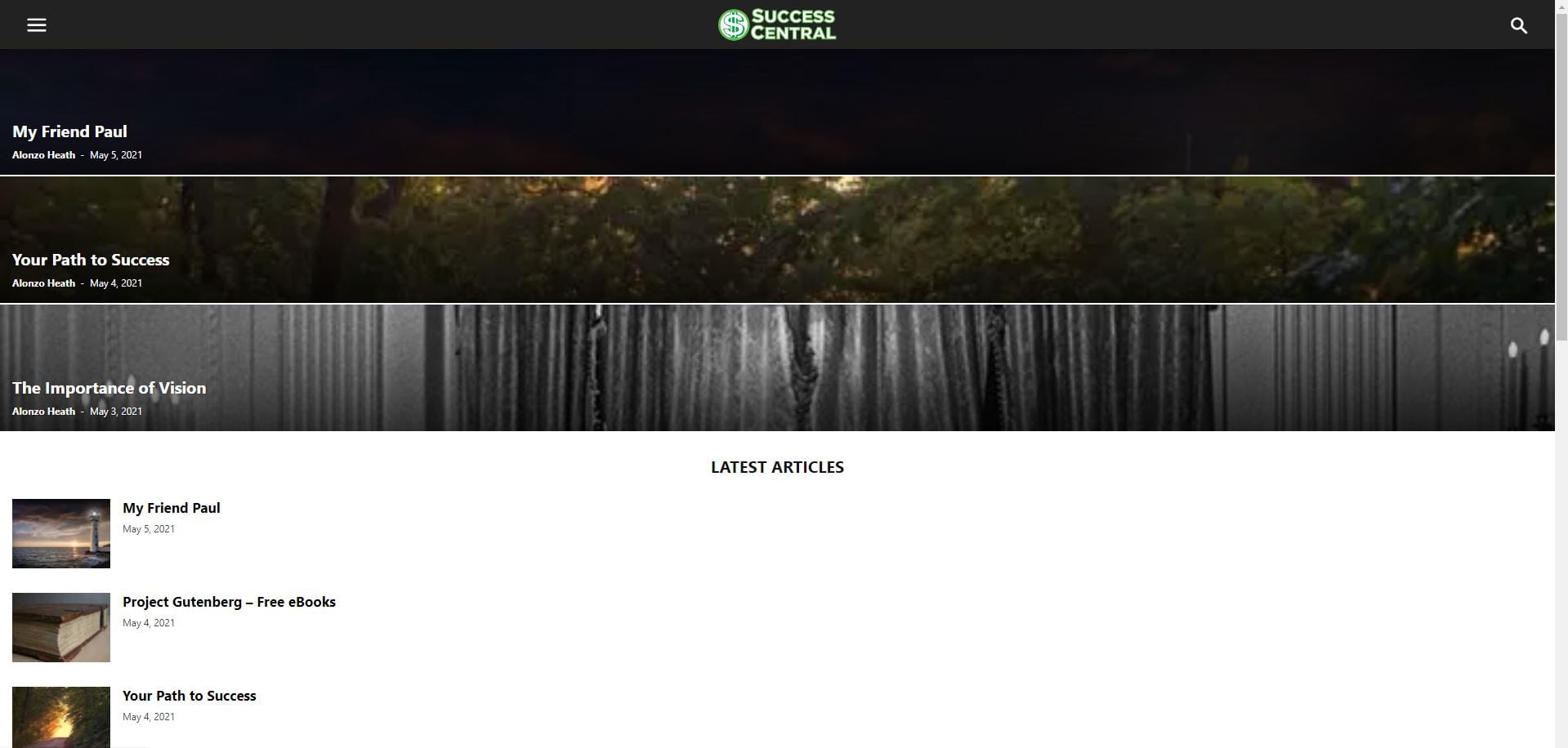
This is what the corrupt homepage displays like:
The home page should look like this:
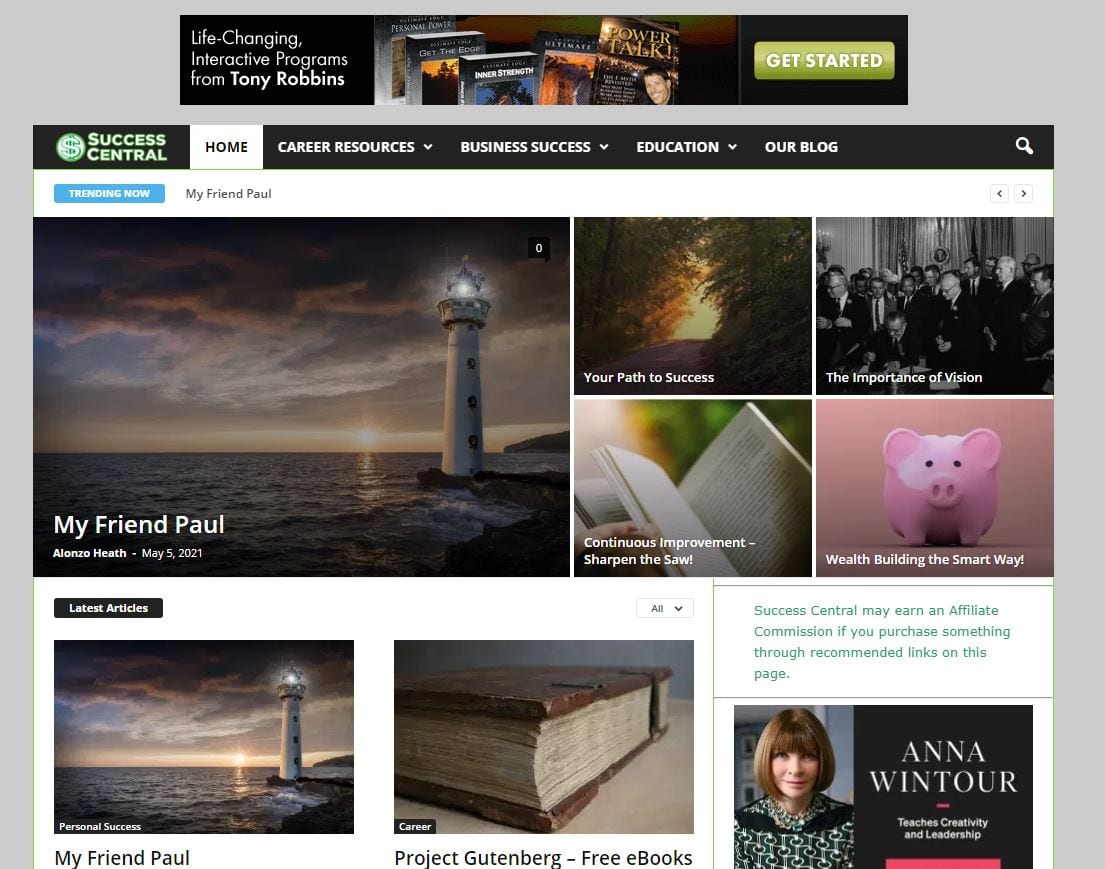
I’ve cleared the cache and it is currently displaying correctly. However, somehow it goes back to the corrupt homepage by itself, even when no changes are made to the site. Any help would be appreciated.
 kevinperry
 Hello Anamaria, Apologies for not explaining properly. The issues is on post pages, not the homepage. Unfortunately, the issue is not solved yet. The featured image is not appearing at the top of posts.
Anamaria Hello, Lee,
If those settings were made on the blocks from the homepage, then it should work and display all posts that have assigned the categories ” “1” Post have 200,201,205.
“2” Post have 200,201,220.
“3” Post have 200,204,376.”
If there are no posts displayed in the filtered block, please add a new block and see if for the new one the posts are displayed.
If you want we can take a look and see what happened there. Please make a full backup to all files and the database and send an email at contact@tagdiv.com and provide wp-admin access, so we can investigate easily this issue. Also, paste a link to this topic so we can easily identify you.
Also, please insert a video with the steps done.
Thank you!
thcp2020 Hi,
We do not have a plugin conflict.
When trying to add the site on a phone home screen we only get a screenshot of the homepage not our logo.
The site is
http://www.multippl.com
To access the site please enter the following credentials
(Please edit out after you enter the site)
All the best
Thomas
-
This reply was modified 5 years by Anamaria.
Bettina Hello!
Please make sure you have a cloud/PRO template for that single post/category template in order to assign your mobile page.
If you want to use a mobile page, then you need to assign it to your homepage. For more information about this mobile version please take a look in this article: https://tagdiv.com/newspaper-10-3-7-update-brings-customizable-and-fast-mobile-pages/
Thank you!
 Alex
AlexHi, I think I have some code problems on the home and pages. I don’t know what the errors are but some things don’t work and the page doing the heads loads after 20 seconds (my host has no problem I have another site with them and that’s fine but I don’t use newspaper theme).
Is it possible to check the codes of the page? I have been working on the same theme for 4 months and I have made many changes. I believe some code is broken. For example, in “post loops” when I click on page numbers the effect is that it reloads the homepage while it should open a page where there are the latest articles. This is just one of the problems.
my site is: https://www.moviemag.it
I can send the credentials to let your technician enter as an administrator to do some checks. Is this possible?
Thanks for the support.
 dharmendra11
 I create a mobile page for my website Homepage
But The mobile pages option is not available on categories pages



