- NewsmagHomepage – How to build and set it
- NewspaperHomepage – How to build and set it
- NewspaperHow to edit modules for Flex Block X
- NewspaperGeneral Options that May Interfere with the Newspaper Theme
- NewspaperThe Newspaper Mobile Theme: Introduction
- NewspaperHow to Add a Logo in Newspaper
- NewspapertagDiv Shop
- NewspaperHow to Use tagDiv Cloud Library
- NewspaperDesign your Post Pages using the Cloud Library Templates
- NewspaperHeader Builder
- NewspapertagDiv Cloud Library Plugin
- NewsmagtagDiv Composer Tutorial
- TutorialsFrom WPBakery to tagDiv Composer
- NewspapertagDiv Composer Tutorial
- NewspaperNewspaper theme documentation
- NewspaperThe Mobile Theme
- NewsmagNewsmag documentation
- NewsmagMain menu
- NewsmagLogo & Favicon
- NewsmagPage templates
 Anamaria
 Hello,
Please make sure that you have set the page, not the blog page https://forum.tagdiv.com/homepage-how-to-build-and-set-it/
Thank you!
 Ebzion
 Hi,
By checking the “Hide image” checkbox it hides all images, need to remove only the fallback image or Placeholder image when no image is available.
If the image is present on a post it must show over the frontend.

 genfinity
When attempting to edit our homepage template, the page is consistently erroring each time I try to open the edit view. The page template settings section appears for a brief period of time and then disappears. I am unable to change the value before changing and saving the value.
I am looking for a way to resolve this error so that I can resolve the issue with our homepage.
Homepage: https://genfinity.io/
 nicolaslavado
 Thank you for your suggestion. I’ve checked, and those options are enabled as you indicated. However, the problem persists. The mobile menu on the homepage is still not working, while it functions correctly on the inner pages.
Could you please assist me further?
nicolaslavadoI am experiencing an issue with the mobile version of my website https://48horasmagazine.com. The menu on the homepage does not respond when clicked, although the same menu works perfectly on inner pages. I would like to mention that this menu was created using Cloud Template and customized to my preferences.
I would appreciate your assistance in resolving this issue as soon as possible.
 forcenews
Why does the main page header https://forcenews.pl/
have gray on the left and right sides? Where can I remove this gray color and change it to white?
 vkirush
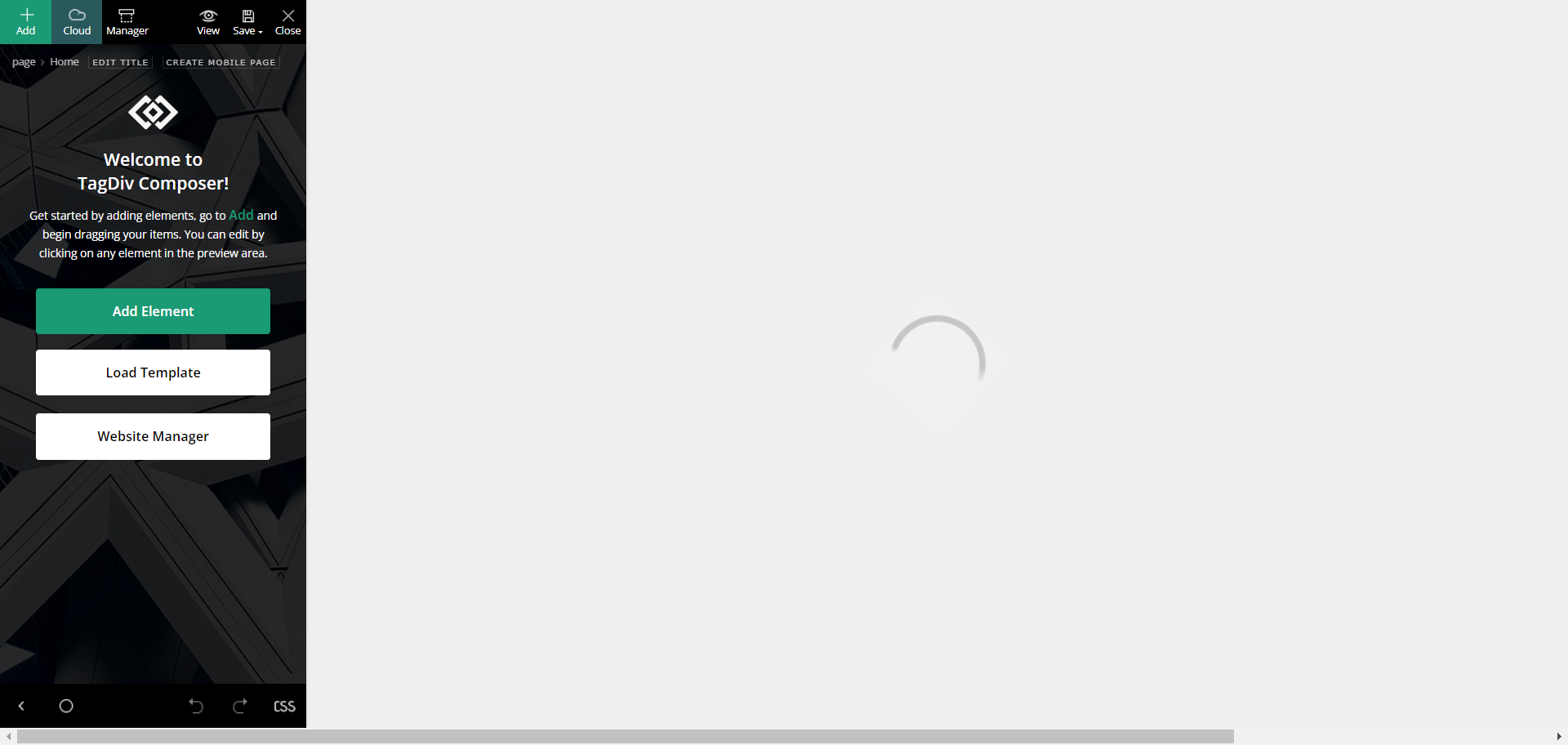
I can’t edit homepage setting because it’s not loading and not able to add elements. please see screen shot https://www.doublemesh.com/wp-content/uploads/2024/09/dm.png
 E K
E KWe have a few reviews on our homepage, and the reviewers’ names are marked as h1s. Although the SEO tag is h3 in the testimonial block, an h1 tag is appended to the names. Please advise.
Please advise us on how to ensure these are not seen as H1
E KWe have a few reviews on our homepage, and the reviewers’ names are marked as h1s. Although the SEO tag is h3 in the testimonial block, an h1 tag is appended to the names. Please advise.
https://ibb.co/djSRrty
https://ibb.co/Bs1kKVx
Please advise us on how to ensure these are not seen as H1
 Manoj Chekkilla
 The ads are okay for now
despite having separate templates for the mobile version and the desktop version of
Homepage and single post content template
the mobile version is showing the desktop version only!!!!
E KWe have a few reviews on our homepage, and the reviewers’ names are marked as h1s. Although the SEO tag is h3 in the testimonial block, an h1 tag is appended to the names. Please advise.
 muktipolice
 simchris, Thank you, friend, I have a question.
When you turn off the amplifier and set the redirection value,
There will be a lot of redirection on the homepage.
Wouldn’t this negatively affect the SEO score?
Manoj Chekkilla I have created a new homepage for the mobile version only some part (one section) of what I created is showing live on mobile theme.
View from Mobile: https://imgur.com/a/avM8AtF
View from WP DashboarD:: https://imgur.com/xUNnsos
Manoj Chekkilla i converted the header
Images:
ADs on single post: https://imgur.com/undefined
ads on homepage: https://imgur.com/wlaR0nV
Header modification mobile:https://imgur.com/9A5uELz
WP-Cloud Temaple:https://imgur.com/yAlFUXH
 rahuldas
Dear TagDiv Support Team,
I am reaching out regarding an issue I’ve encountered with my website’s mobile header functionality.
Important- I have a separate Mobile page template.
Specifically, the mobile header is not appearing when scrolling on the homepage. However, when viewing a post template, the mobile header works as expected and does appear during scrolling. This issue only seems to affect the homepage.
Could you please assist me in resolving this? I would greatly appreciate your help in troubleshooting and fixing this.
Thank you for your time and support.
Open this in your mobile devices you’ll see- https://thewellnessland.com/
Hello,
You can use the revision only for the homepage and check if the issue persists -> https://www.wpbeginner.com/beginners-guide/complete-guide-to-wordpress-post-revisions/
Thank you!
 Bettina
 Hello!
1. Edit the homepage with the atgdiv composer, click on the header main menu element, and here is the setting of the color for the item in the menu: https://app.screencast.com/66xw8myGUY9di
2. This is a gallery with images and not with posts. You can create custom modules: https://forum.tagdiv.com/modules-builder-newspaper-theme/
3. Add an inline text and write this code there:
https://pastebin.com/GMC45i1M -> https://app.screencast.com/buKK100sh0ivC
Thank you!
 nexusstreet
Hey! I noticed certain blocks, homepages, pages and sections are not available on the Pre-Designed Templates – Cloud Library, specifically the Office Nexus Pro when using the TAGDIV Composer.
I wanted to use some of the specific blocks, pages and sections on a pre existing theme I have. The Office Nexus Pro theme does show up on the dashboard – Newspaper – prebuilt website.
Can you help? I have also made sure I have all of the recent updates.
 don_poky
Hi,
I want to change the workflow after login page to redirect to homepage or from the page user clicked login. Currently it is opening login page after successful login. Where are the settings for that?
Thans.
 Calin
Calin Hello,
If is on homepage, then most of the blocks have an option to select the block title and pot article title SEO tag – https://i.imgur.com/jsujpgk.png
Now in case that it is related to the related articles and more from author tab then there is no option in the theme to change that SEO tag, sorry.
Thank you!
 mlosavio65
Hello,
in the home page there are several blocks and each one has a filter for displaying posts.
As you can see, both these blocks are showing the same posts whereas i would like that the second block should display the second page.
https://www.jazzitalia.net/HomePagePosts.png
I have created a picture where this can be seen.
Question: how can I set the second block starting from the second page and the first one? It should work as a block displaying the the next set of posts of the main one.
I hope I have been able to explain.
Thanks for you support.
Kind Regards,
Marco
https://www.jazzitalia.net
 kirovinvest
3 times in a row i make different changes on my Homepage template, which most of the times i got bugged were different, no exact timing or no exact reproduce of issue.
It caused me to invest a time of work and then notice that the TagDiv returns error on Homepage while editing and bugged the page on few places. Also doesn’t let me edit elements / mark them while in editing page. Issue happens only on the Homepage template, others are OK.
The only thing I can think of, is when I restore the website backup again, to update theme and it’s plugins, as it’s been few months, but not sure if it’s related though. So is there an easy fix on this or someone experienced it?
The thing is that it doesn’t show the error while “Saving”, on the “Saving” gives always success but after some time if you re-visit home page for editing it, you’ll notice that it’s glitched like on the screenshot and won’t let you mark / edit / work on it and leaves few columns glitched, smashed, strange.
Preview image: https://ibb.co/vXc8sLh
muktipoliceH3 is tagged, I want to turn this off, please let me know
At the bottom of the homepage
Places like related articles have h3 tags automatically. How do I get rid of these??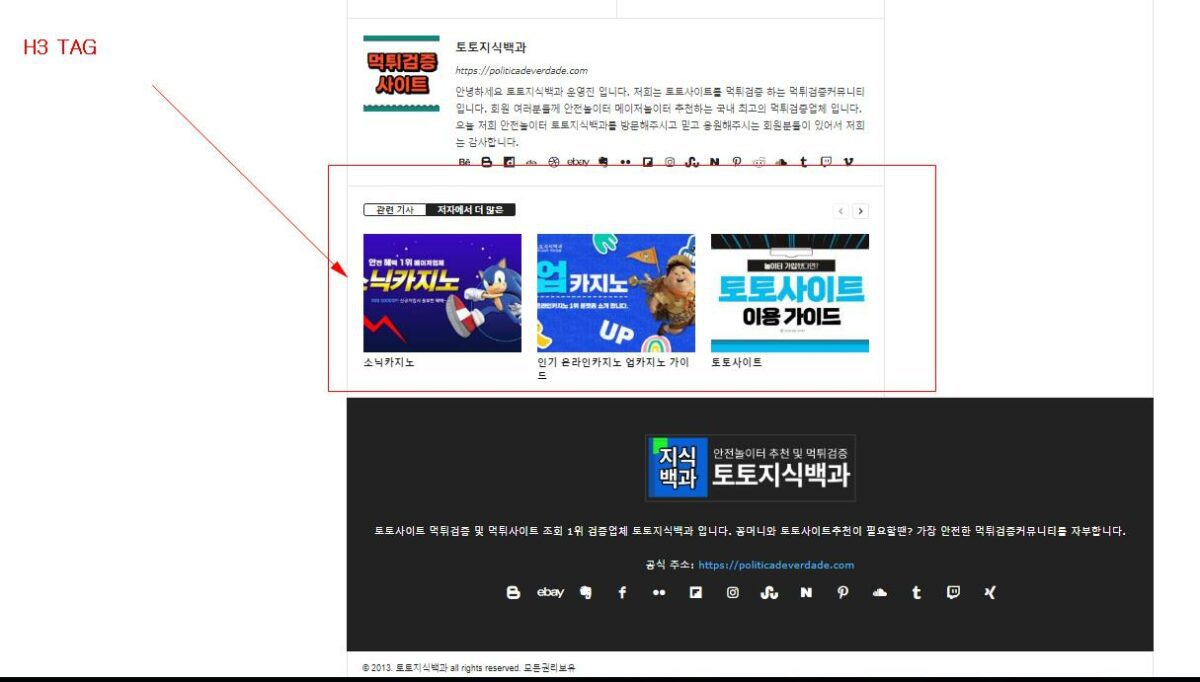
forcenewsCurrently, the layout of my page (page template) looks like this:
I want to create a new page with a different layout. When I try to modify the layout of the new page based on , unfortunately, the layouts of all pages change. Additionally, the introduced changes appear on the homepage and in all categories.
Bettina Hello!
Edit the homepage with the tagdiv composer, click on the row and make it sticky: https://app.screencast.com/FfEYlKtRcORTp You need to access your mobile viewport https://app.screencast.com/fHu1Rx3uG5DPP and add the logo element. Click on the logo element and check the settings carefully.
Thank you!