- NewspaperThe Newspaper Mobile Theme: Introduction
- NewspaperThe Mobile Theme
- NewspaperModules Builder in Newspaper Theme
- NewspaperFilters and sorting for taxonomies
- NewspaperHow to Add a Logo in Newspaper
- NewspaperBig Grid Flex Settings
- NewspaperHeader Builder
- NewspapertagDiv AMP Plugin Tutorial
- NewspaperNewspaper theme documentation
- NewspaperBest Of Forums
- NewspaperCache plugin – install and configure
- NewspaperFont Customization
- NewspaperTheme Colors Introduction
- NewspaperBackground Introduction
- NewspaperHeader ads
- NewspaperPost template ads
- NewspaperCustom ad spots
- NewspaperMain Menu
- NewspaperHow to Install Newspaper via FTP
- NewspaperHow to Install Newspaper via WordPress
 Calin
Calin Hello,
1. Using the mobile theme plugin the mobile version will no longer be the same – https://forum.tagdiv.com/mobile-theme-introduction/ if you need the same layout you can use the responsive version or the mobile page – https://tagdiv.com/newspaper-10-3-7-update-brings-customizable-and-fast-mobile-pages/
For pages speed what I can recommend is to have the last theme version, use the responsive version, with CDN with rocket and also make sure that you have the last theme version and you are using those options – https://i.imgur.com/73DZLL2.png –
2. For this you can use the mobile theme and amp and set the mobile theme only for amp – https://i.imgur.com/SEpWmz2.jpg – https://i.imgur.com/ClbZ3Ay.png (using tagDiv Composer you can disable the desktop header on mobile and the mobile on desktop).
Thank you!
Calin Hello,
1. Most of the time this is because the mobile content takes to long to loading and the page is to big and it needs to be smaller, what can be done is to use the mobile theme plugin, but the mobile version will no longer be the same as the desktop, or you can use the mobile page template, this is usually a copy of desktop version and it is edited to have small images and compress content so you can have a smaller mobile page.
2. I checked the screenshot and related to this you are using the mobile theme plugin, when this is used the mobile layout is simplified and is no longer longer related to the desktop version.
If you want to have the desktop version on mobile then you’ll need to disable the mobile theme plugin.
Also, for page speed what I can recommend is to make sure you have the last theme version and you are using those options – https://i.imgur.com/kR0SKAV.png – https://i.imgur.com/NwJkkqL.png – https://i.imgur.com/L7nijex.png (using tagDiv Composer check the header zone and disable it from mobile and desktop this will help wit the pagespped), also please use a CDN and a good cache plugin.
Thank you!
 joeyfatstat
bangor.today
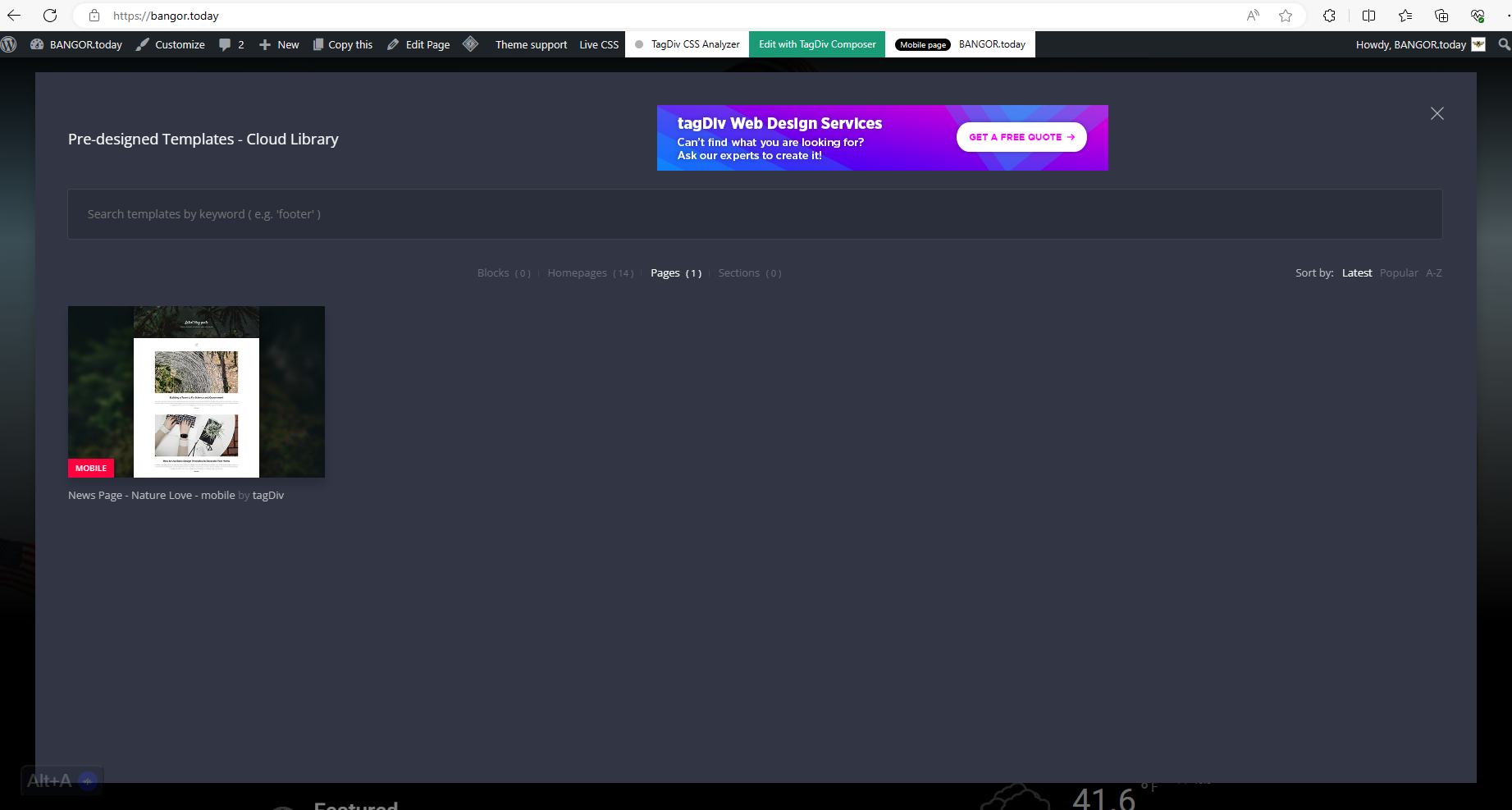
I have these cloud templates Blocks ( 0 )Homepages ( 14 )Pages ( 1 )Sections ( 0 ) I cannot find out where sections or blocks are because they are not showing up in my pop up. see here: https://bangor.today/wp-content/uploads/2023/12/aa33.png
I also cannot seem to get the Logo to display. It will display for a second and then disappear. as seen here https://bangor.today/wp-content/uploads/2023/12/Screenshot_20231226_124908_Chrome.jpg
And I have to initiate Amp in order to use TagDiv mobile?!?! As you see here 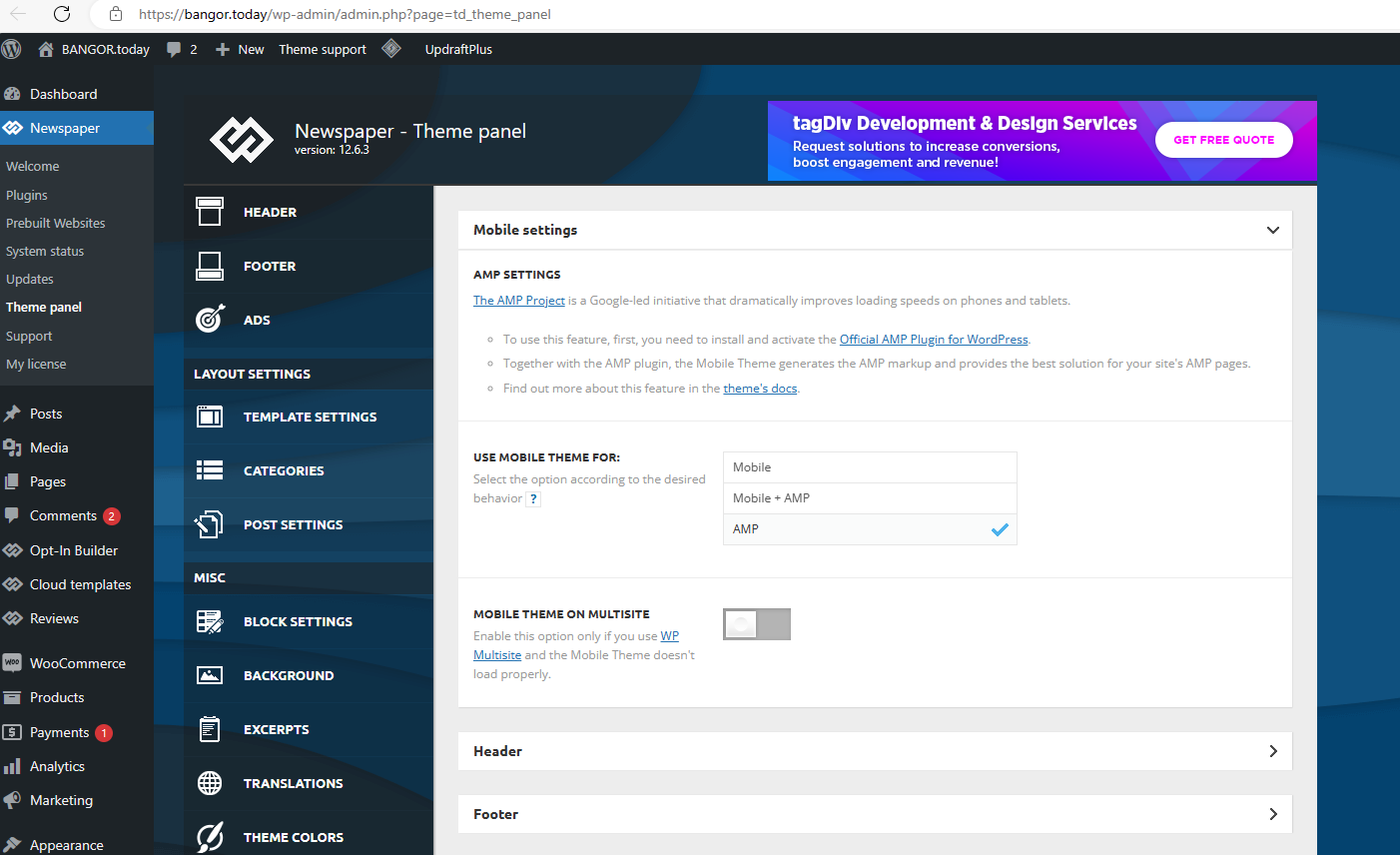
 Segunfunmi
 Thank you for your response.
I successfully set the menu on desktop and tablet view but the hamburger icon did not show on mobile view.
Please advice, what i’m doing wrong
 thalesbrandao
good morning. Merry Christmas. Thank you very much for your contribution in helping.
1) our mobile version takes a long time to update our content. via desktop the article is published and viewed instantly; in the mobile version it takes a long time to be viewed – I’ve already tested it on other computers, cell phones and with friends from other countries;
2) I need my mobile format to include all my content – I still have difficulty getting my mobile format to not just contain news – but to include our videos, podcasts and other content on the main page. I’ve already used all the settings but I’m not having any success. thanks
The Renault article was published and appears in the news section and does not appear on the main page via mobile – it takes a long time to appear on the main page – and the content is already published and ranked on Google. Another detail is the format of the main mobile page, which I need to be complete with all our content.
 Phearak
Hi team,
I was wondering if you could help to fix the header for the mobile view as it showed: “This type of header is not editable with tagDiv Composer. Please use a cloud header template!”
so I could not find the place where to edit the logo and even the footer page as well
Thank you so much!
 volpik
Hello,
can you please explain me, or refer to an article explaining clearly the difference between the “Edit Mobile Page” and “Mobile Theme Plugin” ?
Especially I have the following question:
– As far as I have understood the “Mobile site” generated by the “Mobile Theme Plugin” have a FIXED LAYOUT and CANNOT BE CUSTOMISED, Correct?
– Can I create a custom mobile page that can be customised with the module that I choose, without using the Mobile Theme Plugin?
– If yes, can you please, explain how relate the full web site and the “Edit Mobile Page” from the edit site and how properly create one, I have made same test, but I get erratic result, and sometime the website use the full page, sometime the mobile page that I created is used by the desktop one, and I cannot get how to properly use, the mobile page.
– After I edit the “mobile page” and I save, the standard page edit module appear, and ask to save the page, and the page is saved with the address: mydomain.com/mobile
Do I Need to be added a plugin that will redirect the home page visitors to this address in case of mobile user?
Thank you very much
 Aldis
AldisHello,
We have made a page that works well enough, Tendences.lv We use the WPRocket cache plugin, the loading speed is normal on desktop. We now want to adjust various things for the mobile version, as well to improve the appearance and speed of the mobile version.
Questions:
1. How to correctly install tagDiv Mobile Theme plugin so that the mobile version after instalation displays the page as it is displayed right now, so that existing users can use it. After the mobile version can be slowly changed in design.
2. Are plugins Official AMP for WP compatible with WP Rocket, and please tell me best way how to introduce it in our page.
Please send me a good example of a Newspaper page showcase using tagDiv Mobile Theme and Official AMP for WP, so I can have a look and test the speeds and how the designs have been changed for the Desktop and Mobile versions.
Thank you
 Anamaria
 Hi,
You didn’t add the element in the mobile header, only in the desktop header.
It doesn’t matter that you have set the image for all devices.
Thank you!
Anamaria Hi,
To set ads for mobile you can use the ad box element and set it in the mobile header https://forum.tagdiv.com/ads-adsense-overview/ For this you need to use a cloud header -> https://forum.tagdiv.com/header-manager/
Thank you!
Anamaria Hi,
Please set this code in Theme Panel -> Mobile theme -> custom code -> custom css .td-category
{
overflow: visible;
}
Thank you!
 carpeher
Hello,
I am using the ‘header ad’ in the Theme panel. In fact, I use a image.
The problem is, this image disappear in the mobile version of the web, but I need this banner on the mobile version. Whay can i do?
thank you
 dailynewsng
dailynewsng I have done that, it keep popping up on mobile view but minimized to a small box on webview. What can I do next?
dailynewsngHello,
Please, how can i disable this slider or pop-up post obstructing the readability of the post content.
It is not too good and highly displeasing on mobile view. Blocking content totally.
The website is dailynewsng.com.ng
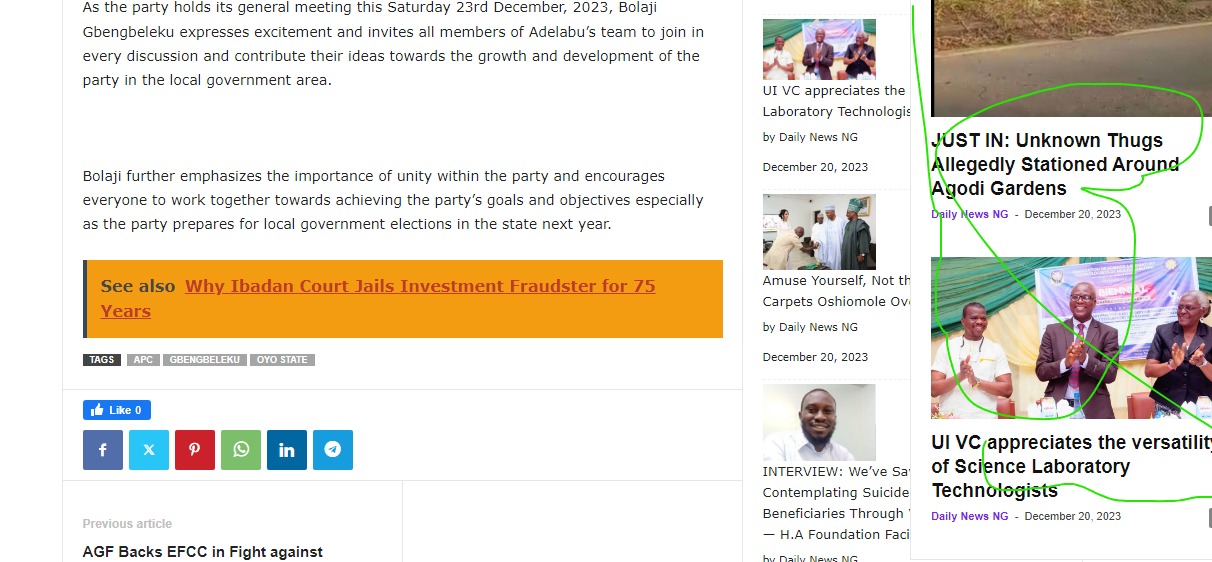
Regards
 danna
dannaHello,
is there a way to display all category siblings in the mobile theme?
On my iPhone 13mini I just see 3 siblings, but there are four: https://rauf-und-davon.at/tourenberichte/
All the best and thanks,
Daniel
 peterk119
 Forget it. I’ve discovered how to convert a desktop default pro to mobile header.
peterk119I have a header customized for desktop and mobile, but a want diferent sections on mobile without using the mobile theme. When I create a mobile home page, even when i click yes to copy the content, the header and footer are not applied and says that a have to use a cloud template and I didn’t find any way to achieve this. At the cloud library thers’s only one header template applied globally
 chaywood0896
 I found that to get rid of the social links, you have to go to “Social Networks,” and the ones that appear are those that have a “#,” along with an error message wanting the details. If you delete the “#,” the links will disappear on the mobile menu.
 JonasFrey
 please make sure to accept all cookies. also the marketing cookies. And then check the wheater block on mobile
Anamaria Hi,
Do you have created a mobile template?
Thank you!
JonasFrey Sorry, i forgott to mention:
This Problem only occures on mobile Devices like a Smartphone. The Desktop Version looks normal without Ads inside and after the weather block
 Andhesan
After upgrading to Newspaper ver. 12.6.3, when accessing my website, the following error displayed:
Deprecated: preg_match(): Passing null to parameter #2 ($subject) of type string is deprecated in /home/sesawi/public_html/wp-content/plugins/td-mobile-plugin/Mobile_Detect.php on line 1257
Apart from that, I got similar issue when enabling the “Official AMP for WP” plugin.
Please kindly help?
Anamaria Hi,
The mobile theme is a custom theme and for the mobile theme you can set only one menu.
Thank you!
Anamaria Hi,
For Nginx cache please check this guide https://miteshshah.github.io/linux/nginx/how-to-setup-separate-nginx-fastcgi-cache-for-mobile-and-desktop-users/
Thank you!