
- NewspaperThe Newspaper Mobile Theme: Introduction
- NewspaperThe Mobile Theme
- NewspaperModules Builder in Newspaper Theme
- NewspaperFilters and sorting for taxonomies
- NewspaperHow to Add a Logo in Newspaper
- NewspaperBig Grid Flex Settings
- NewspaperHeader Builder
- NewspapertagDiv AMP Plugin Tutorial
- NewspaperNewspaper theme documentation
- NewspaperBest Of Forums
- NewspaperCache plugin – install and configure
- NewspaperFont Customization
- NewspaperTheme Colors Introduction
- NewspaperBackground Introduction
- NewspaperHeader ads
- NewspaperPost template ads
- NewspaperCustom ad spots
- NewspaperMain Menu
- NewspaperHow to Install Newspaper via FTP
- NewspaperHow to Install Newspaper via WordPress
 Revive the Netherlands
 Normally the site is way slower if I use the responsive mobile version instead of the mobile theme. So this is not the case of I use the mobile theme template builder?
 qrssaw
“Currently, I activated the mobile theme plug-in, and some thumbnails are not displayed on the first screen. Could you check the size of the missing thumbnail?” (attached with the site URL and screenshot) Would you like to ask?
Can you tell me the size of the thumbnail used in the mobile version?
homepage url=www.salgoonews.com
 Vlad S
 Hello!
My bad, the correct size is: 741×486
For the mobile theme plugin you will need only this 2, no need for 485×360.
Thank you!
 Sandgrens
Hi! My favicon doesn’t show up in the mobile version of Google Search results. I have added it correctly, and in the right size. How do I solve this?
 designandtravel3@gmail.com
 Hi,
I first deleted the amp and mobile theme plugin.
This is how my mobile site look. And this is how I want it. I created this layout after deleting above two plugins. https://imgur.com/iQ3ebZ7
.
Now after creating this, I re-installed above two plugins and it is showing me the “exit mobile version” page, after clicking on this button then it is directing me to my mobile layout which I have created it after deleting above two plugins. https://imgur.com/Sl77guo
.
Now, I’ve deleted the mobile theme plugging, but amp plugin is ON.
This is how my site looks. https://imgur.com/4zGqf16
the layout is distorted.
.
I want to remove “the exit mobile version” page before directing me from home page to another page. And I want my site to look like this. https://imgur.com/iQ3ebZ7
.
I’ve followed every article and video sent by you but unable to see the result. Please help!
 Elias517
Hi,
I have four questions about my website https://www.abend-post.de/:
1) When I copy the url of an article into the messenger Telegram, no image pops up automatically. However, I want that the image, the title and the teaser appears instantly just by inserting the link. What do I have to do so that that will happen? I already changed the rss feed so that images are added to it, but without success.
2) I want to publish all my articles automatically on Twitter, Facebook and Telegram without having to enter each platform and write a post. Can you recommend me a plugin to do this?
3) How can I change the color of the header of the mobile version of my website? Right now it is black but I would prefer it to be white.
4) The logo is not displayed in the mobile version of my website. Do you know what the reason might be?
Thank you!
 Anamaria
 Hello,
You can do that for all pages if you have a different header on the desktop, you can convert it, also, you can import other header and assign it for that mobile page https://www.screencast.com/t/bP4ruQVSUI
Thank you!
designandtravel3@gmail.com Hi,
I am following this video
As per the video, I’ve deleted amp and mobile theme plugging.
.
I’ve now created a page in the same manner https://imgur.com/8uRb75U.
After creating a mobile page from tagDiv composer, do you want me to now install amp and mobile theme plugin?
 Allen Clein
For example, I have an Instagram widget at the sidebar on desktop view. On mobile view normally the sidebar elements will render after the body content. But I want to render it before the body content in mobile view. That means aaI want to change the order. How to do it?
 alex4984191
On mobile devices not work TafgDiv composer
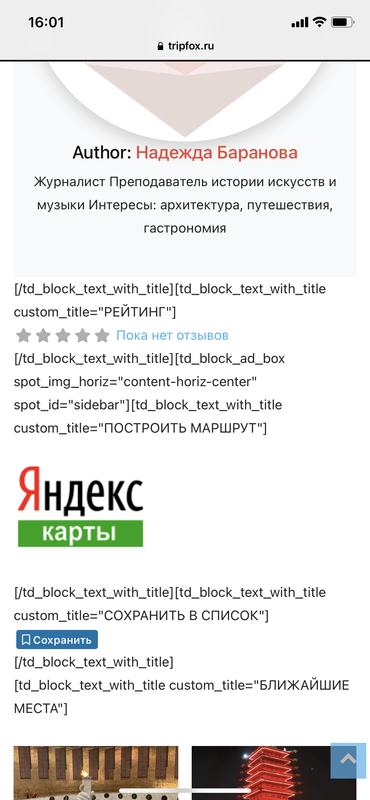
https://tripfox.ru/places/russia/places/rodina-mat-zovjot/
Mobile+AMP with tutorial
WP-Optimize with tutorial
 jamiesharpe
Hello – when I view this article in mobile view (using iphone but also appearing this way in Android) the title is being cut off. Could you let me know why? https://www.pinkluggageabroad.com/swimsuits-for-women/
Vlad S Hello!
The buttons are working, On the Mobile Theme plugin you will have to add your content in the Mobile editor too as you can see here: https://www.screencast.com/t/fdEgzuxWU
Thank you!
 mcmben
 Hi, I have tried the following:
1. Disabled all WP plugins except tagDiv and WP Super Cache
2. Contacted host to clear cache
3. Cleared cache from WP Super Cache
4. Cleared browser cache of my mobile phone
However, the problem still exists. Note that the logo on the other pages of my website works perfectly fine. Problem only exists on my front page.
 giriraj
 Hello Vlad,
Thank You for the details.
When I try to browse my site from mobile and download the images, it’s downloading full image size Ex 1200×675 for article image and 485×360 –> for front page, related article and category.
Should I enable only 711×186 and 265×198 alone as you mentioned, or 485×360 too?
BTW I couldn’t find 711×186 pixel in the ‘Thumbs on Modules/Block’
Pls confirm.
Thank You
Giri
 jankarizone
 Actually I only want a different header style for mobile not for just home page but all the pages. is it possible?
Revive the NetherlandsI am using the mobile theme currently. Will the site be much slower when I use the mobile page template builder?
Anamaria Hello,
If I understood correctly, you made a mobile page for the homepage, so please make sure you set it => https://www.screencast.com/t/bYroSq7x8T9, also, the header and footer are taken from the standard ones. All you have to do is edit the mobile page, and in Manager (Website Manager) you need to import or the easy way is to convert the existent footer like this => https://www.screencast.com/t/HrjOBNayd -> https://www.youtube.com/watch?v=SpGkOnJeNZY (03:11 – Mobile Templates & Pages)
If you don’t mean this please give me more details, screenshots.
Thank you!
Anamaria Hello, David
Using our theme you can choose from 3 mobile versions
-> mobile responsive => https://www.screencast.com/t/oJ2ShOp47
-> mobile theme plugin => https://forum.tagdiv.com/the-mobile-theme/
-> mobile page => https://tagdiv.com/newspaper-10-3-7-update-brings-customizable-and-fast-mobile-pages/
If you created the mobile pages with tagDiv Composer, then when you install the Mobile Theme plugin, your pages will be overwritten by the plugin (the mobile theme comes with its templates for page, post, category, etc so your current templates from the desktop theme will get converted to the mobile theme layout, the page content is made without builders in mobile editor => https://www.screencast.com/t/xbgZG8kH also, the options that are provided to edit the mobile theme version are limited (this keeps the things simple)).
This is a video about Responsive Newspaper Theme, AMP & Mobile Theme, Mobile Pages & Templates -> https://www.youtube.com/watch?v=SpGkOnJeNZY
So, the mobile responsive is what you see then that you select the viewport on phone => https://www.screencast.com/t/matV17hH, so some settings may apply for each viewport(where is the border blue), and others are not(where the border is black).
The mobile page has the mobile templates from Cloud Library => https://www.screencast.com/t/YCcZ8rL8
Mobile responsive version of the theme and the mobile page editor can be edit with tagDiv Composer, the mobile theme plugin not.
For example, you can have the mobile theme plugin activate and use the mobile page/mobile responsive version for the homepage/pages, but for the categories pages/404 page you can’t use the mobile page/mobile responsive version if you have the mobile theme plugin activate.
So, if you want to design the pages with tagDiv Composer, you can use the mobile page or mobile responsive version.
Better deactivate the mobile theme plugin and see the results, and assign the mobile page for page, like this => https://www.screencast.com/t/lektAhyjd
Also, clear your cache.
Hope this helps you!
Thank you!
Vlad S Hello!
That font file is used for all the icons that is in the mobile theme. Unfortunately that file shouldn’t be touched because it will affect your website appearance.
Thank you!
 gznani
 Hello, Thank you very much for your reply. All buttons are working on the computer. “About me” and “Contact” buttons do not work on mobile.
 Micha
Micha You can add the code to Function.php (and extend it with your fonts)
function dns_prefetch_mobile() {
echo ‘<link rel=”preload” href=”/wp-content/plugins/td-composer/assets/fonts/td-multipurpose/td-multipurpose.ttf” as=”font” type=”font/ttf” crossorigin=”anonymous”>’ . “\n”;
echo ‘<link rel=”preload” href=”/wp-content/themes/Newspaper/images/icons/newspaper.woff” as=”font” type=”font/woff” crossorigin=”anonymous”>’ . “\n”;
}
add_action( ‘wp_head’, ‘dns_prefetch_mobile’, 0 );`
Anamaria Hello,
I’m sorry for the misunderstanding, indeed, it seems that THUMB PLACEHOLDER does not apply to the mobile theme, it only works on the mobile responsive and mobile page.
I will ask the developers if this is how it should work.
Thank you for your understanding!
Vlad S Hello!
If that is the only block you use you can disable the rest.
That grid from mobile theme is this: https://www.screencast.com/t/YlSHuyXfJmg As you can see on my photo, for mobile theme you need to activate 2 thumbs: 711×186 and 265×198
Thank you!
 David Beall
 Also, this is what the homepage normally looks like: https://gyazo.com/a12dbba33059820f9031af92b4979fee
The mobile theme is named Homepage Mobile – Magazine PRO, and still the actual URL looks nothing like the normal home page nor the mobile version of the home page.
David BeallI have a mobile theme that I have edited and should be displaying in the mobile version. However, when I go to check it on my phone, it only shows “Latest articles” and has nothing from what the mobile version should actually look like.
https://gyazo.com/c2316255d5bc60f4797bdfc0d1819c01
https://gyazo.com/cee9e14bf09061b2b3639e1820c37689
To be honest, the solution I would like is to know how to set my mobile version as the template for mobile devices, instead of what it is right now. I don’t know if I have to go to the WordPress website and change it from there, or if it’s in the Newspaper theme settings; I’ve looked at both for quite a while and tried getting it to work, but it hasn’t. Though I showed only the homepage, this also happens to all the posts.
Another thing that I notice is that the mobile version links to another URL that isn’t the homepage, and that link also does not work.
My question is: how do I get the mobile template that I edited for the home page, and implement it into the mobile version for my home page without creating a new URL? In other words, if my website was google.com and my current mobile theme links to google.com/mobile-version, how do I get my mobile theme to be on google.com?
