
- NewsmagUsing other ads
- NewspaperUsing Other Ads
- NewsmagSidebar ads
- NewspaperSidebar ads
- NewspaperIntroduction to CPT and ACF with Newspaper Theme
- NewspaperHow to edit modules for Flex Block X
- NewspaperHow to use the Posts List shortcode
- NewspaperCreate a frontend submission form
- NewspaperHow to Use the Tabbed Content shortcode
- NewspaperWooCommerce: Happy “Add to Favorites!”
- NewspaperHow to generate Facebook App ID
- NewspaperLink Tracker
- NewspaperFlex Block Settings Guide
- NewspaperGeneral Options that May Interfere with the Newspaper Theme
- NewspaperSocial Icons
- NewspaperPosts Loop Element
- NewspaperSet a Background for Category Page
- NewspaperThe Newspaper Mobile Theme: Introduction
- NewspaperHow to Add a Logo in Newspaper
- NewspapertagDiv Shop
 niceguyitachi
Hi I’m using different SINGLE PAGE TEMPLATES (per category), I noticed that there’s a certain SINGLE PAGE type not displaying ads
 Anamaria
 Hello,
If the AdSense code needs to be set between head tags, this can be put in our theme in Theme Panel -> Analytics/Js Codes -> https://prnt.sc/10jk7fq -> https://infotechapb.com/disable-top-adsense-anchor-ads/
You can use the element Ad Box, and set the element where you want.
The ad box has 3 sections for ads: using theme panel ads -> https://i.imgur.com/KFa9ibl.png, using images/banners -> https://i.imgur.com/MfAPTaE.png and custom code -> https://i.imgur.com/2rh8SuD.png save it and will appear on the post (you can set a shortcode like a shortcode from adrotate plugin or other plugins)
Thank you!
Anamaria Hello,
You can use the AD BOX element, and has 3 sections for ads: using theme panel ads -> https://i.imgur.com/KFa9ibl.png, using images/banners -> https://i.imgur.com/MfAPTaE.png and custom code -> https://i.imgur.com/2rh8SuD.png save it and will appear on the post (you can set a shortcode like a shortcode from adrotate plugin or other plugins)
Thank you!
 Peter_86
Hello,
now after update I get this error on this specific subpage when I open it with tagDiv composer. On other pages everything is ok.
Looks like there is something with attribute that does not exist. (button icon …) Have no idea where could this be.
Image: 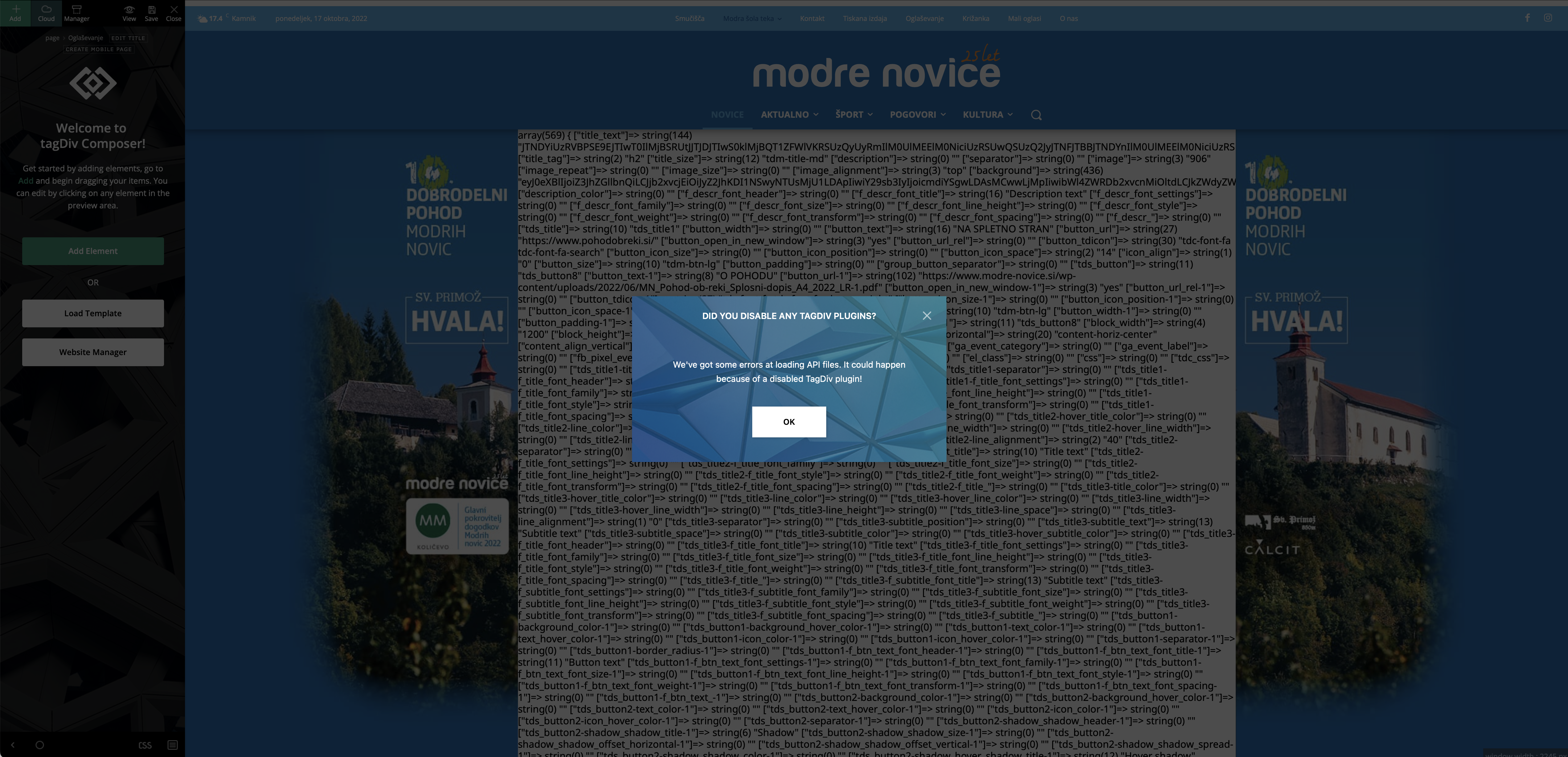
Image 2: 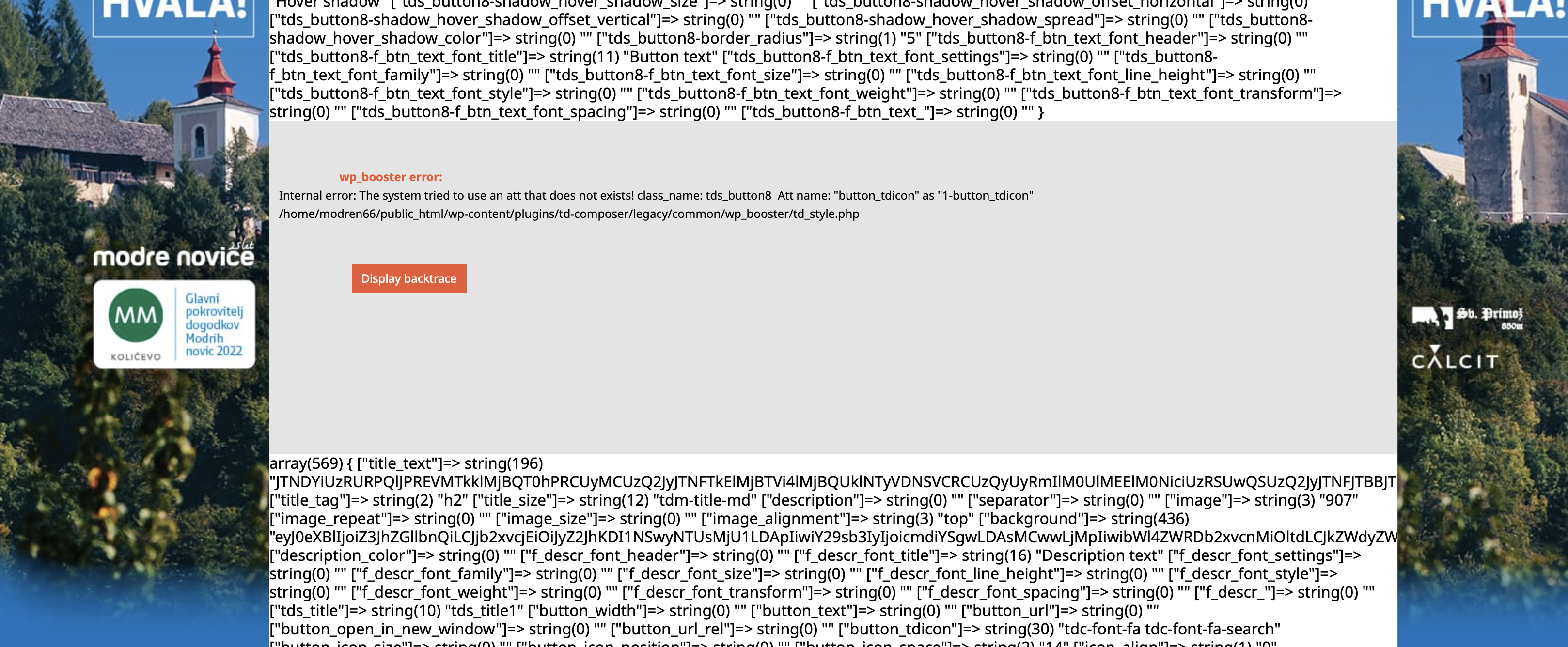
Help would be very much appreciated.
Thank you,
Peter
 Eighthats
 This issue has popped back up for me.
Under appearance > Menu
I have updated the Mobile Menu to include a few more pages. It is named Mobile Menu on the back end of the website.
This is the menu that was already being used as the global header.
I have saved the menu and when the page reloads it is still updated.
When i update the template, it does not save / show which menu is selected.
The front end does not update at all.
Even after updating the template to select the menu again, the front end mobile menu is no showing content that matches any of the menus found under appearance > Menus.
Two pages were added to the mobile menu:
Rohde & Schwarz 6G Technology & Testing
5G Manufacturing Forum 2022
and they are not showing on the front end.
All caching has been turned off completly. as well as many other plugins have been turned off so we can troubleshoot.
 Calin
Calin Hi Viju,
Unfortunately, there is no place in the theme that can e set that php code, maybe only if you can use an extra plugin for php code that also provide shortcodes or something like that.
Another solution will be to set the code in the theme files. For the last theme version the path for the header ads file is this one -> wp-content/plugins/td-standard-pack/Newspaper/parts/header/ads.php
I hope this will help you!
 exakt
exakt 
There must be some way to not use very old javascript code. It makes it impossible to have other plugins on the site. For example in this picture is an event issue that was was addressed in javasript/jquery in 2018. Four years ago.

Also look at these jQuery migrate warnings. We have the newest version of the theme and plugins installed. Why is this occurring?
And lastly, there is not code in the same minified file. It is a specific file with legacy javascript.
/wp-content/plugins/td-composer/legacy/Newspaper/js/tagdiv_theme.min.js?ver=12′
We do not need to use any legacy stuff at all. So how can we get away from this?
 smilelondon
We have a nespaper theme site and using WPML for translation.
We use the default pro template for our site.
Now when we activated WPML for several languages the header and footer jump back to a standard template but not the default we have put in with the general settings.
We have checked in general theme settings the default post template as well as all other default templates are set up correctly. Can you please advise what we are doing wrongly?
Also you can see from the example below that it takes ages until the language page opens.
Talked with WPML but the referred us to the theme developer
see and example here:
Thanks
 Edragon
 Do you use news from other websites? It goes against Google Adsense policy. Even if you have permission from content owner, it is still against Adsense rules.
-
This reply was modified 3 years by
Edragon.
 AZAR GOZALLI
 The same problem exists on my other website.
I think the problem is with your plugin.
Likewise when I try to add “Hero Element” it waits like this;
https://gozalli.av.tr/wp-content/uploads/2022/10/error-update-12.gif
Anamaria Hello,
If the AdSense code needs to be set between head tags, this can be put in our theme in Theme Panel -> Analytics/Js Codes -> https://prnt.sc/10jk7fq -> https://infotechapb.com/disable-top-adsense-anchor-ads/
You can use the element Ad Box, and set the element where you want.
The ad box has 3 sections for ads: using theme panel ads -> https://i.imgur.com/KFa9ibl.png, using images/banners -> https://i.imgur.com/MfAPTaE.png and custom code -> https://i.imgur.com/2rh8SuD.png save it and will appear on the post (you can set a shortcode like a shortcode from adrotate plugin or other plugins)
Thank you!
Anamaria Hello,
If the AdSense code needs to be set between head tags, this can be put in our theme in Theme Panel -> Analytics/Js Codes -> https://prnt.sc/10jk7fq -> https://infotechapb.com/disable-top-adsense-anchor-ads/
You can use the element Ad Box, and set the element where you want.
The ad box has 3 sections for ads: using theme panel ads -> https://i.imgur.com/KFa9ibl.png, using images/banners -> https://i.imgur.com/MfAPTaE.png and custom code -> https://i.imgur.com/2rh8SuD.png save it and will appear on the post (you can set a shortcode like a shortcode from adrotate plugin or other plugins)
Thank you!
 johnsnow
Hi, AdSense asks to put his code before </head> to automatically put all advertisements on the website. With another templates it works great. With your template it doesnt work at all. Can someone sort it out with my website to make it work correctly. For all website versions (mobile,web) without manually adding it everywhere?
Calin Hi,
I just checked your website and indeed there is a problem with the retina logo -> https://i.imgur.com/WKDSgjg.png the image seems that is no longer exist -> https://prnt.sc/ZsucN2UxG4AW -> https://theaugustapres.wpengine.com/wp-content/uploads/2020/12/2dac0bd2-ccac-4232-9222-e9c338b16bc1.jpg can you please check it again or replace it with another one?
Thank you!
 markettalkag
 Hi Peter,
Maybe you can help me a little bit. I’m trying to use shortcodes from the Advanced Ads plugin on my homepage via the tagdiv composer. I’m inserting and ad box from tagdiv and then posting the shortcodes in the editing area. What part did you paste the codes in to get them to work? Or should I do this another way?
Thinking I may be doing this wrong and not completely understanding the thread above. Thanks!
 vacadesign
Hi!
I want to show an “Article top ad” just in the articles belonging to a specific category but not in others.
Is there an easy way to do that?
Thanks.
 petitefilms
 Hi Anamaria, Thanks for your reply. Please can you help me further?
– The guide that you sent (ie https://peachleafstreet.com/wp-content/uploads/2022/09/Screen-Shot-2022-09-19-at-09.43.59.png) seems to be outdated, as the Google AdSense menu at least for me is different and there are not the same options (ie mine looks like: https://peachleafstreet.com/wp-content/uploads/2022/09/Screen-Shot-2022-09-19-at-09.38.28.png and the guide looks like: https://peachleafstreet.com/wp-content/uploads/2022/09/Screen-Shot-2022-09-19-at-09.59.51.png).
Do you know possibly another guide?
– Following your guidance I have removed the code in the header section of analytics (Theme panel > Analytics/JS Codes > header script code), but isn’t this just for tracking? Not for placement of ads? I’m not sure this is a good idea as it might affect the data in SiteKit. Please can you confirm this is only for ad placement?
Unfortunately, it seems to have made no change to ad placement.
– Ads for Google is switched off, but the ad is still there. I have cleared cache.
https://peachleafstreet.com/wp-content/uploads/2022/09/Screen-Shot-2022-09-19-at-09.57.47.png
https://peachleafstreet.com/wp-content/uploads/2022/09/Screen-Shot-2022-09-19-at-09.53.34.png
So, coming back to my original query, I had added an ad box to my page which now I cannot remove… I understand Google will fill it, but if I remove the box surely there is not way for them to fill it?
In other words, is there no other way of just reversing this particular action of placing the ad box?
Many thanks
Carrie
-
This reply was modified 4 years by
petitefilms.
-
This reply was modified 4 years by
-
This reply was modified 4 years by
 isabell.noelle
Hello, I would like to insert an individual text into the header menu. Which block can I use for this? My problem is that if I use the shortcode column text for example, the block is not displayed inlined with the other blocks in the header menu, but appears below.
<img src=”https://www.dorsten.live/wp-content/uploads/2022/09/Bildschirmfoto-2022-09-19-um-10.06.12.png
Anamaria Hello,
If the ads are auto ads, then you need to add the code between head tags, this can be set in our theme in Theme Panel -> Analytics/Js Codes. Example: https://prnt.sc/1tju9qf -> https://prnt.sc/10jk7fq, the code needs to be set only once per page -> https://www.wpbeginner.com/beginners-guide/how-to-add-google-adsense-to-your-wordpress-site/
Also, our theme has the ad box element, and has 3 sections for ads: using theme panel ads -> https://i.imgur.com/KFa9ibl.png, using images/banners -> https://i.imgur.com/MfAPTaE.png and custom code -> https://i.imgur.com/2rh8SuD.png save it and will appear on the post (you can set a shortcode like a shortcode from adrotate plugin or other plugins)
Thank you!
Anamaria Hello,
You can use the element Ad Box, and set the element where you want.
The ad box has 3 sections for ads: using theme panel ads -> https://i.imgur.com/KFa9ibl.png, using images/banners -> https://i.imgur.com/MfAPTaE.png and custom code -> https://i.imgur.com/2rh8SuD.png save it and will appear on the post (you can set a shortcode like a shortcode from adrotate plugin or other plugins)
You can set the image width and height -> https://i.imgur.com/g0h23Q8.png
Thank you!
Anamaria Hi,
You can use the element Ad Box, and set the element where you want.
The ad box has 3 sections for ads: using theme panel ads -> https://i.imgur.com/KFa9ibl.png, using images/banners -> https://i.imgur.com/MfAPTaE.png and custom code -> https://i.imgur.com/2rh8SuD.png save it and will appear on the post (you can set a shortcode like a shortcode from adrotate plugin or other plugins)
Thank you!
 Kjray
KjrayUseoftechnology.com
Please randomly select any post from the home page some will have ads and others wont.
Cache was turned off completely, yet it continues, local cache was also cleared.
Am i missing something?
Anamaria Hello,
1. You need to change the name of the category in Posts -> Categories, or if you want to display posts from another category, then you can filter the block on that category https://imgur.com/Nnt3zGX
2. You can remove the block with right-click, and to add the ads you can use the ad box element.
The ad box has 3 sections for ads: using theme panel ads -> https://i.imgur.com/KFa9ibl.png, using images/banners -> https://i.imgur.com/MfAPTaE.png and custom code -> https://i.imgur.com/2rh8SuD.png save it and will appear on the post (you can set a shortcode like a shortcode from adrotate plugin or other plugins)
Thank you!
 arulnathan
1) How to remove “Celebrity” and change to other category: https://paste.pics/IJUDO
2) How to remove the right side box “Popular” and add google AdSense “Ads” to this Area.
 danild
It does activate but I can’t unassign the license and reasign it. It says I need to wait until September 25th but I need to make some modifications to the new site that need some downloads. Please help! old site lamatracanews.com, new site miboleto.com
To use a license key on a different domain, you can unassign it from the list anytime after 2022-09-25 18:52:22 UTC + 02:00.
Do you need another license for this website? Get your new Newspaper Theme license key!
Buy New License
License key Domains Status
c2d74081 – **** – **** – **** – 413ecbfa1886 lamatracanews.com ACTIVE Unassign
matracanews.com INACTIVE Assign
wordpress-581825-2845188.cloudwaysapps.com ACTIVE Unassign
miboleto.com INACTIVE Assign



