
- NewsmagtagDiv Composer Tutorial
- TutorialsFrom WPBakery to tagDiv Composer
- NewspapertagDiv Composer Tutorial
- NewsmagHow to use the Visual Composer plugin
- Apitd_api_block::update_key
- Apitd_api_block::update
- Apitd_api_block::add
- NewspaperCredit System
- NewspaperCreate a frontend submission form
- NewspaperHow to Use the Tabbed Content shortcode
- NewspaperCreate a form contact page
- NewspaperFilters and sorting for taxonomies
- NewspaperUser review system
- NewspaperModal Popup
- NewspaperFlex Block Settings Guide
- NewspaperSocial Sharing
- NewspaperSingle Post Shortcodes
- NewspaperInfinite Loading for Single Posts
- NewspaperThe Newspaper Mobile Theme: Introduction
- NewspaperHow to Add a Logo in Newspaper
 mtman
mtmanPretty much all of the features of the theme work for me except the ads. When I click to the ads section and then click on any of the ad placement options, the theme just hangs with the circle going round and round indefinitely.
I have updated all of the resources to more than what the theme guidelines call for. See below. WP-Supercache is not compatible with WP 5.2 yet and was giving me errors so I deactivated and deleted it. I am using Cloudflare though for caching. I have successfully used the Newspaper theme for 4 years now, but recently had to change my host due to some difficulties with my old host. The problem with the theme has happened since I switched to a new host. I originally had version 9.7.2 when I switched to the new host and I downgraded the theme to 9.7.1 to see if the issue would go away, but the ads are not accessible in either version. I have also turned off all plugins except for TD Composer and TD Speed Booster, so there does not appear to be any plugin conflicts. I also copied my current .htaccess file below
Appreciate any help.
System Status
Theme config
Registration key i xxxxxxxxxxxxxxxxxxxxxxxxxxxxx Reset key
Theme name i Newspaper
Theme version i 9.7.1
Theme database version i 9.7.1
HTTP channel test wordpress
Speed Booster i v4.9.3 – Active
php.ini configuration
Server software i Apache/2.4.39 (Ubuntu)
PHP Version i 7.2.17-1+ubuntu18.04.1+deb.sury.org+3
post_max_size i 1024M – You cannot upload images, themes and plugins that have a size bigger than this value. To see how you can change this please check our guide here.
max_execution_time 1800
max_input_vars 5000
SUHOSIN installed false
PHP extensions
mbstring available
GD library available
WordPress and plugins
WP Home URL i https://(website).com
WP Site URL i https://(website).com
WP version i 5.2
WP multisite enabled i No
WP Language i en_US
WP Memory Limit 512 MB/request
WP_DEBUG False
Caching plugin No caching plugin detected – for best performance we recommend using WP Super Cache
.htaccess file
# BEGIN WordPress
<IfModule mod_rewrite.c>
RewriteEngine On
RewriteBase /
RewriteRule ^index\.php$ – [L]
RewriteCond %{REQUEST_FILENAME} !-f
RewriteCond %{REQUEST_FILENAME} !-d
RewriteRule . /index.php [L]
</IfModule>
# END WordPress
php_value max_input_vars 5000
<IfModule mod_substitute.c>
SubstituteMaxLineLength 10M
</IfModule>
 Mediamix
 Hello,
I cannot use TD Composer. After clicking the button I get a blank screen.
WP version: 4.8.9
PHP version: 7.2.13
TD theme version: 9.7.2
WPBakery not activated
Could you please help me?
 Calin
Calin Hi,
The fix that I provide will be include in the coming update; the fix for the single image can be get from here -> – http://cdn.tagdiv.com/wp-content/uploads/2019/04/tdc_map.zip and replace it in the tagDiv composer
– http://prntscr.com/nikwre
The single images will look and function correctly after doing this.
Thank you!
 Jeff_Hook
The “Church theme” homepage has a bottom section that cannot be edited using TD Composer. It seems to be locked. It’s titled “latest articles”. Any ideas?
 dtbcoin
I have installed the latest Newspaper version, but when I go and install td-composer it crashes my site and displays this error – “The site is experiencing technical difficulties. Please check your site admin email inbox for instructions.”
The only way to get my site back is to go into cpanel and delete td-composer.
Problem is without td-composer Newspaper will not work.
Any help appreciated.
 phinx1
 Calin,
Thank you very much, I have removed the shortcode and can now edit the Home page again in TD Composer as before.
I still need some assistance in replacing the uneditable column in the Politics/World News template’s home page with the same type of widget column that appears on all other pages.
I have already invested a bit of time in customizing this template’s home page, I do not see a comparable one in Cloud Templates so it would seem most practical to just replace the current uneditable right column with the widgetized column that appears everywhere else in the site.
Is there a way to do this?
Calin Hi,
I checked your website and now is on full width -> https://www.screencast.com/t/2KODA4qbUBGU
There is a known issue currently with single image elements used in pages built with WPBakery, when the tagDiv composer is also active. It has been identified however and will be fixed in the next theme update. Sorry for this inconvenience.
In the mean time the fix is to download this file – http://cdn.tagdiv.com/wp-content/uploads/2019/04/tdc_map.zip and replace it in the tagDiv composer
– http://prntscr.com/nikwre
The single images will look and function correctly after doing this.
Sorry for this inconvenience, the fix will be included in the next theme update.
Thank you for your understanding!
Calin Hi,
Yes, in Newspaper v9.7 some files was moved from theme in tagDiv Composer plugin, the new path for td_module_8.php is -> wp-content/plugins/td-composer/legacy/Newspaper/includes/modules/td_module_8.php
Thank you!
 Catalin
 Hi,
If you want to use your Widgets on the website, please notice that you can use the Widget Sidebar which allows you to place your Widgets where you want in the site. Use the TD Composer for that -> https://www.screencast.com/t/Te60cn64YnRf
Thank you!
Catalin Hi,
If you want to customize the News Sticker element, you need to do it from the TD Composer, as you can see here -> https://www.screencast.com/t/BHuknVFWnW
Thank you!
phinx1While in TD Composer, I added a shortcode for a different plugin using a text box and now I can’t edit my home page in TagDiv Composer, I get the following error:
Errors at columns elements: 4(models) : 5(dom). The model does not match the content
Is there a manual way to remove that shortcode or overwrite the column it is in to get the TD Composer working again? BTW, I’m using the Politics/World News template.
Second, my intention was to have the column on the Home page match the one on the Single page, is there a way to just add the same type of column that displays the Newspaper default widget column in Single on the Home page?
Thanks!
 Mitschelen
Im having an issue with TD composer. It was working well on the front end and then it stopped. I can get it on the back end though.
Would like to see if I can get it back on the front end.
 arun26
HI,
I have created two ads using TD composer, its all works fine. but now I want to change the URL of an ad. if I try to change the ad url using TD composer, ad element not appearing but the ad is visible in the site.
I want to fix this issue asap.
Thanks
 MG Dev
 Same problem Upgrading to Newspaper Theme V 9.7.2
tagDiv Composer Version 2.4 | built on 25.04.2019 9:32 refuse to activate.
Refreshing the wp-admin/admin.php?page=td_theme_plugins – it keeps on showing Activate (not activated)
Refreshing the wp-admin/plugins.php is the same – it keeps showing Activated (not activated)
Tried the following:
Deactivating all other plugins
Deleted theme and all TD plugins
Installing from the Theme Welcome page
Deleted theme and all TD plugins
Tried installing Composer plugin from Zipfile – no joy.
Remedy please
-
This reply was modified 7 years by
MG Dev.
 T2N
T2NHey,
I have an issue when I activate the header #4 on my staging website: https://travelstage.wpengine.com/
When I activate it, I see this: https://screencast.com/t/CmtWNt7BnBGR and in error_log file I see this error:
[Fri May 10 18:56:38.396489 2019] [php7:error] [pid 4186] [client 77.127.19.222:49652] PHP Fatal error: require_once(): Failed opening required ‘header/ads.php’ (include_path=’.:/usr/share/pear/php:/usr/share/php’) in /nas/content/live/travelstage/wp-content/plugins/td-composer/legacy/Newspaper/parts/header/header-style-4.php on line 27, referer: https://travelstage.wpengine.com/wp-admin/admin.php?page=td_theme_panel
I tried to change the header style to another one for ex. #3 and it works and when switch back to #4 it doesn’t work at all
 alanzilli
hi, I modified the template with the td composer including the mobile template but the changes I make in the td composer do not appear on the phone. the template remains almost identical although I make many changes. I also tried to change the colors of the template on the phone but the changes do not appear to me. let me explain better in the phone view there is a different template than the one I open as a mobile phone which is always or almost the same template
 rrystrom
 TD composer now also takes 2 minutes to load.. whereas before it just took a second or 2
 leytol
Hello,
Why the mobile version of this URL: https://www.leyendasdetoledo.com/informacion-turismo-toledo/ cannot show the elements that I’ve inserted with Td-composer?
Only shows title of page, but in desktop version all is ok.
I’ve used one cloud template for display one category, but nothing displays in mobile version.
Thanks!
Calin Hi,
Most of the theme files were moved into the tagdiv composer plugin as per the requirements of envato: https://help.author.envato.com/hc/en-us/articles/360000472383-WordPress-Theme-Requirements.
We wrote an article on the subject here: https://tagdiv.com/updating-the-core-of-tagdiv-themes/
-> wp-content/plugins/td-composer/legacy/common/wp_booster/wp-admin/content-metaboxes/td_set_post_settings.php
Thank you!
 indro
indro Hello!
I’ve consulted all the materials above mentioned by you, as I’ve spent more than 8 hours working on it and not being able to resolve, but i found out that TD Composer is causing it. When I deactivate TD Composer the site works just fine, upon reactivation it becomes extremely slow initially and than throws the error…
Please help me on this, I don’t know what’s wrong with this plugin.
rrystrom I have tried in the header manager of TD composer to add logo, remove logo etc but nothing changes.. I always see the news9logo image
I have set it to use a sticky menu but it doesn’t work either, it’s not showing up
 beautchat
Hi,
So yesterday I was editing a cloud template with TD Composer and when I went to pick up where I left off it kept giving me a warning notice saying that’The current content hasn’t been created by TagDiv Composer!’. I don’t know why it’s happening and I’ve deactivated and deleted any plugins that might affect this. I also did the Newspaper theme update as well.
My site is http://www.beautchat.com
 mathclash
Hello!
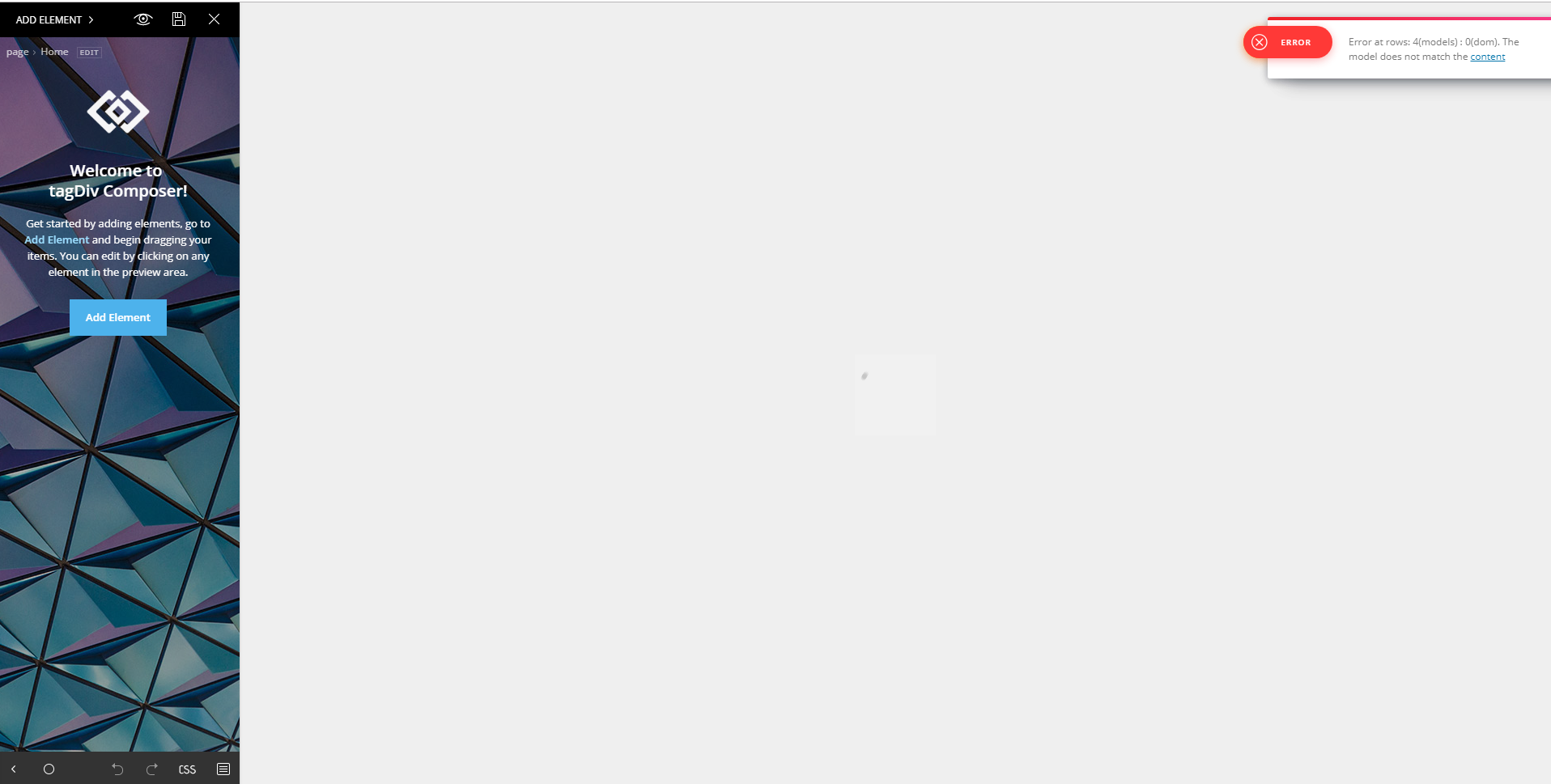
I’m confronting an error with td composer, how can i fix it?
 mikethecop
The links on the sidebar that show current number of likes and link to appropriate accounts is not functioning properly:
1. It does not load the correct numbers for FB or YT. It is working on Twitter and IG.
2. On posts, the social links reset to TagDiv links not mine that I load with TD Composer in the element.
Please advise.
mikethecopHello
Can’t seem to locate where I would change “ABOUT US” or “FOLLOW US” in Footer area to “ABOUT ME” or “FOLLOW ME”. I have tried in TD composer and theme editor and panels to see where this was changeable and have had no luck. I’m sure it’s something simple I”m missing. Thanks.
