
- NewspaperHow to update a plugin
- NewspaperHow to update the WPBakery Page Builder plugin
- NewspaperHow to Update the Newspaper Theme
- NewspaperSingle Post Excerpt
- NewspaperWP Rocket and Newspaper Theme: Optimization Guide
- NewspaperCredit System
- NewspaperHow to use the Bing Maps API
- NewspaperModules Builder in Newspaper Theme
- NewspaperCreate a frontend submission form
- NewspaperCustom Fields Support
- NewspaperFlex Block Settings Guide
- NewspapertagDiv Opt-In Builder
- NewspaperHow to use the YouTube API
- NewspaperDefault Category Settings
- NewspapertagDiv Composer Tutorial
- NewspaperHow to Set the Image Avatar
- NewspaperUnique Articles
- NewspaperFacebook Share
- NewspaperCache plugin – install and configure
- NewspaperFeatured Image, Video or Audio
 shogunteam
Hello,
since the last Update the translation of WordPress does not work properly. Some parts of WordPress are correctly translated, but for example the text of the email by password recovery is not, it is still in englisch:
“Someone has requested a password reset for the following account: (…)”
In the WordPress forum they said it is probably caused by the theme.
I installed WordPress again and the problem still exists.
How could it be fixed?
Best
 delizard
Hello goodmorning,
i have updated my website from 9.6 to 9.8 version of Newspaper theme. It’s all ok, but i have some problems with php file that doesn’t exist anymore. I mean these files: Loop-single2.php and Loop-single5.php; Single_template_10 and single_template_2.
I had some ads code (and other code) inside these files, but now where i should put them? I’ve tried to put code in loop-single.php and single.php, but it doesn’t work. Can you help me please?
Thank you very much, kind regards,
Francesco
 pavel@earnware.com
 Only works if I inlined everything, so via tagdiv composer it doesn’t work unfortunately, only background color – but the image doesn’t appear. It would be nice in the next update to make the images appear first.
Let me know if you need any other feedback, we have at least 200 messages of people not seeing the background – bad!
pavel@earnware.com Updated the theme, did all the steps in the CDN, still the image doesn’t show up, here is the screenshot 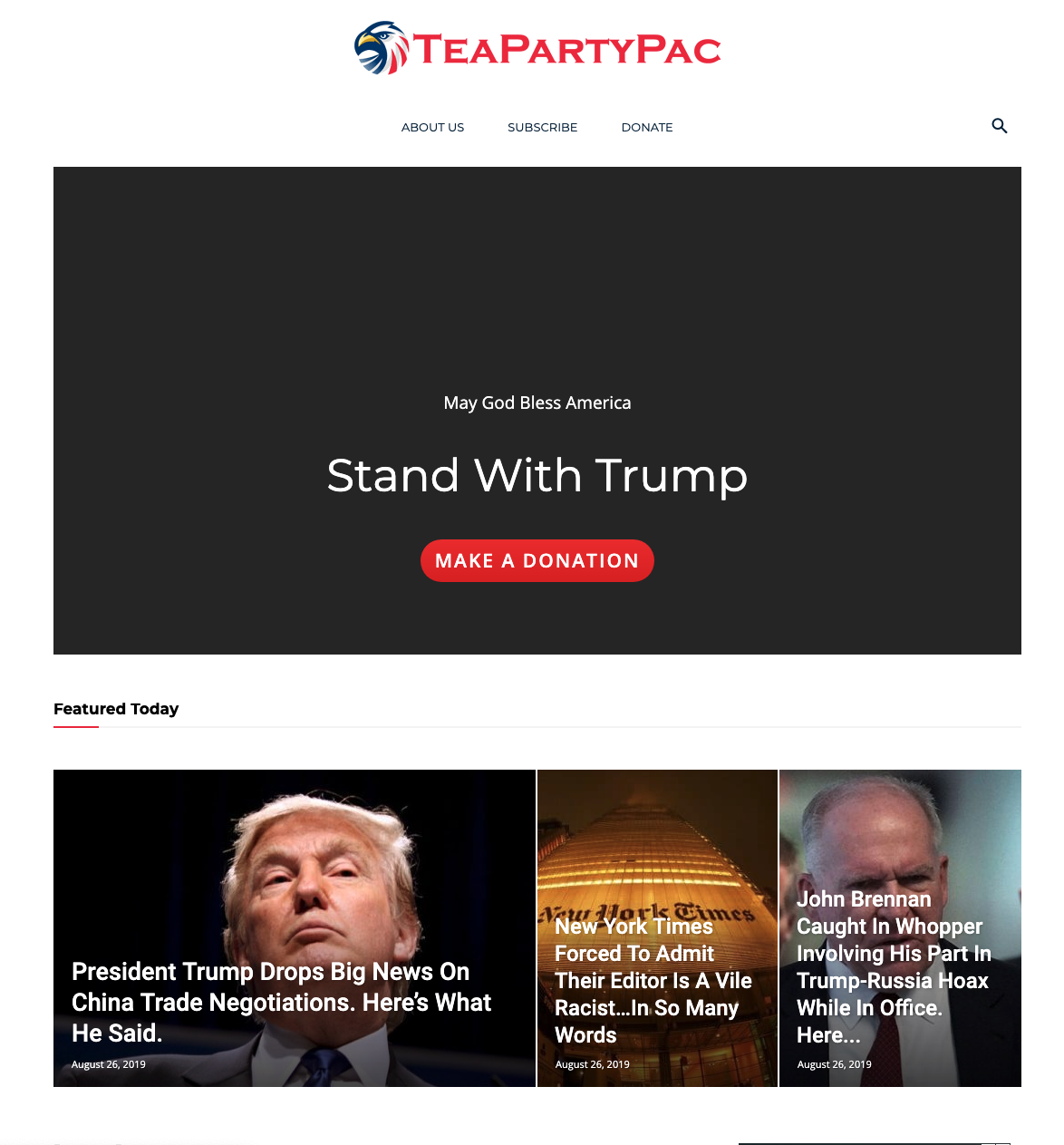 , need help! The conflict appears to a specific user, targeted in US, in specific sessions as you can see. We need the image to load before the ad, as the conflic appears, and it never ends and due to this the image loads last.
This is the page, https://teapartypac.org/
 mimicreature
 If you upload the tag-div manually using FTP then you will have to adjust the widget. Best option is to update it rather than putting a fresh copy.
I followed the simple process of using envato plugin and had no issue.
 Jose
Jose Hello,
Actually WordPress does support Webp images, all my web pages use them without problem.
But I’m not referring to webp images, but to the webm animated image format, which optimizes gif files.
It’s newspaper theme that doesn’t support it, not wordpress.Do you plan to fix this in future updates? The webp and webm formats are the most recommended for their optimization.
 SGAccount
 Hi
any updates? i sent you the mail four days ago 🙂
 Vlad S
 Hello !
Please note that is important to first have a backup before updating. We have no reports of bugs so it is safe to update. We do recommend updating via FTP or WordPress. Also please note that I recommend deleting the theme and plugins first, not overwritting them. After that you can make a clean Newspaper Theme install.
You will not lose anything since you are deleting the theme and theme plugins not the database.
Thank you !
 Calin
Calin Hi,
I’ve noted this problem on our list of issues and this will be fixed for the coming updates; unfortunately for the moment we can not provide a solution, sorry!
Thank you for your understanding!
Calin Hello,
First please make sure that the Google fonts from theme panel are disable -> http://prntscr.com/oxjnh3 after that will be load only the fonts from default theme (Open Sans and Roboto) -> https://forum.tagdiv.com/font-customization/and the fonts from demo if you have some demo install; Is not recommended to make changes in theme core because those will be lost when you’ll make a theme update.
Thank you!
Calin Hi,
I can make a note for our developers regarding to your suggestion, and maybe in the coming updates this will be implement.
Thank you!
 tondosusanto
 Hi mimicreature, thank you very much and I did as you said, updated theme from envato marketplace plugin but it broke my site a while since tag-div composer failed to update, so I uploaded manually using FTP and now it works. However I need to adjust widget again…
 breakofdawn
Console says “Failed to load resource: The request timed out”. This is causing TD Composer to not load (it eventually does after all images are attempted). When I add a different user ID to test, it gives me the error that other people are getting: “Instagram data error: Instagram data is not set, plese check the ID.”
I’m on Newspaper 9.8, WP 5.2.2, and PHP 7.0.2
 Magna Mane
 I’ve solved the problem using script.
It would be good if you could include this task into the next updates. Wrong page structure can influence seo.
Thank you for the willing to help!
mimicreature What I did for Newspaper 9.8 is that I used the Envato market plugin to update the newspaper theme to 9.8 and then manually uploaded the child theme and activated it. It was all perfect.
shogunteamHello,
since the update the WordPress translation does not work. I mean when I reset the password I get an email in Englisch, even if there is a translation in my country language. How can I fix it?
Best
Calin Hi,
If you want to use the Custom Post Type please notice that will be better if you’ll use a child theme, in this way, if you’ll make a theme update the changes will not be lost.
Please notice that the ingle-job_listings.php can not be customize using tagDiv Composer or tagDiv Cloud Library, this need to be customize using code
Also all those files was moved in tagDiv Composer plugin in wp-content/plugins/td-composer/legacy/Newsmag/parts/single/single_template_1.php
Thank you!
Calin Hi @brael,
Using the html code to add a custom google fonts is not very recommended because if you’ll make a theme update and the code is not set in a child theme all changes will be lost.
If you still want to add the style in theme files, you’ll need to set the code in child theme in css file -> http://prntscr.com/oweugr -> http://prntscr.com/oweuro -> http://prntscr.com/oweuxj -> http://prntscr.com/owev2e -> results -> http://prntscr.com/oweve6
Also this can be achieve with out child theme, but the code is set in theme panel like this -> http://prntscr.com/owew8g -> http://prntscr.com/owew1t
Hope this will help you!
Thank you!
Calin Hi,
Yes, the plugin explain in developer documentation is working on both themes, at the end of documentation you can get a prev of this plugin -> http://prntscr.com/owe9yv
The api is not longer supported, and yes the code need to be move in the new plugin, this should work.
Also is possible that in the last version of the theme the Visual Composer to make some conflicts with taDiv Composer, this depend the settings that was made on pages and posts with Visual Composer.
This will work, but with the new plugin for developers, the old API will not longer work.
Also we recommend to make a test install and try there all those settings, including the update from v4.7 to v4.9 in this way the live website will not be affected.
Thank you!
 CBTNews
This morning when we got in we noticed there is now a large band of white space in the topic of all of our post pages. I didn’t perform any updates lately but did try to update a few plug-ins after the noticed the problem. Can someone please help with this? Thanks!
Here’s an example:
https://www.cbtnews.com/five-tips-for-handling-internal-staff-transition-within-your-dealership/
On our pages with video code embedded the white space appears below the video, like this:
https://www.cbtnews.com/daily-automotive-newscast-august22-2019/
Vlad S Hello !
We are sorry for your inconvenience !
It is mandatory to delete all what was left from the older tagdiv theme and plugin version before intalling this update. Overwriting the files would cause a lot of problems and maybe you’ve missed something while deleting the old files. Have you checked the plugins to be deleted too ? If you are certain that you have installed the updates correctly by deleting all of the older versions and made a clean install from scratch please contact us via email at contact@tagdiv.com and provide admin login, as well as cPanel or FTP if possible. We will take a look. Include a link to this topic in the email.
Also take a look at our documentation about installing the theme and plugins: https://tagdiv.com/how-to-install-plugins-and-update-plugins/ ; https://tagdiv.com/how-to-install-newspaper-theme/
Thank you !
 threepixelslab
Hello,
After I upgraded the theme to the latest version all of my widgets got erased. I can’t remember the layout of my widgets so I can fix it. Is there any way I can restore them? Also, my cloud templates got erased as well.
Thank you.
Calin Hi,
The modification that you have in the Newsmag v4.7 the code that you have it need to be integrate in the last version of the theme by a developer, indeed this is not very ease to achieve because the theme functionality was moved in tagDiv Composer.
You can check our documentation for how to update the theme -> https://forum.tagdiv.com/newsmag-how-to-update-the-theme/
Thank you for your understanding!
 gavn8r
 Quick update: I have another website, using a different theme, that has an earlier version of Yoast SEO Premium (11.8), which I’ve installed on my Newspaper-themed site. It’s working correctly now. Must just be a problem with the latest release of Yoast SEO Premium.
Calin Hi,
I’ll make a requirement to our developers to investigate this case and if there it is a problem will be fix for the coming update.
Thank you for your understanding!
