- NewspapertagDiv AMP Plugin Tutorial
- NewspaperTrack Subscription Sources with Locker URL in Opt-In Builder
- NewspaperWP Rocket and Newspaper Theme: Optimization Guide
- NewspaperCredit System
- NewspaperIntroduction to CPT and ACF with Newspaper Theme
- NewspaperHow to edit modules for Flex Block X
- NewspaperHow to use the Posts List shortcode
- NewspaperUser review system
- NewspaperCustom Fields Support
- NewspaperHow to generate Facebook App ID
- NewspaperHow to insert a block inside the content of a post
- NewspaperModal Popup
- NewspaperPayPal Setup
- NewspaperLink Tracker
- NewspaperLockers
- NewspaperGeneral Options that May Interfere with the Newspaper Theme
- NewspaperAdd Cryptocurrency Price Ticker Widget
- NewspaperPosts Loop Element
- NewspaperThe Newspaper Mobile Theme: Introduction
- NewspaperAutoptimize Plugin – install and configuration
 MM-Berlin
 Many thanks Simion, could not fix the error (hmmmm). So, if no one have problems with the plugins, I will try it with fresh installation, maybe it works. Just for information – my translation plugins are: q-Translation-X, qTranslation slug, WPBakery Visual Composer & qTranslation-X
 Style31
The recent update of Newspaper changed EVERY ONE OF OUR IMAGES on our “Pages” to have a image height restriction = 200 pixels (which is way too short…i.e. we don’t want a height limitation….or at least not one this short)
Since all our images are sized similar to “Posts”, this is creating a problem across our entire website, i.e. all the “Page” images are too short (https://StyleChicago.com)
Can you help us figure out how to change this (to get rid of pixel height limitation)
Page Example #1:
PAGE:
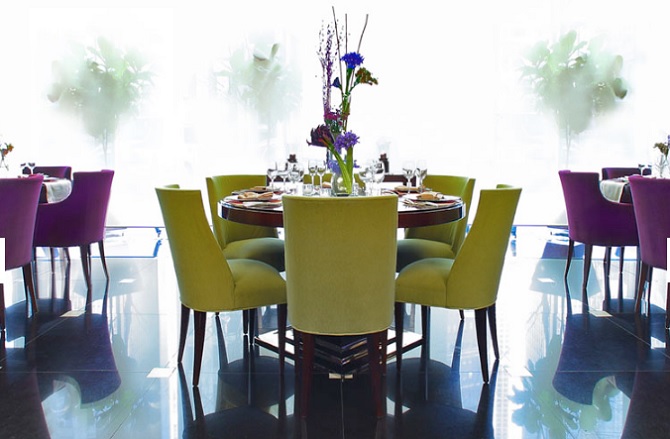
https://stylechicago.com/cafe-des-architectes-sofitel-chicago/ (source image is taller similar to our “Posts”)
UNDERLYING IMAGE URL:
https://s3.amazonaws.com/luxechicago/wp-content/uploads/2016/11/23114858/CafeDesArchitectes_DiningRoom_670x439.jpg
Page Example #2:
PAGE: https://stylechicago.com/city-winery-chicago/
UNDERLYING IMAGE: https://s3.amazonaws.com/luxechicago/wp-content/uploads/2017/06/05135653/CityWineryChicago_Exterior_750x454.jpg
Both of the images are between 400 and 500 pixels tall….but Newspaper / Worpress appears to be restricting the “Page” image height to 200 pixels.
Thanks so much!
Jonathan & Lynna Smith
StyleChicago.com
admin@stylechicago.com
312.461.9500 (Lynna)
312.461.9400 (Jonathan)
 percezioni
Hi, in system status i’ve verified that:
Speed Booster v4.5 – Disabled – incompatible plugin detected: bsa-pro-scripteo/bsa-pro.php
I want to know if i change the plugin for manage the advertising (for example i’m interesting in https://codecanyon.net/item/wp-pro-advertising-system-all-in-one-ad-manager/269693) is compatible with speed booster?
Thanks
 cbf99
cbf99Template is missing. Standalone themes need to have a index.php template file. Child themes need to have a Template header in the style.css stylesheet.
i tried both ways – cia wordpress & cpanel !! same error
 awoodhams
 That removes the Author’s name. I only want to remove the comment count from the author’s block on the author’s page here: http://e50.4da.myftpupload.com/author/audrey-woodhams/. For example, it says “3 Posts” and “O Comments” but I want to remove the “O Comments” item. How can I do this? Thanks!
 DaveS
DaveS Hi Bogdan,
Thank you for your reply. Unfortunately I don’t quite understand what to do to achieve the solution with removing the search from the menu on woocommerce pages.
Here are the 2 files you are describing, and I see that I already have the function is_woocommerce in the header-menu.php file.
I also would like to remove the search from the menu on specific pages that are non-woocommerce, like for example the Cart and Order pages.
Any further support is much appreciated!
Thank you!
 Simion C.
 Hi,
Here you can find more information about AMP
– https://yoast.com/setting-up-wordpress-for-amp-accelerated-mobile-pages/
– https://forum.tagdiv.com/topic/easy-guide-to-implement-amp-with-newspaper-theme/
You can search the forum for more about this, and different points of view from the users, regarding AMP.
About PWA there has not been much discussion on the forum, but you can find more information online. Like here for example
– https://developers.google.com/web/progressive-web-apps/
Thanks
 arnimation
 Thanks for the reply.
I haven’t been using the tagdiv composer so I wasn’t using both at the same time.
I did a test page using the single image using tagdiv composer where the heigh settings work but the image isn’t responsive to different screen sizes, it just gets cut. Any settings I’m missing?
Going back to text block – I believe in tagdiv composer, its not column text.. When I tried adding an image and it did not go full width. The text did.
Sample here: https://rmn.ph/test-ad/
 Bogdan B.
 Hello,
In order top do this you will need custom modifications. You will have to alter this file and add a target=”blank” to the code:.Here is an example of how I added it:
https://www.screencast.com/t/sMyesbOyeROp
Thank you!
Simion C. Hi,
You could do that with the example from this guide
– https://docs.woocommerce.com/document/customise-the-woocommerce-breadcrumb/#section-3
Try adding the code mentioned in the theme (or child theme) functions file, and test it. Then change the address to what you need.
Thanks
 David Henry
Hi Guys,
I need to set a billboard banner (960×300) for the home page but then another in the same position for the rest of the site.
How to I go about this?
David
 David
DavidHello,
after updating Newspaper to version 8, I see the following two errors in my console:
GET http://example.com/mode-less.js
http://example.com/wp-content/plugins/td-composer/css-live/assets/external/ace/ace.js,qver=__td_aurora_deploy_version__.pagespeed.jm.mgV2mVvenK.js:1
GET http://example.com /snippets/text.js
http://example.com/wp-content/plugins/td-composer/css-live/assets/external/ace/ace.js,qver=__td_aurora_deploy_version__.pagespeed.jm.mgV2mVvenK.js:1 GET http://example.com /snippets/text.js
I have no idea what that means. For me it looks like some conflict between the new td-composer plugin and Google Pagespeed enabled on our server.
Thanks in advance for any help!
 Vinay Prajapati
Hello
What is AMP and PWA version of WP Site? Please help me about PWA in details.
Bogdan B. Hello,
If your custom ad does not work with our theme ad system, you should try an alternative implementation like the ‘adrotate’ plugin for example. Using an ad plugin will bypass the theme ad system.
Thank you!
 smart7973
 hi Bogdan
actually my previous blog’s pages such as ( about us, contact, and many more)having .php extension and the article’s single page having .html extension. so right now i am converting all in wordpress and desided to use wordpress newspaper theme. so by the permalink section i can set the %%post%%.html for the article single post and also wish to set pages extension is .php.
in other WordPress theme i just add this funtion to achieve this goal sucessfully
but in this theme its not working
add_action(‘init’, ‘php_page_permalink’, -1);
register_activation_hook(__FILE__, ‘cvf_active’);
register_deactivation_hook(__FILE__, ‘cvf_deactive’);
function php_page_permalink() {
global $wp_rewrite;
if ( !strpos($wp_rewrite->get_page_permastruct(), ‘.php’)){
$wp_rewrite->page_structure = $wp_rewrite->page_structure . ‘.php’;
}
}
add_filter(‘user_trailingslashit’, ‘no_page_slash’,66,2);
function no_page_slash($string, $type){
global $wp_rewrite;
if ($wp_rewrite->using_permalinks() && $wp_rewrite->use_trailing_slashes==true && $type == ‘page’){
return untrailingslashit($string);
} else {
return $string;
}
}
function cvf_active() {
global $wp_rewrite;
if ( !strpos($wp_rewrite->get_page_permastruct(), ‘.php’)){
$wp_rewrite->page_structure = $wp_rewrite->page_structure . ‘.php’;
}
$wp_rewrite->flush_rules();
}
function cvf_deactive() {
global $wp_rewrite;
$wp_rewrite->page_structure = str_replace(“.php”,””,$wp_rewrite->page_structure);
$wp_rewrite->flush_rules();
}
Plz help
Thank you
Simion C. Hi,
If you are using the mobile theme plugin, this comes with predefined templates for the homepage, post and category page, etc. These will be displayed regardless of what the content is on desktop. If you would like to display exactly the same content, you can simply disable the optional mobile theme plugin, the theme is fully responsive and will adapt to every screen size. Then the elements that you used to build your homepage for example, will be displayed as they are.
Here you can find more information about the mobile theme
– https://forum.tagdiv.com/the-mobile-theme/
Thanks
awoodhamsHello! In the category pages seen here (http://e50.4da.myftpupload.com/category/photography/) I’d like to add a tab to view all of the posts. For example, in the categories at the top, it would say All, Fashion, Get Inspired, Making a Difference, etc. How can this be done? Thanks!
awoodhamsHello! How can I customize the author box? For example, I’d like to make the picture larger, and adjust the font style and size. Thanks!
DaveS Hey guys,
I have one more question about the breadcrumbs and it’s about the breadcrumbs on woocommerce product pages (woocommerce installed to the theme).
The breadcrumbs appear on all product pages, but the very first word for example Home links to the home page of the site (the domain). The following words that represent woocommerce product categories, are linked correctly.
I need to change the Home link to lead to the shop’s home page, not to the site’s home page. This concerns only woocommerce product pages. Could you please help with this?
Thanks
 MasteringHealth
Hello,
Since updating to Newspaper 8, the format of my post/pages is off. Here is an example, http://masteringhealthhappiness.com/2017/05/24/lyme-disease-13-common-myths-exposed/.
Your input is greatly appreciated,
Amy
 storytraveller
Hi guys,
when activating the Plugin Progress Map, the “Post Settings” options (General, Smart List, Review) in the backend of WP posts disappear (while Smart Lists & Reviews still work on the posts´ frontend).
Do you know the problem? Would be great if there´s a workaround.
Thank you!
 azzronulation
Hello!
Since I updated to the latest version of the theme I’ve noticed that the image for the Style 6 layout isn’t displaying correctly. It looks like the image is being shoved to the left hand side.
It displays correctly on some posts, but not all. Hopefully you can help.
 rea-secret
Hi,
I’ve updated my theme to Newspaper 8. Everything working fine but some posts are broken (Tabbed content with visual composer). There’s an example. Theese 2 posts have same structure but Post 2 has tabbed content. Problem is on that page. Text is under the sidebar. Every posts that have tabbed content are broken. You can see posts here:
Post 1:
http://mmoda.net/versace-fall-2017-ready-to-wear/
Post 2:
http://mmoda.net/prada-fall-2017-ready-to-wear/
Can we fix this problem?
 10goC
10goC Same here, with the following Ads format:
<div class="td-all-devices">
<script src="http://bs.serving-sys.com/BurstingPipe/adServer.bs?cn=rsb&c=28&pli=21692801&PluID=0&w=728&h=90&ord=[timestamp]"> </ script>
<noscript>
<a href="http://bs.serving-sys.com/BurstingPipe/adServer.bs?cn=brd&FlightID=21692801&Page=&PluID=0&Pos=276076648" target="_blank"> <img width="728" height="90" /> </a>
</ noscript>
</ div>
Lo desactivé por unos dias y al intentar utilizarlos otra vez, no se muestran.
El sitio es: https://informeautomotor.com
Ad position: Header & Sidebar (under Trucks)
Thanks!
-
This reply was modified 9 years by
10goC.
 Dan18392
Hello,
I write articles on my site with a LOT of links. I want all these post links (but not links on the menu bar on the homepage, for example) to open in a new tab. I’m wondering if there were some way to make them automatically open in a new tab so I wouldn’t have to do every one manually every time.
Much appreciated!
Dan