
- NewspapertagDiv AMP Plugin Tutorial
- ApiPractical example – How to add a new Block and Module
- NewspaperTrack Subscription Sources with Locker URL in Opt-In Builder
- NewspaperWP Rocket and Newspaper Theme: Optimization Guide
- NewspaperCredit System
- NewspaperIntroduction to CPT and ACF with Newspaper Theme
- NewspaperHow to edit modules for Flex Block X
- NewspaperHow to use the Posts List shortcode
- NewspaperUser review system
- NewspaperCustom Fields Support
- NewspaperHow to generate Facebook App ID
- NewspaperHow to insert a block inside the content of a post
- NewspaperModal Popup
- NewspaperPayPal Setup
- NewspaperLink Tracker
- NewspaperLockers
- NewspaperGeneral Options that May Interfere with the Newspaper Theme
- NewspaperAdd Cryptocurrency Price Ticker Widget
- NewspaperPosts Loop Element
- NewspaperThe Newspaper Mobile Theme: Introduction
 Dutchman1011
Currently working with our web designer on a website and encountered the following issue when using the partial locker.
When we create a new post and use the partial locker to ‘hide’ more of an article in the post visitors to the website need to login to read the full article. If they have an account/registered they can do so by putting their email address in.
Am I wrong to think that by ‘just logging in with an email address’ this could cause a fundamental security breach and the owners open themselves up for liability issues (loss/breach of personal data)?
For example if I know that someone is registered on the website and have their email address I can use this to access their account? Alternatively say the website is called yourname.com – if it contains contact us/about us page with details of the editor and his/her email address wouldn’t you use that to login?
Is this a COMPLETE failure of this website template or are we missing something?
 discernin
Hi,
Is there a way to make the magazine’s date widget update automatically instead of only when I log in to the website? For example, the date should change at midnight each day to stay up-to-date. Imagine I don’t log in to WordPress for three days; in that case, the date will show the date from three days ago, not the current one.
Currently, the date only updates when I log in to WordPress.
I’ve looked in the widget settings, but there aren’t any additional settings except for CSS.
 Calin
Calin Hi,
To use the responsive version, just make sure that you do not have the tagDiv Mobile theme plugin (or/amp amp plugin). After this is checked and confirmed, this plugin is not used, or in case it is, it is disabled and deleted. Please check if you have made any mobile pages https://tagdiv.com/newspaper-10-3-7-update-brings-customizable-and-fast-mobile-pages/ if you have mobile pages make sure those are not assigned on pages and cloud templates (for templates, is simple, you can see it in cloud templates if there are any mobile templates – https://i.imgur.com/mgvfs0y.png )
After that, just learn all the ache, the responsive version will be used.
The newspaper theme has three available solutions for the mobile version:
1. Responsive Desktop Version – The default responsive layout that adjusts to mobile screens using tagDiv Composer – https://i.imgur.com/apZQZ0o.png
2. Mobile Page/Template – A custom mobile layout that can be created using the tagDiv Composer.
3. tagDiv Mobile Theme Plugin – A separate mobile theme that provides a dedicated mobile experience but is limited in edits and changes.
 zgdk2273
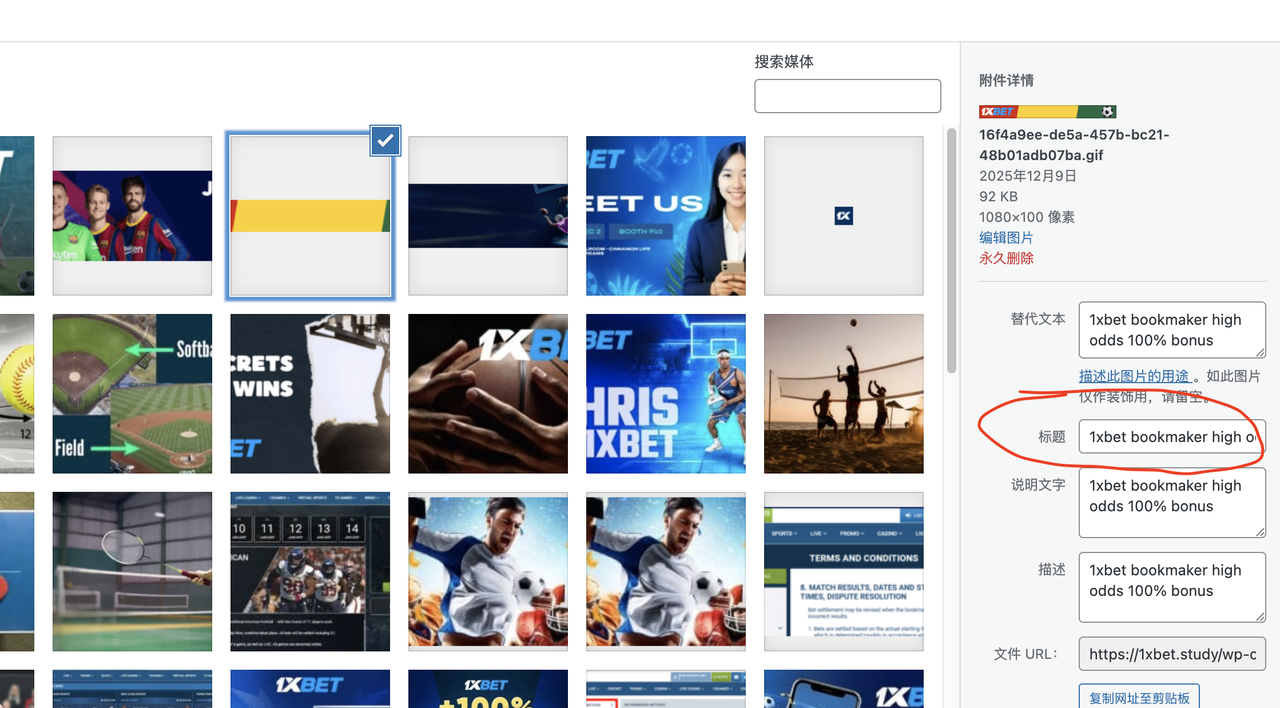
 I followed your instructions, but it still doesn’t work; the blank space is still very large and can’t be reduced. I want to point out that the theme template in your example is different from mine. I suggest you look at the blog’s classic template; the header and footer CSS in that template are definitely different from the example you gave me. Could you please help me import the blog’s classic template and see where the settings are located? Thank you. Also, the title of the ad image is still “home 1.” I’ve already set it in the “Title in Image Media Settings” as you instructed, but the HTML displayed on the front end hasn’t changed. Please check it again, thank you!
Calin Hi,
1. If you are referring to the search from the section https://i.imgur.com/Oj1ztUS.png just import the page/section you like from doctors https://i.imgur.com/ACJem9U.png. After that, on the search form, you need to set some settings, for example, the post type you want to search and the placeholder text – https://i.imgur.com/NI0VrH7.png. Maybe you have a different CPT, or maybe you want to display posts, or you can clear it, and it will search in all CPTs. None of the search templates (the one you get after you click on the search button) can be edited in the current state https://i.imgur.com/b06UZ8x.png or you can import the same doctor search template https://i.imgur.com/doZ4pwp.png
2. This is teh contact form page from the demo Office Nexus to use it you need to use the Advanced Custom Fields plugin, use tagDiv Composer to select teh fields you want to display https://i.imgur.com/WC3Dkqv.png and on “Post Form Submit” button you can set the type of CPT you want to be, format and the status, also you can use the options for emailing the adminsitrator and other email custom set – https://i.imgur.com/S8INO9m.png for more details you can also check our guide from here – https://forum.tagdiv.com/create-frontend-submission-form/
3. This, depending on the type or the events you want to use, now the best plugins used by our clients are The Events Calendar (Complete event management tool) and WP Event Manager (Selling event tickets on WooCommerce).
Thank you!
Calin Hi,
What you need to do is to check the settings on the mobile viewport and adjust them on each block that doesn’t look ok and on each column. For this edit, teh page using tagDiv Composer – https://i.imgur.com/D9Gawe6.png then select the mobile view port – https://i.imgur.com/Pks8bjA.png after that select the block that do not looks good, the one from your image I beelive taht has set on the column that is holding ist a custom width (300%) so on mobile should be 100%, to do this slect the element the in the side bacr in tagDiv Composer over the block name you see row > column click on column and look in Layout tab and css if there are any values set for width, if there are repalce them with 100%.
Also, the flex block can be edited per viewport for example, the number of modules per viewport – https://i.imgur.com/Lk9aW6X.png
 oointah
 Thank you, Calin & Archerix
Calin Hi,
If you are on a page, make sure that you do not have the option for unique articles enabled, if you have it please disable it.
Also, if you are on a cloud template and not a page, please make sure that you set the right filter. For example, if it is a cloud category template, you need to select the filter current category https://i.imgur.com/8HjGA8c.png, for tag, current tag.
Another settings that can be checked are the options for offset from the block – https://i.imgur.com/4ixKaTa.png make sure it is set only if you want to skip a number of articles.
Thank you!
 napster
 The problem also affects images that were previously centered and are now not.
Here is example: https://lifescience.pl/nadchodzace-wydarzenia/kalendarz-wydarzen-klastra-lifescience-krakow/
-
This reply was modified 10 months by
napster.
 hrhq2020
 Hi Calin,
Thanks for getting back to me.
The Links page is created using the TagDiv Composer. It page inherits the Header and Footer from the Newspaper Theme.
In mobile Chrome and Safari the menu and logo work properly – no layout shifting.
In the Instagram mobile app (iPhone & Android) the layout shifts, moving the Logo over the menu. The layout shift moves the content of the page up and stops the user selecting the most recent article.
Link: https://www.hrheadquarters.ie/wp-content/uploads/2025/12/IMG_1617DD712B27-1.jpeg
All the best,
Mick
Calin Hello,
We’ll need some more details related to this situation, for example, if this is happeing using teh last theme version, which is 12.7.3, now in case if the problm persist we need to know if this is happeding on a specific page if is on a specific page, then it is need to check the settings from each block on taht page to make sure that only correct values have been set in the blocks settings. Normally, that php warning is referring to an option for a background linear-gradient
Thank you!
 Archerix
 example from ngnix
2025/12/13 13:13:53 [error] 1428#1428: *356575 FastCGI sent in stderr: "PHP message: PHP Warning: Attempt to read property "ID" on null in /var/www/otakupt.com/wp-includes/comment-template.php on line 1791; PHP message: PHP Warning: Attempt to read property "ID" on null in /var/www/otakupt.com/wp-includes/comment-template.php on line 1791" while reading response header from upstream, client: ****, server: otakupt.com, request: "GET /anime/episodio-19-de-uma-musume-cinderella-gray-foi-adiado/ HTTP/2.0", upstream: "fastcgi://unix:/run/php/php8.3-fpm.sock:", host: "www.otakupt.com"
hrhq2020Hi,
I am having a problem with the mobile hamburger not being available on first page load.
It is not selectable when the homepage loads but will become available when the page is refreshed or by navigating to another page.
Website: https://hrheadquarters.ie
Affects iPhone Chrome and Safari.
Wordpress 6.8.3
Newspaper Theme 12.7.3
AMP is enabled for the site.
Caching: WPMUDev Hummingbird and Super Page Cache. Cloudflare is integrated
Thanks,
Mick
 james@blackchatai
When I hover over menu items like AI News & Trend (which has Sub Menu) on this website https://thesole.ai/ – the menu items doesn’t come up, Please any solutions?
 deekendown
Hi everyone,
I’m having an issue with the mobile version of my homepage. Whenever I click “Load more” on any post block (for example, Block 7, but it happens with all blocks), the additional posts load without their featured images. The articles appear, but the images simply don’t load.
I’ve tried multiple solutions, but nothing has worked so far.
Does anyone have an idea what might be causing this or how to fix it?
Thanks in advance!
 presse
Hi,
How do i show the time of post on articles … I need my readers to be able to see the time it was posted. Thank you
Calin Hi,
You only need to insert the source in the item you want to use. For example, in your image you’ve set the playlist ID, so normally only those files need to be completed with the playlist ID.
Thank you!
 jjgoi
jjgoi Ok thanks, that works. But how do I change it such that instead of:
[Category label] author_name – December 10, 2025
It should be
[Category label] author_name | December 10, 2025
I noted in the examples, you guys used a 1 px border for the |
But in the post loop, your customisation is severely restricted. No way to change – to a | at all, is that correct?
 mehmetkarakocc
Hi. My new woocommerce site is https://postista.com/
My problem is that when I add a product to my favorites or cart, it appears differently in the header of each page, or doesn’t appear at all. For example, I go to a product page and add it to my cart, but when I return to the homepage, the cart appears empty in the header. The same thing happens with the favorites button. You’ll easily understand if you try it on my site. Removing the LiteSpeed cache plugin seems to solve the problem, but I want to fix this issue without removing the plugin. Thank you.
 nuvoledibellezza
Good morning,
I need your help with the category settings in Newspaper.
I want to create ONE specific category with a completely different content logic from all the others.
I was able to customize the layout following your tutorial:
https://forum.tagdiv.com/default-category-settings/#:~:text=To%20change%20the%20category%20template,apply%20the%20global%20category%20settings
.
Here is the category where I want to display ONLY the most recently updated posts:
https://www.nuvoledibellezza.com/articoli-aggiornati/
The problem is this:
When I try to filter or sort the posts for this category (for example using Flex Box 1 or trying to show only the latest updated posts), the change is applied globally to ALL categories, even though I want this behavior ONLY for this specific one.
What I need is:
A category that has its own independent filtering logic,
Specifically: to show posts ordered by last modified date,
Without affecting the rest of the categories.
Is there a way to apply a custom post filter or custom sorting only to a single category page, without inheriting or overriding the global settings?
Thank you very much for your support!
jjgoi Is there no way to override the Post Loop to customise to what we want? For example, there’s no way to edit the styling of the taxonomies (e.g. categories) labels – like the colour, background, font size, and adding in a border | to the side, to match the example given in the Flex Loop Module Templates.
 Atithya
Hi, can you list out recommended settings which we have to keep so that the website comply to SEO. Example, we would need to de-index the cloud template pages so that Google doesn’t pick up in search console.
 cloverjim
 Hi,
Yes, I want to have a similar layout on this demo template, for example in 4 columns.
However, when I added the previous codes, they didn’t work.
I would appreciate it if you could help me and show me how to implement a layout similar to the previous one on this demo template.
Thank you!
Calin Hi,
To use the responsive version, just make sure that you do not have the tagDiv Mobile theme plugin (or/amp amp plugin). After this is checked and confirmed, this plugin is not used, or in case it is, it is disabled and deleted. Please check if you have made any mobile pages https://tagdiv.com/newspaper-10-3-7-update-brings-customizable-and-fast-mobile-pages/ if you have mobile pages make sure those are not assigned on pages and cloud templates (for templates, is simple, you can see it in cloud templates if there are any mobile templates – https://i.imgur.com/mgvfs0y.png )
After that, just learn all the ache, the responsive version will be used.
The newspaper theme has three available solutions for the mobile version:
1. Responsive Desktop Version – The default responsive layout that adjusts to mobile screens using tagDiv Composer – https://i.imgur.com/apZQZ0o.png
2. Mobile Page/Template – A custom mobile layout that can be created using the tagDiv Composer.
3. tagDiv Mobile Theme Plugin – A separate mobile theme that provides a dedicated mobile experience but is limited in edits and changes.




