- NewspapertagDiv AMP Plugin Tutorial
- NewspaperTrack Subscription Sources with Locker URL in Opt-In Builder
- NewspaperWP Rocket and Newspaper Theme: Optimization Guide
- NewspaperCredit System
- NewspaperIntroduction to CPT and ACF with Newspaper Theme
- NewspaperHow to edit modules for Flex Block X
- NewspaperHow to use the Posts List shortcode
- NewspaperUser review system
- NewspaperCustom Fields Support
- NewspaperHow to generate Facebook App ID
- NewspaperHow to insert a block inside the content of a post
- NewspaperModal Popup
- NewspaperPayPal Setup
- NewspaperLink Tracker
- NewspaperLockers
- NewspaperGeneral Options that May Interfere with the Newspaper Theme
- NewspaperAdd Cryptocurrency Price Ticker Widget
- NewspaperPosts Loop Element
- NewspaperThe Newspaper Mobile Theme: Introduction
- NewspaperAutoptimize Plugin – install and configuration
 sunil5823
 newspaper theme is creating a problem..mobile version is working on desktop and the desktop version is working on mobile so we have to reactivate the mobile theme plugin then it’s working but after some time it creates the same issue. and amp pages have issues that are showing on the search console
 Edragon
 Check that you have all proper Tagdiv plugins activated manually, for some cases 11.3 failed to update and activate tagdiv plugins automatically, so you need to do it manually. At least it worked for me, rerolled back to 11.2 and updated through Newspaper update again, and then all the plugins I needed, including tagDiv composer, tagDiv standard pack, official AMP, tagDiv Mobile theme.
 Atithya
 It means, if the mobile website is working links works fine, but once the same page opens in AMP. The download link includes /amp at the end of the download link and page not found error shows up.
Atithya But, the links are automatically changed with we open the links with AMP.
 bimerso
 Hi,
i see the documentation for AMP sites and i cant understand ads configuration for mobile…. what code should i put there because adsense gives me 2: 1 script (before </head) and 1 amp (after <body). https://ibb.co/BCYRyqP
dont u have real examples? the documenation doesnt explain well.
I put a script for automatic ads AMP before </html> and its not working https://ibb.co/48Q046M since i ve installed and activated AMP and mobile theme plugins. I cant add codes between html and body tags. This is bad because i cant put ads for mobile…. please is something wrong in the theme
 Sergey Potapov
 Hi, Calin.
Many thanks!
Please one more question, where i can change setting for image Big Grid, which move up. And after that left behind in bottom gray background strip. I see that when image has no big height, the background is shown in bottom. I’ve attached example : https://imgur.com/6g9MBgl
Many thanks!
bimerso When i actived AMP
how can i edit images for example featured image does not appear when is activated. I cant see images in mobile and web. https://ibb.co/FB8Ckgt
Whats the point of this option (create mobile page)
https://ibb.co/frrnXJs
i cant find it in documentation
 Mc775
Mc775 Hi,
I have updated Newsletter to v11.3 and set the filters. I did everything according to your video. It looks great… but it doesn’t work. Category pages shows all products form woocommerce instead of only products from the selected category. Filter does not apply, I gave products some sample attributes, but it doesn’t filter them.
You can look at my test server to see this.
Regards,
Maciej
 mbrckn
 for example: modal login feature in the frontend
 Anamaria
 Hello,
This problem is because you have the mobile theme plugin activate -> https://forum.tagdiv.com/topic/amp-settings-8/ so you need to create your pages in the mobile editor or disable the mobile theme for them https://forum.tagdiv.com/topic/page-not-seen-in-mobile/
Thank you!
 Bettina
 Hello!
In order to avoid misunderstanding, please provide an example of what you need to achieve exactly and on which page of your website do you need this.
A solution for sending a screenshot or a video is this:
Download, capture, send: https://www.techsmith.com/jing-tool.html
After making the screenshot, you will have a link, paste it here.
Thank you!
 Rigsbyx
 Wow, what an answer!
Do you think I create these videos of your theme failing for fun? No, I invested in your product because I want to use it as part of my business. I am in business to make money, and I don’t wish to waste time creating long and detailed questions for you to simply brush me to one side.
I have now installed your theme THREE TIMES so to get around your bad coding; this means that I have started from scratch, from the very beginning, three times.
I haven’t even gone live yet, and I purchased your Newspaper theme in August!
The penultimate time I had to start again was because you did NOT answer my question that I had asked about SEVERAL TIMES; I was not able to save or delete an element in the element sidebar. I showed you in a video (twice), but you didn’t provide an answer. Again, I do not make these videos for fun. You tried to answer, but it was completely out of context, and I felt brushed to one side because I think you are too lazy to answer in depth and/or you didn’t have a fix (probably both!).
Another VERY important issue that you still did not answer correctly was how to use one of your cloud templates. Yes, your example looks nice, but you failed to show me exactly how to edit the same template so it is published correctly. Your answer was complete and utter rubbish. I asked for a quick video to show me, but no, your laziness and lack or understanding stopped you.
I paid for support, and I expect decent answers from you, not avoidance. Do you understand?
I have avoided not contacting you since I read your reply one week ago, but I feel I shouldn’t have to avoid my supplier whom I paid good money to, for their product AND included support. You have caused much stress with your lack of helpful answers, and that has affected my time and bottom line, profits. Again, I am in business. I don’t make these videos and provide long and detailed questions (to help you!) for fun. Far from it.
To top this off, you saw my critical error video and you didn’t even bother to answer. Read back what you replied to me above (I will paste some of it to save your oh so valuable time:
“I think I helped you a lot…”
(here, go away and read the manual)
What??? Isn’t that what you are here for??? …to help me???
Please point me to the page which refers to Critical Errors. I showed you two videos of ONLY tagDiv plugins active and another video with ALL plugins inactive, but when I activated tagDiv Composer (in both videos), I got a critical error message. This points to your theme because the website worked fine without that one plugin.
I am not far off leaving a review on Theme Forest.
The stress you have caused me is horrendous!
Thank you
 keirebu
 Here is an example: https://www.ud5020.com/test/
 machimanmarker
 Hi, I am having practicaly the same, the mobile menu does not work in posts, also the GA code is not working in posts since last Theme update.
Example of not working page – https://www.necesidadesfinancieras.es/pedir-un-prestamo-personal-que-deberias-tener-en-cuenta/
I need to fix this ASAP please
 ernestorocco
Hi, is it possible to hide the content of a post and make it appear by pressing a button? For example: by opening the post from the mobile, only the first lines will appear, to view it all you will need to press the button
 natanaelgutz
 Hello, it partially worked and there is also one more situation the two are on the link.
See the link
 Matuser
Hi
What are the differences between:
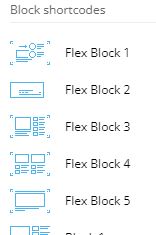
– Blocks and Flexi Block
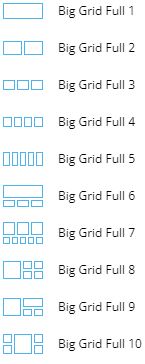
– Big Grid and Big Grid Fex and Big Grid Full
?
What are recommended ways of using each?
What are possible ways of using each?
What every of these was designed for?
What usage of each is not remmended?
How every of these should not be used?
Please provide examples.
Thank you,
 TravelDudes
 Oh… and I’ve deleted & activated the Composer plugin, incl. deleting cache, like explained here:
https://forum.tagdiv.com/topic/errors-at-columns-1models-0dom-the-model-does-not-match-the-content-curr/
I still get the error. I’ve send you an email with access to the test environment.
 msakande
 Dear Bettina,
thanks for your support.
for your information, the plugin AMP is installed and actived.
The problem is that the AMP is not listed in Dashboard menu.
So you cannot config it.
This is my problem.
Note: I desinstall and reinstall many time but the problem is still on
Bettina Hello!
Please check our documentation from here: https://forum.tagdiv.com/tagdiv-amp-plugin-tutorial/
Thank you!
Bettina Hello!
Both links are different. Please make sure you set up the right link and not with “/amp” and see the results.
Thank you!
msakandeDear,
I can’t see AMP Menu in the dashboard menu.
So I can’t setting up it.
Can you help me?
Atithya Hi,
Here is an example. When anybody is downloading Source code located at the end of the page from the desktop page. They face no issue and anybody can download the codes.
Desktop Link: https://www.electronicsforu.com/electronics-projects/bluetooth-with-1km-range-based-patient-assistant-device
Screenshot – https://www.screencast.com/t/HwbJwkDT2iRc
But when the same page is on AMP, and if somebody tries to download the Source Cide, 404 errors shows up as the Source code link.
Article AMP link – https://www.electronicsforu.com/electronics-projects/bluetooth-with-1km-range-based-patient-assistant-device/amp
Screenshot 1: https://www.screencast.com/t/NWCjWjjKaY
Screenshot 2: https://www.screencast.com/t/OCzShI3fm
Bettina Hello!
Ok, that’s sound great.
I gave you an example to understand what I mean: for example you can not customize grid in the TagDiv Composer, only big grid, big grid full and big grid flex. I’m not talking about featured image. Also, only cloud templates/PRO can be edited with the TagDiv Composer.
Thank you!
AtithyaHi, the download links present within the article cannot be downloaded while page is on AMP. once user visit mobile version of the website, they face no issue. When I checked, the download link also includes amp in the URL. Is there any way these links can be corrected?