- NewspapertagDiv AMP Plugin Tutorial
- ApiPractical example – How to add a new Block and Module
- NewspaperTrack Subscription Sources with Locker URL in Opt-In Builder
- NewspaperWP Rocket and Newspaper Theme: Optimization Guide
- NewspaperCredit System
- NewspaperIntroduction to CPT and ACF with Newspaper Theme
- NewspaperHow to edit modules for Flex Block X
- NewspaperHow to use the Posts List shortcode
- NewspaperUser review system
- NewspaperCustom Fields Support
- NewspaperHow to generate Facebook App ID
- NewspaperHow to insert a block inside the content of a post
- NewspaperModal Popup
- NewspaperPayPal Setup
- NewspaperLink Tracker
- NewspaperLockers
- NewspaperGeneral Options that May Interfere with the Newspaper Theme
- NewspaperAdd Cryptocurrency Price Ticker Widget
- NewspaperPosts Loop Element
- NewspaperThe Newspaper Mobile Theme: Introduction
 Simion C.
 Hi,
That will not work, if you copy the desktop content in the mobile editor it will appear as code or even cause problems. The mobile theme will not recognize the shortcodes, only simple text, images and what is possible with the classic editor.
The only solution to display the same content from desktop on mobile is to not use the mobile theme plugin. Use only the official AMP plugin then, or an AMP plugin of your choosing if needed.
The mobile menu button not working would mean there is a problem. You can send us an email at contact@tagdiv.com and provide admin login so we can take a look at it. That shouldn’t happen. Let us know.
Thanks
 Calin
Calin Hi,
The initial AMP plugin we released was designed based on the first version of the official AMP plugin for WordPress. Even though it was a tagDiv plugin, it still required the API of the official plugin. The changes came from the official plugin as they limited the theme support in the version we used and instead of updating it, they launched a new version with another, better implementation. They also announced the initial release will shortly become deprecated. This is why we decided to abandon our initial AMP plugin and use the new AMP implementation through the mobile theme. The new version required a specific theme for it as it would not have worked through the standard theme. There was no decision to take, unfortunately. If we have not made this step, soon the AMP plugin would have stopped working once the official AMP plugin implementation we used became deprecated.
Please use only this option -> https://www.screencast.com/t/rdGNpNA8
How to Make an AMP ready Website with Newspaper Theme ->https://tagdiv.com/amp-newspaper-theme/
Mobile Theme: Automatic Optimization for Mobile with Newspaper Theme -> https://tagdiv.com/mobile-theme-automatic-optimization-for-mobile-newspaper-theme/
If you want to disable the amp you can check this settings from here and use another amp plugin -> https://www.screencast.com/t/CRvuTCVj delete it from theme will also work; after that you can install a new plugin for AMP.
Thank you!
 mhtkmr007
How to change design in new amp plugin like old once tag div amp plugin the design of current amp post is so simple i dont like it i want it like the old once how can i do that please help
 dwarkapuria
Hello
After installing wordpress amp plugin with mobile theme, in native mode template, google is not able to differentiate amp and normal version as canonical tag is using default url. Google deindexed our amp pages and we are lossing visitors.
Please add canonical tags in both amp and normal version so thag google can index amp pages.
This is pure violation of seo optimization.
 aloysiuspattath
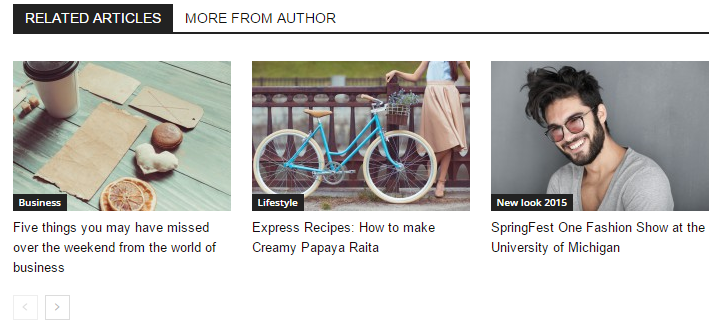
How to get related articles and more from author blocks together on cloud templates?
I used to have both related articles and more from author block. When using cloud template I can’t find the option. And is there any way to show only uniquie article on that specific block?
https://forum.tagdiv.com/wp-content/uploads/2015/05/related_articles_frontend.png
 Ümit BAYIR
 The example is seen in the picture;
Primary Category
I want to do this English article, Turkish
-
This reply was modified 7 years by
Ümit BAYIR.
 axehorde
 2- Ok, i hope this will be fixed because it’s not nice to see.
3- The screenshot you have posted is for the desktop version. This is 55/100 that is not really good …
Anyway you skipped the biggest problem. Mobile version score 20/100… very bad score. Can you try and verify? because it is practically unusable like this. The mobile version get 90% of my readers so it is very important.
4- i tried and it works now. The problem is that the selection box (when i click) get worse because everywhere i click, i get the light blue box (on mobile) https://ibb.co/TLBxh5T. This is not a new problem. I have added this custom css code (suggested by another admin)
body.td-ad-background-link {
cursor: default;
}
but it’s not working anymore.
5- It is possible to change the order of elements in post? i’d like them in that order:
Title, social icons, featured image and subhead. Like this https://ibb.co/F09xZyb. Also can i change the subhead font color? At the moment is grey, i’d like it black.
6- I set article bottom and top ads with adsense. I need to insert automatic ads code and then use ADVANCE USAGE for modify the ads dimension or it’s better to create specific ads (like 300×250) directly in adsense? because times ago, i have insert in CUSTOM CODE – CUSTOM HTML – code for adsense automatic ads with all ads option active like Vignette ads, Text and display ads, InArticle ads, InFeed ads, Matched content etc. but the website slowed down a lot. Do you have any suggestions on what to activate and what not?
7- why if I set an ads on mobile (top article ads example) of 300×250 px, it place that ad decentralized? remains aligned to the left edge.
8- it is possible to make top or bottom article ads like that? https://ibb.co/GkcTkpm a grey box with ads inside?
thank you
-
This reply was modified 7 years by
axehorde.
 Rajvivan
 I already installed both the theme as per the image but still getting error.
You can see here, all themes are installed
https://prnt.sc/muqari
I have disabled the option as well as per your instruction
https://prnt.sc/muqca2
BUt error still persists
https://prnt.sc/muq52m
Can you please login on my website and check from inside what is causing the issue ?
Currently there are 67 errors under AMP
and Why I am getting this error
https://search.google.com/test/mobile-friendly?view=fetch-info&id=JZU_y5jE2mkh95bHkZ43cg
None of my ads are showing on my pages .No media.net are appearing
https://prnt.sc/muqgjx
PLEASE HELP
 MeDOx393
<img src="<img src=”https://i.ibb.co/ThvYsvq/Capture-d-e-cran-2019-03-07-a-19-16-26.png” alt=”Capture-d-e-cran-2019-03-07-a-19-16-26″ border=”0″ />” alt=”Example” />Hello,
I want to insert ads before and After Next and back buttons as shown in the image. I have followed the youtube tutorial but the composer don’t allow me to insert any element on the post
Would you please help
Rajvivan Hi Callin,
I think you didnt read the entire message and just replied the one at the beginning please read this
Reply from other Plugin teams: https://prnt.sc/mu9lvq
In addition to that,I started getting below AMP Error after the update from 9.5 to 9.6.
it was showing a message that plugins are disabled by authors. What I need to do now?
https://prnt.sc/mufasz
https://prnt.sc/mufc2q
I am getting lot of AMP errors
https://prnt.sc/mupdgl
 Gino Pinna
 Hi, I had misunderstood. I thought you could not uninstall the AMP plugin
-
This reply was modified 7 years by
Gino Pinna.
 Webagent05
 Dear Calin,
Seems the question is not understood well.
There is bug in AMP or mobile theme. It doesn’t work as it should be. Homepage only show last articles not the 3 styled posts.
It’s not possible to disable AMP on pages (edit), message it’s not possible to disable AMP)
Your site does not allow AMP to be disabled.
The initial question of this post.
Is it cleat now? I want to use AMP, but it doesn’t work as it should!
Kind regards,
Webagent05
 Arlink
 It does not solve the problem. AMP pages are now visually unattractive and do not fit the Newspaper theme. The earlier AMP plugin was much better. I discovered that the problem stems from wpDiskus. I suggest that the APM websites only show the “Leave a comment” button and after clicking on it the topic would go to the standard version, where you could comment on the article. wpDiskus extensions have a huge impact on the popularity of websites and should not be underestimated…
 thelastpoet
Hi,
Every time my authors publish a post they keep getting these error messages. The amp errors have increased since the upgrade.
There is content which fails AMP validation. However, your site is configured to automatically accept sanitization of the offending markup. You should review the issues to confirm whether or not sanitization should be accepted or rejected. Review issues
Invalid elements: script (13)
Invalid attributes: pubdate
 szysz
szysz 

Please, let me now AMP
szysz  szysz
szysz I understand. Thank you
Unfortunately, if you switch to Native or Paired, the website does not display entries 🙁
How do I get AMP entries in my mobile page template?

Calin Hi Chandan,
Unfortunately we did not tested that plugin with our theme, so we can not say what are the settings, but this is usually a cache problem, clear all cache and the problem should disappear.
Thank you!
Hi Siebren10,
Please use only this option -> https://www.screencast.com/t/rdGNpNA8
How to Make an AMP ready Website with Newspaper Theme ->https://tagdiv.com/amp-newspaper-theme/
Mobile Theme: Automatic Optimization for Mobile with Newspaper Theme -> https://tagdiv.com/mobile-theme-automatic-optimization-for-mobile-newspaper-theme/
Also I check you menu and now is working -> https://www.screencast.com/t/Axctsvt01ms and the content is look normal -> https://www.screencast.com/t/deXJ7eMRXLS
Thank you for your understanding!
Calin Hi,
Please use only this option -> https://www.screencast.com/t/rdGNpNA8
Also please check our documentation for amp from here -> How to Make an AMP ready Website with Newspaper Theme -> https://tagdiv.com/amp-newspaper-theme/
Thank you!
 Siebren10
Hi!
I want to have AMP pages that are in the style of my website, not in the standard style as is now (see, for example, https://www.streamwijzer.nl/arrow-netflix-stopt/amp/). I do not want to use the mobile theme plugin, because it makes the layout of my pages (homepage and other pages) horrible. How can I have, just like before the update of the theme, good looking AMP pages without use of the mobile theme. Of how can I use the mobile theme, while keeping the great responsive layout of the TD composer pages.
Kind regards,
Siebren
Simion C. Something is blocking access to the file I mentioned, a permission setting maybe. Maybe these topics would help, or you could contact the CDN support for some assistance
– https://support.securecdn.stackpath.com/hc/en-us/articles/115001618928-How-to-Setup-a-Secure-Token
– https://www.maxcdn.com/one/tutorial/403-forbidden/
Those are not actually errors. This https://www.screencast.com/t/s9vhLEx8Smx is a warning that you have activate this option – https://www.screencast.com/t/6DWH6xgV8 and you can not longer deactivate the amp per post/page.
The other one is a message mentioning that the mobile theme can be integrated with the official AMP plugin
– https://tagdiv.com/amp-newspaper-theme/
Calin Hi,
I check your website and the amp version is working -> https://www.screencast.com/t/nGW62ier
This https://www.screencast.com/t/s9vhLEx8Smx is a warning that you have activate this option -> https://www.screencast.com/t/6DWH6xgV8 and you can not longer deactivate the amp on post/page, this will do automatic, if you deactivate this option https://www.screencast.com/t/6DWH6xgV8 you’ll have again this option -> https://www.screencast.com/t/53Lam7ZfRh -> https://www.screencast.com/t/lT8KVP3FqyT
How to Make an AMP ready Website with Newspaper Theme -> https://tagdiv.com/amp-newspaper-theme/
Thank you!
 irfan.id
Hi,
I just update my blog to 9.6… everything was cool, until I found some unusual display after using AMP + Mobile theme plugin on Tagdiv slider.
Before: using Tagdiv AMP plugin, tagdiv slider gallery just work fine like this > https://prnt.sc/mumbwj (with full size, link to media)
Afer: using AMP + Mobile theme, tagdiv slider gallery changing it size to square slider > https://prnt.sc/mumdeb (with full size, link to media) the slider should be full size of smartphone screenshot, but it’s not.
Here is my article with tagdiv slider https://irfan.id/cara-daftar-akun-indopremier-sekuritas/
Thank you
 gamattox
 Hi Calin,
The overall goal is to select a row in a grid and extract a stock symbol that causes it’s stock chart to be displayed.
In the image below labeled “desired goal”, you can see the way the final page should look. The red arrow shows a column text with a manually entered shortcode that displays a stock chart. This is correct.
In the next image labeled “code”, you can see the code entered into the Custom Code section in NewsPaper 9.1 to make this happen. The code works correctly and builds a string with the desired shortcode in the correct format to call the stock chart. This string is identical to the manually entered string above.
However, in the third image labeled “actual” you can see that even though the row selected is building a correctly formated shortcode…all that happens when it is programatically set in the column text is an echo of the shortcode string rather than an executed shortcode string that displays a stock chart.


Thanks,
Gary
 itkhoj
After 9.6 Update and activating Official AMP for WP and tagDiv Mobile Theme Breaks internal pages on Mobile appearance
It is very serious issue.
See the screen shot below-
https://www.gkkhoj.com/wp-content/uploads/2018/09/Screenshot_20190307-193710_Chrome.jpg
See how dirty it looks like.