- NewspaperFlex Block Builder and Flex Loop Builder
- NewspaperHow to use the Flex Blocks cache option
- NewspaperHow to edit modules for Flex Block X
- NewspaperHow to insert a block inside the content of a post
- NewspaperFlex Block Settings Guide
- NewspaperMeta Info on Modules and Blocks
- NewspaperTheme modules and blocks
- NewspaperThumbnails – Fix strange looking images on blocks
- NewspaperBlock settings tutorial
- NewspaperCategory Tag on Modules/blocks
- NewspaperWP Rocket and Newspaper Theme: Optimization Guide
- NewspaperSearch setup for custom post type
- NewspapertagDiv Opt-In Builder – Emails
- NewspaperBookmark – Save For Later
- NewspaperModules Builder in Newspaper Theme
- NewspaperFilters and sorting for taxonomies
- NewspaperUser review system
- NewspaperWooCommerce: Happy “Add to Favorites!”
- NewspaperLockers
- NewspaperLeads
 Simion C.
 Hi,
You would need to know the elements you are using on pages. You can see which modules each block and grid contains here for example
– https://forum.tagdiv.com/theme-blocks-modules/
Based on this disable thumbnails for unused modules, in the theme panel. Then the theme will not create unnecessary thumbnail sizes
– https://forum.tagdiv.com/theme-thumbs/
Thanks
Simion C. Hi,
Blocks have filtering options by categories only, or by custom post type. But not by taxonomies. This would require modifications in the main theme files and probably a lot of work. These theme elements are not meant to have this filtering, I could not say what needs to be done to achieve a taxonomy filter using theme blocks. Sorry if this is an inconvenience for you.
Thank you!
Simion C. Hi,
The Whatsapp and Viber socials are not displayed on desktop. They could be made visible if absolutely required with a code like this
– https://www.screencast.com/t/tEYBzRg1xXcF
@media (min-width: 767px) {

.td-social-whatsapp,

.td-social-viber {

display: inline-block;;

}
Thanks
 snowsbest
Hello
I have a header, sidebar, inline and bottom of post ad blocks set up on my site.
I would like to ensure that the header/inline/bottom of post ads do NOT appear for a particular category and it’s sub categories.
This is the code I currently have. Do you know what I need to put in to ensure these do not show in a particular category and it’s sub categories please?
<div class=”td-visible-desktop”>

</div>
<div class=”td-visible-tablet-landscape”>
</div>
<div class=”td-visible-tablet-portrait”>

</div>
<div class=”td-visible-phone”>

</div>
 MyNarrabri
Hi there,
Love your theme and have been using it for quite some time. We are currently overhauling our site including changing the fonts on the page.
We would like to change the big grid on our front page and would like to know what part of your Theme Fonts handles the font settings for the big grids.
Is there some documentation which explains what fonts are used where.
Right now it says Modules, Blocks and ModulesMX. But behind there it just says Module 1,2,3,4 … which is very confusing and would involve a lot of trial and err to change the fonts in the right spot.
Please advise.
Christoph
 ytre77
Hi. Is there a chance that in your Theme (Newspag or Newspaper) you will be able to easily implement support for filtering data in blocks on my custom taxonomies in child themes?
 fermin
Hi.
I want to decrease the padding left and right for block 5 (send screenshot)
I use the option: stretch row and conten (no padding), but it does not work.
Can you help me
Thank you
regards
Fermin
screenshot
https://www.dropbox.com/s/f4owxhiri2ljw7x/screenshot.png?dl=0
 simchris
 Try testing from another location with GTMetrix.com — see the ‘how to’ on that site to change the “test server location” if your country/host blocks them; which is highly unusual except in some countries. In our case, we’re in USA, and the test server we use is in Canada (GT is in Canada hence the default testing from Canada).
 DonLopez
 Hello,
I think, I’m confounding modules and blocks…
In fact, I would like to modify the thumb size for a special block like the block 14 or 19 witch is normally 356 X 220, I would change it to 220 x 356 … 😉
this would be perfect for me, I just wanted to know where i can change this
Thx
Axel
 Catalin
 Hello Marie,
You should use the Default Demo install with or without content if you have your own content and then, you should inspect this example with Inspector browse to see what kind of blocks are used in it. Please check our useful tutorial from here -> https://forum.tagdiv.com/create-custom-code-using-the-browsers-inspector/
Hope this helps!
Thanks for your understanding!
DonLopezHello,
great theme complete….
I have to present magazine covers on the site, so I need vertical images and thumbs and I can’t find it in the different block… every image is ‘horizontal’
Is there any easy solution for changing the thumbsize for a block or two?
I found this on the documentation :
Module 19:
Image Size – 534 x 462px
witch looks perfect for me, but in the theme panel, the size is different.
What can I do
THX for your response
Axel
Catalin Hello _ronald_,
I have inspected your source code and I saw that you are using a full row for that block and that’s why the block takes the whole width. -> https://www.screencast.com/t/NjM3Nekzg You should change another layout if you want to add a sidebar.
Thanks for the message!
 Aman Singh
Hello,
None of my page builder is working. Not even your TD Composer.
When I try to edit page it says that this page was not created by TD Composer but I had created the whole website using that only.
And when I try to add text block and add content that also not reflecting.
And I tried visual composer as well but same issue with that too.
Deactivated all the plugins and tried till no success.
Please let me know how to fix it.
Thank you.
Simion C. Hi,
The created thumbnails will fill the module, by default. Each module has a predefined thumbnail size, this will ensure that the thumbnail fits properly automatically. No need to do anything else then set a featured image for the posts.
If you could provide a link to your website we will inspect it and check if there is a problem with the thumbnails. From the screenshots it seems the thumbnails fill the whole module.
In some cases when thumbnail were smaller for example, there would be empty space around them, this is solved by regenerating the thuumbnails
– https://forum.tagdiv.com/thumbnails-fix-strange-looking-images-on-blocks/
Thanks
Simion C. Hi,
The theme blocks do not have options to change the heading used, at the moment. It may be added in future updates however.
It could only be changed in the theme code for all block titles and post titles on modules.
Thanks
Simion C. Hi,
Visual composer hides the row background on mobile, that would be the default behaviour. It could be made visible with custom code, such as this one
– https://www.screencast.com/t/rN5XtdsorPIB
@media (max-width: 767px) {

.vc_hidden-xs {

display: block!important;

}}
Enter the code in Theme panel->Custom CSS and the video background should be visible on mobile.
Thanks
Simion C. Hi,
Blocks and grids already have post filtering and sorting available
– https://forum.tagdiv.com/block-settings-guide/
Each of these can display the posts you want on any given page.
Thanks
 _edwin_
Hi all,
I have a problem on my website.
For example: https://stressplein.eu/hoofdpijn/. When you look below at the ‘Veelgestelde vragen’ the block takes the whole width of the page blocking the sidebar. How can I fix this?
 goyal308
 Agree, But if I want to use Page Builder+Latest Articles and Pagination
and not include the Latest Articles block
 firdos
Hi
I would like to add RSS subscribe button to my website,I have seen the RSS block in widgets panels but this only adds RSS posts,i want the user to subscribe to my feeds using RSS subscribe button,how can i do that?
Also i would like to display a small thumbnail with my featured posts(www.partydubai.ae)by default it displays only text,how to do this as well?
Simion C. Hi,
The website does not display properly from what I can see. The blocks and layout are broken. First depending on what page builder you are using, deactivate the other. If you use Visual composer deactivate the tagDiv composer. After doing this check the result.
If you made any modifications to the theme files or added custom code that could cause this issue check this as well. Try deactivating plugins if possible, leave only theme plugins active.
Ultimately do a theme reinstall by FTP
– https://forum.tagdiv.com/install-via-ftp/
Thanks
Simion C. Hi,
The category you choose in the filter tab will filter the posts, the block will display posts from that category.
If you only enable the ajax filter for both blocks it will display the same categories. This is independent of the block filtering. You must enter specific category IDs in the ajax dropdown if you want particular categories to show
– https://www.screencast.com/t/G86JGxWyX
More about block settings here
– https://forum.tagdiv.com/block-settings-guide/
Changing the theme name should not create any issues, we have not tried it or made any tests though, for the moment.
Thanks
 AlexSoyer
Hi there,
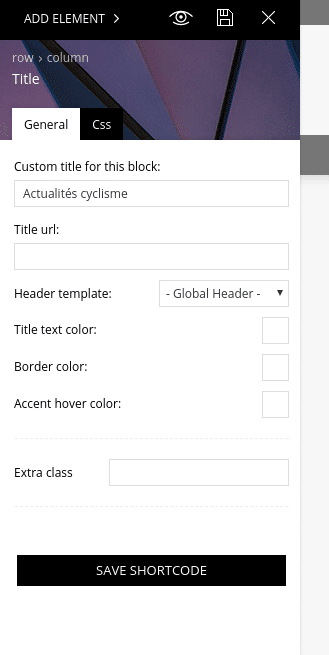
Is there any way that we can specify weither it is a H1, H2, H3… on Block title blocks ?
https://todaycycling.com/wp-content/uploads/2018/01/Capture-d’écran_2018-01-17_05-52-28.png
Thanks!
AlexSoyerHi there,
I looked for a way to use Custom Fields to filter articles on the home page with it.
Any idea how I can do it?
Thanks!
 songkqx1c
Hey!
1. How do I control the location of each category in the first block of blocks 1 and 2?
2. There are more modules in both block 1 and block 2. This module contains all the classifications, but I just want it to show part of the classifications. What should I do?