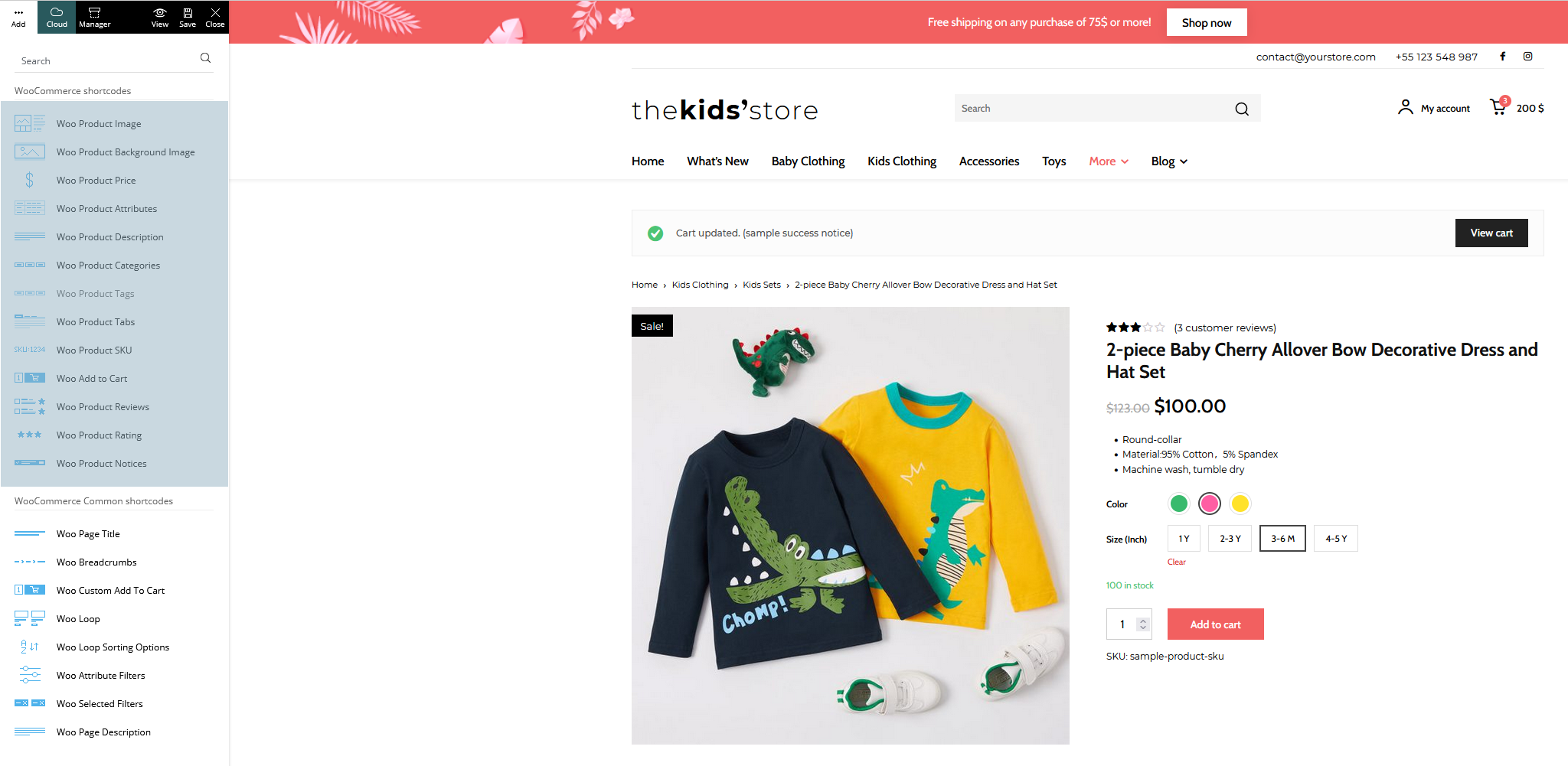
- NewspaperHow to Use tagDiv Cloud Library
- NewspaperCloud Library Templates
- NewspaperCloud Library – Category Templates
- NewspaperDesign your Post Pages using the Cloud Library Templates
- NewspapertagDiv Cloud Library Plugin
- NewspaperCloudflare (CDN)
- NewspaperSingle External Shortcode and External Shortcode
- NewspaperSearch setup for custom post type
- NewspapertagDiv Composer – Website Manager
- NewspaperFlex Block Builder and Flex Loop Builder
- NewspaperModules Builder in Newspaper Theme
- NewspaperIntroduction to CPT and ACF with Newspaper Theme
- NewspaperCreate a frontend submission form
- NewspaperFilters and sorting for taxonomies
- NewspaperUser review system
- NewspaperHow to use the Google Maps API
- NewspaperWooCommerce: Happy “Add to Favorites!”
- NewspaperHow to insert a block inside the content of a post
- NewspaperHow to setup the Contact Page
- NewspaperPosts Loop Element
 Anamaria
 Hello,
Live search is making a live request to the database, after two seconds when the button is up.
If you use a cloud header, then you can edit it with tagDiv Composer and you can use the “search form” that can be edited -> https://i.imgur.com/1FIceUz.jpg -> https://i.imgur.com/n6837rt.jpg -> https://i.imgur.com/gHitHOI.jpg instead of search live.
Also, please try the steps from this topic -> https://forum.tagdiv.com/topic/a-few-tips-for-newspaper-x-speed-high-cpu-usage-issues/
Hope this helps you!
Thank you!
 Bettina
 Hello!
This is possible when you will use a cloud/PRO template. In order to have different elements(menus) inside for every category/post, you need to have different template for each category/post.
If you want the same style of your categories/posts, then you can duplicate a template/layout for every category/post to have different template, make the specific changes and assign it to that category/post.
Check this topic: https://forum.tagdiv.com/topic/different-logo-in-categorypage/ ; Here I explained step by step how you can duplicate a template.
Thank you!
 Simion C.
 Hi,
Are you maybe using Cloudflare? – https://kinsta.com/knowledgebase/error-520/
If you do, would it be possible to test without it being active for a while?
Even if you do use Cloudflare however, it would be unusual if the cause of such problems are the mobile theme + AMP plugins, and only after the latest theme update. Please send us an email at contact@tagdiv.com and provide admin login, also if possible a server manager if the hosting provides one. We will take a look, maybe we can find out why there are such problems.
Thank you!
 remsta
Hi there,
I have enabled AMP and it seems to work for my Home Page, Contact Page – etc.. anything that is a page. However, for my blog posts, I am using various Cloud Templates named ‘Category: Events’ or ‘Category: Lifestyle’.
Under Theme Panel > Categories I have the Cloud Library Template set to Category: Street Style which is used as the master and under each additional category I have inherit from Global settings.
But nowhere on these settings or within the cloud template settings can I find an AMP option. These pages are all showing up as normal pages on a mobile device, how do I fix this?
http://www.cocktailrevolution.net.au – you can see this by going to this site.
Thanks
 sabyp
sabypI am using cloud templates for both single posts and the homepage. How do I hide the sticky sidebar for a user on the non-amp mobile version? Thanks,
 findlay
Hi, I’m using the Art Blog Pro Prebuilt website on https://wagglydogs.com. Noticed that header on mobile devices was the same as on desktop which means the menu on mobiles is too small.
I added the amp and tagdiv mobile plugins and set to amp expecting that this would generate a mobile menu automatically but it did not.
So I deleted the amp and tagdiv mobile plugins. Unfortunately this removed my header menu from both mobile and desktop.
So I then went into cloud templates and discovered the header menu was missing so reinstated it.
This resulted in the header menu being reinstated on my desktop but NOT on mobile devices.
Can you please tell me how I can reinstate the header menu on mobile devices?
Thank you.
 KJFC
KJFCBasically what the title says. I found in the documentation how to export the theme panel settings. But how do I export the settings of the templates I customised from the Cloud templates so I don’t have to rebuild them when I move over from the test site? Is there a way to do that? I am not a programmer or I.T. person.
 russellk
 Thank you for your reply! We’ve found the issue to be with Cloudflare, and their support fixed it. Thanks again!
 curistorian
I am unable to open the Cloud library to choose a product page template. When I click on the ‘Cloud’ button from the product page, nothing happens. Is there a fix for this? I was able to do this for the shop page so I’m not sure why this is an issue.
 Bill Fleak
We are seeing some extra CSS code appearing in our Admin Dashboard at the top ONLY displays on the POST section of WP Admin. We have no extra Custom CSS on the site and are still seeing this. We have narrowed it down to the tagDiv Cloud Library plug-in causing the issue. Please see the attached video. https://www.screencast.com/t/W9ED8bAD
Please advise how to resolve this. Thank you
 zy331200
I am try to build an e-commerce website with newspaper theme, I am excited to know that V11.2 is able to support many woo commerce features after knowing from documentation. Anyway I am failed to do it when I creating a new page for my shop page, I can’t find “woo product category” block from my Tagdiv composer, which it is described in the documentation it should be available.
You can see from the image here what I have in my Tagdiv composer: https://imgur.com/a/6a20Bi2
And I am trying to install a shop template but I failed again, as it is not available in my cloud library: https://imgur.com/a/FuZ4o0i
And in the Tagdiv newspaper documentation here, it shows all blocks related to woocommerce: https://forum.tagdiv.com/wp-content/uploads/2021/09/woo-shortcodes.png
Can any one tell me what I was doing wrong?
Bettina Hello!
Normally, it should work like this: https://www.screencast.com/t/6d27ubJhby
You can change/customize the author template if you like, please check our documentation here: https://forum.tagdiv.com/cloud-library-templates/
Thank you!
 Widebody News
Hello, I’m looking to buy a second license for a new website but I was never able to figure out the mobile theme. I just want a simple listing of the latest news and some menus, nothing fancy. Since it’s different from the desktop layout, am I supposed to go for the route where I delete the apps and create the mobile page? Right now, I have that done with a mobile theme from the cloud installed, but it’s not showing the correct way.
https://widebodynews.com/
Also, I have a question about AMP. It seems to disable my lightbox and google search console showed links with /amp in them at the end, so it was seeing two types of links which I thought was strange. If I don’t want amp I’m supposed to go the mobile page rout?
https://widebodynews.com/muscle-cars/hot-rodder-cant-buy-his-old-dodge-charger-daytona-builds-this-instead/?amp=1
(note, I have watched “Let’s go Mobile!” ten times. Please tell me what is the ideal solution to my situation).
 Mark Gilbert
 I still need to understand what you are saying. You say: “the theme is coming by default as I mentioned because I tested on a fresh install of the theme and this is working well.”
I don’t know what “coming by default” means. Do you mean that in Style 3, 7 & 8, with no CSS, you are seeing the post title in white? To help me understand, can you please go to this post – https://jazzjournal.co.uk/2020/08/15/charlie-parker-at-100-chasin-the-birds-tone/ (it’s set to Style 3) and tell me if you see the title in white or in black? The words of the title are: Charlie Parker at 100: Chasin’ the Bird’s tone
You can simply reply “For me the title is black” or “For me the title is white”.
To I am seeing only black, in Firefox, Safari and Chrome, on a MacBook Pro.
I know theme fixes take time – it was a suggestion for the future – but from what you say it looks like there may be a problem with my installation, which is why I ask you to take a look at it…
Regarding clients using cloud templates, I said in my first message above: “I know there are cloud options but can’t use any cloud templates while they remain incompatible with my paywall plugin.” (A reason, as I’ve said before, that Newspaper, as a media theme, needs to provide an integrated paywall as a priority ahead of shopping, which has nothing to do with journalism.)
Thanks again – look forward to your clarification.
Mark Gilbert
Bettina Hello Mark!
I just say that the theme is coming by default as I mentioned because I tested on a fresh install of the theme and this is working well. We will investigate more and try to guess why in your case it is different. Please note that we can not “adjust it” in 2 minutes and everybody will have the fix, but maybe others do not have the issue as you. These cases could have a lot of possible trouble why those are black or white.
One more thing, a lot of clients do not use those default styles anymore because they prefer and we recommend the cloud templates to have the possibility to customize them with the TagDiv Composer.
Thank you for understanding!
Anamaria Hello,
To make your own design you need to use the elements from tagDiv Composer and tagDiv Cloud Templates
On our channel https://www.youtube.com/channel/UCOT1RiNysIPCTPSnVZskwtQ, you can find more videos that can help you and documentation https://forum.tagdiv.com/newspaper-theme-documentation/ and you can ask us here on the forum if you have any questions.
Thank you!
 Calin
Calin Hi,
There are more ways to set those requirements, for example you can check this guide for how to set theme using the options from cPanel https://chemicloud.com/kb/article/how-to-increase-the-max_input_vars-limit-in-cpanel/ also you can set the code in php.ini file (if exist) or in .htaccess at the end of the last content from the files.
I hope it will help you!
 iamratnesh
 Oops I’m sorry. I managed to create a new template from cloud library, You can close this post and refer to this Post
Anamaria Hello,
I’m not sure I fully understand what you need to change, can you provide more details?
If you referring to this https://i.imgur.com/Zcs45uS.png, you can remove it used only custom code CSS, because it was a premade footer, and could not be edited, but I saw that you changed the standard footer with footer template from cloud library.
Thank you!
russellkWhile creating posts yesterday, the homepage suddenly quit loading content, and instead only displayed the header and footer. Using CTRL+F5 loads the content consistently.
I turned on debugging info in wp-config, and also see, "Notice: Undefined offset: 0 in /home/dh_wpsun/hernandosun.com/wp-content/plugins/td-composer/legacy/common/wp_booster/td_module.php on line 378
Notice: Trying to access array offset on value of type bool in /home/dh_wpsun/hernandosun.com/wp-content/plugins/td-composer/legacy/common/wp_booster/td_module.php on line 501" randomly interspersed in the page. The line numbers in this message are different in the body vs. sidebar.
We went through a problem with the tagdiv composer also, but I’m not sure if that’s related to this display issue.
We’ve installed WP SuperCache, but it does nothing. The site also employs Cloudflare and uses its plugin which is supposed to clear caching upon each update to the site.
I have images showing the header/footer only and the way it’s supposed to look, but I don’t see an option to attach them.
You can view the site here: hernandosun.com
 kewalsmulti
hi.
I’m trying to get subtitles to appear on the list of articles (posts). I want the articles listed to be 2-column until mobile when they should be one-column.
I modified .td_module_10.php a long time ago, but want to change modules because that one doesn’t function the way I want it to on a mobile: It retains the two columns instead of changing to a full-width image with text under it (for each post). I found a Cloud loop template that does this.
A long time ago, Calin & Bogden gave me instructions to add code to td_module_10.php, but the instructions don’t work on the loop template. https://ibb.co/M5Tbmw4
I added the same code to tdb_module_loop.php. If I inspect the code I can see the subtitle div is there, but it is not being populated by the subtitle: https://u83572.imgbb.com/
Can you help? (And can I send you the url privately?)
Thanks!
Bettina Hello!
Make sure you access a category page: https://www.screencast.com/t/oeiaPxHIYS
You should import that template first from Cloud Templates.
Thank you!
Anamaria Hello,
If on the website are displayed shortcodes, you need to have the tagDiv Standard Pack plugin updated and activate, from version 10.4, this plugin is no longer required because the new demos are using cloud templates.
Thank you!
 manojnegi1984
 I tried this template “Category Template – Shop Audio by tagDiv” from the CLOUD LIBRARY and it did not work.
But, i tried other templates and they worked.
thank you for your help 🙂
Anamaria Hello,
You can import a header template https://cloud.tagdiv.com/#/load/Headers from Cloud Library and set the logo like in the article or like in this video https://www.youtube.com/watch?v=HXQQygkCCJo
Thank you!