
- NewspapertagDiv Composer – Website Manager
- NewspaperWhen tagDiv Composer is Not Working
- NewsmagtagDiv Composer Tutorial
- TutorialsFrom WPBakery to tagDiv Composer
- NewspapertagDiv Composer Tutorial
- NewsmagHow to use the Visual Composer plugin
- NewspaperScroll Animation
- NewspaperSingle External Shortcode and External Shortcode
- NewspaperCredit System
- NewspaperBookmark – Save For Later
- NewspaperFlex Block Builder and Flex Loop Builder
- NewspaperModules Builder in Newspaper Theme
- NewspaperIntroduction to CPT and ACF with Newspaper Theme
- NewspaperCreate a frontend submission form
- NewspaperHow to Use the Tabbed Content shortcode
- NewspaperCreate a form contact page
- NewspaperFilters and sorting for taxonomies
- NewspaperUser review system
- NewspaperCustom Fields Support
- NewspaperWooCommerce: Happy “Add to Favorites!”
 T2N
T2NHey,
I have an issue when I activate the header #4 on my staging website: https://travelstage.wpengine.com/
When I activate it, I see this: https://screencast.com/t/CmtWNt7BnBGR and in error_log file I see this error:
[Fri May 10 18:56:38.396489 2019] [php7:error] [pid 4186] [client 77.127.19.222:49652] PHP Fatal error: require_once(): Failed opening required ‘header/ads.php’ (include_path=’.:/usr/share/pear/php:/usr/share/php’) in /nas/content/live/travelstage/wp-content/plugins/td-composer/legacy/Newspaper/parts/header/header-style-4.php on line 27, referer: https://travelstage.wpengine.com/wp-admin/admin.php?page=td_theme_panel
I tried to change the header style to another one for ex. #3 and it works and when switch back to #4 it doesn’t work at all
 Jose
JoseHello team,
I built a website with the TagDivComposer editor, then I added a prominent image of acceptable dimensions (770×500).
When I share the page, in social networks like Faceboo, all the highlighted images appear. Except on this particular page, it doesn’t appear here.
I’ve used the facebook debugger, but it doesn’t work either, no image appears.
Did I do something wrong?
FB depurator: https://bit.ly/2VuSzGw
The page: https://bit.ly/2OY5r1v
Image: https://bit.ly/2VZGgBy
Cheers
 alanzilli
hi, I modified the template with the td composer including the mobile template but the changes I make in the td composer do not appear on the phone. the template remains almost identical although I make many changes. I also tried to change the colors of the template on the phone but the changes do not appear to me. let me explain better in the phone view there is a different template than the one I open as a mobile phone which is always or almost the same template
 trebor-2
 TD composer now also takes 2 minutes to load.. whereas before it just took a second or 2
 Calin
Calin Hi,
Please make sure that all the settings are like in our requirements, please follow the guide carefully
– https://forum.tagdiv.com/requirements-for-newspaper/
and please increase all requirements that are lower, and follow all steps.
When tagDiv Composer is not working -> https://forum.tagdiv.com/tagdiv-composer-not-working/
This can be a plugin conflict, please make sure that you do not have a plugin conflict, please deactivate all non theme plugins, also if you are using child theme or cache plugin, please deactivate them, clear all cache and try again.
Thank you!
 Kluge
KlugeHello,
In tagdiv Composer – Header Manager button.
1) PhP.ini setting are ok.
2) WP setting are ok.
Still get this error
Calin Hello,
The warning you see does not block the tagdiv composer. It is just a warning mentioning you made edits outside the composer. The page name can be changed through the tagdiv composer so changing it in the back-end, will result ion the warning you see on your page. But this warning will no block the page editor.
If your page builder gets blocked by this message, it could be influenced by a plugin or a custom code added to that page.
Thank you!
 leytol
Hello,
Why the mobile version of this URL: https://www.leyendasdetoledo.com/informacion-turismo-toledo/ cannot show the elements that I’ve inserted with Td-composer?
Only shows title of page, but in desktop version all is ok.
I’ve used one cloud template for display one category, but nothing displays in mobile version.
Thanks!
 Vlad S
 Hello !
In order to change the Title text you need to edit it with the tagDiv Composer like here: https://www.screencast.com/t/7tttyqNV8eL.
Also for having or not a sticky menu you can edit that option from Newspaper – Theme panel – Header – Main menu: https://www.screencast.com/t/uopC7rqOL
Thank you !
 Simion C.
 Hi,
Is that happening even for new pages? Usually the error may appear if you are trying to edit a page that was not built entirely with the tagDiv composer, or it contains elements that are not part of the composer – https://forum.tagdiv.com/tagdiv-composer-not-working/
If the error appears even for new pages, then it could be caused by plugins. Try as a quick test to deactivate all non-theme plugins. Then check if the problem is solved.
In case it remains, please send us an email at contact@tagdiv.com and provide admin login, as well as cPanel or FTP if possible. Include a link to this topic in the email. Let us know.
Thanks
Simion C. Hi,
The tagDiv composer doesn’t have a backend editor. It is a front-end editor only
– https://tagdiv.com/tagdiv-composer-page-builder-basics/
Please specify some more details about the issue you are having, for a better understanding. Let me know.
Thanks
Vlad S Hello !
If you set the code set the settings file from the composer on Overlay. If you went for default then don’t insert the code.
If none of the versions above do not work please try this code: article
{
margin-top: 48px;
}
Thank you !
 ashutoshjosh
Hello Guys
We created a custom post type by modifying one of the preset templated in the cloud library. Now we want to set this template for all pages so we went to
Theme panel> post settings>Default site post template
There we could see the new template that we created and selected it. This was done for all the languages that we have (We are using WPML)
This works for a while but then when we switch languages then the post template in the theme panel reverts to the default.
WE also tried changing the template in the post options, this works for some time but then the template reverts to the default template.
This has us really stuck as we cannot design anything! The theme panel is the latest. We clear the cache and the system settings are default.
Tried disabling plugins but still this happens. We are anyway using all recommended plugins.
Please let us know what is missing
Regards
Ashutosh
Calin Hi,
Most of the theme files were moved into the tagdiv composer plugin as per the requirements of envato: https://help.author.envato.com/hc/en-us/articles/360000472383-WordPress-Theme-Requirements.
We wrote an article on the subject here: https://tagdiv.com/updating-the-core-of-tagdiv-themes/
-> wp-content/plugins/td-composer/legacy/common/wp_booster/wp-admin/content-metaboxes/td_set_post_settings.php
Thank you!
 acharnaika
Hello,
I build a page with tagdiv composer, i save the page and everything is ok. When i click on tagdiv composer button so i can edit this page again my content is not there and i need to added again.
Thank you
Calin Hi,
The mobile theme is a plugin that provide you a better speed then responsive version of theme, but in order to achieve that speed you’ll need to create a new content for pages because in the most of cases those were made with builders ( tagDiv Composer, WPBakery ) and you need to use only the mobile editor ( you need to set the content for pages in mobile editor and this content will be display on mobile theme)
-> https://www.screencast.com/t/ebUIzt4se
If you want the responsive version and amp you should use this opinion -> https://www.screencast.com/t/jZct5ueBqOrb but if you have amp activate on pages you’ll need to create in Mobile editor a content for AMP version of page.
Mobile Theme: Automatic Optimization for Mobile with Newspaper Theme -> https://tagdiv.com/mobile-theme-automatic-optimization-for-mobile-newspaper-theme/
Also for the 3 blocks, you’ll need to have set same feature posts (that have set feature category) -> https://forum.tagdiv.com/featured-posts-2/ -> https://www.screencast.com/t/QsJ6ppY4
If you do not have the featured category, you’ll need to add some posts in feature category -> https://forum.tagdiv.com/featured-posts-2/ if you do not have this category you can create it, just make sure that you set the category name to be
Featured
Let me know if you have more questions!
 indro
indro Hello!
I’ve consulted all the materials above mentioned by you, as I’ve spent more than 8 hours working on it and not being able to resolve, but i found out that TD Composer is causing it. When I deactivate TD Composer the site works just fine, upon reactivation it becomes extremely slow initially and than throws the error…
Please help me on this, I don’t know what’s wrong with this plugin.
trebor-2 I have tried in the header manager of TD composer to add logo, remove logo etc but nothing changes.. I always see the news9logo image
I have set it to use a sticky menu but it doesn’t work either, it’s not showing up
Calin Hi,
Indeed, in Newspaper v9.7 the only files that can be set in child theme are functions.php and style.css , but the most parts of customization can be made now using tagDiv Composer and elements from tagDiv Cloud Library, the changes make on modules/blocks can be achieve using flex blocks , in your case you can set a footer page made by you or form cloud with all the elements/widgets you need ->https://forum.tagdiv.com/footer-templates/
Thank you for your understanding!
 beautchat
Hi,
So yesterday I was editing a cloud template with TD Composer and when I went to pick up where I left off it kept giving me a warning notice saying that’The current content hasn’t been created by TagDiv Composer!’. I don’t know why it’s happening and I’ve deactivated and deleted any plugins that might affect this. I also did the Newspaper theme update as well.
My site is http://www.beautchat.com
 nodali
 Hi there,
The problem is that TagDiv composer or maybe the theme is not compatible with iThemes Security plugin.
For your information, it is perfectly normal with Wordfence Security.
Problem solved.
Regards,
 mathclash
Hello!
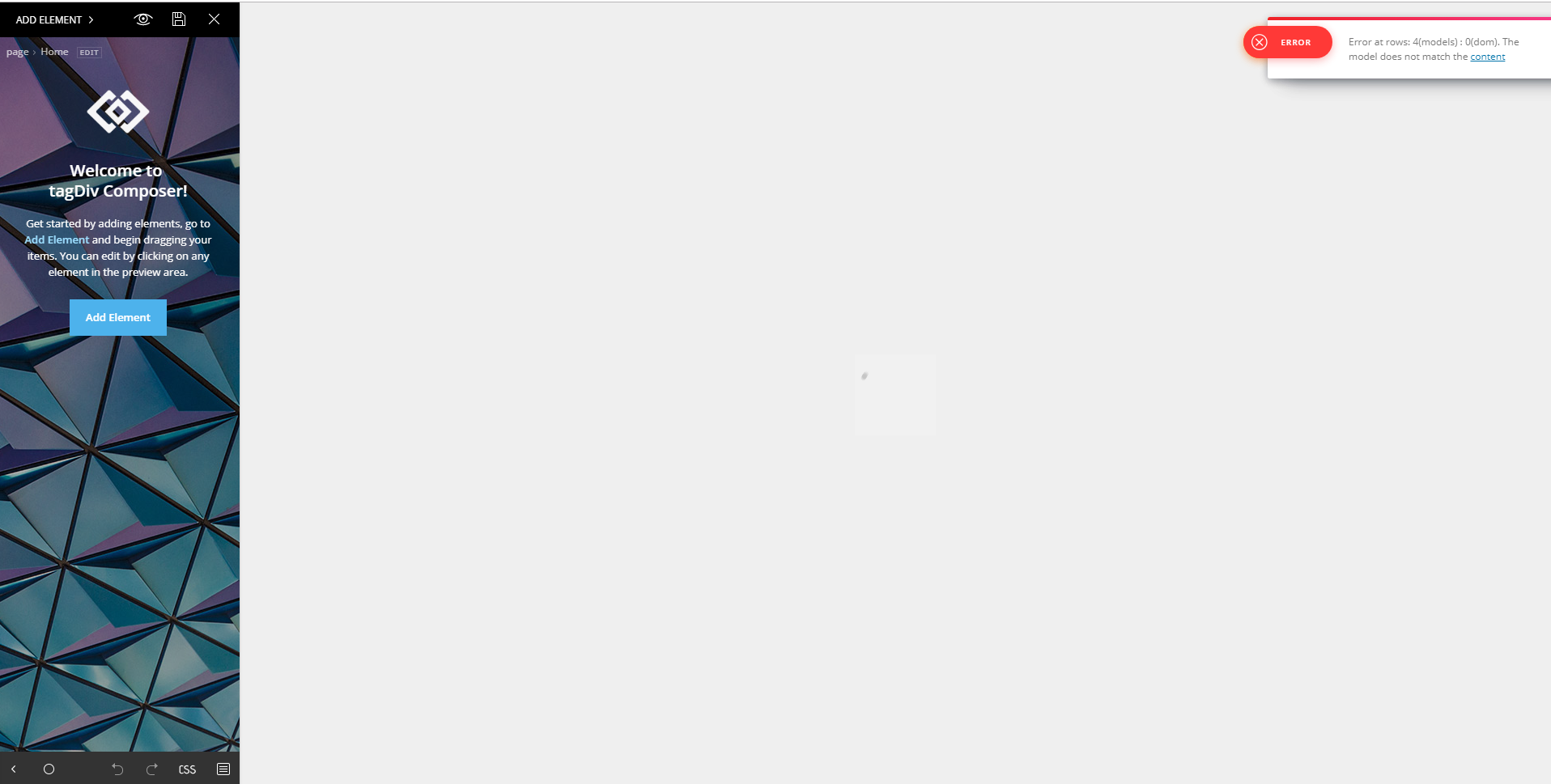
I’m confronting an error with td composer, how can i fix it?
 Mitschelen
My tag div composer was working on the front end. However, it doesn’t appear anymore.
It works on the back end
 mikethecop
The links on the sidebar that show current number of likes and link to appropriate accounts is not functioning properly:
1. It does not load the correct numbers for FB or YT. It is working on Twitter and IG.
2. On posts, the social links reset to TagDiv links not mine that I load with TD Composer in the element.
Please advise.
 gorgonita
something happened that i can´t update posts, or edit them, or pages. And i cannot edit neither with the tag div composer.
https://argentinamilitante.org
