- NewspapertagDiv Composer – Website Manager
- NewspaperWhen tagDiv Composer is Not Working
- NewsmagtagDiv Composer Tutorial
- TutorialsFrom WPBakery to tagDiv Composer
- NewspapertagDiv Composer Tutorial
- NewsmagHow to use the Visual Composer plugin
- NewspaperScroll Animation
- NewspaperSingle External Shortcode and External Shortcode
- NewspaperCredit System
- NewspaperBookmark – Save For Later
- NewspaperFlex Block Builder and Flex Loop Builder
- NewspaperModules Builder in Newspaper Theme
- NewspaperIntroduction to CPT and ACF with Newspaper Theme
- NewspaperCreate a frontend submission form
- NewspaperHow to Use the Tabbed Content shortcode
- NewspaperCreate a form contact page
- NewspaperFilters and sorting for taxonomies
- NewspaperUser review system
- NewspaperCustom Fields Support
- NewspaperWooCommerce: Happy “Add to Favorites!”
 Noel Yemes
 Calin
Calin Hi,
Child theme is used only for old prebuilt websites, using a pro one like Business, you need to use tagDiv Composer to edit it from the frontend – https://www.youtube.com/watch?v=SoGQ0d5kIBg&list=PL6CsDkMaejhoHETIWoxnRB4zefz8L8PYg&index=1
The child theme is provided in the theme package (unzip the package and check the code folder inside it is the child theme) provided on themeforest account. Before using the child theme, please check our guide for it – https://forum.tagdiv.com/the-child-theme-support-tutorial/
 B14
B14 [ Version 12.7.3 ]
fix: Changed the composer version to 5.4.2;
fix: Fixed issue with TOC element;
fix: Other various fixes;
Calin Hi,
The theme do not have a plugin such as td-theme-core.
The theme plugins can be installed after the theme is installed by accessing the Newspaper > plugins section. The core theme is tagDiv Composer plugin https://forum.tagdiv.com/newspaper-how-to-update-a-plugin/
Calin The 12.7.3 contains some fixes for Newspaper v12.7.2
– fix for TOC
– fix composer version for XSS vulnerability
– other various fixes;
If you do not need at least one of them, then there is no need to update to 12.7.3
https://tagdiv.com/newspaper-changelog/
Calin Hi,
To set a page to full width (or a cloud template), you’ll need to edit it with tagDiv Composer like this -> https://i.imgur.com/i5IUJ9E.jpg add or select a row and stretch it after your needs -> https://i.imgur.com/WKYebPX.jpg -> https://i.imgur.com/TO1BZ3M.png -> https://i.imgur.com/Yq8UCv3.jpg
If you want to make the layout full-width, then to change the website width, you need to make sure that you don’t have set a background color/image in the Theme Panel, because this makes your website boxed. Make sure this option is disabled => https://www.screencast.com/t/ejiNPCBF
Thank you!
 DavidFHenry
Hi Guys,
Any idea when 5.4.2 will be available?
Calin Hi,
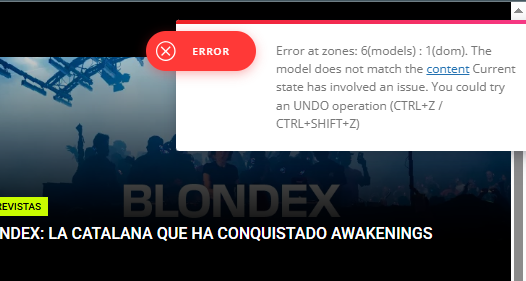
It appers taht the last chnages on your homepage made this situation. most of the time the problem is from a shortcode that is not compatible with our theme or a plugin conflict, therefore after you set it with tagDiv Composer and save the page/cloud template, the next time when you try to edit it, you’ll get that error.
If is only for one page or a cloud template (it can be on the header or footer, you can change them for tests and see if the problem persists), this is from some settings/shortcodes set on it and it can be fixed using the page revision https://wordpress.com/support/page-post-revisions/
if the situation persists, make a full backup and contact us via email at contact@tagdiv.com and provide wp-admin access. We’ll check it as soon as we can.
Thank you!
Calin Hi,
First, make sure you are using the latest version of the theme, 12.7.2. If you have an old version of the theme, make a full backup and update the theme.
If you already have the latest version, first check if you have set some fixed numbers for the social counter https://forum.tagdiv.com/tagdiv-social-counter-intro/ https://i.imgur.com/ezLA45O.png
Another solution is to disable and delete tagDiv Composer and tagDiv Social Counter and reinstall them from Newspaper > plugins.
Thanks!
Calin Hi,
If you are using a cloud header, you can use tagDiv Composer to edit the live search. In the General tab, if you scroll down, you will see the search form settings – https://i.imgur.com/bi4nphM.png
I hope this helps, if not, please provide a link to your website and some screenshots, I will try to recreate it and provide a better solution.
Thanks!
 bcnresistance
website URL: https://bcnresistance.com/
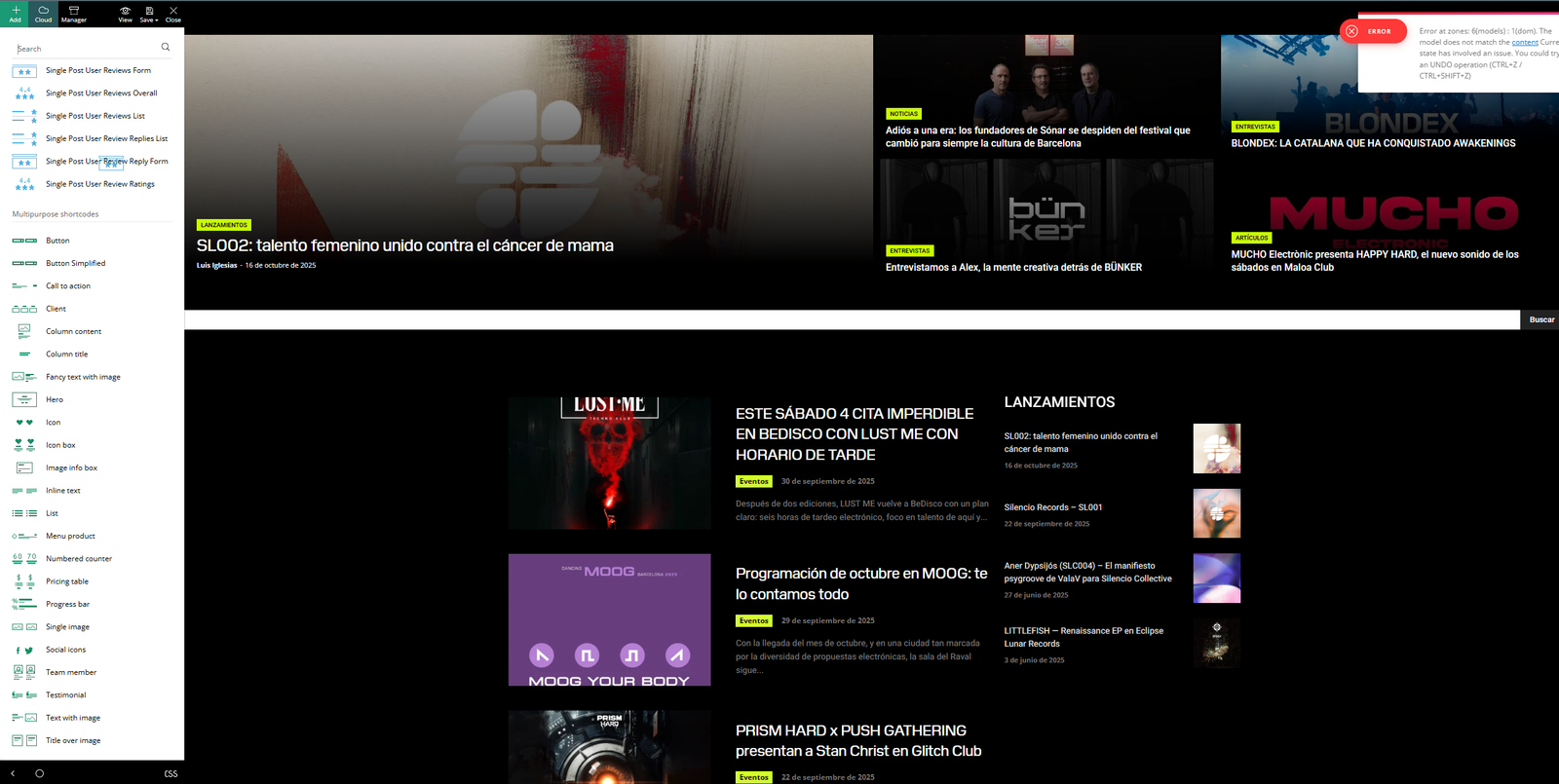
1.On my homepage, I can’t see the header or the footer (this only happens on the homepage).
2. I can’t use TagDiv Composer on my homepage (again, only on the homepage). Screenshot attached here.<br>
The editing sidebar appears, but I can’t edit anything in the body of the page — I can’t drag or select elements to modify them. It looks like it’s “broken.”
3. There are errors showing up in the TagDiv Composer editing menus. Screenshot attached here.
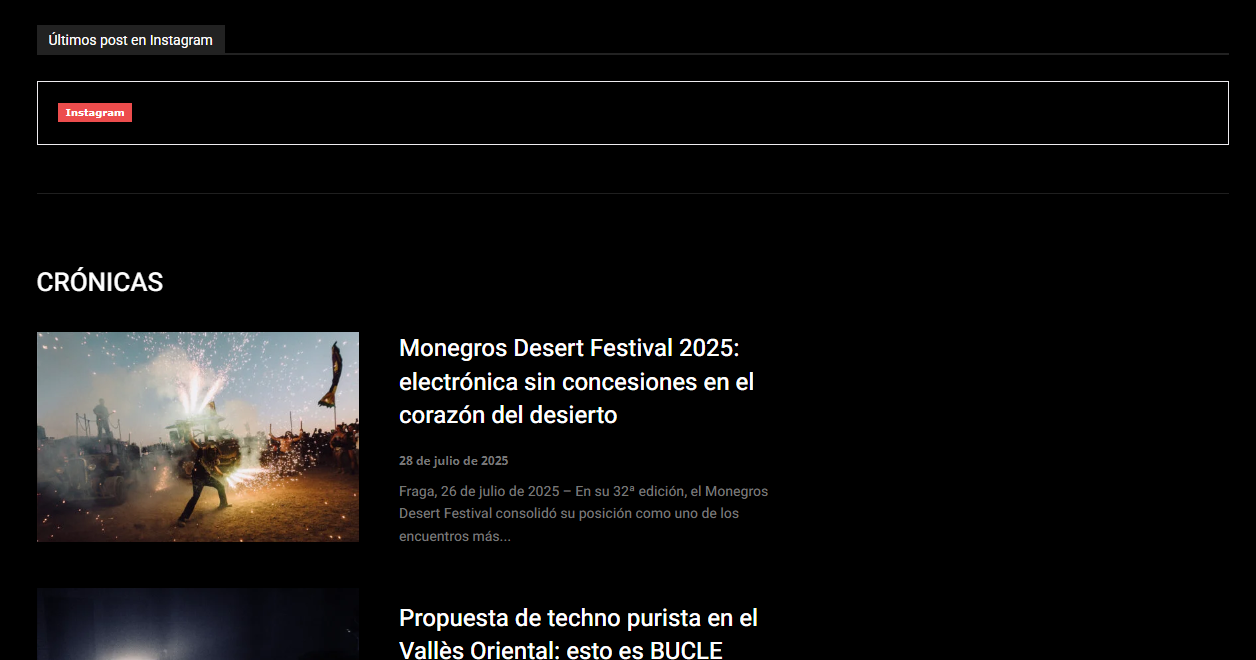
Some widgets have stopped working (for example, the Instagram link). Screenshot attached here
 bounama17
When I go to the search page gives me this error
Fatal error: Uncaught TypeError: Cannot access offset of type array on string in /usr/www/users/hurawa/wp-content/plugins/td-composer/legacy/common/wp_booster/td_util.php:1196 Stack trace: #0 /usr/www/users/hurawa/wp-content/plugins/td-composer/legacy/common/wp_booster/td_util.php(340): td_util::get_template_id() #1 /usr/www/users/hurawa/wp-content/plugins/td-composer/legacy/common/wp_booster/td_wp_booster_functions.php(513): td_util::check_header() #2 /usr/www/users/hurawa/wp-includes/class-wp-hook.php(324): td_load_css_fonts() #3 /usr/www/users/hurawa/wp-includes/class-wp-hook.php(348): WP_Hook->apply_filters() #4 /usr/www/users/hurawa/wp-includes/plugin.php(517): WP_Hook->do_action() #5 /usr/www/users/hurawa/wp-includes/script-loader.php(2299): do_action() #6 /usr/www/users/hurawa/wp-includes/class-wp-hook.php(324): wp_enqueue_scripts() #7 /usr/www/users/hurawa/wp-includes/class-wp-hook.php(348): WP_Hook->apply_filters() #8 /usr/www/users/hurawa/wp-includes/plugin.php(517): WP_Hook->do_action() #9 /usr/www/users/hurawa/wp-includes/general-template.php(3192): do_action() #10 /usr/www/users/hurawa/wp-content/plugins/td-composer/legacy/Newspaper/header.php(8): wp_head() #11 /usr/www/users/hurawa/wp-content/plugins/td-composer/td-composer.php(254): require_once(‘/usr/www/users/…’) #12 /usr/www/users/hurawa/wp-includes/class-wp-hook.php(324): {closure}() #13 /usr/www/users/hurawa/wp-includes/class-wp-hook.php(348): WP_Hook->apply_filters() #14 /usr/www/users/hurawa/wp-includes/plugin.php(517): WP_Hook->do_action() #15 /usr/www/users/hurawa/wp-content/themes/Newspaper/header.php(2): do_action() #16 /usr/www/users/hurawa/wp-includes/template.php(810): require_once(‘/usr/www/users/…’) #17 /usr/www/users/hurawa/wp-includes/template.php(745): load_template() #18 /usr/www/users/hurawa/wp-includes/general-template.php(48): locate_template() #19 /usr/www/users/hurawa/wp-content/plugins/td-cloud-library/wp_templates/tdb_view_search.php(8): get_header() #20 /usr/www/users/hurawa/wp-includes/template-loader.php(106): include(‘/usr/www/users/…’) #21 /usr/www/users/hurawa/wp-blog-header.php(19): require_once(‘/usr/www/users/…’) #22 /usr/www/users/hurawa/index.php(17): require(‘/usr/www/users/…’) #23 {main} thrown in /usr/www/users/hurawa/wp-content/plugins/td-composer/legacy/common/wp_booster/td_util.php on line 1196
 aline@nordsip.com
Hello! When I enter a search term, the live ajax is working but if I press enter it returns a fatal error.
How can I reset this function on the theme?
The site is nordsip.com and here is the error returned by Query Monitor:
Uncaught Error: Illegal offset type
in /home/nordsipc/public_html/wp-content/plugins/td-composer/legacy/common/wp_booster/td_util.php on line 1196
Call stack:
td_util::get_template_id(WP_Post)
wp-content/plugins/td-composer/legacy/common/wp_booster/td_util.php:340
td_util::check_header()
wp-content/plugins/td-composer/legacy/common/wp_booster/td_wp_booster_functions.php:513
td_load_css_fonts(”)
wp-includes/class-wp-hook.php:324
WP_Hook::apply_filters(NULL, array)
wp-includes/class-wp-hook.php:348
WP_Hook::do_action(array)
wp-includes/plugin.php:517
do_action(‘wp_enqueue_scripts’)
wp-includes/script-loader.php:2299
wp_enqueue_scripts(”)
wp-includes/class-wp-hook.php:324
WP_Hook::apply_filters(NULL, array)
wp-includes/class-wp-hook.php:348
WP_Hook::do_action(array)
wp-includes/plugin.php:517
do_action(‘wp_head’)
wp-includes/general-template.php:3192
wp_head()
wp-content/plugins/td-composer/legacy/Newspaper/header.php:8
require_once(‘/home/nordsipc/publi…Newspaper/header.php’)
wp-content/plugins/td-composer/td-composer.php:254
{closure}(”)
wp-includes/class-wp-hook.php:324
WP_Hook::apply_filters(”, array)
wp-includes/class-wp-hook.php:348
WP_Hook::do_action(array)
wp-includes/plugin.php:517
do_action(‘tdc_header’)
wp-content/themes/Newspaper/header.php:2
require_once(‘/home/nordsipc/publi…Newspaper/header.php’)
wp-includes/template.php:810
load_template(‘/home/nordsipc/publi…Newspaper/header.php’, true, array)
wp-includes/template.php:745
locate_template(array, true, true, array)
wp-includes/general-template.php:48
get_header()
wp-content/plugins/td-cloud-library/wp_templates/tdb_view_search.php:8
include(‘/home/nordsipc/publi…/tdb_view_search.php’)
wp-includes/template-loader.php:106
require_once(‘/home/nordsipc/publi…/template-loader.php’)
wp-blog-header.php:19
require(‘/home/nordsipc/public_html/wp-blog-header.php’)
index.php:17
Calin Hi,
Use tagDiv Composer, edit the category template https://i.imgur.com/vEQa9PD.jpeg and check for that banner on both mobile and desktop viewports – https://i.imgur.com/Gf8Uxz1.jpeg
All the edits can be done using tagDiv Composer – https://i.imgur.com/26ou4If.png https://i.imgur.com/u6LAi5c.png https://i.imgur.com/rQpb0ce.png https://i.imgur.com/vJXkLni.png
Thank you!
Calin Hi,
Our theme provides for the logo the option to set an image, text, icon, and SVG.
Use tagDiv Composer to change the logo https://i.imgur.com/HgCpJ5P.png select the element and check the text and svg logo – https://i.imgur.com/aC8gVlR.png https://i.imgur.com/8NILLxD.png check it on mobile header too – https://i.imgur.com/2xn9Bba.png
Thank you!
Calin Hi,
The first step is to set the language you want to use in Settings > General – https://i.imgur.com/8up2K71.png
If it is a RTL language, please use a RTL demo – https://i.imgur.com/0Nnczh7.png (other demos can be used, but it will be a bit more work that needs to be done)
Also, texts like – don’t miss, stay connected … – https://i.imgur.com/pksQhWG.png need to be manually changed, use tagDiv Composer, edit the page, select the element, and change the text – https://i.imgur.com/Whcxndu.jpeg https://i.imgur.com/iVMusi9.png
Thank you!
 RAINA
RAINA @bdp While they fix you can comment the line 1080 in /wp-content/plugins/td-composer/legacy/common/wp_booster/td_ajax.php
I understand the problem and the file associated with this plugin:
https://wordpress.org/plugins/notification-for-telegram/
It is a free tool to receive Telegram messages about real-time events happening on a WordPress site. There is also an option for Backtrace that captures the origin of every new user registration. The system now includes the file name and line number from which the registration was triggered, providing full traceability for debugging and security audits. This information is sent whenever a new user registers.
Have nice day
Rah
 tongyfilardi
Steps to reproduce.
Create a Shortcode in TagDiv Composer:
– Right Click on a Row or Element, Save Element
– Add a name
– It creates a Shortcode in the left column.
– Then I can drag and drop from the left rail into the TagDiv Composer
For some reason the ShortCodes are not being saved and I can not delete the ones I already created. Please help.
 SVPrasad
I’m using WooCommerce for my shopping pages, and I want to display product descriptions in a toggle/accordion style on some pages, similar to this example: https://app.supademo.com/image/cmgvmj51f03dhz30ic7lh55de.
This style provides a compact, neat, and user-friendly look, but I noticed that TagDiv Composer does not have a built-in toggle description element.
Could you please advise if there’s a way to implement this for WooCommerce product descriptions, either through custom CSS, shortcode, or a compatible method within the theme?
 gunnarerth
 Hi Calin!
Thanks for your fast reply! We are using Newspaper 12.7.1 and 12.6.8.
I asked our Admin to make the update. He always insists on doing it himself.
I will let you know when it’s done.
It’s for the following websites:
https://magazin.s-vorteilspartner.de/
https://s-quin-magazin.de/
https://www.starmag.online/
https://flin-magazin.de/
I am not sure about your question about the elements. We are using pages that are built with the standard tagDiv Composer, also standard header and footer templates. There is currently no <main> and other landmarks generated by the theme. Can you check it with the webbrowser or do you need screenshots or other info?
Thanks a lot!
Gunnar
Calin Hello, Unfortunately I don’t know exactly how Polylang works, but if you want to translate a page or a cloud template from one language to another, what needs to be done is a duplicate of that page/template in another language, after which you will have to use tagDiv Composer to change the text and images, because these are not automatically translated and there is no manual translation system like for articles in the original language and the language you want to translate into.
Thank you!
 forcenews
Hello,
I am requesting assistance with a custom single post template configuration in the TagDiv Composer: https://forcenews.pl
Goal: We need the “Single Post Author Box” element (the author bio section at the end of the article) to be displayed only for posts published by one specific, designated user account on our website.
Current Situation:
The “Single Post Author Box” element is globally disabled in our standard Single Post Template.
We want it to remain hidden for all standard editorial articles.
Question/Problem:
We need to add the “Single Post Author Box” block to the existing single post template in TagDiv Composer, but it must appear conditionally.
Is there a built-in “Display Condition” feature within the TagDiv Composer for a single element (block) that allows us to set a rule based on the Post Author (e.g., specifying the Author’s ID or Username) to make the block visible?
Is there a solution that does not require duplicating the entire post template? Please advise on the best implementation path.
Thank you for your prompt assistance!
 be2name
Critical Bug in td_util.php Line 1196 – Search Functionality Broken (Array to String Conversion)
Description:
I’ve encountered a critical bug in the Newspaper theme that completely breaks the WordPress search functionality. The issue is located in /wp-content/plugins/td-composer/legacy/common/td_util.php at line 1196.
Symptoms:
- Search returns “Critical Error” message
- Site becomes inaccessible when performing searches
- Error occurs both on frontend search and AJAX search
- Debug log shows:
PHP Fatal error: Uncaught TypeError: implode(): Argument #2 ($array) must be of type ?array, string given
Root Cause:
Line 1196 in td_util.php contains:
$buffer .= implode(' ', $value);
The function implode() expects $value to be an array, but in some cases (particularly with custom post meta or complex search queries), $value can be a string, causing a fatal TypeError.
Temporary Fix/Workaround:
Replace line 1196 with proper type checking:
// Line 1196 - Fixed version with type checking

if (is_array($value)) {

    $buffer .= implode(' ', $value);

} else {

    $buffer .= (string)$value;

}
This fix checks if $value is an array before using implode(), and converts it to a string if it’s not an array.
Steps to Reproduce:
- Install Newspaper theme with td-composer plugin
- Use WordPress search with complex queries or custom post meta
- Search function triggers fatal error
Environment:
- Newspaper Theme (latest version)
- td-composer plugin (included with theme)
- PHP 8.0+
- WordPress 6.x
Request:
Could you please include this fix in the next update of td-composer? This is a critical bug that breaks essential site functionality. The type checking ensures compatibility with all data types that might be passed to this function.
Affected File:
/wp-content/plugins/td-composer/legacy/common/td_util.php – Line 1196
Thank you for your attention to this matter!
Calin Hi,
You’ll have cloud pages and cloud homepages if you import them from cloud – https://i.imgur.com/iTzTpQJ.png, but those will not be templates for pages; they will be pages created with tagDiv Composer. There are no templates for pages. If you have a page and you want to use it on other pages, just duplicate that page and edit it.
Thank you!
Calin Hi,
I’m not sure I understand correctly. Were you using a standard cloud header before, and now a cloud header, or vice versa?
If you had a cloud header before and now you don’t, please go to Newsapper > plugins and install tagDiv Composer, tagDiv Cloud Library and if it was a standard header, install tagDiv Standard pack https://forum.tagdiv.com/tagdiv-cloud-library-plugin/
Thank you!