
- NewspapertagDiv Composer – Website Manager
- NewspaperWhen tagDiv Composer is Not Working
- NewsmagtagDiv Composer Tutorial
- TutorialsFrom WPBakery to tagDiv Composer
- NewspapertagDiv Composer Tutorial
- NewsmagHow to use the Visual Composer plugin
- NewspaperScroll Animation
- NewspaperSingle External Shortcode and External Shortcode
- NewspaperCredit System
- NewspaperBookmark – Save For Later
- NewspaperFlex Block Builder and Flex Loop Builder
- NewspaperModules Builder in Newspaper Theme
- NewspaperIntroduction to CPT and ACF with Newspaper Theme
- NewspaperCreate a frontend submission form
- NewspaperHow to Use the Tabbed Content shortcode
- NewspaperCreate a form contact page
- NewspaperFilters and sorting for taxonomies
- NewspaperUser review system
- NewspaperCustom Fields Support
- NewspaperWooCommerce: Happy “Add to Favorites!”
 steve@tvstrategies.com
 Hi – Thanks for your suggestions. I still need help with your first one. The second one is resolved. The third one is resolved, but not in the way that you suggested.
1) You suggested to change the images to 300×250 (from 300×300) -> https://i.imgur.com/PaHY1Y2.png
See my screen shot: https://ibb.co/6nJQ4pq
As you suggested, I changed the image on the right to be 300 x 250 (the other two, i did not change). This did not help. Also, there is no control for the padding or borders around the individual images in the image block, using tagDiv Composer. Unless I did not understand what you suggested!
2) For the sidebar image alignment, you mentioned the different width and margins that were set on the element https://i.imgur.com/rG2xch9.png I removed them as you suggested, and it’s great – thanks
3) For my Text Alignment problem, I pasted your custom CSS into the Theme Panel > Custom Code > Custom CSS. It did not work. But, when I pasted it into Live CSS, it worked perfectly.
.td_block_image_box.td-image-box-style-2 .entry-title a {
padding: 0px;
}
Thanks for the great technical support!
 Bettina
 Hello!
You can change that video by editing the page with TagDiv Composer plugin and edit the element.
For more information about the plugin, you can check also our documentation: https://forum.tagdiv.com/tagdiv-composer-tutorial/
Let me know about your results!
Thank you!
 rajkumartrivedi
Getting the following error and this is the primary reason which the home page is loading very slowly.
[08-Jan-2021 17:36:52 UTC] PHP Fatal error: Cannot redeclare tdc_on_remove_core_updates() (previously declared in /srv/htdocs/wp-content/plugins/td-composer/includes/tdc_main.php:353) in /srv/htdocs/wp-content/plugins/td-composer/includes/tdc_main.php on line 352
Website URL: https://blog.toothache.care/
What should be done?
I have updated the plugins and it is still the same issue
Bettina Hello !
You will have to first start looking for a plugin conflict. please deactivate ALL plugins except tagDiv ones, also if you are using child theme or cache plugin, deactivate them, clear all cache and try again.
Also you can try and remove and re-install the tagDiv Composer plugin.
Let us know the results.
Thank you !
Bettina Hello!
If you use the default templates, then you can set up from Newspaper -> Theme panel -> Post settings like this: https://www.screencast.com/t/cUQWQUt4AR
But, if you use the cloud(PRO) templates, then you need to edit a post with TagDiv Composer plugin and add this element like in this screenshot: https://www.screencast.com/t/mkE07oj5PrZ
Hope that helps you!
Thank you!
Bettina Hello!
You can not modify the blockquote in the WP editor(back-end editor), but after you published the post, you can modify the element by TagDiv Composer like in this screenshot: https://www.screencast.com/t/OUJZoCzGtkB
Modify the first value which means the font size of blockquote.
Hope that helps you!
Thank you!
 Anamaria
 Hello,
You can hide the share buttons and like using tagDiv Composer => https://www.screencast.com/t/Zuq9QCRbRpyE , selected the element => https://www.screencast.com/t/Z2McXsEPau and in CSS you can select the hidden display => https://www.screencast.com/t/JxIEt20sF -> https://www.screencast.com/t/5smqhGWDT7
Hope this helps you!
Thank you!
 mi0o
mi0oHello,
after update theme I got this error:
PHP Fatal error: Uncaught Error: Class ‘td_global’ not found in C:\inetpub\wwwroot\intranet\wp-content\themes\Newspaper\vc_templates\vc_row.php:3
Stack trace:
#0 C:\inetpub\wwwroot\intranet\wp-content\plugins\js_composer\include\classes\shortcodes\core\class-wpbakeryshortcode.php(271): require()
#1 C:\inetpub\wwwroot\intranet\wp-content\plugins\js_composer\include\classes\shortcodes\vc-row.php(40): WPBakeryShortCode->loadTemplate(Array, ‘[vc_column][td_…’)
#2 C:\inetpub\wwwroot\intranet\wp-content\plugins\js_composer\include\classes\shortcodes\core\class-wpbakeryshortcode.php(366): WPBakeryShortCode_Vc_Row->content(Array, ‘[vc_column][td_…’)
#3 C:\inetpub\wwwroot\intranet\wp-content\plugins\js_composer\include\helpers\helpers.php(1317): WPBakeryShortCode->output(”, ‘[vc_column][td_…’)
#4 C:\inetpub\wwwroot\intranet\wp-includes\shortcodes.php(343): vc_do_shortcode(”, ‘[vc_column][td_…’, ‘vc_row’)
#5 [internal function]: do_shortcode_tag(Array)
#6 C:\inetpub\wwwroot\intranet\wp-includes\shortcodes.php(218): preg_repla in C:\inetpub\wwwroot\intranet\wp-content\themes\Newspaper\vc_templates\vc_row.php on line 3
but when I check location : Newspaper\includes\wp-booster\ there is tag-div_global.php not tg_global.php
Any ideas?
Thanks
Anamaria Hello,
You can set the header to the centre edit with tagDiv Composer => https://www.screencast.com/t/mg70YCol, select the Header main menu => https://www.screencast.com/t/mugEOCVz6, where you can set to center.
Hope this helps you!
Thank you!
 stuartmasson
Hi team,
We’re trying to add a custom HTML code from an advertiser into some posts, using the ‘custom HTML’ block in the WordPress editor, but it’s not displaying at all. Example post below (ad should be just under main feature image and title, but it’s just a big white space).
https://www.thecarexpert.co.uk/audi-a4-2015/
However, when we try to do the same thing in a page using tagDiv Composer, it displays correctly (example below, where there’s a full-page widget displaying without any problem):
https://www.thecarexpert.co.uk/cars-for-sale/
We can’t understand why the widget works fine for a page and not for a post. We’ve tried it using different themes and don’t run into the same problem, so not sure if it’s a conflict somewhere between Newspaper and the Gutenberg/Wordpress editor system.
Do you have any suggestions?
Many thanks,
stuart
Bettina Hello!
I checked your website and it seems you have installed Mobile theme plugin. If you created the mobile pages with TagDiv Composer, then when you install Mobile Theme plugin, your pages will be overwritten by the plugin.
The Mobile Theme is a performance optimized theme included in the Newspaper main theme and it loads only for mobile devices. It comes with it’s own templates for page, post, category, etc so your current templates from the desktop theme will get converted to the mobile theme layout. For more details, please take a look here: https://forum.tagdiv.com/the-mobile-theme/
Better deactivate the plugin and see the results.
Thank you!
Bettina Hello!
If you edit it with TagDiv Composer, you will have these settings to adjust the size:
https://www.screencast.com/t/Y8wZRb2Kv
https://www.screencast.com/t/vTRIjbpJ0
Hope that helps you!
Thank you!
Anamaria Hello,
You can change the color of the mega menu edit with tagDiv Composer => https://www.screencast.com/t/jNDptsgvhgOW select the Header main menu => https://www.screencast.com/t/oo6zPCDWd6 -> https://www.screencast.com/t/1EGstlbu.
Hope this helps you!
Thank you!
Anamaria Hello,
Using Theme Panel Settings, it will not translate the full website.
You need to take them one at a time, first, our theme has the Translations in Theme Panel => https://www.screencast.com/t/KvlE7u9pM, which change the language for a few elements from pages and posts => https://www.screencast.com/t/7J2hb6Z6 -> https://www.screencast.com/t/ZVIMlTqng2
For the content from the post, you need to change them in Spanish, in WordPress -> Posts => https://www.screencast.com/t/d4J8JtGiwW . Also, the pages and cloud templates can be edited with tagDiv Composer and you can change the text in Spanish language => https://www.screencast.com/t/kCWf2Vowhsq0.
Hope this helps you!
Thank you!
 Calin
Calin Hi,
Normal the tagDiv Composer should open on frontend not backend https://forum.tagdiv.com/tagdiv-composer-not-working/ in most cases those was from untested plugins or settings.
If the problem persist, please send us an email at contact@tagdiv.com and include wp-admin, cPanel and the link of this thread and include as many details you can. I will investigate the problem.
Thank you!
Anamaria Hello,
The block 14 don’t have the option for full width.
You can import a Flex Block or Big Grid Flex from tagDiv Cloud Library, https://tagdiv.com/tagdiv-cloud-library-blocks/ =>https://www.screencast.com/t/V9Du6uZRi which looks like block 14, where you can set the full width => https://www.screencast.com/t/IEne3SHQuici
Hope this helps you!
Thank you!
 itictmedia-nl
 Hey Webmamadou,
I did have the same problem, it has something to do with old Jqeury.
What works for me is using the ‘jquery migrate helper’ plugin, im not an expert but I think it allows the older Jquery from tagdiv to work again, enabling you to work again : ).
Although be carefull with the plugin, when enabled it blocked some features for my agenda plugin. So I only used it when i want to make changes with the Tagdiv composer, and then deactivate it again.
Hopefully this helps!
Huub
 Webmamadou
Hello,
sorry to contact you like this.
I created a website for a client with your theme newspaper.
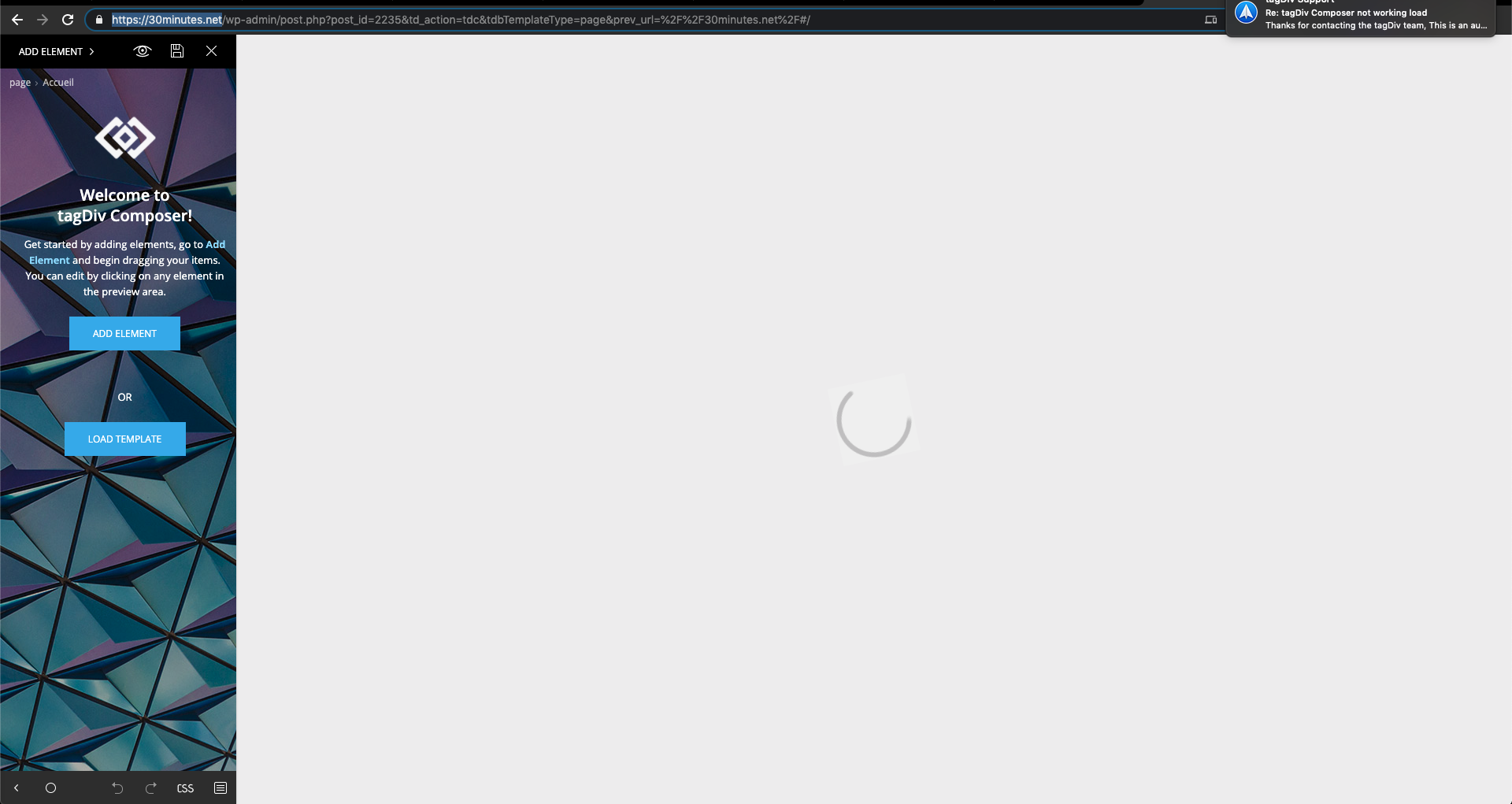
I want to change something in the homepage but the tagDiv Composer editor doesn’t work anymore.
It loads in vain and I’m waiting and waiting. I checked in the forum but I can’t find an answer that solves my problem.
I need your help.
Le lien du site c’est : https://30minutes.net/
I’ll send you a screenshot attached.
thank you and good day to you
Anamaria Hello,
You can delete the text with tagDiv Composer select the element Icon Box a Title text => https://www.screencast.com/t/5ZvGRod04
or if you want to delete permanently, with a right click you can delete => https://www.screencast.com/t/VdARyhFx, or selecting the element and with drag & drop place into the deleting red zone from the bottom right of the page.
Hope this helps you!
Thank you!
 madder
 Hi,
Even with only tagDiv Composer plugin, the issue still persists.
Thanks
Anamaria Hello,
You can change the theme color in Theme Panel -> Theme Colors => https://www.screencast.com/t/CaU1dN61
or with tagDiv Composer for each element => https://www.screencast.com/t/Y2WZRpnu
Thank you!
Anamaria Hello,
You have 3 options for slide => https://www.screencast.com/t/SpVZEJYL .
You can add the slider inside the post with tagDiv Composer the Big Grid Slide => https://www.screencast.com/t/LFWsx1TI -> https://www.screencast.com/t/zReadm4ozvx
slide => https://www.screencast.com/t/BBCxseuxX0I5 or you can use the plugin revolution slider for a simple image slider => https://www.screencast.com/t/L3lZzJft1
Hope this helps you!
Thank you!
Bettina Hello!
In our theme we have a setting when you edit the post template with TagDiv Composer. You need to disable that setting like this: https://www.screencast.com/t/JaSHpq10Y
Thank you!
 Achimzwo
Hello,
since I use the Composer and have install the Posttemplate (Pulses Pro) Line Breakes
<p> </p>
are hidden in all Posts.
How can I repair that?
Thank You
 Roularta
Hi Support!
I’ve used TagDiv Composer to create a page with an iframe form in the left column and a single image in the right column. After uploading the image, I’m trying to add it to the single image component.
The problem is that I keep getting the following error:
“Invalid data Current state has involved an issue. You could try an UNDO operation (CTRL+Z / CTRL+SHIFT+Z)”
The “Undo” operation doesn’t solve anything. I’ve already removed my page and started all over again. Without success.
What going on? Could you help me please?
Kind regards,
Sam from Roularta


