- NewspaperCreate Custom Code with the browser’s Inspector or the Live CSS Box
- NewspaperScroll Animation
- NewspaperWP Rocket and Newspaper Theme: Optimization Guide
- NewspaperHow to setup Twitch for Social Counter
- NewspaperModal Popup
- NewspaperFlex Block Settings Guide
- NewspaperAutoptimize Plugin – install and configuration
- NewspaperAdding Multiple Authors to Your Articles
- NewspaperDesign your Post Pages using the Cloud Library Templates
- NewspaperBig Grid Flex Settings
- NewsmagtagDiv Composer Tutorial
- TutorialsFrom WPBakery to tagDiv Composer
- NewspapertagDiv Composer Tutorial
- NewspaperTheme modules and blocks
- TutorialsDefault Block Settings Guide
- NewspaperThe Mobile Theme
- NewspaperCompare theme files – Winmerge tutorial
- NewsmagBlock settings tutorial
- NewsmagLogo & Favicon
- NewsmagFooter templates
 nearview
 @anamaria,
Please see the site info below.
### wp-core ###
version: 6.7.2
site_language: en_US
user_language: en_US
timezone: America/New_York
permalink: /%postname%/
https_status: true
multisite: false
user_registration: 0
blog_public: 0
default_comment_status: open
environment_type: development
user_count: 15
dotorg_communication: true
### wp-paths-sizes ###
wordpress_path: /code
wordpress_size: 94.86 MB (99465258 bytes)
uploads_path: /code/wp-content/uploads
uploads_size: 0.00 B (0 bytes)
themes_path: /code/wp-content/themes
themes_size: 8.03 MB (8415114 bytes)
plugins_path: /code/wp-content/plugins
plugins_size: 28.00 B (28 bytes)
fonts_path: /code/wp-content/uploads/fonts
fonts_size: 2.28 MB (2386544 bytes)
database_size: 29.67 MB (31113216 bytes)
total_size: 134.83 MB (141380160 bytes)
### wp-active-theme ###
name: Newspaper Child theme (Newspaper-child)
version: 9.0c
author: tagDiv
author_website: http://themeforest.net/user/tagDiv/portfolio
parent_theme: Newspaper (Newspaper)
theme_features: core-block-patterns, post-formats, post-thumbnails, automatic-feed-links, html5, woocommerce, bbpress, align-wide, align-full, editor-font-sizes, widgets-block-editor, editor-style, menus, widgets
theme_path: /code/wp-content/themes/Newspaper-child
auto_update: Disabled
### wp-parent-theme ###
name: Newspaper (Newspaper)
version: 12.6.9
author: tagDiv
author_website: https://themeforest.net/user/tagDiv/portfolio
theme_path: /code/wp-content/themes/Newspaper
auto_update: Disabled
### wp-themes-inactive (1) ###
Twenty Twenty-Five: version: 1.1, author: the WordPress team, Auto-updates disabled
### wp-mu-plugins (1) ###
Pantheon MU Plugin Loader: version: 1.0, author: Pantheon Systems
### wp-plugins-active (41) ###
Advanced Custom Fields: version: 6.3.12, author: WP Engine, Auto-updates disabled
Autocomplete WooCommerce Orders: version: 3.4.0, author: QuadLayers, Auto-updates disabled
Bulk Move: version: 1.3.0, author: Sudar, Auto-updates disabled
Classic Editor: version: 1.6.7, author: WordPress Contributors, Auto-updates disabled
Classic Widgets: version: 0.3, author: WordPress Contributors, Auto-updates disabled
Code Snippets: version: 3.6.8, author: Code Snippets Pro, Auto-updates disabled
Convert Pro: version: 1.8.1, author: Brainstorm Force, Auto-updates disabled
Convert Pro – Addon: version: 1.5.14, author: Brainstorm Force, Auto-updates disabled
Disable Bloat for WordPress & WooCommerce: version: 3.5.0, author: Disable Bloat, Auto-updates disabled
Disable Comments: version: 2.4.7, author: WPDeveloper, Auto-updates disabled
Duplicate Page: version: 4.5.4, author: mndpsingh287, Auto-updates disabled
FluentSMTP: version: 2.2.90, author: FluentSMTP & WPManageNinja Team, Auto-updates disabled
Gravity Forms: version: 2.9.4, author: Gravity Forms, Auto-updates disabled
Gravity Forms ActiveCampaign Add-On: version: 2.1.0, author: Gravity Forms, Auto-updates disabled
Gravity Forms Advanced Post Creation Add-On: version: 1.5.0, author: Gravity Forms, Auto-updates disabled
Gravity Forms Authorize.Net Add-On: version: 2.11, author: Gravity Forms, Auto-updates disabled
Gravity Forms Google Analytics Add-On: version: 2.3.0, author: Gravity Forms, Auto-updates disabled
Gravity Forms reCAPTCHA Add-On: version: 1.6.0, author: Gravity Forms, Auto-updates disabled
GTM4WP – A Google Tag Manager (GTM) plugin for WordPress: version: 1.20.3, author: Thomas Geiger, Auto-updates disabled
Legendary Core for WordPress: version: 1.01.134, author: support@legendarydata.com, Auto-updates disabled
Legendary Data – Search Plugin: version: 1.00.022, author: Alvin Kreitman / Legendary Data, Auto-updates disabled
Molongui Authorship: version: 5.0.15, author: Molongui, Auto-updates disabled
Native PHP Sessions for WordPress: version: 1.4.3, author: Pantheon, Auto-updates disabled
Redirection: version: 5.5.2, author: John Godley, Auto-updates disabled
Simple User Avatar: version: 4.7, author: Matteo Manna, Auto-updates disabled
tagDiv Cloud Library: version: 3.8 | built on 10.02.2025 10:50, author: tagDiv, Auto-updates disabled
tagDiv Composer: version: 5.3 | built on 10.02.2025 10:50, author: tagDiv, Auto-updates disabled
Temporary Login Without Password: version: 1.9.0, author: StoreApps, Auto-updates disabled
The Events Calendar: version: 6.10.2, author: The Events Calendar, Auto-updates disabled
TotalPoll – Pro: version: 4.11.0, author: TotalSuite, Auto-updates disabled
User Role Editor: version: 4.64.4, author: Vladimir Garagulya, Auto-updates disabled
WooCommerce: version: 9.7.1, author: Automattic, Auto-updates disabled
WooCommerce.com Update Manager: version: 1.0.3, author: Automattic, Auto-updates disabled
WooCommerce Authorize.Net Gateway: version: 3.10.10, author: SkyVerge, Auto-updates disabled
WooCommerce Memberships: version: 1.26.11, author: SkyVerge, Auto-updates disabled
WooCommerce Subscriptions: version: 7.2.1, author: WooCommerce, Auto-updates disabled
WP-DraftsForFriends: version: 1.0.2, author: Lester ‘GaMerZ’ Chan, Auto-updates disabled
WP All Import – ACF Add-On: version: 3.3.9, author: Soflyy, Auto-updates disabled
WP All Import – User Import Add-On Pro: version: 1.1.8, author: Soflyy, Auto-updates disabled
WP All Import Pro: version: 4.10.1, author: Soflyy, Auto-updates disabled
WP Crontrol: version: 1.18.0, author: John Blackbourn, Auto-updates disabled
### wp-plugins-inactive (7) ###
EWWW Image Optimizer: version: 8.1.2, author: Exactly WWW, Auto-updates disabled
Featured Image Admin Thumb: version: 1.6, author: Sean Hayes, Auto-updates disabled
Pantheon Advanced Page Cache: version: 2.1.1, author: Pantheon, Auto-updates disabled
WP Fusion Lite: version: 3.44.8, author: Very Good Plugins, Auto-updates disabled
Yoast SEO: version: 24.7, author: Team Yoast, Auto-updates disabled
Yoast SEO: News: version: 13.3, author: Team Yoast, Auto-updates disabled
Yoast SEO Premium: version: 24.5, author: Team Yoast, Auto-updates disabled
### code-snippets (12) ###
snippet-5: name: Customize WP Login Screen, scope: global, modified: 2025-02-11 16:10:24
snippet-6: name: Issue Archive and Current Issue Shortcode, scope: global, modified: 2025-02-11 16:20:31, tags: [Shortcode]
snippet-7: name: Remove unnecessary fields from user edit screen, scope: global, modified: 2025-02-11 16:26:01
snippet-9: name: WordPress Admin Styles, scope: global, modified: 2025-02-04 16:55:35
snippet-12: name: Disable Yoast Redirects, scope: global, modified: 2025-02-21 18:52:27
snippet-13: name: Remove WooCommerce Payments Menu Item from Admin, scope: global, modified: 2025-02-05 18:01:46
snippet-14: name: WooMemberships Paywall Message, scope: global, modified: 2025-02-20 21:10:16
snippet-15: name: Disable Contributor upsell widget, scope: global, modified: 2025-03-11 14:14:04, tags: [Molongui Authorship]
snippet-16: name: IMPORT SCRIPT – For Guest Authors and Image Attachments, scope: global, modified: 2025-03-18 18:35:41, tags: [WP All Import]
snippet-17: name: Latest Poll Shortcode, scope: global, modified: 2025-03-11 14:14:52, tags: [TotalPoll Pro]
snippet-18: name: Rotate ConvertPro CTAs Shortcode, scope: global, modified: 2025-03-11 14:41:26, tags: [ConvertPro, Shortcode]
snippet-20: name: Add Hide Featured Image Checkbox and functionality., scope: global, modified: 2025-03-18 19:46:30
### wp-media ###
image_editor: WP_Image_Editor_Imagick
imagick_module_version: 1693
imagemagick_version: ImageMagick 6.9.13-17 Q16 x86_64 18482 https://legacy.imagemagick.org
imagick_version: 3.7.0
file_uploads: 1
post_max_size: 100M
upload_max_filesize: 100M
max_effective_size: 100 MB
max_file_uploads: 50
imagick_limits:
imagick::RESOURCETYPE_AREA: 251 GB
imagick::RESOURCETYPE_DISK: 9.2233720368548E+18
imagick::RESOURCETYPE_FILE: 24576
imagick::RESOURCETYPE_MAP: 126 GB
imagick::RESOURCETYPE_MEMORY: 63 GB
imagick::RESOURCETYPE_THREAD: 1
imagick::RESOURCETYPE_TIME: 0
imagemagick_file_formats: 3FR, 3G2, 3GP, AAI, AI, APNG, ART, ARW, AVI, AVS, BGR, BGRA, BGRO, BIE, BMP, BMP2, BMP3, BRF, CAL, CALS, CANVAS, CAPTION, CIN, CIP, CLIP, CMYK, CMYKA, CR2, CR3, CRW, CUR, CUT, DATA, DCM, DCR, DCX, DDS, DFONT, DNG, DOT, DPX, DXT1, DXT5, EPDF, EPI, EPS, EPS2, EPS3, EPSF, EPSI, EPT, EPT2, EPT3, ERF, EXR, FAX, FILE, FITS, FLV, FRACTAL, FTP, FTS, G3, G4, GIF, GIF87, GRADIENT, GRAY, GRAYA, GROUP4, GV, H, HALD, HDR, HISTOGRAM, HRZ, HTM, HTML, HTTP, HTTPS, ICB, ICO, ICON, IIQ, INFO, INLINE, IPL, ISOBRL, ISOBRL6, J2C, J2K, JBG, JBIG, JNG, JNX, JP2, JPC, JPE, JPEG, JPG, JPM, JPS, JPT, JSON, K25, KDC, LABEL, M2V, M4V, MAC, MAGICK, MAP, MASK, MAT, MATTE, MEF, MIFF, MKV, MNG, MONO, MOV, MP4, MPC, MPEG, MPG, MRW, MSL, MSVG, MTV, MVG, NEF, NRW, NULL, ORF, OTB, OTF, PAL, PALM, PAM, PANGO, PATTERN, PBM, PCD, PCDS, PCL, PCT, PCX, PDB, PDF, PDFA, PEF, PES, PFA, PFB, PFM, PGM, PGX, PICON, PICT, PIX, PJPEG, PLASMA, PNG, PNG00, PNG24, PNG32, PNG48, PNG64, PNG8, PNM, POCKETMOD, PPM, PREVIEW, PS, PS2, PS3, PSB, PSD, PTIF, PWP, RADIAL-GRADIENT, RAF, RAS, RAW, RGB, RGBA, RGBO, RGF, RLA, RLE, RMF, RW2, SCR, SCT, SFW, SGI, SHTML, SIX, SIXEL, SPARSE-COLOR, SR2, SRF, STEGANO, SUN, SVG, SVGZ, TEXT, TGA, THUMBNAIL, TIFF, TIFF64, TILE, TIM, TTC, TTF, TXT, UBRL, UBRL6, UIL, UYVY, VDA, VICAR, VID, VIDEO, VIFF, VIPS, VST, WBMP, WEBM, WEBP, WMF, WMV, WMZ, WPG, X, X3F, XBM, XC, XCF, XPM, XPS, XV, XWD, YCbCr, YCbCrA, YUV
gd_version: bundled (2.1.0 compatible)
gd_formats: GIF, JPEG, PNG, WebP, BMP, AVIF, XPM
ghostscript_version: 9.27
### the-events-calendar ###
### wp-server ###
server_architecture: Linux 6.1.112+ x86_64
httpd_software: nginx/1.27.1
php_version: 8.3.19 64bit
php_sapi: fpm-fcgi
max_input_variables: 10000
time_limit: 120
memory_limit: 1024M
max_input_time: 900
upload_max_filesize: 100M
php_post_max_size: 100M
curl_version: 7.61.1 OpenSSL/1.1.1k
suhosin: false
imagick_availability: true
pretty_permalinks: true
htaccess_extra_rules: true
current: 2025-03-20T14:32:51+00:00
utc-time: Thursday, 20-Mar-25 14:32:51 UTC
server-time: 2025-03-20T10:32:50-04:00
### wp-database ###
extension: mysqli
server_version: 10.4.25-MariaDB-log
client_version: mysqlnd 8.3.19
max_allowed_packet: 67108864
max_connections: 1024
### wp-constants ###
WP_HOME: https://dev-hartfordbusiness-com-wp.pantheonsite.io
WP_SITEURL: https://dev-hartfordbusiness-com-wp.pantheonsite.io
WP_CONTENT_DIR: /code/wp-content
WP_PLUGIN_DIR: /code/wp-content/plugins
WP_MEMORY_LIMIT: 512M
WP_MAX_MEMORY_LIMIT: 1G
WP_DEBUG: true
WP_DEBUG_DISPLAY: false
WP_DEBUG_LOG: true
SCRIPT_DEBUG: false
WP_CACHE: false
CONCATENATE_SCRIPTS: undefined
COMPRESS_SCRIPTS: undefined
COMPRESS_CSS: undefined
WP_ENVIRONMENT_TYPE: undefined
WP_DEVELOPMENT_MODE: undefined
DB_CHARSET: utf8mb4
DB_COLLATE: undefined
### wp-filesystem ###
wordpress: writable
wp-content: writable
uploads: writable
plugins: writable
themes: writable
fonts: writable
mu-plugins: writable
### acf ###
version: 6.3.12
plugin_type: Free
update_source: wordpress.org
ui_field_groups: 3
php_field_groups: 0
json_field_groups: 0
rest_field_groups: 0
post_types_enabled: true
ui_post_types: 27
json_post_types: 0
ui_taxonomies: 17
json_taxonomies: 0
rest_api_format: light
admin_ui_enabled: true
field_type-modal_enabled: true
field_settings_tabs_enabled: false
shortcode_enabled: false
registered_acf_forms: 0
json_save_paths: 1
json_load_paths: 1
-
This reply was modified 1 year by
nearview.
 mikisan
When I add the Pinterest extended shortcode with the Newspaper theme 12.6.9 in the Mintyside PRO Homepage, the data gets extracted fine from the Pinterest board but the images have no styles applied (the “header” with the username and followers seem to be styled and working fine).
Any idea as to what the cause could be?
 Bettina
 Hello!
Apply this CSS code in the Newspaper -> Theme panel -> Custom code -> Custom CSS:
.td-cat-rotate{writing-mode: vertical-rl;}
Thank you!
Bettina Hello!
You can set the image width and height using the shortcode’s settings or from the CSS tab.
Thank you!
Bettina Hello!
You should have a row split in 3 columns and please apply these settings: https://app.screencast.com/1SiTRUWYDnhfM
Each element should be placed in one column. In the CSS tab, ensure there are no paddings or margins values.
Thank you!
Bettina Hello!
Unfortunately, at the moment, no.
A shortcode can be inserted using the element “Column text” or “Text with title”. “Column text” and “text with title” elements have a button called “edit content” and if you click on that button, the WP Editor will open and you can add some text/code/shortcode there. Close the WP Editor from X, save the changes from Composer and view the page to see the changes.
We also have some elements called raw HTML or raw CSS.
I hope that helps you!
Thank you!
 Good Target
 Good for you, but which browser did you test?
I’ve done the test on 5 friends’ phones, and all of them have a display that doesn’t work properly, via safari.
So I don’t understand, because even in private browsing, even if you delete the cache, the problem is still there. And the header and css don’t load.
I don’t know how to get out of this situation. Do you have a technician who could connect to my back office to look at this and fix it, please?
Good Target Not at all, the problem is still there.
You only need to look at mobile, Safari and Chrome. It’s on mobile that it doesn’t display properly.
On desktop it’s OK.
check : https://postimg.cc/k6nDF4FF
the header is missing, and the css isn’t loading correctly.
Good Target the homepage on mobile displays fine (Safari and Chrome), but if you open an article (https://saintmalowithlove.com/marche-de-noel-saint-malo/), the CSS is no longer supported and the article is all broken.
the header and footer are not displayed. the page layout is broken.
Bettina Hello!
The newest theme update doesn’t include any feature to decrease your page speed.
Check all these requirements for the theme: https://forum.tagdiv.com/requirements-for-newspaper/
Limit the number of backups: https://app.screencast.com/M5Wco6Td6nymr
Please note that page speed is not covered by the support team: https://forum.tagdiv.com/newspaper-theme-support/
I recommend you use fewer features on the page so there will also be fewer requests.
Improving page speed in WordPress is crucial for providing a better user experience and optimizing your website for search engine rankings. Here are some tips to help you enhance your WordPress site’s page speed:
Optimize Images: Compress images before uploading them to your WordPress site. You can use plugins like WP Smush or EWWW Image Optimizer to automatically optimize images without losing quality.
Utilize Caching: Implement caching to reduce server load and speed up page loading times. WordPress caching plugins like WP Super Cache or W3 Total Cache can generate static HTML files of your pages to serve users instead of dynamically generating them each time.
Minify CSS and JavaScript: Minify your CSS and JavaScript files to remove unnecessary characters and reduce file sizes. This can be done manually or through plugins like Autoptimize or W3 Total Cache.
Enable GZIP Compression: Enable GZIP compression on your server to reduce the size of files sent from your server to users’ browsers. Most hosting providers offer GZIP compression, but you can also enable it through plugins like WP Rocket or W3 Total Cache.
Optimize Database: Regularly clean up and optimize your WordPress database to remove unnecessary data and improve performance. You can use plugins like WP-Optimize to automate this process.
Limit External Requests: Minimize the number of external requests your website makes by reducing the use of external scripts and widgets. Each external request adds overhead to your page’s loading time.
Enable Lazy Loading: Implement lazy loading for images, videos, and iframes so that they are only loaded when they are visible on the user’s screen. This can significantly reduce initial page loading times.
Optimize Server Response Time: Choose a reliable hosting provider with fast server response times. Consider using a content delivery network (CDN) to serve your content from servers closer to your users.
Regularly Update Plugins and Themes: Keep your WordPress core, plugins, and themes updated to the latest versions to ensure compatibility with the latest performance optimizations and security patches.
Ads can significantly impact the speed of your WordPress website since they often involve loading external resources and scripts. You can try to limit the number of ads, optimize ad sizes and formats, and implement lazy loading on your ads.
By following these tips, you can significantly improve the page speed of your WordPress website, leading to better user engagement, higher search engine rankings, and overall improved performance.
Thank you!
Bettina Hello!
Please note that page speed is not covered by the support team: https://forum.tagdiv.com/newspaper-theme-support/
You need to optimize your website:
https://forum.tagdiv.com/how-to-make-the-site-faster/
Here are some tips to help you enhance your WordPress site’s page speed:
Optimize Images: Compress images before uploading them to your WordPress site. You can use plugins like WP Smush or EWWW Image Optimizer to automatically optimize images without losing quality.
Utilize Caching: Implement caching to reduce server load and speed up page loading times. WordPress caching plugins like WP Super Cache, WP Rocket, or W3 Total Cache can generate static HTML files of your pages to serve users instead of dynamically generating them each time.
Minify CSS and JavaScript: Minify your CSS and JavaScript files to remove unnecessary characters and reduce file sizes. This can be done manually or through plugins like Autoptimize, WP Rocket or W3 Total Cache.
Enable GZIP Compression: Enable GZIP compression on your server to reduce the size of files sent from your server to users’ browsers. Most hosting providers offer GZIP compression, but you can enable it through plugins like WP Rocket or W3 Total Cache.
Optimize Database: Regularly clean up and optimize your WordPress database to remove unnecessary data and improve performance. You can use plugins like WP-Optimize to automate this process.
Limit External Requests: Minimize the number of external requests your website makes by reducing the use of external scripts and widgets. Each external request adds overhead to your page’s loading time.
Enable Lazy Loading: Implement lazy loading for images, videos, and iframes so that they are only loaded when they are visible on the user’s screen. This can significantly reduce initial page loading times.
Optimize Server Response Time: Choose a reliable hosting provider with fast server response times. Consider using a content delivery network (CDN) to serve your content from servers closer to your users.
Regularly Update Plugins and Themes: Keep your WordPress core, plugins, and themes updated to the latest versions to ensure compatibility with the latest performance optimizations and security patches.
Limit the number of backups: https://app.screencast.com/M5Wco6Td6nymr
By following these tips, you can significantly improve the page speed of your WordPress website, leading to better user engagement, higher search engine rankings, and overall improved performance.
Check the theme requirements: https://forum.tagdiv.com/requirements-for-newspaper/
We have some hosting plans, please check: https://tagdiv.com/wordpress-hosting/
Thank you!
Bettina Hello Eduardo!
Check this guide: https://forum.tagdiv.com/what-is-ajax-preloading/
Limit the number of backups: https://app.screencast.com/M5Wco6Td6nymr
You need to optimize your website:
https://forum.tagdiv.com/how-to-make-the-site-faster/
Here are some tips to help you enhance your WordPress site’s page speed:
Optimize Images: Compress images before uploading them to your WordPress site. You can use plugins like WP Smush or EWWW Image Optimizer to automatically optimize images without losing quality.
Utilize Caching: Implement caching to reduce server load and speed up page loading times. WordPress caching plugins like WP Super Cache, WP Rocket, or W3 Total Cache can generate static HTML files of your pages to serve users instead of dynamically generating them each time.
Minify CSS and JavaScript: Minify your CSS and JavaScript files to remove unnecessary characters and reduce file sizes. This can be done manually or through plugins like Autoptimize, WP Rocket or W3 Total Cache.
Enable GZIP Compression: Enable GZIP compression on your server to reduce the size of files sent from your server to users’ browsers. Most hosting providers offer GZIP compression, but you can enable it through plugins like WP Rocket or W3 Total Cache.
Optimize Database: Regularly clean up and optimize your WordPress database to remove unnecessary data and improve performance. You can use plugins like WP-Optimize to automate this process.
Limit External Requests: Minimize the number of external requests your website makes by reducing the use of external scripts and widgets. Each external request adds overhead to your page’s loading time.
Enable Lazy Loading: Implement lazy loading for images, videos, and iframes so that they are only loaded when they are visible on the user’s screen. This can significantly reduce initial page loading times.
Optimize Server Response Time: Choose a reliable hosting provider with fast server response times. Consider using a content delivery network (CDN) to serve your content from servers closer to your users.
Regularly Update Plugins and Themes: Keep your WordPress core, plugins, and themes updated to the latest versions to ensure compatibility with the latest performance optimizations and security patches.
Ads can significantly impact the speed of your WordPress website since they often involve loading external resources and scripts. You can try to limit the number of ads, optimize ad sizes and formats, and implement lazy loading on your ads.
Thank you!
 Simion C.
 I investigated and it looks like there is some code from WPBakery which sets a white color for the borders https://prnt.sc/Nu-G2annJeee That code is making the borders invisible https://prnt.sc/XISd25MY804o
I checked a bit but I’m not sure from where this is coming from https://prnt.sc/yejuj-lAihsR So I added some CSS to override it https://prnt.sc/ReAyooEmxqr7 Now the borders should appear correctly. Please check again.
Thank you!
Bettina Hello!
First of all enable those options from the Website Manager: https://app.screencast.com/2vO2Dg4wS1s7d
A workaround could be to add the mobile menu to the desktop viewport and hide it from the CSS tab: https://app.screencast.com/ocBb9hWOVZRPs. Access the tablet viewport: https://app.screencast.com/Terq3h8SWoR7P and hide the normal menu.
Thank you!
Bettina Hello!
This is how it works our Newsletter plugin: https://forum.tagdiv.com/the-newsletter-plugin/
You can use the Raw HTML shortcode, and style it via CSS.
A shortcode (wpforms) can be inserted by using the element called “Column text” or “Text with title”. “Column text” and “text with title” elements have a button called “edit content” and if you click on that button, the WP Editor will open and you can add some text/code/shortcode there. Close the WP Editor from X, save the changes from Composer and view the page to see the changes.
Thank you!
 accursi
 You are great!
You ran everything.
JUST ONE THING…
The logo in video resolutions from 768 to 1024 is huge across the header.
What CSS solution should I make?
Thank you Thank you Thank you
Simion C. Checking now.
1. There was some padding there and that caused the menu items to appear not centered vertically. I removed that padding and it looks fine now https://prnt.sc/1doWFdOfs8jq
2. The logo on mobile was already looking fine by the time I checked https://prnt.sc/jYinsehWY0dz I see you corrected the problem in the meantime.
3. The logo is first loaded in full size and then resized by the CSS code. To remove that effect or at least reduce it, the CSS code could be loaded faster, in this panel here https://prnt.sc/RAk9j2_ZLHB8 I moved parts of the code there, and now the header doesn’t even jump on refresh/load. It loads much better. Please check it as well.
Thank you!
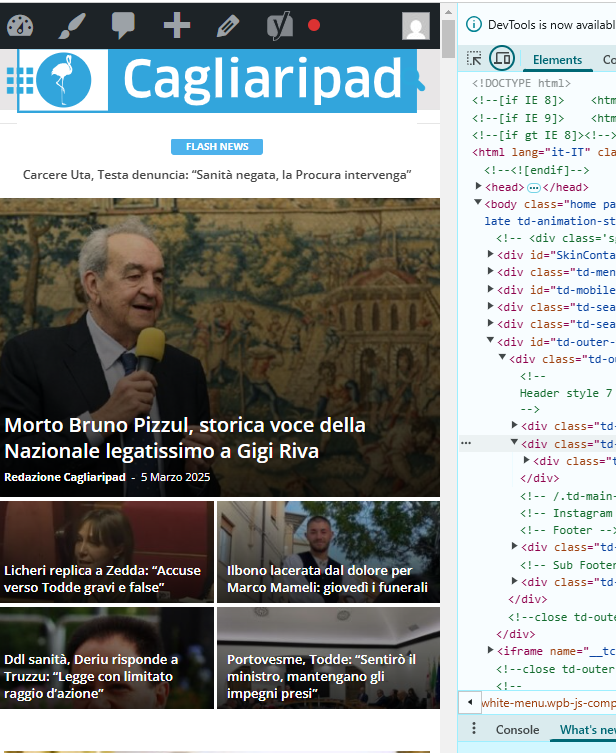
accursi I moved the custom css-desktop to the top of the style.css file. This is to avoid the full-page zoom effect of the header SVG logo.
Two problems remain.
1) One concerns the topbar: the menu items are no longer centered in the gray bar.
2) The logo performs in mobile resolutions.
Example:
https://assets.cagliaripad.it/wp-content/uploads/2025/03/05085711/SCREEN_0503.png
Many Thanks!
 MzMaffei
I am managing two separate development environments that need to be unified:
Environment 1 (mac1):
Contains the most recent update of the TagDiv theme
Has updated display configurations, templates, layouts, and customizations
>>> Does NOT have the updated set of posts and images
Environment 2 (mac3):
Contains the latest version of posts and images
Does not have the updated theme/template/layout configuration
Objective
I want to transfer ONLY the display configurations, templates, and layouts from mac1 to mac3, while maintaining all existing content (posts and images) on mac3.
Specific Questions
What is TagDiv’s recommended method for transferring ONLY the theme configuration (layouts, header, footer, custom templates) without affecting the existing content?
Will using the “Export Theme Settings” function in Theme Panel > Import/Export correctly transfer all customizations, including:
– Custom page layouts
– Custom headers and footers
– Article/category templates
– Global display settings
– Custom CSS
Are there specific components not included in the export that I should transfer separately?
What precautions should I take to avoid conflicts or issues during this type of migration?
accursi Good morning!
I managed to fine-tune the header and the logo with the skin… using custom css.
Some header-related issues remain:
– the topbar no longer allows connection to social icons, but the skin covers the URLs (very strange because the WhatsApp subscription on the left works)
– the svg logo in the footer inherits the .td-retina-data of the logo in the header (this is bad because as you can see the white background and the top-bottom padding make it wrong. What solution can we follow?
Many thanks
Michele
–
Bettina Hello!
Make sure the row with that ad has the same width as well. We have some settings for the rows and different stretch sizes: https://www.screencast.com/t/bsbB5P97A
The ad box also has a CSS tab to add paddings or margins, set the width,etc.
Thank you!
 Babawomba
Hi,
We have an issue with tables from Tablepress.
When used on pages, the tables respect the content element container of the “Column text” element:
https://winbuzzer.com/ai/models/ — you have to click “Expand to read more” to see it there
When the same table is placed using the same shortcode in a post, it expands the whole post-content area below the featured image to the right, overlapping with the sidebar:
https://winbuzzer.com/2020/02/11/microsoft-deepspeed-with-zero-can-train-100-billion-parameter-ai-models-xcxwbn/
Here is a post without such a table for comparison:
https://winbuzzer.com/2025/02/28/microsofts-new-bioemu-1-ai-model-can-predict-how-proteins-move-and-change-xcxwbn/
We have tried various CSS-codes to fix this but without any success.
Thanks for looking into this.
 tizian-ffm
Smart List – Lightbox behavior (view image and return to post on click) does not work on click
Hello,
We have just noticed that the Smart List behavior is not working after the update. Until now, you could click on an image in the smart list to open a larger view, and also scroll through the images and return to the post. Now only the URL of the image is called up, without a fallback.
We have disabled the URL call function via CSS ( .tdb-slide-smart-list-figure .td-sml-link-to-image img{ ). However, the original behavior would be desirable. Is there a bug here? Thanks.
pointer-events: none;}
Babawomba Hi Bettina,
You currently can reproduce the problem when opening these two different pages directly from the Google SERPs, at least I can with incognito mode:
– https://tinyurl.com/4u83xw2r
– https://tinyurl.com/mpmtevue
I have attached two new full page screenshots for you for these two pages:
https://1drv.ms/i/s!AlQHsqtJGzeatY9lkO8LPT26n-sodg?e=wLnhz8
https://1drv.ms/i/s!AlQHsqtJGzeatY9mSXcAdYX9FRN83A?e=zaUWMr
Here is the tagdiv composer view for our posts template:
https://1drv.ms/i/s!AlQHsqtJGzeatY9kLtq2PHDsn4wmrQ?e=KE6lXv
The issue seems to be somewhat related to how “Googlebot smartphone” renders the pages and then stored some data which is now being used when users click on the Google SERPs.
This means the issue appears only for some pages when users come from Google, as some cached version or parts of the code (that had been served on a previous crawl) is being applied
If the user then reloads the affected page the problem disappears. All visits/loads that are not coming from Google appear to render the pages correctly – including from Bing SERPs
My assumption as of now is that some dynamically served image (container/element) code to “Googlebot Smartphone” sometimes produces a flawed cache result – which then affects desktop users when they visit the site from Google SERPs.
In the meanwhile I did some tests with the previously reported page:
– Doing a minor change on the affected article
– Reducing the featured image dimensions and saving the page
– Re-indexing it again manually via Google Search Console.
This removed the problem. But this could be just a random success as in general not all pages are affected.
Further changes I have implemented in an effort to fix things:
I added this custom CSS code to my wordpress theme to force a limit for maximum image size rendering on mobile devices, to target Googlebot smartphone which seems to have some rendering issues with the code it gets:
@media (max-width: 767px) { .tdb_single_featured_image img { width: 100% !important; max-width: 696px !important; height: auto !important; } }
Bettina Hello!
We have this guide: https://forum.tagdiv.com/modules-builder-newspaper-theme/
You can add the module featured image shortcode; below, you can add an inner row with the module bookmark post inside and apply the settings from here: https://app.screencast.com/kabJ7HZRdzNB5
You can set the width of each element from the CSS tab. Also, there is a helpful tool: https://app.screencast.com/7sxCpK2gNcWFc
Thank you!