
- NewsmagHomepage – How to build and set it
- NewspaperHomepage – How to build and set it
- NewspaperHow to edit modules for Flex Block X
- NewspaperGeneral Options that May Interfere with the Newspaper Theme
- NewspaperThe Newspaper Mobile Theme: Introduction
- NewspaperHow to Add a Logo in Newspaper
- NewspapertagDiv Shop
- NewspaperHow to Use tagDiv Cloud Library
- NewspaperDesign your Post Pages using the Cloud Library Templates
- NewspaperHeader Builder
- NewspapertagDiv Cloud Library Plugin
- NewsmagtagDiv Composer Tutorial
- TutorialsFrom WPBakery to tagDiv Composer
- NewspapertagDiv Composer Tutorial
- NewspaperNewspaper theme documentation
- NewspaperThe Mobile Theme
- NewsmagNewsmag documentation
- NewsmagMain menu
- NewsmagLogo & Favicon
- NewsmagPage templates
 andalucian
Hi,
Im facing three issues since ive migrated my site to the hosting server
First with the theme activation, its says too many requests from ur ip.
It’s the second site im trying to use your theme with.
Second issue, is with Visual Composer. It’s updated (4.12.1), in my localhost version of the site everything is fine. But since ive migrated from localhost i cant edit my
homepage. The elements of the VC dont load in the backend, there’s a little spinner that spins undefinetly. In the frontend everything goes right.
Third problem has to do with the mobile version of the main menu. It permanently appears on the the desktop version of the site, on the left of all the content of the site.
It forces a horizontal scroll bar to appear and i have to scroll left to be able to see the site content.
PS: Im not using the tagdiv mobile theme
Thank u for ur support
 Simon_
Hello team,
I would like to create a sub-site (each subsite refer to a city) in /city1, /city2..etc
How can I enable multisite to display in each homepage of sub-site the posts refering to a city (maybe tagging posts by a category city1) ?
Do I have to reinstall the theme in a new folder ?
The main homepage have to display posts of every sub-sites is it ok with the theme ?
Finally, I have to change the logo of each subsites, is it possible with the theme ?
Regards,
 Bogdan B.
 Sorry, they are too many questions in a row and they are easy to miss.
The module 15 you use on your homepage pulls the post content directly so the post content font is goind to affect it: http://screencast.com/t/WOQ8HpZ1S
Thank you!
 Dimitron
 Thanks again Bogdan. I’ll modify it later.
About the “last” question:
“Hi Bogdan!
All of those worked great!
One more final thing: http://www.screencast.com/t/vrirClbD2I
The homepage is set to be a blog. But there is no way to modify the font style* from the backend. Can you help me?
Thank you!”
*corrected
Bogdan B. Hello,
Unfortunately you cannot create a custom sidebar only affecting the blog roll homepage without changing the categories sidebars. Here is how sidebars work .
The post wil have a custom sidebar if you set one to it when you create the post. If you don’t, it will grab the sidebar from the primary category of the post: https://forum.tagdiv.com/primary-category/ if the post primary category has no sidebar set to it, it will fall back to the blog template and grab the sidebar from there. SO, if you do not set any sidebar on posts in particular and you do not set any sidebar on categories in particular, you will not be able to have different sidebars on the homepage and on posts or categories. You will have to go into categories and set sidebars for each category in order to break the fallback system and have posts grabs the sidebars from categories rather than the blog. There is no alternative unfortunately except hiring a freelancer that can code in a custom sidebar only affecting the blog roll.
Thank you!
Dimitron Hi Bogdan!
All of those worked great!
One more final thing: http://www.screencast.com/t/vrirClbD2I
The homepage is set to be a blog. But there is no way to modify the font size from the backend. Can you help me?
Thank you!
 tylergreen
Hi, I have changed the sidebar width on the homepage (a static page on my website) to make it thinner using Visual composer.
Is there a way to make change the size of the sidebar to 3/4 + 1/4 everywhere it appears on site at once?
The sidebar also appears on the post pages as well as the categories page, but it is still the original size everywhere except the homepage.
Dimitron Hi,
Thanks for the super fast answer Bogdan! All of my first question are solved, except for the fonts. I literally spent an hour there and couldn’t find the font settings for that post comment button
Example of the read more button: http://www.screencast.com/t/Z2866btRh
So changing its color is what I’d like. Maybe even change it to a button (attached image), which only appears as “Continue” if I set the homepage as a blog (latest articles) and not as a static page.
Read more button: http://www.screencast.com/t/Z2866btRh
Continue button: http://www.screencast.com/t/BbNLc9rdxNFR
Thank you!
By the wa I have 7.4 version maybe thats why I dont see the font. I saw 7.5 is the latest? How can I download that?
 elgrec0
 Thanks for your fast response,
I want exactly this http://www.screencast.com/t/hEVz8Ex9sR2 in my homepage.
I tried to load demo theme settings (default) but i still cant get it work.
Thanks,
Nick
 Catalin
 Hello elgrec0,
Do you are referring to our Big Grids feature? Please notice that if you want to have this feature to your top of your homepage you should add there the Big Grid, like this -> http://screencast.com/t/0QNhwgWw4Yas
Hope this helps!
If is not what you mean, please provide more details so I will be able to provide a more accurate response.
Thanks for the message!
 MShayto9
Hi,
I’m facing a few problems with images on my site and making sure they look nice and clean on the homepage.
Check out the homepage here -> http://ultimatehomelife.com/
Please have a look at the first 6 images and see how they don’t look “full” inside their boxes.
Any help?
 tiffany976431
I’ve got the Say What stack installed, and my website is supposed to look like yours. It does for some people on their computers, but not on others.
Homepage:
http://meanlefthook.com/
Sample 1
Correct post, showing normal sized image and sidebar:
http://meanlefthook.com/2016/11/fox-news-token-black-king-defend-sessions/
Sample 2
Incorrect post, showing huge image and no sidebar:
http://meanlefthook.com/2016/11/taxpayers-spend-millions-protecting-ho-spawn-wont-leavegold-layered-penthouse/
I put my ad code in your customized spots, but ads weren’t showing on the posts that blow up to cover the whole page. I’ve examined closely and see no difference in the way Sample 1 and Sample 2 were written or in the settings.
As you can imagine, significant loss of revenue on what should have been our first huge day.
I have 88K page views today and Adsense only showing 8.4 because of the incorrect posts (Sample 2).
What are we doing wrong?
 chanie721
Hi I just purchased this and am trying to install the demo with content. Nothing is coming up. I’m getting this error message on the homepage. What do I do?
Fatal error: Call to undefined function vc_shortcode_custom_css_has_property() in /homepages/28/d565728735/htdocs/clickandbuilds/DallasMillennials/wp-content/themes/Newspaper/vc_templates/vc_row.php on line 53
 tojoalex1
Hi,
I would like to change the recently updated articles back ground colour for 5 to 6 hours to show the freshness of the news (only in homepage). After that time ,the article background should fall back to the default colour. How do i do that. My website is http://www.morningcolumn.com.
Kind regards
T Alex
 dfgordillo
 I can put something like this on the homepage without a default .. http://fondoamigos.com/prueba/wp-content/uploads/2016/11/Captura.jpg
I do not know how to do it from a shortcute, that is with pagination
Bogdan B. Hello,
The homepage will show the posts that are filtered in each block setting. Please use this guide to learn how to sort your blocks and avoid duplication: https://forum.tagdiv.com/block-settings-tutorial/
You can either filter different categories, use offsets, or use the unique articles option: https://forum.tagdiv.com/unique-articles/
Thank you!
Catalin Hello Goodmomusic,
I suppose that you do not understand very good how mobile theme works, right? So, please notice that this theme concept intend to display a Big Grid feature at the top of homepage which shows the posts which are included in Featured category, then will show a text which you added in Mobile Editor in Visual Composer from backend and at the very bottom of the page you will bring the Latest Articles module. Please keep in mind that the Mobile Theme do not recognize the Visual Composer shortcode and that’s why you did not get the demo style for mobile theme. So, for more information about our mobile theme, please check the documentation here -> https://forum.tagdiv.com/the-mobile-theme/ If you are unhappy with this layout, and if you want to have the similar structure with our demo mobile, you will simply turn off the mobile plugin and the theme will be automatically switched to the general responsive mobile mode.
Thanks for your understanding!
 LTH
LTH It’s… perfect ! Thank you.
I have one more question (the last one !)
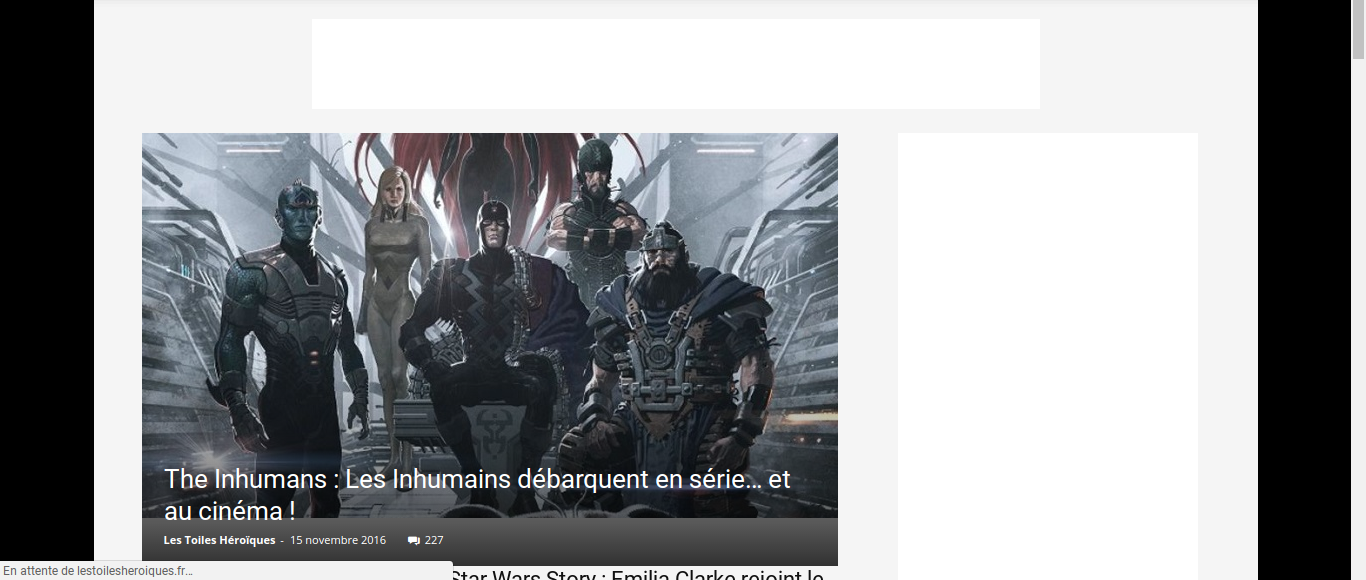
When my homepage loads, there is a gray bar for a few moments under the slider. The slider then adopts its final size. Is it possible to suppress the appearance of this gray bar during the loading?
-
This reply was modified 9 years by
LTH.
Bogdan B. Hello,
Unfortunately the blog roll homepage does not have any options to exclude categories from it. It will always show all posts in a latest sorting option. It can only be made by hard-coding it. Please refer to this section: https://codex.wordpress.org/The_Loop#Exclude_Posts_From_Some_Category. Here is where the theme loop is being created: http://screencast.com/t/SoQMDz9oG
Thank you!
Bogdan B. Hello,
You do not have to add anything on the homepage blocks for them to show the reviews. They do so by default and they pull the correct review: http://screencast.com/t/qwwlJpiwM – http://screencast.com/t/P4i0tw9iVhi
Thank you!
dfgordillohomepage
How to place the entries at the beginning, with pagination?
I want to put you below the post with pagination, youtube playlist
 Goodmomusic
 I have a related question. I just downloaded the theme, and installed it. The homepage looks great on desktop and mobile. But, there is no content on the individual blog posts in mobile view. The author name shows, and then the footer and that’s it.
I tried activating the mobile template – but then each blog post is now just blank.
Please help. My blog is goodmomusic.net
 marzamemi
Hi there, on my new website homepage I set two smart sidebar. The second one which is in a row at the bottom of the page does not work. Can you help me?
 dennisjpitocco
 This works for our HomePage, but how do we add extra elements to our Blog Sidebar, as only three elements exist (Ad Box, Must Read, Ad Box) and we want to double this?
 Gordon
 I am bit confused as those blocks are Posts and not Ads. I need to display post on my homepage. I can not find ARTICLE DISPLAY VIEW to look like one i sent you as example.
Thanks,
Gordon

