- NewspaperThe Newspaper Mobile Theme: Introduction
- NewspaperThe Mobile Theme
- NewsmagMain menu
- NewspaperMain Menu
- NewspaperHow to Add a Logo in Newspaper
- NewspaperBig Grid Flex Settings
- NewspaperHeader Builder
- NewsmagIntroduction
- NewsmagLogo & Favicon
- NewsmagBackground introduction
- NewsmagTheme colors introduction
- TutorialsWhat is Ajax preloading?
- NewspaperFont Customization
- NewspaperTheme Colors Introduction
- NewspaperBackground Introduction
- NewspaperHow to Install Newspaper via FTP
- NewspaperHow to Install Newspaper via WordPress
 mongreanly
 Hi,
I already do on the tablet viewports as you told but it’s still not show mobile menu on the tablet viewports https://sharing.clickup.com/clip/p/t7516229/4b6cb14f-51f7-4896-9472-c235b2a160ce/screen-recording-2025-03-11-15%3A59.webm
 Anamaria
 Hello,
Your mobile menu is a modal popup, so you need to edit it and change the elements from the page, add a menu, and delete blocks as you want.
Thank you!
 shammi1986
Mobile menu is not opned on mobile but it’s opened in desktop version. Please help
https://dialepunjab.com/
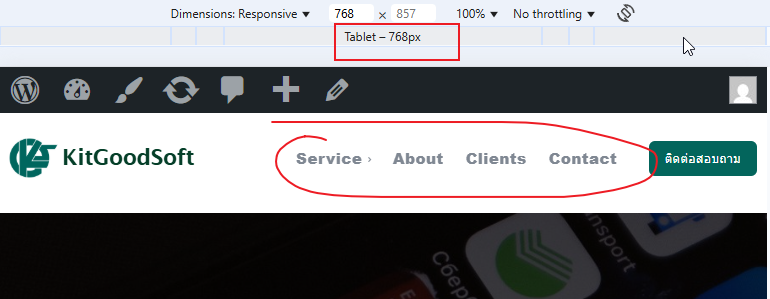
mongreanly I already unset the mobile page but it’s still not show mobile menu on the tablet viewports like this. https://t7516229.p.clickup-attachments.com/t7516229/652b3e7d-bf59-4018-830e-2bc65143e57f/image.png?view=open
How to display mobile menu on the tablet viewports?
 Caprold
 I narrowed this latest issue down to the use of the LiteSpeed Cache plugin. I know the theme recommended WP Super Cache, but I installed LiteSpeed in case it was Super Cache causing the articles to not display.
Now I’m trying to figure out how to edit the mobile theme using Composer. It doesn’t display what I see on mobile devices when trying to use Composer, and tagDiv Mobile Theme doesn’t give me any settings or options in the WP menu, just a link to the plugin’s site from the plugin page.
 Bettina
 Hello!
You can create a page with the same design and add it into your modal popup shortcode.
You can also change the background and copy-paste the icons from your footer into the page of the modal popup. See how the background is set for that mobile menu in the Newspaper -> theme panel -> theme colors -> Mobile menu -> background gradient color option.
Thank you!
 Catalin
 Hello and thank you for your reply.
I would like to customize the icons by adding them manually as images like I did in the footer.
https://imgur.com/9FTUqM9
If I use the Modal Popup how can I keep the same design of the mobile menu as it is now (see first screenshot)?
mongreanly I already assigned the mobile template https://t7516229.p.clickup-attachments.com/t7516229/ff5d9aa2-bdac-41b2-a273-82fb1cc5e1c2/image.png?view=open
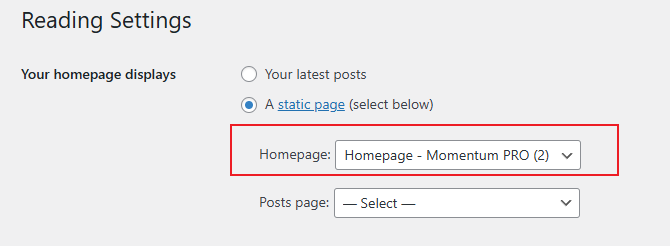
and set up homepage https://t7516229.p.clickup-attachments.com/t7516229/e40b838a-92c4-4ee0-9e5d-d498e0ed0404/image.png?view=open
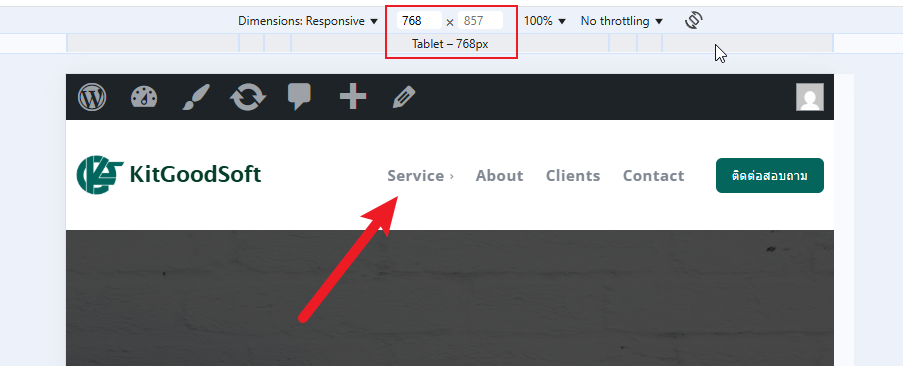
but it not display mobile menu https://t7516229.p.clickup-attachments.com/t7516229/6ca0ca3d-54e2-49de-9f82-ba62d8145826/image.png?view=open
Bettina Hello!
First of all enable those options from the Website Manager: https://app.screencast.com/2vO2Dg4wS1s7d
A workaround could be to add the mobile menu to the desktop viewport and hide it from the CSS tab: https://app.screencast.com/ocBb9hWOVZRPs. Access the tablet viewport: https://app.screencast.com/Terq3h8SWoR7P and hide the normal menu.
Thank you!
Bettina Hello!
This issue has already been discussed here, please check: https://forum.tagdiv.com/topic/edit-mobile-menu-social-icons/
Thank you!
Bettina Hello!
The social icons from the mobile menu come from the Theme Panel -> Social/Apis -> Social Networks -> https://i.imgur.com/kKYIECB.png. Remove/edit them as needed.
There are only a few settings for it in the theme panel. For example, you can change the color of the text in the mobile menu from the Theme panel -> Theme colors -> Mobile menu -> Text/icons color.
If you want to customize more, you can create a page and display it here: https://app.screencast.com/d00epUU2ygyXk. More info about modal popup here: https://forum.tagdiv.com/modal-popup/
Thank you!
mongreanlyI try to do mobile menu but it’s not display on tablet device.
CatalinHello, how can I edit the style of the social icons above the mobile menu? My website is: https://ecommercenews.ro/

 Simion C.
 Checking now.
1. There was some padding there and that caused the menu items to appear not centered vertically. I removed that padding and it looks fine now https://prnt.sc/1doWFdOfs8jq
2. The logo on mobile was already looking fine by the time I checked https://prnt.sc/jYinsehWY0dz I see you corrected the problem in the meantime.
3. The logo is first loaded in full size and then resized by the CSS code. To remove that effect or at least reduce it, the CSS code could be loaded faster, in this panel here https://prnt.sc/RAk9j2_ZLHB8 I moved parts of the code there, and now the header doesn’t even jump on refresh/load. It loads much better. Please check it as well.
Thank you!
 thetraders
 thetraders
 accursi
 I moved the custom css-desktop to the top of the style.css file. This is to avoid the full-page zoom effect of the header SVG logo.
Two problems remain.
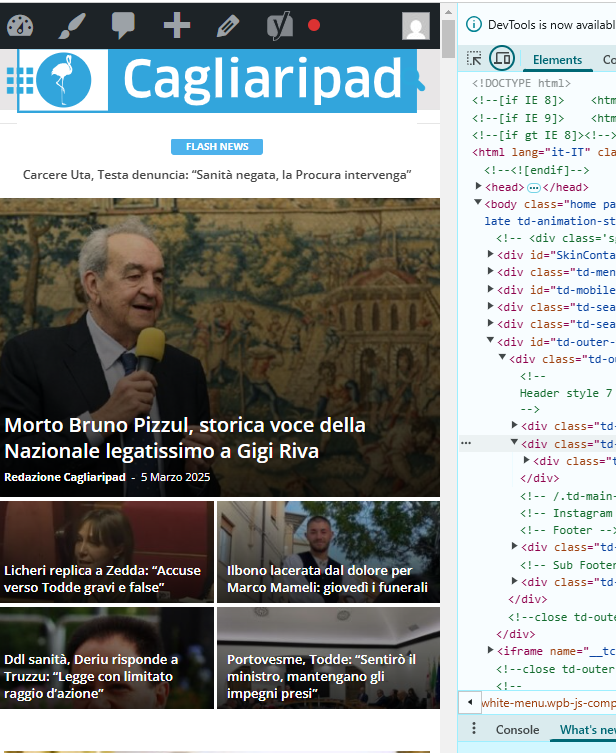
1) One concerns the topbar: the menu items are no longer centered in the gray bar.
2) The logo performs in mobile resolutions.
Example:
https://assets.cagliaripad.it/wp-content/uploads/2025/03/05085711/SCREEN_0503.png
Many Thanks!
 bporciuncula
I tried change the color black to white in header menu mobile, but I can´t. I read how to change it, I put WHITE, but it’s still black, as shown in the attached image
The website is fatobahia.com.br (mobile version). The Logo is white, but the background still black.
Bettina Hello!
You need to edit and customize the pages and your header with the tagdiv Composer: https://forum.tagdiv.com/main-menu/
A responsive version of your website looks similar to the desktop version. TagDiv Composer is used to edit the page. Click on the mobile viewport: https://www.screencast.com/t/XDQJedlggSB. You can see your mobile version there and edit or adjust the elements to look better.
More documentation about the cloud templates is here:
– https://forum.tagdiv.com/cloud-library-templates/
– https://forum.tagdiv.com/design-post-pages-using-cloud-library-templates/
– https://forum.tagdiv.com/cloud-library-category-templates/
About pages here: https://forum.tagdiv.com/page-templates-2/ -> https://forum.tagdiv.com/homepage-how-to-build-and-set-it/
Check out this video about how to create a website from scratch: https://www.youtube.com/watch?v=SoGQ0d5kIBg
Thank you!
Bettina Hello!
You need to edit and customize the pages and your header with the tagdiv Composer: https://forum.tagdiv.com/main-menu/
A responsive version of your website looks similar to the desktop version. TagDiv Composer is used to edit the page. Click on the mobile viewport: https://www.screencast.com/t/XDQJedlggSB. You can see your mobile version there and edit or adjust the elements to look better.
More documentation about the cloud templates is here:
– https://forum.tagdiv.com/cloud-library-templates/
– https://forum.tagdiv.com/design-post-pages-using-cloud-library-templates/
– https://forum.tagdiv.com/cloud-library-category-templates/
About pages here: https://forum.tagdiv.com/page-templates-2/ -> https://forum.tagdiv.com/homepage-how-to-build-and-set-it/
Check out this video about how to create a website from scratch: https://www.youtube.com/watch?v=SoGQ0d5kIBg
Thank you!
 Tony
Tony
Trying to figure out why I get the default template header when loading up the site on a mobile phone. I have turned off all the mobile options, and even the footer seems to display properly.
What I have done to this point…
In THEME PANEL under Header>Mobile Header, I have changed the Logo Mobile/Retina Logo Mobile to the Yin/Yang design.
In THEME PANEL under THEME COLORS>Mobile Menu, I have changed the background colors to the deep red.
In Newspaper Plugins, I have deactivated ‘tagDiv Mobile Theme’ and ‘Official AMP for WP’
In CLOUD TEMPLATES, I have ‘Main Header’ as Global (as I do with Main Footer, which is showing up).
I feel like I am missing something fairly obvious and just overlooking a setting or a checkbox somewhere. But I’m all out of ideas at the moment. Would love to display the proper header when viewing page from a mobile device.
Thank you!
 ReyLagarto
Hi guys, just want to set a normal mobile menu. A logo + hamburger menu. Why nothing is working?!
 jamiesharpe
 Hello – I followed these steps however the menu is still not showing up, neither on the website or the mobile site. I confirmed that the options in your screenshot are enabled. Can you let me know next steps to fix?
 Guelven
 Problem with homepage on mobile phone
Hi, newspaper theme does not display some areas on mobile, logo, menu and other important areas, only displays most recent articles. any solution?
//Solution
Hello!
Please uninstall the Mobile theme plugin.
Thank you!
 petar777
 Hey,
I am sharing you my WP Rocket settings and I think they might be useful for you:
ON THE FILE OPTIMISATION TAB
1. Activate Minify CSS Files
2. Optimise CSS Delivery > Remove unused CSS with these exclusions:
(.*).tagdiv-type(.*)
(.*).bhcrow-(.*)
3. Minify Javascript Files
4. Load Javascript Defered with these exclusions:
\/jquery(-migrate)?-?([0-9.]+)?(.min|.slim|.slim.min)?.js
5. Delay Javascript Execution with these exclusions:
\/jquery(-migrate)?-?([0-9.]+)?(.min|.slim|.slim.min)?.js(\?(.*))?( |’|”|>)
tagdiv_theme.min.js
tdTrendingNow.js
tdPopupModal.js
tdBlocksArray
hammer.min.js
tdbMenu.js
tdLoadingBox.js
tdb_p_autoload_vars
blockClass
tdAjaxCount.js
tdTabbedContent.js
tdStickyRow.js
tdSmartSidebar.js
OneSignalSDK
Important – delaying Javascript will make your ads load after any movement on the page so if you just reload the page they will not be loaded as soon as you move anything on the page it will load them immediately. For me this isn’t a problem.
ON THE MEDIA TAB
1. Activate Enable for images
2. Activate Enable CSS for background images
3. Exclude your logo
4. Activate Add missing file dimensions
5. Activate self host fonts
ON THE PRELOAD TAB:
1. Activate preload
2. Enable link preloading
3. Prefetch these:
//fonts.googleapis.com
//www.googletagmanager.com
//www.googletagservices.com
//tpc.googlesyndication.com
//use.typekit.net
//netdna.bootstrapcdn.com
//www.google-analytics.com
//ajax.googleapis.com
4. Preload fonts – /wp-content/themes/Newspaper/images/icons/newspaper.woff
ON THE DATABASE TAB
Enable everything without scheduling auto cleanup
ON THE HEARTBEAT TAB
Enable it and make everything reduced
Important – if you are self hosting your site on nginx you can enable this https://github.com/SatelliteWP/rocket-nginx – this enables Nginx to serve directly previously cached files without calling WordPress or any PHP
Important – if you are self hosting your site on nginx you can enable FastCGI and Redis (use redis cache plugin and nginx helper). When it comes to FastCGI MAKE SURE TO ENABLE SEPARATE CACHE FOR MOBILE AND DESKTOP OTHERWISE IT WILL WORK BADLY!
Important – if you have a large installation and you notice that your queries become slow (e.g. search page takes a lot of time to load or non-cached pages load for more than 1-2 seconds) you can buy Scalability Pro and Super Speedy Search from here https://www.superspeedyplugins.com/shop/ for me this plugins changed the way the theme worked immensely. My non-cached pages loading time dropped form 10 seconds down to 1-2 seconds.
Important – WPRocket offers a plugin that converts all your images to webp format and this is also crucial for your page speed. Their plugin works well for my site.
I hope this is useful for you!