
- NewspaperThe Newspaper Mobile Theme: Introduction
- NewspaperThe Mobile Theme
- NewspaperModules Builder in Newspaper Theme
- NewspaperFilters and sorting for taxonomies
- NewspaperHow to Add a Logo in Newspaper
- NewspaperBig Grid Flex Settings
- NewspaperHeader Builder
- NewspapertagDiv AMP Plugin Tutorial
- NewspaperNewspaper theme documentation
- NewspaperBest Of Forums
- NewspaperCache plugin – install and configure
- NewspaperFont Customization
- NewspaperTheme Colors Introduction
- NewspaperBackground Introduction
- NewspaperHeader ads
- NewspaperPost template ads
- NewspaperCustom ad spots
- NewspaperMain Menu
- NewspaperHow to Install Newspaper via FTP
- NewspaperHow to Install Newspaper via WordPress
 Gyanitechnews
 check in mobile not in computer
Gyanitechnews you can chek mobile not pc
 cybernox
 1. I’ll look into creating blocks.
2. I tried https://www.screencast.com/t/CvxrWymeyk but it hasnt turned off the author and post date for Mobile theme homepage.
 vallartamirror
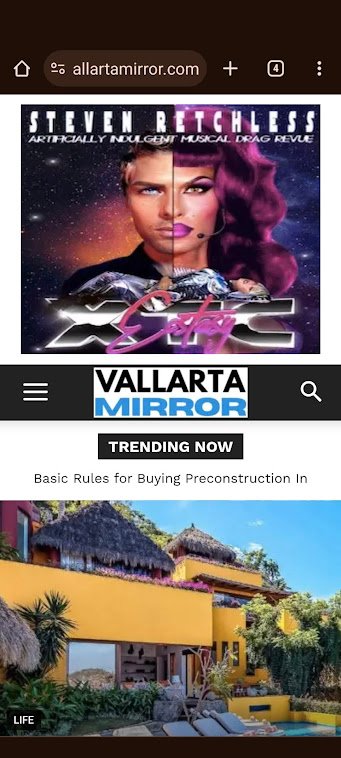
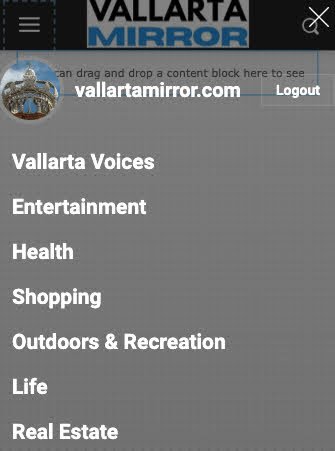
I have the following issues on the design for the header in mobile for the Default PRO theme.
1) Header is prompting reader to sign in or join. However login has been removed from the header in desktop and mobile.
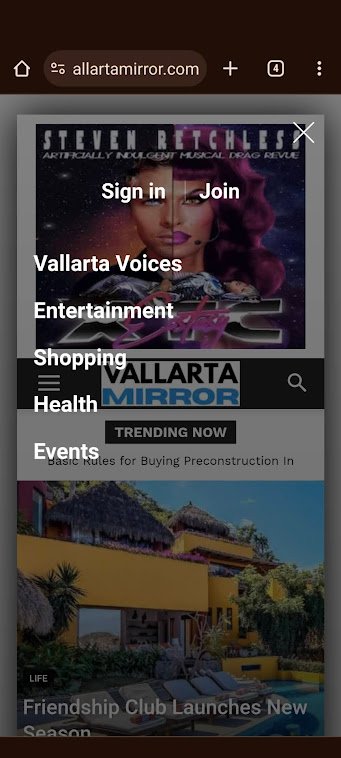
2) No ad is defined in the header on mobile. However an ad is being displayed.

3) Categories are set as “Categories Menu” in admin. This shows correctly in admin (see image below). However, it does not display correctly on mobile (see image in #1)
 Anamaria
 Hello,
You can create modules, with featured images https://forum.tagdiv.com/modules-builder-newspaper-theme/
Do you use the mobile theme?
You can hide the author and date on that grid for the mobile theme plugin, from Theme Panel -> Block Settings -> Meta info on Modules/Blocks => https://www.screencast.com/t/CvxrWymeyk
Thank you!
Anamaria Hello,
Usually, this happens with cache plugins. If the cache plugin does not have mobile support then the mobile theme version can be delivered instead.
The solution would be to use the recommended WP Super Cache plugin instead and activate these settings (especially the mobile device support): https://forum.tagdiv.com/cache-plugin-install-and-configure/
Also, please let me know what plugin for the cache you use now.
I hope this helps.
Thank you!
Anamaria Hi,
It is recommend to use only one plugin fort cache and also, please try the suggestion from here https://wordpress.org/support/topic/caches-desktop-version-for-mobile-and-vice-versa/
Thank you!
Anamaria Hello,
Please deactivate, delete, and reinstall the tagDiv mobile theme from Newspaper plugins and clear all cache.
Also, please set the amp like in our guide https://forum.tagdiv.com/tagdiv-amp-plugin-tutorial/
Thank you!
cybernox Another issue. can I remove date/author from Mobile theme homepage? (I was about to remove it from the post using Theme Panel – > Mobile Theme – > Post Settings).
 Arsenio Spadoni
On my site (Newspaper) I created a mobile home page because I wanted to have less content than the desktop home page. Unfortunately, when accessing from a smartphone, the home page that is displayed is almost always the traditional desktop one and only (on rare occasions) the mobile home page. What can I do?
(https://www.elettronicaemercati.it/)
 toppersworld
I am using the Urban Observer theme. When I click the menu icon in “mobile view” I see the text “URBANOBSERVER”. I am not able to find the option to change the text to my website name. Below in the screenshot.
https://prnt.sc/nokFFklXYpt4
When I tried to edit the “Modal Mobile Menu” page the text “URBANOBSERVER” is not present. So how to change the text. Below in the screenshot
https://prnt.sc/iaviLOAg6Atl
 Oldmagio
 Hello,
I tried every kind of option of the cache plug-in, the mobile cache also, but it doesn’t work.
cybernox awesome! Its sorted. 🙂
Another question – I wanted to know if there a way I can do something like 9gags like site with newspaper theme? basically post with image/video/gif ex like https://bimber.bringthepixel.com/gags/ see the mobile version of it as well.
Anamaria Hello,
Please check if the plugins for cache have the option for mobile cache. Please enable it.
Thank you!
Anamaria Hello,
You have the mobile theme plugin activated.
When the mobile theme plugin is used you need to set for pages the page content in mobile editor using only the options from that editor – https://i.imgur.com/p8EqE1b.png also there is an option to disable the mobile theme from a page/post – https://i.imgur.com/d3kTBRf.png this option appears in Gutenberg editor.
Using our theme you can choose from 3 mobile versions
-> mobile responsive => https://www.screencast.com/t/oJ2ShOp47
-> mobile theme plugin => https://forum.tagdiv.com/the-mobile-theme/
-> mobile page => https://tagdiv.com/newspaper-10-3-7-update-brings-customizable-and-fast-mobile-pages/
If you created the mobile pages with tagDiv Composer, then when you install the Mobile Theme plugin, your pages will be overwritten by the plugin (the mobile theme comes with its templates for page, post, category, etc so your current templates from the desktop theme will get converted to the mobile theme layout, the page content is made without builders in mobile editor => https://www.screencast.com/t/xbgZG8kH also, the options that are provided to edit the mobile theme version are limited (this keeps the things simple)).
This is a video about Responsive Newspaper Theme, AMP & Mobile Theme, Mobile Pages & Templates -> https://www.youtube.com/watch?v=SpGkOnJeNZY
So, the mobile responsive is what you see when that you select the viewport on phone => https://www.screencast.com/t/matV17hH, so some settings may apply for each viewport(where is the border blue), and others are not(where the border is black).
The mobile page has the mobile templates from Cloud Library => https://www.screencast.com/t/YCcZ8rL8
The Mobile responsive version of the theme and the mobile page editor can be edit with tagDiv Composer, the mobile theme plugin cannot.
For example, you can have the mobile theme plugin activated and use the mobile page/mobile responsive version for the homepage/pages, but for the categories pages/404 page, you can’t use the mobile page/mobile responsive version if you have the mobile theme plugin activated.
So, if you want to design the pages with tagDiv Composer, you can use the mobile page or mobile responsive version.
Thank you!
 dtechted
Hi Team, I made a page using newspaper theme and now the content is showing on desktop but not on mobile version. And some times the mobile version design shows on desktop without content. https://www.skycofly.com/allegiant-airlines-baggage-policy/ this is 1 link. It shows on all pages.
Anamaria Hello,
Please let me know if you have added shortocodes in the mobile editor, or is just text.
Thank you!
 Doan Thanh Nhut
 If i disabled it on mobile, so every url will have only one h1 tag? and viewport mobile also have 1 tag h1?
-
This reply was modified 2 years by
Doan Thanh Nhut.
-
This reply was modified 2 years by
 HeatherKitching
Here’s the other problem I’m having: I’ve set a BG colour for a couple of the blocks in my layout. That colour shows in TagDiv composer, and it shows in the tablet preview. But it does not show in the desktop or mobile view.
Help? Thanks!
HeatherKitchingHi guys,
OK, I think I’ve figured out most things with the theme. It’s pretty awesome! BUT a couple of things, which I’ll put in different topics: 1. the background image that I uploaded for the footer isn’t displaying properly on mobile. I’m using the fully prebuilt, three-colum version of the footer (I think that’s version 1), and I uploaded a bg image. On mobile, that big image is only displaying behind the third of the three column. How do I fix this? Thanks!
 besthomegear
 Thx Calin
Since I don’t understand the comment “fixed by looking at console” then yes need help fixing it by email – whatever that entails.
Again I can easily provide you a temp password to gain access to the WordPress admin where you can see what I’m up against regarding Mobile theme (AMP) changes not working or updating properly.
Let me know & Thx again!
Kevin
 CatholicSpirit
I get a “Forbidden You don’t have permission to access this resource.” error when saving one particular page. Other pages seem to be fine.
There is a workaround that may inform as to why I get the error:
If I delete the entire text (from text view) from the Mobile Editor and update the page it saves as normal. Then I can come back in and copy and paste the code (from text view) from the regular editor to the Mobile Editor and update and it saves as normal.
Gyanitechnewsheader sadow sow plzz off this sadow mobile i use this cod but not off
https://imgur.com/a/RkYHbdS
Oldmagio Hi,
Yes, I created and assigned mobile templates for each kind of page as the Cloud Template asks.
I use W3 Total Cache and for the varnish cache I use Proxy Cache.
Anamaria 


