
- NewsmagUsing other ads
- NewspaperUsing Other Ads
- NewsmagSidebar ads
- NewspaperSidebar ads
- NewspaperIntroduction to CPT and ACF with Newspaper Theme
- NewspaperHow to edit modules for Flex Block X
- NewspaperHow to use the Posts List shortcode
- NewspaperCreate a frontend submission form
- NewspaperHow to Use the Tabbed Content shortcode
- NewspaperWooCommerce: Happy “Add to Favorites!”
- NewspaperHow to generate Facebook App ID
- NewspaperLink Tracker
- NewspaperFlex Block Settings Guide
- NewspaperGeneral Options that May Interfere with the Newspaper Theme
- NewspaperSocial Icons
- NewspaperPosts Loop Element
- NewspaperSet a Background for Category Page
- NewspaperThe Newspaper Mobile Theme: Introduction
- NewspaperHow to Add a Logo in Newspaper
- NewspapertagDiv Shop
 minstro
The link above is a post I made, but there is a problem. The problem is as follows.
I’m using a plugin called Snax and I’m having a problem. In your theme, the main section should not be exposed. It doesn’t seem to be recognized as a post. Also, the default sidebar and menu are not exposed. But in other themes it works. I think I need to edit something in your theme, but I don’t know how to do it. Like the attached image, I think the Theme panel – CPT&TAXONOMY needs to be modified, but I don’t know how to do it. I will give you my admin ID and password, so please edit it once and tell me how.

 antiquark
Hi,
I’m building a new website with the Newspaper Theme (I have been using it on another website for a few years now).
With this new website, I have a problem with the footer :
– In the Theme Panel, there are no settings in the footer section

– When I import a footer template, there is no “Edit with Tagdiv Composer” link in the templates section for the footer (no problem with other templates like headers, singles, pages…)

– Moreover, when I try to import the “Art blog pro” footer template, it seems it imports a full page without any footer

Is there anything I’m doing wrong?
The website url is http://www.antiquark.me (currently set with no footer)
Thanks for your help
 Archerix
 Not supporting Disqus, is one of the things that bothers me in Newspaper and that might push me to other themes. I have bought 3 newspaper licenses so far, but the lack of integration with discuss and no “site skin” for ads, are the two things that eventually will make me quit Newspaper
 kitojardimelba
Hi, I want to know if you have any intention to improve the LCP?
In my tests, the theme never passes the Core Web Vitals, and the LCP is always at fault.
The tests were done with the theme demonstrations, but LCP always gets in the way of the site getting a good score, if the demo, which is even optimized with autoptimize, doesn’t pass the tests, without ads and other changes, as the user will get to improve something that by default the theme doesn’t?
some images of the results
https://imgur.com/a/OuYOCwn
 Anamaria
 Hi Nagarig, the in feed ads are display like in that example, but I think that you are referring that those ads being integrated in theme blocks, if that is so, then for the moment our theme does not have this option.
One solution is to edit the blocks to look like in feed ads.
Also another solution it is to use some plugins, if you want you can check this article https://www.quora.com/How-do-I-add-AdSense-in-feed-ads-to-WordPress
I hope this will help!
 chip303
 Oh, sorry, I just noticed one mistake at a time. Please don’t get me wrong, you are doing an excellent job and on the other hand I am very satisfied with my second license. It’s just very frustrating to sit in front of the computer for 3 days and either sometimes see the mobile version on the desktop (if I’m not logged in) or the desktop version on the mobile phone (but only on the home page)
Here I had changed the template from Black Pro to Magazine Pro and colored it accordingly. Everything looks fine on the computer (as long as I’m logged in, sometimes even without logging in).
So far I’ve done the following:
– Read your documentation – as far as I can see, I did it as described there (and I had set it up beforehand, everything worked)
– All plugins deactivated and gradually reactivated
– Child theme deactivated and activated
– Cache deleted via FTP
– Cache deleted via plug-in “Super Cache” and “Autooptimize”
+++ the “old headers and footers” now seem to be gone +++
As soon as I open a post, everything is ok with the header and footer. Only the start page, it loads a desktop page on the phone. I used “create mobile site” as you described it.
When I use “edit mobile” everything looks normal (as it should).
Instead of posting articles, I’ve been trying for days to somehow solve the problem. But despite the documentation, I don’t know what to do next. I sit in front of it for hours, trying and not finding the fault. That’s why I turn to you, sure that’s just a catch somewhere, an attitude that I just can’t find (or am now so blind and frustrated that I keep overlooking it).
 Mark Gilbert
Anyone else noticed since WP 5.8 (at least), when you drag an image on to “Featured image” in the editor the panel wobbles in all shades of blue and mainly finally go to dark blue and allow image to be pasted? Drop it before dark blue and it simply loads the image into the browser window. I find have to drag the image in from below to trick the panel into dark blue.
Is this another amazing innovation from the ever ingenious WordPress, who’ve increased my workload remarkably in recent months, or an incompatibility with Newspaper or Safari 14.1.2?
Thanks
Mark Gilbert
Anamaria Hello,
As you can see in the video for me it loads in a few seconds cloud library.https://www.screencast.com/t/aTQA6fSyDg8v
Also, if you referring to the users who can edit with tagDiv Composer, then only the changes made by the administrator and editor will be saved.
The other users can open it, but the changes made are not saved.
Thank you!
 G3Partners
Hi,
Our Newspaper Theme webpage https:theicon.ist/about-us is taking a long time to load, compared with other pages across the site https:/theicon.ist .
1. Any recommendations on how to make it load faster? We have already optimized the images, and are using a caching plugin.
2. Is there a way to apply an optimized preloader (from top of the page working down), so that the page loads all items as the user scrolls down?
Thank you for your help, and looking forward to your reply.
Best,
 ernestorocco
Hello. With autopost activated I see adsense ads only in the first post. The other posts do not show adsense ads
 Honzac
 Thank You!
I wrote about google ads, it looks like that they are not showing in chrome browser. It is site http://www.svetohled.cz.
On chrome all the tabs for advertisement are blank. On other browsers it shows ads correctly.
If i tried to use ads from other company, they work, so it looks like a problem just with google ads
G3PartnersHi,
We currently have ads running on our website https://theicon.ist. These elements are set as images, as we were unable to set up Google Ads with the Ads Module.
My question is, is it possible to have these images switch back and forth between 2 or 3 other images we set? For example, if the user refreshes the page, or visits another page. We would love our audience to see new ads as they navigate our site.
Please see this screenshot for where I’m referring to as ‘ads’: https://app.usebubbles.com/aQr9obfBw4F3TEGJbpWhVC/comments-on-theicon-ist/#/comment=evwj3b3Cj3vsyh2FtjBqP4
Thank you, and looking forward to your reply!
Best,
Christian
 Mr_Lamichhane
Hi, team,
I have set header ads and other ads too, using ADS section from Theme Panel, but after one year these days when i tried to change the image of Header Ads Image the ADS section do not show anything from dropdown as shown on image below.
Please come with proper solution for me.
Thanks in advance.

Site url: https://danfetv.com/wp-admin/admin.php?page=td_theme_panel#td-panel-ads/box=header
 digitalaimmedia
Hello!
We are having an issue with ad spots in a header made with the Cloud Template tool on our news site MyRGV.com.
In looking at the way the system is set up, it appears our ad spots in our header are each loading twice, once for the desktop and tablet breakpoints, and then again at the mobile breakpoints.
Because of this, we are seeing different ads on mobile as opposed to at other breakpoints.
We are using the Widget Sidebar blocks in the TagDiv tool and loading the same ad tag in the different locations.
In looking at the site with the DFP tool, we can see the mobile and desktop versions of the ads have different CSS tags, showing they are completely different divs each loading their own ad on site load.
Is there a setting we can implement to make the ads responsive to where the TagDiv blocks will shift into the cloud template from the standard cloud template?
 vorilask
Hello. I tried the Article Inline Ad in Theme Panel of Newspaper 11.2 theme. It is a custom HTML ad. I pasted the code on the right blank field, after I followed the instructions of http://forum.tagdiv.com/using-other-ads/ URL, for non-Google-AdSense responsive ads, with the difference in options for different screens and devices, via suggested additional code. My ad is still not showing. I would like to point out that it is not responsive though. It is simple HTML linked uploaded image on WordPress Media Library.
 hcm
hcmWhen using the “Article Inline Ads” (and other pre-defined ad slots), are they separate ad codes for Mobile and Desktop? For example, if we use ad code for the Desktop version, is it separate from the ad codes used in the Mobile setup?
 msakande
 Hello Anamaria,
thanks for your support.
This problem is solved.
But Now, I have another problem.
When I launch TagDiv Composer, it show white page https://iev.wju.mybluehost.me/wp-content/uploads/2021/08/Tag-Composer-white-page.jpg
the system Status is good https://iev.wju.mybluehost.me/wp-content/uploads/2021/08/system-global-status.png
all the plugin are activated https://iev.wju.mybluehost.me/wp-content/uploads/2021/08/plugins-actived.jpg
can you please help me to solve the problem?
 Simion C.
 Hi,
The theme handles the ads quite simply. Enter the ad code, and the theme will load it. That would be all the theme does. For a more advanced ad management, you could try some plugins.
You could try the ad rotate plugin https://www.wpbeginner.com/plugins/how-to-manage-ads-in-wordpress-with-adrotate-plugin/
This plugin should work fine with our theme, I suggest making some tests with it. Or try other plugins as well. There should be plenty of ad management plugins.
Thank you!
Simion C. Hi,
I believe the ad code you are using has no link in it. It must have a link if you want it do direct somewhere when the image is clicked. Right now that code simply loads an image.
Please check for example here https://forum.tagdiv.com/newsmag-using-other-ads/
This would be a code that displays an image and also has a link:
Image – https://i.imgur.com/9JTDpJ4.png
Link around the image – https://i.imgur.com/A1B2lz7.png
Of course, the link can be anything you want, for example the code from here – https://pastebin.com/sudxus4H
I hope this helps, let me know if you have questions.
Thank you!
 tapan29588
 Yes normal header ad is done. But the problem is in Auto Ad, Anchor Ad and Vintage Ad which pop up after opening the page.
Example-
Anchor Ads – https://prnt.sc/1mutldu
Vintage Ads – https://prnt.sc/1mustzo
Both of the above ads work properly when I install another theme on my site. So I think the problem is in the mobile theme. Please resolve this quickly.
 krenarthaci
 Hello.. here i have some other questions :
img one : https://ibb.co/dcPtxPm
img two : https://ibb.co/MDLk59w
img 3 : https://ibb.co/VQgZpVV
question 4.. I create a mobile page ill go to mobile but it doenst load.. why ??****
it loads the page without content.. ??
please check my images
 e_tietze
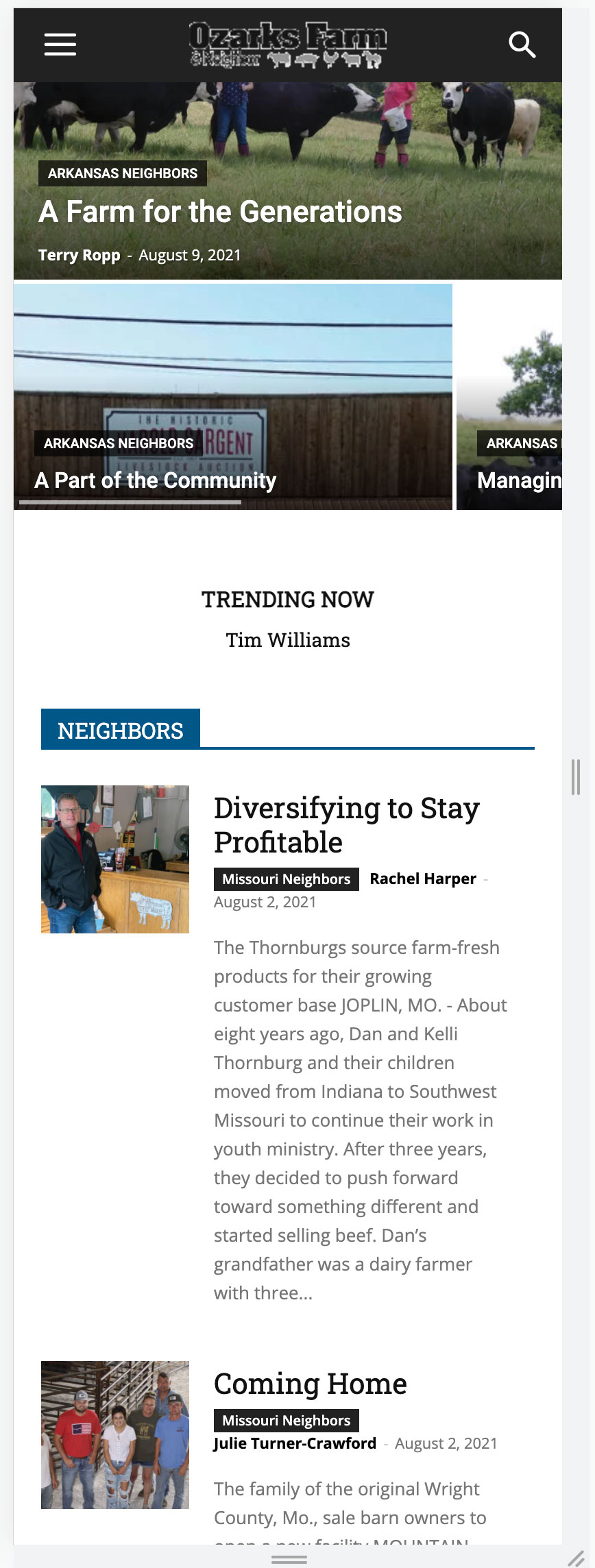
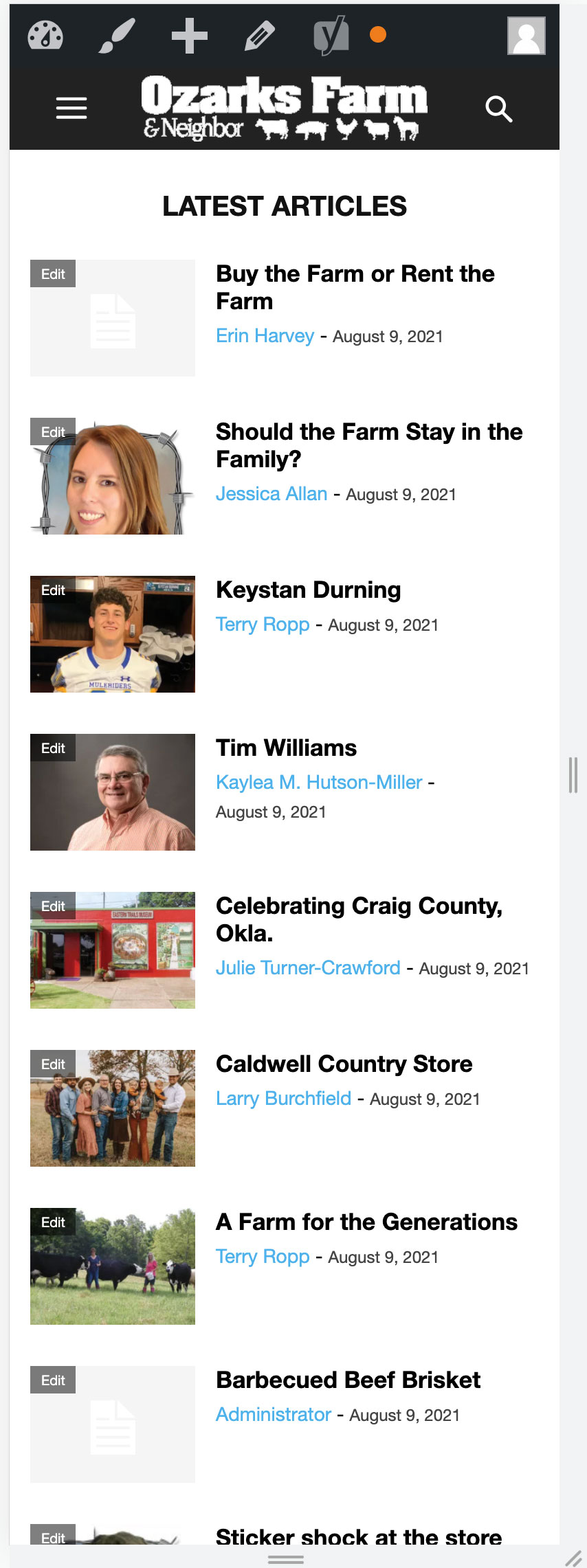
 Along with the above I’m having another issue that my homepage sometimes displays how I want it to (Home1 – first image below) and other times it displays as Home2 (second image).
tapan29588 My Problem is No Anchor Ads Show in Mobile check this – https://prnt.sc/1m94f3z
In my other website Anchor Ads Show Properly Check this – https://prnt.sc/1m95kvs
Anchor ads are part of Auto Ads.
Not only on my website. my other friend also uses a newspaper theme and he also faces this problem.
 cyberlism7
Hi guys, when I click on Save Settings on the Theme Panel, the page gets stuck at the spinning animation.
I’ve explored other people’s threads who have this same problem and tried disabling plugins etc. but it did not solve the problem. Can I give you my site and hosting’s login credentials so you can have a look?
 zarpe77
 Hi Vlad
Thanks for your response. I reached out to Ad Thrive – our ad partner here about your advice and suggestions. Here is there reply
**- I have added their corresponding images in the dropbox link
https://www.dropbox.com/s/esysmtox4rgc6hw/tagdiv%20js%20problem.JPG?dl=0
_____________________________________________
The most important thing I want to mention is that all of your AdThrive ads, including any resources (links, scripts, etc.), are loading asynchronously (after your content). So your ads never interfere with how quickly your readers can begin viewing your content. This means that those resources will be visible on speed tests, but they do not impact user-centric speed metrics. This includes all third-party ad-related resources, which may sometimes fail during the bidding process – but this won’t have any impact on your site.
All-in-all your AdThrive Ads are working great and are being delivered to your readers as optimally as possible.
But like I mentioned, your ads are waiting for your content to load, so any changes you can make to speed up your content will also speed up your ads.
With that said, we’re able to consistently reproduce the long delays on all of the pages that we’ve tested. Likewise, blocking the request for effects.js allows your AdThrive ads to load immediately after your content, without any exceptionally long delays.
Here’s another example of the effects.js file pending for 5.39 seconds and then failing:
Once that file fails as a 404, the final ad resources (as well as ReCaptcha, which is not part of your ads) finish loading and allow the ad creatives to fill, shown here:
However, if we block the request for effects.js entirely, the ads begin filling as soon as your main content has finished. Note in the waterfall that the ads load seamlessly, without an extensive delay on those final resources.
We’re also able to reproduce this issue when ads are completely blocked from loading on the page, so it’s a safe bet that your AdThrive ads aren’t causing the file to fail.
With all of this in mind, we recommend working with your developer to determine why the effects.js file is 404ing. In addition to impacting the performance and earnings of your ads, it may also be delaying other components on your site, or impacting some of the features related to your theme.
If you have any questions about this, please let us know! We’re here to help any way we can.
_______________________
I look forward to hearing about additional comments or suggestions you may have so I can resolve this issue as quickly as possible
Steve



