- NewsmagUsing other ads
- NewspaperUsing Other Ads
- NewsmagSidebar ads
- NewspaperSidebar ads
- NewspaperIntroduction to CPT and ACF with Newspaper Theme
- NewspaperHow to edit modules for Flex Block X
- NewspaperHow to use the Posts List shortcode
- NewspaperCreate a frontend submission form
- NewspaperHow to Use the Tabbed Content shortcode
- NewspaperWooCommerce: Happy “Add to Favorites!”
- NewspaperHow to generate Facebook App ID
- NewspaperLink Tracker
- NewspaperFlex Block Settings Guide
- NewspaperGeneral Options that May Interfere with the Newspaper Theme
- NewspaperSocial Icons
- NewspaperPosts Loop Element
- NewspaperSet a Background for Category Page
- NewspaperThe Newspaper Mobile Theme: Introduction
- NewspaperHow to Add a Logo in Newspaper
- NewspapertagDiv Shop
 Anamaria
 Hello,
I just checked your website, and now the mobile menu works well => https://www.screencast.com/t/xDWk3MNv76YO
The page speed is not related only to the theme that you are using, this is affected by plugins/content/ads/ external resources, etc.
I just checked your website and it looks that your images and thumbs are not optimized, for example, you can use EWWW Image Optimizer plugin, also, you can try other plugins like Autoptimize. Your website needs an optimal speed that’s why you need to make some settings also to help for the improvement.
Also, to increase the page speed you can check these similar topics for more solutions:
– https://forum.tagdiv.com/topic/optimize-script-to-improve-site-speed/
– https://www.infophilic.com/get-almost-100-pagespeed-newspaper-theme/
– https://forum.tagdiv.com/topic/a-few-tips-for-newspaper-x-speed-high-cpu-usage-issues/
– https://tagdiv.com/how-to-increase-page-loading-speed/
However, page loading speed can depend on many factors, and each website is unique from this point of view.
Let me explain some of these factors and maybe they give you some starting points for optimizing your website.
External factors: server speed, if you are using CDN or not, the external resources loaded by your website like ads, fonts, tracking scripts like Facebook Pixel, Google Analytics, Twitter analytics, Hotjar and so on.
Internal factors: the number of elements on the page, image size, image formats, if you are using mobile optimized layouts, console errors, if you are using the Standard Pack plugin on not if you are using PRO demo or a standard one.
By the way, we have such a great result with this new update and with our new tool: https://www.youtube.com/watch?v=tnkVapqhIHc
Our tool is running only on normal pages and not for posts or categories for example.
“This custom tool performs an automatic test to find missing CSS rules applied by user interaction. Moreover, you can manually interact with a chosen section/component from the page while the tool records all the involved CSS. It will generate the final CSS file for this page and also will split the rules in Critical CSS to be loaded in the website’s header.” ( https://tagdiv.com/whats-new-in-the-newspaper-theme-10-4-update/ )
.
Hope this helps you!
Thank you!
 Vlad S
 Hello !
I have just re-take a look at your links: https://www.screencast.com/t/dxknkRp2r and this is how your category pages look: https://www.screencast.com/t/XMfSlRjJ, and if I scroll more there are ads too.
As mentioned above please make sure to refresh your page when going into another viewport and make sure to clear your cache. My suggestion is to test this in incognito or directly on you mobile device.
Thank you !
 Bettina
 Hello!
1. You should use the element called “Ad box” from TagDiv Composer on your mobile page and there you need to add the ads. You need just drag & drop the element in that place.
2. Yes, you can, but you need to have another template assigned to that category. Note that a category template will have the same design as for all categories, so, you just need to assign another template with another structure, in your case ads for your chosen categories.
3. Because you use a cloud template, then the settings from theme panel are overwritten by the settings from Composer. So, open a post then “Edit with TagDiv Composer”. You need to add the element called “Single Post Comments” in order to have that.
4. If you want the same posts to appear there on top, then you should write the IDs of the posts in the element’s settings(Filter -> Post ID filter). If you don’t mean this, then please provide a screenshot with an example of what you need to achieve?
5. Check in the element’s settings if you have some offset and let the field empty.
Hope that helps you!
Thank you!
 twsillimanian
 Update, I’m trying to look into it, it looks like the problem is with wordpress, instead of loading the mobile version of the page, it loads the desktop version like an automatic modified version of the desktop homepage designed for mobile
another update: I get what you mean by mobile responsiveness, I guess that’s it, it loads the mobile responsiveness version instead of the custom mobile-homepage and header I made. Sad to say, I still need help with it.
-
This reply was modified 5 years by
twsillimanian.
-
This reply was modified 5 years by
 ckoulatsi
 Hello Bettina,
I add my code in Newspaper -> Theme panel -> Ads, as i said above.
I found that the .js is loading through this file: plugins/td-composer/legacy/Newspaper/includes/shortcodes/td_block_ad_box.php in line 910.
There the javascript code is genareted and served via php, why this is done? Can we disable it and just run the code i give in the theme panel?
Otherwise is there a way to override this file the right way, so that i wont have a problem with updates?
Kind Regards
Carlos
Bettina Hello Carlos!
Where exactly did you add your ad code?
If you use a cloud/PRO template, then you should use the element called “Ad box” from TagDiv Composer and there you need to add the ads.
Otherwise, you need to add the ads in Newspaper -> Theme panel -> Ads.
Thank you!
 mikevanmoonlight
 Cannot edit menu and logo with TagDiv composer when no Template choosen. When I clicking on menu using TagDiv it’s just nothing. Click on logo or menu elements leads to opening site on another page.
Also, how I can add a MORE button for menu, because it’s not looking good now.
 Adilmukhtarumt
 Hi Bettina,
Thanks for your reply. now this (data:image/svg+xml, <svg xmlns=) error is removed and now image show (https://chairfeature.com/wp-content/uploads/2021/04/RELAXONCHAIR.webp) this URL. When i install another theme then it’s working fine when i install back NewsPaper theme then again same error.
 norbiQue
 @gooma2 @thefeedski
I wouldn’t count on a quick update any time soon. We’ve been waiting for this for months and they’ve made a few small changes. Oh yes, the template requires some serious changes, new thinking. Which doesn’t mean it’s bad because the theme is good, but also the fact that it lacks some nice features. It is a pity that TagDiv is not working on compatibility with other plugins, I understand that they promote eg Yoast, because only here they recommend it, this is of course just an example.
You’re right Google raises the bar and turns us on our heads 🙂 We have to learn or pay to follow him. It’s good that there are many interesting plugins that do a lot for us. I myself use this theme on several pages and use different optimization settings.
 partha
I am facing a peculiar issue. I have disabled mobile theme and my home page/other pages are rendering fine. However, the Sign in/Join is not showing the Login username/password on a mobile. I am using android. The login appears if I activate the mobile theme! However, I do not wish to use the mobile theme.
Website URL: https://labinmotion.com
When I click on “Sign in”, a “Welcome” message appears. When I click on the left on the left arrow on the top, the login boxes appear for a fraction of a second and then disappears!!
The screenshot is here – https://labinmotion.com/wp-content/uploads/2021/04/screenshot-LIM.pdf
Would appreciate early resolution
Partha
 katsar0v
 Hello Vlad S,
we are running native ads using Google Ad Manager.

However ads are not showing because of missing TCF and CMP Consent. The other AMP Plugin (AMP for wp) which we have used before supports privacy notice and gdpr popup, however with Newspaper there is no such solution.
Greetings!
 joelkennethsmith
Hello, I am experimenting with specific single post templates for posts inside a specific category, I imported a template from cloud, customized it, and now when you get to the bottom of the article on the front, it loads another article, and again and again….. example here: https://www.importsauce.com/toms-2009-volvo-c30-r-design/
Anamaria Hello,
The page speed is not related only to the theme that you are using, this is affected by plugins/content/ads/ external resources, etc.
I just checked your website and it looks that your images and thumbs are not optimized, for example, you can use EWWW Image Optimizer plugin, also, you can try other plugins like Autoptimize. => https://www.screencast.com/t/dPuNRR9u Your website needs an optimal speed that’s why you need to make some settings also to help for the improvement.
By the way, we have such a great result with this new update and with our new tool: https://www.youtube.com/watch?v=tnkVapqhIHc
Our tool is running only on normal pages and not for posts or categories for example.
Also, to increase the page speed you can check these similar topics for more solutions:
– https://forum.tagdiv.com/topic/optimize-script-to-improve-site-speed/
– https://www.infophilic.com/get-almost-100-pagespeed-newspaper-theme/
– https://forum.tagdiv.com/topic/a-few-tips-for-newspaper-x-speed-high-cpu-usage-issues/
– https://tagdiv.com/how-to-increase-page-loading-speed/
However, page loading speed can depend on many factors, and each website is unique from this point of view.
Let me explain some of these factors and maybe they give you some starting points for optimizing your website.
External factors: server speed, if you are using CDN or not, the external resources loaded by your website like ads, fonts, tracking scripts like Facebook Pixel, Google Analytics, Twitter analytics, Hotjar and so on.
Internal factors: the number of elements on the page, image size, image formats, if you are using mobile optimized layouts, console errors, if you are using the Standard Pack plugin on not if you are using PRO demo or a standard one.
To remove CLS please check these guide => https://developers.google.com/web/tools/lighthouse/ -> https://www.sqlpac.com/en/documents/google-pagespeeds-lighthouse-6-new-features-lcp-cls.html -> https://web.dev/lighthouse-whats-new-6.0/
Also, please remove the logo and add it again => https://www.screencast.com/t/Qj9gb0vY
Hope this helps you!
Thank you!
 zarpe77
 AnaMaria
Thank you for your help and I was able to resolve the issue.
However this has let me to another question
When I use ad box and place a image in the ad box with a link to that ad, it changes them on several other pages at the same time
I am trying to have separate ads on separate pages
I know there are global settings and categories settings and as far as I can tell I am changing it to categories settings in order to put the ad on that specific page.
For clarification purposes.. I am referring to the manually placed ads on the top of each page.. for example here; https://ticotimes.5e.cr/categories/retirement
Not the side widget ads that are being placed by Adthrive.
 EM
EMHello,
When I arrive at the end of a post, a new article automatically loads https://www.screencast.com/t/6yDcEVZfR6jL. What settings do I have to do so that no other articles are loading at the end of a post page ?
Thanks in advanced.
Anamaria Hello,
If you have a shortcode for ads you can add it in the ad box-> custom ad => https://www.screencast.com/t/Ee5GstYm. Also, adrotator is used for ads and it is recommended to be added in custom ad from ad box, but you can set that shortcode in other elements such as raw HTML => https://prnt.sc/10jfzg2 or another alternative you can try to set the shortcode in column text or text with title in text zone => https://www.screencast.com/t/yzHiFcS8g8 -> https://www.screencast.com/t/uDXaxJ8JSKFB and see if this work. The shortcode is automatically saved.
Hope this helps you!
Thank you!
 sirms
sirms Can tagdiv add parallax ads soon? This is a future that is really popular on mobile and desktop now.
I testet out CSS analyzer but it stops at scan: 7.. and nothing more is happening. So CSS analyzer dont work for me. screenshot: https://www.screencast.com/t/DBZgTlkvkH
*Also, from the screenshot I don’t really understand where that CSS comes from, it can also come from a plugin.*
– No i have testet that out, and its not from any other plugin.
 bookman53
 This is a live site so I deactivated only those plugins that did not affect the layout or functionality of the site. No difference at all.
I have successfully used WP-Rocket with this site for several months and have had zero issues that were caused by that plugin. However, I disabled it, cleared all caches – everywhere. No difference at all.
Again, I cleared all caches – browser, Wp-Rocket, CDN, etc..
There are a total of 4 different post templates involved in this issue, used according to category, etc.. Each post template has a mobile template. The issue is present for all of them.
Here is something that I’ve discovered today after going back through every template and double-checking everything.
TagDiv randomly displays a responsive version of the desktop template instead of the corresponding mobile template. Sometimes it does, most times it doesn’t and this is to the same device. When it does, the problem does not exist. Every ad displays where it should. BUT, if it serves the mobile template as it always should on phones, the ads in the post content do not display correctly.
In every instance and on every mobile post template, whether it is one ad or more, they will display one after the other at the top of the article before the first paragraph. This is true no matter where I tell TagDiv to display the ad. After the 15th paragraph? It will be at the top of the article? After the 8th paragraph? Same story. More than one ad will do the same, just stacked one above the other, but all before the first paragraph.
So, now there are two questions.
1) Why does TagDiv sometimes serve the responsive desktop template and other time it serves the mobile template – to the same device?
2) Why won’t the mobile template display ads where I tell them to go?
I will submit my info via email.
Thanks.
bookman53 I have placed ads in the settings for locations where I want them. That is the point of this thread. I place the ads and they display as wanted on desktop, but on mobile they display two ads, one after the other, at the top of the article and not in the locations where they are set in TagDiv settings. Ads in the mobile template are not honoring the settings. This issue should nothing to do with the ad provider (Adsense). I did double-check to be sure that auto-ads aren’t turned on in Adsense. They are not.
As for some ads not appearing where placeholders are, that may be with the ad provider, but the issue that I detailed in the original post of this thread and in the previous paragraph are related to the TagDiv mobile template.
Bettina Hello!
I checked your website and it seems you have some ads which are displaying, but also some gaps where the ads should be displayed. Please check to add the ads with problems in another locations and see if they works or not. Maybe, the problem could be in the ads provider, and not in the theme because if it was a problem from the theme the ads were not displaying at all and also no gap. Or, try to add an ad code which is displaying already in the website and add it in the place where you have the problem and see if it works.
Let us know about your results!
Thank you!
bookman53I have 3 different page templates and corresponding mobile templates that I use for posts. The issue is the same on all of them.
The issue just seemed to start for no reason and I can’t say exactly what day it started. I had 3 ads inserted in the Ads settings with the first one to start after the 5th paragraph, the second one after the 11th paragraph, and the third after the 20th paragraph.
On the desktop sites, the ads display as they should. But on mobile, it began displaying two ads at the top of the post, one after the other below the title. The ads being there kept any content other than the title from displaying above the fold.
I thought it might be a conflict between the Amp plugin, TagDiv Mobile Theme plugin, and Mobile Templates. I deactivated and deleted both the Amp plugin and the Mobile Theme plugin, leaving just the mobile templates. The problem still exists.
As a test, I removed all ads from the content section. None displayed on desktop or mobile, which is as it should be.
I added one ad back in after the 11th paragraph. It worked as expected on the desktop, but displayed at the top of the content section on mobile.
I moved the ad to be after the 5th paragraph. Same result.
What’s even stranger is that even with only one ad inserted in the settings, the mobile template displays duplicate ads at the top of the post content section.
The settings won’t allow me to set different ad settings for desktop and mobile. I can insert two ads for desktop and save the settings, then go to the mobile settings for ads and remove one and save the settings. It removes the ad from desktop and mobile. That is after changing the settings for desktop and saving, then opening the mobile settings and save them. Always – change ads in either one, the other one changes, too.
No matter what settings, as long as there is at least one ad in the settings, two will display at the top of the content section on mobile.
Of course, I have cleared the caches in all browsers on mobile and desktop, cleared the cache in WP Rocket, cleared the CDN cache. The server cache refreshes every 60 seconds. None of those help the problem.
What could possibly be causing this?
 dariodeleonardis
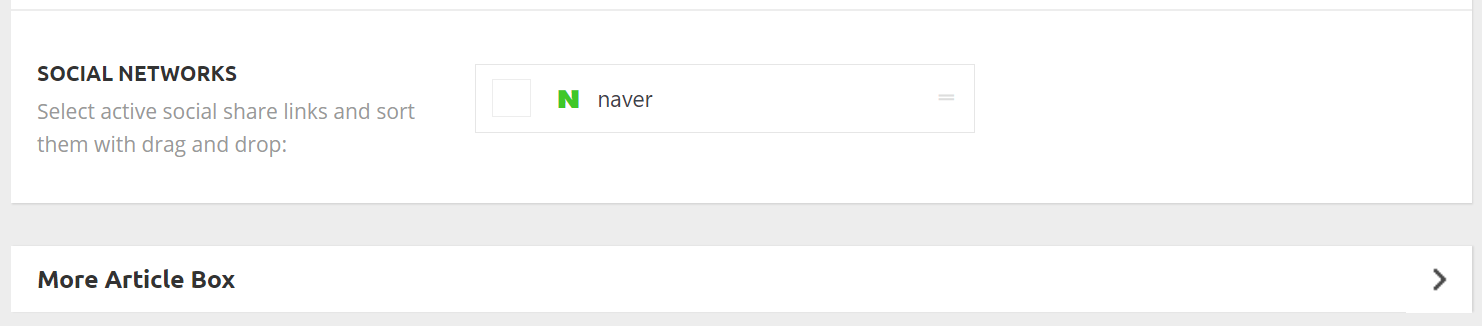
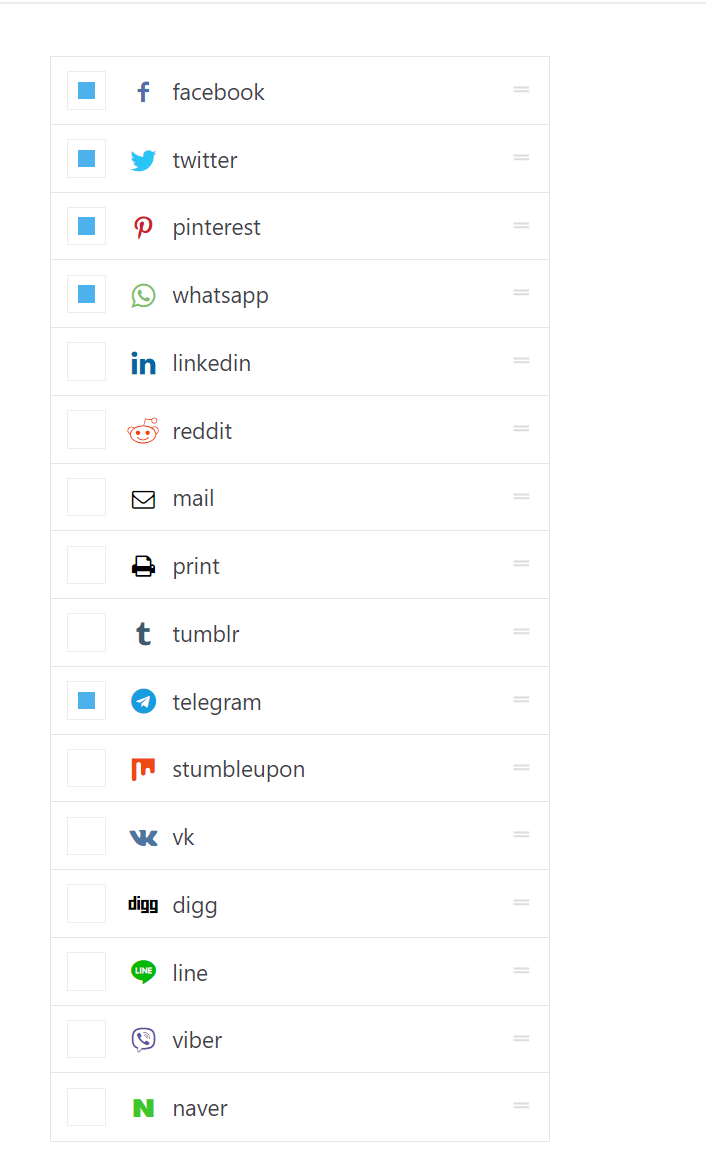
Social media buttons for share on single posts are not showing in the theme panel for site (www.deephinterland.it). Only Naver is displayed. Therefore no sharing button is also appearing in the posts frontend.
Issue looks like this https://www.deephinterland.it/wp-content/uploads/2021/04/social-media.png
When it should looke more like this (newspaper installation on another of my sites) https://www.deephinterland.it/wp-content/uploads/2021/04/social-media-absolutegamer.png
Any hint?
sirms My question is if i can use parallax ads in with the cloud templets: https://www.youtube.com/watch?v=UHO-_FK7E_w
Another issue i have with cloud templets and the theme (you can read my chat with a developer: https://www.screencast.com/t/N7AlohCq5Q
-
This reply was modified 5 years by
sirms.
Bettina Hello!
If you want to have some ads only on some specific categories pages, then you need to duplicate/import/create another template with those ads and assign it on the specific categories you want to have those ads.
Thank you!
 madamcza
 Hi, which caching plugin do you use and what other steps have you performed to optimize? Website loads really nice and fast. Is it on the latest newspaper theme version?