- NewsmagUsing other ads
- NewspaperUsing Other Ads
- NewsmagSidebar ads
- NewspaperSidebar ads
- NewspaperIntroduction to CPT and ACF with Newspaper Theme
- NewspaperHow to edit modules for Flex Block X
- NewspaperHow to use the Posts List shortcode
- NewspaperCreate a frontend submission form
- NewspaperHow to Use the Tabbed Content shortcode
- NewspaperWooCommerce: Happy “Add to Favorites!”
- NewspaperHow to generate Facebook App ID
- NewspaperLink Tracker
- NewspaperFlex Block Settings Guide
- NewspaperGeneral Options that May Interfere with the Newspaper Theme
- NewspaperSocial Icons
- NewspaperPosts Loop Element
- NewspaperSet a Background for Category Page
- NewspaperThe Newspaper Mobile Theme: Introduction
- NewspaperHow to Add a Logo in Newspaper
- NewspapertagDiv Shop
 suffolk_nick
 I have checked everything, I think the issue is that there is only one selection available where it says active social share links all I have is ‘naver’.
If I check next to naver and load a post page it appears but how do I add others if there are no others to select?
See the screenshot here: https://wowcompare.co/wp-content/uploads/2021/03/wowcompare-screenshot-social-sharing.png
See a post example here (social share at bottom of post) https://wowcompare.co/insurance/motorhome-insurance/compare-motorhome-campervan-insurance/
How do I add more share options?
Thanks
 JasonKidd
 Please read again what I wrote.
1. I miss the header, for what reason is unknown.
2. I only edited one page / membership fee, that’s all. At one point, TagDiv was unable to load.
I will repeat:
– I turned off all plug-ins
– I updated the topic (manually)
– I refreshed WordPress.
– I checked the PHP version.
– We do not use cache because of ADS Rotate.
To cut a long story short: I tried everything I know, read your instructions, but to no avail
Today at 1pm we have a high-ranking event, and we expect many to open the link. We need you Header (logo and menu)
Please take another look at what is with TagDiv. Can we leave you FTP data or. Wp-admin.
I am asking for a quick response because we are in an emergency situation today. Thanks!
 spurt
spurtI’ve set theme background image in Theme Panel (1600x1400px) and tested it on other themes. Now it looks like this: https://spurt.no/wp-content/uploads/2021/03/theme-background-error.jpg
Settings: https://spurt.no/wp-content/uploads/2021/03/settings.jpg
 samdudu
Can we use other providers? Google Adsense bans you without any explanation and the appeal process is a waste of time
Which other provider / providers can be used that has been tested with the theme.
spurtWhen hit search button without keywords, I got “Home” in Search: https://spurt.no/wp-content/uploads/2021/03/search-error.jpg
This error did not appear with former theme. I don’t want this to appear. Other thing: Latest posts do not appear first in search results, altough it’s set in Composer. What’s wrong here?
 jshallo
Hi, I am having issues with the image next to the authors name. It is a circle in the top post but a large unsightly square in others. At times the top post has also become a sqaure.
https://cruiseaddicts.com/9-reasons-a-hawaii-cruise-with-uncruise-adventures-is-so-special/
Loads normal:
https://linksharing.samsungcloud.com/aAbDSwSET8ap
Loads abnormal on another post lower on an infinite scrolled page:
 Calin
Calin Hi,
what you can do is to set the class/id directly on html code for banner -> https://forum.tagdiv.com/using-other-ads-non-adsense-ads/ for example -> https://i.imgur.com/QMDVyeT.png or on image.
Hope this will help you!
 Bettina
 Hello!
If you delete the ads from a post template with TagDiv Composer, it should working for all posts which have assign that post template. Otherwise, if a post has another template, then you need to modify also that post. Also, you can set a global template for all your posts from theme panel settings.
Hope that helps you!
Thank you!
Bettina Hello!
Check our documentation here for non adsense ads: https://forum.tagdiv.com/using-other-ads-non-adsense-ads/
Thank you!
 Richardrady
Hello,
I have two questions.
1. I wanted to add advertisement inside posts and after post. I added code generated by google adsense and pasted it into:
Theme panel > Ads > Article inline ad. And another google adsense code to Article bottom ad.
But nothing happened… What is wrong ?
2. Google Adsense offers ad optimalized for AMP devices. I have AMP plugin, but not mobile theme plugin. So where to copy this generated advertisement code for AMP ? In Adsense is written that this needs to be copyied between <head> tags in AMP theme. But where is it ?
Thank you for your answer.
 danna
dannaHey!
i don’t know why, but the google bot has big problems rendering my page (f. ex. https://rauf-und-davon.at/sommerprojekt-seven-summits-osterreich/). The thing is that most of the siteresources can’t be loaded (images, javascript and stylesheets). That’s why i always get notifications from my search console that there are issues on my mobile pages. I guess it would be good for SEO, that google thinks i have a proper page online. I tried everything (deactivated all the plugins except the ones from tagdiv as you can see on the screenshot) but that didn’t fix the problem (so the plugins can’t be the problem):
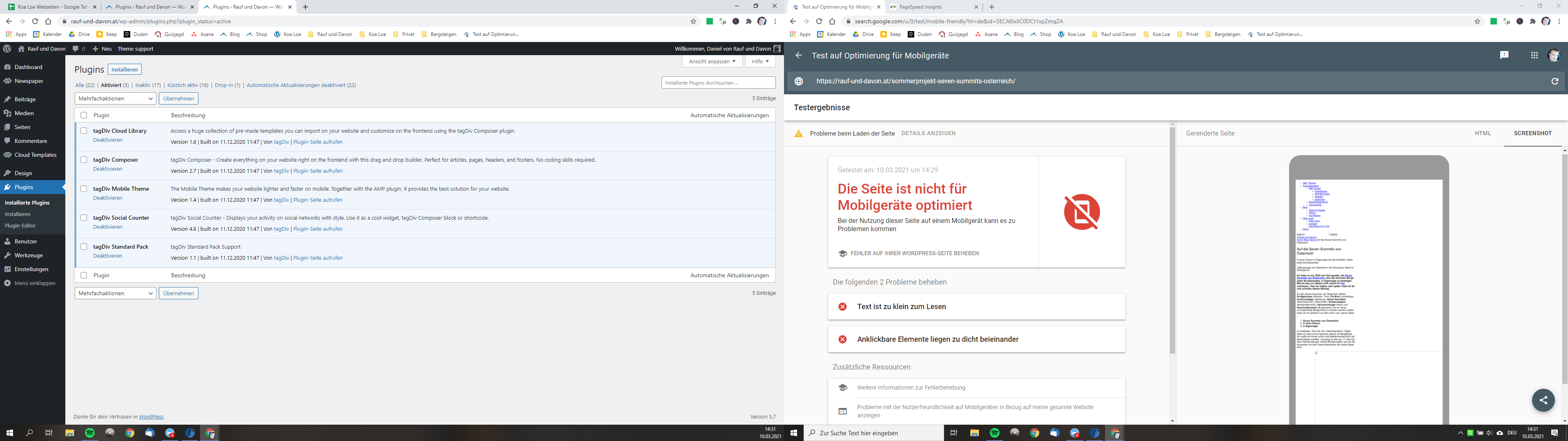
We use the theme on another page and there it gets rendered by google without any problems. Even on my subdomain (with an extra installation) it’s working (so the server can’t be the problem too). Can you maybe help me and tell what the problem could be?
I use Newspaper 10.3.9.1 | WordPress 5.7 | Mobile Theme activated
That would be awesome as i try to fix that problem for months!
All the best,
Daniel
Bettina Hello!
1. This option has no AMP and will display only the Mobile Theme template.
2. AMP will appear on pages and post and for category, search and others will display the Mobile Theme template.
3. This option has only AMP and will display only the AMP version.
Please note that the Mobile Theme is a performance optimized theme included in the Newspaper main theme and it loads only for mobile devices. It comes with its own templates for page, post, category, etc so your current templates from the desktop theme will get converted to the mobile theme layout. For more details, please take a look here: https://forum.tagdiv.com/the-mobile-theme/
For more information about AMP(Accelerated mobile pages), you can check this website: https://amp.dev/
Hope it is more understandable now!
Thank you!
 Elsabe
Hi TagDiv Support
https://openair.africa/
This is an international organisation’s site of which I am the designer. I am not a programmer.
The site is hosted by Dreamhost in Canada.
The site has become unbearably slow. I am trying to just edit a page
https://openair.africa/2020-annual-report-research-progress/
and the smallest change gives errors AJAX, Jason, 504 timeout. The page is autosaving a long time and them when I try to save, it hangs:
https://openair.africa/wp-content/uploads/2021/03/Autosaving-2021-03-09-at-15.48.42.png
Or I get a AJAX or jason error and it does not save the updates:
https://openair.africa/wp-admin/upload.php?item=5673031
Then I crash out of the site end often when trying to log back in:
https://openair.africa/wp-admin/upload.php?item=5673030
Even trying to upload a 1k small icon:
https://openair.africa/wp-admin/upload.php?item=5673032
There are periods when it works and hours where it does not.
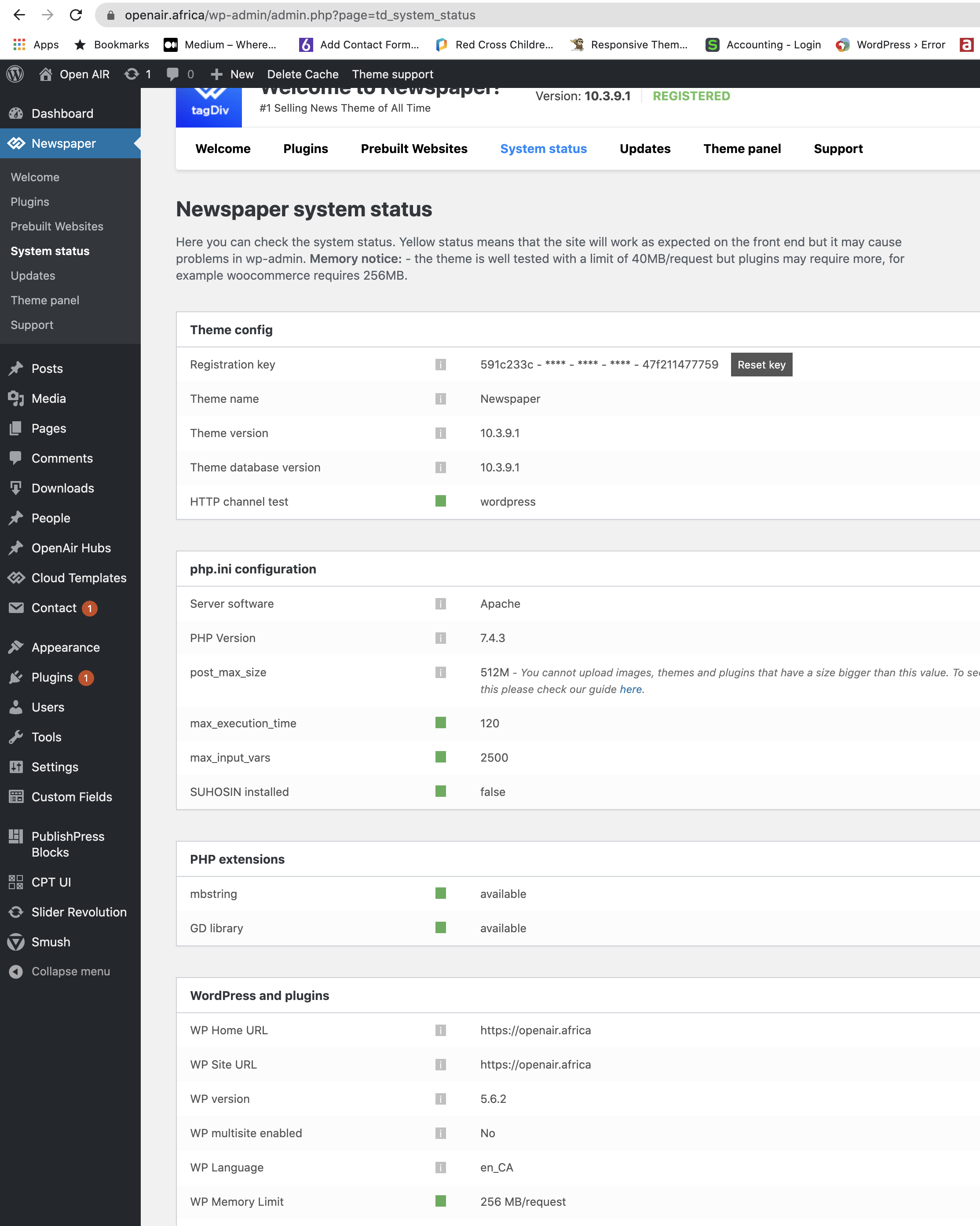
When I look at Newspaper site health it is all green dots, no issues:
https://openair.africa/wp-content/uploads/2021/03/Screenshot-2021-03-09-at-17.29.14.png
Site health reported to be good:
https://openair.africa/wp-admin/upload.php?item=5673026
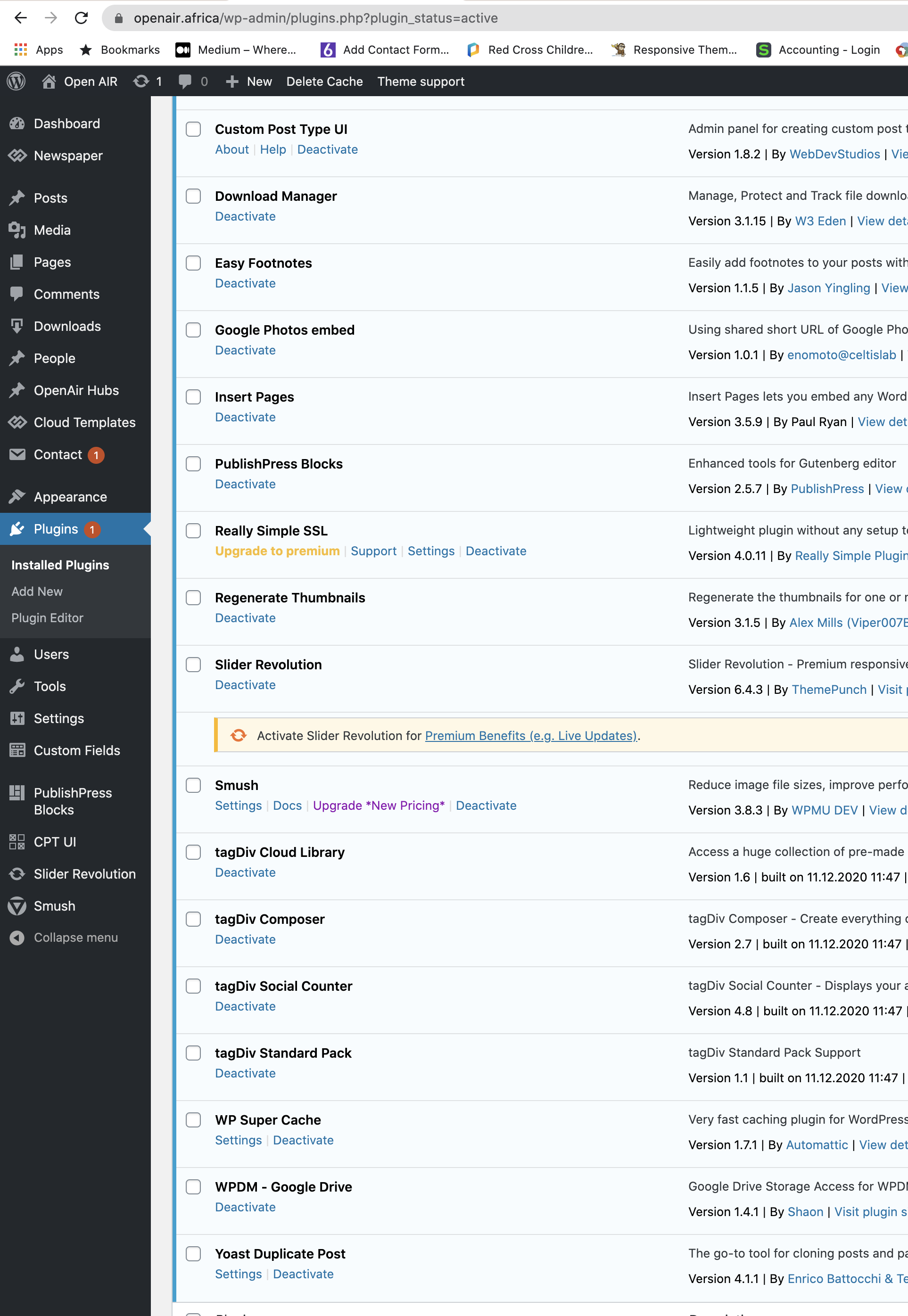
I have 20 plugins running:
https://openair.africa/wp-content/uploads/2021/03/Screenshot-2021-03-09-at-17.30.59.png
I contacted Dreamhost in Canada and they say they are perfect, but the theme is the issue …
I also run Newspaper theme on another site hosted in South Africa and that never has a problem. Here is the site report generated by Dreamhost:
https://gtmetrix.com/reports/openair.africa/UbBcMW8Y/
I please need help urgently as I am on deadline to create the organisation’s Annual Report and our funders must be able to view it.
Thanking you in anticipation
Elsabe Gelderblom
Bettina Hello!
You need to edit one post to delete the ads, then all posts using that post template will not display the ads automatically.
Please note that another post with a different post template will display the ads and you need to modify that template too.
Thank you!
 tainazinha
Hello good afternoon,
I need help with some newspaper issues. Originally my website was built using WP Bakery that I have more knowledge of, but it is causing some conflicts with sidebar and at your suggestion I will disable it. For that I need to rebuild my homepage as said in documentation.
When adding a bg image in a line, it has a blur effect that I can’t remove. Can you tell me how I do it?
Another thing that is giving me trouble is the option of youtube videos available on tagdiv. Is there only this list option? I would like to import individual videos as in the attached example.
thanks


 amitfahad
I tried placing ad using the TagDiv Composer with ‘ad box> Custom ad> then placing google ad code’. You can check the link below.
When I place the AdSense ad code in the ‘Custom Ad’ section and save the code disappears. No google ad is showing up. Have I mistaken anything? What is the issue? Can you help me with the matter? Thanks.
https://imgur.com/qDy1VRK
NB: Other ads I have placed with another plugin named ‘Ad Inserter’. But in this red circle specific area (shown in the link image), I cannot place ad.
 Anamaria
 Hi,
Normally, is recommended that you use auto ads to not use other iframes. That is why I said to disable the auto load from a single post template, also, when you embed feeds from Twitter you use Iframes, and auto ads don’t work correctly with ads Iframes.
Please make a test with a new post that doesn’t have embed feeds and is using a standard post template or a single post template without infinite loading.
Thank you!
 regataslima
Hi! We need to put custom ads on our newspaper theme, but in I don’t know where I can find the tracking of each add. I mean: how many views and how many clicks. Is there any way to do it with the theme? Or do I have to install another plugin?
amitfahad So I researched about it and found out that the problem occurred with the part of another site embedded in my site. Example: Twitter link. Now For showing ads, I need to break the inframe. I searched for the plugin to remove iframe but could not understand. Do you have any kind of suggestion for that? Thanks.
amitfahad No, the problem still remains. It did not work. Another piece of information to provide, I am using the auto ads feature on Adsense. Thanks.
 marijn390
Hi,
On mobile devices, the header ad is automatically 300×250 while in the theme settings I specify that it should be 320×50. See the screenshot here: https://ibb.co/0FpnYvW
This is quite annoying because 300×250 is so huge on a mobile. See the screenshot here: https://ibb.co/4TP4t9m Adding an Adsense with the fixed size 320×50 is not an option because on laptop / pc the size of the header must be ad 728×90 and on other devices another size. That is why I chose responsive ads.
Hopefully you can help me.
Anamaria Hello,
The theme has only this for ads => https://i.imgur.com/IBxx4Bt.png -> https://forum.tagdiv.com/using-other-ads-non-adsense-ads/ -> https://forum.tagdiv.com/sidebar-ads/ -> https://forum.tagdiv.com/header-ads-adsense/ -> https://forum.tagdiv.com/article-ads/ -> https://forum.tagdiv.com/background-ads/ -> https://forum.tagdiv.com/post-template-ads/ -> https://forum.tagdiv.com/above-footer-ads/ ,on Cloud Templates and pages you can use the ad box element from tagDiv Composer => https://forum.tagdiv.com/custom-ad-spots/
If you use a Prebuilt Websites Pro you can set ads in the Ad Box from tagDiv Composer
The ad box has 3 sections for ads: using theme panel ads -> https://i.imgur.com/KFa9ibl.png, using images/banners -> https://i.imgur.com/MfAPTaE.png and custom code -> https://i.imgur.com/2rh8SuD.png save it and will appear on the post.
Also, the shortcode can be set with tagDiv Composer in column text or text with title in text area -> Edit Content =>https://www.screencast.com/t/yzHiFcS8g8 -> https://www.screencast.com/t/uDXaxJ8JSKFB. The shortcode is automatically saved.
If this is not what you mean, please let me know!
Thank you!
 jrich78
 Hi, Bettina.
I was actually up all night and finally figured out what was going on by accident at 5 am this morning. I erroneously thought the first section in the Theme panel was just for ads. The header template was set to none, or whatever the no theme setting was. The footer template, on the other hand, had a cloud template set on it. I guess this was automatic. I knew I wasn’t using a cloud template when I sent the other messages. Like I said, I erroneously thought that section was for ads only and never thought to check that. Found it was I was looking through every single setting. The TagDiv Composer will not allow you to go past the footer to edit. Which it’s a little cumbersome to use anyway, because there are no scoll bars until you drag across the screen to the right and you finally get one to go up and down, but not side-to-side. I had been just clicking in the white space at the top and using the arrow keys, which doesn’t always work. THen when you do go the right to get on the other side of the template, you can’t see the settings menu on the left. Just cumbersome, but Ill figure it out, I reckon. Maybe a thought for the next update or something. Thanks again for all your help trying to figure this out. Hope it will help someone else facing the same issue. 🙂
-
This reply was modified 5 years by
jrich78.
 Jose
JoseHello,
In my category templates, I am using Posts Loop 2.
I have hidden the “read more” button, so vially it is invisible.
My website with an example: https://cutt.ly/TlJibN1
I hide the button like this: https://fotos.subefotos.com/b6ee9c6961ebf2fe318a2d39a499ad33o.jpg
The problem is, Google’s crawler can see that button hidden by CSS. And it also reads the button link.
So each article actually has three links to the same site. The first link from the photo. The second link from the title / description. And the third link, from the button (no matter if it is hidden by css).
So my question is: How can I completely remove the button? I want google not to read another repeated link. I don’t use the button, so I can omit it completely.
Is there any template without button aesthetically similar?
Can I remove the button completely by editing some code?
And finally, is it possible to remove the link from the image and leave only the link in the title?
Thanks
Anamaria Hi,
Unfortunately, you can’t set background ads just for the background on the homepage, the background applies to all other posts/pages.
Thank you!