
- NewspaperUsing Other Ads
- NewspaperSidebar ads
- NewspaperIntroduction to CPT and ACF with Newspaper Theme
- NewspaperHow to edit modules for Flex Block X
- NewspaperHow to use the Posts List shortcode
- NewspaperCreate a frontend submission form
- NewspaperHow to Use the Tabbed Content shortcode
- NewspaperWooCommerce: Happy “Add to Favorites!”
- NewspaperHow to generate Facebook App ID
- NewspaperLink Tracker
- NewspaperFlex Block Settings Guide
- NewspaperGeneral Options that May Interfere with the Newspaper Theme
- NewspaperSocial Icons
- NewspaperPosts Loop Element
- NewspaperSet a Background for Category Page
- NewspaperThe Newspaper Mobile Theme: Introduction
- NewspaperHow to Add a Logo in Newspaper
- NewspapertagDiv Shop
- NewspaperAutoptimize Plugin – install and configuration
- NewspaperHow to Use tagDiv Cloud Library
 luchtzak
From time to time, the mobile version of the newspaper template is used while loading the website on laptop/pc browser. It’s on Firefox, but had it on other browsers too. Any recommendation to fix this issue as it’s getting on the nerves of some of my users.
Examples:


 Bettina
 Hello!
Please note that you can not edit the default header template with the tagdiv Composer. You can choose to use other header template from the Website Manager: https://forum.tagdiv.com/tagdiv-composer-website-manager/
When I check your website, I can see that your header template is a cloud one even on the single template. If you use the Mobile theme layout on the single post template, then you can control the way is looking from the theme panel settings -> Mobile theme.
We have 3 options available for mobile versions that you can use:
1. Responsive version: A responsive version of your website looks similar to the desktop version. TagDiv Composer is used to edit the page. Click on the mobile viewport: https://www.screencast.com/t/XDQJedlggSB. There, you can see your mobile version and edit or adjust the elements to look better.
2. Mobile pages: https://tagdiv.com/newspaper-10-3-7-update-brings-customizable-and-fast-mobile-pages
3. Mobile theme plugin: The Mobile Theme is a performance-optimized theme included in the main Newspaper theme that only loads on mobile devices. It comes with its own templates and designs for pages, posts, categories, etc., so your current templates from the desktop theme will get converted to the mobile theme layout. Please see https://forum.tagdiv.com/the-mobile-theme/ and https://forum.tagdiv.com/mobile-theme-introduction/ for more information.
A full explanation is here: https://www.youtube.com/watch?v=SpGkOnJeNZY
Thank you!
 Simion C.
 Hi,
From what I see the post is displayed on mobile, with the mobile theme active https://prnt.sc/uple4KAqulHT There are however quite a few ads at the top of the post, and it requires scrolling down a bit to get to the post https://prnt.sc/vU6b2eN8BzB9 Other than that the post looks fine. Maybe you solved the problem already.
But in case I am misunderstanding, please let me know and I will check again.
Thank you!
 bburzycki
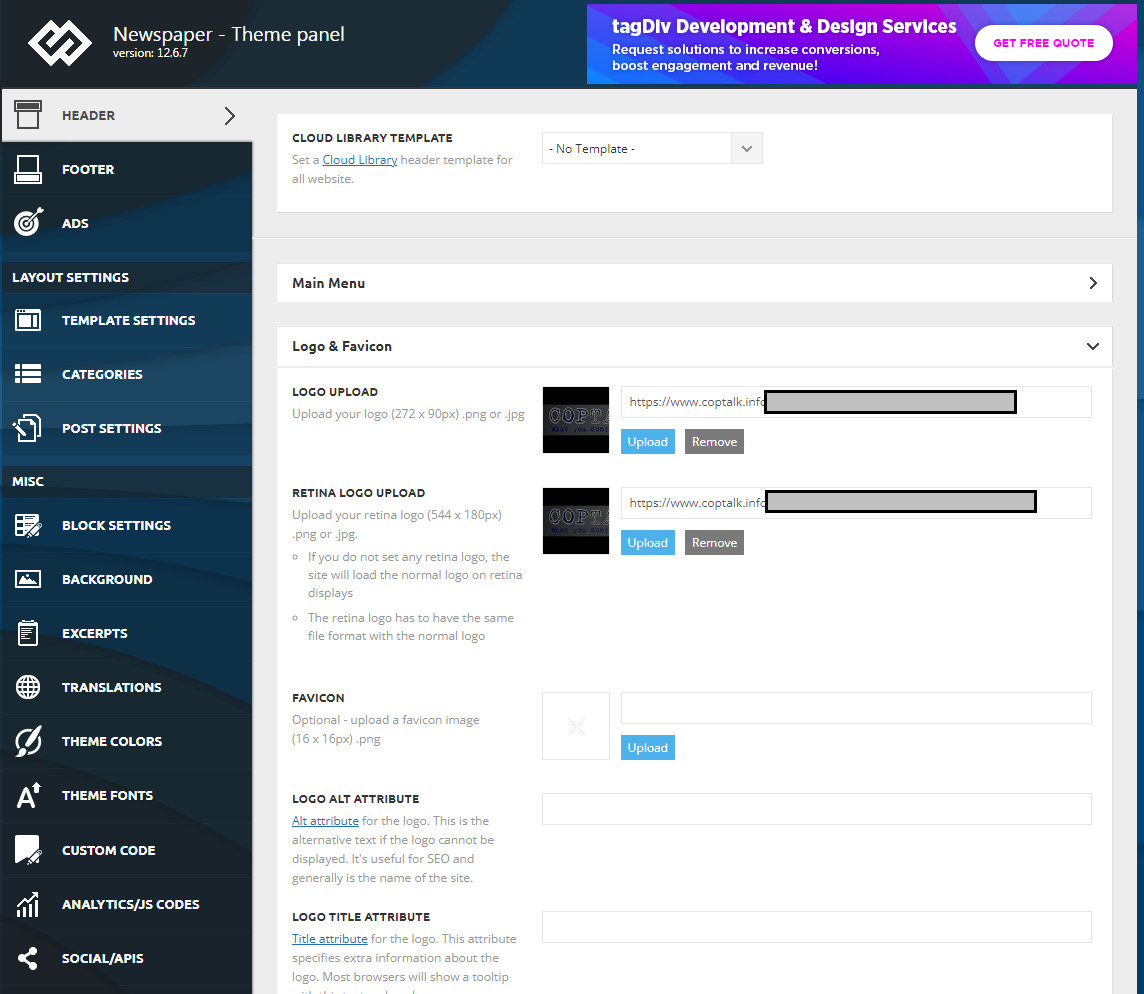
 Sure – here are the screen shots of the two sites that just changed the header
The header used to be similar to this for the one site:

Dashboard settings for header
Other site where it changed in the same fashion:
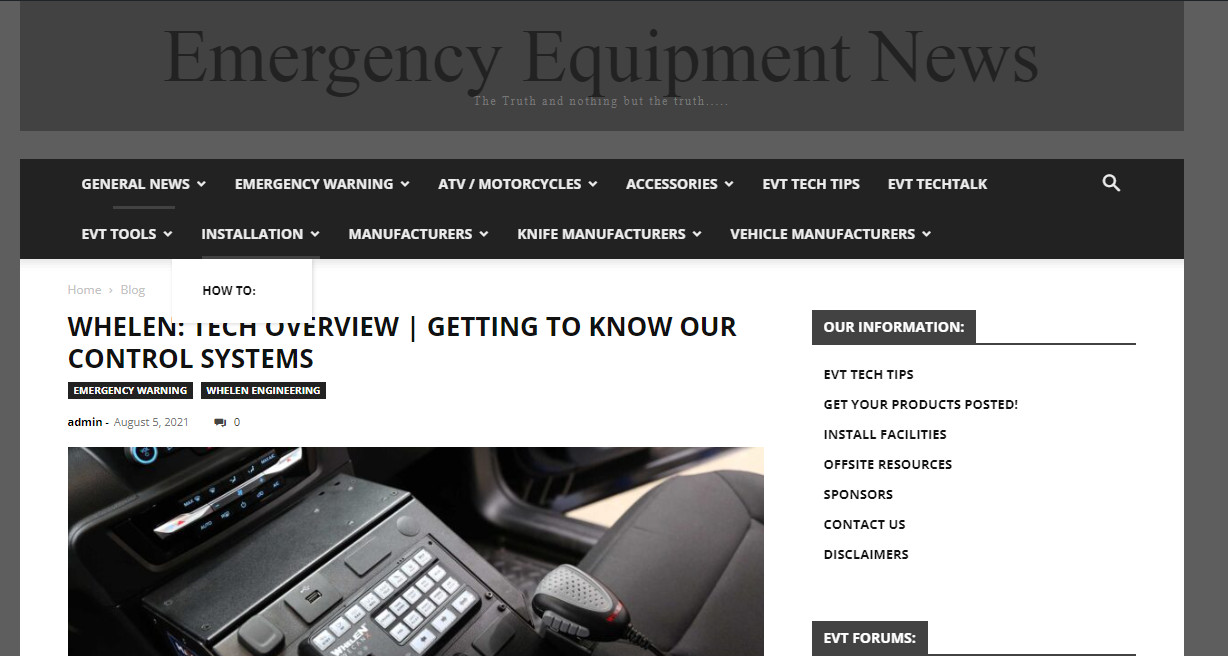
 SPopov
Hello. I encountered the following problem: pagination does not work on the Categories page of the site. In the template, pagination is activated and included in the status “normally numbered”. Numbered buttons are displayed, but do not transfer to the second or another page, it simply reloads the first page of the category.


Link to category: https://blog.wo.ua/kategoryi/golovna/ogliady/
 WordDom
Hello,
I’d like to insert an element as a shortcode in order to insert it in an article after X paragraph.
So i used Ads tab in single post content but i don’t know how to get the [shortcode] from an element.
Maybe is there another solution do do this ?
 Boomager
Hello,
I activated a locker for a few of my messages.
I’ve enabled all 3 custom fields in Opt-in Builder and I can see all 3 on my website(s front.
I can also see them in my leads emaillist, but when a visitor subscribes I can only see the emailaddress in the admin.
The 3 other fields are not filled in.
What did do wrong or what did I forget ? Thank you very much
 dansmith
 Thanks for the reply.
I’ve disabled all plugins and cleared cache without any luck.
Do you have any other ideas why the ads are not displaying?
 ijusttrylah
 Hi @anamarie,
Sorry, I did not make myself clear… the site starts to load, as in we see some text but then crashes. On Safari we get this error “a problem occurred with this web page, so it was reloaded,” however the screen is grey. If we try to reload manually we get the error message “A problem has repeatedly occurred on “https://ijusttrylah.com/best-credit-cards-for-petrol-in-singapore”. There is no issue with google chrome… It doesn’t make sense to use another browser when the problem is that any user with an iphone will not be able to access the page. There is clearly an error and I would appreciate if you could point me in the right direction to fix the error for iphones and ipads… This applies for all iphones and ipads.
Bettina Hello!
The autoload for CPTs is the feature that loads, for example, another CPT as the scrolling autoload for posts. Edit a CPT template, and you can find the settings there: https://app.screencast.com/g5dEkeMutlK12
Thank you!
 meta-defense
Hello
I face an issue with the wptoolbar dissappeared from admin. I precise the option is correctly checked on the profil page. Plus, when i switch to an other Theme (twenty twenty), the toolbar appears correctly. I have fluched the css too, and dissabled several critical plugin to check, without success. It really seems the issues comes with the theme. Which is quite an issue as tagdiv controls appareads inside this wptoolbarr…
Any idea ?
Thanks
 Emma Hin
Hello,
I’m using Momentum theme. I’m trying to add filters to my case studies.
I would like to setup the filters (which enable to filter by services/tags of case studies) above the case studies.
I managed to add the flex filters and set them up to drill down on the services taxonomy.
The problem is that when I filter, there is a page reload and the engine shows me a new page that looks like a search result page (it’s written archive). This is not the behavior I would expect. I would just need the page to remove case studies without leaving the page. Otherwise, I don’t want to make a “search” that leads me to a search result page after page reload. I would like to filter the cases studies without leaving the page, which should be the real effect of a filter and not a search.
Here are some screenshots :
https://imgur.com/YsgHGIL -> https://imgur.com/9nUB84V
Setup : https://imgur.com/VmZ4TET
Thank you for your help 🙂
Emma
 sanjeevk765
 Then why this documentation says you can use viewport on/off switches to trun on and off adsense ads : https://forum.tagdiv.com/using-other-ads-non-adsense-ads/
I think it need an update. I see many outdated docs.
This is what written there and it’s confusing:
—————————————————————
* do not use this method for AdSense. This is just for custom ads. For AdSense just paste your full code into the box and customize the ad via the on/off switches and the predefined sizes.
—————————————————————
-
This reply was modified 2 years by
sanjeevk765.
-
This reply was modified 2 years by
-
This reply was modified 2 years by
sanjeevk765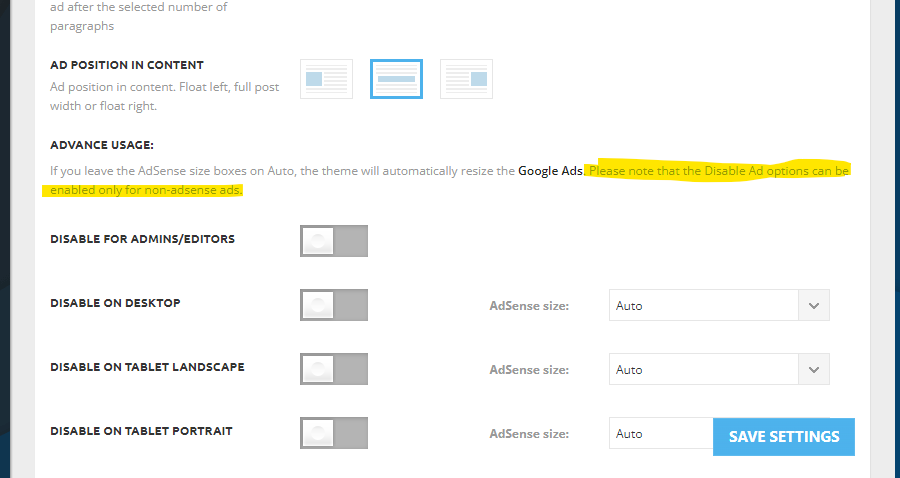
I can see “Please note that the Disable Ad options can be enabled only for non-adsense ads.” (on/off switches) written. Does it means that we can’t use it because it’s against google adsense policy or does that functionality will not work with adsense ads code.
But here: https://forum.tagdiv.com/using-other-ads-non-adsense-ads/
I see that it’s written “For AdSense just paste your full code into the box and customize the ad via the on/off switches and the predefined sizes.”
Isn’t it confusing!!!
 nguyenxuan
 Oh, i just discovered Fixed TOC plugin on my website that display error too.
The cause is a conflict with Modal popup (mobile menu).
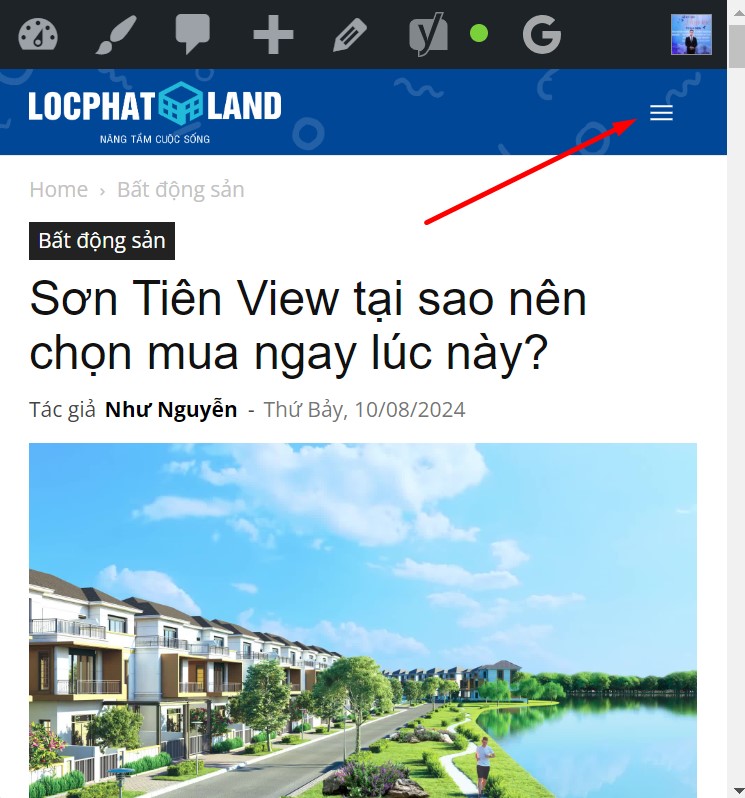
I tried changing another header, the result was that both TOC and the stars displayed normally.
-
This reply was modified 2 years by
nguyenxuan.
 poporil
If I have the tagDiv Mobile Theme enabled, and it loads quickly on mobile, does it only benefit those who enter the article on their own?
I mean, does it help Google see that this article is “light” and possibly give it a better position in SEO?
I’ve noticed over the past year that my SEO hasn’t been good, even though it used to be excellent. With a simpler theme on another site of mine, I have better SEO.
 swnprwr
 i delete all cookies, I log in from another browser, from another phone, it’s always the same, nothing loads, there’s just a loading sign
 Jabed
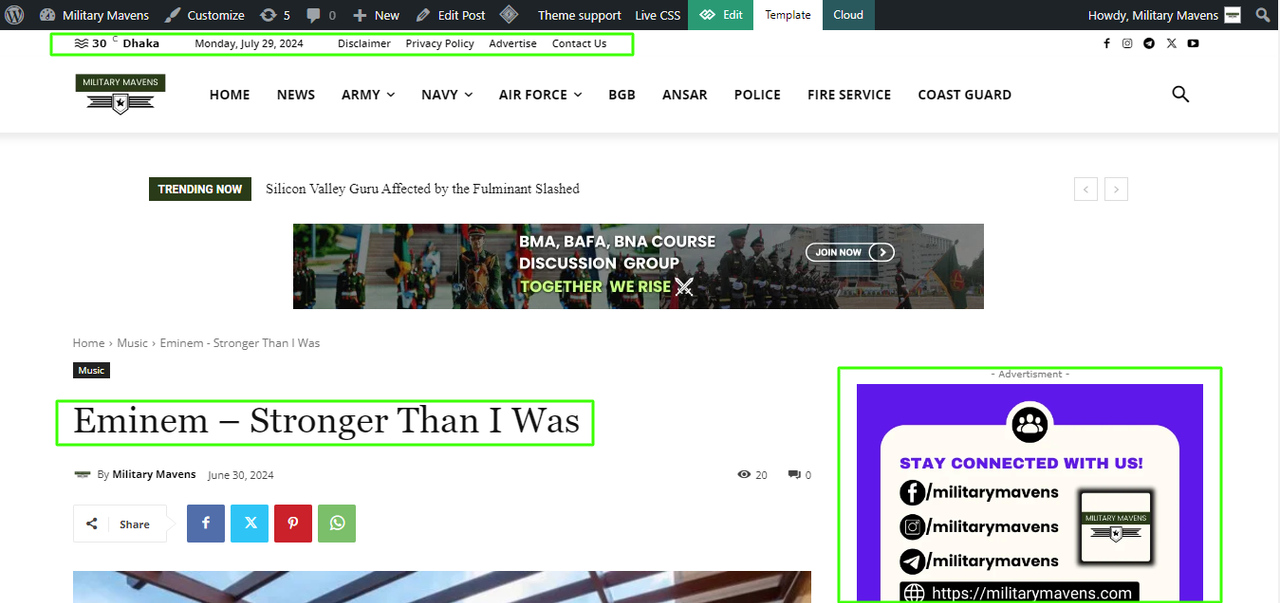
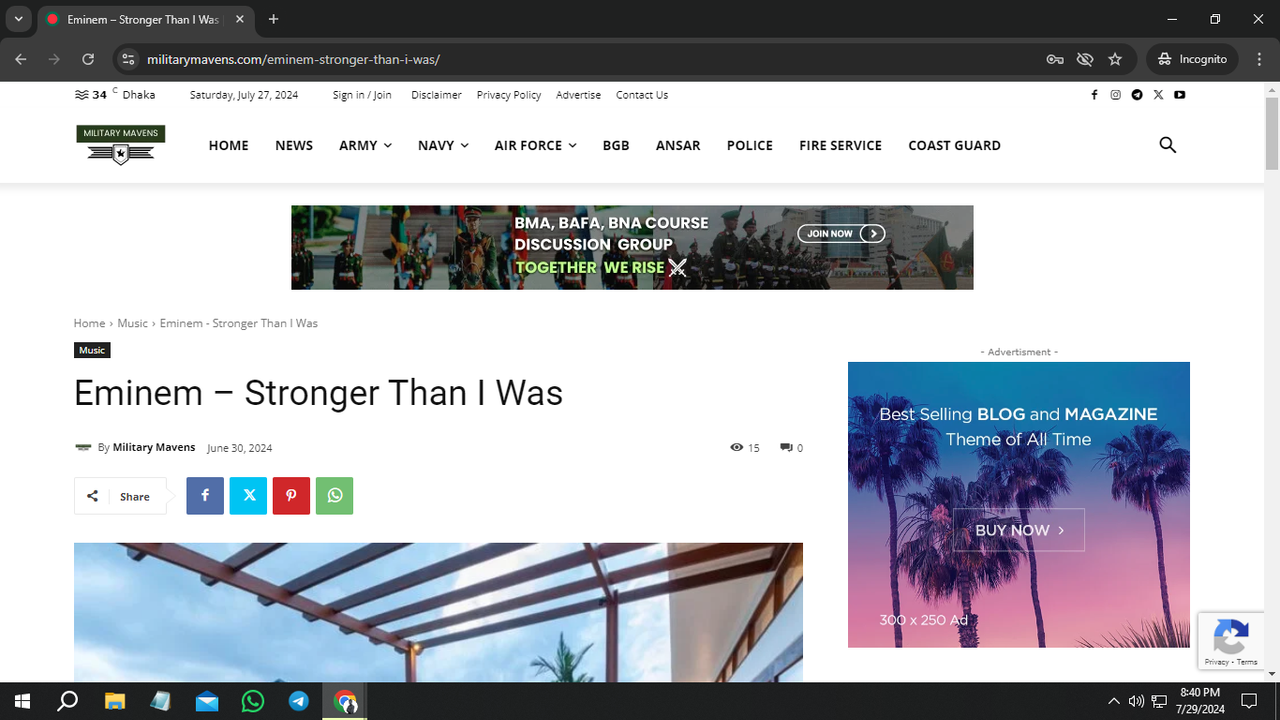
JabedI have changed the font and sidebar ads, as well as some other things in my single post template. In the editing interface, I can see my changes were made perfectly. But when I visit my website, it’s not showing my edit’s. I tried to see the change in incognito mode also, but found the same result. It’s the first time I’ve experienced this. I’m attaching some proofs here.
 danna
danna Thank you for the response, but unfortunately, it has nothing to do with my problem. I want to prevent the page from reloading and jumping to the top when applying a filter. Instead, I want the filter to behave like an Ajax filter. Is that somehow possible?
I would like to add a header image to the page. To reach the filters, one has to scroll down. When a filter is applied, the page reloads, jumps to the top, and you have to scroll down past the header image again to see the results / apply another filter.
 AprilSins
Hi I am trying to install my new ad network journey by mediavine. I have NEVER had an ad network on this site. However, I keep getting this message: We found conflicting ad code running on your site. Launching ads with Journey requires you to remove code from any previous programmatic ad partners. If you are bound by an agreement with another ad provider, stop here. See this Help article for more information on exclusivity requirements.
is there something that is built into the newspaper theme that I need to deactivate?
 Roboman
I love the Free News design. Unfortunately the template is unusable for me.
It loads so very slow. Much slower than other Newspaper templates. Also the delayed loading of the image is annoying.
 Anamaria
 Hello,
Usually, the ads in prebuilt websites are set in the element AD BOX, and you can remove it, edit with tagDiv Composer, select the viewport for phone and select the Ad box element and with right-click you can delete it => https://www.screencast.com/t/2GfCVx9BCAw7 or with drag & drop place it into the deleting red zone from the bottom right of the page
The ad box has 3 sections for ads: using theme panel ads -> https://i.imgur.com/KFa9ibl.png, using images/banners -> https://i.imgur.com/MfAPTaE.png and custom code -> https://i.imgur.com/2rh8SuD.png save it and will appear on the post (you can set a shortcode like a shortcode from adrotate plugin or other plugins).
Thank you!
 PolishExpress
I would like to add ads on my site via Google AdManager. How do I implement the tags of individual ad units into the Newspaper template? When downloading the tag of a single ad from my AdManager account, I have two codes to paste: one in the <head> section and the other in the <body> section. Where should I paste them in the Newspaper template? Should I add it to Theme panel-> Analytics/JS Codes? And if there, what in case I want to have several such ads on the site? Can I just collect these tags from AdManager into one collective code to the <head> section and one collective code to the <body> section?
What should such code look like then? Should I modify them somehow, or just paste one under the other, what I download from the AdManager panel?
Bettina Hello!
We have 3 options available for mobile versions that you can use:
1. Responsive version: A responsive version of your website looks similar to the desktop version. TagDiv Composer is used to edit the page. Click on the mobile viewport: https://www.screencast.com/t/XDQJedlggSB. There, you can see your mobile version and edit or adjust the elements to look better.
2. Mobile pages: https://tagdiv.com/newspaper-10-3-7-update-brings-customizable-and-fast-mobile-pages
3. Mobile theme plugin: The Mobile Theme is a performance-optimized theme included in the main Newspaper theme that only loads on mobile devices. It comes with its own templates and designs for pages, posts, categories, etc., so your current templates from the desktop theme will get converted to the mobile theme layout. Please see https://forum.tagdiv.com/the-mobile-theme/ and https://forum.tagdiv.com/mobile-theme-introduction/ for more information.
A full explanation is here: https://www.youtube.com/watch?v=SpGkOnJeNZY
If you need to use mobile version 1 or 2, then you need to uninstall the Mobile Theme plugin and AMP.
1. I can see that you use the Mobile theme right now and you can try to add the shortcode in the mobile editor(check documentation) if this is from an external plugin.
2. Unfortunately, there are no options to display the CPTs as in the cloud templates. You can do that only with custom code. For customization and other services, you can contact our custom work team here: https://tagdiv.com/premium-customization-services/.
3. If you will use cloud templates, then there are some settings of the “Header live search” to specify the taxonomies, create some results sections and exclude posts/pages.
4. Unfortunately, we have no design idea for an alert box. But you can use a modal popup to build the one you like: https://forum.tagdiv.com/modal-popup/ You can trigger it as a button or page and it can open automatically or by clicking the button.
5. Check this thread: https://forum.tagdiv.com/topic/excessive-dom-size/
I hope that helps you!
Thank you!
Anamaria Hi,
Please check this guide for banner size https://www.shutterstock.com/blog/optimal-banner-size
The ad box has 3 sections for ads: using theme panel ads -> https://i.imgur.com/KFa9ibl.png, using images/banners -> https://i.imgur.com/MfAPTaE.png and custom code -> https://i.imgur.com/2rh8SuD.png save it and will appear on the post (you can set a shortcode like a shortcode from adrotate plugin or other plugins).
Thank you!



