
- Apitd_api_single_template::update_key
- Apitd_api_single_template::update
- Apitd_api_single_template::add
- ApiAPI – Single Template – Introduction
- ApiPractical example – How to add a new Block and Module
- ApiAPI – Category top section style – Introduction
- Apitd_api_module::update
- Apitd_api_module::add
- ApiAPI – Modules – Introduction
- Apitd_api_block::update
- Apitd_api_block::add
- ApiAPI – Blocks – Introduction
- ApiUsing the Theme API in plugins
 Anamaria
 Hello,
1. The footer template does not have the button to be edited with the tagDiv Composer in the backend. Please check this guide:https://forum.tagdiv.com/footer-templates/
You can edit with tagDiv Composer the footer template can be edited only from the frontend if it is assigned, edit a page/post template with tagDiv Composer and go down to the footer => https://www.screencast.com/t/rpfNhfyrF
2. There is no scroll bar, if you have a mouse with the scroll you can use it to scroll in tagDiv Composer.
Thank you!
Anamaria Hello,
Please edit the page, and select the template on the pagebuilder+Overlay menu => https://i.imgur.com/HcOLjQA.png, and after editing with tagDiv Composer, select the row and you can set the image in the tab called CSS => https://i.imgur.com/ilKQ9cG.jpg
Hope this help you!
Thank you!
 nwnuyhs
 Hi Calin,
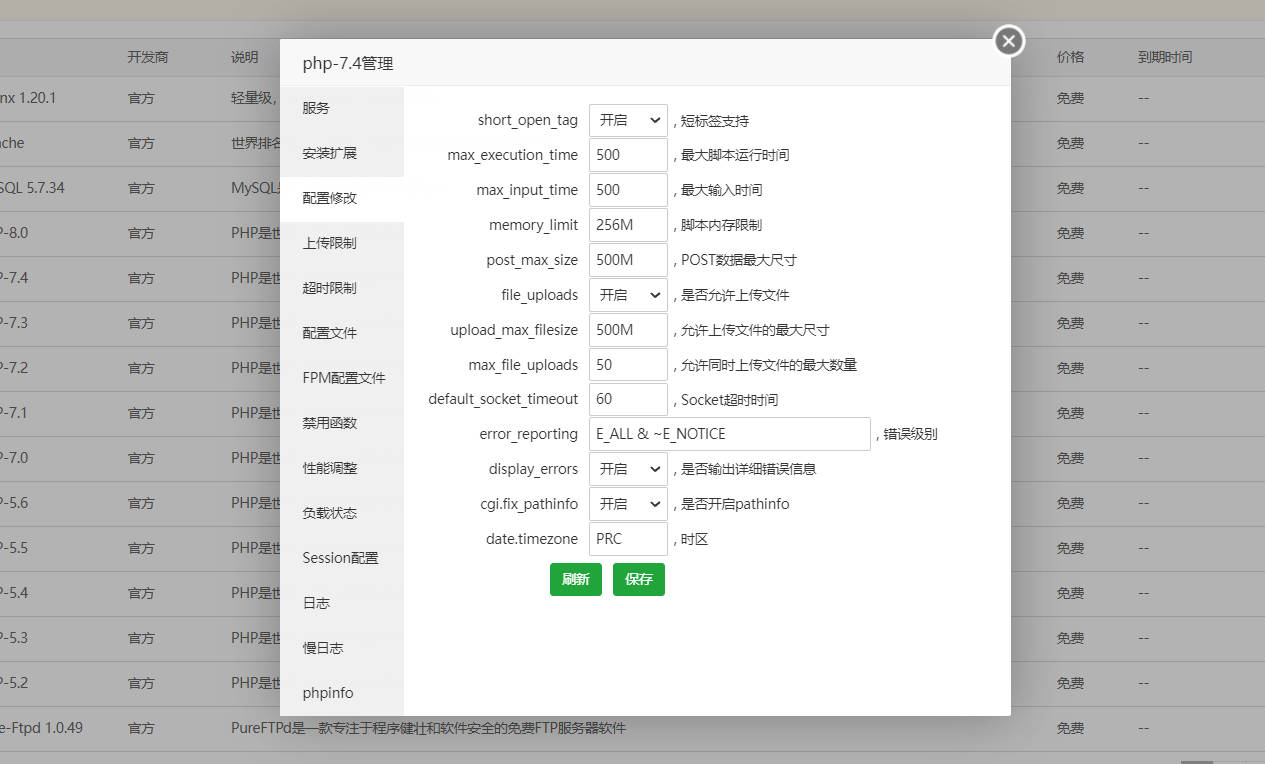
I have reset the php option,but the problem is always exist in Cloud Templates,but otheer pages are ok,how to explain the problem?
 Calin
Calin Hi,
Yes, you are right, maybe is not 100% but 90% are, to remove the standard pack you’ll need to use cloud templates and for pages you’ll need to replace the simple blocks and grids with flex blocks and flex grids. But before this you’ll need to have a full backup and is no need to set on a different theme during the theme update. When you update the theme via FTP/cPanel, you’ll need to copy and replace only the Newspaper theme (delete the old Newspaper theme and unzip the new one), after the theme is set, you need to go in WordPress > Newspaper > welcome section and update the theme from there. Also because you have an older version, you need to install the tagDiv Standard pack from Newspaper > plugins.
Thank you!
Anamaria Hello,
To create the mobile page please check this article https://tagdiv.com/newspaper-10-3-7-update-brings-customizable-and-fast-mobile-pages/ -> https://www.youtube.com/watch?v=SpGkOnJeNZY (03:11 – Mobile Templates & Pages)
Thank you!
Calin Hi jitendrachrysolite,
This will not be easy, it will take a lot of work and even more calm. Also, the design is possible to look a little different.
What need to be done first is to learn how to use the Newspaper theme and try to recreate a small part from the website, for example a cloud template for posts or for categories (this can be apply for all posts and need to be edited only once), the problem will be on pages, where if you want to use tagDiv Composer, then you need to recreated all of them.
Let us know step by step where you are with your work and what you need to do and we’ll try to help you as much as we can.
Thank you!
 Ngatia
Hello,
I created a Single Post from existing cloud template but display shows more than one article in a page. How can we restrict. Template used https://cloud.tagdiv.com/hands-on-beats-powerbeats-pro-review/ output http://www.eblue.co.ke/waryahe/architecture/mobile-marketing-is-said-to-be-the-future-of-e-commerce/
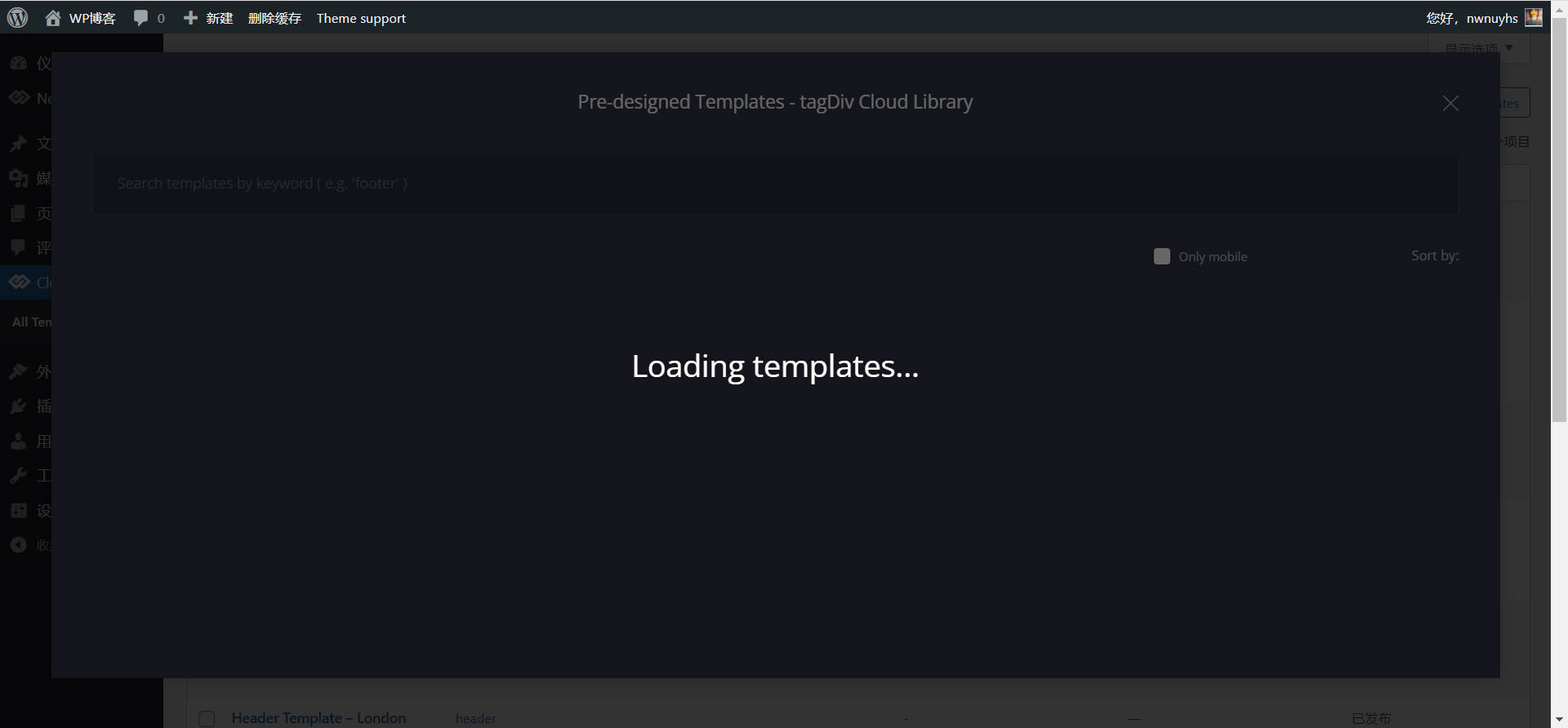
nwnuyhsit’s all the time like this ,but other pages are right,how to solve the problem?
 jastrz
 If I have a theme installed or if I don’t have a page update button in the Theme Panel.There is such a button in the creator’s video because he builds the page without the template installed. I can upload the screenshots, but where?
-
This reply was modified 4 years by
jastrz.
 MarijaZT
 https://www.screencast.com/t/CNkoiCE77 as you can see, I have chosen the theme for my SHOP but no content from the template is showing.
Also, how to set those images on the home page to be seen in full mode, now they are seen partial only https://www.screencast.com/t/EkkjoTvK
This is a standard single post template and I want a cloud library template https://www.screencast.com/t/sKX3YJ5t
But when I change to the cloud library template I lose all the content https://www.screencast.com/t/8pemvV9koI
 Mark Gilbert
My site – https://jazzjournal.co.uk/ – is barely loading. Loading and responsiveness of WP dashboard is also incredibly slow. The site has never been very fast, but this is now unusable.
I have a fairly standard installation, using standard post templates and for front page Flex Block 3 and one Big Grid Flex 2.
My host says the site is responding quickly, so no problem. Other sites are loading fast and normally, so my internet speed is good enough.
What is the problem with Newspaper?
Calin Hi,
The problem with 500 is when you try to edit a page or cloud template ? If is so then it may be a plugin conflict, please make a test using only tagDiv plugins.
The logo and the colors can be set using tagDiv Composer and editing the page on frontent, for example this guide will show how to set the logo -> https://forum.tagdiv.com/add-logo-newspaper/
Thank you!
 ekraft
Hi – in the default template, if I keep scrolling down, more posts display on the page. I just want to display that one post, no more than that. How can I remove that functionality? I don’t see anything in the composer to control that.
Thanks.
Calin Hi,
That is part from the page template, when you use the “Page builder + latest articles + pagination” and you can not add more elements (to remove it set the page template on default). When you can do is to change the number of posts ->https://i.imgur.com/CR72DLi.png to display more posts or reduce the elements from the sidebar widget.
Thank you!
 Bettina
 Hello Pawan!
The settings from Theme panel are useful for the default templates. If you have the latest update of the theme and your settings from the theme panel are missing and you use default templates, then please make sure you have Standard pack plugin installed and active (Newspaper -> Plugins).
However, page loading speed can depend on many factors, and each website is unique from this point of view. Let me explain some of these factors and maybe they give you some starting points for optimizing your website.
External factors: server speed, if you are using CDN or not, the external resources loaded by your website like ads, fonts, tracking scripts like Facebook Pixel, Google Analytics, Twitter analytics, Hotjar and so on.
Internal factors: the number of elements on the page, image size, image formats, if you are using mobile optimized layouts, console errors, if you are using the Standard Pack plugin on not, if you are using PRO demo or a standard one.
For the page speed, I can recommend you some solutions in order to increase the score.
Our developers are working a lot to improve the page speed in every update.
Also, to increase the page speed you can check these similar topics for more solutions:
– https://www.infophilic.com/get-almost-100-pagespeed-newspaper-theme/
– https://forum.tagdiv.com/topic/score-100100-pagespeed-with-newspaper-wordpress-theme/
– https://developers.google.com/speed/docs/insights/v5/about
– https://www.youtube.com/watch?v=tnkVapqhIHc
Please check the tutorials from those platforms gt metrix and Google Pagespeed Insights and I’m sure you can increase the page speed.
Please note that page speed is not covered by the support team: https://forum.tagdiv.com/newspaper-theme-support/
Let me explain you which options of mobile versions are:
1. Responsive version: A responsive version of your website is looking similar like on desktop, edit the page with TagDiv Composer, click on the mobile viewport: https://www.screencast.com/t/XDQJedlggSB ; there you can see your mobile version and you can edit the elements there.
2. Mobile pages: https://tagdiv.com/newspaper-10-3-7-update-brings-customizable-and-fast-mobile-pages/
3. Mobile theme plugin: The Mobile Theme is a performance optimized theme included in the Newspaper main theme and it loads only for mobile devices. It comes with its own templates for page, post, category, etc so your current templates from the desktop theme will get converted to the mobile theme layout. For more details, please take a look here: https://forum.tagdiv.com/the-mobile-theme/ and https://forum.tagdiv.com/mobile-theme-introduction/
If you use Mobile theme plugin, then you can not edit the pages with TagDiv Composer.
You have only some settings for this layout, which you can find in Theme panel -> Mobile Theme.
A full explanation you can find here: https://www.youtube.com/watch?v=SpGkOnJeNZY
You can request a refund here: https://themeforest.net/refund_requests/new It will be reviewed as soon as possible.
Thank you!
Bettina Hello @insumedical!
1. Yes, you can import cloud/PRO templates, which means you can customize them with the Tagdiv Composer which contains a lot of functions and features, please check our tutorial here: https://forum.tagdiv.com/tagdiv-composer-tutorial/
Documentation here:
– https://forum.tagdiv.com/cloud-library-templates/
– https://forum.tagdiv.com/design-post-pages-using-cloud-library-templates/
– https://forum.tagdiv.com/cloud-library-category-templates/
Check also our video tutorials here: https://www.youtube.com/c/tagdivThemes/videos
2. Discount period currently active for the cyber sale, ending 01/12/2021.
Thank you!
Bettina Hello @mjkc!
Please make sure you have the latest version (11.3.2) of the theme, plugins and all the requirements are done as you can see here: https://forum.tagdiv.com/requirements-for-newspaper/
If your settings from the theme panel are missing and you use default templates, then please make sure you have Standard pack plugin installed and active.
However, page loading speed can depend on many factors, and each website is unique from this point of view. Let me explain some of these factors and maybe they give you some starting points for optimizing your website.
External factors: server speed, if you are using CDN or not, the external resources loaded by your website like ads, fonts, tracking scripts like Facebook Pixel, Google Analytics, Twitter analytics, Hotjar and so on.
Internal factors: the number of elements on the page, image size, image formats, if you are using mobile optimized layouts, console errors, if you are using the Standard Pack plugin on not, if you are using PRO demo or a standard one.
For the page speed, I can recommend you some solutions in order to increase the score.
Our developers are working a lot to improve the page speed in every update.
Also, to increase the page speed you can check these similar topics for more solutions:
– https://www.infophilic.com/get-almost-100-pagespeed-newspaper-theme/
– https://forum.tagdiv.com/topic/score-100100-pagespeed-with-newspaper-wordpress-theme/
– https://developers.google.com/speed/docs/insights/v5/about
– https://www.youtube.com/watch?v=tnkVapqhIHc
Please check the tutorials from those platforms gt metrix and Google Pagespeed Insights and I’m sure you can increase the page speed.
Please note that page speed is not covered by the support team: https://forum.tagdiv.com/newspaper-theme-support/
Let me explain you which options of mobile versions are:
1. Responsive version: A responsive version of your website is looking similar like on desktop, edit the page with TagDiv Composer, click on the mobile viewport: https://www.screencast.com/t/XDQJedlggSB ; there you can see your mobile version and you can edit the elements there.
2. Mobile pages: https://tagdiv.com/newspaper-10-3-7-update-brings-customizable-and-fast-mobile-pages/
3. Mobile theme plugin: The Mobile Theme is a performance optimized theme included in the Newspaper main theme and it loads only for mobile devices. It comes with its own templates for page, post, category, etc so your current templates from the desktop theme will get converted to the mobile theme layout. For more details, please take a look here: https://forum.tagdiv.com/the-mobile-theme/ and https://forum.tagdiv.com/mobile-theme-introduction/
If you use Mobile theme plugin, then you can not edit the pages with TagDiv Composer.
You have only some settings for this layout, which you can find in Theme panel -> Mobile Theme.
A full explanation you can find here: https://www.youtube.com/watch?v=SpGkOnJeNZY
Unfortunately, in our theme we do not have dark mode and light mode. Only dark demos which you can find in the Newspaper -> Prebuilt Websites.
Please try not to reply multiple times in the topic if possible, this will only delay our response. Replying multiple times will refresh the topic date and move it to the back of the line, we answer from oldest to newest.
Thank you for understanding!
Calin Hi admin123@,
Thank you for contacting us!
Most of the time the problem is from a shortcode that is not compatible with our theme, therefore after you set it with tagDiv Composer and save the page/cloud template, the next time when you try to edit it, you’ll get that error. Usually, when it is from a shortcode the problem is only on the pages that use that shortcode.
Also this can be a plugin conflict, so you can make a test using only tagDiv plugins.
For this situation we made a guide for how to investigate this problem and fix it -> https://forum.tagdiv.com/tagdiv-composer-not-working/
Let me know the results!
Calin Hi,
To set the featured image on full width of page, you’ll need to use tagDiv Composer to edit the cloud template, set a row on full width -> https://i.imgur.com/7zhVDrw.jpg then drag the featured image on that row, then just adjust the image format -> https://i.imgur.com/hGcplfS.jpg
You can reinstall the demo like you said or you can get only the cloud templates from cloud and replace them.
Thank you!
Bettina Hello @wesquibel2!
I think that you use Mobile Theme plugin, then there is no setting there in order to achieve that. Let me explain you which options of mobile versions are:
1. Responsive version: A responsive version of your website is looking similar like on desktop, edit the page with TagDiv Composer, click on the mobile viewport: https://www.screencast.com/t/XDQJedlggSB ; there you can see your mobile version and you can edit the elements there.
2. Mobile pages: https://tagdiv.com/newspaper-10-3-7-update-brings-customizable-and-fast-mobile-pages/
3. Mobile theme plugin: The Mobile Theme is a performance optimized theme included in the Newspaper main theme and it loads only for mobile devices. It comes with its own templates for page, post, category, etc so your current templates from the desktop theme will get converted to the mobile theme layout. For more details, please take a look here: https://forum.tagdiv.com/the-mobile-theme/ and https://forum.tagdiv.com/mobile-theme-introduction/
If you use Mobile theme plugin, then you can not edit the pages with TagDiv Composer.
You have only some settings for this layout, which you can find in Theme panel -> Mobile Theme.
A full explanation you can find here: https://www.youtube.com/watch?v=SpGkOnJeNZY
Thank you!
 FKnews
Hello, does anyone have a solution to the problem I’m experiencing, when I create a page using a cloud template when I use the page I experience a display difference, such as screenshots
 hegroup
Hey,
I have created the custom post type using code function my_custom_post_interviews() {
$labels = array(
'name' => _x( 'Interviews', 'post type general name' ),
'singular_name' => _x( 'Interviews', 'post type singular name' ),
'add_new' => _x( 'Add New', 'book' ),
'add_new_item' => __( 'Add New Interview' ),
'edit_item' => __( 'Edit Interview' ),
'new_item' => __( 'New Interview' ),
'all_items' => __( 'All Interview' ),
'view_item' => __( 'View Interview' ),
'search_items' => __( 'Search Interview' ),
'not_found' => __( 'No Interview found' ),
'not_found_in_trash' => __( 'No Interviews found in the Trash' ),
'parent_item_colon' => '',
'menu_name' => 'Interviews'
);
$args = array(
'labels' => $labels,
'description' => 'Holds our interviews',
'public' => true,
'hierarchical' => true,
'show_ui' => true,
'show_in_nav_menus' => true,
'menu_position' => 5,
'supports' => array( 'title', 'editor', 'thumbnail', 'excerpt','author','page-attributes','custom-fields'),
'has_archive' => true,
'show_in_rest' => true,
'taxonomies' => array('category'),
);
register_post_type( 'interviews', $args );
}
add_action( 'init', 'my_custom_post_interviews' );
I want to assign the blog template to this custom post type.
 petyaaa6
 Hi Bettina,
How are you?
I have tried, but nothing happened 🙁 the key is still there and no option to insert mine.
Can I edit somewhere in files? Swap it? Or maybe to change the theme activation to false so then it asks me to reactive?
Or, third solution that came to my mind: can I download my edits, i mean as a homepage/blog post etc template? So then I’d uninstall the theme, reinstall mine, and then upload my edits on the theme.
Bettina Hello Flavio!
Please make sure that the content in your website is not made with other builder than Composer. It could be a conflict issue.
We recommend to use cloud/PRO templates in order to have the possibility to edit them with the TagDiv Composer which contains a lot of functions and features, please check our tutorial here: https://forum.tagdiv.com/tagdiv-composer-tutorial/
Documentation here:
– https://forum.tagdiv.com/cloud-library-templates/
– https://forum.tagdiv.com/design-post-pages-using-cloud-library-templates/
– https://forum.tagdiv.com/cloud-library-category-templates/
Check also our video tutorials here: https://www.youtube.com/c/tagdivThemes/videos
Hope that helps you!
Thank you!
Bettina Hello Vincenzo!
Let the offset field empty with no space, no value and see the results: https://www.screencast.com/t/peVbVmUDE
When you use the special filters you should place the shortcode/element (flex block) in the desired template in order to have effect: https://www.screencast.com/t/26s82FuUvqBw
For example: if you have a category template assigned on all the categories you have ( global template), then it is very useful to use a special filter category – current category in order to display the posts from the current category. In this mood you won’t have the same posts on each category page.
Thank you!



