- NewspaperDesign your post pages using the Default Templates
- NewspaperPost template ads
- NewspaperWP Rocket and Newspaper Theme: Optimization Guide
- NewspaperHow to use the Flex Blocks cache option
- NewspaperFlex Block Settings Guide
- NewspaperThe Newspaper Mobile Theme: Introduction
- NewspaperDefault Category Settings
- NewspaperCloud Library – Category Templates
- NewspaperBig Grid Flex Settings
- NewspaperHeader Builder
- NewspaperMeta Info on Modules and Blocks
- NewspaperTheme modules and blocks
- NewspaperImport / Export Theme Settings
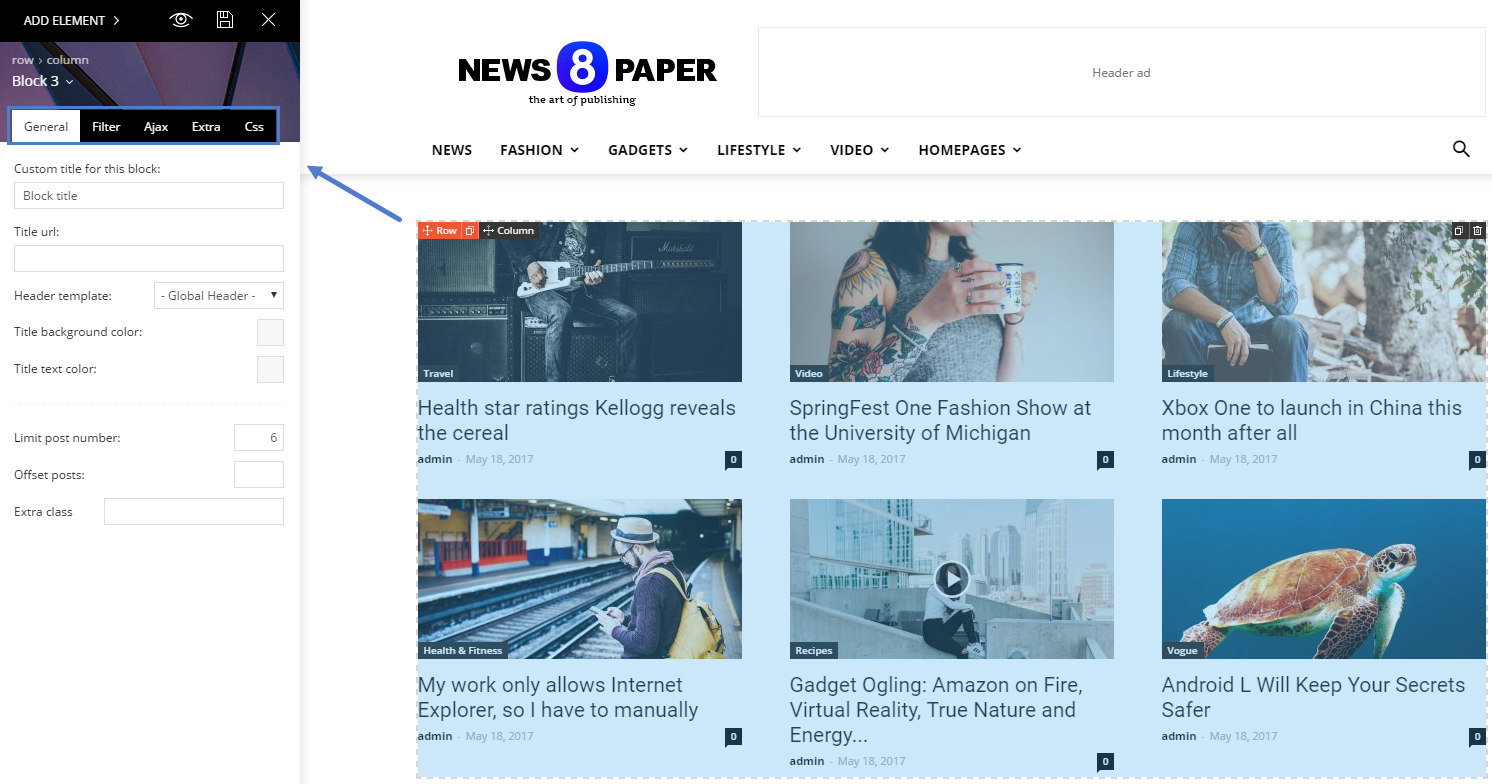
- TutorialsDefault Block Settings Guide
- NewsmagImport / Export theme settings
- TutorialsOffset Feature
- NewspaperUnique Articles
- TutorialsSystem status parameters guide
- NewsmagRequirements for Newsmag
- NewsmagBlock settings tutorial
 shinsori
 Hi nute, the support wasn’t of any help.
I resolved the problem with ronnie’s method.
Just look for a line he mentions in page.php and remove it.
https://forum.tagdiv.com/topic/comments-on-page-not-working-in-8-5/#post-204267
Make sure to make backups first just in case though!
 justingrau
I want to remove some modules from my home page because I do not need the overlap and I would like to add modules like instagram posts. I would also like to change which categories show up in the modules.
HELP
 Kingx26
 I do not see any paragraph tags in between my paragraphs in the WordPress post text editor, but I do see it when I inspect the page. what is going on?
Also when I remove the space the ad does not go below the first paragraph. It goes somewhere else as seen here: https://www.techsiting.com/best-mid-range-graphics-cards/
 Bogdan B.
 Hello,
As you can imagine, the bottom border is meant for text. Please check: https://demo.tagdiv.com/newspaper/block-22/
You removed the author and post date. That is why the overlay is empty.
You can either enable the meta info or use this code to remove the overlay:
.td_block_22 .td-module-meta-holder{

display:none;

}
Thank you!
 jbeaul
I just noticed the appearance of about 10 jpg pics in my media library that I did not upload. They are not attached to any post, are located in the uploads folder (and not the month-specific folder like other media files) and are not linked to any user. There appears to be no other ill effects from their presence but the result of deleting permanently is that they appear to return in duplicate. Attempts to remove via FTP also failed.
A quick internet search for the file names reveals several other websites hosting these files and the one thing they have in common is the Newspaper theme.
A search of my website files revealed these could be placeholder images used by the TagDiv Multi-Purpose plugin (hence TDM prefix in the filename).
Please confirm this is just a sloppy implementation of the TagDiv Multi-Purpose plugin and users need not be concerned and waste a lot of time researching what otherwise appears to be a parasitic exploit.
 studiotopo
Hello,
I’m using a custom post type (like your example td_books…) and I would have the possibility to add a label:
as in WP backend clicking on “Posts” the 2nd level menu displays “All posts”, in my CPT named “Giocatori” on the 2nd level menu I have the same “Giocatori”, but I need to have “Tutti i giocatori”.
How can I do?
Thanks
Here is the code I’m using inside functions.php:
// to register Custom Post Types and taxonomies, the use of the init hook is required!
add_action(‘init’, ‘custom_post_type_init’);
function custom_post_type_init() {
/**
* add the td_book custom post type
* https://codex.wordpress.org/Function_Reference/register_post_type
*/
$args = array(
‘public’ => true,
‘label’ => ‘Giocatori’,
‘supports’ => array( // here we specify what the taxonomy supports
‘title’,
‘editor’,
‘thumbnail’,
‘excerpt’,
‘comments’
),
//’taxonomies’ => array(‘category’) // if you also want to add an existing taxonomy like categories or tags, you can add them here
);
register_post_type( ‘giocatori’, $args );
/**
* Add new taxonomy, make it hierarchical (like categories) and associate it to the td_books Custom Post Type
* https://codex.wordpress.org/Function_Reference/register_taxonomy
*/
$labels = array(
‘name’ => _x( ‘Ruolo’, ‘taxonomy general name’ ),
‘singular_name’ => _x( ‘Ruolo’, ‘taxonomy singular name’ ),
‘search_items’ => __( ‘Cerca ruoli’ ),
‘all_items’ => __( ‘Tutti i ruoli’ ),
‘parent_item’ => __( ‘Ruolo genitore’ ),
‘parent_item_colon’ => __( ‘Ruolo genitore:’ ),
‘edit_item’ => __( ‘Modifica ruolo’ ),
‘update_item’ => __( ‘Aggiorna ruolo’ ),
‘add_new_item’ => __( ‘Aggiungi nuovo ruolo’ ),
‘new_item_name’ => __( ‘Nome nuovo ruolo’ ),
‘menu_name’ => __( ‘Ruolo’ ),
);
$args = array(
‘hierarchical’ => true,
‘labels’ => $labels,
‘show_ui’ => true,
‘show_admin_column’ => true,
‘query_var’ => true,
‘rewrite’ => array( ‘slug’ => ‘ruolo’ ),
);
register_taxonomy( ‘ruolo’, array(‘giocatori’), $args );
/**
* Add new taxonomy, NOT hierarchical (like tags) and associate it to the td_books Custom Post Type
* https://codex.wordpress.org/Function_Reference/register_taxonomy
*/
$labels = array(
‘name’ => _x( ‘Tag’, ‘taxonomy general name’ ),
‘singular_name’ => _x( ‘Tag’, ‘taxonomy singular name’ ),
‘search_items’ => __( ‘Cerca tag’ ),
‘popular_items’ => __( ‘Tag popolari’ ),
‘all_items’ => __( ‘Tutti i tag’ ),
‘parent_item’ => null,
‘parent_item_colon’ => null,
‘edit_item’ => __( ‘Modifica tag’ ),
‘update_item’ => __( ‘Aggiorna tag’ ),
‘add_new_item’ => __( ‘Aggiungi nuovo tag’ ),
‘new_item_name’ => __( ‘Nome nuovo tag’ ),
‘separate_items_with_commas’ => __( ‘Separa i tag con delle virgole’ ),
‘add_or_remove_items’ => __( ‘Aggiungi o rimuovi tag’ ),
‘choose_from_most_used’ => __( ‘Scegli un tag tra quelli più utilizzati’ ),
‘not_found’ => __( ‘Nessun tag trovato.’ ),
‘menu_name’ => __( ‘Tag’ ),
);
$args = array(
‘hierarchical’ => false,
‘labels’ => $labels,
‘show_ui’ => true,
‘show_admin_column’ => true,
‘update_count_callback’ => ‘_update_post_term_count’,
‘query_var’ => true,
‘rewrite’ => array( ‘slug’ => ‘tag’ ),
);
register_taxonomy( ‘tag’, ‘giocatori’, $args );
}
 Simion C.
 Hi,
From what I can see at the moment, the images are displayed fine on the website
– https://www.screencast.com/t/reGFPNZvu
There are no issues on the homepage, post pages, category pages etc.
The latest update includes the latest version of Visual composer plugin (version 5.4.5). Please deactivate and remove the current Visual composer plugin, then install and activate the one from the theme package
– https://forum.tagdiv.com/how-to-update-visual-composer-plugin/
Thanks
Simion C. Hi,
Please do not edit demo content, create your own menus, categories, posts etc and use them. If in the future you should decide to install a different demo, this will remove all demo content imported when installed
– https://forum.tagdiv.com/installing-demos/
Simply create new categories, with the structure and name you wish and use them.
Thanks
Simion C. Hi,
Unless the posts are grouped in a particular category, or maybe share same tags so you can find them easier, I don’t believe there is a way to identify them without manually inspecting each of the posts. Additionally the lists could not be removed for all the posts at once from the post content.
Thanks
Bogdan B. Hello,
The mobile theme top grid shows featured posts. If you removed the featured category from your site, there will be no more featured posts. So please use this guide to mark the posts as featured: https://forum.tagdiv.com/featured-posts-2/ and the grid will be back on the mobile theme homepage.
Thank you!
 Catalin
 Hello nguyentrungxin,
Notice that the sidebar feature can be removed from Theme panel, for each post from here -> https://forum.tagdiv.com/sidebars-tutorial/ -> https://www.screencast.com/t/h1hAHFhc35V If is not what you mean, provide more details and some useful screenshots to explain your problem.
Thanks for the message!
Bogdan B. Hello,
Thank you for your appreciation.
The second smaller tweet button used to be a tweet counter, but twitter since then removed the functionality and no longer allows twwet counts on their platform so the button became a simple tweet button. If you want to replace it with another network for example, try this method:
https://forum.tagdiv.com/topic/how-to-add-a-vk-sharing-button-on-your-posts/
or
https://forum.tagdiv.com/topic/add-linkedin-sharing-button/
Thank you!
Catalin Hi chef,
The Facebook sharing icon can be removed using a bit of CSS code for this, using the code below ->
.td-social-facebook{

display:none!important;

}
Notice that the Instagram button does not exist in post sharing area but only on the page and it can be enabled/disabled from Theme panel, according to our documentation here -> https://forum.tagdiv.com/instagram-widget/
Thanks for the message!
 chef
chef Hi Catalin,
I’m well aware of where I can handle social media in general, what I want, however, is to REMOVE certain, but not all, social media icons from the top bar, post headers, etc.
Specifically, I want Facebook and Instagram, but not Pinterest, Twitter and tumblr icons to appear in my top bar or elsewhere.
Thanks for your support in solving this issue.
Bogdan B. Hello,
The hentry means you removed the post author or date. Google structured data requires both author and date to be present.
Check our official demo: https://search.google.com/structured-data/testing-tool/u/0/#url=https%3A%2F%2Fdemo.tagdiv.com%2Fnewspaper%2F
No errors are found. Please see google’s suggestions on the errors you have on your site in particular.
Thank you!
Catalin Hello jupigo,
I have inspected your website and I saw that your TagDiv gallery and I saw that your images are not working well on the lightbox. Please try to update the theme to the latest version of it, remove all of the untested plugins, clear all the caches and check the results. The default theme’s behavior for tagDiv Gallery can be seen here -> https://demo.tagdiv.com/newspaper/td-post-aston-villa-beat-liverpool-to-join-arsenal-in-the-fa-cup-final/ in our demo preview.
Thanks for the message!
Simion C. Hi,
Please do not post sensitive information in the topic (license key, login details etc) The topics here on the forum are open to all theme users. I have edited the post and removed it. If this kind of information should ever be required, we will ask that you provide it by email.
There was a theme update today containing some improvements and the latest version of Visual composer.
To update the theme please check this guide, the steps for each update method are mentioned in it
– https://forum.tagdiv.com/how-to-update-the-theme-2/
Please check again on Themeforest, the latest theme version is available for download.
Thanks
Simion C. Hi,
It is considerably faster because for example it does not display page builder content. Mobile pages have to be created through the mobile editor. There are predefined templates for the front page, post pages, category pages, smart lists etc. It has also predefined fonts. These cannot be changed. Settings are kept to a minimum
– https://forum.tagdiv.com/the-mobile-theme/
The mobile theme is not a required plugin however. You can choose not to use, and display the same content from desktop.
There is no option to remove the sidebars for mobile at the moment, this will work only for the mobile theme. Something like this could be available in the coming updates.
Thanks
Simion C. Hi,
Please try and test without the ad implementation you currently have. Remove all ads/plugins and test again. It seems that it takes a considerable amount of time loading the ads.
Then try deactivating or reducing the number of images displayed in the footer Instagram.
There is a guide for improving page speed available, test the website with the Google page speed tool and follow the recommendations
– https://forum.tagdiv.com/how-to-make-the-site-faster/
It seems to specify that the server response time is not adequate
– https://www.screencast.com/t/eZmOZsB6
There are many page speed guides and discussions posted by the theme users, with great results
– https://forum.tagdiv.com/topic/score-100100-pagespeed-with-newspaper-wordpress-theme/
– https://forum.tagdiv.com/topic/newspaper-theme-speedify-your-website/
– https://forum.tagdiv.com/cache-plugin-install-and-configure/
– https://forum.tagdiv.com/topic/tutorial-chriss-custom-optimizations-for-functions-php-etc/
Thanks
 xbass
xbass Thanks!
I did not remove the featured category (why would I) but is wasn’t there also. So I created one and assigned to a few posts, but nothing happens so something missing.
Trying to discover the block settings, explained in the ‘Block settings tutorial’, showing ‘How to access the block settings area’ but lacks explanation where to find it. A poor and incomplete tutorial by people who don’t understand how to explain things clearly for everyone.
‘Block settings’ not in ‘theme panel’ and not in the ‘live editor’ either. In ‘theme panel’ is a tab ‘block settings’ but it not has this: https://forum.tagdiv.com/wp-content/uploads/2017/05/block_settings_1.png
xbass Thanks.
Unfortunately the information on https://forum.tagdiv.com/featured-posts-2/ is incomplete. It gives the impression that the featured category is already built-in, which apparently is not. I can create a featured category myself and assign to the post, but nothing happens.
Still no idea how to control the posts in the feat section, remove the posts I don’t want there and show some older posts there.
Simion C. Hi,
The top grid cannot be disabled, unless you remove all posts from the Featured category so it will not appear, but that is not a good solution.
You could achieve that a different way, it will require a modification to the mobile front page template. The slider can be then placed above the top grid, like this
– https://www.screencast.com/t/EdPqz4Ode
– https://www.screencast.com/t/F5pmyn1oY1
<?php echo do_shortcode ('enter shortcode here'); ?>
The result would be like this – https://www.screencast.com/t/iyizmSRu0a
Some margins could be added to top and bottom if needed
– https://www.screencast.com/t/TagJsncTRb
This would be the code for that, you can modify the pixel values as you wish, then enter the code in Theme panel->Mobile theme->Custom CSS code section
.rev_slider_wrapper {

margin-top:5px!important;

margin-bottom:5px!important;

}
If you want the slider to be full width (no margin left or right) that can be done in the slider settings
– https://www.screencast.com/t/KBRtdV3o7y7q
– https://www.screencast.com/t/IhIWzEvv
Result – https://www.screencast.com/t/sPIvQk6BdT
The top and bottom margin would be like this if you make the slider full width
– https://www.screencast.com/t/866eQxCEh
.forcefullwidth_wrapper_tp_banner {

margin-top:5px!important;

margin-bottom:5px!important;

}
Thanks
 upsangel
Dear sir,
I tried to follow the previous post:
https://forum.tagdiv.com/topic/related-articles-remove-or-hide-more-from-author-newspaper-theme/
to remove the “More From Author”
but it only works on my desktop, but not on mobile.
My website is car.upsangel.com
could you kindly advise if any other method for Newsmag, thank you!
 wesdunn1977
Hi Support
Not sure if anyone here can assist, I guess this would come down as theme customization so I’m only posting on the off chance.
I would like to remove the link that appears in TD-Module-Thumb when using blocks, I would like to be left with only the title linking to whatever appears in these blocks so I don’t have 2 links to every article. I have highlighted in yellow first what I want to remove, the second item in yellow is what I want to keep.

I can see this code in TD_Module_4 which specifies the image dimensions but it is not clear to me how I go about removing the link, I have also looked in the block templates and I still don’t see what I could edit to achieve this small change.
<div class=”<?php echo $this->get_module_classes();?>”>
<div class=”td-module-image”>
<?php echo $this->get_image(‘td_324x235’); ?>
<?php if (td_util::get_option(‘tds_category_module_4’) == ‘yes’) { echo $this->get_category(); }?>
</div>
My site uses pages only if that makes a difference with pagebuilder and title as the template, I prefer Visual Composer also as opposed to the new Tag Div composer.
Appreciate any assistance.
regards
Wes Dunn
 jedy
jedyHey guys,
I have a problem.
In my posts on Toply.cz, I’m using Smart lists 2 with H2 and ascending order.
It looks like this:

Little while ago, I have installed plugin a3 Lazy Load (https://wordpress.org/plugins/a3-lazy-load/)
However, I have just found out that it doesn’t work properly on smartphones, so I decided to deactive it.
And when I do, all my posts look like this:

All the content in each of the list’s points dissapear, including tables, H3 titles and images.
The only content which stays is that after tag, which closes smart list.
When I re-activate the plugin, it all goes to normal.
I know you don’t guarrante any function of the theme with untested plugins – and I’m pretty sure you haven’t tested a3 Lazy Load, but can you please help me?
How can I remove the plugin withou damaging my site?
Any advice would be great! I’m really hopeless here.
Thank you very much!