
- NewspaperUser review system
- NewsmagReviews
- NewspaperReviews
- NewspaperCredit System
- NewspaperModules Builder in Newspaper Theme
- NewspaperHow to use the Posts List shortcode
- NewspaperModal Popup
- NewspaperLockers
- NewspaperLeads
- NewspaperFlex Block Settings Guide
- NewspaperSingle Post Shortcodes
- NewspaperDefault Category Settings
- NewspaperCloud Library – Category Templates
- NewspaperBig Grid Flex Settings
- NewspaperMeta Info on Modules and Blocks
- NewspapertagDiv Cloud Library Plugin
- NewspapertagDiv AMP Plugin Tutorial
- NewsmagtagDiv Composer Tutorial
- NewspapertagDiv Composer Tutorial
- TutorialsDefault Block Settings Guide
 Simion C.
 Hi,
The theme uses the default WordPress user roles and capabilities as specified here – https://codex.wordpress.org/Roles_and_Capabilities
So an author role has access to the post settings like in the screenshot you provided – https://www.screencast.com/t/ZMBfDkIIkrGq
This can be seen here in the theme files – https://www.screencast.com/t/o5N0Vlot9kQh
Only anything lower in the user role hierarchy like contributors and subscribers do not have access to these features. If you would like to review the posts before publishing you could change their role to contributor.
The theme panel is available only for admin level users though, and you can not have specific sections of the panel available to specific users.
Thanks
 hollymarie
I just switched to Newspaper on this blog:
https://thoughtandsight.com/kit-review/
And as you can see in the post view, the header is creeping into the title space. Why is this happening? Is my logo too large? I really like the size of the logo as is, but the header overlap doesn’t look great.
 Chrizze
 Ok, yes. I suspected this might of been the case, so I went ahead and wrote my own code for this purpose.
It’s a bit of a dirty hack, but it works. I’ll figure something out down the road…
I’ll attach the code here, if anyone else wants to do the same. I run this function with the td_review_key, it then returns the correct amount of stars. (rounded up). It all lives inside a regular div with the review class and the same classes that the author review uses. Looks neat, now I only need to make customer review work the same. 😀
<?php

function setRating($number = 5) {

    // Make it integer:

    $stars = round( $number * 2, 0, PHP_ROUND_HALF_UP);
// Add full stars:
$i = 1;
while ($i <= $stars - 1) {
echo '<i class="td-icon-star"></i>';
$i += 2;
}
// Add half star if needed:
if ( $stars & 1 ) echo '<i class="td-icon-star-half"></i>';
}
?>
 Catalin
 Hello Chrizze,
Unfortunately, our theme does not have any such a simple option that allows you to do this. Your request needs to do some additional customizations through the code which is not a simple task and which involve some custom modifications. This feature is made in td_review.php core file like this -> https://www.screencast.com/t/KY0Urn76mpya This is not a simple task and if you are not aware of the steps which are needed to take in this regard, please consider hiring a freelancer/developer to help you because we cannot provide custom work at the moment, sorry!
Thanks for your understanding!
 shahvishaal
Hi,
I am using Block 2 on my home page to show reviews in a category. How do I control the which sub-category that comes up with the post. (Refer screenshot for more detail).
Image URL: https://drive.google.com/file/d/0B2q2joxemXaTMzZCNUdjSEpFbWM/view?usp=sharing
Please help
Regards
Chrizze Ok, sorry for being a bit unclear. It’s difficult to explain in detail..
But here goes another try at it. 🙂
<div class="rating">

<span class="stars"><? What function should I put here? ?></span>

<span class="result_scoreKey"><?php setRating(get_post_meta($post->ID, 'td_review_key', true)); ?></span>

</div>
I have a small box, the right side shows the actual rating in numbers, the left side is where I want the stars to show up.
I can see that the stars use a class called td-icon-star. But I don’t know what function to call to render the stars in my custom page. Is there a hook? Or how do I show the actual stars?
Thanx for all the help! 🙂
Simion C. Hi,
Unfortunately the theme has no setting for this. If you want to redirect the login link, you should use a 301 redirect. Here is an example of how 301 redirect are made: http://www.wpbeginner.com/beginners-guide/beginners-guide-to-creating-redirects-in-wordpress/
We can not make any recommendations for these kind of plugins. You can search here on the forum and see what other users are using in this matter. Or search online for plugins like this, look at reviews and choose what you think it’s best for your project.
Thanks
Catalin Hello Chrizze,
Unfortunately, I do not exactly understand where you want to place the Review score? As an example, if you want to display it through meta info container, you simply add the code above in this section, in a DIV, like this -> https://www.screencast.com/t/do8uGkW34qC and then if you will target this class, you can customize your review as you want.
If is not what you mean, please provide more details so I will be able to provide a more accurate response.
Thanks for your understanding!
 Marcus_S
I’m just trying to get into the theme newspaper.
For this I wanted to use the logo in the Default Demo for the header style 9 – 11. The used logo file is 544×65 px. However, the preview shows only a logo size of 300×35
Where do I have to change the settings?
ChrizzeHey!
Can you please help me out? 🙂
I’m experimenting with a listing page, and want to get the built in stars to show in list.
I’ve already used the code
<?php echo get_post_meta($post->ID, 'td_review_key', true); ?>
to show the actual value of the key.
I’ve got a custom page template sitting in the themes folder, but I can’t figure out how the fetch the stars in a div. I tried searching the classes and found the td_review.php… how do I hook into this?
I’ve got a loop going with this Boosnippet: http://bootsnipp.com/snippets/6A0M
But I can’t get the stars to show in front of the meta key value.
 Gen Fujiwara
Hello,
I purchased NewsPaper 7 three times. I like this template very much
I have encountered trouble now.
This is the new NewsPaper 7 issue, which is creating a post.
Insert a line in the text in a certain part, or insert a line feed.
Next, make corrections to other parts and check the preview screen.
Then, for some reason, the place that changed first is returned to original.
This is not only a text phenomenon.
For example:
I used Visual Composer and created several text blocks.
Next, fix or add another part.
Then preview or save.
Next, check the update screen.
Then, for some reason, the final corrected part will be reflected normally, but the part that was modified first will either return to its original state or will disappear completely.
– –
I have experienced this phenomenon for the first time in NewsPaper 7’s third use. That was not the second template.
Is there such a change in specification in the latest update?
My guess is, apparently, one of the causes of this problem.
It looks as though Adsense Manager is causing it.
Because Adsense Manager tag. (Simple tag)
Once it is deleted, it will be recovered.
I am very embarrassed by this mysterious phenomenon.
Advice please.
Gen
 dileep
adsense disapproved my request, reason for “Unable to review your site: While reviewing http://www.navadhara.com/?p=9999999, we found that your site was down or unavailable” I found this link generate a error message “Ooops… Error 404
Sorry, but the page you are looking for doesn’t exist.” why happend this? how I clear this problem (excusme for my bad english)
 Scorpion21
Hi
I was wondering if Newspaper is capable of doing something like this
http://gauge.wpengine.com/call-of-duty-ghosts/
Where you see call of duty page and then there is links related to call of duty like review , news , images ….almost like it has its own menu.
I have that theme too and in there its called hubs. Can something like that done in Newspaper theme.
 Manoel
 I understand but there are some things that just don’t work with AMP. For example the video post type, smart lists or review function. 🙁
 simchris
 You may find it useful when learning WordPress to review the official docs (codex) here:
https://codex.wordpress.org/Posts_Categories_SubPanel
Each post in WordPress is filed under one or more Categories. This aids in navigation and allows posts to be grouped with others of similar content.
Each Category may be assigned to a Category Parent, allowing you to set up a hierarchy within the Category structure. In creating Categories, recognize that each Category Name must be unique. Thus, even if two Categories have two different Parents, they must still have different names.
Links to your Categories are, by default, shown in two different places on your blog’s home page if you are using the WordPress Twenty Seventeen theme. First, WordPress lists these Category as links in your sidebar. Second, WordPress shows all the Categories to which a given post belongs under that post. When someone viewing your blog clicks on one of these Category links, an archive page with all the posts belonging to that Category will be displayed.
Catalin Hello ipcs,
Unfortunately, you cannot change the structure for our blocks/modules, sorry! Please consult our demo preview here -> https://demo.tagdiv.com/newspaper/block-1/ and there you can see how our blocks can be displayed in different cases. If you want to make some changes regarding on theme layout and if you are not aware of the steps which are needed to take in this regard, please consider hiring a freelancer/developer to help you!
Thanks for your understanding!
 bz
bzHello,
I’ve just updated to Newspaper 7.8 and the accompanying Visual Builder. Unfortunately, the update doesn’t seem to have solved an issue I reported previously, namely – I’m not able to make changes to pages.
For instance, there’s a Pure HTML block that I want to replace with a WP Text block. Regardless of how many times I click Preview or Save, the old Pure HTML block still remains.
The caching plugin is disabled and CloudFlare is switched to development at the time of these changes.
Would you be able to please help me?
Thank you!
 leapdsc
Hey there,
As the images used in the sidebar(Right side of website) are non-post related thus individually uploaded.
Based on the example given in the website I am working on, on the sidebar, I have used [tagdiv]Image box widget, however, limitations seems as the images are clicked they link to their source image/attachment page only. I would like to check if it is possible to have the 4 images in 2×2 grids/gallery while when clicked, appear in Lightbox instead. Other suggestions are also welcome to how I can approach this better.
Hope to hear from you soon!
Website url: https://leapdsc.com/leapdsc/client/astar/techdepot/overall-equipment-effectiveness-monitoring-system3-oeems3/
Preview of widget menu: https://1drv.ms/i/s!Ai3uwVtbSehutfx2PxEUbMEH7CIVBg
Preview on Web: https://1drv.ms/i/s!Ai3uwVtbSehutfx3Qh9uQFxhZgWIIA
 fxdavidd
 Dear Catalin,
Thankyou very much for your fast response, i just checked my adsense account & weird, my account under reviewed again. In the meantime, i’ll just wait, and i’ll keep you guys updated, if there are any issues. Once again, thankyou.
 maismeh
Hi!
I have an issue with the picture-upload. Almost more pix can be uploaded – it says HTTP-Fehler. sometimes it workes but most of the time it does not work and there are only grey preview-pics:
http://www.pgaofaustria.at/wp-content/uploads/2017/03/Bildschirmfoto-2017-03-21-um-10.51.34.png
and it says http-Fehler:
http://www.pgaofaustria.at/wp-content/uploads/2017/03/Bildschirmfoto-2017-03-21-um-10.55.24.png
Thanks for your help
Simion C. Hi,
I suggest you review the ad implementation again. I can see that you have two different background images at the moment – https://www.screencast.com/t/AgHAXJMgg – https://www.screencast.com/t/Sw0csHcVwTP Maybe this could be the problem, or it could be a matter of z-index between the background image and the theme wrap. I can not say for sure, as I am not familiar with this ad implementation. Try setting the ad system from scratch if possible, maybe there is something in the code or settings that has been overlooked.
Thanks
 diablo7
For example, in the following list you can see 15 pages and these look like this:
1 2 3 4 5 6 7 8 9 10 11 12 13 14 15 NEXT
here is the link: http://leveltoday.com/15-times-dragon-ball-z-crossed-series/12042/
To the page I added the buttons PREVIOUS and NEXT, there is some way to hide the numbering and leave only these Buttons Preview NEXT.
Any css code for this?
Look at this article from this site: http://whatculture.com/gaming/mass-effect-andromeda-10-hilarious-animations-you-need-to-see
This is how I would like to see the PREVIOUS and NEXT buttons.
Note: I do not use smart list because I like to use inline ad and I better place the ads thanks to this one.
 haroldsimon
 But also the link that you show has the text to the right of the image, no byline, no excerpt. That’s not what my understanding of how it’s supposed to look is. (Not what the layout description shows here https://www.dropbox.com/s/v8b9zsn2t869jny/Screenshot%202017-03-20%2017.49.23.png?dl=0)
This is how it works when it has one block with three entires following the same filter–it follows the preview image in VC and behaves as expected:
https://www.dropbox.com/s/kl1pwkllc6wf2jc/Screenshot%202017-03-20%2017.46.12.png?dl=0
That’s what I want.
But as soon as I divide the row into three columns with their own blocks so I can control the filters separately it changes to this:
https://www.dropbox.com/s/efbn4t4pc8pispy/Screenshot%202017-03-20%2017.47.45.png?dl=0
Totally different look in the exact same space with the same block.
 suneesh179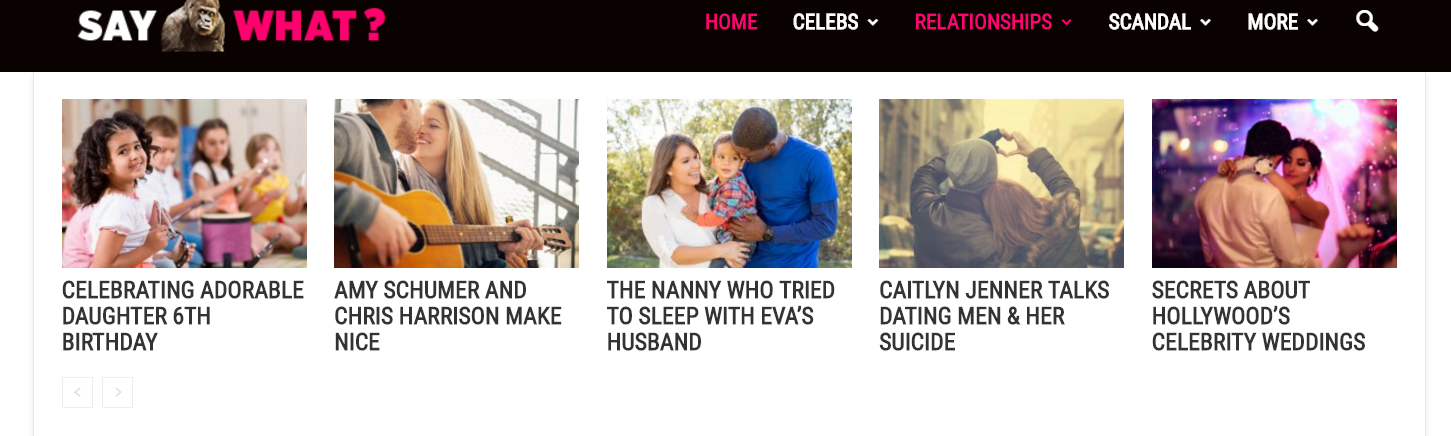
How do I make posts with thumbnail in dropdown menu?
Thanks
Simion C. Hi,
Thank you for your appreciation of the theme. Maybe a feature like this could be implemented in a future update regarding the review system. Please understand that there are a lot of possible improvements and suggestions from our users, and each will be taken in consideration by the developer team at a given time. Time will tell what future updates will bring, as each update is meant to improve the theme.
Thank you for understanding!



