
- NewspaperUser review system
- NewspaperReviews
- NewspaperCredit System
- NewspaperModules Builder in Newspaper Theme
- NewspaperHow to use the Posts List shortcode
- NewspaperModal Popup
- NewspaperLockers
- NewspaperLeads
- NewspaperFlex Block Settings Guide
- NewspaperSingle Post Shortcodes
- NewspaperDefault Category Settings
- NewspaperCloud Library – Category Templates
- NewspaperBig Grid Flex Settings
- NewspaperMeta Info on Modules and Blocks
- NewspapertagDiv Cloud Library Plugin
- NewspapertagDiv AMP Plugin Tutorial
- NewspapertagDiv Composer Tutorial
- NewspaperNewspaper theme documentation
- NewspaperWeather Shortcode
- NewspaperHow to Add an Icon in Menu
 giorgoskey
Hello I would like you to help me to solve the following problem I am trying to upload a video from YouTube by placing the link in the required box posts selected video unfortunately on the page the video preview does not appear automatically and I do not know what is wrong thanks
 Anamaria
 Hi,
Please check this video https://www.screencast.com/t/W6cv3m86lG0. If you have some error please then go to Network, select the error, and see the preview.
Thank you!
 NFInsights
 Hey,
thanks, it worked perfectly.
Could you also help me to no-index the following archive pages:
https://domain.com/tdc-review-email/
https://domain.com/tdc-review/
Thank you!
 Bettina
 Hello!
Please re-check the value you add for the review rate.
Thank you!
 Naija247News Media
Anyone here to help assist in solving this issues on my website
Warning: A non-numeric value encountered in /home/naija247news/domains/naija247news.com/public_html/wp-content/plugins/td-composer/legacy/common/wp_booster/td_review.php on line 138
 ezioboy
 hello betina
I put the code but no response.
I can’t figure out what the problem is.
https://ibb.co/xGqx0Zn
https://ibb.co/z5b5X9h
https://ibb.co/t28msCN
And images 2 and 3 are mobile, but the logo can’t be changed either.
PC is applied, but why is mobile not responding?
Yesterday I emailed you my login/password.
past and present are the same
https://ibb.co/XDX2tDx
https://ibb.co/59n1Tp9
Please take a look and review this as well
① When I click the [Buy Now button], [Go to the checkout page] is set, but before I go to the checkout page, I want to specify the [Purchasing > Login/Registration > Checkout] page movement path, just like Newspaper Real News Demo Paywell. but i don’t know how
② On the login/registration page, the Newspaper login/registration fields are visible on other screens, but only on this lock screen, the Newspaper login/registration fields are not visible. In the end, two login/registration are applied to the site.
 lamiezioboy
hello
Google AdSense-related review keeps getting rejected
The same phenomenon is rejected for the same problem, but I put the corresponding code in [Newspaper – Theme panel – ANALYTICS/JS CODES – HEADER SCRIPT CODE].
https://ibb.co/k1LRZL4
https://ibb.co/tsjvzrw
“Site not ready to serve ads
No code found on site. This may be due to missing code, incomplete or incorrect site URL. Learn more
Copy the code and paste it between the <head> and </head> tags in your site’s HTML.”
Please review the contents after accessing this site manager mode.
Site by email, administrator ID/password
We will send you the code content.
 besmelejack
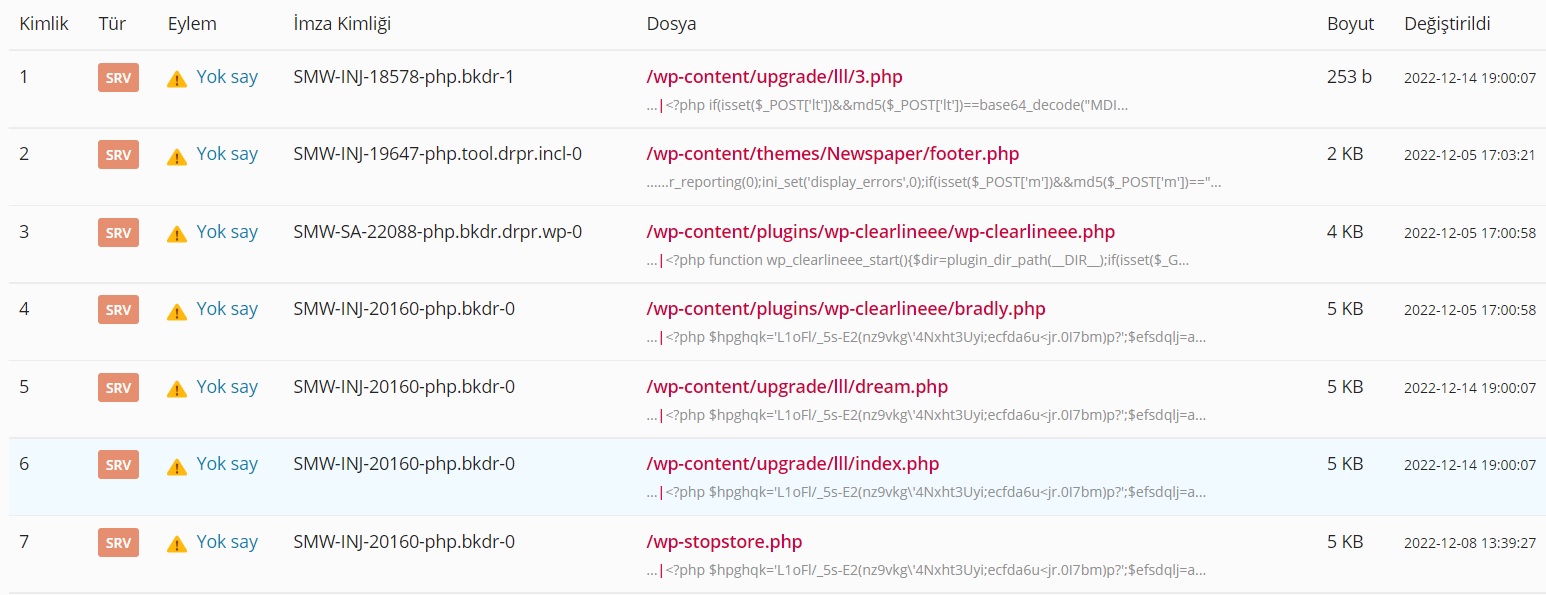
Hello, easy, Kaspersky gave a trojan warning when I tried to log in to my website, where I installed the theme and did not enter any content. When I scanned my Vds panel with ImunifyAV, it found the viruses in the attachment. I had to delete the website, can you do a detailed review on the subject, is it open in one of the theme or plugins?
ezioboy “Search the website for that post and see if that archive has been applied”
https://ibb.co/XYdCNrF
https://ibb.co/GxsbQSd
The result is exactly what I said last time. Weird error message < 404 Go to page
If you can’t move
duweek.com < 2nd post < Please click the experiment post
ezioboy https://wordpress.org/support/topic/sorry-you-are-not-allowed-to-preview-drafts/
여기에 뭐가 제공되었다는 것이죠?
어떤 사람의 질문만 올라와있는데요?
링크 연결도 안됩니다
당신의 답변은 너무 성의가 없고 문제 해결에 전혀 도움도 안된다
계속 시간만 흘러가고 스트레스만 높아진다
문제를 해결할 수 있는 좀 더 자세하고 정확한 안내 절차를 부탁한다
ezioboy “https://wordpress.org/support/topic/sorry-you-are-not-allowed-to-preview-drafts/ ”
What can I refer to here?
Is this a WordPress problem and not a theme problem? So, is it correct that I have set it up correctly?
Bettina Hello @ezioboy!
1. The error you got is: “You do not have permission to preview drafts.”
Please see https://wordpress.org/support/topic/sorry-you-are-not-allowed-to-preview-drafts/ for more information.
2. You can only export them as a CSV file. There is no other option.
3. Yes. Because you probably have some custom fields that are set to “need” (*). You must edit them and set them as not required.
Thank you!
ezioboyI experimented with the Newspaper Locker feature (Opt-In Builder).
But I get a 404 error page.
[Opt-In Builde < Locker < Click update after writing]
Publishing a Locker click after writing a post < 404 error page occurred
2.
When setting up tagDiv Opt-In Builder < Lockers, is it possible to register and send manually to an email sender (my sender sender.net) when emails are collected in menu Leads?
I wonder if it is possible to automate this process. I wonder if tagDiv is provided within Opt-In Builder. If there is another way, please let me know.
When publishing a post, it always asks me to enter information at the bottom. Why do I write this? Is it absolutely right to fill out this course? If you do not write this, it will not be published.
 Mike_Spoleto
Hi, on my website http://www.vmagazine.it if i preview a category, such as ATTUALITA’ category, it shows in preview correctly 2 article, but if i click on the menu category ATTUALITA’, it shows a 404 error, please see the attached files on this links:https://imgur.com/a/7vrVkLz
Could you help me? Thank you
 Calin
Calin Hi reviewparks,
Please contact us via email and please provide the license key, and wp-admin access please include the link to this website in the email so we can identify you.
We’ll check the problem as soon as possible.
Thank you!
 reviewparks
 Sorry maybe you have missing aholdaytour24@gmail.com from i have buy your 2 theme
1. News & WooCommerce WordPress Theme Already use in my http://www.reviewparks.com
2. Newsmag – Newspaper & Magazine WordPress Theme i want to use http://www.aholidaytour.com
but licenace active time showing this massage
so please kindly check this if you want i sent you my wp-admin
-
This reply was modified 3 years by
reviewparks.
 Ezybusy
My questions :
Now, is there a way to manually add the post image preview to the theme files ?
Otherwise, kindly help me with another solution other than SEO plugin, because they crash my website down.
My website link is https://zoneemploi.com
Allow me to explain myself :
Months ago i posted this topic Post preview image not showing when sharing post link which was solved using Yoast Plugin.
However, for about 2 months ago, i realized that Yoast plugin breaks my website down. It critically slows down my website, prevents me from adding posts, or even from accessing my website for hours. So i had to delete it from my website, and now everything works smoothly. But the issue now is that the Post preview image not showing again.
Kindly not that i also tested few other SEO plugins : Rank Math, All in one Seo, etc… and they also crashed my site. So i decided not to use any.
Thank you
 prothomprokashito
Using TagDiv builder, If changing the widget content of my home page and saving it. the builder tab shows the changes but when I check the live preview, the content is not changed over there. you can check the screenshot (https://i.imgur.com/u741asc.png). And also If I try to upload any image to my home (like a logo, banner, etc.) the builder gives me a console error. The error message is (POST https://pprokashito.com/wp-admin/admin-ajax.php 403 load-scripts.php?c=1&load%5Bchunk_0%5D=jquery-core,jquery-migrate,utils,regenerator-runtime,wp-polyfill,wp-hooks&ver=6.1.1:2;). you can also check the screenshot too (https://i.imgur.com/VniNmYC.png).
 tassos
Hi, I noticed that that website has Reviews and Article schema markup. I want to use the theme on a website that has recipes. This website already uses a plugin called WP Recipe Maker – this plugin adds the recipe schema markup to the recipes.
My questions are these
1. Does Newspaper 11 support the Recipe schema markup?
2. If it doesn’t support it, will this plugin work seamlessly with the theme?
3. Any recommendations for the Recipe schema if the above solutions don’t work?
 sangminoh
When I share my article on messenger such as kakaoTalk, I hope the picture of the article will be previewed. Now, if you send a link to share an article through messenger, the With News logo will come out.However, if you copy the link to the article on another news website and share it through messenger, the main picture of the article will be shown as a preview, as shown in the picturePlease let me know how to set it up so that the picture of the article can be shown as a preview when I send the link to the article through messenger.
 From the Strait
For the past couple of days, when I share a post to our business page on Facebook, the preview photo and info do not populate at all. I’ve debugged and scraped the link in the Facebook Developer Tools, but it still didn’t work. I also tried adding the information via the Yoast widget, but that didn’t work either. Has anyone else been having this problem with the theme, and does anyone know how to fix it? It worked fine up until two days ago, but I haven’t changed anything on the site. Any insights would help!
Anamaria Hello,
Please use the cloud template, i.e., the Single Post template; you can after customize it as you want the template and add the reviews
-> https://forum.tagdiv.com/user-reviews/
-> https://forum.tagdiv.com/custom-post-type-support/
Please check this guide to set up a Single Pist Template https://forum.tagdiv.com/design-post-pages-using-cloud-library-templates/ -> https://forum.tagdiv.com/single-post-shortcodes/
2. Please check the layout for a row; you can set the width for each column. Please check those articles about the flexibility of rows and inner rows
-> https://tagdiv.com/flexibility-rows-columns-newspaper-theme/
-> https://tagdiv.com/how-to-add-delete-and-duplicate-row-newspaper-theme/
I added this proposal.
Thank you!
Bettina Hello @muktipolice !
There is a lot of text in black, and I can see that you do not have the review part. So, you need to add a lot of codes instead of changing the color in the settings.
Check the codes: https://prnt.sc/pKXjmKtqpe4z -> https://prnt.sc/DBBPeVXGCDCo -> https://prnt.sc/AMcekqvMtu_P -> https://prnt.sc/LN9zyZaredLk
Apply !important, so the color will change.
Thank you!
ezioboy1. sidebar on post
I’m using the [Real News] demo
Even if you put a review in the basic post provided by Real News, it does not apply.
I don’t know if this is an error.
So I selected tagDiv Standard Pack < STYLE 7 and the review is applied. The problem is that the sidebar is empty.
I want to customize this but I don’t know how!!!!!!
Is there any way to edit it intuitively in the post?
[Edit with tarDiv Composer] can edit only the main site, but not the post.
I went to wechat and there is nothing
where the hell are you doing
2. Top menw
https://ibb.co/nC9P5sM
Now I want to create a Top menu Bar on top of the menu and I want to organize the order.
Edit with tarDiv Composernel < HEADER < Cloud Libary
I’ve tried other
I don’t know how I can change the sort order.
https://ibb.co/4Fg9svJ
For example, changing the position of [Banner and Logo] or
This is an operation to change the order arrangement in the Top Menu Bar.
I tried dragging with the mouse in [Edit with tarDiv Composernel], but the size was fixed, so it didn’t fit even after changing it.
To change the order of the Top Menu Bar, I went into Customize.
There is no order on the menu
[proposal]
Thank you for applying Korea’s social kakao.
However, it seems that the applied cacao color of the current theme needs to be changed./
So, I am attaching an image of KakaoTalk logo in Korea. I would appreciate it if you would apply it in the next update.
Color seems to be important because users click after seeing the color and the look of the mark image.


