
- NewspaperHow to update a plugin
- NewspaperHow to update the WPBakery Page Builder plugin
- NewspaperHow to Update the Newspaper Theme
- NewspaperSingle Post Excerpt
- NewspaperWP Rocket and Newspaper Theme: Optimization Guide
- NewspaperCredit System
- NewspaperHow to use the Bing Maps API
- NewspaperModules Builder in Newspaper Theme
- NewspaperCreate a frontend submission form
- NewspaperCustom Fields Support
- NewspaperFlex Block Settings Guide
- NewspapertagDiv Opt-In Builder
- NewspaperHow to use the YouTube API
- NewspaperDefault Category Settings
- NewspapertagDiv Composer Tutorial
- NewspaperHow to Set the Image Avatar
- NewspaperUnique Articles
- NewspaperFacebook Share
- NewspaperCache plugin – install and configure
- NewspaperFeatured Image, Video or Audio
 Calin
Calin Hi,
First make sure that you have a full backup and only after that update the theme:
If you want to try the automatic theme update from the theme panel, please do a test using only tagDiv plugins, in case it’s still not working, then it will be need to update the theme manually, as it is mentioned in our guide.
Thank you!
 ohridvesti
Hello guys,
I’m using the default theme from Newspaper – Default PRO
I was interested into this feature – directory listing:
https://tagdiv.com/newspaper-theme-12-update-is-live-explore-the-new-features/
Is it possible to make new page and allow listing there, if so how can I do that or I must install something?
Can I use the Newspaper theme and use directory listing or its separate theme I need to install ?
Because I just want to make a new page so people can list.
I couldnt find any tutorial or anything that can help.
Kind Regards
 tridence
After the latest release, we suddenly experienced a slowdown in the script upon loading. I’m not sure if it has to do with the PHP update.
Google support says the script and platform are fine. But the ads seem truncated smaller within the typical default banner ad area for the header on top. Also, do the share icons take a long time to load now? It used to be very fast when page loading was done. Any thoughts and or issues I can review? I’, banking my head around. http://www.tridence.com/blog – Believe support already has a new mag user profile setup from before. Thanks
side note – will there be any possibility for the Newsmag script to be a full window-like Newspaper? I’m thinking maybe after years, I should switch to newspaper.
 amlozyk
 Hi,
Thanks for your response. We just updated to latest version of Newspaper and it seems to be fixed now, no changes otherwise. For reference:
After Update: JQMIGRATE: Migrate is installed, version 3.4.1 and jquery-migrate.min.js?ver=3.4.1:2
Before Update: JQMIGRATE: Migrate is installed, version 3.4.1 and jquery-migrate.min.js?ver=3.6.x
We’ll see how it goes from here.
 DocDigit
Hi team,
I see that the Mastodon logo/social share link @ Theme Panel -> Social Network still is missing.
Can you pls add in the next Newspaper update? Thanks!
 itduck2020
 Hi Calin
Thanks for quick reply.
The theme is not updated. But it asked to update the plugins. Thus we updated the plugins (thinking it is part of the process).
But after the update, the theme is not updated. We tried a few times, and the theme is not updated.
 Anamaria
 Hello,
The latest version is 12.6.6. If you want to make the update, I recommend disabling the extra plugins during the update process.
Yes, you need to activate the license on the website.
Thank you!
 stefanegirard
 Hi,
It is done.
– The main menu and the header are back.
– The grid on the Homepage is back.
– Title with Text, Call to action, Social icons blocl still modified
AN update for Newspaper; You are using version 12.6.5. Update to version 12.6.6.: Shall I update?
Still a message: our license of Newspaper Theme is not registered!
Shall I activate my theme again?
 conbrio
 Sorry but i fogotten, i have one more problem.
As i said first. After i updated newspaper. The description of picture’s has been moved from left to center. but i cant move it back to left
How can i solve this problem?
 curistorian
 Could this be considered for a future update? Specifically, the ability to assign a specific author template to CPTs. That would be very useful.
Calin Hi zelatech, this is a little more complicate, first you need to identify the template that you are using on the page/article where you want to add the taxonomy, after that you’ll need to edit that template file and add the code for your taxonomy to be displayed (this depends on the code/plugin you are using). As an example you are using the taxonomies on articles and you have style 2, in this case you’ll need to edit those files:
– wp-content/plugins/td-composer/legacy/Newsmag/parts/single/loop-single-2.php
– wp-content/plugins/td-composer/legacy/Newsmag/parts/single/single_template_2.php
Also, some of those files can be set in a child theme, so those will not be changed when the theme will be updated – https://forum.tagdiv.com/newsmag-child-theme-support/
I hope this will help you!
Calin Hi itduck2020,
There are 2 methods that can be used to update the theme:
1. the option from the theme panel – https://ibb.co/fpMMGwM (normally if there is nothing interfering this will update the theme and after that it will update the theme plugins, but in case that something is interfering is possible that only the theme to be update and the plugins to be need to manually be reinstall from Newsmag > plugins. This will required 2 clicks for each plugin, one to install it and one to activate it.)
2. manually using ftp or cPanel (replacing the theme with the last version from the themeforest, after that update the theme plugins from Newsmag > welcome section or Newsmag > Plugins)
Also, I will recommend to make the theme update on a staging and only after that on main website.
Also, you can check our guide for theme update – https://forum.tagdiv.com/newsmag-how-to-update-the-theme/
Thank you!
itduck2020 Hi Calin,
We just tried to update the theme (1-click) but it does not work. https://ibb.co/fpMMGwM
Incidentally, the 1-click update required update to all plugins. After the plugins are updated. The 1st mentioned problem – of not being able to save changes on visual composer disappeared. So we are now able to save.
We are looking to update the theme.
But just saw many potential problems that may appear on the update on the forum. So we are a bit concerned. (We use external IT support to update).
conbriohttps://con-brio.co
This is a original logo. when i maximize the window.
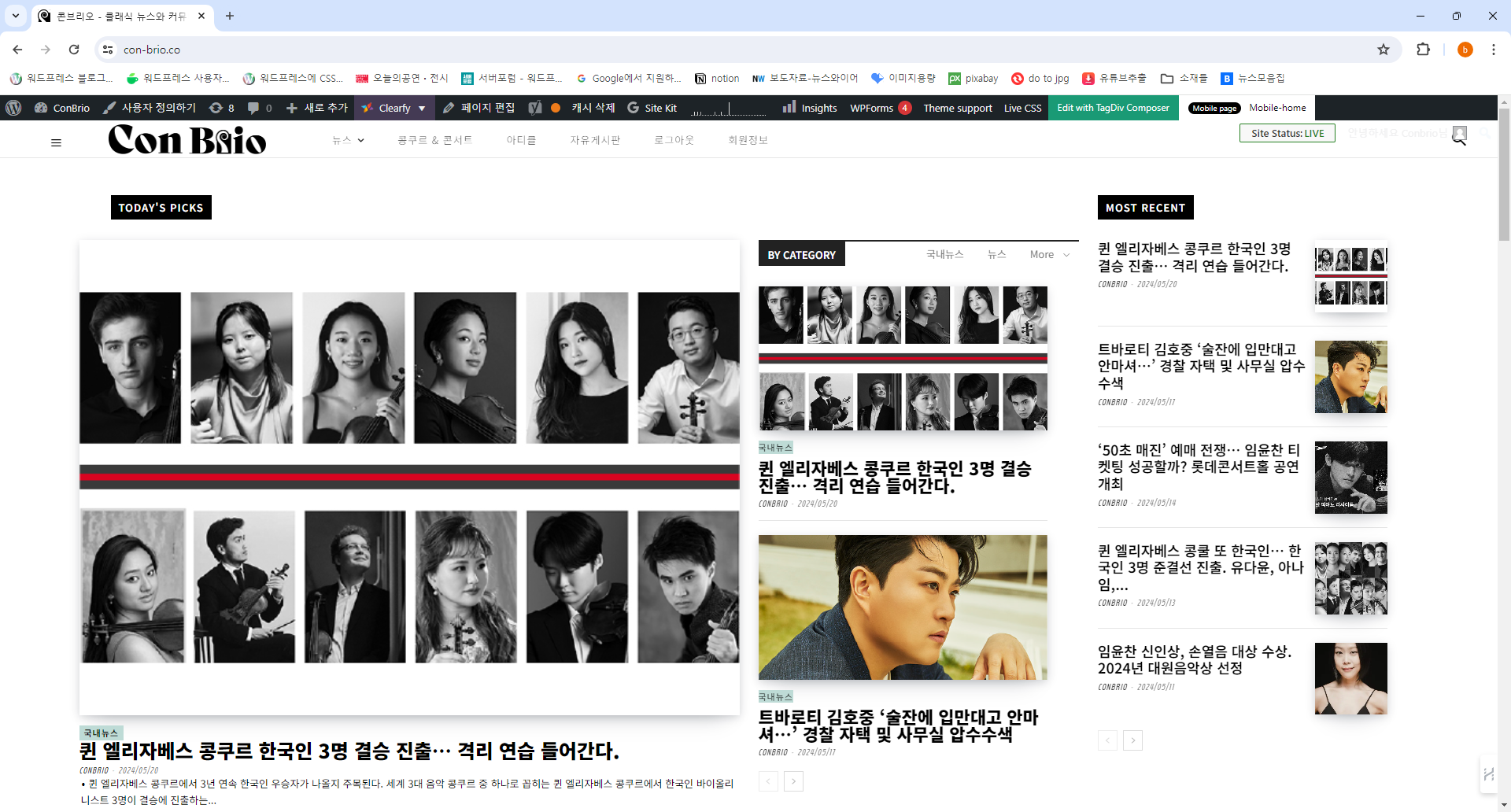
when i make the window small. there’s a chained logo

And after i update newspaper. The description of picture’s has been moved from left to center. but i cant move it back to left
 Cinema-Sport
Hello there
This is my site I am having issue with a updating Newspaper Theme
https://www.kinematografia-shqiptare-sporti.com/
I would not know that updating my Newspaper Theme the site I own can get messed up or broke.
An update came up available for Newspaper Theme. After that I just realized my site got messed up or broke……
I had to call my dreamhost support team to recover it and still the site has issues, for example a promotional video is broken and does not play……
As I understood, the newspaper witch The Repair Team from my host have installed it 2-3 weeks ago is not compatible with any old pug ins
By the way my site is 3 years old…..
Unfortunately, I have no knowledge in this field. A friend of mine built this site for me and he is no longer with us, he passed away last year. Now I am completely without any support.
I`m kindly asking here for help in fixing this problem so that it does not happen again and again in the future whenever I had to update Newspaper Theme.
Thank You
stefanegirardHi there
I have jut updated to version 12.6;5 and now the header shows a code. Excerpt:
[tdb_header_logo align_vert=”content-vert-center” media_size_image_height=”78″ media_size_image_width=”400″ image=”4929″ show_icon=”none” show_tagline=”none” show_title=”none” align_horiz=”content-horiz-center”]
[tdb_header_search results_msg_align=”content-horiz-center” image_floated=”float_left” image_size=”td_324x400″ show_btn=”none” show_date=”” show_review=”none” show_com=”none” show_excerpt=”none” show_author=”none” meta_padding=”0 0 0 16px” all_modules_space=”eyJhbGwiOiIxMHB4IiwibGFuZHNjYXBlIjoiMTBweCIsInBvcnRyYWl0IjoiMTBweCJ9″ form_padding=”eyJhbGwiOiIzMHB4IiwibGFuZHNjYXBlIjoiMjBweCIsInBvcnRyYWl0IjoiMjBweCJ9″ form_border=”0″ form_align=”content-horiz-right” results_padding=”eyJhbGwiOiIwIDMwcHggMzBweCIsImxhbmRzY2FwZSI6IjAgMjBweCAyMHB4ICIsInBvcnRyYWl0IjoiMCAyMHB4IDIwcHgifQ==” results_border=”0 0 1px 0″ results_msg_padding=”eyJhbGwiOiIxMHB4IDAiLCJsYW5kc2NhcGUiOiI2cHggMCIsInBvcnRyYWl0IjoiNHB4IDAifQ==” modules_divider=”” modules_divider_color=”rgba(127,127,127,0.1)” h_effect=”” image_height=”100″ meta_info_horiz=”content-horiz-left” meta_info_align=”” results_msg_color=”#000000″ f_title_font_size=”eyJhbGwiOiIxNSIsImxhbmRzY2FwZSI6IjE0IiwicG9ydHJhaXQiOiIxMiJ9″ f_title_font_weight=”700″ modules_category=”above” mc1_el=”16″ f_title_font_line_height=”1.1″ btn_icon_size=”12″ btn_padding=”eyJhbGwiOiI2cHggNnB4IiwicG9ydHJhaXQiOiI2cHggMTZweCJ9″ btn_icon_space=”10″ input_border_color=”rgba(0,0,0,0.05)” btn_shadow_shadow_color=”rgba(0,0,0,0.39)” btn_icon_pos=”after” inline=”yes” input_padding=”0″ title_txt_hover=”#dd3333″ form_width=”eyJhbGwiOiI3MDAiLCJwb3J0cmFpdCI6IjUwMCJ9″ f_input_font_family=”438″ f_placeholder_font_family=”438″ f_title_font_family=”438″ f_title_font_transform=”” cat_txt_hover=”#000000″ image_width=”27″ tdicon=”td-icon-search” icon_color_h=”#000000″ arrow_color=”#d6d6d6″ ex_txt=”#a5a5a5″ mc1_tl=”16″ toggle_txt_pos=”” toggle_txt_color=”#000000″
Please help.
I am now back to 12.6.4 but no return to normal
 sabedott
the description of my website is not appearing correctly in google results, Google is taking the title of H2 posts instead of the description made in yoast seo, this problem has been happening for more than 40 days, my website dropped from 3 to 31 in Google results because of this bug.
what is happening? I noticed this started after the theme update in April or February
 jeevankumar0514
 any update on this
jeevankumar0514 Any update on this issue.
Anamaria Hello,
Please disable the mobile theme and amp plugins.
Using our theme, you can choose from 3 mobile versions
-> mobile responsive => https://www.screencast.com/t/oJ2ShOp47
-> mobile theme plugin => https://forum.tagdiv.com/the-mobile-theme/
-> mobile page => https://tagdiv.com/newspaper-10-3-7-update-brings-customizable-and-fast-mobile-pages/ The option that you need to use.
Suppose you created the mobile pages with tagDiv Composer. In that case, when you install the Mobile Theme plugin, your pages will be overwritten by the plugin (the mobile theme comes with its templates for page, post, category, etc, so your current templates from the desktop theme will get converted to the mobile theme layout, the page content is made without builders in mobile editor => https://www.screencast.com/t/xbgZG8kH also, the options that are provided to edit the mobile theme version are limited (this keeps the things simple)).
This is a video about Responsive Newspaper Theme, AMP & Mobile Theme, Mobile Pages & Templates -> https://www.youtube.com/watch?v=SpGkOnJeNZY.
So, the mobile responsive is what you see when that you select the viewport on phone => https://www.screencast.com/t/matV17hH, so some settings may apply for each viewport(where is the border blue), and others are not(where the border is black).
The mobile page has the mobile templates from Cloud Library => https://www.screencast.com/t/YCcZ8rL8
The Mobile responsive version of the theme and the mobile page editor can be edit with tagDiv Composer, the mobile theme plugin cannot.
For example, you can have the mobile theme plugin activated and use the mobile page/mobile responsive version for the homepage/pages, but for the categories pages/404 page, you can’t use the mobile page/mobile responsive version if you have the mobile theme plugin activated.
So, if you want to design the pages with tagDiv Composer, you can use the mobile page or mobile responsive version.
Thank you!
 yinksmedia
Hello,
Please i have a regular license and when it doesnt work when i use it. I am unable to also update the theme. What do i do?
Anamaria Hello,
Please try to update the theme manually and turn off the extra plugin during the update process.
Thank you!
Anamaria Hi,
If you want to update the theme, you should download the latest version of it from Theme Forest account and download it.
I recommend that you update the theme manually https://forum.tagdiv.com/how-to-update-the-theme-2/ via FTP/cPanel/File Manager, also if possible disable extra plugins during the theme update to avoid any problems that may arise and make sure that you have activated the tagDiv Standard pack plugin to keep the website’s look. You can try to update the theme on a staging website.
After you update the theme, you need to update the theme plugins too.
In the worst cases, the settings in the theme panel may be lost (there have been isolated cases), in these cases, after the theme plugins that were previously used are activated, you will have to use a backup for the theme panel -> https://forum.tagdiv.com/import-export-theme-settings/
You could consider reinstalling the WordPress version, and checking for this plugin wp-zexit.php. It might be wise to inspect via FTP if it doesn’t appear in the WordPress -> Plugins. Additionally, using Wordfence to scan the website and remove unknown users would be prudent.
Change admin passwords and delete admin accounts you are not familiar with;
– Delete any weird/unknown plugins;
– Delete the weird/unknown themes;
– Clean unfamiliar Theme Panel injected code (example – https://i.imgur.com/4q70kCv.png);
– Clean WordPress files (example – https://i.imgur.com/stJCqiK.png)
Please block /wp-json/tdw/save_css
If an attacker wants to target this URL /wp-json/tdw/save_css they can do so. Even if the website uses a different theme, the attacker can still try that URL. We could add an option to be able to enable/disable the Live CSS, it will be considered. But for now in order to remove it this can only be done with a modification to the composer plugin. I think that all that removing it requires is to comment this line of code – https://prnt.sc/RtwvL5Nc4ikR -> https://prnt.sc/ymZmhdUfp57U But as I mentioned, the attacker can still try to access the URL.
If you want, you can contact our custom work team here, and they can help you update the theme safely: https://tagdiv.com/premium-customization-services/
Thank you!
jeevankumar0514 Any update
 Viju
Viju Please suggest code to work the sticky sidebar because the next update will take time.
Thanks for understanding…


