
- NewspapertagDiv AMP Plugin Tutorial
- NewspaperTrack Subscription Sources with Locker URL in Opt-In Builder
- NewspaperWP Rocket and Newspaper Theme: Optimization Guide
- NewspaperCredit System
- NewspaperIntroduction to CPT and ACF with Newspaper Theme
- NewspaperHow to edit modules for Flex Block X
- NewspaperHow to use the Posts List shortcode
- NewspaperUser review system
- NewspaperCustom Fields Support
- NewspaperHow to generate Facebook App ID
- NewspaperHow to insert a block inside the content of a post
- NewspaperModal Popup
- NewspaperPayPal Setup
- NewspaperLink Tracker
- NewspaperLockers
- NewspaperGeneral Options that May Interfere with the Newspaper Theme
- NewspaperAdd Cryptocurrency Price Ticker Widget
- NewspaperPosts Loop Element
- NewspaperThe Newspaper Mobile Theme: Introduction
- NewspaperAutoptimize Plugin – install and configuration
 Calin
Calin Hello,
Normally when you’re on amp, you don’t search on the site, but on a cached version delivered by Google, so the developers have no longer implemented certain requests that are made on the site, such as the one you mentioned, leaving a comment, review … these being possible only when you are on the mobile or desktop version but not on the amp version.
If you also want the amp plugin now to have this capability, what I can recommend is to use the mobile theme plugin only for the mobile version or disable it, and set the amp plugin to “Reader” – https://i.imgur.com/5aAi8Yz.png
Thank you!
 Youngman
 I have also experienced this, but the solution is not very helpful and only uses one of the pollutions they provide, namely not using AMP.
The exact forum for your problem: https://forum.tagdiv.com/topic/mobile-pagemobile-themeamp-not-responsive-to-desktoptablet/
I’m currently still hesitant to use the AMP plugin or the mobile theme because the problem is still the same as before and I see someone seeing the same case, meaning I’m not the only one experiencing a similar case.
 chriswp
For the last month or so we have had some issues with the sidebar banners. For some reason, they can open up to 10 pages if you just scroll around on the specific page. It is not the code in the banners for sure because the code in each sidebar widget is different from advertiser to advertiser. It is typically banners inserted by iframe or javascript.
Example: https://7.dk/holger-rune-live-stream/ If you scroll up and down on the page etc. suddenly out of the blue after a while the browser will open 10 pages in 10 new windows per sidebar banner with the link from the sidebar. So in this case it will open 20 new windows because there are two sidebar banners.
It’s not related to the specific advertiser on this page because it also happens with other banners/advertisers on other pages. It should be related to the sidebar banners somehow. The banners are inserted either as iframe or javascript.
Anything you have heard about before? I also get an error in connection with “td_block_15_widget” so the sidebar is really not working properly. Does the block_15 widget not work anymore?
 platamun47
 Dear Anmaria,
I tried to implement code into nginx-helper
but I have a errors..
I think that version of current ngnix-helper is different
from your url link manual.
Does your team know how to do this?
error log:
2023/04/26 17:03:36 [error] 5689#5689: *26181 FastCGI sent in stderr: “PHP message: PHP Fatal error: Uncaught Error: Call to undefined method FastCGI_Purger::_do_remote_get() in /var/www/clients/client1/web2/web/wp-content/plugins/nginx-helper/admin/class-fastcgi-purger.php:84
Stack trace:
#0 /var/www/clients/client1/web2/web/wp-content/plugins/nginx-helper/admin/class-nginx-helper-admin.php(716): FastCGI_Purger->purge_url()
#1 /var/www/clients/client1/web2/web/wp-includes/class-wp-hook.php(308): Nginx_Helper_Admin->purge_all()
#2 /var/www/clients/client1/web2/web/wp-includes/class-wp-hook.php(332): WP_Hook->apply_filters()
#3 /var/www/clients/client1/web2/web/wp-includes/plugin.php(517): WP_Hook->do_action()
#4 /var/www/clients/client1/web2/web/wp-includes/class-wp-admin-bar.php(87): do_action()
#5 /var/www/clients/client1/web2/web/wp-includes/admin-bar.php(49): WP_Admin_Bar->initialize()
#6 /var/www/clients/client1/web2/web/wp-includes/class-wp-hook.php(308): _wp_admin_bar_init()
#7 /var/www/clients/client1/web2/web/wp-includes/class-wp-hook.php(332): WP_Hook->app” while reading response header from upstream, client: 213.198.238.41, server: nook.rs, request: “GET /hrvatica-u-nemackoj/?nginx_helper_action=purge&nginx_helper_urls=current-url&_wpnonce=2ce9653a10 HTTP/2.0”, upstream: “fastcgi://unix:/var/run/php/web2.sock:”, host: “nook.rs”, referrer: “https://nook.rs/hrvatica-u-nemackoj/”
2023/04/26 17:06:01 [error] 5689#5689: *26181 FastCGI sent in stderr: “PHP message: PHP Fatal error: Uncaught Error: Call to undefined method FastCGI_Purger::_do_remote_get() in /var/www/clients/client1/web2/web/wp-content/plugins/nginx-helper/admin/class-fastcgi-purger.php:84
Stack trace:
#0 /var/www/clients/client1/web2/web/wp-content/plugins/nginx-helper/admin/class-nginx-helper-admin.php(716): FastCGI_Purger->purge_url()
#1 /var/www/clients/client1/web2/web/wp-includes/class-wp-hook.php(308): Nginx_Helper_Admin->purge_all()
#2 /var/www/clients/client1/web2/web/wp-includes/class-wp-hook.php(332): WP_Hook->apply_filters()
#3 /var/www/clients/client1/web2/web/wp-includes/plugin.php(517): WP_Hook->do_action()
#4 /var/www/clients/client1/web2/web/wp-includes/class-wp-admin-bar.php(87): do_action()
#5 /var/www/clients/client1/web2/web/wp-includes/admin-bar.php(49): WP_Admin_Bar->initialize()
#6 /var/www/clients/client1/web2/web/wp-includes/class-wp-hook.php(308): _wp_admin_bar_init()
#7 /var/www/clients/client1/web2/web/wp-includes/class-wp-hook.php(332): WP_Hook->app” while reading response header from upstream, client: 213.198.238.41, server: nook.rs, request: “GET /hrvatica-u-nemackoj/?nginx_helper_action=purge&nginx_helper_urls=current-url&_wpnonce=2ce9653a10 HTTP/2.0”, upstream: “fastcgi://unix:/var/run/php/web2.sock:”, host: “nook.rs”, referrer: “https://nook.rs/hrvatica-u-nemackoj/”
2023/04/26 17:06:06 [error] 5689#5689: *26181 FastCGI sent in stderr: “PHP message: PHP Fatal error: Uncaught Error: Call to undefined method FastCGI_Purger::_do_remote_get() in /var/www/clients/client1/web2/web/wp-content/plugins/nginx-helper/admin/class-fastcgi-purger.php:84
Stack trace:
#0 /var/www/clients/client1/web2/web/wp-content/plugins/nginx-helper/admin/class-nginx-helper-admin.php(716): FastCGI_Purger->purge_url()
#1 /var/www/clients/client1/web2/web/wp-includes/class-wp-hook.php(308): Nginx_Helper_Admin->purge_all()
#2 /var/www/clients/client1/web2/web/wp-includes/class-wp-hook.php(332): WP_Hook->apply_filters()
#3 /var/www/clients/client1/web2/web/wp-includes/plugin.php(517): WP_Hook->do_action()
#4 /var/www/clients/client1/web2/web/wp-includes/class-wp-admin-bar.php(87): do_action()
#5 /var/www/clients/client1/web2/web/wp-includes/admin-bar.php(49): WP_Admin_Bar->initialize()
#6 /var/www/clients/client1/web2/web/wp-includes/class-wp-hook.php(308): _wp_admin_bar_init()
#7 /var/www/clients/client1/web2/web/wp-includes/class-wp-hook.php(332): WP_Hook->app” while reading response header from upstream, client: 213.198.238.41, server: nook.rs, request: “GET /hrvatica-u-nemackoj/?nginx_helper_action=purge&nginx_helper_urls=current-url&_wpnonce=2ce9653a10 HTTP/2.0”, upstream: “fastcgi://unix:/var/run/php/web2.sock:”, host: “nook.rs”, referrer: “https://nook.rs/hrvatica-u-nemackoj/”
 TheCoinRise
Hello, website link TheCoinrise.com
We have issue with desktop version.
Randomly some of the articles from web version are showing as mobile version and we dont know how to fix it.
Link example https://thecoinrise.com/doj-charges-five-for-price-manipulation-of-hydro-token/
Or try any other link. We have tried everything, disabled all caching plugins, cloudflare and still the same.
Answer from WPX:
Hi Roberts,
I have deactivated this plugin as well, although there is no new cache folder generated yet.
Note that the theme has it’s own caching as well and I suspected even yesterday that the issue might indeed be related to it’s own caching.
I browsed through the theme settings and also checked quite a few blogs regarding the Newspaper caching and if it could be disabled, although I was unable to find any information regarding it.
If you still experience the issue, it would probably mean that it’s related to the Newspaper caching rather than the WP-Rocket functionality, so if that is the case you should wait for a response from the Newspaper theme and potentially ask them if it’s possible to disable the caching from it and leave only the normal caching from the WP-Rocket for example.
I set the folder permissions of the td_cache (the one generated from the Newspaper theme), which should block all requests from it, although if there is already some cache generated there I am not sure if that would help much but at least it would stop it from caching more posts/pages for now.
At this point, this is all we can do I’m afraid since if you want to fully stop this cache until you receive a response from Newspaper, the only way would be by changing the theme, although that might cause additional layout issues.
Please let me know if I can help with anything else.
Warm regards,
Ilia R.
Senior Technical Support at WPX
Calin Hello,
What I want to say is that there are elements that are set with tagDiv Composer on pages and templates and they have different options. For example, on a post, you can use tagDiv Composer to edit the single post template, in it you can set the featured image using one of the two elements, as an image or as a background – https://i.imgur.com/h9hApPO.png – https://i.imgur.com/FTe0DTF.png – https://i.imgur.com/vQb9VJa.png – https://i.imgur.com/wUXjmYf.png at the same time, you have to take into account the dimensions of the images you use, for example, on the desktop, wider images look better, but on mobile, they will appear very small (as is the case with this one).
If you want the image to be displayed completely, it is best to use the Single Post Featured Image element.
My suggestion to use the mobile page template is to be able to use on the desktop the elements that are set now and on the mobile to use other elements with different settings without interfering with them or having to hide them from a viewport on another – https://www.youtube.com/watch?v=jQvA64uTLkI
Thank you!
Calin Hi,
If you want to have the same layout on mobile as on desktop, then you don’t have to use a mobile theme plugin or use it only for amp, as the name suggests, a “mobile theme plugin” is a plugin that uses a theme only for the mobile version – https://tagdiv.com/mobile-theme-get-mobile-ready-with-newsmag-theme/
Thank you!
 Anamaria
 Hi,
Using our theme you can choose from 3 mobile versions
-> mobile responsive => https://www.screencast.com/t/oJ2ShOp47
-> mobile theme plugin => https://forum.tagdiv.com/the-mobile-theme/
-> mobile page => https://tagdiv.com/newspaper-10-3-7-update-brings-customizable-and-fast-mobile-pages/
If you created the mobile pages with tagDiv Composer, then when you install the Mobile Theme plugin, your pages will be overwritten by the plugin (the mobile theme comes with its templates for page, post, category, etc so your current templates from the desktop theme will get converted to the mobile theme layout, the page content is made without builders in mobile editor => https://www.screencast.com/t/xbgZG8kH also, the options that are provided to edit the mobile theme version are limited (this keeps the things simple)).
This is a video about Responsive Newspaper Theme, AMP & Mobile Theme, Mobile Pages & Templates -> https://www.youtube.com/watch?v=SpGkOnJeNZY
So, the mobile responsive is what you see then that you select the viewport on phone => https://www.screencast.com/t/matV17hH, so some settings may apply for each viewport(where is the border blue), and others are not(where the border is black).
The mobile page has the mobile templates from Cloud Library => https://www.screencast.com/t/YCcZ8rL8
Mobile responsive version of the theme and the mobile page editor can be edit with tagDiv Composer, the mobile theme plugin not.
For example, you can have the mobile theme plugin activate and use the mobile page/mobile responsive version for the homepage/pages, but for the categories pages/404 page you can’t use the mobile page/mobile responsive version if you have the mobile theme plugin activate.
So, if you want to design the pages with tagDiv Composer, you can use the mobile page or mobile responsive version.
Better deactivate the mobile theme plugin and see the results, and assign the mobile page for page, like this => https://www.screencast.com/t/lektAhyjd
Also, clear your cache.
Also, please check this topic https://forum.tagdiv.com/topic/amp-pages-not-working-well-with-this-theme/
Hope this helps you!
Thank you!
 Techonline
Dear sir, I have install the Newspaper Theme in my website “techonlin.com” Now my problem is when I see my website in desktop, the full theme show properly but when I see in mobile, my website show only latest article full theme not showing and also not show after follow us social ICON. Please help me.
.
 Alex
AlexHi,
There seem to be another issue with Mobile Theme AMP
(unless I’m doing something wrong)
Example: site.com/post-slug/?amp
Issue:
When clicking “Log in to leave a comment” button – Expected behavior is Popup with Sign in/Register.
It works on Mobile Theme, but does not seem to be working on AMP.
What happens is:
– “Log in to leave a comment” Link in comments list – redirects to WP-Login.
– “Log in to leave a comment” Button – does nothing, only adds hashtag to the URL in address bar.
Please see screenshot.
Thank you.
 scheewoon
Hello,
I’m using “Header Weather” on my homepage https://visitsithonia.com/ and I’m also using the “Weather” widget on several pages inside my website, for example here: https://visitsithonia.com/locations/nikiti/
But every time when I reenter my website weather shows an old incorrect temperature.
How I can fix that and ‘force’ weather to refresh every time when a user reenters on my website?
I’m also not using any caching plugin to optimize my website.
Thank you.
 eschlange
Just updated to the latest version of Newspaper, and now all of my admin pages have a huge “Bespoke Web Development & Design Services” banner at the top.
This is ridiculous. It takes up prime real estate on EVERY PAGE VIEW. I paid you for your theme already… why should I have to look at an ad for your services?
How can I remove this? Thanks in advance for your prompt response, tagDiv support.
 camdt
camdtGood morning,
There are some mismatches in the “More from the author” section, the articles that appear do not correspond to the author of the article that appears on the page. Here is an example of this.
If you look at the screenshot below, that’s exactly what it is. It’s in blue “more from the author”.
Can you give us a solution?
Example URL: https://revistainmobiliarios.sira.com/marketing-en-el-siglo-xxi/
In addition, we have problems with the featured image of the last book reviewed https://revistainmobiliarios.sira.com/libros/ . It is the only one that is not visible and we don’t know why.
Thank you,
Regards
 Bettina
 Hello @Firstlane !
1. Can you provide an example of what you need to achieve?
2. I think this is green because of your accent color.
Thank you!
Bettina Hello @platamun47 !
No. The AMP only works better with the Mobile Theme plugin.
From my point of view, if you don’t use the Mobile Theme plugin, then there is no reason or benefit to AMP.
Thank you!
platamun47 Dear Bettina,
is it possible to use my create mobile pages with wordpress AMP plugin.
I tried implement this, but after scan site with AMP plugin I have a issues.
AMP plugin: https://wordpress.org/plugins/amp/
Thank you in advance.
 trandafir
Salutare! Încerc sa construiesc o platforma folosind tema Newspaper pe care am achiziționat-o de curând. Recent am întâmpinat doua erori. Una care spune “The model does not match content” care îmi apare în live edit în frontend. A doua eroare este despre pagini. Când creez o pagina noua mă trezesc ca are deja conținut în ea de la alta pagina. Nu mă lasă sa le fac design individual.
Site-ul poate fi văzut la http://www.cronica-valcii.ro/pcontainer
 Eowang
 Here are some examples.ù
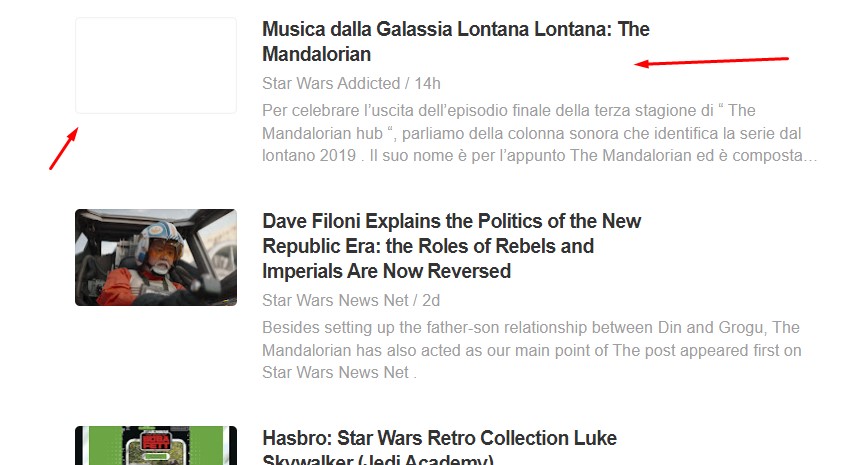
In this image you can see an rss aggregator (feedly.com). My blog posts are shown without a featured image.
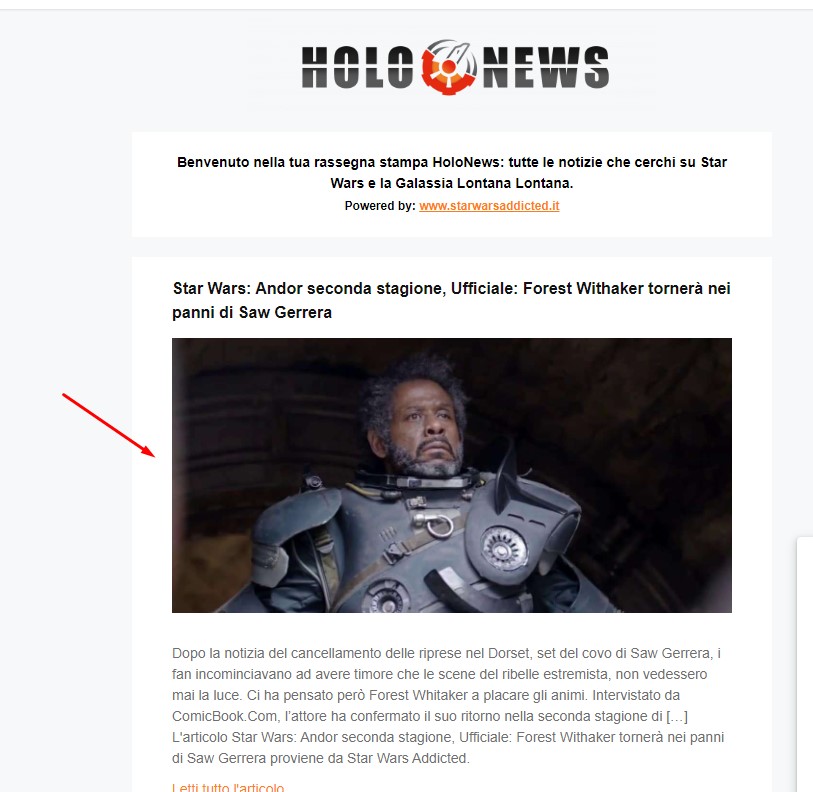
In this image you can see a mailing list created with mailerlite. The image you see is not the featured one, but the first image available in the post. The featured image is ignored.
In posts and on social networks, the featured image is displayed correctly.
Anamaria Hello,
1. The AMP only works better with the Mobile Theme plugin, and you need to select this option -> https://i.imgur.com/U1pH6QN.png
Also, please check this topic where I explained each mobile version -> https://forum.tagdiv.com/topic/mobile-version-not-working-properly-2/ -> https://forum.tagdiv.com/topic/amp-pages-not-working-well-with-this-theme/ and choose what mobile version you want.
2. You can’t disable, but for AMP is this section for analytics -> https://i.imgur.com/kHn8ycP.png
Thank you!
 mellialiaga
We recommend unchecking the options ( Optimize WPBakery & Shortcodes, Merge JS/Styles or Critical CSS ) during page editing.
I made these recommendations but still, I keep getting the annoying pop up and it also doesn’t allow me to click the ignore message button.
https://drive.google.com/file/d/1M0dB5FWOm6emUv_vlFHFALOgp4m9_u2Y/view?usp=sharing
Please help
EowangSince I’ve been using this theme, for some reason the featured image doesn’t show up on some occasions. For example, in RSS aggregators, or in mailing lists that use the blog feed.
 vlalovic
Hi,
Is there a possibility to create a whole link on the post-loop elements as well as the flexbox elements?
Here is the desired example: https://www.hodinkee.com/ Every news box is only 1 for the whole box (image as well as the title). I have similar news boxes but one box usually has 3 links at least (one for the image, the other on the title, and the third for the category). The category link is not needed to be wrapped like others but I would like a box with the news or functionality with the current boxes so there is only 1 ahref link for the cover image+title, not separate links. is this possible?
Thanks
 Miroslav Glavić
I add the element column text, then under header settings I click on edit content. The popup thing shows up, the loading circle appears and nothing else. It keeps on loading.
I am using this element to use a shortcode. It’s been a long time since I used a column text and a few updates on newspaper theme. Should I be using a different element so I can use the shortcode?
The shortcode is from years since plugin (WordPress), I was born x years ago. Where the x gets updated automatically.
Yes I know I can edit the year automatically. It worked fine a few times ago.
 WordDom
Hi,
1)
How can i redirect mobile users to mobile theme + amp version ?
I don’t want them to be redirected to mobile theme version but only amp.
2)
Then, how can i disable “HEADER SCRIPT CODE” in “ANALYTICS/JS CODE” section for mobile users ?
I need a different code for mobile users an dnot the same as the desktop version.
Thanks
 simchris
 Yes, but you will note unlike other messages, even in your screen shot there is no (x) option to remove/dismiss the message, so it’s stuck there in the plugin list ‘forever’ which is a bit intrusive since not needed unless actually using the TagDiv mobile plugin. We have already had an AMP setting set in the AMP plugin since the ‘official’ AMP plugin launched, and do not use a TagDiv theme for the AMP endpoint. Si an option to ‘dismiss’ that message would be helpful. 🙂



