- NewspapertagDiv AMP Plugin Tutorial
- NewspaperTrack Subscription Sources with Locker URL in Opt-In Builder
- NewspaperWP Rocket and Newspaper Theme: Optimization Guide
- NewspaperCredit System
- NewspaperIntroduction to CPT and ACF with Newspaper Theme
- NewspaperHow to edit modules for Flex Block X
- NewspaperHow to use the Posts List shortcode
- NewspaperUser review system
- NewspaperCustom Fields Support
- NewspaperHow to generate Facebook App ID
- NewspaperHow to insert a block inside the content of a post
- NewspaperModal Popup
- NewspaperPayPal Setup
- NewspaperLink Tracker
- NewspaperLockers
- NewspaperGeneral Options that May Interfere with the Newspaper Theme
- NewspaperAdd Cryptocurrency Price Ticker Widget
- NewspaperPosts Loop Element
- NewspaperThe Newspaper Mobile Theme: Introduction
- NewspaperAutoptimize Plugin – install and configuration
 k.nagesh
 Hello,
Thanks for your quick response.
but I wanted some other output, where bullets sit outside the content, but not in line with the content.
for example, you may refer to this link: https://imagesharing.com//photo.php?s=2pmzd5fq
Thankx
 meugamer
 The left graph before the red line displays the period that I used amp. Now the graph on the right side after the red line displays the period without amp.

 Bettina
 Hello!
Please provide a video when the mobile + amp is active and the results and also when AMP is disabled and the results also. So, we can check it too and investigate further to see what can be done.
Thank you!
 Anamaria
 Hello,
Depending on the type of Google Adsense, if the ads are auto ads, then you need to add the code between head tags, this can be set in our theme in Theme Panel -> Analytics/Js Codes. Example: https://prnt.sc/1tju9qf -> https://prnt.sc/10jk7fq, the code needs to be set only once per page -> https://www.wpbeginner.com/beginners-guide/how-to-add-google-adsense-to-your-wordpress-site/
If the ads are not auto, then you can add them in ad box element or in the single post template in the tab ads -> https://forum.tagdiv.com/ads-adsense-overview/ -> https://forum.tagdiv.com/article-ads/
Thank you!
meugamer The problem was exactly that! When I put a non amp url, the site lost 50% of the hits.
What should not occur since 80% of the site visitors access is by search engines.
Now, when I reactivate the url by amp, in two days the accesses return to normal.
I believe this is a layout problem, since it doesn’t make sense for this to happen.
Also, the documentation you sent I have already reviewed in full, and it doesn’t have much to do with what I mentioned.
 chico-2
Hi,
I’m creating a news website which will have two languages. In the header there will be a dropdown listing the two languages. There will be categories in the home page, and each category will have multiple posts. When a particular language is selected, I need to change the category to its 2nd language equivalent and change all the posts to that category. How do I achieve that?
Bettina Hello!
I’m sorry to hear about this.
Please read all about AMP here: https://forum.tagdiv.com/tagdiv-amp-plugin-tutorial/ and Mobile theme here:
– https://forum.tagdiv.com/the-mobile-theme/
– https://forum.tagdiv.com/mobile-theme-introduction/
You can use the Mobile theme plugin without AMP too.
Thank you!
Anamaria Hello,
Those cannot be set globally because there are different pages (checkout, pricing, contact) when you create a page for example for contact, you can import the page from frontend and assign it.
Thank you!
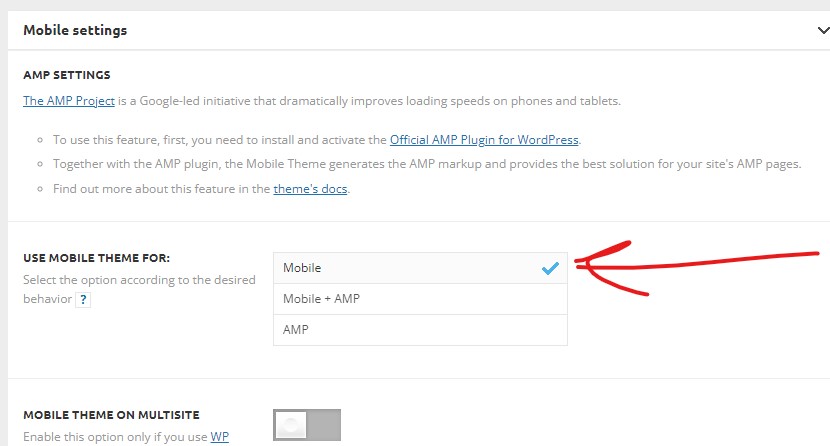
meugamerI recently removed the mobile+amp option, leaving only mobile. However, the hits to the site from google search, dropped dramatically. Simply, google has stopped highlighting us in “Top News” or pinning us at the top.
However, when I switch back to mobile+amp, everything returns to normal.
The problem, is there is a script that only works on the version without amp and I need to use on the site currently. Is there a tutorial where I can follow and check what happened. Since it is very weird this situation.
Bettina Hello!
For example, if I change the color from here: https://prnt.sc/2qvAKrcRp3QQ it will save like that.
Please make sure you do not have any other color which overwrite that rule. Or please set the important property: https://www.w3schools.com/css/css_important.asp
Thank you!
 motorstof
Hi there,
I’ve altered the header of my website: https://streamplayers.nl, but everytime I load the page (on desktop) there’s a big layout shift in the header. It seems to be coming from the search button that’s there. Whenever i remove the button there’s nothing shifting, but when I add it again it gives the same issue.
I’ve already tried changing a bunch of things, including changing the css around the search button but nothing seems to help. Is there anyone that could help me fix this?
 byothe
For some time, I noticed that the images were displayed very badly on the blog…
It’s as if they were badly resized and therefore looked blurry…
When you click on them they are of good quality but otherwise it’s not great…
For example on this article :
https://byothe.fr/comment-inserer-un-espace-insecable-dans-word-ou-autre/
 Romi
RomiHi all TagDiv Team
I have a client asking me whether possible to have a recent posts that continue even separated with any element or widget on Homepage.
For example, in the homepage I put recent posts block from latest posts 1 to 5th posts then separated with widget, then add another recent posts block showing the 6th to 10th latest post, then separated again with widget.
How to do it?
Thank you
Nagib Blog
motorstofHi there,
I have the newspaper theme installed on my website: https://streamplayers.nl
It’s template is the Gossip Pro, but for some reason it does not contain a template for pages. Now I’ve imported a page template, but I’m not able to set it globally, meaning that it’s basically unusable?
How/where am I able to set the page template globally?
 fbmuse1
 https://s1.hostingkartinok.com/uploads/images/2022/05/588891b90d147e4bbffc801b41668c32.jpg
https://s1.hostingkartinok.com/uploads/images/2022/05/f2108d0eb4a7371bf07de5df713ebd0f.jpg
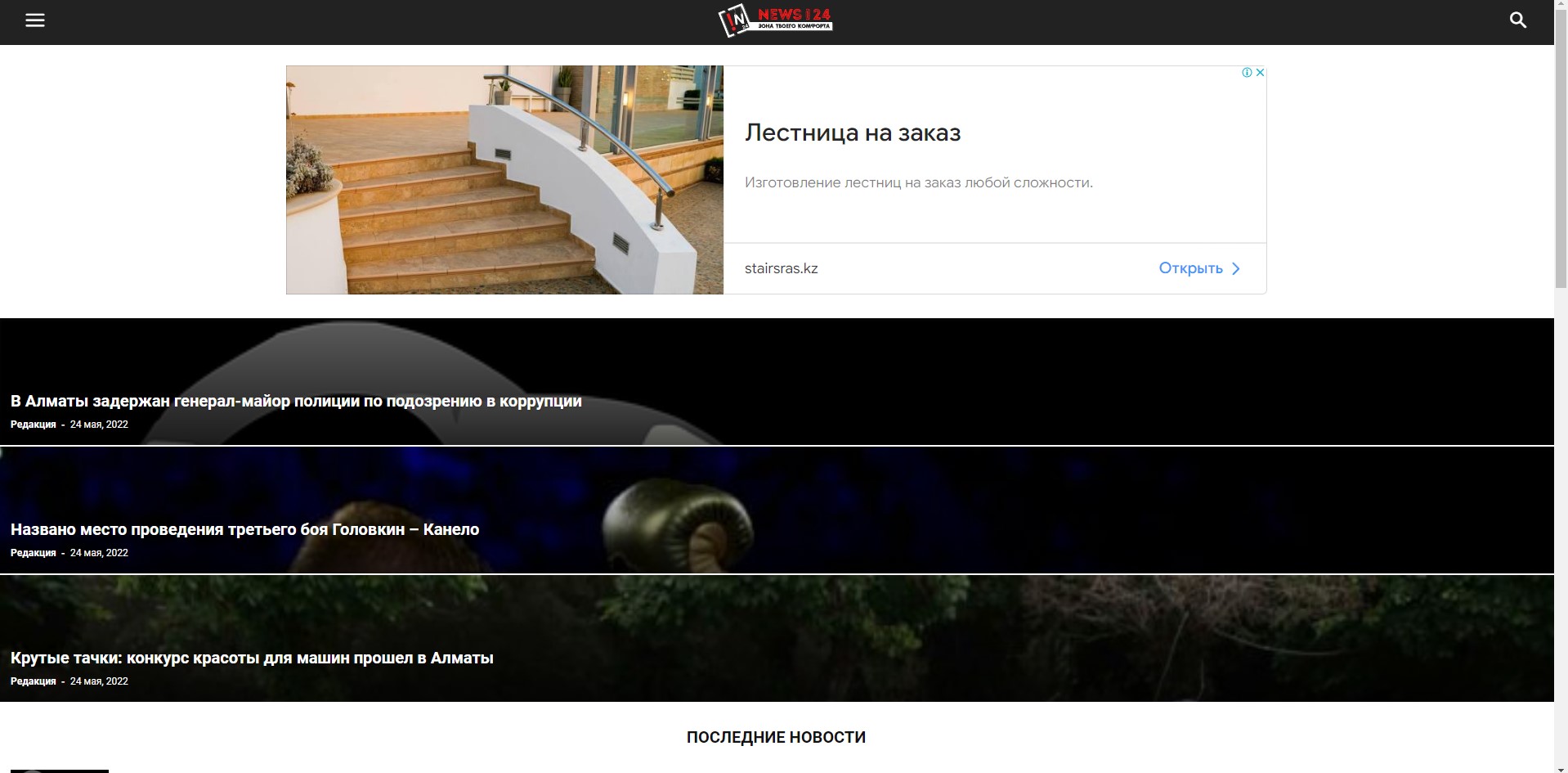
Когда стоит настройка MOBILE то на телефоне и на ПК показывает обычную тему.
Когда стоит настройка mobile+amp показывает и на телефоне и на ПК мобильную тему.
А должно быть на телефоне мобильная тема, а на ПК обычная тема. Как быть:?
 catalingeangos
Hi, i had these issues for long time and i don’t know how to fix it. I think i’ve been waiting maybe your team will fix it on the future updates but didn’t happen. So when i’m using smart lists let’s say for H3, and then i add other headings below, the last H3 from the list is automatically taking the pictures from the last H2.
article here
As you can see, if you go down to “Nortiv 8 Barefoot Water Shoes”, the last H3 of the list, there is one picture that was supposed to be under the next H2 – “Types of Water shoes”.
I have tried numerous times to sort out this issue but is nothing i can do.
Sometimes we don’t want to add pictures and only add the amazon plugin but is always taking and using the first picture from the content below.
And there are some other issues as well sometimes, for example im doing more H2 tiles with H3 under each of them, and if i want to use these smart lists just for one of them, i cannot, they keep counting all the H3 when i actually want them to be part only to one of the H2.
Is any way to sort this out or to make it on your to-do list please? I asked maybe one year ago the same questions and someone said will fix it but nothing happened yet.
Thank you
Anamaria Hello,
A solution could be to use the unique article option, follow this guide: https://forum.tagdiv.com/unique-articles/
This option automatically removes duplicate posts from the page.
Also, another solution is to set the offset posts on the blocks => https://www.screencast.com/t/Tsiu65TSaRS -> https://www.screencast.com/t/YbkmVbsBrnk
You can use the Flex Block 1 and you can filter it to display the posts only from a category -> https://i.imgur.com/Nnt3zGX.png and you can design it to look like a posts loops block.
The Posts Loops settings are divided into 5 tabs: General, Layout, Style, ADS and CSS. The Posts loop is a special block and doesn’t have filtering options.
Also, one of the options for pagination of the Posts Loop has the option for normal numbered and the flex blocks do not have this option.
The Posts Loop is automatically filtering the posts depending on the cloud template you set (for example on the category page there will be posted posts from that category).
Thank you!
 Lamb
LambHello,
Two questions :
1/In my home page I have the header as usual but if I go on home page 2, 3 (when there are several articles) there is no header (the second header with about page is there but not the top header with logo and menus)… what is strange is that when i’m on home page 2 if I click on tagdiv I see the header as if i was in home page.
https://www.captainforest.com/
https://www.captainforest.com/page/2/
2/ When users click on next in bottom of home page to read the next articles, when the users arrive in home page 2, 3, is it possible to configure to arrive directly in all articles section without having to scroll down to see the next articles please?
Thank you.
 mediamiu
 Hello,
tagDiv Composer by example. This is again happened today!
Thanks
 mikerono15
 Am getting this: https://ibb.co/27xJRNt
Instead of this: https://ibb.co/d26RxBh
I’ve followed the procedures in the article, even uninstalled both mobile themes and AMP plugins but the issue remains the same. The global mobile templates I created with tagDiv composers aren’t working on mobile
The link to my site is: https://www.sourceht.com/
-
This reply was modified 4 years by
mikerono15.
 Slavisai
 Example: https://disk.yandex.com/i/d8QPYOTwtRhovQ
Additional: Footer keeps the german version of the site.
It might not be the issue with the Theme, still it would nice if you could give me some tips on how to solve this issue since I’m a newbie with PHP.
I see in the code that “home_url” is the probable redirection to the homepage, and there is only one on the site. I can’t make my subdirectories /de and /sr as additional homepages.
How do I implement “pll_current_language” into the code? I can send you the screenshots of the PHPs if you like.
Thank you!
 Bettina
 Hello!
This issue has been discussed already here, please check: https://forum.tagdiv.com/topic/5xx-error-when-using-newspaper-in-a-multisite-environment-with-the-amp-plugin/
Hope that helps you!
Thank you!
mikerono15 Similar problem here. My Mobile Responsive Theme is not working. I’ve tried uninstalling both Mobile and AMP plugins the issue remains the same. Last time I clicked the toggle on the ‘Serve all templates as AMP’ on the AMP plugin..worked a bit but was back to default. How can I fix this? Site link: https://www.sourceht.com/
mikerono15My ‘Mobile Responsive Theme’ is not working. I’ve tried uninstalling both Mobile and AMP plugins the issue remains the same. Last time I clicked the toggle on the ‘Serve all templates as AMP’ on the AMP plugin..worked a bit but was back to default. How can I fix this?
Anamaria Hello,
Please provide more details about your issue, if you can please provide screenshots.
Also, you can use the element ad box -> https://forum.tagdiv.com/ads-adsense-overview/
If the AdSense code needs to be set between head tags, this can be set in our theme in Theme Panel -> Analytics/Js Codes. Example: https://prnt.sc/1tju9qf -> https://prnt.sc/10jk7fq, the code needs to be set only once per page -> https://www.wpbeginner.com/beginners-guide/how-to-add-google-adsense-to-your-wordpress-site/
Using auto ads those will be automatically placed where they fit correctly => https://i.imgur.com/qX36kT0.png
Thank you!